[Splunk DB Connect] Error Encountered: "Problem Occurred While Accessing Keystore" When Saving the Connection after upgrading to the Splunk DB Connect version 3.16 and above.
Available Languages
Applicability
Splunk Cloud Splunk EnterpriseDescription
After upgrading Splunk DB Connect, users are unable to save new or existing connections. When attempting to save a connection, the error "Problem occurred while accessing keystore" is displayed. This issue occurs for all connections, even though they were working properly before the upgrade.
Investigation
While investigating the issue, the following error was found in the logs, indicating a problem with decrypting the keystore password:
2024-10-26 13:50:55.866 Trace-Id=6f5fe4d4-f4f9-4019-9ea2-ccb4b0d19def [DBX-QUERY-WORKER-0] ERROR com.splunk.dbx.utils.SecurityFilesGenerator - operation= connection_name= stanza_name= Unable to decrypt the Keystore password
javax.crypto.AEADBadTagException: mac check in GCM failed
at java.base/jdk.internal.reflect.NativeConstructorAccessorImpl.newInstance0(Native Method)
at java.base/jdk.internal.reflect.NativeConstructorAccessorImpl.newInstance(NativeConstructorAccessorImpl.java:62)
at java.base/jdk.internal.reflect.DelegatingConstructorAccessorImpl.newInstance(DelegatingConstructorAccessorImpl.java:45)
at java.base/java.lang.reflect.Constructor.newInstance(Constructor.java:490)
at org.bouncycastle.jcajce.provider.symmetric.util.BaseBlockCipher$AEADGenericBlockCipher.doFinal(Unknown Source)
at
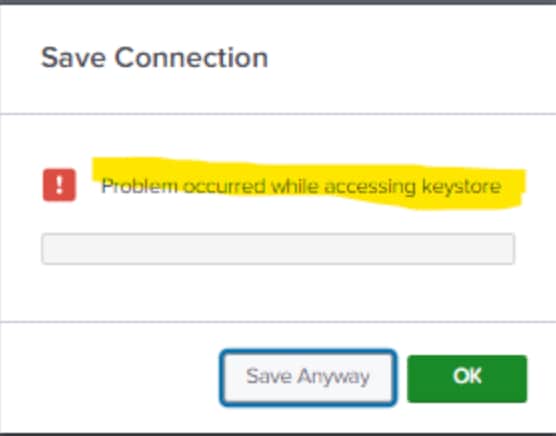
Additionally, when attempting to save a connection through the Splunk DB Connect UI, the following error was observed:
Troubleshooting Steps:
To resolve the issue, the following steps were taken:
- Removed the
keystore_password.datfile from the$SPLUNK_HOME/etc/apps/splunk_app_db_connect/certsdirectory. - Removed the
default.jksfile from the$SPLUNK_HOME/etc/apps/splunk_app_db_connect/keystoredirectory. - Restarted the Splunk service.
Despite these changes, the issue persisted.
Root Cause:
Upon further investigation, it was identified that during the upgrade of Splunk DB Connect, the dbx-migration.conf file was not created automatically in the backend. As a result, the user manually created the dbx-migration.conf file and added the following content:
[encryption]
upgrade = DONE
onError = FAIL_FAST
Resolution
To resolve the issue, the following steps were taken:
-
Navigated to the
$SPLUNK_HOME/etc/apps/splunk_app_db_connect/local/dbx-migration.conffile and added the following content:[encryption] onError = FAIL_SAFE -
Restarted the Splunk service.
After implementing these changes, able to save the connection without encountering any further issues.
Revision History
| Revision | Publish Date | Comments |
|---|---|---|
1.0 |
29-Sep-2026
|
Initial Release |
 Feedback
Contact Cisco
- Open a Support Case

- (Requires a Cisco Service Contract)