Splunk DB Connect: Unable to Save Snowflake DB Connection When Using RSA Key Pair
Available Languages
Applicability
Splunk Apps & Add-ons Splunk Enterprise Splunk CloudDescription
While attempting to establish a Snowflake database connection in Splunk DB Connect v3.18 using an RSA key pair, the following error is encountered: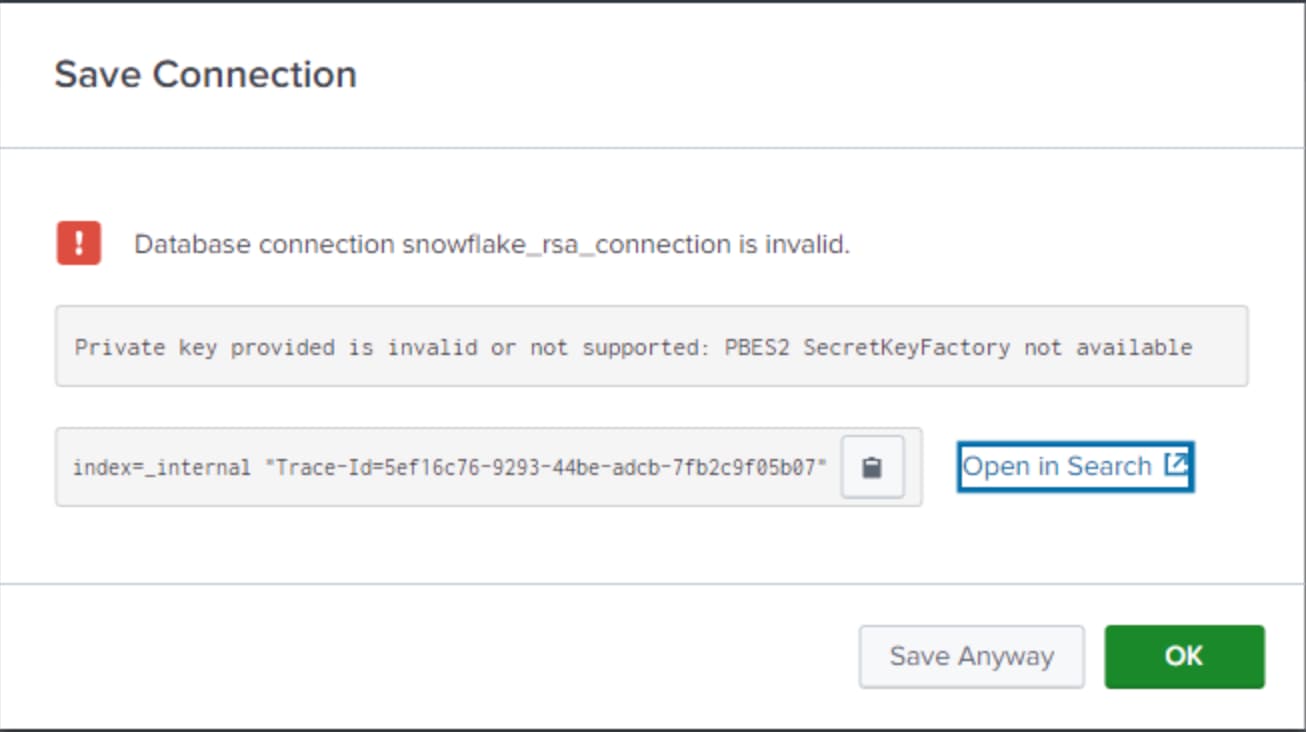
This error indicates that the security toolkit used to generate the encrypted private key relies on an encryption schema not supported by the Java runtime.
By default, OpenSSL 1.1.g uses the PBES2 encryption scheme (OID: 1.2.840.113549.1.5.13) to encrypt generated private keys.
However, not all Java versions support this encryption scheme, leading to authentication failures when connecting to Snowflake.
Investigation
Step 1: Validate DB Connection Configuration
- Verify that all required fields in the DB connection configuration page are correctly filled and contain no missing or invalid information.
Step 2: Check Internal Logs for Errors
- Run the following SPL query on the Splunk Search Head to inspect internal logs related to the DB connection:
index=_internal *TraceID*Look for the error similar to:
net.snowflake.client.jdbc.SnowflakeSQLLoggedException: Private key provided is invalid or not supported: PBES2 SecretKeyFactory not availableIf this error is present, it confirms that the RSA private key encryption scheme is incompatible with the Java runtime.
Step 3: Analyze Encryption Compatibility
- The PBES2 encryption scheme is not fully supported across all Java versions.
- OpenSSL 1.1.g and later versions default to PBES2, which may cause incompatibility with Snowflake JDBC drivers used in Splunk DB Connect.
Resolution
To resolve this issue, generate a new private key using a compatible encryption scheme, such as PBE-SHA1-3DES or PBE-SHA1-2DES, by following these steps:
Step 1: Generate a New RSA Private Key
- Use one of the following OpenSSL commands to create a PBES1 encrypted private key:
openssl genrsa 2048 | openssl pkcs8 -topk8 -inform PEM -v1 PBE-SHA1-3DES -out rsa_key.p8Or
openssl genrsa 2048 | openssl pkcs8 -topk8 -inform PEM -v1 PBE-SHA1-2DES -out rsa_key.p8This ensures that the generated private key is compatible with the Snowflake JDBC driver.
Step 2: Generate the Corresponding Public Key
- Run the following command to extract the public key:
openssl rsa -in rsa_key.p8 -pubout -out rsa_key.pubStep 3: Assign the Public Key to the Snowflake User
- Log in to Snowflake and associate the newly generated public key with the user account using the following SQL command:
ALTER USER INFACMI_User SET rsa_public_key='key_value';Replace 'key_value' with the actual contents of the newly generated public key (rsa_key.pub)
Step 4: Configure Snowflake DB Connection in Splunk DB Connect
- Use the newly generated RSA key pair when setting up the JDBC connection in Splunk DB Connect.
- Ensure the JDBC URL includes the correct authentication method and the new private key.
- Save the connection and validate connectivity.
Revision History
| Revision | Publish Date | Comments |
|---|---|---|
1.0 |
29-Sep-2026
|
Initial Release |
 Feedback
Contact Cisco
- Open a Support Case

- (Requires a Cisco Service Contract)