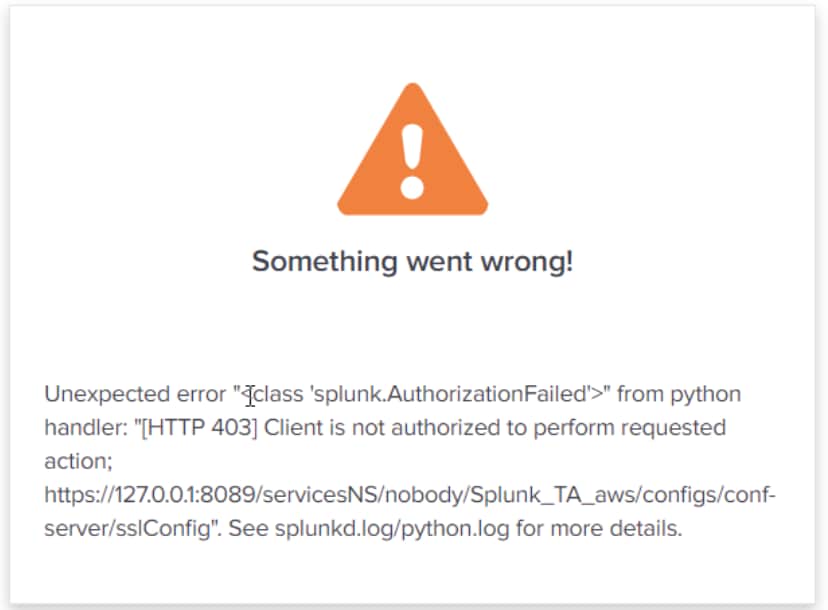
Splunk Add-on for AWS: Getting "[HTTP 403] The client is not authorized to perform this action" while accessing Inputs and configuration page.
Available Languages
Applicability
Splunk Cloud Splunk Enterprise Splunk Add-on for AWS Splunk Apps and Add-onsDescription
When accessing the inputs and configuration page of Splunk Add-on for AWS getting the below error on the UI.
Investigation
Ran below SPL query to check the internal logs:
index=_audit "user_name" "aws" info=deniedBelow is the outcome:
Audit:[user=user_name, action=list_settings, info=denied object="Splunk_TA_aws" operation=list, cap=1]From the above error, it was found that the capability "list_settings" was not added to the user role.
Resolution
To resolve this error, need to add the capability "list_settings" to the user role, by following the below steps:
1. Go to Settings >> Roles >> Select the role assigned to the user >> Capabilities
2. Search list_settings in the filter, add the capability, and click on save.
Revision History
| Revision | Publish Date | Comments |
|---|---|---|
1.0 |
29-Sep-2026
|
Initial Release |
 Feedback
Contact Cisco
- Open a Support Case

- (Requires a Cisco Service Contract)