Unable to remove authentication token for deactivated user.
Available Languages
Applicability
Splunk Cloud, Splunk Enterprise.Description
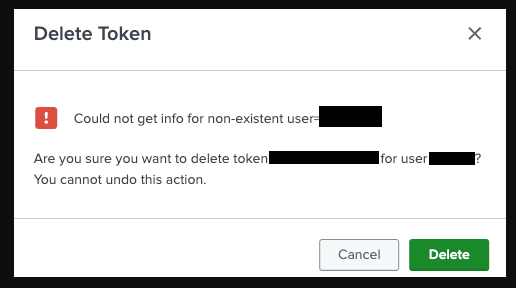
While attempting to delete an authorization token assigned to a 'deactivated' or 'deleted' user, following prompt gets triggered:
Could not get info for non-existent user="$USER"This message will be triggered each time the 'Delete' option is clicked keeping the UI prompt open.
Investigation
Task can not be completed since reference to token owner no longer exist.
Resolution
Creating a new local user using the same 'user id' as the 'deactivated'/'deleted' allows to remove the authentication token in question.
After deletion task is completed, this new user can be deleted again.
Revision History
| Revision | Publish Date | Comments |
|---|---|---|
1.0 |
29-Sep-2026
|
Initial Release |
 Feedback
Contact Cisco
- Open a Support Case

- (Requires a Cisco Service Contract)