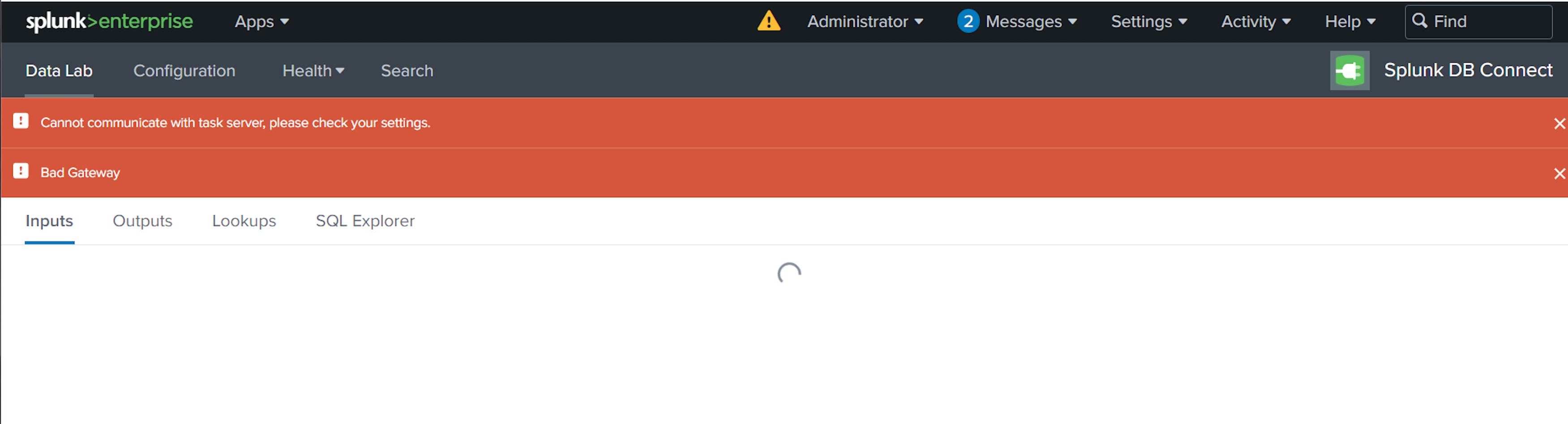
Splunk DB connect throwing "Bad Gateway" and "Cannot communicate with task server" errors.
Available Languages
Applicability
Splunk Cloud Splunk Enterprise Splunk DB Connect Splunk Apps & Add-onDescription
Splunk DB Connect add-on encounters the error as shown in the below screenshot.
Investigation
Search below SPL in the Search and Reporting App.
index="_internal" sourcetype=splunkd log_level=ERROR *502*-0500 [Sync-job0] ERROR c.splunk.dbx.server.task.SyncJob$KeystoreSyncTask - Error while dumping configjava.lang.RuntimeException:
Connection refused (Connection refused) at com.splunk.DBXService.sendImpl(DBXService.java:106) at com.splunk.DBXService.send(DBXS
ervice.java:44) at com.splunk.HttpService.get(HttpService.java:172)
The "Bad Gateway" error in Splunk often arises from communication failures between components, particularly affecting interactions with the task server. This can be caused by issues such as misconfigured proxy server problems, service failures (like `splunkd` or `splunkweb`), network connectivity issues, or authentication and permission challenges.
In this specific scenario, the problem arises from the proxy server. Therefore, adjustments are made as outlined in the resolution section.
Resolution
To resolve this issue, please follow these steps:
1. Navigate to the directory: $SPLUNK_HOME/etc/.
2. Locate the file having the name splunk-launch.conf.
3. Add this keypair value " no_proxy = localhost, 127.0.0.1, ::1 " in splunk-launch.conf file.
4. Save the splunk-launch.conf file.
5. Restart the Splunk services.
The no_proxy setting allows Splunk to communicate with internal and local resources, ensuring efficient data ingestion, monitoring, and analysis without unnecessary overhead or complexity introduced by proxy servers over the network.
Revision History
| Revision | Publish Date | Comments |
|---|---|---|
1.0 |
29-Sep-2026
|
Initial Release |
 Feedback
Contact Cisco
- Open a Support Case

- (Requires a Cisco Service Contract)
This Document Applies to These Products
Related Articles
- ERROR "Cannot Communicate with Task Server" in Splunk DB Connect
- Splunk DB Connect - Cannot Communicate With Task Server
- Splunk DB Connect on Windows Operating System Reports 'Cannot Communicate With Task Server' Error.
- Splunk DB Connect: Experiencing "Cannot communicate with task server" error on Splunk cloud instance