How to check and test Splunk Connect for Syslog connectivity with Splunk
Available Languages
Applicability
Splunk Enterprise Splunk Cloud Splunk Connect for Syslog (All versions)Description
There are situations where even though the Splunk Connect for Syslog configuration are correct, it's unclear how to test the connectivity to ensure logs are being received in Splunk via HEC from the Splunk Connect for Syslog server.
Investigation
Before proceeding with the integration of Splunk Connect for Syslog with Splunk, users need to ensure that two key components must be verified during testing and Confirm that the Splunk Connect for Syslog server service is running correctly and is up.
sudo systemctl status sc4s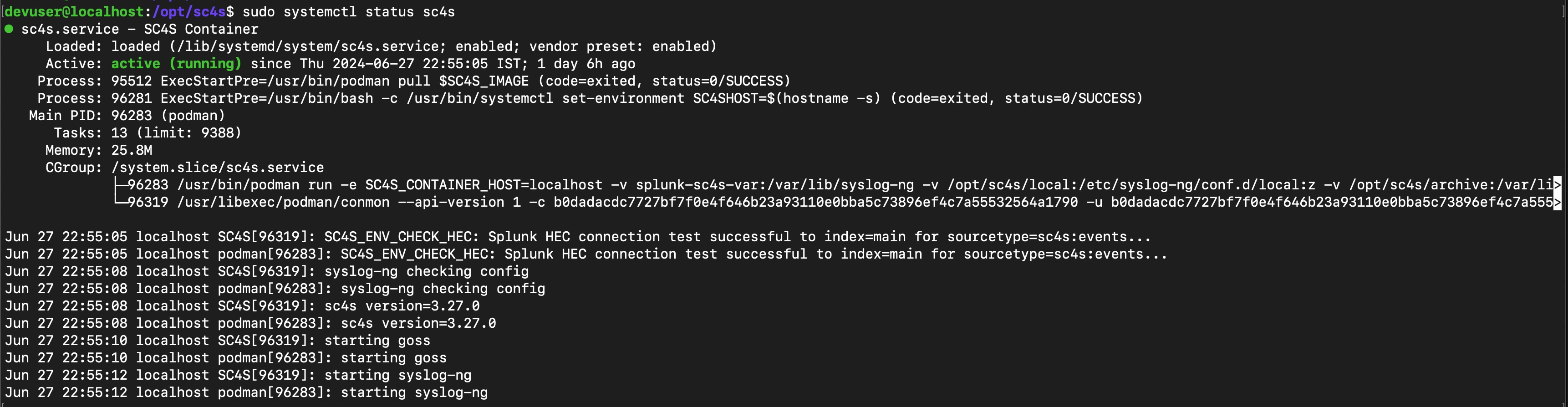
sudo podman|docker logs SC4S
NOTE: The reference screenshot attached above is taken from the lab environment.
Resolution
Once the connectivity and server are up, users can proceed to check the following query first on the Splunk Search Head:
index=* sourcetype=sc4s:events "starting up"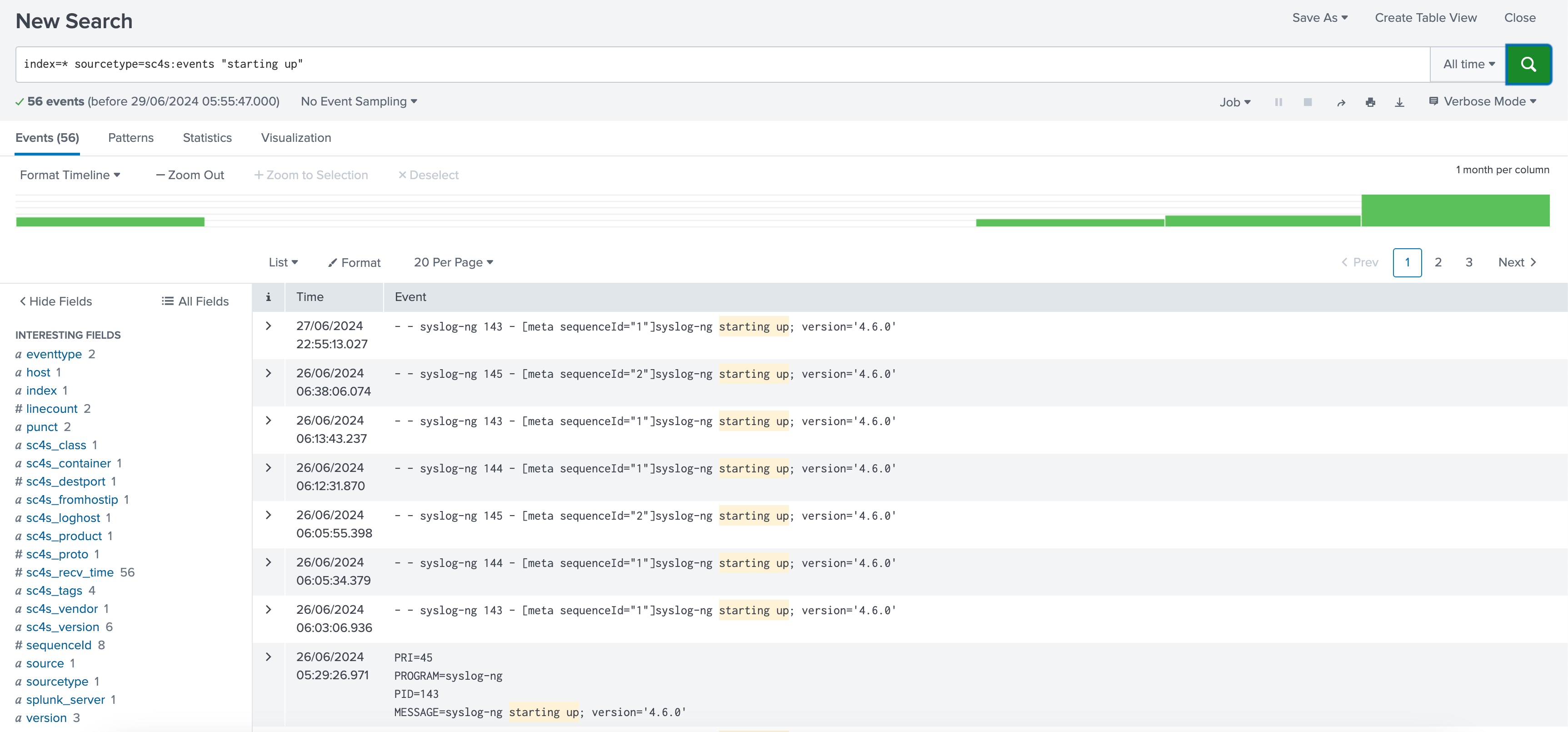
Test the "log" via echo command in Splunk Connect for Syslog backend instance in the Linux, and then check the logs over the search head.
1. echo “Hello SC4S” >/dev/udp/<SC4S_ip>/5142. index=* sourcetype=sc4s:* "Hello SC4S"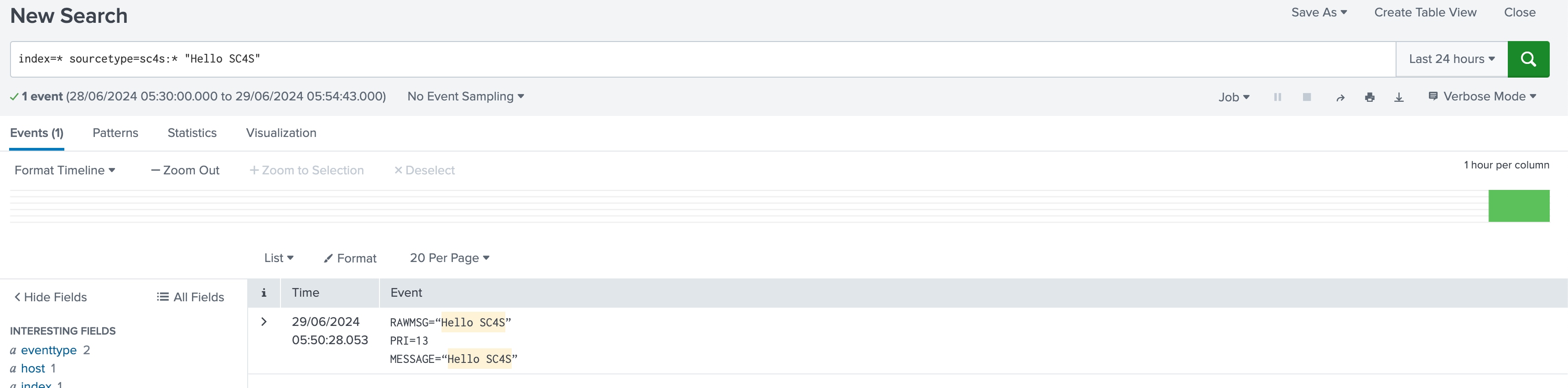
Related Links
https://splunk.github.io/splunk-connect-for-syslog/main/gettingstarted/quickstart_guide/
Revision History
| Revision | Publish Date | Comments |
|---|---|---|
1.0 |
29-Sep-2026
|
Initial Release |
 Feedback
Contact Cisco
- Open a Support Case

- (Requires a Cisco Service Contract)