Splunk Add-on for AWS: message="Warning: This message does not have a valid SNS Signature None None doesn't match required format '^https://sns\\.[-a-z0-9]+\\.amazonaws\\.com(?:\\.cn)?/'"
Available Languages
Applicability
Splunk Enterprise Splunk Cloud Splunk Apps and Add-onDescription
When Cloud trail Input is configured in the Splunk Add-on for AWS add-on the data is not ingesting in the add-on and continuously throwing the WARNING message related to "Not have a valid SNS Signature".
Investigation
Log Investigation:
Investigated the internal logs for the cloudtrail input and found the below mention WARNING message.
SPL Query:
index=_internal sourcetype = aws:cloudtrailThe WARNING message after searching the above SPL Query
WARNING:
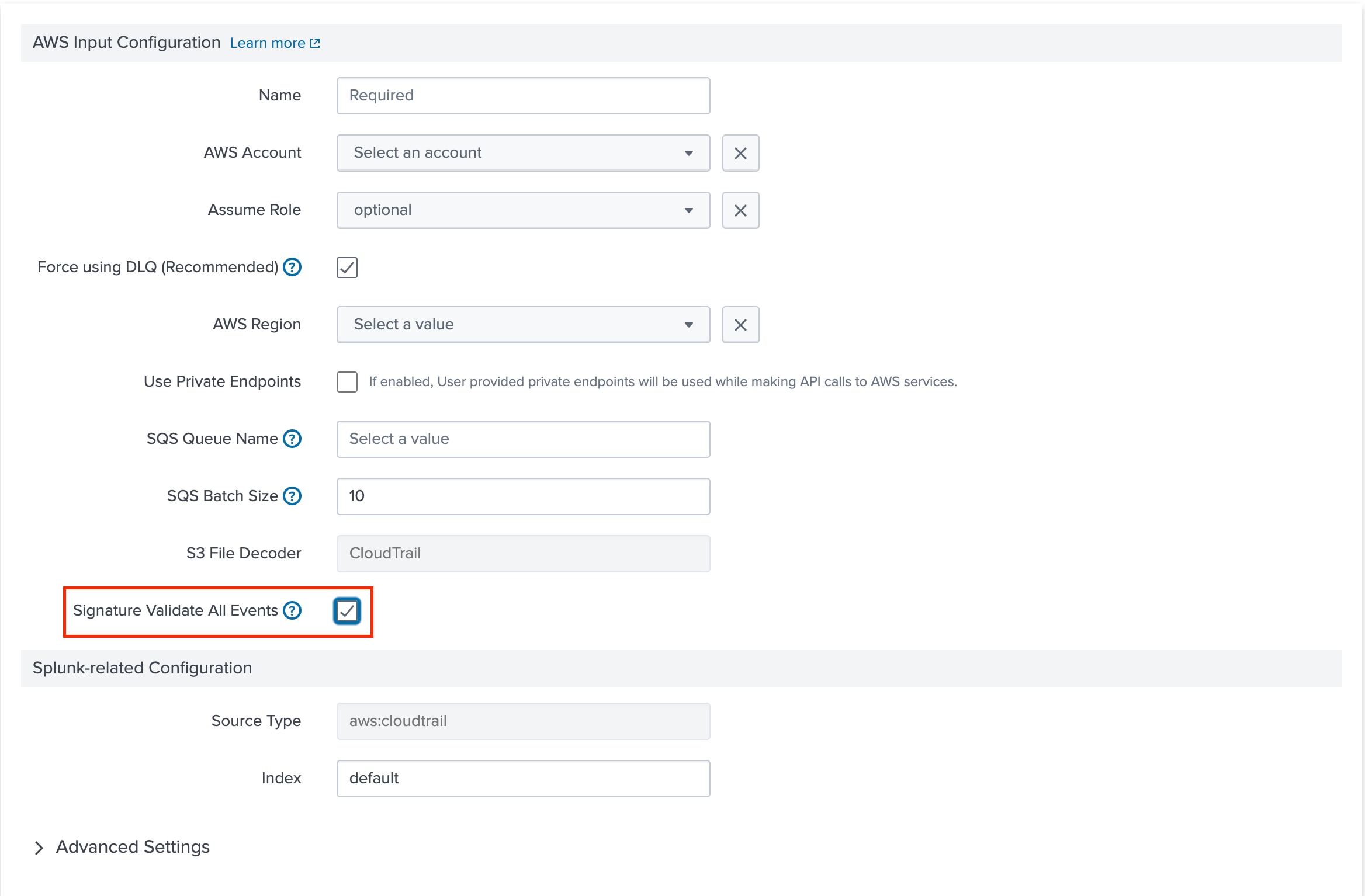
2024-04-02 16:13:00,286 level=WARNING pid=3069847 tid=Thread-8 logger=splunk_ta_aws.modinputs.sqs_based_s3.handler pos=handler.py:_process:439 | datainput="cloudtrial" start_time=1712077531, message_id="559a6c4e-cd80-4e85-9bb1-b396b4b1d894" created=1712085180.2862124 expires=1712086980.2862308 job_id=4acf3c05-8821-40a2-9f90-010b94871d2a | message="Warning: This message does not have a valid SNS Signature None None doesn't match required format '^https://sns\\.[-a-z0-9]+\\.amazonaws\\.com(?:\\.cn)?/'"From the above error logs, it is being found that if SNS is not present between SQS and S3, and while configuring the Cloudtrail input, if the "Signature Validate All Events" field is selected, the above WARNING message will be generated as the SNS is not present between the SQS and S3, and the input will not be able to validate SNS Events.
Please refer to the below screenshot for reference:
Resolution
To resolve the issue, if SNS is not present between SQS and S3, then do not check the box for the 'Signature Validate All Events' option to avoid such WARNINGS.
Related Links
Configure the cloudtrail input in Splunk Add-on for AWS
Revision History
| Revision | Publish Date | Comments |
|---|---|---|
1.0 |
29-Sep-2026
|
Initial Release |
 Feedback
Contact Cisco
- Open a Support Case

- (Requires a Cisco Service Contract)