Authentication ERROR while trying to configure the storage account in Splunk add-on for Microsoft cloud services.
Available Languages
Applicability
Splunk add-on for Microsoft cloud services v4.5.x Splunk Cloud Splunk EnterpriseDescription
When a user tries to configure the storage account in Splunk under Splunk web UI, The user gets an error as per the screenshot attached below: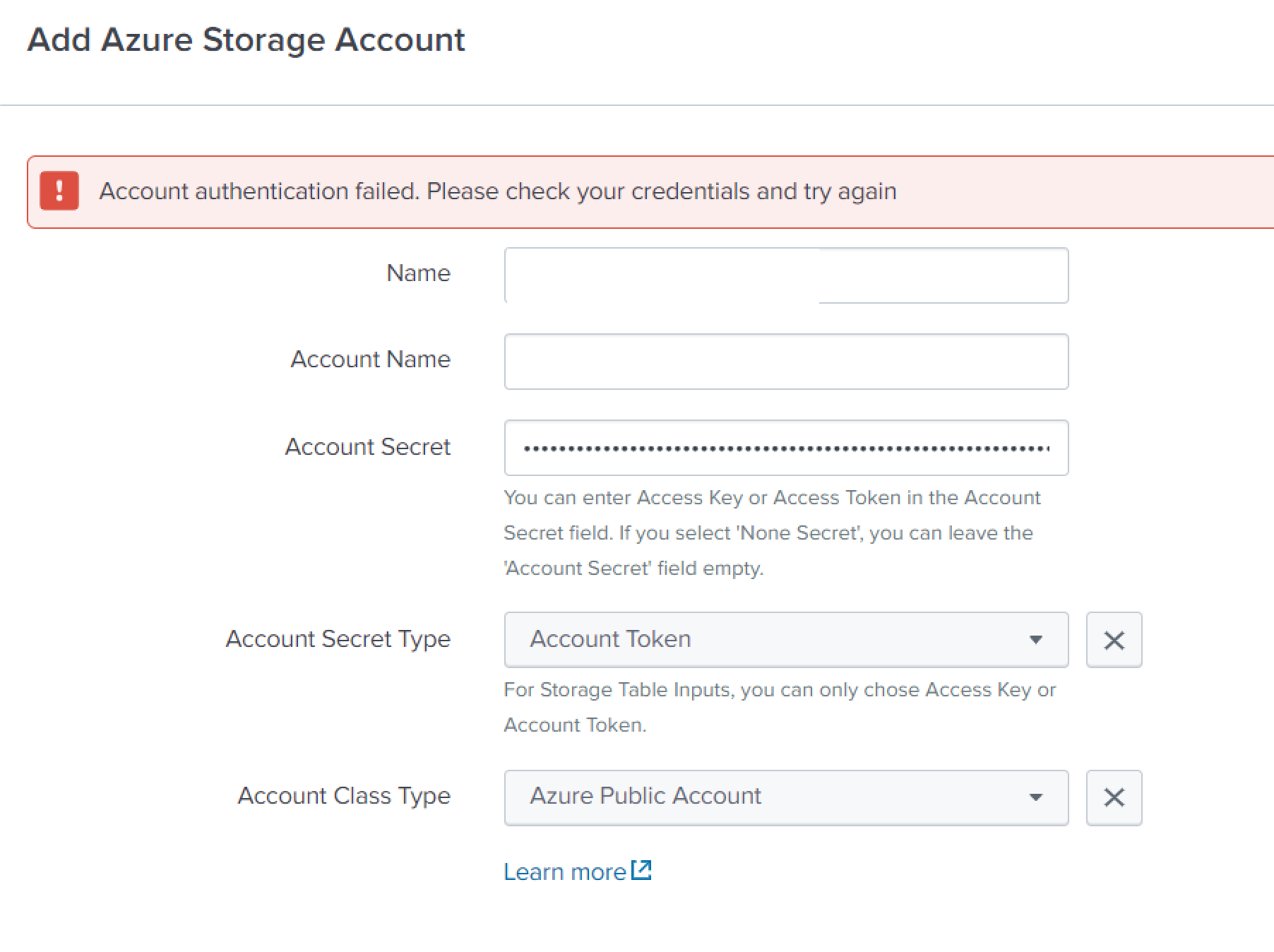
This error is specific to the storage account which is configured with Account Secret type as "Shared access token".
Investigation
SPL command used to find the error logs as below:index=_internal sourcetype="mscs:storage:blob:log" ERROR
Following errors are present in the logs:
File "/opt/splunk/etc/apps/Splunk_TA_microsoft-cloudservices/lib/azure/storage/blob/_models.py", line 466, in _get_next_cb
process_storage_error(error)
File "/opt/splunk/etc/apps/Splunk_TA_microsoft-cloudservices/lib/azure/storage/blob/_shared/response_handlers.py", line 181, in process_storage_error
exec("raise error from None") # pylint: disable=exec-used # nosec
File "<string>", line 1, in <module>
azure.core.exceptions.ClientAuthenticationError: Server failed to authenticate the request. Make sure the value of Authorization header is formed correctly including the signature.
RequestId:8adecd58-601e-008a-5e83-2c10b6000000
Time:2023-01-20T03:59:05.0135882Z
ErrorCode:AuthenticationFailed
authenticationerrordetail:The MAC signature found in the HTTP request 'U1nKC2v3WOJCZq6Gt85mlO/XuyXxrExMLt0xOGGYdh8=' is not the same as any computed signature. Server used following string to sign: 'GET
x-ms-client-request-id:c7f0805a-9876-11ed-917c-0a8ae098dbff
x-ms-date:Fri, 20 Jan 2023 03:59:04 GMT
Resolution
To fix this error, The user needs to grant full access permission in the storage account on the azure portal as mentioned below:
1) Go to Storage account --> Shared access signature:
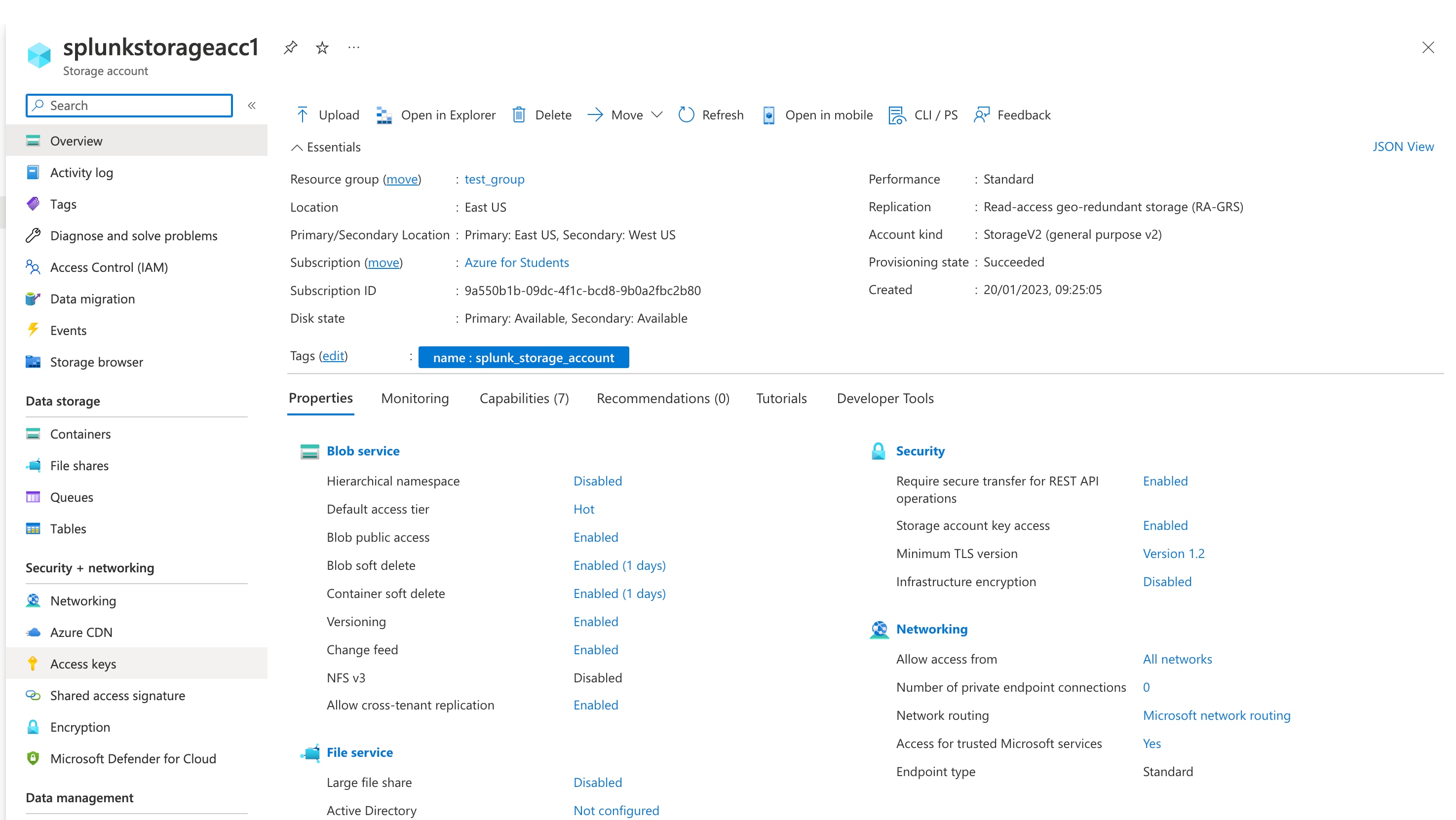
The User needs to give full access permission in the Allowed resource types along with Allowed permissions in shared access signature page on azure portal as shown in the screenshot below i.e. check all check-boxes under these two section.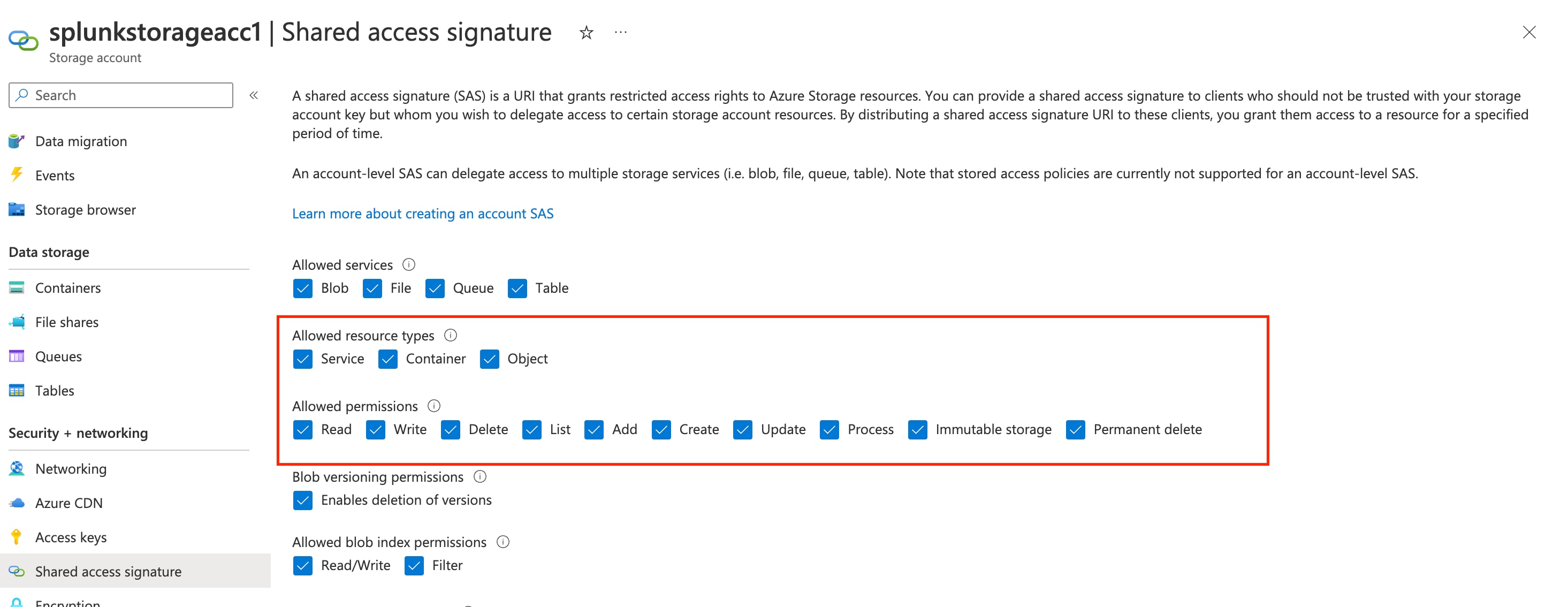
Related Links
Configure Storage accounts in Splunk add-on for Microsoft Cloud ServicesRevision History
| Revision | Publish Date | Comments |
|---|---|---|
1.0 |
29-Sep-2026
|
Initial Release |
 Feedback
Contact Cisco
- Open a Support Case

- (Requires a Cisco Service Contract)