Unable To See Data In Newly Created Index
Available Languages
Applicability
Splunk CloudDescription
In Splunk Cloud a new index is created. For example:
index=smtp_queues
inputs.conf file configuration is as follows:
Configuration:
[monitor:///var/log/queue_log.log]
followTail = 0
index = smtp_queues
sourcetype = hosting
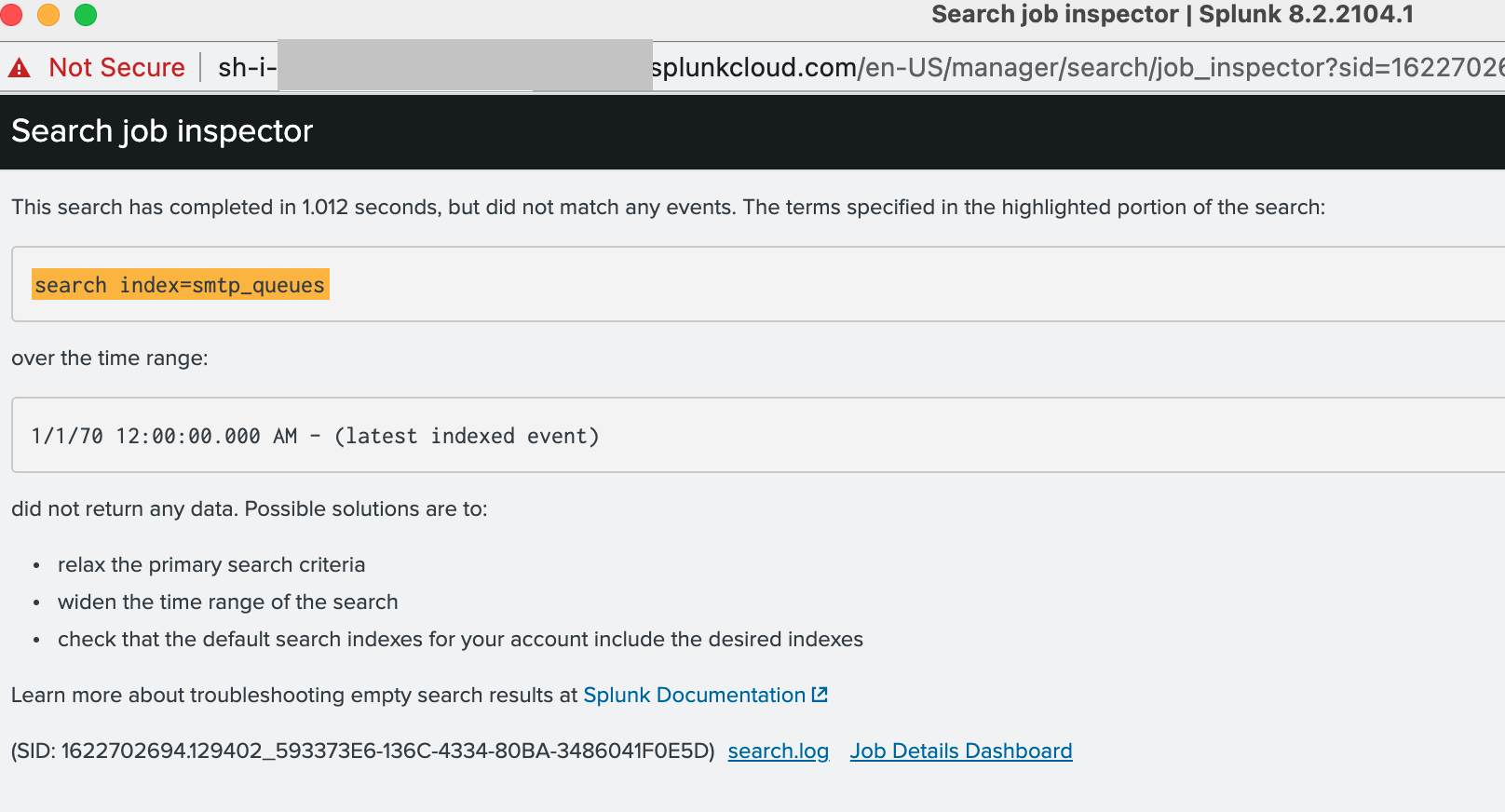
The following search returns no data
index=smtp_queues sourcetype=hosting
The search job inspector shows the following:
Investigation
Using Splunk Web GUI
From the GUI navigate to Settings > Roles > sc_admin > Indexes and filter for Index Name smtp, the newly created index called "smtp_queues" is not listed.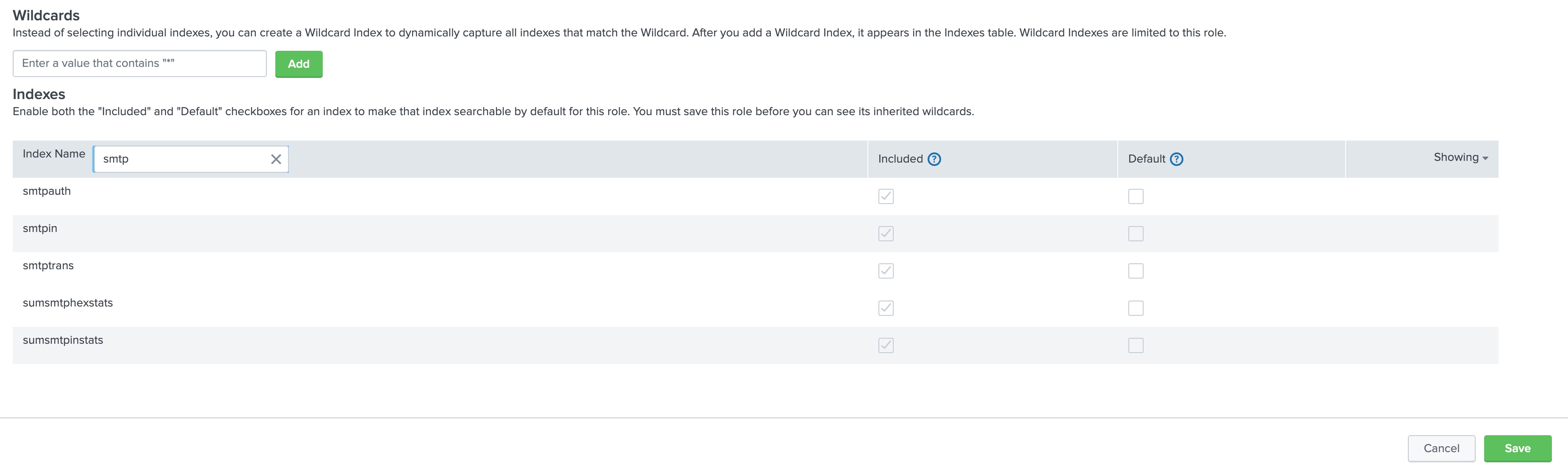
Resolution
To make the newly created index visible:
From the GUI navigate to Settings > Roles > sc_admin > Indexes and click Included for * (All non-internal indexes)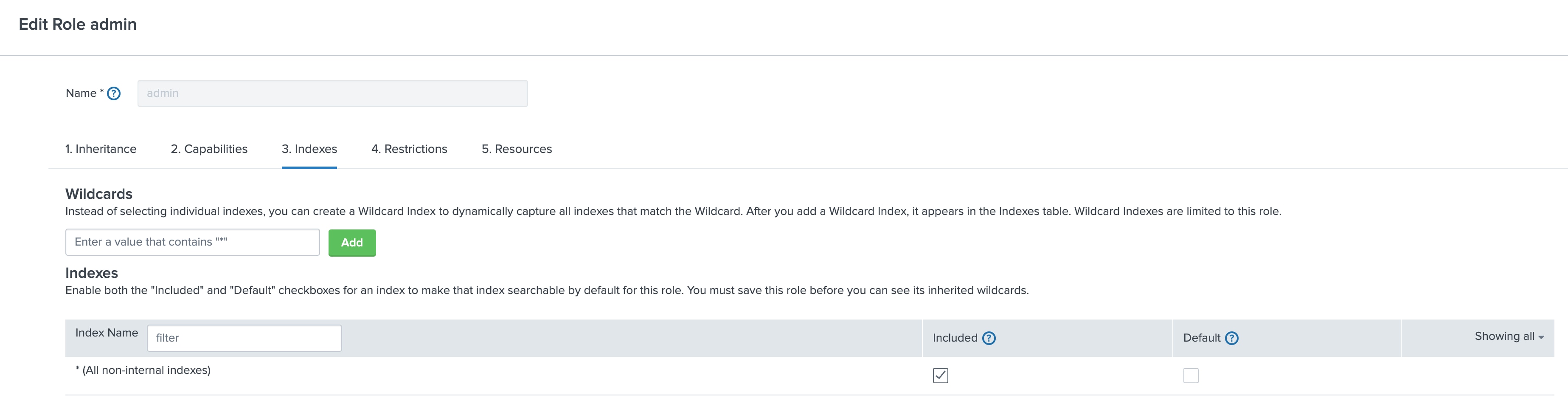
The index "smtp_queues" is now visible in the Indexes list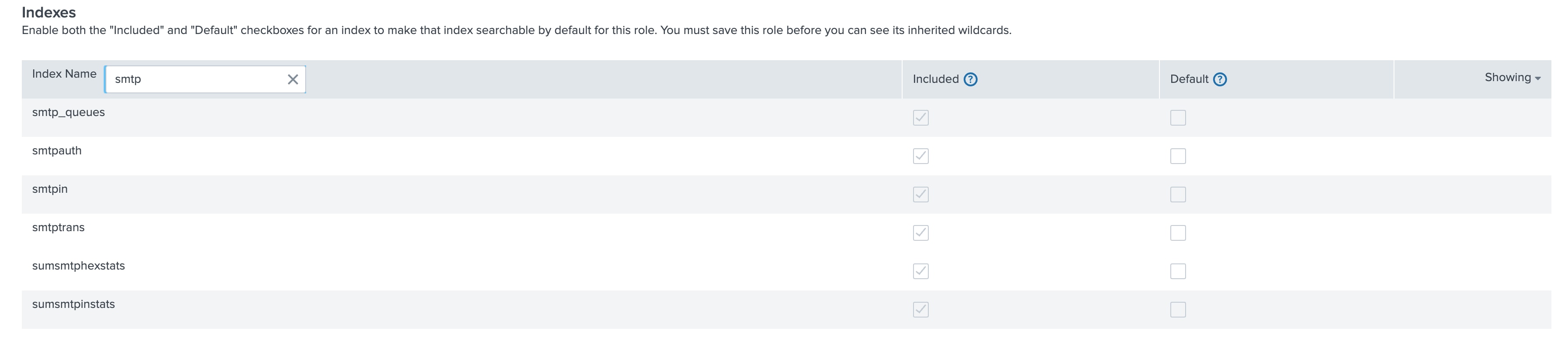
Revision History
| Revision | Publish Date | Comments |
|---|---|---|
1.0 |
29-Sep-2026
|
Initial Release |
 Feedback
Contact Cisco
- Open a Support Case

- (Requires a Cisco Service Contract)