Configure app alert action under Notable Event Aggregation Policy (NEAP) rule in ITSI
Available Languages
Applicability
Splunk ITSIDescription
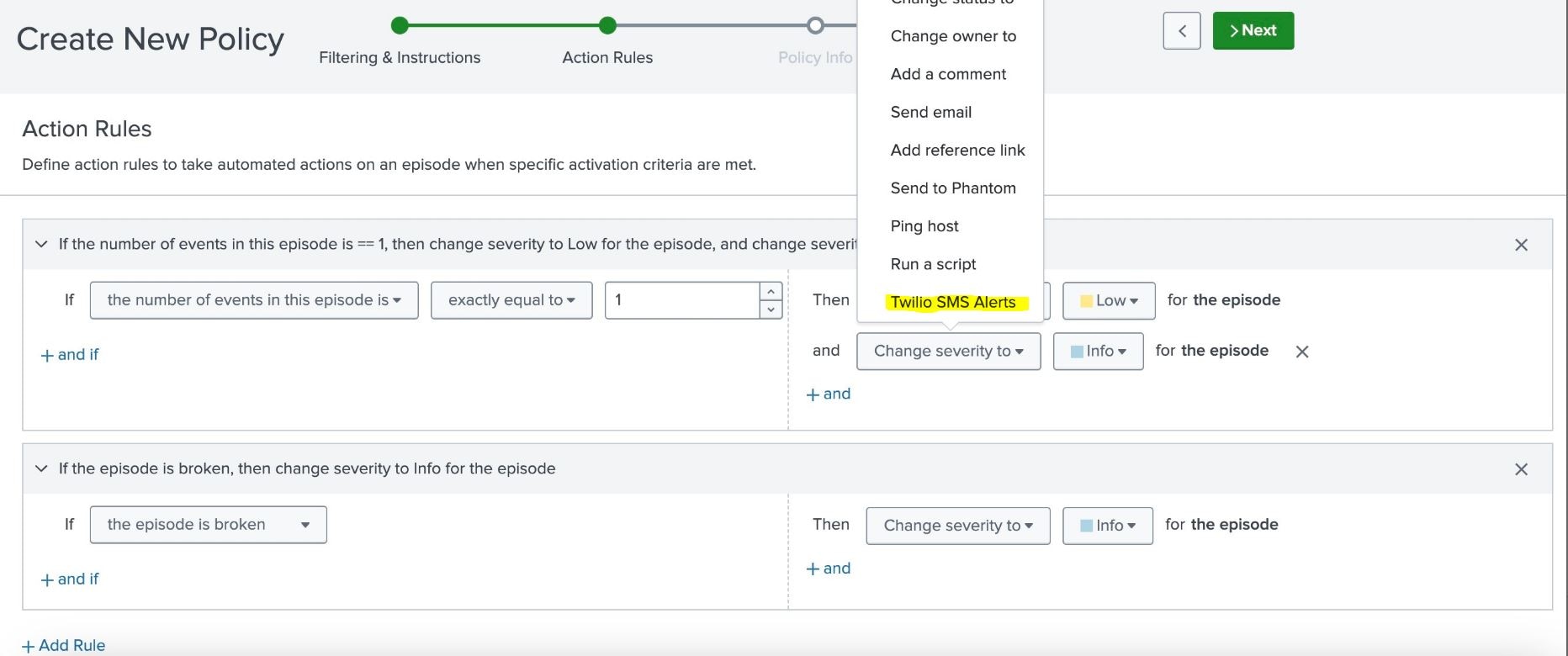
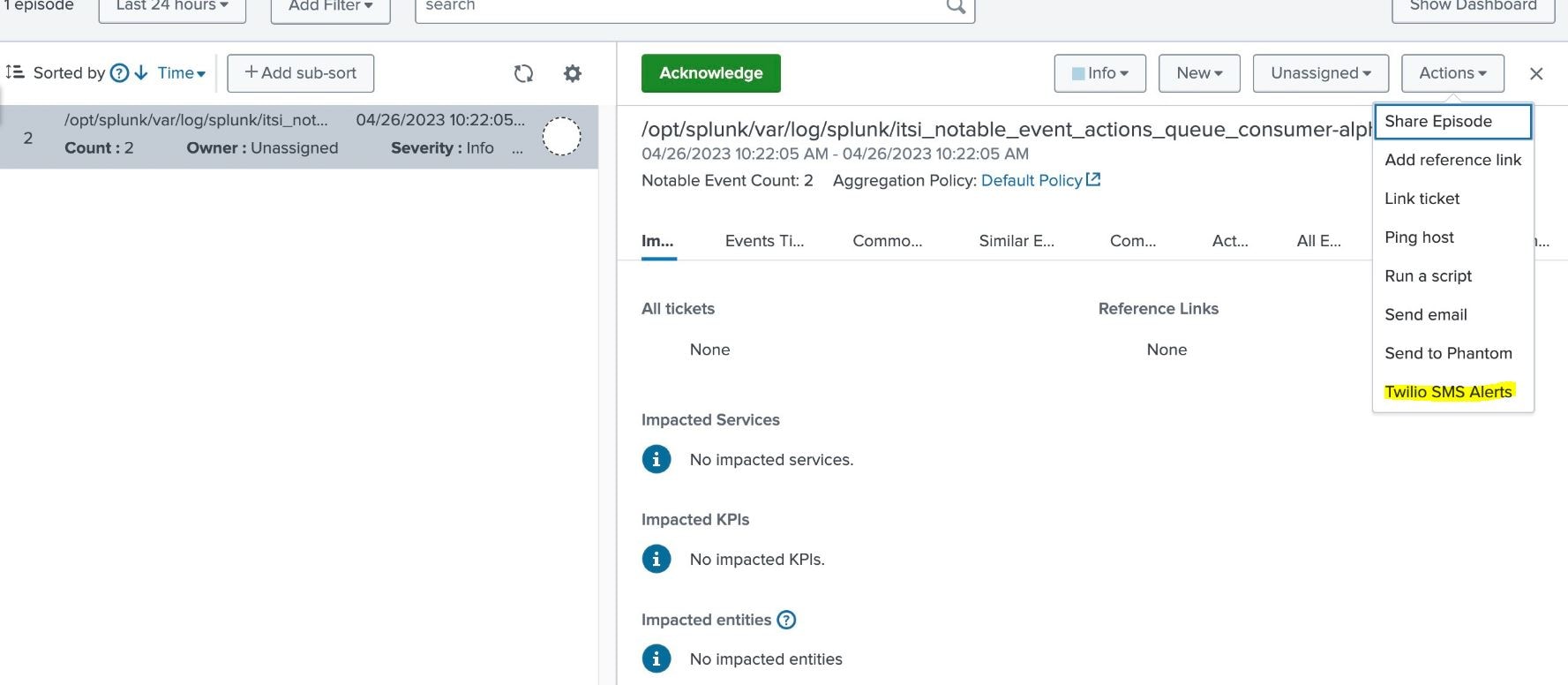
Unable to set Twilio SMS alert as an alert action under NEAP rule and in episode review.
Investigation
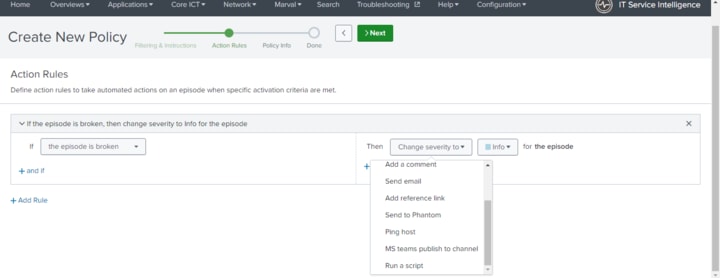
Any app / add-on related alert action fails to appear under NEAP rule creation as shown in the image.
One can verify the same by navigating to, Configure > Notable Events Aggregation Policy > Create new policy >under Action Rules > Change severity to > No option related to configured app (Twilio SMS Alert)
Resolution
The notable_event_actions.conf is the file which contains all configurations of episode actions.
One need to add app related stanza under notable_event_actions.conf to rectify this lack of configuration.
Path :
$SPLUNK_HOME/etc/apps/SA-ITOA/local/notable_event_actions.conf
Adding the following stanza under notable_event_actions.conf will resolve the issue.
$SPLUNK_HOME/etc/apps/SA-ITOA/local$ cat notable_event_actions.conf
[twilio]
disabled = 0
The notable_event_actions.conf is the file to configure all episode actions.
To implement the configuration we may need to raise TO, with the recommended Maintenance window to perform Splunk restart post this activity.
Related Links
Revision History
| Revision | Publish Date | Comments |
|---|---|---|
1.0 |
29-Sep-2026
|
Initial Release |
 Feedback
Contact Cisco
- Open a Support Case

- (Requires a Cisco Service Contract)
This Document Applies to These Products
Related Articles
- ITSI - Adding custom actions for Notable Event Aggregation Policy
- ITSI - Error when accessing Notable Event Aggregation Policies dashboard: 'Java version installed on this search head does not support Aggregation Policies, Java version 1.8 or greater is required'
- Alert Action - Log Event (Alert action script returned error code=2)
- ERROR: "Alert action sendmn not found"