Unable to Map Splunk Roles to LDAP Users. The Splunk roles added to the users are not saved.
Available Languages
Applicability
Splunk Enterprise Splunk CloudDescription
When mapping an LDAP group to a Splunk role:
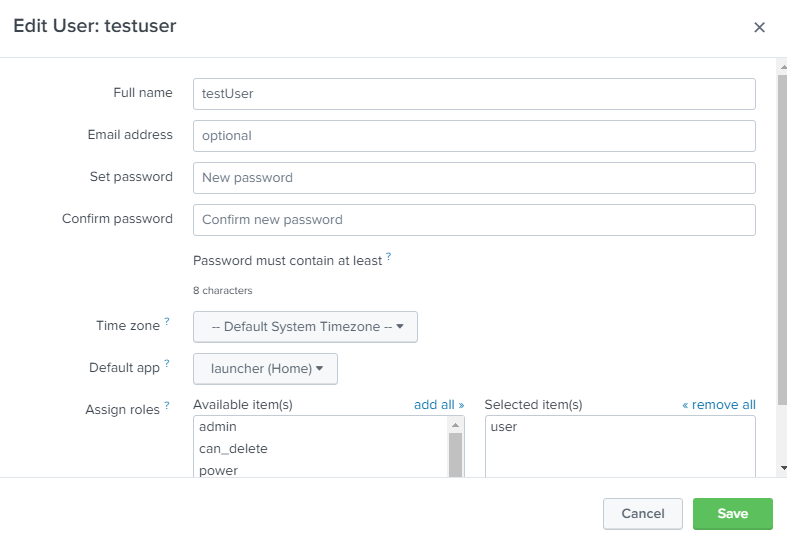
Go to Users: Select an LDAP user to modify the user's roles. The change is not saved and the user keeps the original settings:
Added the admin role to the "testUser" and saved the modification: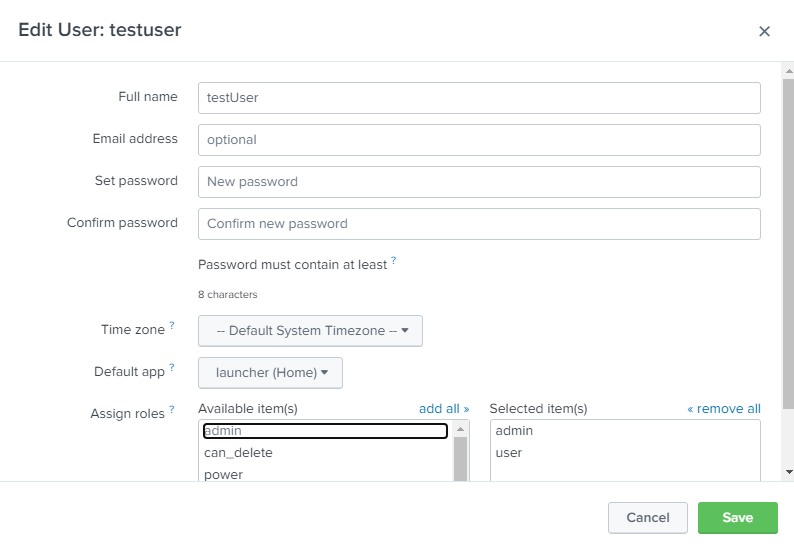
The admin role wasn't added to the user's configuration:
Investigation
The reason for not being able to modify the users is that they already belong to an LDAP group mapped to a Splunk role. The roles assigned to the group will take precedence.
Note: It is possible to map either users or groups, but not both. If using groups, all users must be members of an appropriate group. Groups inherit capabilities from the highest level role they're a member of.
Resolution
Adding a User to a Splunk Role:
- Map the Splunk role to the appropriate LDAP group.
- Add the user to that specific LDAP group on the LDAP server.
Example: Mapping the admin Role
To assign the admin role to a user "testUser", the Splunk role must be mapped to the LDAP group of which the user is a member: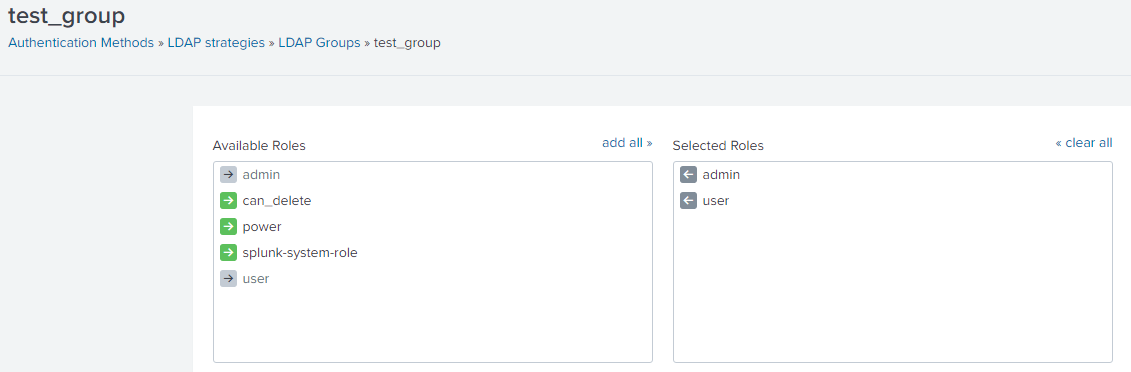
The admin role is assigned to the user "testUser".
Related Links
Map_your_new_LDAP_groups_to_Splunk_roles
Manage Splunk user roles with LDAP
Revision History
| Revision | Publish Date | Comments |
|---|---|---|
1.0 |
29-Sep-2026
|
Initial Release |
 Feedback
Contact Cisco
- Open a Support Case

- (Requires a Cisco Service Contract)