Create a TAC Support Case

Available Languages
Introduction
This document describes best practices for creating Cisco Support cases that receive a fast response from the TAC support team.
Prerequisites
Requirements
In order to open a Cisco Technical Assistance Case (TAC), you must have a support contract or product under warranty.
Components Used
This document is not restricted to specific software and hardware versions.
The information in this document was created from the devices in a specific lab environment. All of the devices used in this document started with a cleared (default) configuration. If your network is live, ensure that you understand the potential impact of any command.
Background Information
TAC engineers help hundreds of Cisco users a day. One way to ensure you receive the answers and information you need for an issue is to create a SR case that provides the support engineer as much information and data as possible.

Tip: If you are in an emergency situation with a major outage in your business, your best choice is to call Cisco Tech Support to immediately open a high severity support case.
Open a New Case
Open the Cisco Support page.
Click Contact Support .
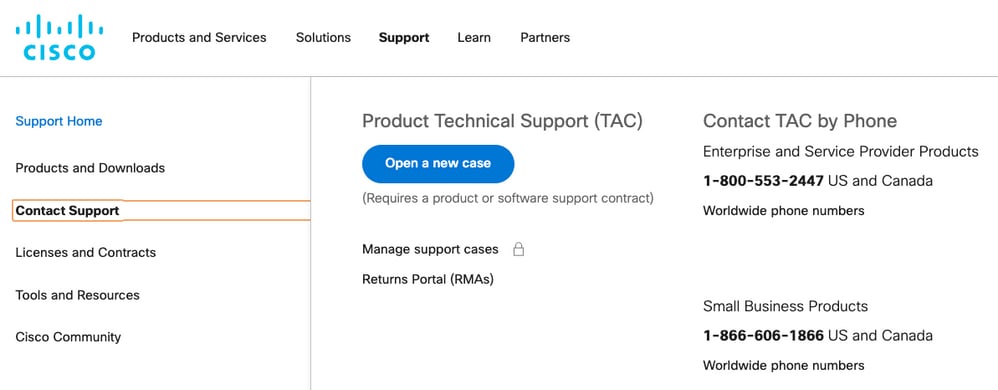 Contact Support
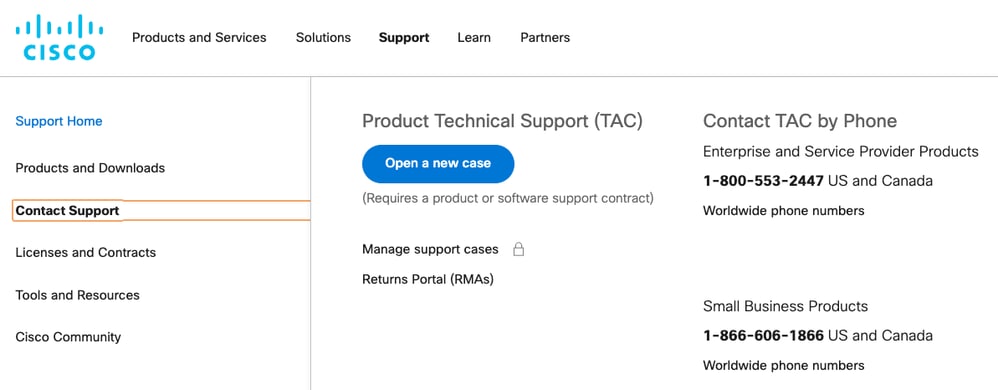
Click Open a New Case.
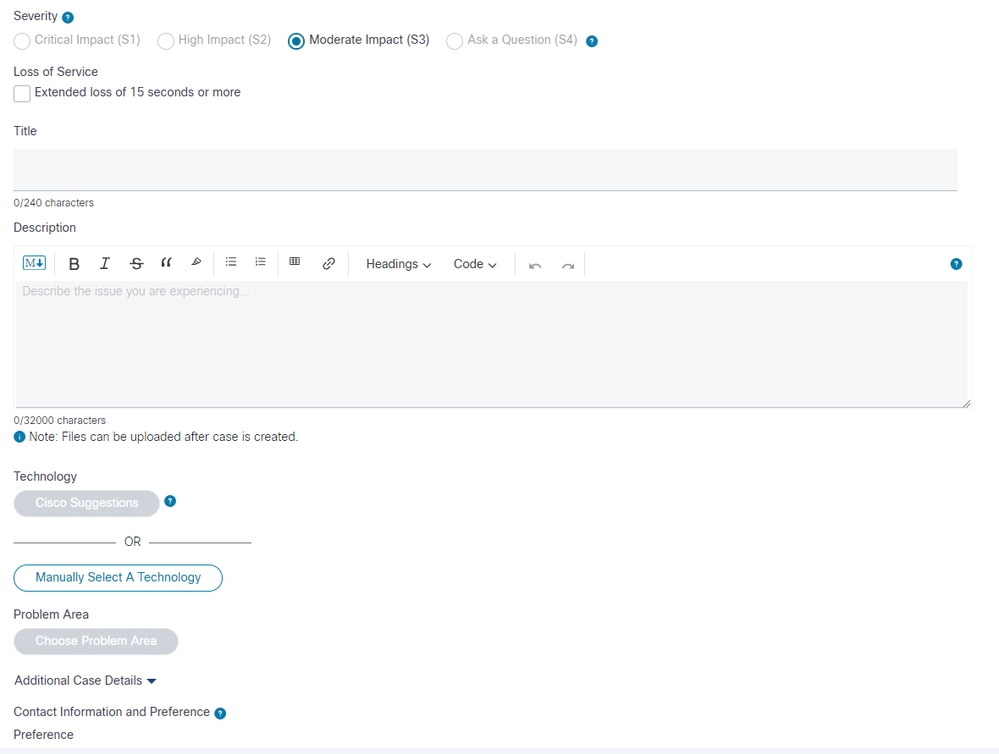
A variety of input fields are displayed. This provides the support team with what the priority, impact, and proper assignment are for your case.
Problem Description
Be as specific as possible regarding the type of issue, the error messages received, and what led to this issue.
More information for TAC results in less repetition of effort when the support engineer begins work on the case.
Verify possible known-existing logs or error messages. Provide that output (or a capture it in a image).
Provide the answers to these questions in the Problem Description:
- What services are affected by the issue?
- How many users are impacted?
- What impact does the outage have on your core business or customers?
- How long have services and business been impacted?
- What is the version number of software / firmware?
- Can the issue be reproduced?
- What date and time did the issue occur?
Technology / Sub-Technology / Problem Area
These menus help detail and identify which technology experienced the issue.
TAC engineers tend to work in a top-down manner to identify:
- The main technology product.
- A sub-technology related to the main technology (can be where you suspect the problem is).
- A problem area to specify what help you seek from TAC.
Pay close attention to the selections for these fields.
They are vital to identifying the best TAC team to handle your request and provide the fastest response to your case.
To that end, the best practice is to focus on the function that has the issue.
Use Case Examples
Example 1: Consider a Cisco Business Edition 7000 server which features Unified Communications Manager and Unity Connection pre-installed.
There are problems with phone calls over the SIP Trunks connected to CUCM.
Faced with this situation, which Technology > Sub-technology do you choose?
- Voice – Communications Manager > Business Edition 6000 / 7000 series
- Data Center Computing > UCS-C Network Connectivity
- Voice - Communications Manager > Communications Manager SIP Trunks
The best practice is to focus on the function that has the error:
3. Voice-Communications Manager > Communications Manager SIP Trunks
Your case is assigned to a TAC Engineer who is a subject matter expert with Unified Communications Manager technology.
The Engineer can then determine if further support is needed from Business Edition or Data Center Computing teams and collaborate with them.
Example 2: Consider an ISR 4451 router, with a UCS-E blade installed. On the UCS-E blade, Cisco Expressway-E VM appliance is installed.
The Expressway-E VM has trouble when some network connections fail.
Faced with this situation, which Technology > Sub-technology do you choose?
- Enterprise Routing > ISR 4000
- Data Center Computing > UCS-E
- Telepresence > Expressway-C and E
The answer is focus on the function that has the error:
3. Telepresence > Expressway-C and E.
Your case is assigned to a TAC Engineer who is an expert with Expressway VM appliances and how they work.
The Engineer can then determine if further support is needed from the Data Center or Enterprise Routing teams and collaborate with them.
Information to Provide to TAC
The best practice is to provide a detailed description of the physical and logical network setup, as well as all the elements that are involved in the issue, when applicable:
- Version number of all hardware firmware and software applications
- Integrated applications or third-party products
- IP/voice gateways
- Operating System version
- For any Cisco IOS®, Cisco IOS® XE, or Nexus provide the output from the command: show tech.
- For switching, provide a VLAN configuration.
- For Voice, provide Dial Plan scheme and Call Route path. Ideally, submit a Visio or other detailed diagram or image.
- For UCS server products, download and provide the Tech Support Data bundle.
Use these guidelines to receive the best possible experience with Cisco TAC Support cases.
Related Information
Revision History
| Revision | Publish Date | Comments |
|---|---|---|
5.0 |
29-Jun-2026
|
Updated Formatting.
Recertification |
4.0 |
30-May-2024
|
Updated Formatting. |
3.0 |
07-May-2024
|
Recertification |
2.0 |
29-Mar-2023
|
Initial Release |
1.0 |
29-Mar-2023
|
Initial Release |
 Feedback