MV Cloud-Managed Smart Cameras Data Sheet
Available Languages
Bias-Free Language
The documentation set for this product strives to use bias-free language. For the purposes of this documentation set, bias-free is defined as language that does not imply discrimination based on age, disability, gender, racial identity, ethnic identity, sexual orientation, socioeconomic status, and intersectionality. Exceptions may be present in the documentation due to language that is hardcoded in the user interfaces of the product software, language used based on RFP documentation, or language that is used by a referenced third-party product. Learn more about how Cisco is using Inclusive Language.
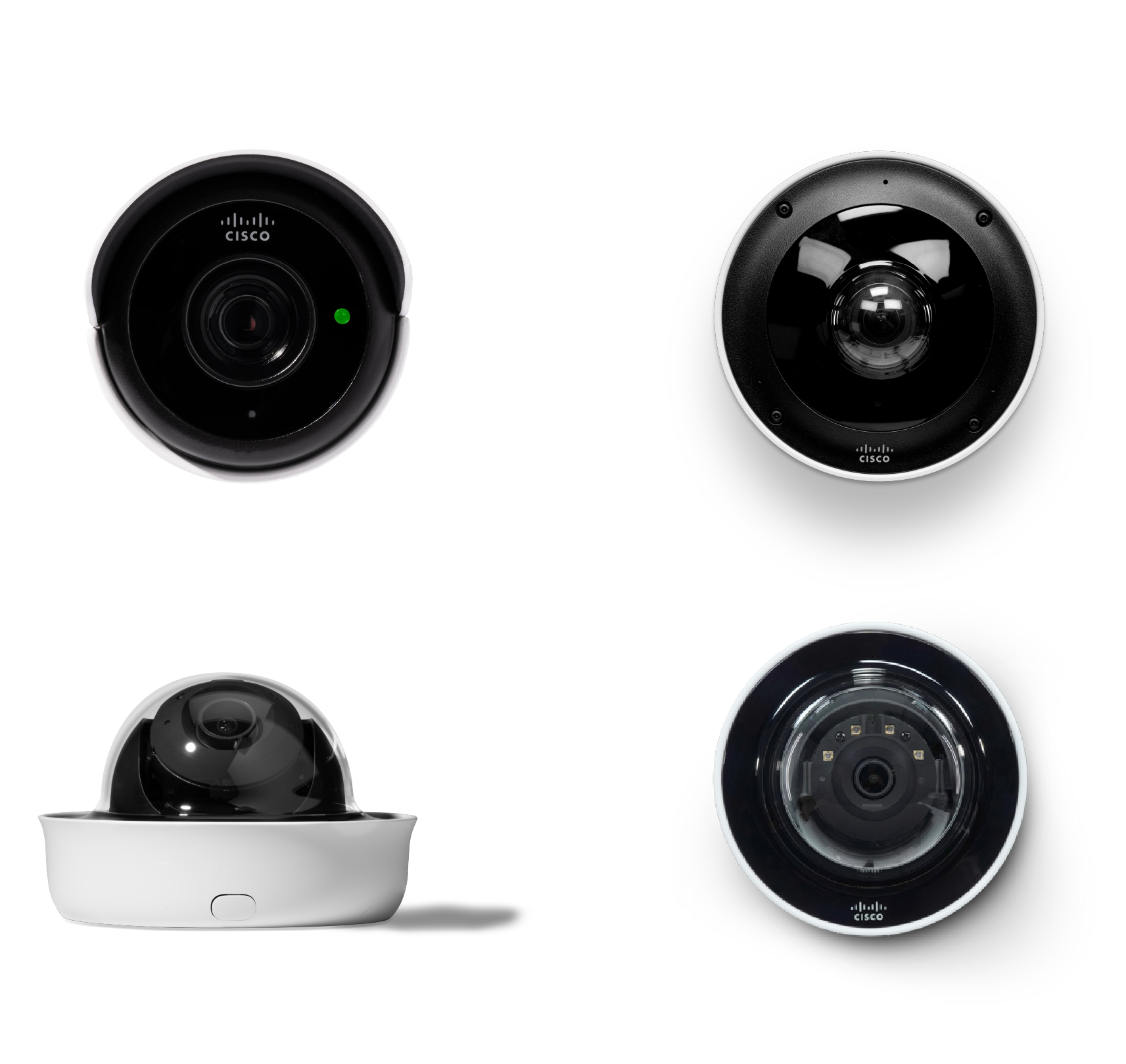
The Cisco® MV smart camera family brings simplicity and data-powered intelligence to the world of physical security. Every MV model comes with a powerful processor-the same kind found in many of today's smartphones- and an innovative architecture that minimizes physical infrastructure as well as software requirements. Cameras, switches, and wireless access points seamlessly integrate into a unified IT and physical security solution, all managed via the Cisco Meraki™ dashboard. These smart cameras not only help ensure physical safety and security, but can also provide advanced business intelligence. MV smart cameras pack fast processing power, robust security features, and sophisticated analytics into a refreshingly simple package.
MV: Beyond just security
By using on-device storage and the MV Cloud Archive, MV smart cameras eliminate the need for a separate Network Video Recorder (NVR), reducing cost, complexity, and additional points of failure. MV smart cameras have high-endurance storage directly on the camera for historical video. Not only does this drastically simplify both installation and scaling, it also eliminates a major network security vulnerability in the IT infrastructure.
Equipped with an industry-leading processor, MV cameras not only are capable of providing high-definition video, they also allow for machine learning-based analytics. Harnessing the power of computer vision, artificial intelligence, and machine learning, MV smart cameras can detect objects within a frame. This seemingly simple insight builds the foundation for more effective and efficient processes, like reduced wait times, journey pathing, and safe working practices. And this is all done on the cameras at the edge.
Product highlights
● Intelligent analytics: Precise searching with attribute filters, intelligent object detection, and advanced people and vehicle motion sensing
● Centralized cloud management: Simple configuration and monitoring without the need for additional on-premises NVRs, video management systems, or servers
● Built-in security: Safeguard camera data and protect against unauthorized access with automatic video encryption, granular access controls, and more
● Scalable to any size: Quickly deploy and manage anywhere from 1 to 10,000+ cameras
● Integration with the Cisco ecosystem: Seamless integration with other Cisco products (e.g., switching and wireless) for a comprehensive solution that's all accessible from the Meraki dashboard
Cutting-edge architecture with streamlined management
MV architecture
Cisco brings simplicity to physical security deployments with expertise in distributed computing. With cloud-augmented edge storage, MV smart cameras provide groundbreaking ease of installation, configuration, and operation. Eliminating the NVR reduces equipment CapEx, and the simplified architecture minimizes lifetime OpEx costs.
Each MV smart camera comes with integrated, ultra-reliable, industrial-grade storage. This cutting-edge technology allows the system to efficiently scale to any size, with storage expanding with the addition of each camera. Plus, as video is stored locally, administrators can rest easy knowing that even if the network connection cuts out, the cameras will continue to record footage.
Integrated wireless for flexible deployments
As the primary storage is on the camera itself, very little bandwidth is used unless video is being watched. This unique architecture makes it possible to wirelessly deploy MV smart cameras with minimal impact to the network. MV cameras have wireless functionality built in, meaning they can be deployed without having to run new cabling for connectivity. The option for wireless deployments offers organizations an easy upgrade path for analog cameras without the need for recabling and allows greater flexibility for remote or temporary sites.
Simply cloud managed
The innovative web-based Meraki dashboard has revolutionized networks around the world and brings the same benefits to networked video surveillance. Zero-touch configuration, remote troubleshooting, and the ability to manage distributed sites through a single dashboard eliminates many of the headaches administrators have dealt with for decades. The Meraki dashboard and Meraki Vision portal-a dedicated user interface for viewing and interacting with video-make the need for video management software a thing of the past.
Easy to access, easy to control
The Meraki dashboard and Meraki Vision portal allow for flexible management and viewing-whether locally or remotely via automatic cloud proxy. This means that users can access video on a variety of devices without installing software or plug-ins or worrying about complicated VPN setup.
To ensure that users are accessing only video appropriate for their role, the Meraki dashboard has granular controls that allow organizations to define what a user can and cannot do. For example, store managers can be prevented from changing camera settings or accessing cameras at other stores they do not manage. Camera-only roles allow administrators to keep security staff from changing network settings, limit views to selected cameras, and restrict the export of video, while access logs allow network administrators to audit video viewing, exports, and more.
With Meraki cloud authentication architecture, the controls scale for any organization and support Security Assertion Markup Language (SAML) integration. For larger and more dynamic organizations, camera permissions can be configured based on camera roles instead of being individually assigned.
Secure and always up to date
Centralized cloud management offers one of the most secure platforms available for camera operation. Built with Cisco Trust Anchor modules, Secure Boot, firmware image signing, and runtime defenses, MV smart cameras are protected and tamper-proof. Access to the cameras is encrypted with a Public Key Infrastructure (PKI) that includes individual camera certificates. Local video is also encrypted by default and adds a final layer of security. All security measures are on by default, require no user configuration, and cannot be turned off.
Software updates are managed automatically for the delivery of new features and to enable rapid security updates. Scheduled maintenance windows help ensure that the MV family continues to address users' needs with the delivery of new features as part of the cloud service.
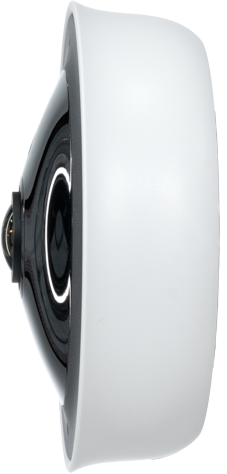
MV33
Improving processes and providing business insights
Optimized video retention
MV smart cameras have flexible options for video quality and retention policies to meet a variety of deployment needs. Real-time retention estimates for each camera are provided in the dashboard, showing how different bit-rate and frame-rate settings and features like motion-based retention and scheduled recordings affect video storage.
With motion-based retention, cameras always retain a continuous recording of the most recent 72 hours as a safety net. After that period, the camera intelligently trims footage that contains no motion. Motion-based retention is possible because of the unique way MV cameras handle motion-analyzing video on the camera itself and indexing it in the cloud. This feature can be turned on with the click of a button and can extend on-camera storage considerably. The cameras also offer smart retention-a feature that provides longer, higher-quality, and predictable video retention for key events such as scenes with motion, people, or vehicles in the view of the camera.
Schedules allow users to define when cameras record and when they don't, so you can create templates for groups of cameras and store only what's needed, or turn off recording entirely to only view live footage.
Whatever combination is chosen, the dashboard provides a real-time retention estimate for each camera. This removes the guesswork and makes it easy to define recording policies that work best for every deployment. For organizations with nonnegotiable regulatory requirements surrounding storage, optional Cloud Archive licenses are available in a variety of increments up to 365 days.
Flexible video viewing
Video can be easily accessed from anywhere, on virtually any device. On laptops, desktops, and mobile tablets, video can be viewed on a browser through the Meraki Vision portal or through an installable Progressive Web App (PWA) for a native software experience. The Meraki Display is another viewing option, providing a reliable, performant, and intuitive application for active monitoring, all on Apple TV. On smaller mobile devices, like phones, the Meraki app allows you to view video on the go.
MV smart cameras are also bandwidth-conscious-intelligently streaming video on the LAN or WAN depending on your connection. When the dashboard detects a local connection to the camera from the viewing device, video is streamed directly from the camera, minimizing WAN usage. When video is viewed remotely, the dashboard will create a cloud proxy to securely stream video to the device. All of this is done automatically, requiring no special software, plug-ins, or firewall configurations.
Too many camera views? Not a problem. Users can navigate their camera deployment views quickly through our nearby cameras feature. Simply click on the camera icon on the live feed, and you can pivot between adjacent camera views instantly. The intuitive drag-and-drop video wall also simplifies video monitoring both on-site and remotely. Each video wall can display up to 16 camera feeds per view, with customizable rotation intervals for seamless cycling through multiple perspectives. Quick walls enable users to rapidly create custom video layouts tailored to specific investigations, allowing instant access to relevant camera feeds with just a few clicks.
Motion alerts can be configured to notify users of activity, including people, ensuring awareness even when live monitoring is not possible. For efficient video review, the rapid review feature supports scrubbing through recorded footage at speeds of up to 32x, enabling users to quickly pinpoint events of interest within hours of recorded video.
Isolate events intelligently
MV smart cameras use Motion Search to quickly find important segments of video among hours of recordings. Optimized to eliminate noise and false positives, this feature allows users to retrospectively zero in on relevant events with minimal effort. Simply select elements of the scene that are of interest in the Vision portal and the platform will return the activity that occurred in that area during the specified time. Missing a laptop? Drag the mouse over the area it was last seen to quickly find out when it happened and who was responsible.
Motion Recap further minimizes the amount of video that needs to be watched by summarizing activity in a single image. The composite image is built into the camera and displayed as Motion Search results in the dashboard. This powerful, time-saving feature allows a user to understand the events of a 30-second video clip in a fraction of a second with just a glance.
To accelerate video footage retrieval, security teams can leverage advanced attribute filters on select models. Attribute search enables rapid identification of critical events by filtering footage based on clothing color-such as "green top" or "blue bottoms." This allows users to quickly locate people of interest using specific physical characteristics. Additionally, our cross-camera tracking feature helps users locate a person of interest through their camera deployment with ease by leveraging their full-body characteristic (without using facial recognition). This supports users in fast critical incident management and response.
Once important footage has been identified, the dashboard makes it easy to share. Video clips can be exported from the camera, shared via a link, and downloaded into an easily viewable MP4 file. No proprietary file formats or special players are required. After video has been exported, the integrity of the file can be verified using the SHA-256 export verification feature built into the dashboard. There are also options for sharing video links as well as a snapshot tool, which is useful for circulating still images.
Analytics built right in
With an industry-leading processor on board every MV smart camera, advanced analytics using computer vision and machine learning are now easy, scalable, and cost-effective to implement. MV smart cameras can natively detect, classify, and track objects such as people and vehicles within a frame. This provides valuable insights into office foot traffic or customer behavior patterns straight from the camera, viewable in the dashboard-no servers, special software, or dedicated hardware required. For bespoke applications, MV Sense allows you to run custom computer vision models directly on the camera, opening up endless opportunities to derive business value from video.
The motion heatmaps feature provides an overview of relative motion in a given area hour by hour or day by day. This paints a picture of general motion trends, helping you understand hot spots, bottlenecks, or busy and free times. These functionalities make it possible to start expecting more from cameras than just security.
Presence analytics empowers physical security teams with people counting and area occupancy capabilities, delivering detailed insights into how people move within and throughout facilities. Accessible through the Meraki dashboard, these features utilize advanced machine learning and edge processing technologies to monitor foot traffic as people enter, exit, and occupy defined spaces. With real-time and historical data, teams can identify usage trends, optimize space allocation, and enhance safety and compliance. Presence analytics supports informed decision-making for facilities management, resource planning, and improved overall operational efficiency.
In addition to analyzing the visual world, MV smart cameras can provide insight into sounds with audio analytics. Using the same machine learning and artificial intelligence used to detect objects, cameras can also detect alarms and sirens and provide overall decibel levels for an area. Audio detection can be useful for tying video into alarm systems for better alerting and faster incident response, whereas the overall noise level can be used for architectural acoustics.
|
|
MV13-HW
|
MV23M-HW
|
MV33-HW
|
|
Camera type |
Fixed-lens mini dome |
Varifocal dome |
Fisheye |
|
Sensor and resolution |
8.4 MP (3840x2160) 4K (3840x2160) |
8.4 MP (3840x2160) 4K (3840x2160) |
12.4 MP (4072x3046) 8 MP (2880x2880) |
|
Field of view |
101.3° |
36° to 112° |
360° |
|
Storage |
256 GB (MV13-HW) 512 GB (MV13M-HW) |
512 GB (MV23M-HW) 1 TB (MV23X-HW) |
256 GB (MV33-HW) 512 GB (MV33M-HW) |
|
IR illumination |
15 m |
30 m |
– |
|
Best for |
General-purpose areas, including entrance and hallways Smart retention and filter-based attribute search to find critical events faster (top/ bottom clothing color or color/type of vehicle) |
Larger general-purpose spaces Smart retention and filter-based attribute search to find critical events faster (top/ bottom clothing color or color/type of vehicle) |
Spaces requiring 360° views; great for retail stores Smart retention, people counting, and area occupancy |


|
|
MV44X
|
MV53X
|
MV63-HW
|
MV73M-HW
|
MV84X
|
MV93-HW
|
|
Camera type |
Dual imager |
Telephoto bullet |
Fixed-lens mini dome |
Varifocal dome |
Multi-imager |
Fisheye |
|
Sensor and resolution |
2 x 5 MP 1/2.8” (2560x1920) |
8.4 MP (3840x2160) 4K (3840x2160) |
8.4 MP (3840x2160) 4K (3840x2160) |
8.4 MP (3840x2160) 4K (3840x2160) |
4 x 5MP (2560x1920) 1/2.7” |
12.4 MP (4072x3046) 8 MP (2880x2880) |
|
Field of view |
41° to 96° |
12° to 37° |
102° |
36° to 112° |
43° to 94° |
360° |
|
Storage |
1 TB |
1 TB |
256 GB (MV63-HW) 512 GB (MV63M-HW) 1 TB (MV63X-HW) |
512 GB (MV73M-HW) 1 TB (MV73X-HW) |
4 TB |
256 GB (MV93-HW) 512 GB (MV93M-HW) 1 TB (MV93X-HW) |
|
Ratings |
IK10+/IP67 |
IK10+/IP67 |
IK10+/IP67 |
IK10+/IP67 |
IK10+/IP67 |
IK10+/IP67 |
|
IR illumination |
30 m |
50 m |
20 m |
30 m |
30 m |
20 m |
|
Best for |
Two independent imagers in one camera housing with adjustable field of view. Simplify your deployment and scale physical security effortlessly. Ideal for removing blind spots in retail, education, and manufacturing. |
Retailers, public school spaces, parking lots, or warehouses/ construction sites. Smart retention and filter-based attribute search to find critical events faster (top/bottom clothing color or color/type of vehicle). License plate recognition technology. |
Entrances and exits. Smart retention and filter-based attribute search to find critical events faster (top/bottom clothing color or color/type of vehicle). |
A variety of outdoor and demanding environments. Smart retention and filter-based attribute search to find critical events faster (top/bottom clothing color or color/type of vehicle). |
Four independent imagers in one camera housing with adjustable field of view. Ideal for retailers, event spaces, or parking lots. |
Situational awareness and wide coverage of an area. Smart retention, people counting, and area occupancy. |


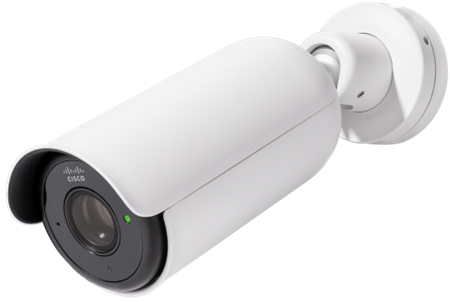
Raise the bar for smart security
Cameras are a key component of a physical security system, providing valuable context for other system events. MV smart cameras offer powerful APIs that simplify access to live video and enable advanced video analytics for deeper insight into business processes.
APIs allow for programmatic retrieval of video links or snapshots to correlate with events such as badge access or point-of-sale transactions. MV Sense further enhances this capability by leveraging machine learning–based computer vision outputs, accessible via both REST and MQTT API endpoints. Organizations can request or subscribe to historical, current, or real-time data generated in-camera to support custom business solutions.
APIs also enable users to request specific timestamped footage from MV smart cameras and receive direct URL links for browser-based viewing, facilitating seamless integration and functionality with ecosystem partners. The MV53X model is optimized to capture license plate information and deliver intelligent and streamlined solutions. These features provide organizations and developers with processed, high-value data and actionable insights— without the need for additional hardware, software, or infrastructure. Smarter cameras help reduce the total cost of ownership.
To learn more, visit Cisco.com
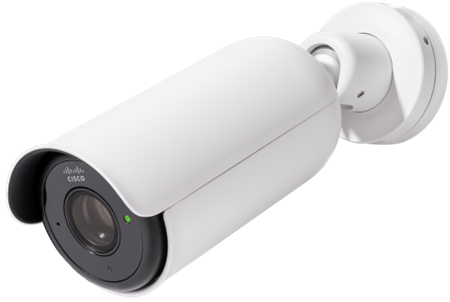
MV53X