Feedback
|
Table Of Contents
Device Manager System Requirements
Finding the Software Version and Feature Set
Catalyst 3750G Integrated Wireless LAN Controller Switch Software Compatibility
Upgrading a Switch by Using the Device Manager or Network Assistant
Upgrading a Switch by Using the CLI
Recovering from a Software Failure
Catalyst 3750, 3560, 2970, and 2960 switches
Catalyst 3750, 3560, and 2960 switches
Catalyst 3750 and 3560 Switches
Minimum Cisco IOS Release for Major Features
Stacking (Catalyst 3750 or Cisco EtherSwitch service module switch stack only)
Cisco IOS Caveats Resolved in Cisco IOS Release 12.2(44)SE6
Cisco IOS Caveats Resolved in Cisco IOS Release 12.2(44)SE5
Cisco IOS Caveats Resolved in Cisco IOS Release 12.2(44)SE4 (Catalyst 3750 Switches Only)
Cisco IOS Caveats Resolved in Cisco IOS Release 12.2(44)SE3
Cisco IOS Caveats Resolved in Cisco IOS Release 12.2(44)SE2
Cisco IOS Caveats Resolved in Cisco IOS Release 12.2(44)SE1
Cisco IOS Caveats Resolved in Cisco IOS Release 12.2(44)SE
Updates to the Catalyst 3750, 3560, and 2960 Switch Software Configuration Guides
Updates to Only the Catalyst 3750 and 3560 Switch Software Configuration Guides
Understanding Embedded Event Manager
Embedded Event Manager Actions
Embedded Event Manager Policies
Embedded Event Manager Environment Variables
Configuring Embedded Event Manager
Registering and Defining an Embedded Event Manager Applet
Registering and Defining an Embedded Event Manager TCL Script
Displaying Embedded Event Manager Information
Applet Configuration (config-applet)
Trigger Applet Configuration (config-applet-trigger)
Event Trigger Configuration (config-event-trigger)
Correction to the Catalyst 2960 Software Configuration Guide
Update to the Catalyst 3750, 3560, and 2960 Command References
Updates to the System Message Guides
Updates to the Catalyst 3750, 3560, 2970, and 2960 Hardware Installation Guide
Update to the Regulatory Compliance and Safety Information for the Catalyst 2960 Switch
Statement 266—Switch Installation Warning
Updates to the Catalyst 3750 Getting Started Guide
Update to the Catalyst 3750 Switch Regulatory Compliance and Safety Information
Statement 377—Temperature of the Removed SFP Module Might be Hot
Statement 370—Attaching the Cisco RPS to the RPS Receptacle
Obtaining Documentation, Obtaining Support, and Security Guidelines
Release Notes for the Catalyst 3750, 3560, 2970, and 2960 Switches, Cisco IOS Release 12.2(44)SE and Later
Revised September 9, 2009
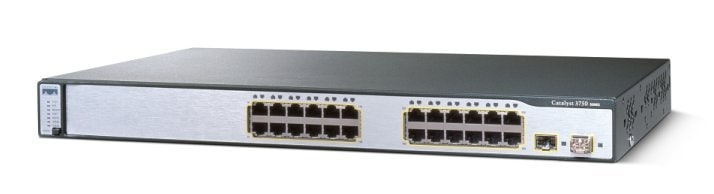
Cisco IOS Release 12.2(44)SE and later runs on all Catalyst 3750, 3560, 2970, and 2960 switches and on Cisco EtherSwitch service modules.
The Catalyst 3750 switches and the Cisco EtherSwitch service modules support stacking through Cisco StackWise technology. The Catalyst 3560, 2970, and 2960 switches do not support switch stacking. Unless otherwise noted, the term switch refers to a standalone switch and to a switch stack.
These release notes include important information about Cisco IOS Release 12.2(44)SE and later and any limitations, restrictions, and caveats that apply to the releases. Verify that these release notes are correct for your switch:
•
If you are installing a new switch, see the Cisco IOS release label on the rear panel of your switch.
•
If your switch is on, use the show version privileged EXEC command. See the "Finding the Software Version and Feature Set" section.
•
If you are upgrading to a new release, see the software upgrade filename for the software version. See the "Deciding Which Files to Use" section.
For the complete list of Catalyst 3750, 3560, 2970, and 2960 switch documentation and of Cisco EtherSwitch service module documentation, see the "Related Documentation" section.
You can download the switch software from this site (registered Cisco.com users with a login password):
http://www.cisco.com/public/sw-center/sw-lan.shtml
This software release is part of a special release of Cisco IOS software that is not released on the same 8-week maintenance cycle that is used for other platforms. As maintenance releases and future software releases become available, they will be posted to Cisco.com in the Cisco IOS software area.
Contents
This information is in the release notes:
•
Upgrading the Switch Software
•
Minimum Cisco IOS Release for Major Features
•
Obtaining Documentation, Obtaining Support, and Security Guidelines
System Requirements
The system requirements are described in these sections:
•
Device Manager System Requirements
Hardware Supported
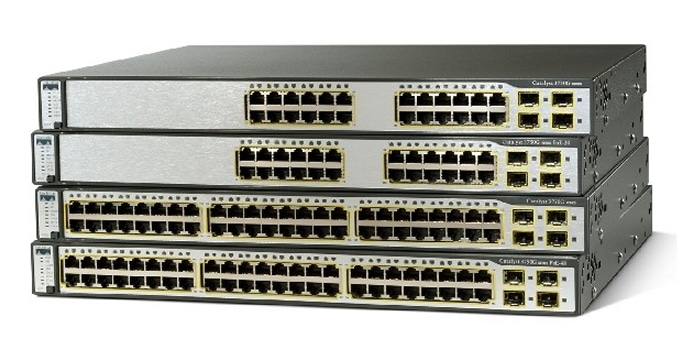
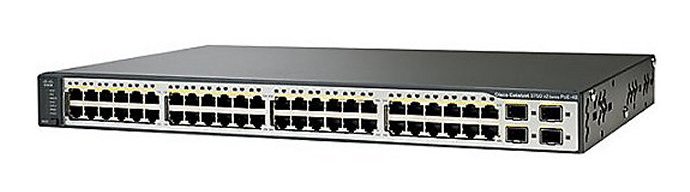
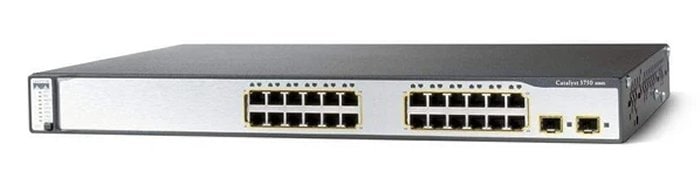
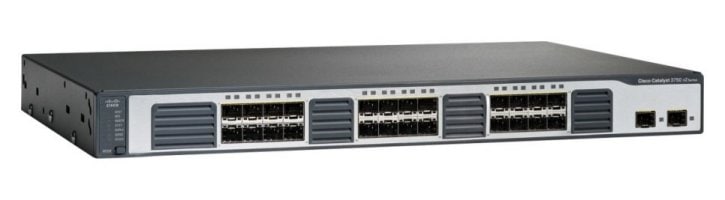
Table 1 lists the hardware supported on this release.
Table 1 Catalyst 3750, 3560, 2970, and 2960 Switches and Cisco EtherSwitch Service Modules Supported Hardware
Switch Description Supported by Minimum Cisco IOS ReleaseCatalyst 3750G-24WS-S25
24 10/100/1000 PoE1 ports, 2 SFP2 module slots, and an integrated wireless LAN controller supporting up to 25 access points.
Cisco IOS Release 12.2(25)FZ or Cisco IOS Release 12.2(35)SE
Catalyst 3750G-24WS-S50
24 10/100/1000 PoE ports, 2 SFP module slots, and an integrated wireless LAN controller supporting up to 50 access points
Cisco IOS Release 12.2(25)FZ or Cisco IOS Release 12.2(35)SE
Catalyst 3750-24FS
24 100BASE-FX ports and 2 SFP module slots
Cisco IOS Release 12.2(25)SEB
Catalyst 3750-24PS
24 10/100 PoE ports and 2 SFP module slots
Cisco IOS Release 12.2(18)SE
Catalyst 3750-24TS
24 10/100 Ethernet ports and 2 SFP module slots
Cisco IOS Release 12.2(18)SE
Catalyst 3750-48PS
48 10/100 PoE ports and 4 SFP module slots
Cisco IOS Release 12.2(18)SE
Catalyst 3750-48TS
48 10/100 Ethernet ports and 4 SFP module slots
Cisco IOS Release 12.2(18)SE
Catalyst 3750G-12S
12 SFP module slots
Cisco IOS Release 12.2(18)SE
Catalyst 3750G-16TD
16 10/100/1000 Ethernet ports and 1 XENPAK 10-Gigabit Ethernet module slot
Cisco IOS Release 12.2(18)SE
Catalyst 3750G-24PS
24 10/100/1000 PoE ports and 4 SFP module slots
Cisco IOS Release 12.2(20)SE3
Catalyst 3750G-24T
24 10/100/1000 Ethernet ports
Cisco IOS Release 12.2(18)SE
Catalyst 3750G-24TS
24 10/100/1000 Ethernet ports and 4 SFP module slots
Cisco IOS Release 12.2(18)SE
Catalyst 3750G-24TS-1U
24 10/100/1000 Ethernet ports and 4 SFP module slots
Cisco IOS Release 12.2(20)SE3
Catalyst 3750G-48PS
48 10/100/1000 PoE ports and 4 SFP module slots
Cisco IOS Release 12.2(20)SE3
Catalyst 3750G-48TS
48 10/100/1000 Ethernet ports and 4 SFP module slots
Cisco IOS Release 12.2(20)SE3
Catalyst 3560-8PC
8 10/100 PoE ports and 1 dual-purpose port3 (one 10/100/1000BASE-T copper port and one SFP module slot)
Cisco IOS Release 12.2(35)SE
Catalyst 3560-24PS
24 10/100 PoE ports and 2 SFP module slots
Cisco IOS Release 12.2(18)SE
Catalyst 3560-24TS
24 10/100 ports and 2 SFP module slots
Cisco IOS Release 12.2(20)SE3
Catalyst 3560-48PS
48 10/100 PoE ports and 4 SFP module slots
Cisco IOS Release 12.2(18)SE
Catalyst 3560-48TS
48 10/100 ports and 4 SFP module slots
Cisco IOS Release 12.2(20)SE3
Catalyst 3560G-24PS
24 10/100 PoE ports and 4 SFP module slots
Cisco IOS Release 12.2(20)SE3
Catalyst 3560G-24TS
24 10/100/1000 Ethernet ports and 4 SFP module slots
Cisco IOS Release 12.2(20)SE3
Catalyst 3560G-48PS
48 10/100/1000 PoE ports and 4 SFP module slots
Cisco IOS Release 12.2(20)SE3
Catalyst 3560G-48TS
48 10/100/1000 Ethernet ports and 4 SFP module slots
Cisco IOS Release 12.2(20)SE3
Catalyst 2970G-24T
24 10/100/1000 Ethernet ports
Cisco IOS Release 12.2(18)SE
Catalyst 2970G-24TS
24 10/100/1000 Ethernet ports and 4 SFP module slots
Cisco IOS Release 12.2(18)SE
Catalyst 2960-24-S
24 10/100 BASE-TX Ethernet ports
Cisco IOS Release 12.2(37)EY
Catalyst 2960-24TC-S
24 10/100BASE-T Ethernet ports and 2 dual-purpose ports (two 10/100/1000BASE-T copper ports and two SFP module slots)
Cisco IOS Release 12.2(37)EY
Catalyst 2960-48TC-S
48 10/100BASE-T Ethernet ports and 2 dual-purpose ports (two 10/100/1000BASE-T copper ports and two SFP module slots)
Cisco IOS Release 12.2(37)EY
Catalyst 2960PD-8TT-L
8 10/100 ports and 1 10/100/1000 port that receives power
Cisco IOS Release 12.2(44)SE
Catalyst 2960-8TC-L
8 10/100 Ethernet ports and 1 dual-purpose port (one 10/100/1000BASE-T copper port and one SFP module slot)
Cisco IOS Release 12.2(35)SE
Catalyst 2960G-8TC-L
7 10/100/1000 Ethernet ports and 1 dual-purpose port (one 10/100/1000BASE-T copper port and one SFP module slot)
Cisco IOS Release 12.2(35)SE
Catalyst 2960-24LT-L
24 10/100 ports, 8 of which are PoE, and 2 10/100/1000 ports
Cisco IOS Release 12.2(44)SE
Catalyst 2960-48TC-L
48 10/100BASE-TX Ethernet ports and 2 dual-purpose ports
Cisco IOS Release 12.2(25)FX
Catalyst 2960-24TC-L
24 10/100BASE-TX Ethernet ports and 2 dual-purpose ports
Cisco IOS Release 12.2(25)FX
Catalyst 2960-24PC-L
24 10/100 Power over Ethernet (PoE) ports and 2 dual-purpose ports (2 10/100/1000BASE-T copper ports and 2 small form-factor pluggable [SFP] module slots)
Cisco IOS Release 12.2(44)SE
Catalyst 2960-24TT-L
24 10/100BASE-T Ethernet ports and 2 10/100/1000BASE-T Ethernet ports
Cisco IOS Release 12.2(25)FX
Catalyst 2960-48TT-L
48 10/100BASE-T Ethernet ports 2 10/100/1000BASE-T Ethernet ports
Cisco IOS Release 12.2(25)FX
Catalyst 2960G-24TC-L
24 10/100/1000BASE-T Ethernet ports, including 4 dual-purpose ports (four 10/100/1000BASE-T copper ports and four SFP module slots)
Cisco IOS Release 12.2(25)FX
Catalyst 2960G-48TC-L
48 10/100/1000BASE-T Ethernet ports, including 4 dual-purpose ports (four 10/100/1000BASE-T copper ports and four SFP module slots)
Cisco IOS Release 12.2(25)SEE
NME-16ES-1G4
16 10/100 ports, 1 10/100/1000 Ethernet port, no StackWise connector ports, single-wide
Cisco IOS Release 12.2(25)SEC
NME-16ES-1G-P4
16 10/100 PoE ports, 1 10/100/1000 Ethernet port, no StackWise connector ports, single-wide
Cisco IOS Release 12.2(25)EZ
NME-X-23ES-1G4
23 10/100 ports, 1 10/100/1000 PoE port, no StackWise connector ports, extended single-wide
Cisco IOS Release 12.2(25)SEC
NME-X-23ES-1G-P4
23 10/100 PoE ports, 1 10/100/1000 PoE port, no StackWise connector ports, extended single-wide
Cisco IOS Release 12.2(25)EZ
NME-XD-24ES-1S-P4
24 10/100 PoE ports, 1 SFP module port, 2 StackWise connector ports, extended double-wide
Cisco IOS Release 12.2(25)EZ
NME-XD-48ES-2S-P4
48 10/100 PoE ports, 2 SFP module ports, no StackWise connector ports, extended double-wide
Cisco IOS Release 12.2(25)EZ
SFP modules (Catalyst 3750, 3560, and 2970)
1000BASE-CWDM5 , -LX, SX, -T, -ZX
100BASE-FX MMF6
Cisco IOS Release 12.2(18)SE
Cisco IOS Release 12.2(20)SE
SFP modules (Catalyst 2960)
1000BASE-BX, -CWDM, -LX/LH, -SX, -ZX
100BASE-BX, FX, -LX
Cisco IOS Release 12.2(25)FX
XENPAK modules7
XENPAK-10-GB-ER, XENPAK-10-GB-LR, and XENPAK-10-GB-SR
Cisco IOS Release 12.2(18)SE
Redundant power systems
Cisco RPS 675 Redundant Power System
Cisco RPS 300 Redundant Power System (supported only on the Catalyst 2960 switch)
Cisco Redundant Power System 2300
Supported on all software releases
Cisco IOS Release 12.2(35)SE and later (not supported on Catalyst 2970 switches)
1 PoE = Power over Ethernet
2 SFP = small form-factor pluggable
3 Each uplink port is considered a single interface with dual front ends (RJ-45 connector and SFP module slot). The dual front ends are not redundant interfaces, and only one port of the pair is active.
4 Cisco EtherSwitch service module
5 CWDM = coarse wavelength-division multiplexer
6 MMF = multimode fiber
7 XENPAK modules are only supported on the Catalyst 3750G-16TD switches.
Device Manager System Requirements
These sections describes the hardware and software requirements for using the device manager:
Hardware Requirements
Table 2 lists the minimum hardware requirements for running the device manager.
Table 2 Minimum Hardware Requirements
Processor Speed DRAM Number of Colors Resolution Font Size233 MHz minimum1
512 MB2
256
1024 x 768
Small
1 We recommend 1 GHz.
2 We recommend 1 GB DRAM.
Software Requirements
Table 3 lists the supported operating systems and browsers for using the device manager. The device manager verifies the browser version when starting a session to ensure that the browser is supported.
Note
The device manager does not require a plug-in.
Table 3 Supported Operating Systems and Browsers
Operating System Minimum Service Pack or Patch Microsoft Internet Explorer1 Netscape NavigatorWindows 2000
None
5.5 or 6.0
7.1
Windows XP
None
5.5 or 6.0
7.1
1 Service Pack 1 or higher is required for Internet Explorer 5.5.
Cluster Compatibility
You cannot create and manage switch clusters through the device manager. To create and manage switch clusters, use the command-line interface (CLI) or the Network Assistant application.
When creating a switch cluster or adding a switch to a cluster, follow these guidelines:
•
When you create a switch cluster, we recommend configuring the highest-end switch in your cluster as the command switch.
•
If you are managing the cluster through Network Assistant, the switch with the latest software should be the command switch.
•
The standby command switch must be the same type as the command switch. For example, if the command switch is a Catalyst 3750 switch, all standby command switches must be Catalyst 3750 switches.
For additional information about clustering, see Getting Started with Cisco Network Assistant and Release Notes for Cisco Network Assistant (not orderable but available on Cisco.com), the software configuration guide, the command reference, and the Cisco EtherSwitch service module feature guide.
CNA Compatibility
Cisco IOS 12.2(44)SE is only compatible with Cisco Network Assistant (CNA) 5.0 and later. You can download Cisco Network Assistant from this URL:
http://www.cisco.com/pcgi-bin/tablebuild.pl/NetworkAssistant
For more information about Cisco Network Assistant, see the Release Notes for Cisco Network Assistant on Cisco.com.
Upgrading the Switch Software
These are the procedures for downloading software. Before downloading software, read this section for important information:
•
Finding the Software Version and Feature Set
•
Catalyst 3750G Integrated Wireless LAN Controller Switch Software Compatibility
•
Upgrading a Switch by Using the Device Manager or Network Assistant
•
Upgrading a Switch by Using the CLI
•
"Recovering from a Software Failure" section
Finding the Software Version and Feature Set
The Cisco IOS image is stored as a bin file in a directory that is named with the Cisco IOS release. A subdirectory contains the files needed for web management. The image is stored on the system board flash device (flash:).
You can use the show version privileged EXEC command to see the software version that is running on your switch. The second line of the display shows the version.
Note
For Catalyst 3750 and 3560 switches and the Cisco EtherSwitch service modules, although the show version output always shows the software image running on the switch, the model name shown at the end of this display is the factory configuration (IP base image [formerly known as the SMI] or IP services image [formerly known as the EMI]) and does not change if you upgrade the software image.
You can also use the dir filesystem: privileged EXEC command to see the directory names of other software images that you might have stored in flash memory.
Deciding Which Files to Use
The upgrade procedures in these release notes describe how to perform the upgrade by using a combined tar file. This file contains the Cisco IOS image file and the files needed for the embedded device manager. You must use the combined tar file to upgrade the switch through the device manager. To upgrade the switch through the command-line interface (CLI), use the tar file and the archive download-sw privileged EXEC command.
For the Catalyst 3750 and 3560 switches, Cisco IOS Release 12.2(25)SEA and earlier referred to the image that provides Layer 2+ features and basic Layer 3 routing as the standard multilayer image (SMI). The image that provides full Layer 3 routing and advanced services was referred to as the enhanced multilayer image (EMI).
Cisco IOS Release 12.2(25)SEB and later refers to the SMI as the IP base image and the EMI as the IP services image.
Cisco IOS Release 12.2(25)SEB and later refers to the Catalyst 2970 image as the LAN base image.
Table 4 lists the different file-naming conventions before and after Cisco IOS Release 12.2(25)SEB.
Table 4 Cisco IOS Image File Naming Convention
Cisco IOS 12.2(25)SEA and earlier Cisco IOS 12.2(25)SEB and laterc3750-i9-mz (SMI1 )
c3750-ipbase-mz
c3750-i9k91-mz (SMI)
c3750-ipbasek9-mz
c3750-i5-mz (EMI2 )
c3750-ipservices-mz
c3750-i5k91-mz (EMI)
c3750-ipservicesk9-mz
c3560-i9-mz (SMI)
c3560-ipbase-mz
c3560-i9k91-mz (SMI)
c3560-ipbasek9-mz
c3560-i5-mz (EMI)
c3560-ipservices-mz
c3560-i5k91-mz (EMI)
c3560-ipservicesk9-mz
c2970-i6l2-mz
c2970-lanbase-mz
c2970-i6k91l2-mz
c2970-lanbasek9-mz
1 SMI = standard multilayer image
2 EMI = enhanced multilayer image
Table 5 lists the filenames for this software release.
Note
For IPv6 capability on the Catalyst 3750 or 3560 switch or on the Cisco EtherSwitch service modules, you must order the advanced IP services image upgrade from Cisco.
Table 5 Cisco IOS Software Image Files
Filename
Descriptionc3750-ipbase-tar.122-44.SE6.tar
Catalyst 3750 IP base image and device manager files.
This image has Layer 2+ and basic Layer 3 routing features.
This image also runs on the Cisco EtherSwitch service modules.c3750-ipservices-tar.122-44.SE6.tar
Catalyst 3750 IP services image and device manager files.
This image has both Layer 2+ and full Layer 3 routing features.
This image also runs on the Cisco EtherSwitch service modules.c3750-ipbasek9-tar.122-44.SE6.tar
Catalyst 3750 IP base cryptographic image and device manager files.
This image has the Kerberos, SSH1 , Layer 2+, and basic Layer 3 routing features.
This image also runs on the Cisco EtherSwitch service modules.c3750-ipservicesk9-tar.122-44.SE6.tar
Catalyst 3750 IP services cryptographic image and device manager files.
This image has the Kerberos, SSH, Layer 2+, and full Layer 3 features.
This image also runs on the Cisco EtherSwitch service modules.c3750-advipservicesk9-tar.122-44.SE6.tar
Catalyst 3750 advanced IP services image, cryptographic file, and device manager files.
This image has all the IP services image (formerly known as the EMI) features and the capability for unicast routing of IPv6 packets.
This image also runs on the Cisco EtherSwitch service modules.c3560-ipbase-tar.122-44.SE6.tar
Catalyst 3560 IP base image file and device manager files.
This image has Layer 2+ and basic Layer 3 routing features.c3560-ipservices-tar.122-44.SE6.tar
Catalyst 3560 IP services image and device manager files.
This image has both Layer 2+ and full Layer 3 routing features.c3560-ipbasek9-tar.122-44.SE6.tar
Catalyst 3560 IP base cryptographic image and device manager files.
This image has the Kerberos, SSH, and Layer 2+, and basic Layer 3 routing features.c3560-ipservicesk9-tar.122-44.SE6.tar
Catalyst 3560 IP services cryptographic image and device manager files. This image has the Kerberos, SSH, Layer 2+, and full Layer 3 features.
c3560-advipservicesk9-tar.122-44.SE6.tar
Catalyst 3560 advanced IP services image, cryptographic file, and device manager files.
This image has all the IP services image (formerly known as the EMI) features and the capability for unicast routing of IPv6 packets.c2970-lanbase.122-44.SE6.tar
Catalyst 2970 image file and device manager files.
This image has Layer 2+ features.c2970-lanbasek9-tar.122-44.SE6.tar
Catalyst 2970 cryptographic image file and device manager files.
This image has the Kerberos and SSH features.c2960-lanbase-tar.122-44.SE6.tar
Catalyst 2960 image file and device manager files.
This image has Layer 2+ features.c2960-lanbasek9-tar.122-44.SE6.tar
Catalyst 2960 cryptographic image file and device manager files. This image has the Kerberos and SSH features.
c2960-lanlitek9-tar.122-44.SE6.tar
Catalyst 2960 LAN lite cryptographic image file and device manager files.
c2960-lanlite-tar.122-44.SE6.tar
Catalyst 2960 LAN lite image file and device manager files.
1 SSH = Secure Shell
Catalyst 3750G Integrated Wireless LAN Controller Switch Software Compatibility
The Catalyst 3750 Integrated Wireless LAN Controller Switch is an integrated Catalyst 3750 switch and Cisco 4400 series wireless LAN controller that supports up to 25 or 50 lightweight access points. The switch and the internal controller run separate software versions, which must be upgraded separately. If the image versions are not compatible, the wireless LAN controller switch could stop functioning. Table 6 is the compatibility matrix for Catalyst 3750 and wireless controller.
For information about this controller software release, see the Release Notes for Cisco Wireless LAN Controllers and Lightweight Access Point, Release 4.0.x.0. For controller software upgrade procedure, see the Cisco Wireless LAN Controller Configuration Guide Release 4.0.
Archiving Software Images
Before upgrading your switch software, make sure that you have archived copies of the current Cisco IOS release and the Cisco IOS release to which you are upgrading. You should keep these archived images until you have upgraded all devices in the network to the new Cisco IOS image and until you have verified that the new Cisco IOS image works properly in your network.
Cisco routinely removes old Cisco IOS versions from Cisco.com. See Product Bulletin 2863 for more information:
http://www.cisco.com/en/US/products/sw/iosswrel/ps5187/prod_bulletin0900aecd80281c0e.html
You can copy the bin software image file on the flash memory to the appropriate TFTP directory on a host by using the copy flash: tftp: privileged EXEC command.
Note
Although you can copy any file on the flash memory to the TFTP server, it is time consuming to copy all of the HTML files in the tar file. We recommend that you download the tar file from Cisco.com and archive it on an internal host in your network.
You can also configure the switch as a TFTP server to copy files from one switch to another without using an external TFTP server by using the tftp-server global configuration command. For more information about the tftp-server command, see the "Basic File Transfer Services Commands" section of the Cisco IOS Configuration Fundamentals Command Reference, Release 12.2 at this URL:
Upgrading a Switch by Using the Device Manager or Network Assistant
You can upgrade switch software by using the device manager or Network Assistant. For detailed instructions, click Help.
Note
When using the device manager to upgrade your switch, do not use or close your browser session after the upgrade process begins. Wait until after the upgrade process completes.
Upgrading a Switch by Using the CLI
This procedure is for copying the combined tar file to the switch. You copy the file to the switch from a TFTP server and extract the files. You can download an image file and replace or keep the current image.
To download software, follow these steps:
Step 1
Use Table 5 to identify the file that you want to download.
Step 2
Download the software image file. If you have a SmartNet support contract, go to this URL, and log in to download the appropriate files:
http://www.cisco.com/public/sw-center/sw-lan.shtml
To download the image for a Catalyst 2960 switch, click Catalyst 2960 software. To obtain authorization and to download the cryptographic software files, click Catalyst 2960 3DES Cryptographic Software.
To download the image for a Catalyst 2970 switch, click Catalyst 2970 software. To obtain authorization and to download the cryptographic software files, click Catalyst 2970 3DES Cryptographic Software.
To download the IP services image (formerly known as the EMI) or IP base image (formerly known as the SMI) files for a Catalyst 3560 switch, click Catalyst 3560 software. To obtain authorization and to download the cryptographic software files, click Catalyst 3560 3DES Cryptographic Software.
To download the IP services image (formerly known as the EMI) or IP base image (formerly known as the SMI) files for a Catalyst 3750 switch, click Catalyst 3750 software. To obtain authorization and to download the cryptographic software files, click Catalyst 3750 3DES Cryptographic Software.
CautionIf you are upgrading a Catalyst 3750 or a Catalyst 2970 switch that is running a release earlier than Cisco IOS Release 12.1(19)EA1c, this release includes a bootloader upgrade. The bootloader can take up to 1 minute to upgrade the first time that the new software is loaded. Do not power cycle the switch during the bootloader upgrade.
Step 3
Copy the image to the appropriate TFTP directory on the workstation, and make sure that the TFTP server is properly configured.
For more information, see Appendix B in the software configuration guide for this release.
Step 4
Log into the switch through the console port or a Telnet session.
Step 5
(Optional) Ensure that you have IP connectivity to the TFTP server by entering this privileged EXEC command:
Switch# ping tftp-server-addressFor more information about assigning an IP address and default gateway to the switch, see the software configuration guide for this release.
Step 6
Download the image file from the TFTP server to the switch. If you are installing the same version of software that is currently on the switch, overwrite the current image by entering this privileged EXEC command:
Switch# archive download-sw /overwrite /reload tftp:[[//location]/directory]/image-name.tarThe /overwrite option overwrites the software image in flash memory with the downloaded one.
The /reload option reloads the system after downloading the image unless the configuration has been changed and not saved.
For //location, specify the IP address of the TFTP server.
For /directory/image-name.tar, specify the directory (optional) and the image to download. Directory and image names are case sensitive.
This example shows how to download an image from a TFTP server at 198.30.20.19 and to overwrite the image on the switch:
Switch# archive download-sw /overwrite tftp://198.30.20.19/c3750-ipservices-tar.122-44.SE.tarYou can also download the image file from the TFTP server to the switch and keep the current image by replacing the /overwrite option with the /leave-old-sw option.
Recovering from a Software Failure
For additional recovery procedures, see the "Troubleshooting" chapter in the software configuration guide for this release.
Installation Notes
You can assign IP information to your switch by using these methods:
•
The Express Setup program, as described in the switch getting started guide.
•
The CLI-based setup program, as described in the switch hardware installation guide.
•
The DHCP-based autoconfiguration, as described in the switch software configuration guide.
•
Manually assigning an IP address, as described in the switch software configuration guide.
Note
If you are upgrading a Catalyst 3750 or a 2950 switch running Cisco IOS Release 12.1(11)AX, which uses the IEEE 802.1x feature, you must re-enable IEEE 802.1x after upgrading the software. For more information, see the "Cisco IOS Notes" section.
Note
When upgrading or downgrading from Cisco IOS Release 12.2(18)SE, you might need to reconfigure the switch with the same password that you were using when running Cisco IOS Release 12.2(18)SE. This problem only occurs when changing from Cisco IOS Release 12.2(18)SE to any other release. (CSCed88768)
New Features
These sections describe the new supported hardware and the new and updated software features provided in this release:
New Hardware Features
This release supports these new Catalyst 2960 switches:
•
The Catalyst 2960-24PC-L switch: a LAN-Base switch with 24 10/100 Power over Ethernet (PoE) ports and two dual-purpose ports (two 10/100/1000BASE-T copper ports and two small form-factor pluggable [SFP] module slots)
•
The Catalyst 2960-24LT-L switch: a LAN-Base switch with 24 10/100 ports (8 of which are PoE) and two 10/100/1000 ports
•
The Catalyst 2960PD-8TT-L switch: is a LAN-Base switch with eight 10/100 ports and one 10/100/1000 port that receives power
For a list of all supported hardware, see the "Hardware Supported" section.
New Software Features
These sections describe the new software features for this release:
•
Catalyst 3750, 3560, 2970, and 2960 switches
•
Catalyst 3750, 3560, and 2960 switches
•
Catalyst 3750 and 3560 Switches
Catalyst 3750, 3560, 2970, and 2960 switches
This is the new feature for the Catalyst 3750, 3560, 2970, and 2960 switches:
IEEE 802.1x readiness check to determine the readiness of connected end hosts before configuring IEEE 802.1x on the switch
Catalyst 3750, 3560, and 2960 switches
These are the new features for the Catalyst 3750, 3560, 2970, and 2960 switches:
•
DHCP-based autoconfiguration and image update to download a specified configuration and image to a large number of switches
•
Configurable small-frame arrival threshold to prevent storm control when small frames (64 bytes or less) arrive on an interface at a specified rate (the threshold)
•
HTTP and HTTP(s) support over IPv6, which eliminates the need to run dual stack on the switch
•
Simple Network and Management Protocol (SNMP) configuration over IPv6 transport so that an IPv6 host can send SNMP queries and receive SNMP notifications from a device running IPv6
•
Support for the *, ip-address, interface interface-id, and vlan vlan-id keywords were introduced to the clear ip dhcp snooping command
•
IPv6 stateless autoconfiguration to manage link, subnet, and site addressing changes, such as management of host and mobile IP addresses
•
Flex Link Multicast Fast Convergence to reduce the multicast traffic convergence time after a Flex Link failure
Catalyst 3750 and 3560 Switches
These are the new features for the Catalyst 3750 and 3560 switches:
•
Digital optical monitoring (DOM) to check status of X2 small form-factor pluggable (SFP) modules
•
Source Specific Multicast (SSM) mapping for multicast applications to provide a mapping of source to allowing IGMPv2 clients to utilize SSM, allowing listeners to connect to multicast sources dynamically and reducing dependencies on the application
•
Support for /31 bit masks for multicast traffic
Catalyst 2960 switch
These features were added to the Catalyst 2960 switch LAN Lite image:
•
Configuration replacement and rollback to replace the running configuration on a switch with any saved Cisco IOS configuration file
•
Support for the Cisco MAC Notification MIB.
Minimum Cisco IOS Release for Major Features
Table 7 lists the minimum software release required to support the major features of the Catalyst 3750, 3560, 2970, and 2960 switches and the Cisco EtherSwitch service modules.
Table 7 Catalyst 3750, 3560, 2970, and 2960 Switches and Cisco EtherSwitch Service Module Features and the Minimum Cisco IOS Release Required
Feature Minimum Cisco IOS Release Required Catalyst Switch SupportIEEE 802.1x readiness check
12.2(44)SE
3750, 3560, 2970, 2960
DHCP-based autoconfiguration and image update
12.2(44)SE
3750, 3560, 2960
Embedded event manager (EEM) for device and system management
(IP services image only)12.2(40)SE
3750, 3560
Configurable small-frame arrival threshold
12.2(44)SE
3750, 3560, 2960
HTTP and HTTP(s) support over IPV6
12.2(44)SE
3750, 3560, 2960
Simple Network and Management Protocol (SNMP) configuration over IPv6 transport
12.2(44)SE
3750, 3560, 2960
IPv6 stateless autoconfiguration
12.2(44)SE
3750, 3560, 2960
Flex Link Multicast Fast Convergence
12.2(44)SE
3750, 3560, 2960
Digital optical monitoring (DOM)
12.2(44)SE
3750, 3560
Source Specific Multicast (SSM) mapping
12.2(44)SE
3750, 3560
/31 bit mask support for multicast traffic
12.2(44)SE
3750, 3560
Configuration replacement and rollback
12.2(40)SE
3750, 3560, 2960
Link Layer Discovery Protocol Media Extensions (LLDP-MED)
12.2(40)SE
3750, 3560, 2960
Support for Enhanced Interior Gateway Routing Protocol (EIGRP) IPv6
12.2(40)SE
3750, 3560
Automatic quality of service (QoS) Voice over IP (VoIP)
12.2(40)SE
3750, 3560, 2960
Dynamic voice virtual LAN (VLAN) for multidomain authentication (MDA)-enabled ports
12.2(40)SE
3750, 3560
Internet Group Management Protocol (IGMP) helper
12.2(40)SE
3750, 3560
IP Service Level Agreements (IP SLAs)
12.2(40)SE
3750, 3560
IP SLAs EOT
12.2(40)SE
3750, 3560
Multicast virtual routing and forwarding (VRF) lite
12.2(40)SE
3750, 3560
SSM PIM protocol
12.2(40)SE
3750, 3560
VRF-aware support for these IP services: HSRP, uRPF, ARP, SNMP, IP SLA, TFTP, FTP, syslog, traceroute, and ping
12.2(40)SE
3750, 3560
MLD snooping
12.2(40)SE
2960
IPv6 host
12.2(40)SE
2960
IP phone detection enhancement
12.2(37)SE
3750, 3560, 2970, 2960
Link Layer Discovery Protocol (LLDP) and LLDP Media Endpoint Discovery (LLDP-MED)
12.2(37)SE
3750, 3560, 2970, 2960
PIM stub routing
12.2(37)SE
3750, 3560
Port security on a PVLAN host
12.2(37)SE
3750, 3560
VLAN aware port security option
12.2(37)SE
3750, 3560, 2970, 2960
Support for auto rendezvous point (auto-RP) for multicast
12.2(37)SE
3750. 3560
VLAN Flex Links load balancing
12.2(37)SE
3750, 3560, 2960
Web Cache Communication Protocol (WCCP)
12.2(37)SE
3750. 3560
Multidomain authentication (MDA)
12.2(35)SE
3750, 3560
Web authentication
12.2(35)SE
3750, 3560, 2960
MAC inactivity aging
12.2(35)SE
3750, 3560, 2960
Support for IPv6 with Express Setup
12.2(35)SE
3750, 3560
Generic online diagnostics to test the hardware functionality of the supervisor engine
12.2(35)SE
3560
Stack MAC persistent timer and archive download enhancements
12.2(35)SE
3750
HSRP enhanced object tracking
12.2(35)SE
3750, 3560
OSPF and EIGRP Nonstop forwarding capability (IP services image only)
12.2(35)SE
3750
IPv6 router ACLs for inbound Layer 3 management traffic in the IP base and IP services image
12.2(35)SE
3750, 3560
Generic online diagnostics to test the hardware functionality of the supervisor engine
12.2(25)SEE
3750
DHCP Option 82 configurable remote ID and circuit ID
12.2(25)SEE
3750, 3560, 2970, 2960
EIGRP stub routing in the IP base image
12.2(25)SEE
3750, 3560
/31 bit mask support for unicast traffic
12.2(25)SEE
3750, 3560
Access SDM templates
12.2(25)SED
3750, 3560
Cisco EtherSwitch service modules
IPv6 ACLs
12.2(25)SED
3750, 3560
Cisco EtherSwitch service modules
IPv6 Multicast Listener Discovery (MLD) snooping
12.2(25)SED
3750, 3560
Cisco EtherSwitch service modules
QoS hierarchical policy maps on a port
12.2(25)SED
3750, 3560, and 2970
Cisco EtherSwitch service modules
NAC Layer 2 IEEE 802.1x validation
12.2(25)SED
3750, 3560, 2970, and 2960
Cisco EtherSwitch service modules
NAC Layer 2 IP validation
12.2(25)SED
3750, 3560
Cisco EtherSwitch service modules
IEEE 802.1x inaccessible authentication bypass.
12.2(25)SED
12.2(25)SEE
3750, 3560
Cisco EtherSwitch service module
2960 and 2970
IEEE 802.1x with restricted VLAN
12.2(25)SED
3750, 3560, 2970, and 2960
Cisco EtherSwitch service modules
Budgeting power for devices connected to PoE ports
12.2(25)SEC
3750 and 3560
Cisco EtherSwitch service modules
Multiple spanning-tree (MST) based on the IEEE 802.1s standard
12.2(25)SEC
12.2(25)SED
3750, 3560, and 2970
Cisco EtherSwitch service modules2960
Unique device identifier (UDI)
12.2(25)SEC
12.2(25)SED
3750, 3560, and 2970
Cisco EtherSwitch service modules
2960
VRF Lite
12.2(25)SEC
3750, 3560
Cisco EtherSwitch service modules
IEEE 802.1x with wake-on-LAN
12.2(25)SEC
12.2(25)SED
3750, 3560, 2970
2960, Cisco EtherSwitch service modules
Nonstop forwarding (NSF) awareness
12.2(25)SEC
3750 and 3560
Cisco EtherSwitch service modules
Configuration logging
12.2(25)SEC
12.2(25)SED
3750, 3560, 2970
2960, Cisco EtherSwitch service modules
Secure Copy Protocol
12.2(25)SEC
12.2(25)SED
3750, 3560, 2970
2960, Cisco EtherSwitch service modules
Cross-stack EtherChannel
12.2(25)SEC
3750
Cisco EtherSwitch service modules
Support for configuring private-VLAN ports on interfaces that are configured for dynamic ARP inspection (IP base image [formerly known as the SMI] only)
12.2(25)SEB
3750 and 3560
Support for IP source guard on private VLANs (IP base image [formerly known as the SMI] only)
12.2(25)SEB
3750 and 3560
Support for configuring an IEEE 802.1x restricted VLAN
12.2(25)SED
3750, 3560, 2970, and 2960
IGMP leave timer
12.2(25)SEB
12.2(25)SED
3750, 3560, and 2970
2960
IGMP snooping querier
12.2(25)SEA
12.2(25)FX
3750, 3560, 2970, and 2960
Advanced IP services
12.2(25)SEA
3750, 3560
Support for DSCP transparency
12.2(25)SE
12.2(25)FX
3750, 3560, 2970, and 2960
Support for VLAN-based QoS1 and hierarchical policy maps on SVIs2
12.2(25)SE
3750, 3560, 2970
Device manager
12.2(25)SE
12.2(25)FX
3750, 3560, 2970, and 2960
IEEE 802.1Q tunneling and Layer 2 protocol tunneling
12.2(25)SE
3750, 3560
Layer 2 point-to-point tunneling and Layer 2 point-to-point tunneling bypass
12.2(25)SE
3750, 3560
Support for SSL version 3.0 for secure HTTP communication (cryptographic images only)
12.2(25)SE
12.2(25)FX
3750, 3560, 2970, and 2960
Support for configuring private-VLAN ports on interfaces that are configured for dynamic ARP inspection (IP services image [formerly known as the EMI] only)
12.2(25)SE
3750 and 3560
Support for IP source guard on private VLANs (IP services image [formerly known as the EMI] only)
12.2(25)SE
3750 and 3560
Cisco intelligent power management to limit the power allowed on a port, or pre-allocate (reserve) power for a port.
12.2(25)SE
3750 and 3560
IEEE 802.1x accounting and MIBs (IEEE 8021-PAE-MIB and CISCO-PAE-MIB)
12.2(20)SE
12.2(25)FX
3750, 3560, 2970, and 2960
Dynamic ARP inspection
12.2(20)SE
3750 and 3560
Flex Links
12.2(20)SE
12.2(25)FX
3750, 3560, 2970, and 2960
Software upgrade (device manager or Network Assistant only)
12.2(20)SE
12.2(25)FX
3750, 3560, 2970, and 2960
IP source guard
12.2(20)SE
3750, 3560
Private VLAN (IP services image [formerly known as the EMI] only)
12.2(20)SE
3750, 3560
SFP module diagnostic management interface
12.2(20)SE
12.2(25)FX
3750, 3560, 2970, and 2960
Switch stack offline configuration
12.2(20)SE
3750
Stack-ring activity statistics
12.2(20)SE
3750
Smartports macros
12.2(18)SE
12.2(25)FX
3750, 3560, 2970, and 2960
Generic online diagnostics (GOLD)
12.2(25)SEE
3750
Flex Links Preemptive Switchover
12.2(25)SEE
3750, 3560, 2970, and 2960
1 QoS = quality of service
2 SVIs = switched virtual interfaces
Limitations and Restrictions
You should review this section before you begin working with the switch. These are known limitations that will not be fixed, and there is not always a workaround. Some features might not work as documented, and some features could be affected by recent changes to the switch hardware or software.
This section contains these limitations:
Cisco IOS Limitations
Unless otherwise noted, these limitations apply to the Catalyst 3750, 3560, 2970, and 2960 switches and the Cisco EtherSwitch service modules:
•
HSRP
•
IP
•
QoS
•
Stacking (Catalyst 3750 or Cisco EtherSwitch service module switch stack only)
•
VLAN
Configuration
These are the configuration limitations:
•
A static IP address might be removed when the previously acquired DHCP IP address lease expires.
This problem occurs under these conditions:
–
When the switch is booted up without a configuration (no config.text file in flash memory).
–
When the switch is connected to a DHCP server that is configured to give an address to it (the dynamic IP address is assigned to VLAN 1).
–
When an IP address is configured on VLAN 1 before the dynamic address lease assigned to VLAN 1 expires.
The workaround is to reconfigure the static IP address. (CSCea71176 and CSCdz11708)
•
(Catalyst 3750 or 3560 switches and Cisco EtherSwitch service modules) When the show interface privileged EXEC is entered on a port that is running IEEE 802.1Q, inconsistent statistics from ports running IEEE 802.1Q might be reported. The workaround is to upgrade to Cisco IOS Release 12.1(20)EA1. (CSCec35100)
•
(Catalyst 3750 or 3560 switches and Cisco EtherSwitch service modules) When you change a port from a nonrouted port to a routed port or the reverse, the applied auto-QoS setting is not changed or updated when you verify it by using the show running interface or show mls qos interface user EXEC commands. These are the workarounds:
1.
Disable auto-QoS on the interface.
2.
Change the routed port to a nonrouted port or the reverse.
3.
Re-enable auto-QoS on the interface. (CSCec44169)
•
The DHCP snooping binding database is not written to flash memory or a remote file in any of these situations:
–
(Catalyst 3750 switch and Cisco EtherSwitch service modules) When the Network Time Protocol (NTP) is configured, but the NTP clock is not synchronized. You can check the clock status by entering the show NTP status privileged EXEC command and verifying that the network connection to the NTP server and the peer work correctly.
–
(Catalyst 3750, 3560, or 2970 switches and Cisco EtherSwitch service modules) The DHCP snooping database file is manually removed from the file system. After enabling the DHCP snooping database by configuring a database URL, a database file is created. If the file is manually removed from the file system, the DHCP snooping database does not create another database file. You need to disable the DHCP snooping database and enable it again to create the database file.
–
(Catalyst 3750, 3560, or 2970 switches and Cisco EtherSwitch service modules) The URL for the configured DHCP snooping database was replaced because the original URL was not accessible. The new URL might not take effect after the timeout of the old URL.
No workaround is necessary; these are the designed behaviors. (CSCed50819)
•
(Catalyst 3750 or 3560 switches and Cisco EtherSwitch service modules) When dynamic ARP inspection is enabled on a switch or switch stack, ARP and RARP packets greater than 2016 bytes are dropped by the switch or switch stack. This is a hardware limitation.
However, when dynamic ARP inspection is not enabled and a jumbo MTU is configured, ARP and RARP packets are correctly bridged in hardware. (CSCed79734)
•
When connected to some third-party devices that send early preambles, a switch port operating at 100 Mb/s full duplex or 100 Mb/s half duplex might bounce the line protocol up and down. The problem is observed only when the switch is receiving frames.
The workaround is to configure the port for 10 Mb/s and half duplex or to connect a hub or a nonaffected device to the switch. (CSCed39091)
•
(Catalyst 3750 switches and Cisco EtherSwitch service modules) Dynamic ARP inspection log entries might be lost after a switch failure. Any log entries that are still in the log buffer (have not been output as a system message) on a switch that fails are lost.
When you enter the show ip arp inspection log privileged EXEC command, the log entries from all switches in the stack are moved to the switch on which you entered the command.
There is no workaround. (CSCed95822)
•
When port security is enabled on an interface in restricted mode and the switchport block unicast interface command has been entered on that interface, MAC addresses are incorrectly forwarded when they should be blocked
The workaround is to enter the no switchport block unicast interface configuration command on that specific interface. (CSCee93822)
•
A traceback error occurs if a crypto key is generated after an SSL client session.
There is no workaround. This is a cosmetic error and does not affect the functionality of the switch. (CSCef59331)
•
(Cisco EtherSwitch service modules) You cannot change the console baud rate by using the switch CLI. The console on the Cisco EtherSwitch service modules only supports three baud rates (9600 b/s, 19200 b/s, and 38400 b/s) and must be set at the bootloader prompt. The switch rejects a CLI command to change the baud rate.
To change the baud rate, reload the Cisco EtherSwitch service module with the bootloader prompt. You can then change the baud rate and change the speed on the TTY line of the router connected to the Cisco EtherSwitch Service module console.
There is no workaround. (CSCeh50152)
•
When a Catalyst 3750-12S switch boots up, ports 1, 2, 5, 6, 9, and 10 can become active before the Cisco IOS software loading process is complete. Packets arriving at these ports before the switch software is completely loaded are lost. This is a hardware limitation when the switch uses small form-factor pluggable (SFP) modules with copper connections.
The workaround is to use switch ports other than those specified for redundancy and for applications that immediately detect active links. (CSCeh70503)
•
When the logging event-spanning-tree interface configuration command is configured and logging to the console is enabled, a topology change might generate a large number of logging messages, causing high CPU utilization. CPU utilization can increase with the number of spanning-tree instances and the number of interfaces configured with the logging event-spanning-tree interface configuration command. This condition adversely affects how the switch operates and could cause problems such as STP convergence delay.
High CPU utilization can also occur with other conditions, such as when debug messages are logged at a high rate to the console.
Use one of these workarounds:
–
Disable logging to the console.
–
Rate-limit logging messages to the console.
–
Remove the logging event spanning-tree interface configuration command from the interfaces. (CSCsg91027)
•
The switch might display tracebacks similar to this example when an EtherChannel interface port-channel type changes from Layer 2 to Layer 3 or the reverse:
15:50:11: %COMMON_FIB-4-FIBNULLHWIDB: Missing hwidb for fibhwidb Port-channel1 (ifindex 1632) -Traceback= A585C B881B8 B891CC 2F4F70 5550E8 564EAC 851338 84AF0C 4CEB50 859DF4 A7BF28 A98260 882658 879A58
(CSCsh12472 [Catalyst 3750 and 3560 switches])
•
The far-end fault optional facility is not supported on the GLC-GE-100FX SFP module.
The workaround is to configure aggressive UDLD. (CSCsh70244).
•
A ciscoFlashMIBTrap message appears during switch startup. This does not affect switch functionality. (CSCsj46992)
Ethernet
These are the Ethernet limitations:
•
Link connectivity might be lost between some older models of the Intel Pro1000 NIC and the 10/100/1000 switch port interfaces. The loss of connectivity occurs between the NIC and these switch ports:
–
Ports 3, 4, 7, 8, 11, 12, 15, 16, 19, 20, 23, and 24 of the Catalyst 3750G-24T and 3750G-24TS switches
–
Ports 3, 4, 7, 8, 11, 12, 15, 16, 19, and 20 of the Catalyst 2970G-24T and 2970G-24TS switches
–
Gigabit Ethernet ports on the Cisco EtherSwitch service modules
These are the workarounds:
–
Contact the NIC vendor, and get the latest driver for the card.
–
Configure the interface for 1000 Mb/s instead of for 10/100 Mb/s.
–
Connect the NIC to an interface that is not listed here. (CSCea77032)
For more information, enter CSCea77032 in the Bug Toolkit at this URL:
http://www.cisco.com/pcgi-bin/Support/Bugtool/home.pl
•
(Cisco EtherSwitch service modules) When a Cisco EtherSwitch service module reloads or the internal link resets, there can be up to a 45-second delay in providing power to PoE devices, depending on the configuration. If the internal Gigabit Ethernet interface on a Cisco EtherSwitch service module connected to the router is configured as a switch port in access mode or in trunk mode, the internal link is not operational until it reaches the STP forwarding state. Therefore, the PoE that comes from the host router is also not available until the internal Gigabit Ethernet link reaches the STP forwarding state. This is due to STP convergence time. This problem does not occur on routed ports.
If the Cisco EtherSwitch service module is in access mode, the workaround is to enter the spanning-tree portfast interface configuration command on the internal Gigabit Ethernet interface. If the service module is in trunk mode, there is no workaround.
•
Traffic on EtherChannel ports is not perfectly load-balanced. Egress traffic on EtherChannel ports are distributed to member ports on load balance configuration and traffic characteristics like MAC or IP address. More than one traffic stream may map to same member ports based on hashing results calculated by the ASIC.
If this happens, uneven traffic distribution will happen on EtherChannel ports.
Changing the load balance distribution method or changing the number of ports in the EtherChannel can resolve this problem. Use any of these workarounds to improve EtherChannel load balancing:
–
for random source-ip and dest-ip traffic, configure load balance method as src-dst-ip
–
for incrementing source-ip traffic, configure load balance method as src-ip
–
for incrementing dest-ip traffic, configure load balance method as dst-ip
–
Configure the number of ports in the EtherChannel so that the number is equal to a power of 2 (i.e. 2, 4, or 8)
For example, with load balance configured as dst-ip with 150 distinct incrementing destination IP addresses, and the number of ports in the EtherChannel set to either 2, 4, or 8, load distribution is optimal.(CSCeh81991)
Fallback Bridging
These are the fallback bridging limitations:
•
(Catalyst 3750 or 3560 switches and Cisco EtherSwitch service modules) If a bridge group contains a VLAN to which a static MAC address is configured, all non-IP traffic in the bridge group with this MAC address destination is sent to all ports in the bridge group. The workaround is to remove the VLAN from the bridge group or to remove the static MAC address from the VLAN. (CSCdw81955)
•
(Catalyst 3750 or 3560 switches and Cisco EtherSwitch service modules) Known unicast (secured) addresses are flooded within a bridge group if secure addresses are learned or configured on a port and the VLAN on this port is part of a bridge group. Non-IP traffic destined to the secure addresses is flooded within the bridge group. The workaround is to disable fallback bridging or to disable port security on all ports in all VLANs participating in fallback bridging. To remove an interface from a bridge group and to remove the bridge group, use the no bridge-group bridge-group interface configuration command. To disable port security on all ports in all VLANs participating in fallback bridging, use the no switchport port-security interface configuration command. (CSCdz80499)
HSRP
This is the Hot Standby Routing Protocol (HSRP) limitation:
When the active switch fails in a switch cluster that uses HSRP redundancy, the new active switch might not contain a full cluster member list. The workaround is to ensure that the ports on the standby cluster members are not in the spanning-tree blocking state. To verify that these ports are not in the blocking state, see the "Configuring STP" chapter in the software configuration guide. (CSCec76893)
IP
These are the IP limitations:
•
(Catalyst 3750 or 3560 switches and Cisco EtherSwitch service modules) The switch does not create an adjacent table entry when the ARP timeout value is 15 seconds and the ARP request times out. The workaround is to not set an ARP timeout value lower than 120 seconds. (CSCea21674)
•
When the rate of received DHCP requests exceeds 2,000 packets per minute for a long time, the response time might be slow when you are using the console. The workaround is to use rate limiting on DHCP traffic to prevent a denial of service attack from occurring. (CSCeb59166)
IP Telephony
These are the IP telephony limitations:
•
After you change the access VLAN on a port that has IEEE 802.1x enabled, the IP phone address is removed. Because learning is restricted on IEEE 802.1x-capable ports, it takes approximately 30 seconds before the address is relearned. No workaround is necessary. (CSCea85312)
•
(Catalyst 3750 or 3560 PoE-capable switches and Cisco EtherSwitch service modules) The switch uses the IEEE classification to learn the maximum power consumption of a powered device before powering it. The switch grants power only when the maximum wattage configured on the port is less than or equal to the IEEE class maximum. This ensures that the switch power budget is not oversubscribed. There is no such mechanism in Cisco prestandard powered devices.
The workaround for networks with pre-standard powered devices is to leave the maximum wattage set at the default value (15.4 W). You can also configure the maximum wattage for the port for no less than the value the powered device reports as the power consumption through CDP messages. For networks with IEEE Class 0, 3, or 4 devices, do not configure the maximum wattage for the port at less than the default 15.4 W (15,400 milliwatts). (CSCee80668)
•
Phone detection events that are generated by many IEEE phones connected to the switch ports can consume a significant amount of CPU time if the switch ports cannot power the phones because the internal link is down.
The workaround is to enter the power inline never interface configuration command on all the Fast Ethernet ports that are not powered by but are connected to IP phones if the problem persists. (CSCef84975, Cisco EtherSwitch service modules only)
•
Some access point devices are incorrectly discovered as IEEE 802.3af Class 1 devices. These access points should be discovered as Cisco pre-standard devices. The show power inline user EXEC command shows the access point as an IEEE Class 1 device. The workaround is to power the access point by using an AC wall adaptor. (CSCin69533)
•
The Cisco 7905 IP Phone is error-disabled when the phone is connected to wall power.
The workaround is to enable PoE and to configure the switch to recover from the PoE error-disabled state. (CSCsf32300)
MAC Addressing
This is the MAC addressing limitation:
(Catalyst 3750 or 3560 switches and Cisco EtherSwitch service modules) When a MAC address is configured for filtering on the internal VLAN of a routed port, incoming packets from the MAC address to the routed port are not dropped. (CSCeb67937)
Management
CiscoWorks is not supported on the Catalyst 3750-24FS switch.
Multicasting
These are the multicasting limitations:
•
(Catalyst 3750 or 3560 switches and Cisco EtherSwitch service modules) The switch does not support tunnel interfaces for unicast routed traffic. Only Distance Vector Multicast Routing Protocol (DVMRP) tunnel interfaces are supported for multicast routing.
•
(Catalyst 3750 or 3560 switches and Cisco EtherSwitch service modules) Nonreverse-path forwarded (RPF) IP multicast traffic to a group that is bridged in a VLAN is leaked onto a trunk port in the VLAN even if the port is not a member of the group in the VLAN, but it is a member of the group in another VLAN. Because unnecessary traffic is sent on the trunk port, it reduces the bandwidth of the port. There is no workaround for this problem because non-RPF traffic is continuous in certain topologies. As long as the trunk port is a member of the group in at least one VLAN, this problem occurs for the non-RPF traffic. (CSCdu25219)
•
If the number of multicast routes and Internet Group Management Protocol (IGMP) groups are more than the maximum number specified by the show sdm prefer global configuration command, the traffic received on unknown groups is flooded in the received VLAN even though the show ip igmp snooping multicast-table privileged EXEC command output shows otherwise. The workaround is to reduce the number of multicast routes and IGMP snooping groups to less than the maximum supported value. (CSCdy09008)
•
IGMP filtering is applied to packets that are forwarded through hardware. It is not applied to packets that are forwarded through software. Hence, with multicast routing enabled, the first few packets are sent from a port even when IGMP filtering is set to deny those groups on that port. There is no workaround. (CSCdy82818)
•
(Catalyst 3750 or 3560 switches and Cisco EtherSwitch service modules) When you use the ip access-group interface configuration command with a router access control list (ACL) to deny access to a group in a VLAN, multicast data to the group that is received in the VLAN is always flooded in the VLAN, regardless of IGMP group membership in the VLAN. This provides reachability to directly connected clients, if any, in the VLAN. The workaround is to not apply a router ACL set to deny access to a VLAN interface. Apply the security through other means; for example, apply VLAN maps to the VLAN instead of using a router ACL for the group. (CSCdz86110)
•
(Catalyst 3750 switch stack) If the stack master is power cycled immediately after you enter the ip mroute global configuration command, there is a slight chance that this configuration change might be lost after the stack master changes. This occurs because the stack master did not have time to propagate the running configuration to all the stack members before it was powered down. This problem might also affect other configuration commands. There is no workaround. (CSCea71255)
•
(Catalyst 3750 switches and Cisco EtherSwitch service modules) When you enable IP Protocol-Independent Multicast (PIM) on a tunnel interface, the switch incorrectly displays the Multicast is not supported on tunnel interfaces error message. IP PIM is not supported on tunnel interfaces. There is no workaround. (CSCeb75366)
•
If an IG MP report packet has two multicast group records, the switch removes or adds interfaces depending on the order of the records in the packet:
–
If the ALLOW_NEW_SOURCE record is before the BLOCK_OLD_SOURCE record, the switch removes the port from the group.
–
If the BLOCK_OLD_SOURCE record is before the ALLOW_NEW_SOURCE record, the switch adds the port to the group.
There is no workaround. (CSCec20128)
•
When IGMP snooping is disabled and you enter the switchport block multicast interface configuration command, IP multicast traffic is not blocked.
The switchport block multicast interface configuration command is only applicable to non-IP multicast traffic.
There is no workaround. (CSCee16865)
•
Incomplete multicast traffic can be seen under either of these conditions:
–
You disable IP multicast routing or re-enable it globally on an interface.
–
A switch mroute table temporarily runs out of resources and recovers later.
The workaround is to enter the clear ip mroute privileged EXEC command on the interface. (CSCef42436)
After you configure a switch to join a multicast group by entering the ip igmp join-group group-address interface configuration command, the switch does not receive join packets from the client, and the switch port connected to the client is removed from the IGMP snooping forwarding table.
Use one of these workarounds:
–
Cancel membership in the multicast group by using the no ip igmp join-group group-address interface configuration command on an SVI.
–
Disable IGMP snooping on the VLAN interface by using the no ip igmp snooping vlan vlan-id global configuration command. (CSCeh90425)
•
If IP routing is disabled and IP multicast routing is enabled on a switch running Cisco IOS Release 12.2(25)SED, IGMP snooping floods multicast packets to all ports in a VLAN.
The workaround is to enable IP routing or to disable multicast routing on the switch. You can also use the ip igmp snooping querier global configuration command if IP multicast routing is enabled for queries on a multicast router port. (CSCsc02995)
Power
These are the powers limitation for the Cisco EtherSwitch service modules:
•
Non-PoE devices attached to a network might be erroneously detected as an IEEE 802.3af- compliant powered device and powered by the Cisco EtherSwitch service module.
There is no workaround. You should use the power inline never interface configuration command on Cisco EtherSwitch service module ports that are not connected to PoE devices. (CSCee71979)
•
When you enter the show power inline privileged EXEC command, the out put shows the total power used by all Cisco EtherSwitch service modules in the router. The remaining power shown is available for allocation to switching ports on all Cisco EtherSwitch service modules in the router. To display the total power used by a specific EtherSwitch service module, enter the show power inline command on the router. This output appears:
Router# show power inlinePowerSupply SlotNum. Maximum Allocated Status----------- -------- ------- --------- ------INT-PS 0 360.000 121.000 PS1 GOOD PS2 ABSENTInterface Config Device Powered PowerAllocated--------- ------ ------ ------- --------------Gi4/0 auto Unknown On 121.000 WattsThis is not a problem because the display correctly shows the total used power and the remaining power available on the system. (CSCeg74337)
•
Entering the shutdown and the no shutdown interface configuration commands on the internal link can disrupt the PoE operation. If a new IP phone is added while the internal link is in shutdown state, the IP phone does not get inline power if the internal link is brought up within 5 minutes.
The workaround is to enter the shutdown and the no shutdown interface configuration commands on the Fast Ethernet interface of a new IP phone that is attached to the service module port after the internal link is brought up. (CSCeh45465)
QoS
These are the quality of service (QoS) limitations:
•
Some switch queues are disabled if the buffer size or threshold level is set too low with the mls qos queue-set output global configuration command. The ratio of buffer size to threshold level should be greater than 10 to avoid disabling the queue. The workaround is to choose compatible buffer sizes and threshold levels. (CSCea76893)
•
When auto-QoS is enabled on the switch, priority queuing is not enabled. Instead, the switch uses shaped round robin (SRR) as the queuing mechanism. The auto-QoS feature is designed on each platform based on the feature set and hardware limitations, and the queuing mechanism supported on each platform might be different. There is no workaround. (CSCee22591)
Routing
These are the routing limitations:
•
(Catalyst 3750 or 3560 switches and Cisco EtherSwitch service modules) The switch does not support tunnel interfaces for unicast routed traffic. Only Distance Vector Multicast Routing Protocol (DVMRP) tunnel interfaces are supported for multicast routing.
•
(Catalyst 3750 or 3560 switches and Cisco EtherSwitch service modules) A route map that has an ACL with a Differentiated Services Code Point (DSCP) clause cannot be applied to a Layer 3 interface. The switch rejects this configuration and displays a message that the route map is unsupported. There is no workaround. (CSCea52915)
•
On a Catalyst 3750 or a Cisco EtherSwitch service module switch stack with a large number of switched virtual interfaces (SVIs), routes, or both on a fully populated nine-member switch stack, this message might appear when you reload the switch stack or add a switch to the stack:
%SYS-2-MALLOCFAIL: Memory allocation of 4252 bytes failed from 0x179C80, alignment 0Pool: I/O Free: 77124 Cause: Memory fragmentationAlternate Pool: None Free: 0 Cause: No Alternate poolThis error message means there is a temporary memory shortage that normally recovers by itself. You can verify that the switch stack has recovered by entering the show cef line user EXEC command and verifying that the line card states are up and sync. No workaround is required because the problem is self-correcting. (CSCea71611)
•
(Catalyst 3750 switches and Cisco EtherSwitch service modules) A spanning-tree loop might occur if all of these conditions are true:
–
Port security is enabled with the violation mode set to protected.
–
The maximum number of secure addresses is less than the number of switches connected to the port.
–
There is a physical loop in the network through a switch whose MAC address has not been secured, and its BPDUs cause a secure violation.
The workaround is to change any one of the listed conditions. (CSCed53633)
•
When you enter an all 0s route with an all 1s mask in the routing table and the next hop is entered as an interface, a traceback message appears.
The workaround is to use an IP address as the next hop instead of an interface.
(CSCsi16162 [Catalyst 3750 and 3560 switches])SPAN and RSPAN
These are the SPAN and Remote SPAN (RSPAN) limitations.
•
(Catalyst 3750 or 3560 switches and Cisco EtherSwitch service modules) An egress SPAN copy of routed unicast traffic might show an incorrect destination MAC address on both local and remote SPAN sessions. This limitation does not apply to bridged packets. The workaround for local SPAN is to use the replicate option. For a remote SPAN session, there is no workaround.
This is a hardware limitation and only applies to these switches (CSCdy72835):
–
3560-24PS
–
3560-48PS
–
3750-24PS
–
3750-48PS
–
3750-24TS
–
3750-48TS
–
3750G-12S
–
3750G-24T
–
3750G-24TS
–
3750G-16TD
–
Cisco EtherSwitch service modules
•
Egress SPAN routed packets (both unicast and multicast) show the incorrect source MAC address. For remote SPAN packets, the source MAC address should be the MAC address of the egress VLAN, but instead the packet shows the MAC address of the RSPAN VLAN. For local SPAN packets with native encapsulation on the destination port, the packet shows the MAC address of VLAN 1. This problem does not appear with local SPAN when the encapsulation replicate option is used. This limitation does not apply to bridged packets. The workaround is to use the encapsulate replicate keywords in the monitor session global configuration command. Otherwise, there is no workaround.
This is a hardware limitation and only applies to these switches (CSCdy81521):
–
2970G-24T
–
2970G-24TS
–
3560-24PS
–
3560-48PS
–
3750-24PS
–
3750-48PS
–
3750-24TS
–
3750-48TS
–
3750G-12S
–
3750G-24T
–
3750G-24TS
–
3750G-16TD
–
Cisco EtherSwitch service modules
•
During periods of very high traffic when two RSPAN source sessions are configured, the VLAN ID of packets in one RSPAN session might overwrite the VLAN ID of the other RSPAN session. If this occurs, packets intended for one RSPAN VLAN are incorrectly sent to the other RSPAN VLAN. This problem does not affect RSPAN destination sessions. The workaround is to configure only one RSPAN source session.
This is a hardware limitation and only applies to these switches (CSCea72326):
–
2970G-24T
–
2970G-24TS
–
3560-24PS
–
3560-48PS
–
3750-24PS
–
3750-48PS
–
3750-24TS
–
3750-48TS
–
3750G-12S
–
3750G-24T
–
3750G-24TS
–
3750G-16TD
–
Cisco EtherSwitch service modules
•
(Catalyst 3750 or 3560 switches and Cisco EtherSwitch service modules) The egress SPAN data rate might degrade when fallback bridging or multicast routing is enabled. The amount of degradation depends on the processor loading. Typically, the switch can egress SPAN at up to 40,000 packets per second (64-byte packets). As long as the total traffic being monitored is below this limit, there is no degradation. However, if the traffic being monitored exceeds the limit, only a portion of the source stream is spanned. When this occurs, the following console message appears: Decreased egress SPAN rate. In all cases, normal traffic is not affected; the degradation limits only how much of the original source stream can be egress spanned. If fallback bridging and multicast routing are disabled, egress SPAN is not degraded. There is no workaround. If possible, disable fallback bridging and multicast routing. If possible, use ingress SPAN to observe the same traffic. (CSCeb01216)
•
On Catalyst 3750 switches running Cisco IOS Release 12.1(14)EA1 and later, on Catalyst 3560 switches running Cisco IOS release 12.1(19)EA1 or later, or on Cisco EtherSwitch service modules, some IGMP report and query packets with IP options might not be ingress-spanned. Packets that are susceptible to this problem are IGMP packets containing 4 bytes of IP options (IP header length of 24). An example of such packets would be IGMP reports and queries having the router alert IP option. Ingress-spanning of such packets is not accurate and can vary with the traffic rate. Typically, very few or none of these packets are spanned. There is no workaround. (CSCeb23352)
•
Cisco Discovery Protocol (CDP), VLAN Trunking Protocol (VTP), and Port Aggregation Protocol (PAgP) packets received from a SPAN source are not sent to the destination interfaces of a local SPAN session. The workaround is to use the monitor session session_number destination {interface interface-id encapsulation replicate} global configuration command for local SPAN. (CSCed24036)
Stacking (Catalyst 3750 or Cisco EtherSwitch service module switch stack only)
These are the Catalyst 3750 and Cisco EtherSwitch service module switch stack limitations:
•
If the stack master is immediately reloaded after adding multiple VLANs, the new stack master might fail. The workaround is to wait a few minutes after adding VLANs before reloading the stack master. (CSCea26207)
•
If the console speed is changed on a stack, the configuration file is updated, but the baud rate is not. When the switch is reloaded, meaningless characters might appear on the console during bootup before the configuration file is parsed and the console speed is set to the correct value. If manual bootup is enabled or the startup configuration is deleted after you change the console speed, you cannot access the console after the switch reboots. There is no workaround. (CSCec36644)
•
If a switch is forwarding traffic from a Gigabit ingress interface to a 100 Mb/s egress interface, the ingress interface might drop more packets due to oversubscription if the egress interface is on a Fast Ethernet switch (such as a Catalyst 3750-24TS or 3750-48TS switch) than if it is on a Gigabit Ethernet switch (such as a Catalyst 3750G-24T or 3750G-24TS switch). There is no workaround. (CSCed00328)
•
If a stack member is removed from a stack and either the configuration is not saved or another switch is added to the stack at the same time, the configuration of the first member switch might be lost. The workaround is to save the stack configuration before removing or replacing any switch in the stack. (CSCed15939)
•
When the switchport and no switchport interface configuration commands are entered more than 20,000 times on a port of a Catalyst 3750 switch or on a Cisco EtherSwitch service module, all available memory is used, and the switch halts.
There is no workaround. (CSCed54150)
•
In a private-VLAN domain, only the default private-VLAN IP gateways have sticky ARP enabled. The intermediate Layer 2 switches that have private VLAN enabled disable sticky ARP. When a stack master re-election occurs on one of the Catalyst 3750 or Cisco EtherSwitch service module default IP gateways, the message IP-3-STCKYARPOVR appears on the consoles of other default IP gateways. Because sticky ARP is not disabled, the MAC address update caused by the stack master re-election cannot complete.
The workaround is to complete the MAC address update by entering the clear arp privileged EXEC command. (CSCed62409)
•
When a Catalyst 3750 switch or Cisco EtherSwitch service module is being reloaded in a switch stack, packet loss might occur for up to 1 minute while the Cisco Express Forwarding (CEF) table is downloaded to the switch. This only impacts traffic that will be routed through the switch that is being reloaded. There is no workaround. (CSCed70894)
•
Inconsistent private-VLAN configuration can occur on a switch stack if a new stack master is running the IP base image (formerly known as the SMI) and the old stack master was running the IP services image (formerly known as the EMI).
Private VLAN is enabled or disabled on a switch stack, depending on whether or not the stack master is running the IP services image (formerly known as the EMI) or the IP base image (formerly known as the SMI):
–
If the stack master is running the IP services image (formerly known as the EMI), all stack members have private VLAN enabled.
–
If the stack master is running the IP base image (formerly known as the SMI), all stack members have private VLAN disabled.
This occurs after a stack master re-election when the previous stack master was running the IP services image (formerly known as the EMI) and the new stack master is running the IP base image (formerly known as the SMI). The stack members are configured with private VLAN, but any new switch that joins the stack will have private VLAN disabled.
These are the workarounds. Only one of these is necessary:
–
Reload the stack after an IP services image (formerly known as the EMI) to IP base image (formerly known as the SMI) master switch change (or the reverse).
–
Before an IP services image (formerly known as the EMI)-to-IP base image (formerly known as the SMI) master switch change, delete the private-VLAN configuration from the existing stack master. (CSCee06802)
•
Port configuration information is lost when changing from switchport to no switchport modes on Catalyst 3750 switches.
This is the expected behavior of the offline configuration (provisioning) feature. There is no workaround. (CSCee12431)
•
If one switch in a stack of Catalyst 3750 switches requires more time than the other switches to find a bootable image, it might miss the stack master election window. However, even if the switch does not participate in the stack master election, it will join the stack as a member.
The workaround is to copy the bootable image to the parent directory or first directory. (CSCei69329)
•
When the path cost to the root bridge is equal from a port on a stacked root and a port on a non stack root, the BLK port is not chosen correctly in the stack when the designated bridge priority changes. This problem appears on switches running in PVST, Rapid-PVST, and MST modes.
The workaround is to assign a lower path cost to the forwarding port. (CSCsd95246)
•
When a stack of 3750 switches is configured with a Cross-Stack EtherChannel and one of the physical ports in the EtherChannel has a link-up or a link-down event, the stack might transmit duplicate packets across the EtherChannel. The problem occurs during the very brief interval while the switch stack is adjusting the EtherChannel for changing conditions and adapting the load balance algorithm to the new set of active physical ports.
This can but does not always occur during link flaps and does not last for more than a few milliseconds. This problem can happen for cross-stack EtherChannels with the mode set to ON or LACP.
There is no workaround. No manual intervention is needed. The problem corrects itself within a short interval after the link flap as all the switches in the stack synchronize with the new load-balance configuration. (CSCse75508)
•
If a new member switch joins a switch stack within 30 seconds of a command to copy the switch configuration to the running configuration of the stack master being entered, the new member might not get the latest running configuration and might not operate properly.
The workaround is to reboot the new member switch. Use the remote command all show run privileged EXEC command to compare the running configurations of the stack members. (CSCsf31301)
•
The error message DOT1X_SWITCH-5-ERR_VLAN_NOT_FOUND might appear for a switch stack under these conditions:
–
IEEE 802.1 is enabled.
–
A supplicant is authenticated on at least one port.
–
A new member joins a switch stack.
You can use one of these workarounds:
–
Enter the shutdown and the no shutdown interface configuration commands to reset the port.
–
Remove and reconfigure the VLAN. (CSCsi26444
Trunking
These are the trunking limitations:
•
The switch treats frames received with mixed encapsulation (IEEE 802.1Q and Inter-Switch Link [ISL]) as frames with FCS errors, increments the error counters, and the port LED blinks amber. This happens when an ISL-unaware device receives an ISL-encapsulated packet and forwards the frame to an IEEE 802.1Q trunk interface. There is no workaround. (CSCdz33708)
•
IP traffic with IP options set is sometimes leaked on a trunk port. For example, a trunk port is a member of an IP multicast group in VLAN X but is not a member in VLAN Y. If VLAN Y is the output interface for the multicast route entry assigned to the multicast group and an interface in VLAN Y belongs to the same multicast group, the IP-option traffic received on an input VLAN interface other than one in VLAN Y is sent on the trunk port in VLAN Y because the trunk port is forwarding in VLAN Y, even though the port has no group membership in VLAN Y. There is no workaround. (CSCdz42909).
•
If a Catalyst 3750 switch stack is connected to a designated bridge and the root port of the switch stack is on a different switch than the alternate root port, changing the port priority of the designated ports on the designated bridge has no effect on the root port selection for the Catalyst 3750 switch stack. There is no workaround. (CSCea40988)
•
For trunk ports or access ports configured with IEEE 802.1Q tagging, inconsistent statistics might appear in the show interfaces counters privileged EXEC command output. Valid IEEE 802.1Q frames of 64 to 66 bytes are correctly forwarded even though the port LED blinks amber, and the frames are not counted on the interface statistics. There is no workaround. (CSCec35100).
VLAN
These are the VLAN limitations:
•
If the number of VLANs times the number of trunk ports exceeds the recommended limit of 13,000, the switch can fail.
The workaround is to reduce the number of VLANs or trunks. (CSCeb31087)
•
(Catalyst 3750 or 3560 switches) A CPUHOG message sometimes appears when you configure a private VLAN. Enable port security on one or more of the ports affected by the private VLAN configuration.
There is no workaround. (CSCed71422)
•
(Catalyst 3750) When you apply a per-VLAN quality of service (QoS), per-port policer policy-map to a VLAN Switched Virtual Interface (SVI), the second-level (child) policy-map in use cannot be re-used by another policy-map.
The workaround is to define another policy-map name for the second-level policy-map with the same configuration to be used for another policy-map. (CSCef47377)
•
When dynamic ARP inspection is configured on a VLAN, and the ARP traffic on a port in the VLAN is within the configured rate limit, the port might go into an error-disabled state.
The workaround is to configure the burst interval to more than 1 second. (CSCse06827, Catalyst 3750 switches only)
•
When line rate traffic is passing through a dynamic port, and you enter the switchport access vlan dynamic interface configuration command for a range of ports, the VLANs might not be assigned correctly. One or more VLANs with a null ID appears in the MAC address table instead.
The workaround is to enter the switchport access vlan dynamic interface configuration command separately on each port. (CSCsi26392)
Device Manager Limitations
These are the device manager limitations:
•
When you are prompted to accept the security certificate and you click No, you only see a blank screen, and the device manager does not launch.
The workaround is to click Yes when you are prompted to accept the certificate. (CSCef45718)
Important Notes
These sections describe the important notes related to this software release for the Catalyst 3750, 3560, 2970, and 2960 switches and for the Cisco EtherSwitch service modules:
Switch Stack Notes
These notes apply to switch stacks:
•
Always power off a switch before adding or removing it from a switch stack.
•
The Catalyst 3560 and 2970 switches do not support switch stacking. However, the show processes privileged EXEC command still lists stack-related processes. This occurs because these switches share common code with other switches that do support stacking.
•
Catalyst 3750 switches running Cisco IOS Release 12.2(25)SEB are compatible with Cisco EtherSwitch service modules running Cisco IOS Release 12.2(25)EZ. Catalyst 3750 switches and Cisco EtherSwitch service modules can be in the same switch stack. In this switch stack, the Catalyst 3750 switch or the Cisco EtherSwitch service module can be the stack master.
Cisco IOS Notes
These notes apply to Cisco IOS software:
•
The IEEE 802.1x feature in Cisco IOS Release 12.1(14)EA1 and later is not fully backward-compatible with the same feature in Cisco IOS Release 12.1(11)AX. If you are upgrading a Catalyst 3750 or a 2970 switch running Cisco IOS Release 12.1(11)AX that has IEEE 802.1x configured, you must re-enable IEEE 802.1x after the upgrade by using the dot1x system-auth-control global configuration command. This global command does not exist in Cisco IOS Release 12.1(11)AX. Failure to re-enable IEEE 802.1x weakens security because some hosts can then access the network without authentication.
•
The behavior of the no logging on global configuration command changed in Cisco IOS Release 12.2(18)SE and later. In Cisco IOS Release 12.1(19)EA and earlier, both of these command pairs disabled logging to the console:
–
the no logging on and then the no logging console global configuration commands
–
the logging on and then the no logging console global configuration commands
In Cisco IOS Release 12.2(18)SE and later, you can only use the logging on and then the no logging console global configuration commands to disable logging to the console. (CSCec71490)
•
In Cisco IOS Release 12.2(25)SEC for the Catalyst 3750, 3560, and 2970 switches and in Cisco IOS Release 12.2(25)SED for the Catalyst 2960 switch, the implementation for multiple spanning tree (MST) changed from the previous release. Multiple STP (MSTP) complies with the IEEE 802.1s standard. Previous MSTP implementations were based on a draft of the IEEE 802.1s standard.
•
If the switch requests information from the Cisco Secure Access Control Server (ACS) and the message exchange times out because the server does not respond, a message similar to this appears:
00:02:57: %RADIUS-4-RADIUS_DEAD: RADIUS server 172.20.246.206:1645,1646 is not responding.If this message appears, check that there is network connectivity between the switch and the ACS. You should also check that the switch has been properly configured as an AAA client on the ACS
•
If the switch has interfaces with automatic QoS for voice over IP (VoIP) configured and you upgrade the switch software to Cisco IOS Release 12.2(40)SE (or later), when you enter the auto qos voip cisco-phone interface configuration command on another interface, you might see this message:
AutoQoS Error: ciscophone input service policy was not properly appliedpolicy map AutoQoS-Police-CiscoPhone not configuredIf this happens, enter the no auto qos voip cisco-phone interface command on all interface with this configuration to delete it. Then enter the auto qos voip cisco-phone command on each of these interfaces to reapply the configuration.
Device Manager Notes
These notes apply to the device manager:
•
You cannot create and manage switch clusters through the device manager. To create and manage switch clusters, use the CLI or Cisco Network Assistant.
•
When the switch is running a localized version of the device manager, the switch displays settings and status only in English letters. Input entries on the switch can only be in English letters.
•
For device manager session on Internet Explorer, popup messages in Japanese or in simplified Chinese can appear as garbled text. These messages appear properly if your operating system is in Japanese or Chinese
•
The Legend on the device manager incorrectly includes the 1000BASE-BX SFP module.
•
We recommend this browser setting to speed up the time needed to display the device manager from Microsoft Internet Explorer.
From Microsoft Internet Explorer:
1.
Choose Tools > Internet Options.
2.
Click Settings in the "Temporary Internet files" area.
3.
From the Settings window, choose Automatically.
4.
Click OK.
5.
Click OK to exit the Internet Options window.
•
The HTTP server interface must be enabled to display the device manager. By default, the HTTP server is enabled on the switch. Use the show running-config privileged EXEC command to see if the HTTP server is enabled or disabled.
Beginning in privileged EXEC mode, follow these steps to configure the HTTP server interface:
•
The device manager uses the HTTP protocol (the default is port 80) and the default method of authentication (the enable password) to communicate with the switch through any of its Ethernet ports and to allow switch management from a standard web browser.
If you change the HTTP port, you must include the new port number when you enter the IP address in the browser Location or Address field (for example, http://10.1.126.45:184 where 184 is the new HTTP port number). You should write down the port number through which you are connected. Use care when changing the switch IP information.
If you are not using the default method of authentication (the enable password), you need to configure the HTTP server interface with the method of authentication used on the switch.
Beginning in privileged EXEC mode, follow these steps to configure the HTTP server interface:
•
If you use Internet Explorer Version 5.5 and select a URL with a nonstandard port at the end of the address (for example, www.cisco.com:84), you must enter http:// as the URL prefix. Otherwise, you cannot launch the device manager.
Open Caveats
This section describes the open caveats with possible unexpected activity in this software release. Unless otherwise noted, these severity 3 Cisco IOS configuration caveats apply to the Catalyst 3750, 3560, 2970, and 2960 switches and to Cisco EtherSwitch service modules:
•
CSCeh01250 (Cisco EtherSwitch service modules)
When connected to the router through an auxiliary port in a session to a Cisco EtherSwitch service module, the service module session fails when you enter the shutdown and the no shutdown interface configuration commands on the service module router interface.
These are the workarounds:
–
Reload the router.
–
Connect to the router through the console port, and open a session to the service module.
•
CSCeh35595 (Cisco EtherSwitch service modules)
A duplex mismatch occurs when two Fast Ethernet interfaces that are directly connected on two EtherSwitch service modules are configured as both 100 Mb/s and full duplex and as automatic speed and duplex settings. This is expected behavior for the PHY on the Cisco EtherSwitch service modules.
There is no workaround.
•
CSCeh52964 (Cisco EtherSwitch service modules)
When the router is rebooted after it is powered on (approximately once in 10 to 15 reboots), the Router Blade Communication Protocol (RBCP) between the router and the EtherSwitch service module might not be reestablished, and this message appears:
[date]: %Y88E8K-3-ILP_MSG_TIMEOUT_ERROR: GigabitEthernet1/0: EtherSwitch Service Module RBCP ILP messages timeoutThe workaround is to reload the EtherSwitch service module software without rebooting the router. You can reload the switching software by using the reload user EXEC command at the EtherSwitch service module prompt or by using the service-module g slot_numer /0 reset privileged EXEC command at the router prompt.
•
CSCsc96474
The switch might display tracebacks similar to these examples when a large number of IEEE 802.1x supplicants try to repeatedly log in and log out.
Examples:
Jan 3 17:54:32 L3A3 307: Jan 3 18:04:13.459: %SM-4-BADEVENT: Event 'eapReq' is invalid for the current state 'auth_bend_idle': dot1x_auth_bend Fa9
Jan 3 17:54:32 L3A3 308: -Traceback= B37A84 18DAB0 2FF6C0 2FF260 8F2B64 8E912C Jan 3 19:06:13 L3A3 309: Jan 3 19:15:54.720: %SM-4-BADEVENT: Event 'eapReq_no_reAuthMax' is invalid for the current ate 'auth_restart': dot1x_auth Fa4
Jan 3 19:06:13 L3A3 310: -Traceback= B37A84 18DAB0 3046F4 302C80 303228 8F2B64 8E912C Jan 3 20:41:44 L3A3 315: .Jan 3 20:51:26.249: %SM-4-BADEVENT: Event 'eapSuccess' is invalid for the current state 'auth_restart': dot1x_auth Fa9
Jan 3 20:41:44 L3A3 316: -Traceback= B37A84 18DAB0 304648 302C80 303228 8F2B64 8E912C
There is no workaround.
•
CSCsd03580
When IEEE 802.1x is globally disabled on the switch by using the no dot1x system-auth-control global configuration command, some interface level configuration commands, including the dot1x timeout and dot1x mac-auth-bypass commands, become unavailable.
The workaround is to enable the dot1x system-auth-control global configuration command before attempting to configure interface level IEEE 802.1x parameters.
•
CSCsk53850 (Catalyst 3750 switches)
If you enter the no ip vrf vrf-name global configuration command to delete a VPN routing/forwarding instance on the switch when routing is not enabled on the switch, the VRF instance is held in the delete queue. The VRF entry does not appear in the output when you enter the show running-config privileged EXEC command, but it is shown when you enter the show ip vrf privileged EXEC command. When a VRF instance is in the deleted queue, it is using one of the system's maximum allowable VRFs, and you cannot configure a new VRF with the same name.
The workaround is to enable IP routing on the switch by entering the ip routing global configuration. When you enable routing, the VRF is cleared from the deleted queue.
•
CSCsk65142
When you enter the boot host retry timeout global configuration command to specify the amount of time that the client should keep trying to download the configuration and you do not enter a timeout value, the default value is zero, which should mean that the client keeps trying indefinitely. However, the client does not keep trying to download the configuration.
The workaround is to always enter a non zero value for the timeout value when you enter the boot host retry timeout timeout-value command.
•
CSCsk96058 (Catalyst 3750 switches)
A stack member switch might fail to bundle Layer 2 protocol tunnel ports into a port channel when you have followed these steps:
1. You configure a Layer 2 protocol tunnel port on the master switch.
2. You configure a Layer 2 protocol tunnel port on the member switch.
3. You add the port channel to the Layer 2 protocol tunnel port on the master switch.
4. You add the port channel to the Layer 2 protocol tunnel port on the member switch.
After this sequence of steps, the member port might stay suspended.
The workaround is to configure the port on the member switch as a Layer 2 protocol tunnel and at the same time also as a port channel. For example:
Switch(config)# interface fastethernet1/0/11Switch(config-if)# l2protocol-tunnel cdpSwitch(config-if)# channel-group 1 mode on•
CSCsi06399 (Catalyst 3750 switches)
When a RIP network and IP address are configured on an interface, a traceback error occurs after you enter the shutdown, no shutdown, switchport and no switchport interface configuration commands.
The workaround is to configure the RIP network and the IP address after you configure the interface.
•
CSCsi69447 (Catalyst 3750 switches)
In a mixed stack of Catalyst 3750 switches and Catalyst 3750-E switches, when the stack reloads, the Catalyst 3750-E might not become stack master, even it has a higher switch priority set.
The workaround is to check the flash. If it contains many files, remove the unnecessary ones. Check the lost and found directory in flash and if there are many files, delete them. To check the number of files use the fsck flash: command.
•
CSCsi70454
The configuration file used for the configuration replacement feature requires the character string end\n at the end of the file. The Windows Notepad text editor does not add the end\n string, and the configuration rollback does not work.
These are the workarounds. (You only need to do one of these.)
–
Do not use a configuration file that is stored by or edited with Windows Notepad.
–
Manually add the character string end\n to the end of the file.
•
CSCsi71768 (Catalyst 3750 and 3560 switches)
If you upgrade the software image from Cisco IOS Release 12.2(25)SEE2 to Cisco IOS Release 12.2(35)SE1, the IPv6 static routes are in the switch configuration but might not be in the routing table.
The workaround is to specify the egress interface on the IPv6 static route.
•
CSCsj10198 (Catalyst 3750 and 3560 switches)
When a per-port per-VLAN policy map (a hierarchical VLAN-based policy map) is attached to a VLAN interface, and you remove the child-policy policer from the policy map and then add it back, the policy map fails to re-attach to the same SVI
The workaround is to delete the child policy, which removes it from the parent policy. Then recreate the child policy (with the same or a different name) and reference it in the parent policy. The parent policy then successfully attaches to the SVI.
•
CSCsj74022 (Cisco EtherSwitch service modules)
The switch does not correctly update the entPhysicalChildIndex objects from the ENTITY-MIB, and some of the entPhysicalChildIndex entries are missing from the table. This adversely affects network management applications such as CiscoWorks CiscoView because they cannot manage the switch.
There is no workaround.
•
CSCsj87991
A switch configured for Link Layer Discovery Protocol (LLDP) might not correctly report the enabled switch capabilities in the LLDP type, length, and value (TLV) attributes. System capabilities appear correctly, but the enabled capabilities are not identified if the switch is configured only as a Layer 2 switch.
There is no workaround.
•
CSCsk09459 (Catalyst 3750 switches)
When a switch stack boots up, one or more traceback messages may appear on the switch console when the switch stack has these conditions:
–
400 or more VLANs
–
Multicast or port-security feature enabled
–
CPU utilization percentage is very high
The workaround is to execute clear ip mds linecard [<num>| *] to re-trigger the multicast information download from Route Processor to Line Card. This should be executed after the VLAN database is in sync across the stack.
•
CSCsl02680 (Catalyst 3750 and 3560 switches)
When the configuration file is removed from the switch and the switch is rebooted, port status for VLAN 1 and the management port (Fast Ethernet 0) is sometimes reported as up and sometimes as down, resulting in conflicts. This status depends on when you respond to the reboot query:
Would you like to enter the initial configuration dialog?
–
After a reboot if you wait until the Line Protocol status of VLAN 1 appears on the console before responding, VLAN 1 line status is always shown as down. This is the correct state.
–
The problem (VLAN 1 reporting up) occurs if you respond to the query before VLAN 1 line status appears on the console.
The workaround is to wait for approximately 1 minute after rebooting and until the VLAN 1 interface line status appears on the console before you respond to the query.
•
CSCsl64124 (Catalyst 3750 switches)
After a stack bootup, the spanning tree state of a port that has IEEE 802.1x enabled might be blocked, even when the port is in the authenticated state. This can occur on a voice port where the Port Fast feature is enabled.
The workaround is to enter a shutdown interface configuration command followed by a no shutdown command on the port in the blocked state.
Resolved Caveats
•
"Cisco IOS Caveats Resolved in Cisco IOS Release 12.2(44)SE6" section
•
"Cisco IOS Caveats Resolved in Cisco IOS Release 12.2(44)SE5" section
•
"Cisco IOS Caveats Resolved in Cisco IOS Release 12.2(44)SE4 (Catalyst 3750 Switches Only)" section
•
"Cisco IOS Caveats Resolved in Cisco IOS Release 12.2(44)SE3" section
•
"Cisco IOS Caveats Resolved in Cisco IOS Release 12.2(44)SE2" section
•
"Cisco IOS Caveats Resolved in Cisco IOS Release 12.2(44)SE1" section
•
"Cisco IOS Caveats Resolved in Cisco IOS Release 12.2(44)SE" section
Cisco IOS Caveats Resolved in Cisco IOS Release 12.2(44)SE6
•
CSCso75640
When MAC authentication bypass (MAB) authentication fails, a memory leak no longer occurs.
•
CSCsq89564 / all 12.2
When a VLAN is assigned for IEEE 802.1x authentication and no VLAN is assigned for other types of authentication (such as user authentication or reauthentication), the 802.1x VLAN assignment no longer persists across subsequent authentication attempts.
•
CSCsr54797
When the switch uses HTTP (web-based) authentication, a memory leak no longer occurs after authorization and policy download.
•
CSCsx42798
A switch no longer displays processor memory-allocation failure messages under these conditions:
–
The switch is running IOS release 12.2(44)SE4 or 12.2(44)SE5.
–
Authentication, authorization, and accounting (AAA) is configured on the switch.
–
Memory in the primary processor pool is depleted.
Note
If the hardware configuration is not a switch stack, AAA requests might fail and the switch might experience high CPU usage for the authentication manager process. In addition, if the hardware configuration is a switch stack and 802.1x, web authentication, or MAC address bypass (MAB) are configured, the switch software might reload after reporting the memory-allocation failure.
This is resolved in Cisco IOS 12.2(44)SE6 and later.
Cisco IOS Caveats Resolved in Cisco IOS Release 12.2(44)SE5
•
CSCek37219 (Catalyst 3560 switches)
A switch no longer fails when a BGP peer flap occurs at the same time as a peer configuration policy is being modified.
•
CSCsd73245
Excessive IPRT-3-PATHIDX error messages no longer appear in the log file.
•
CSCsf10850
When configuring an IP SSH version 2 connection, you can no longer create an RSA key that is less than 768 bits.
•
CSCsg51695 (Catalyst 3560 switches)
RIP routes now correctly update when the maximum-paths 16 option is used.
•
CSCsk16821 (Catalyst 3560 switches)
The DHCP server can be configured to send DHCP Not Acknowledge (DHCPNAK) messages to unknown clients.
•
CSCsk64158
Symptoms: Several features within Cisco IOS software are affected by a crafted UDP packet vulnerability. If any of the affected features are enabled, a successful attack will result in a blocked input queue on the inbound interface. Only crafted UDP packets destined for the device could result in the interface being blocked, transit traffic will not block the interface.
Cisco has released free software updates that address this vulnerability.
Workarounds that mitigate this vulnerability are available in the workarounds section of the advisory. This advisory is posted at the following link: http://www.cisco.com/warp/public/707/cisco-sa-20090325-udp.shtml.
•
CSCsl47365 (Catalyst 3560, 2970, and 2960 switches)
TACACS+ authorization no longer fails on a device when an unknown TACACS+ attribute is received from the TACACS+ server.
•
CSCsm27071
A vulnerability in the handling of IP sockets can cause devices to be vulnerable to a denial of service attack when any of several features of Cisco IOS software are enabled. A sequence of specially crafted TCP/IP packets could cause any of the following results:
–
The configured feature may stop accepting new connections or sessions.
–
The memory of the device may be consumed.
–
The device may experience prolonged high CPU utilization.
–
The device may reload. Cisco has released free software updates that address this vulnerability.
Workarounds that mitigate this vulnerability are available in the "workarounds" section of the advisory. The advisory is posted at http://www.cisco.com/warp/public/707/cisco-sa-20090325-ip.shtml
•
CSCso22754 (Catalyst 3560, 2970, and 2960 switches)
An EAP-Success message is now sent to a supplicant after it is authenticated on a port.
•
CSCso23165 (Catalyst 3560 switches)
When you apply the ip pim sparse mode and ip wccp web-cache redirect in configuration commands on a global table interface, traffic is now sent to multicast receivers.
•
CSCso54866
Outgoing packets are no longer dropped from an interface with policy-based routing (PBR):
–
Any static route is configured with a next-hop IP-address that is the same as the PBR next-hop address.
–
Address Resolution Protocol (ARP) for the next-hop is incomplete.
•
CSCso63475 (Catalyst 3560, 2970, and 2960 switches)
A switch now boots correctly after a software reload or power cycle. In previous releases, under some rare circumstances, the image would be truncated to zero bytes and the switch would not boot.
•
CSCsq26873 (Catalyst 3560, 2970, and 2960 switches)
The dot1x timeout reauth-period server interface configuration command now works correctly. In previous releases, the switch would reauthenticate correctly after the command was entered, but the switch would then reauthenticate every 10 minutes.
•
CSCsq64263 (Catalyst 3560 switches)
A switch with an IP PIM passive configuration entered no longer stops listening to an auto-rp group.
•
CSCsr29468
Cisco IOS software contains a vulnerability in multiple features that could allow an attacker to cause a denial of service (DoS) condition on the affected device. A sequence of specially crafted TCP packets can cause the vulnerable device to reload.
Cisco has released free software updates that address this vulnerability.
Several mitigation strategies are outlined in the workarounds section of this advisory.
This advisory is posted at http://www.cisco.com/warp/public/707/cisco-sa-20090325-tcp.shtml
•
CSCsu10065 (Catalyst 3560, 2970, and 2960 switches)
IPv6 MLD snooping now continues to work correctly after a switch in the stack reloads.
•
CSCsu10229 (Catalyst 3560, 2970, and 2960 switches)
The cdpCacheAddress value now appears in a GLOBAL_UNICAST address.
•
CSCsu40077 (Catalyst 3560, 2970, and 2960 switches)
The switch now correctly processes ingress traffic when a port is configured with a short 802.1x tx-period timer value (such as dot1x timeout tx-period 3).
•
CSCsu47056 (Catalyst 3560, 2970, and 2960 switches)
The username is now properly logged when the remote command privileged EXEC command is used to configure a cluster member.
•
CSCsu58581 (Catalyst 3560 switches)
A PoE switch no longer stops delivering power in certain conditions when a PoE device is reconnected after a port has gone down.
•
CSCsv02395 (Catalyst 3560 switches)
You can now Telnet from the switch by using the hostname followed by a Virtual Routing and Forwarding (VRF) name.
•
CSCsv38166
The server side of the Secure Copy (SCP) implementation in Cisco IOS software contains a vulnerability that could allow authenticated users with an attached command-line interface (CLI) view to transfer files to and from a Cisco IOS device that is configured to be an SCP server, regardless of what users are authorized to do, per the CLI view configuration. This vulnerability could allow valid users to retrieve or write to any file on the device's file system, including the device's saved configuration and Cisco IOS image files, even if the CLI view attached to the user does not allow it. This configuration file may include passwords or other sensitive information.
The Cisco IOS SCP server is an optional service that is disabled by default. CLI views are a fundamental component of the Cisco IOS Role-Based CLI Access feature, which is also disabled by default. Devices that are not specifically configured to enable the Cisco IOS SCP server, or that are configured to use it but do not use role-based CLI access, are not affected by this vulnerability.
This vulnerability does not apply to the Cisco IOS SCP client feature.
Cisco has released free software updates that address this vulnerability.
There are no workarounds available for this vulnerability apart from disabling either the SCP server or the CLI view feature if these services are not required by administrators.
This advisory is posted at the following link:
http://www.cisco.com/warp/public/707/cisco-sa-20090325-scp.shtml.
•
CSCsv04836
Multiple Cisco products are affected by denial of service (DoS) vulnerabilities that manipulate the state of Transmission Control Protocol (TCP) connections. By manipulating the state of a TCP connection, an attacker could force the TCP connection to remain in a long-lived state, possibly indefinitely. If enough TCP connections are forced into a long-lived or indefinite state, resources on a system under attack may be consumed, preventing new TCP connections from being accepted. In some cases, a system reboot may be necessary to recover normal system operation. To exploit these vulnerabilities, an attacker must be able to complete a TCP three-way handshake with a vulnerable system.
In addition to these vulnerabilities, Cisco Nexus 5000 devices contain a TCP DoS vulnerability that may result in a system crash. This additional vulnerability was found as a result of testing the TCP state manipulation vulnerabilities.
Cisco has released free software updates for download from the Cisco website that address these vulnerabilities. Workarounds that mitigate these vulnerabilities are available.
This advisory is posted at http://www.cisco.com/warp/public/707/cisco-sa-20090908-tcp24.shtml.
Cisco IOS Caveats Resolved in Cisco IOS Release 12.2(44)SE4 (Catalyst 3750 Switches Only)
•
CSCek37219
A switch no longer fails when a BGP peer flap occurs at the same time as a peer configuration policy is being modified.
•
CSCsg51695
RIP routes now correctly update when the maximum-paths 16 option is used.
•
CSCsk16821
The DHCP server can be configured to send DHCP Not Acknowledge (DHCPNAK) messages to unknown clients.
•
CSCsl47365
TACACS+ authorization no longer fails on a device when an unknown TACACS+ attribute is received from the TACACS+ server.
•
CSCso22754
An EAP-Success message is now sent to a supplicant after it is authenticated on a port.
•
CSCso63475
A switch now boots correctly after a software reload or power cycle. In previous releases, under some rare circumstances, the image would be truncated to zero bytes and the switch would not boot.
•
CSCsq26873
The dot1x timeout reauth-period server interface configuration command now works correctly. In previous releases, the switch would reauthenticate correctly after the command was entered, but the switch would then reauthenticate every 10 minutes.
•
CSCsq64263
A switch with an IP PIM passive configuration entered no longer stops listening to an auto-rp group.
•
CSCsu10065
IPv6 MLD snooping now continues to work correctly after a switch in the stack reloads.
•
CSCsu10229
The cdpCacheAddress value now appears in a GLOBAL_UNICAST address.
•
CSCsu40077
The switch now correctly processes ingress traffic when a port is configured with a short 802.1x tx-period timer value (such as dot1x timeout tx-period 3).
•
CSCsu47056
The username is now properly logged when the remote command privileged EXEC command is used to configure a cluster member.
•
CSCsu58581
A PoE switch no longer stops delivering power in certain conditions when a PoE device is reconnected after a port has gone down.
•
CSCsu67705
Avaya IP phones now correctly authenticate on an 802.1x-enabled switch port.
Cisco IOS Caveats Resolved in Cisco IOS Release 12.2(44)SE3
•
CSCee55603
An SNMP access-control list (ACL) now works correctly on virtual routing and forwarding (VRF) interfaces.
•
CSCsl66074
Intermittently switch reloads no longer occur when IP helper addresses are configured on a VLAN.
•
CSCsm88601
When multiple voice-over-IP phones are connected to a switch or switch stack with MAC authentication bypass enabled, setting the IEEE 802.1x timeout period too low no longer causes a switch in single-host mode to authenticate the phones using MAC authentication bypass, except when other data packets are received before CDP packets.
•
CSCso72052
An end host no longer remains in the guest VLAN after an IEEE 802.1X authentication.
•
CSCso87307
A switch no longer drops Cisco Group Management Protocol (CGMP) packets.
•
CSCsq27267
A switch stack can now send a VTP join message for a VLAN without access associated ports, but for which a Layer 3 VLAN interface exists without causing the VLAN to be pruned.
•
CSCsq71492
The switch no longer reloads with an address error if the TACACS+ server sends an authentication error when the access control system is configured and a timeout request occurs.
•
CSCsr20718
Layer 4 operations now work correctly for all port ranges in QoS policy maps.
•
CSCsr50978
A network loop or incorrect spanning-tree status no longer occurs when you enable cross-stack EtherChannel and connect customer edge devices across a Layer 2 protocol tunnel. The STP bridge protocol data units (BPDUs) now reach the remote end when they are received on an EtherChannel port that is not on the stack master.
•
CSCsr55949
When IEEE 802.1x port-based authentication is enabled on the switch, Extensible Authentication Protocol (EAP) notification packets from the supplicant are no longer discarded.
•
CSCsu02630 (Catalyst 3750G-24WS-S25 and 3750G-24WS-S50 switches)
When IP routing is enabled, the integrated Wireless LAN Controller (WLC) module no longer regularly resets.
•
CSCsu04337
In environments using Layer 2 IP Network Admission Control (NAC), long downloadable ACLs (dACLs) with source or destination Layer 4 ports no longer cause unpredictable events in which all traffic is dropped and URL redirects are not enforced.
Cisco IOS Caveats Resolved in Cisco IOS Release 12.2(44)SE2
Unless otherwise noted, these resolved caveats apply to the Catalyst 3750, 3560, 2970, and 2960 switches and the Cisco EtherSwitch service modules:
•
CSCsi01526 (Catalyst 3750 switches)
Traceback messages no longer appear if you enter the no switchport interface configuration command to change a Layer 2 interface that belongs to a port channel to a routed port.
•
CSCsl62630 (Catalyst 3750 switches)
When you configure fallback bridging with redundant links on a switch stack, VLAN bridge STP now correctly blocks the SVIs and routed ports that lead to the redundant path. This works even if the physical ports configured on the bridge domain VLANs belong to the member switches in the stack.
•
CSCsl76599
The switch no longer unexpectedly reloads while configured with IEEE 802.1x authentication and the MAC authentication bypass feature.
•
CSCsl77063 (Catalyst 3750 and 3560 switches)
When you enable detection of Cisco IP phones by entering the switchport voice detect cisco-phone interface configuration command, the interface is no longer disabled if you connect a third-party IP phone is connected to the interface.
Note
This command was designed to work with Cisco IP phones; you should not enable it on interfaces connected to third-party IP phones.
•
CSCsl93313
When you configure a port channel as trusted by entering the ip dhcp snooping trust interface configuration command, the configuration is no longer lost when the link goes from down to up.
•
CSCsm08603 (Catalyst 3750 switches)
This traceback error no longer appears when you enter the show aaa subscriber profile privileged EXEC command:
*Mar 2 01:50:41.127: %PARSER-3-BADSUBCMD: Unrecognized subcommand 10 in exec command'show aaa subscriber profile WORD'-Traceback= D003B4 D00AC8 C908A0 C2F040 C8CA18 CB8984 93B670 932338
Note
In Cisco IOS Release 12.2(44)SE2 and later, the subscriber keyword is no longer supported. (The show aaa subscriber profile command is not supported, and you cannot configure the aaa subscriber profile command.)
•
CSCsm26406
Enhanced IGRP (EIGRP) now works correctly when you enter the ip authentication key-chain eigrp interface configuration command.
•
CSCsm26985 (Catalyst 3750 and 3560 switches)
An IP address can be assigned to a routed port that is up and also assigned to a routed port that is administratively down. If you remove the IP address from the down port, the switch no longer loses the hardware forwarding information.
•
CSCsm61718
A switch no longer unexpectedly reloads when you configure two or more authentication, authorization, and accounting (AAA) broadcast groups.
•
CSCso07861 (Catalyst 3750 switches)
On a switch stack with multiple members, a switch now provides a timely response to an SNMP request on the BridgeMIB's object dot1dBaseNumPorts.
•
CSCso75848
The switch no longer experiences a memory leak during an HTTP core process.
Cisco IOS Caveats Resolved in Cisco IOS Release 12.2(44)SE1
Unless otherwise noted, these resolved caveats apply to the Catalyst 3750, 3560, 2970, and 2960 switches and the Cisco EtherSwitch service modules:
•
CSCec51750
A router that is configured for HTTP and voice-based services no longer unexpectedly reloads due to memory corruption.
•
CSCek57932
Cisco uBR10012 series devices automatically enable Simple Network Management Protocol (SNMP) read/write access to the device if configured for linecard redundancy. This can be exploited by an attacker to gain complete control of the device. Only Cisco uBR10012 series devices that are configured for linecard redundancy are affected.
Cisco has released free software updates that address this vulnerability. Workarounds that mitigate this vulnerability are available.
This advisory is posted at
http://www.cisco.com/warp/public/707/cisco-sa-20080924-ubr.shtml.
•
CSCsd45672
When AAA is enabled and you use the aaa group server radius group-name global configuration command to put the switch in server group configuration mode, entering the server-private command no longer causes the switch to reload.
•
CSCsd95616
Two crafted Protocol Independent Multicast (PIM) packet vulnerabilities exist in Cisco IOS software that may lead to a denial of service (DoS) condition. Cisco has released free software updates that address these vulnerabilities. Workarounds that mitigate these vulnerabilities are available.
This advisory is posted at http://www.cisco.com/warp/public/707/cisco-sa-20080924-multicast.shtml.
•
CSCse56800
Multiple vulnerabilities exist in the Session Initiation Protocol (SIP) implementation in Cisco IOS that can be exploited remotely to trigger a memory leak or to cause a reload of the Cisco IOS device.
Cisco has released free software updates that address these vulnerabilities. Fixed Cisco IOS software listed in the Software Versions and Fixes section contains fixes for all vulnerabilities addressed in this advisory.
There are no workarounds available to mitigate the effects of any of the vulnerabilities apart from disabling the protocol or feature itself, if administrators do not require the Cisco IOS device to provide voice over IP services.
This advisory is posted at http://www.cisco.com/warp/public/707/cisco-sa-20080924-sip.shtml.
•
CSCsg22426
A series of segmented Skinny Call Control Protocol (SCCP) messages may cause a Cisco IOS device that is configured with the Network Address Translation (NAT) SCCP Fragmentation Support feature to reload.
Cisco has released free software updates that address this vulnerability. A workaround that mitigates this vulnerability is available.
This advisory is posted at http://www.cisco.com/warp/public/707/cisco-sa-20080924-sccp.shtml.
•
CSCsg91306
Multiple vulnerabilities exist in the Session Initiation Protocol (SIP) implementation in Cisco IOS that can be exploited remotely to trigger a memory leak or to cause a reload of the Cisco IOS device.
Cisco has released free software updates that address these vulnerabilities. Fixed Cisco IOS software listed in the Software Versions and Fixes section contains fixes for all vulnerabilities addressed in this advisory.
There are no workarounds available to mitigate the effects of any of the vulnerabilities apart from disabling the protocol or feature itself, if administrators do not require the Cisco IOS device to provide voice over IP services.
This advisory is posted at http://www.cisco.com/warp/public/707/cisco-sa-20080924-sip.shtml.
•
CSCsh12480
Cisco IOS software configured for Cisco IOS firewall Application Inspection Control (AIC) with a HTTP configured application-specific policy are vulnerable to a Denial of Service when processing a specific malformed HTTP transit packet. Successful exploitation of the vulnerability may result in a reload of the affected device.
Cisco has released free software updates that address this vulnerability.
A mitigation for this vulnerability is available. See the "Workarounds" section of the advisory for details.
This advisory is posted at http://www.cisco.com/warp/public/707/cisco-sa-20080924-iosfw.shtml.
•
CSCsh46990
The switch no longer reloads when you use the aaa authentication eou default group radius enable global configuration command to configure an EAP over UDP (EOU) method list.
•
CSCsh48879
A vulnerability exists in the Cisco IOS software implementation of Layer 2 Tunneling Protocol (L2TP), which affects limited Cisco IOS software releases.
Several features enable the L2TP mgmt daemon process within Cisco IOS software, including but not limited to Layer 2 virtual private networks (L2VPN), Layer 2 Tunnel Protocol Version 3 (L2TPv3), Stack Group Bidding Protocol (SGBP) and Cisco Virtual Private Dial-Up Networks (VPDN). Once this process is enabled the device is vulnerable.
This vulnerability will result in a reload of the device when processing a specially crafted L2TP packet.
Cisco has released free software updates that address this vulnerability.
Workarounds that mitigate this vulnerability are available in the "workarounds" section of the advisory.
The advisory is posted at http://www.cisco.com/warp/public/707/cisco-sa-20080924-l2tp.shtml.
•
CSCsi17020
A series of segmented Skinny Call Control Protocol (SCCP) messages may cause a Cisco IOS device that is configured with the Network Address Translation (NAT) SCCP Fragmentation Support feature to reload.
Cisco has released free software updates that address this vulnerability. A workaround that mitigates this vulnerability is available.
This advisory is posted at http://www.cisco.com/warp/public/707/cisco-sa-20080924-sccp.shtml.
•
CSCsj85065
A Cisco IOS device may crash while processing an SSL packet. This can happen during the termination of an SSL-based session. The offending packet is not malformed and is normally received as part of the packet exchange.
Cisco has released free software updates that address this vulnerability.
Aside from disabling affected services, there are no available workarounds to mitigate an exploit of this vulnerability.
This advisory is posted at http://www.cisco.com/warp/public/707/cisco-sa-20080924-ssl.shtml.
•
CSCsk42759
Multiple vulnerabilities exist in the Session Initiation Protocol (SIP) implementation in Cisco IOS that can be exploited remotely to trigger a memory leak or to cause a reload of the Cisco IOS device.
Cisco has released free software updates that address these vulnerabilities. Fixed Cisco IOS software listed in the Software Versions and Fixes section contains fixes for all vulnerabilities addressed in this advisory.
There are no workarounds available to mitigate the effects of any of the vulnerabilities apart from disabling the protocol or feature itself, if administrators do not require the Cisco IOS device to provide voice over IP services.
This advisory is posted at http://www.cisco.com/warp/public/707/cisco-sa-20080924-sip.shtml.
•
CSCsl34355
Two crafted Protocol Independent Multicast (PIM) packet vulnerabilities exist in Cisco IOS software that may lead to a denial of service (DoS) condition. Cisco has released free software updates that address these vulnerabilities. Workarounds that mitigate these vulnerabilities are available.
This advisory is posted at http://www.cisco.com/warp/public/707/cisco-sa-20080924-multicast.shtml.
•
CSCsl52535 (Catalyst 3750 and 3560 switches)
Note
This caveat applies to all 48-port Catalyst 3750 and 3560 switches: Catalyst 3750-48PS, 3750-48TS, 3750G-48PS, 3750G-48TS, 3560-48PS, 3560-48TS, 3560G-48PS, and 3560G-48TS.
If more than 24 switch ports are configured with the same policy map, CPU_HOG traceback errors no longer occur when the switch is reloaded.
•
CSCsm41883
High CPU usage (greater than 90 percent) no longer occurs on the switch when you first connect a new device.
•
CSCsm57520
A switch no longer unexpectedly reloads when you configure the switch ports as dynamic ports by using the VLAN Membership Policy Server (VMPS).
•
CSCsm70960 (Catalyst 3750 switches)
You can now use the interface range interface configuration command to configure IP source guard on member switches.
•
CSCsq13348
The Cisco IOS Intrusion Prevention System (IPS) feature contains a vulnerability in the processing of certain IPS signatures that use the SERVICE.DNS engine. This vulnerability may cause a router to crash or hang, resulting in a denial of service condition.
Cisco has released free software updates that address this vulnerability. There is a workaround for this vulnerability.
NOTE: This vulnerability is not related in any way to CVE-2008-1447 - Cache poisoning attacks. Cisco Systems has published a Cisco Security Advisory for that vulnerability, which can be found at http://www.cisco.com/en/US/products/products_security_advisory09186a00809c2168.shtml.
This advisory is posted at http://www.cisco.com/warp/public/707/cisco-sa-20080924-iosips.shtml.
•
CSCsl62609
Multiple vulnerabilities exist in the Session Initiation Protocol (SIP) implementation in Cisco IOS that can be exploited remotely to trigger a memory leak or to cause a reload of the Cisco IOS device.
Cisco has released free software updates that address these vulnerabilities. Fixed Cisco IOS software listed in the Software Versions and Fixes section contains fixes for all vulnerabilities addressed in this advisory.
There are no workarounds available to mitigate the effects of any of the vulnerabilities apart from disabling the protocol or feature itself, if administrators do not require the Cisco IOS device to provide voice over IP services.
This advisory is posted at http://www.cisco.com/warp/public/707/cisco-sa-20080924-sip.shtml.
Cisco IOS Caveats Resolved in Cisco IOS Release 12.2(44)SE
Unless otherwise noted, these resolved caveats apply to the Catalyst 3750, 3560, 2970, and 2960 switches and the Cisco EtherSwitch service modules:
•
CSCsc30733
This error message no longer appears during authentication when a method list is used and one of the methods in the method list is removed:
AAA-3-BADMETHODERROR:Cannot process authentication method 218959117•
CSCsd01180
The switch no longer reloads when you use a Kron command scheduler routine to automatically copy configuration data using the Secure Copy Protocol (SCP). (Kron is a Cisco IOS utility for scheduling non-prompting CLI commands to execute at a later time.)
•
CSCsd86177 (Catalyst 3750 switches)
When you remove and reconfigure a loopback interface, it now appears in the ifTable.
•
CSCse03859 (Catalyst 2960 switches)
If the switch is in VTP server mode and VLANs with IDs higher than 255 are created, DHCP snooping now works properly on these VLANs.
•
CSCse14774
When a switch is connected to a third-party router through an EtherChannel and the EtherChannel is running in Link Aggregation Control Protocol (LACP) mode, the interfaces in the EtherChannel no longer fail after you enter the switchport trunk native vlan vlan-id interface configuration command to change the native VLAN from VLAN 1 (the default) to a different VLAN ID.
•
CSCsg35293 (Catalyst 3750 and 3560 switches)
A switch no longer increments the receive-error counters, including CRC, FCS, symbol, and false carrier errors, after the connected device is reloaded or power cycled.
•
CSCsg70630 (Catalyst 3750 and 3560 switches)
A switch with the Dynamic ARP Inspection feature enabled no longer experiences the issue that triggered the display of buffer sharecount messages under certain patterns of ARP packet traffic.
•
CSCsg81185 (Catalyst 3750 and 3560 switches)
When a device is attached to a multidomain authentication (MDA)-enabled port that has an IEEE 802.1x guest VLAN configured but not MAC authentication bypass (MAB), if the switch obtains its MAC address from that port, the device is authenticated in the guest VLAN but appears as an IEEE 802.1x-authenticated device.
•
CSCsg81334 (Catalyst 3750 switches)
If IEEE 802.1x critical authentication is not enabled and the RADIUS authentication server is temporarily unavailable during a reauthentication, when the RADIUS server comes back up, MAC authentication bypass (MAB) does not authenticate a previously authenticated client.
•
CSCsh37209 (Catalyst 3750 switches)
When a stack master changeover event occurs, the backup interface no longer loses traffic. In previous releases, traffic loss occurred for up to 4 seconds under these conditions:
–
One of the two interfaces in the backup interface pair was an EtherChannel.
–
The EtherChannel interface was in a forwarding or an active state.
–
The member interface for the EtherChannel was not present on the next stack master switch.
–
A failure occurred on the switch stack master.
•
CSCsh49919 (Catalyst 3750 switches)
The snmpEngineBoots MIB object now increments when a Catalyst 3750 switch restarts.
•
CSCsh74395
When a VLAN includes multiple MAC addresses, the number of MAC addresses shown in SNMP now matches the output of the show mac-address count vlan vlan-id privileged EXEC command.
•
CSCsi27545 (Catalyst 3750 switches)
The dynamic MAC address is now removed from the interface when port security is configured on a PVLAN interface.
•
CSCsi52707
This message no longer appears when you set an interface back to its default configuration by using the default interface configuration command, this message no longer appears:
%SM-4-STOPPED: Event 'mabAbort' ignored because the state machine is stopped: dot1x_auth_mab-Traceback= 1D2368 3C1BA8 3C1D40 3C16A8 9EF8D8 9E6CC4•
CSCsi52914 (Catalyst 3750 switches)
When you configure two local source SPAN sessions and then delete these SPAN sessions, the switch allows the creation of new sessions and no longer displays this error message:
% Platform can support a maximum of 2 source sessions•
CSCsi57905 (Catalyst 3750 switches)
During switch configuration, this error message no longer appears:
00:07:17: platform assert failure: 0: ../src-hulc/src-common/hspan.c: 817: hspan_get_sasq_session 00:07:17: -Traceback= 503148 9218EC 922C8C 922040 923AB0 9242CC 927DD0 9186B0 918BA8 914714 CCADF0 CE73F0 9EF8D8 9E6CC4•
CSCsi63999
Changing the spanning tree mode from MSTP to other spanning modes no longer causes tracebacks.
•
CSCsi65551 (Catalyst 3750 switches)
During master switch failover, a VLAN that has been error disabled on a port is no longer re-enabled after the master switch changeover.
•
CSCsi67680 (Catalyst 3750 and 3560 switches)
When unicast routing is disabled and then re-enabled, virtual routing and forwarding (VRF) routing is no longer disabled on the switch interfaces.
•
CSCsi73653 (Catalyst 3750 switches)
After a stack-master failover, switch ports in the stack now detect new devices. In previous releases, new devices connected to the switch ports after the failover were not detected.
•
CSCsi77705
Broadcast storm control now works correctly on IEEE 802.1Q trunk ports.
•
CSCsi78581 (Catalyst 3750 switches)
When you enter the show process cpu privileged EXEC command on a Catalyst 3750 model WS-C3750G-48PS, the LED process no longer causes high CPU usage.
•
CSCsi78737
The cpmCPURisingThreshold traps on the switch are no longer missing the cpmProcExtUtil5SecRev and cpmProcessTimeCreated trap components. Note that although the components were missing from the traps, the PROCESS MIB was still populating the objects.
•
CSCsi79504 (Catalyst 3750 and 3560 switches)
OSPF hello packets now have the correct CoS value of 7.
•
CSCsi85257
A Cisco IP Phone now works correctly when it is connected to a port that is configured with CDP bypass and multidomain authentication (MDA).
•
CSCsi93381 (Catalyst 3750 and 3560 switches)
When IPv6 unicast routing and IPv4 multicast routing are enabled on a switch, a group of consecutive ports no longer stops receiving frames when IPv6 unicast packets are unicast routed and IPv4 multicast packets are multicast routed on ports within the range of the affected consecutive ports.
•
CSCsj08561 (Catalyst 3750 and 3560 switches)
When you enter the show interface status privileged EXEC command on the switch, a port no longer might show notconnect for an inline power port when the show power inline privileged EXEC command shows that the port is still delivering power.
•
CSCsj22678 (Catalyst 3750 switches)
A significant delay no longer occurs when you remove an access control list (ACL) from a switch stack under these conditions:
–
A per-VLAN QoS, per-port policer policy map is attached to a large number of switched virtual interfaces (SVIs) in the stack.
–
The ACL to be removed is being used by the policy map.
–
There are three or more switches in the stack.
•
CSCsj22994
ACLs are now configured correctly when they contain ICMP codes 251 to 255.
•
CSCsj39211 (Catalyst 3750 and 3560 switches)
The class of service (CoS) values of software-switched IPv6 packets are preserved. The switch no longer overwrites CoS values when software-forwarding an IPv6 packet.
•
CSCsj47067
If you upgrade from Cisco IOS Release 12.2(35)SE1 to Release 12.2(37)SE, a security violation no longer occurs when:
–
You enter the switchport port-security maximum 1 vlan access interface configuration command.
–
An IP phone with a PC behind it is connected to an access port with port security.
•
CSCsj52956 (Catalyst 3750 switches)
The TxBufferFullDropCount no longer continuously increments on a switch or switch stack.
•
CSCsj53001
The Total output drops field in the show interfaces privileged EXEC command output now displays accurate ASIC drops.
•
CSCsj62967 (Catalyst 2960 switches)
The multicast expansion descriptor (MED) is no longer misprogrammed for statically configured groups after you reload the switch.
•
CSCsj64882
When IGMP snooping is enabled, CGMP interoperability mode now works as it should when the upstream multicast router is set up correctly with PIM and IP CGMP.
•
CSCsj68112 (Catalyst 2960 switches)
MAC address-table move update (MMU) messages are now correctly sent if the active port that is configuring the per-VLAN flex link is down.
•
CSCsj77933
If you enter a space before a comma in the define interface-range or the interface range global configuration command, the space before the comma is now saved in the switch configuration.
•
CSCsj80574 (Catalyst 3560 switches)
When a switch is running the cryptographic IP services image, the output of the show ip wccp service-number detail privileged EXEC command output no longer shows unsupported features such as Generic Routing Encapsulation (GRE) redirection and hash assignment even though the switch does not support them.
•
CSCsj87885 (Catalyst 3750 switches)
The output of the show interfaces privileged EXEC command now shows correctly when you have removed the XENPAK module from the switch.
•
CSCsj87991
A switch configured for Link Layer Discovery Protocol (LLDP) now correctly reports the enabled switch capabilities in the LLDP type, length, and value (TLV) attributes.
•
CSCsj90406
When VTP pruning is enabled, the switch no longer might experience high CPU usage (greater than 90 percent) for up to 20 minutes after the link comes up simultaneously on multiple trunk ports.
•
CSCsj99786 (Catalyst 3750 and 3560 switches)
On a switch that supports fallback bridging, when a bridge-group is configured on some VLANs, non-IP traffic in the VLANs destined to a known MAC address are no longer flooded in the bridge-group.
•
CSCsk03224 (Catalyst 3750 and 3560 switches)
When you are using AAA for Telnet and console authentication and login failure and success debugging is enabled, the username now shows correctly in the log.
•
CSCsk13766 (Catalyst 2960 switches)
When you enter the show sdm prefer privileged EXEC command, the output is now the same as actual TCAM usage as specified in the documentation.
•
CSCsk25175
When the switch has VTP pruning and an RSPAN session configured, the RSPAN VLAN traffic is now correctly pruned as set up by the VTP pruning configuration.
•
CSCsk28799 (Catalyst 3750 switches)
A switch running several SSHv2 clients no longer fails if any of the SSH clients are terminated.
•
CSCsk29724 (Catalyst 3750 switches)
When you have upgraded the Cisco IOS image on a WS-C3750G-12S switch, the switch no longer enters a boot loop after the upgrade.
•
CSCsk34118 (Catalyst 3750 and 3560 switches)
On a switch with routed ports, when you configure MAC address-table aging time by entering the mac address-table aging-time time global configuration command and then enter the show running-config privileged EXEC command, the output no longer displays the aging time values for internal VLANs.
•
CSCsk38083
When UDLD is enabled on a Layer 2 interface, and the native VLAN for the port is not configured as a VLAN on the switch, UDLD no longer puts the port into an error-disabled state.
•
CSCsk62010
A switch no longer fails when you enter the show interfaces vlan vlan-id switchport privileged EXEC command.
•
CSCsk67520
If you enter the hostname global configuration command followed by a hostname that contains illegal characters, for example, one that appears to be an IP address, the switch now displays a warning message, but the specified hostname is configured.
•
CSCsk84233 (Catalyst 3750 and 3560 switches)
A switch no longer fails under these conditions:
–
EIGRP routing is enabled.
–
The HSRP standby interface and the active interface are configured with the same IP address.
–
A switch that is connected to the HSRP standby interface fails.
•
CSCsk89616 (Catalyst 3750 switches)
When port security is configured on a switch, a device MAC address is now correctly learned on that port. (In previous releases, a new device MAC address was not learned on a port-security enabled port, and the device MAC address was not added to the list of secure addresses.)
•
CSCsl01491 (Catalyst 3750 switches)
The output of these show user EXEC commands now display the correct status of ports in a cross-stack EtherChannel bundle:
–
show etherchannel port
–
show etherchannel detail
•
CSCsl33304
Web authentication no longer stops working when IEEE 802.1X re-authentication is enabled and the re-authentication timer expires.
Documentation Updates
•
Updates to the Catalyst 3750, 3560, and 2960 Switch Software Configuration Guides
•
Updates to Only the Catalyst 3750 and 3560 Switch Software Configuration Guides
•
Correction to the Catalyst 2960 Software Configuration Guide
•
"Update to the Catalyst 3750, 3560, and 2960 Command References" section
•
Updates to the System Message Guides
•
Updates to the Catalyst 3750, 3560, 2970, and 2960 Hardware Installation Guide
•
Update to the Regulatory Compliance and Safety Information for the Catalyst 2960 Switch
•
Updates to the Catalyst 3750 Getting Started Guide
Updates to the Catalyst 3750, 3560, and 2960 Switch Software Configuration Guides
These are updates to the software configuration guides:
•
This note was added to the Configuring Storm Control and Threshold Levels of the "Configuring Port-Based Traffic Control" chapter:
Note
Storm control is supported on physical interfaces. You can also configure storm control on an EtherChannel. When storm control is configured on an EtherChannel, the storm control settings propagate to the EtherChannel physical interfaces.
•
This information in the "Enabling BPDU Guard" section of the "Configuring Optional Spanning-Tree Features" chapter in the software configuration guide is incorrect:
When you globally enable BPDU guard on ports that are Port Fast-enabled (the ports are in a Port Fast-operational state), spanning tree shuts down Port Fast-enabled ports that receive BPDUs.
•
This is the correct information:
When you globally enable BPDU guard on ports that are Port Fast-enabled (the ports are in a Port Fast-operational state), spanning tree continues to run on the ports. They remain up unless they receive a BPDU.
•
This information in the "Budgeting Power for Devices Connected to a PoE Port" of the "Configuring Interface Characteristics" chapter is incorrect:
When Cisco powered devices are connected to PoE ports, the switch uses Cisco Discovery Protocol (CDP) to determine the actual power consumption of the devices, and the switch adjusts the power budget accordingly. This does not apply to IEEE third-party powered devices.
This is the correct information:
When Cisco powered devices are connected to PoE ports, the switch uses Cisco Discovery Protocol (CDP) to determine the actual power consumption of the devices, and the switch adjusts the power budget accordingly. The CDP protocol works with Cisco powered devices and does not apply to IEEE third-party powered devices.
•
This information was also added to the "Budgeting Power for Devices Connected to a PoE Port" of the "Configuring Interface Characteristics" chapter:
If the power supply is over-subscribed to by up to 20 percent, the switch continues to operate but its reliability is reduced. If the power supply is subscribed to by more than 20 percent, the short-circuit protection circuitry triggers and shuts the switch down.
•
The INTERIM value for the Attribute[42], Attribute[43], and Attribute[46] A-V pairs has been updated to Always in the "Configuring IEEE 802.1x Port-Based Authentication" chapter of the software configuration guides:
•
This information about the dot1x timeout server-timeout interface configuration command was added to the "Default IEEE 802.1x Authentication Configuration" table in the "Configuring IEEE 802.1x Port-Based Authentication" chapter:
Updates to Only the Catalyst 3750 and 3560 Switch Software Configuration Guides
These are updates for only the 3750 and 3560 software configuration guides:
•
This section was added to the "Preventing Unauthorized Access to Your Switch" section of the "Configuring Switch-Based Authentication" chapter:
You can also enable the login enhancements feature, which logs both failed and unsuccessful login attempts. Login enhancements can also be configured to block future login attempts after a set number of unsuccessful attempts are made. For more information, see the Cisco IOS Login Enhancements documentation at this URL:
http://www.cisco.com/en/US/docs/ios/12_3t/12_3t4/feature/guide/gt_login.html
•
"Shared STP packets" were added to the Fallback Bridging Configuration Guidelines section of the "Configuring Fallback Bridging" chapter":
All protocols except IP (Version 4 and Version 6), Address Resolution Protocol (ARP), reverse ARP (RARP), LOOPBACK, Frame Relay ARP, and shared STP packets are fallback bridged.
•
If the switch is running the IP base image, you can configure complete EIGRP routing. However, the configuration is not implemented because the IP base image supports only EIGRP stub routing, as described in the "Configuring IP Unicast Routing" chapter of the software configuration guide.
After you have entered the eigrp stub router configuration command, only the eigrp stub connected summary command takes effect. Although the CLI help might show the receive-only and static keywords and the you can enter these keywords, the switch running the IP base image always behaves as if the connected and summary keywords were configured.
•
In the "Multi-VRF CE Configuration Guidelines" section of the "Configuring IP Unicast Routing" chapter of the Catalyst 3750 Switch Software Configuration Guide and the Catalyst 3560 Switch Software Configuration Guide, this guideline is incorrect:
If no VRFs are configured, 104 policies can be configured.
This is the correct guideline:
If no VRFs are configured, up to 105 policies can be configured.
•
This information is added to the "Using IEEE 802.1x Authentication with Per-User ACLs" section of "Configuring IEEE 802.1x Port-Based Authentication" chapter of the software configuration guide:
Per-user ACLs are supported only in single-host mode.
•
This information in the "Packet Redirection and Service Groups" section of the "Configuring Web Cache Services By Using WCCP" chapter is incorrect:
You can configure up to 8 service groups on a switch or switch stack and up to 32 clients per service group. WCCP maintains the priority of the service group in the group definition. WCCP uses the priority to configure the service groups in the switch hardware. For example, if service group 1 has a priority of 100 and looks for destination port 80, and service group 2 has a priority of 50 and looks for source port 80, the incoming packet with source and destination port 80 is forwarded by using service group 1 because it has the higher priority.
This is the correct information:
You can configure up to 8 service groups on a switch or switch stack and up to 32 cache engines per service group. WCCP maintains the priority of the service group in the group definition. WCCP uses the priority to configure the service groups in the switch hardware. For example, if service group 1 has a priority of 100 and looks for destination port 80, and service group 2 has a priority of 50 and looks for source port 80, the incoming packet with source and destination port 80 is forwarded by using service group 1 because it has the higher priority.
•
This note was added to the "Packet Redirection and Service Groups" section of the "Configuring Web Cache Services By Using WCCP" chapter:
Before WCCP packets are redirected, the switch examines ACLs associated with all inbound features configured on the interface and permits or denies packet forwarding based on how the packet matches the entries in the ACL.
Note
Only permit ACL entries are supported in WCCP redirect lists.
•
This note was added to the "Enabling the Web Cache Service" section of the "Configuring Web Cache Services By Using WCCP" chapter:
This example shows how to configure SVIs and how to enable the web cache service with a multicast group list. VLAN 299 is created and configured with an IP address of 175.20.20.10. Gigabit Ethernet port 1 is connected through the Internet to the web server and is configured as an access port in VLAN 299. VLAN 300 is created and configured with an IP address of 172.20.10.30. Gigabit Ethernet port 2 is connected to the application engine and is configured as an access port in VLAN 300. VLAN 301 is created and configured with an IP address of 175.20.30.50. Fast Ethernet ports 3 to 6, which are connected to the clients, are configured as access ports in VLAN 301. The switch redirects packets received from the client interfaces to the application engine.
Note
Only permit ACL entries are being used in the redirect-list; deny entries are unsupported.
•
This text was updated in the "Voice VLAN Configuration Guidelines" section of the "Configuring Voice VLAN" chapter:
Voice VLAN configuration is only supported on switch access ports; voice VLAN configuration is not supported on trunk ports.You can configure a voice VLAN only on Layer 2 ports.
Note
Trunk ports can carry any number of voice VLANs, similar to regular VLANs. The configuration of voice VLANs is not required on trunk ports.
•
The"Configuring Embedded Event Manager" chapter was added to the software configuration guide. This chapter describes how to use the embedded event manager (EEM) to monitor and manage the Catalyst 3750 or 3560 switch and how to configure it. (For the Catalyst 3750 switch, the term switch refers to a standalone switch or a switch stack unless otherwise noted.)
Note
For complete syntax and usage information for the commands used in this chapter, see the command reference for this release and the Cisco IOS Configuration Fundamentals and Network Management Command Reference, Release 12.3T. For complete configuration information, see the Cisco IOS Network Management Configuration Guide, Release 12.4T.
This chapter consists of these sections:
–
Understanding Embedded Event Manager
–
Configuring Embedded Event Manager
–
Displaying Embedded Event Manager Information
Understanding Embedded Event Manager
The embedded event manager (EEM) monitors key system events and then acts on them though a set policy. This policy is a programmed script that you can use to customize a script to invoke an action based on a given set of events occurring. The script generates actions such as generating custom syslog or Simple Network Management Protocol (SNMP) traps, invoking CLI commands, forcing a failover, and so forth. The event management capabilities of EEM are useful because not all event management can be managed from the switch and because some problems compromise communication between the switch and the external network management device. Network availability is improved.if automatic recovery actions are performed without rebooting the switch,
Figure 1-1 shows the relationship between the EEM server, the core event publishers (event detectors), and the event subscribers (policies). The event publishers screen events and when there is a match on an event specification that is provided by the event subscriber. Event detectors notify the EEM server when an event occurs. The EEM policies then implement recovery based on the current state of the system and the actions specified in the policy for the given event.
Figure 1-1 Embedded Event Manager Core Event Detectors
These sections contain this conceptual information:
–
Embedded Event Manager Actions
–
Embedded Event Manager Policies
–
Embedded Event Manager Environment Variables
Event Detectors
EEM software programs known as event detectors determine when an EEM event occurs. Event detectors are separate systems that provide an interface between the agent being monitored, for example SNMP, and the EEM polices where an action can be implemented. Event detectors are generated only by the master switch. CLI and routing processes also run only from the master switch.
Note
On a Catalyst 3750 switch stack, the stack member switch does not generate events and does not support memory threshold notifications or IOSWdSysmon event detectors.
EEM allows these event detectors:
–
Application-specific event detector- Allows any EEM policy to publish an event.
–
IOS CLI event detector- Generates policies based on the commands entered through the CLI.
–
GOLD event detector- Publishes an event when a GOLD failure event is detected on a specified card and subcard.
–
Counter event detector-Publishes an event when a named counter crosses a specified threshold.
–
Interface counter event detector- Publishes an event when a generic Cisco IOS interface counter for a specified interface crosses a defined threshold. A threshold can be specified as an absolute value or an incremental value.For example, if the incremental value is set to 50 an event would be published when the interface counter increases by 50.
–
None event detector- Publishes an event when the event manager run CLI command executes an EEM policy. EEM schedules and runs policies on the basis on an event specification within the policy itself. An EEM policy must be manually identified and registered before the event manager run command executes.
–
Online insertion and removal event detector-Publishes an event when a hardware insertion or removal (OIR) event occurs.
–
Resource threshold event detector- Generates policies based on global platform values and thresholds. Includes resources such as CPU utilization and remaining buffer capacity. Applies only to the master switch.
–
SNMP event detector- Allows a standard SNMP MIB object to be monitored and an event to be generated when the object matches specified values or crosses specified thresholds.
–
Syslog event detector- Allows for screening syslog messages for a regular expression pattern match. The selected messages can be further qualified, requiring that a specific number of occurrences be logged within a specified time. A match on a specified event criteria triggers a configured policy action.
–
Timer event detector
Publishes events for these timers:
–
An absolute-time-of-day timer publishes an event when a specified absolute date and time occurs.
–
A countdown timer publishes an event when a timer counts down to zero.
–
A watchdog timer publishes an event when a timer counts down to zero. The timer automatically resets itself to its initial value and starts to count down again.
–
A CRON timer publishes an event by using a UNIX standard CRON specification to define when the event is to be published. A CRON timer never publishes events more than once per minute.
Watchdog event detector (IOSWDSysMon). This detector applies only to the master switch.
Publishes an event when one of these events occurs:
–
CPU utilization for a Cisco IOS process crosses a threshold.
–
Memory utilization for a Cisco IOS process crosses a threshold.
Two events can be monitored at the same time, and the event publishing criteria requires that one or both events cross their specified thresholds.
Embedded Event Manager Actions
EEM provides actions that occur in response to an event. EEM supports these actions:
–
Modifying a named counter.
–
Publishing an application-specific event.
–
Generating an SNMP trap.
–
Generating prioritized syslog messages.
–
Reloading the Cisco IOS software.
–
Reloading the switch stack. (Catalyst 3750 only)
–
Reloading the master switch in the event of a master switchover. If this occurs, a new master switch is elected.
Embedded Event Manager Policies
EEM can monitor events and provide information, or take corrective action when the monitored events occur or a threshold is reached. An EEM policy is an entity that defines an event and the actions to be taken when that event occurs.
There are two types of EEM policies: an applet or a script. An applet is a simple policy that is defined within the CLI configuration. It is a concise method for defining event screening criteria and the actions to be taken when that event occurs. Scripts are defined on the networking device by using an ASCII editor. The script is then copied to the networking device and registered with EEM.
You use EEM to write and implement your own policies using the EEM policy tool command language (TCL) script. When you configure a TCL script on the master switch and the file is automatically sent to the member switches. The user-defined TCL scripts must be available in the member switches so that if the master switch changes, the TCL scripts policies continue to work.
Cisco enhancements to TCL in the form of keyword extensions facilitate the development of EEM policies. These keywords identify the detected event, the subsequent action, utility information, counter values, and system information.
For complete information on configuring EEM policies and scripts, see the Cisco IOS Network Management Configuration Guide, Release 12.4T.
Embedded Event Manager Environment Variables
EEM uses environment variables in EEM policies. These variables are defined in a EEM policy tool command language (TCL) script by running a CLI command and the event manager environment command. These environment variables can be defined in EEM:
–
User-defined variables
Defined by the user for a user-defined policy.
–
Cisco-defined variables
Defined by Cisco for a specific sample policy.
–
Cisco built-in variables (available in EEM applets)
Defined by Cisco and can be read-only or read-write. The read-only variables are set by the system before an applet starts to execute. The single read-write variable, _exit_status, allows you to set the exit status for policies triggered from synchronous events.
Cisco-defined environment variables and Cisco system-defined environment variables might apply to one specific event detector or to all event detectors. Environment variables that are user-defined or defined by Cisco in a sample policy are set by using the event manager environment global configuration command. You must defined the variables in the EEM policy before you register the policy.
For information about the environmental variables that EEM supports, see the Cisco IOS Network Management Configuration Guide, Release 12.4T.
Configuring Embedded Event Manager
These sections contain this configuration information:
–
Registering and Defining an Embedded Event Manager Applet
–
Registering and Defining an Embedded Event Manager TCL Script
For complete information about configuring embedded event manager, see the Cisco IOS Network Management Configuration Guide, Release 12.4T.
Registering and Defining an Embedded Event Manager Applet
Beginning in privileged EXEC mode, perform this task to register an applet with EEM and to define the EEM applet using the event applet and action applet configuration commands.
Note
Only one event applet command is allowed in an EEM applet. Multiple action applet commands are permitted. If you do not specify the no event and no action commands, the applet is removed when you exit configuration mode.
This example shows the output for EEM when one of the fields specified by an SNMP object ID crosses a defined threshold:
Switch(config-applet)# event snmp oid 1.3.6.1.4.1.9.9.48.1.1.1.6.1 get-type exact entry-op lt entry-val 5120000 poll-interval 10These examples show actions that are taken in response to an EEM event:
Switch(config-applet)# action 1.0 syslog priority critical msg "Memory exhausted; current available memory is $_snmp_oid_val bytes"Switch (config-applet)# action 2.0 force-switchoverRegistering and Defining an Embedded Event Manager TCL Script
Beginning in privileged EXEC mode, perform this task to register a TCL script with EEM and to define the TCL script and policy commands.
This example shows the sample output for the show event manager environment command:
Switch# show event manager environment allNo. Name Value1 _cron_entry 0-59/2 0-23/1 * * 0-62 _show_cmd show ver3 _syslog_pattern .*UPDOWN.*Ethernet1/0.*4 _config_cmd1 interface Ethernet1/05 _config_cmd2 no shutThis example shows a CRON timer environment variable, which is assigned by the software, to be set to every second minute, every hour of every day:
Switch (config)# event manager environment_cron_entry 0-59/2 0-23/1 * * 0-6This example shows the sample EEM policy named tm_cli_cmd.tcl registered as a system policy. The system policies are part of the Cisco IOS image. User-defined TCL scripts must first be copied to flash memory:
Switch (config)# event manager policy tm_cli_cmd.tcl type systemDisplaying Embedded Event Manager Information
To display information about EEM, including EEM registered policies and EEM history data, see the Cisco IOS Configuration Fundamentals and Network Management Command Reference, Release 12.3T.
•
Unsupported Embedded Event Manager Commands
Privileged EXEC
event manager scheduler clear
event manager update user policy
show event manager detector
show event manager version
Global Configuration
event manager detector rpc
event manager directory user repository
Applet Configuration (config-applet)
event rpc
event snmp-notification
trigger (EEM)
Trigger Applet Configuration (config-applet-trigger)
attribute (EEM)
correlate
Event Trigger Configuration (config-event-trigger)
event owner
Correction to the Catalyst 2960 Software Configuration Guide
Multi-domain authentication (MDA) is not supported on the Catalyst 2960 switch.
Update to the Catalyst 3750, 3560, and 2960 Command References
These are updates to the command references:
•
The boot boothlpr mode command was removed from the command references in this release.
•
This note was added to the storm-control interface configuration command:
Note
Storm control is supported on physical interfaces. You can also configure storm control on an EtherChannel. When storm control is configured on an EtherChannel, the storm control settings propagate to the EtherChannel physical interfaces.
•
These descriptions were added to the Pair Status field of the show cable-diagnostics tdr command output:
Pair status
The status of the pair of wires on which TDR is running:
•
ImpedanceMis—The impedance is mismatched.
•
Short/Impedance Mismatched—The impedance mismatched or the cable is short.
Updates to the System Message Guides
This section contains these system message guide updates:
New System Messages
These messages were added to all of the system message guides:
Error Message ACLMGR-3-INVALIDPARAM: Invalid [chars] [int] encounteredExplanation The access control list (ACL) manager has encountered an invalid parameter value. [chars] is the parameter name, and [int] is the parameter value.
Recommended Action Copy the message exactly as it appears on the console or in the system log. Research and attempt to resolve the error by using the Output Interpreter. Use the Bug Toolkit to look for similar reported problems. If you still require assistance, open a case with the TAC, or contact your Cisco technical support representative, and provide the representative with the gathered information. For more information about these online tools and about contacting Cisco, see the "Error Message Traceback Reports" section.
Error Message DOT1X_SWITCH-5-ERR_ADDING_ADDRESS: Unable to add address [enet] on [chars]Explanation The client MAC address could not be added to the MAC address table because the hardware memory is full or the address is a secure address on another port. [enet] is the supplicant MAC address, and [chars] is the interface. This message might appear if the IEEE 802.1x feature is enabled.
Recommended Action If the hardware memory is full, remove some of the dynamic MAC addresses. If the client address is on another port, manually remove it from that port.
Error Message PLATFORM_HCEF-3-ADJ: [chars]Explanation This message appears when an unsupported feature is configured on a switch running Cisco IOS Release 12.2(25)SE. [chars] is the error message.
Recommended Action Determine if a generic routing encapsulation (GRE) tunnel or the ip cef accounting global configuration command are configured. Only Distance Vector Multicast Routing Protocol (DVMRP) tunnels are supported. If the GRE tunnel is configured, remove the tunnel, or upgrade the switch software to a Cisco IOS release when the GRE feature is needed. If the ip cef accounting command is configured, remove it by using the no ip cef accounting global configuration command.
Note
Cisco IOS Release12.2(25)SEB2 does not support the ip cef accounting command.
Error Message PLATFORM_IPv6_UCAST-6-PREFIX: One or more, more specific prefixes could not be programmed into TCAM and are being covered by a less specific prefixExplanation A more specific prefix could not be programmed into Ternary Content Addressable Memory (TCAM) and is covered by a less specific prefix. This could be a temporary condition. The output of the show platform ipv6 unicast retry route privileged EXEC command lists the failed prefixes.
Recommended Action No action is required.
Error Message PLATFORM_UCAST-6-PREFIX: One or more, more specific prefixes could not be programmed into TCAM and are being covered by a less specific prefixExplanation A more specific prefix could not be programmed into Ternary Content Addressable Memory (TCAM) and is covered by a less specific prefix. This could be a temporary condition. The output of the show platform ip unicast failed route privileged EXEC command lists the failed prefixes.
Recommended Action No action is required.
Error Message SPANTREE-6-PORTADD_ALL_VLANS: [chars] added to all VlansExplanation The interface has been added to all VLANs. [chars] is the added interface.
Recommended Action No action is required.
Error Message SPANTREE-6-PORTDEL_ALL_VLANS: [chars] deleted from all VlansExplanation The interface has been deleted from all VLANs. [chars] is the deleted interface.
Recommended Action No action is required.
Error Message SW_VLAN-6-VTP_DOMAIN_NAME_CHG: VTP domain name changed to [chars].Explanation The VLAN Trunking Protocol (VTP) domain name was changed through the configuration to the name specified in the message. [chars] is the changed domain name.
Recommended Action No action is required.
These messages were added to the Catalyst 3750 and 3560 system message guides:
Error Message VQPCLIENT-2-TOOMANY: Interface [chars] shutdown by active host limit.Explanation The system has shut down the specified interface because too many hosts have requested access to that interface. [chars] is the interface name.
Recommended Action To enable the interface, remove the excess hosts, and enter the no shutdown interface configuration command.
Error Message VQPCLIENT-3-VLANNAME: Invalid VLAN [chars] in response.Explanation The VLAN membership policy server (VMPS) has specified a VLAN name that is unknown to the switch. [chars] is the VLAN name.
Recommended Action Ensure that the VLAN exists on the switch. Verify the VMPS configuration by entering the show vmps privileged EXEC command.
Error Message PLATFORM_WCCP-4-SDM_MISMATCH: WCCP requires sdm template routingExplanation The switch database management (SDM) routing template is not specified on the switch.
Recommended Action Specify the SDM routing template to be used. Enter the sdm prefer routing global configuration command, and then enter the reload privileged EXEC command to reload the switch.
Error Message WCCP-5-CACHEFOUND: Web Cache [IP_address] acquired.Explanation The switch has acquired the specified web cache. [IP_address] is the web cache IP address.
Recommended Action No action is required.
Error Message WCCP-1-CACHELOST: Web Cache [IP_address] lost.Explanation The switch has lost contact with the specified web cache. [IP_address] is the web cache IP address.
Recommended Action Verify the operation of the web cache by entering the show ip wccp web-cache privileged EXEC command.
Changed System Messages
The error explanation and action has changed for these system messages:
Error Message EC-5-CANNOT_BUNDLE1: Port-channel [chars] is down, port [chars] will remain stand-alone.Explanation The aggregation port is down. The port remains standalone until the aggregation port is up. The first [chars] is the EtherChannel. The second [chars] is the port number.
Recommended Action Ensure that the other ports in the bundle have the same configuration.
Error Message ILPOWER-3-CONTROLLER_PORT_ERR:Controller port error, Interface Fa0/7:Power given, but link is not up.
Note
This message applies only to the Catalyst 3750 and 3560 switches.
Explanation The inline-power-controller reported an error on an interface.
Recommended Action Enter the shutdown and no shutdown interface configuration commands on the affected interfaces. Upgrade to Cisco IOS Release12.1(14)EA1 or later, which provides an electrostatic discharge (ESD) recovery mechanism.
Updates to the Catalyst 3750, 3560, 2970, and 2960 Hardware Installation Guide
Cisco Ethernet Switches are equipped with cooling mechanisms, such as fans and blowers. However, these fans and blowers can draw dust and other particles, causing contaminant buildup inside the chassis, which can result in a system malfunction.
You must install this equipment in an environment as free as possible from dust and foreign conductive material (such as metal flakes from construction activities).
These standards provide guidelines for acceptable working environments and acceptable levels of suspended particulate matter:
–
Network Equipment Building Systems (NEBS) GR-63-CORE
–
National Electrical Manufacturers Association (NEMA) Type 1
–
International Electrotechnical Commission (IEC) IP-20
This applies to all Cisco Ethernet switches except for these compact models:
–
Catalyst 3560-8PC switch—8 10/100 PoE ports and 1 dual-purpose port (one 10/100/1000BASE-T copper port and one SFP module slot)
–
Catalyst 2960-8TC switch—8 10/100BASE-T Ethernet ports and 1 dual-purpose port (one 10/100/1000BASE-T copper port and one SFP module slot)
–
Catalyst 2960G-8TC switch—7 10/100/100BASE-T Ethernet ports and 1 dual-purpose port (one 10/100/1000BASE-T copper port and one SFP module slot)
Update to the Regulatory Compliance and Safety Information for the Catalyst 2960 Switch
This warning applies to the Catalyst 2960 24- and 48-port switches:
Statement 266—Switch Installation Warning
Updates to the Catalyst 3750 Getting Started Guide
The Express Setup configuration windows were updated in the getting started guide. This is the complete procedure:
Running Express Setup
When you first set up the switch, you should use Express Setup to enter the initial IP information. This enables the switch to connect to local routers and the Internet. You can then access the switch through the IP address for further configuration.
To run Express Setup:
Update to the Catalyst 3750 Switch Regulatory Compliance and Safety Information
The warning was added to both the Catalyst 3750 Switch Regulatory Compliance and Safety Information for the Catalyst 3750 Switch and the Catalyst 3750 Switch Hardware Installation Guide:
Statement 377—Temperature of the Removed SFP Module Might be Hot
This warning replaces Statement 100C:
Statement 370—Attaching the Cisco RPS to the RPS Receptacle
Related Documentation
These documents provide complete information about the Catalyst 3750, 3560, 2970, and 2960 switches and the Cisco EtherSwitch service modules and are available at Cisco.com:
•
http://www.cisco.com/en/US/products/hw/switches/ps5023/tsd_products_support_series_home.html
•
http://www.cisco.com/en/US/products/hw/switches/ps5528/tsd_products_support_series_home.html
•
http://www.cisco.com/en/US/products/hw/switches/ps5206/tsd_products_support_series_home.html
•
http://www.cisco.com/en/US/products/ps6406/tsd_products_support_series_home.html
These documents provide complete information about the Catalyst 3750 switches and the Cisco EtherSwitch service modules:
•
Catalyst 3750 Switch Software Configuration Guide
•
Catalyst 3750 Switch Command Reference
•
Catalyst 3750, 3560, 3550, 2970, and 2960 Switch System Message Guide
•
Catalyst 3750 Switch Hardware Installation Guide
•
Catalyst 3750 Getting Started Guide
•
Catalyst 3750 Integrated Wireless LAN Controller Switch Getting Started Guide
•
Regulatory Compliance and Safety Information for the Catalyst 3750 Switch
These documents provide complete information about the Catalyst 3750G Integrated Wireless LAN Controller Switch and the integrated wireless LAN controller and are available at cisco.com:
•
Catalyst 3750 Integrated Wireless LAN Controller Switch Getting Started Guide
•
Release Notes for Cisco Wireless LAN Controller and Lightweight Access Point, Release 4.0.x.0
•
Cisco Wireless LAN Controller Configuration Guide, Release 4.0
•
Cisco Wireless LAN Controller Command Reference, Release 4.0
These documents provide complete information about the Catalyst 3560 switches:
•
Catalyst 3560 Switch Software Configuration Guide
•
Catalyst 3560 Switch Command Reference
•
Catalyst 3750, 3560, 3550, 2970, and 2960 Switch System Message Guide
•
Catalyst 3560 Switch Hardware Installation Guide
•
Catalyst 3560 Switch Getting Started Guide
•
Regulatory Compliance and Safety Information for the Catalyst 3560 Switch
These documents provide complete information about the Catalyst 2970 switches:
•
Catalyst 2970 Switch Software Configuration Guide
•
Catalyst 2970 Switch Command Reference
•
Catalyst 3750, 3560, 3550, 2970, and 2960 Switch System Message Guide
•
Catalyst 2970 Switch Hardware Installation Guide
•
Catalyst 2970 Switch Getting Started Guide
•
Regulatory Compliance and Safety Information for the Catalyst 2970 Switch
These documents provide complete information about the Catalyst 2960 switches and are available on Cisco.com:
•
Catalyst 2960 Switch Software Configuration Guide
•
Catalyst 2960 Switch Command Reference
•
Catalyst 3750, 3560, 3550, 2970, and 2960 Switch System Message Guide
•
Catalyst 2960 Switch Hardware Installation Guide
•
Catalyst 2960 Switch Getting Started Guide
•
Catalyst 2960 Switch Getting Started Guide—available in English, simplified Chinese, French, German, Italian, Japanese, and Spanish
•
Regulatory Compliance and Safety Information for the Catalyst 2960 Switch
•
Regulatory Compliance and Safety Information for the Catalyst 2960 Switch
For other information about related products, see these documents:
•
Device manager online help (available on the switch)
•
Getting Started with Cisco Network Assistant
•
Release Notes for Cisco Network Assistant
•
Cisco RPS 300 Redundant Power System Hardware Installation Guide
•
Cisco RPS 675 Redundant Power System Hardware Installation Guide
•
For more information about the Network Admission Control (NAC) features, see the Network Admission Control Software Configuration Guide
•
Cisco Small Form-Factor Pluggable Modules Installation Notes
•
Cisco CWDM GBIC and CWDM SFP Installation Note
•
These compatibility matrix documents are available from this Cisco.com site:
http://www.cisco.com/en/US/products/hw/modules/ps5455/products_device_support_tables_list.html
–
Cisco Gigabit Ethernet Transceiver Modules Compatibility Matrix
–
Cisco 100-Megabit Ethernet SFP Modules Compatibility Matrix
–
Cisco Small Form-Factor Pluggable Modules Compatibility Matrix
–
Compatibility Matrix for 1000BASE-T Small Form-Factor Pluggable Modules
Obtaining Documentation, Obtaining Support, and Security Guidelines
For information on obtaining documentation, obtaining support, providing documentation feedback, security guidelines, and also recommended aliases and general Cisco documents, see the monthly What's New in Cisco Product Documentation, which also lists all new and revised Cisco technical documentation, at:
http://www.cisco.com/en/US/docs/general/whatsnew/whatsnew.html
This document is to be used in conjunction with the documents listed in the "Update to the Catalyst 3750 Switch Regulatory Compliance and Safety Information" section.
CCDE, CCENT, CCSI, Cisco Eos, Cisco HealthPresence, Cisco IronPort, the Cisco logo, Cisco Lumin, Cisco Nexus, Cisco Nurse Connect, Cisco Pulse, Cisco StackPower, Cisco StadiumVision, Cisco TelePresence, Cisco Unified Computing System, Cisco WebEx, DCE, Flip Channels, Flip for Good, Flip Mino, Flipshare (Design), Flip Ultra, Flip Video, Flip Video (Design), Instant Broadband, and Welcome to the Human Network are trademarks; Changing the Way We Work, Live, Play, and Learn, Cisco Capital, Cisco Capital (Design), Cisco:Financed (Stylized), Cisco Store, and Flip Gift Card are service marks; and Access Registrar, Aironet, AllTouch, AsyncOS, Bringing the Meeting To You, Catalyst, CCDA, CCDP, CCIE, CCIP, CCNA, CCNP, CCSP, CCVP, Cisco, the Cisco Certified Internetwork Expert logo, Cisco IOS, Cisco Press, Cisco Systems, Cisco Systems Capital, the Cisco Systems logo, Cisco Unity, Collaboration Without Limitation, Continuum, EtherFast, EtherSwitch, Event Center, Explorer, Fast Step, Follow Me Browsing, FormShare, GainMaker, GigaDrive, HomeLink, iLYNX, Internet Quotient, IOS, iPhone, iQuick Study, IronPort, the IronPort logo, Laser Link, LightStream, Linksys, MediaTone, MeetingPlace, MeetingPlace Chime Sound, MGX, Networkers, Networking Academy, Network Registrar, PCNow, PIX, PowerKEY, PowerPanels, PowerTV, PowerTV (Design), PowerVu, Prisma, ProConnect, ROSA, ScriptShare, SenderBase, SMARTnet, Spectrum Expert, StackWise, The Fastest Way to Increase Your Internet Quotient, TransPath, WebEx, and the WebEx logo are registered trademarks of Cisco Systems, Inc. and/or its affiliates in the United States and certain other countries.
All other trademarks mentioned in this document or website are the property of their respective owners. The use of the word partner does not imply a partnership relationship between Cisco and any other company. (0908R)
Any Internet Protocol (IP) addresses used in this document are not intended to be actual addresses. Any examples, command display output, and figures included in the document are shown for illustrative purposes only. Any use of actual IP addresses in illustrative content is unintentional and coincidental.
© 200-2009 Cisco Systems, Inc. All rights reserved.
Feedback