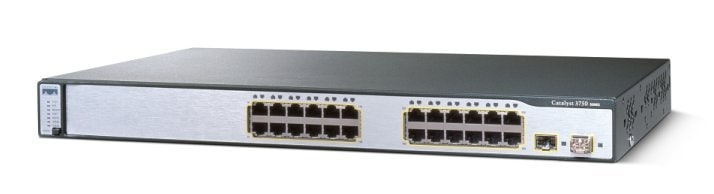
Catalyst 3750 Switch Software Configuration Guide, 12.2(25)SEE
Configuring QoS

Table Of Contents

Configuring QoS

Understanding QoS

Basic QoS Model

Classification

Classification Based on QoS ACLs

Classification Based on Class Maps and Policy Maps

Policing and Marking

Policing on Physical Ports

Policing on SVIs

Mapping Tables

Queueing and Scheduling Overview

Weighted Tail Drop

SRR Shaping and Sharing

Queueing and Scheduling on Ingress Queues

Queueing and Scheduling on Egress Queues

Packet Modification

Configuring Auto-QoS

Generated Auto-QoS Configuration

Effects of Auto-QoS on the Configuration

Auto-QoS Configuration Guidelines

Upgrading from a Previous Software Release

Enabling Auto-QoS for VoIP

Auto-QoS Configuration Example

Displaying Auto-QoS Information

Configuring Standard QoS

Default Standard QoS Configuration

Default Ingress Queue Configuration

Default Egress Queue Configuration

Default Mapping Table Configuration

Standard QoS Configuration Guidelines

QoS ACL Guidelines

Applying QoS on Interfaces

Policing Guidelines

General QoS Guidelines

Enabling QoS Globally

Enabling VLAN-Based QoS on Physical Ports

Configuring Classification Using Port Trust States

Configuring the Trust State on Ports within the QoS Domain

Configuring the CoS Value for an Interface

Configuring a Trusted Boundary to Ensure Port Security

Enabling DSCP Transparency Mode

Configuring the DSCP Trust State on a Port Bordering Another QoS Domain

Configuring a QoS Policy

Classifying Traffic by Using ACLs

Classifying Traffic by Using Class Maps

Classifying, Policing, and Marking Traffic on Physical Ports by Using Policy Maps

Classifying, Policing, and Marking Traffic on SVIs by Using Hierarchical Policy Maps

Classifying, Policing, and Marking Traffic by Using Aggregate Policers

Configuring DSCP Maps

Configuring the CoS-to-DSCP Map

Configuring the IP-Precedence-to-DSCP Map

Configuring the Policed-DSCP Map

Configuring the DSCP-to-CoS Map

Configuring the DSCP-to-DSCP-Mutation Map

Configuring Ingress Queue Characteristics

Mapping DSCP or CoS Values to an Ingress Queue and Setting WTD Thresholds

Allocating Buffer Space Between the Ingress Queues

Allocating Bandwidth Between the Ingress Queues

Configuring the Ingress Priority Queue

Configuring Egress Queue Characteristics

Configuration Guidelines

Allocating Buffer Space to and Setting WTD Thresholds for an Egress Queue-Set

Mapping DSCP or CoS Values to an Egress Queue and to a Threshold ID

Configuring SRR Shaped Weights on Egress Queues

Configuring SRR Shared Weights on Egress Queues

Configuring the Egress Expedite Queue

Limiting the Bandwidth on an Egress Interface

Displaying Standard QoS Information


Configuring QoS


This chapter describes how to configure quality of service (QoS) by using automatic QoS (auto-QoS) commands or by using standard QoS commands on the Catalyst 3750 switch. With QoS, you can provide preferential treatment to certain types of traffic at the expense of others. Without QoS, the switch offers best-effort service to each packet, regardless of the packet contents or size. It sends the packets without any assurance of reliability, delay bounds, or throughput. Unless otherwise noted, the term switch refers to a standalone switch and a switch stack.

In software releases earlier than Cisco IOS Release 12.2(25)SE, you can configure QoS only on physical ports. In Cisco IOS Release 12.2(25)SE or later, you can configure QoS on physical ports and on switch virtual interfaces (SVIs). Other than to apply policy maps, you configure the QoS settings, such as classification, queueing, and scheduling, the same way on physical ports and SVIs. When configuring QoS on a physical port, you apply a nonhierarchical policy map. When configuring QoS on an SVI, you apply a nonhierarchical or a hierarchical policy map. In the Catalyst 3750 Metro switch documentation, nonhierarchical policy maps are referred to as nonhierarchical single-level policy maps, and hierarchical policy maps are referred to as hierarchical dual-level policy maps.


Note For complete syntax and usage information for the commands used in this chapter, see the command reference this release.


This chapter consists of these sections:

Understanding QoS

Configuring Auto-QoS

Displaying Auto-QoS Information

Configuring Standard QoS

Displaying Standard QoS Information

The switch supports some of the modular QoS CLI (MQC) commands. For more information about the MQC commands, see the "Modular Quality of Service Command-Line Interface Overview" at this site:

http://www.cisco.com/univercd/cc/td/doc/product/software/ios122/122cgcr/fqos_c/fqcprt8/
qcfmdcli.htm#89799

Understanding QoS

Typically, networks operate on a best-effort delivery basis, which means that all traffic has equal priority and an equal chance of being delivered in a timely manner. When congestion occurs, all traffic has an equal chance of being dropped.

When you configure the QoS feature, you can select specific network traffic, prioritize it according to its relative importance, and use congestion-management and congestion-avoidance techniques to provide preferential treatment. Implementing QoS in your network makes network performance more predictable and bandwidth utilization more effective.

The QoS implementation is based on the Differentiated Services (Diff-Serv) architecture, an emerging standard from the Internet Engineering Task Force (IETF). This architecture specifies that each packet is classified upon entry into the network.

The classification is carried in the IP packet header, using 6 bits from the deprecated IP type of service (ToS) field to carry the classification (class) information. Classification can also be carried in the Layer 2 frame. These special bits in the Layer 2 frame or a Layer 3 packet are described here and shown in Figure 33-1:

Prioritization bits in Layer 2 frames:

Layer 2 Inter-Switch Link (ISL) frame headers have a 1-byte User field that carries an IEEE 802.1p class of service (CoS) value in the three least-significant bits. On ports configured as Layer 2 ISL trunks, all traffic is in ISL frames.

Layer 2 802.1Q frame headers have a 2-byte Tag Control Information field that carries the CoS value in the three most-significant bits, which are called the User Priority bits. On ports configured as Layer 2 802.1Q trunks, all traffic is in 802.1Q frames except for traffic in the native VLAN.

Other frame types cannot carry Layer 2 CoS values.

Layer 2 CoS values range from 0 for low priority to 7 for high priority.

Prioritization bits in Layer 3 packets:

Layer 3 IP packets can carry either an IP precedence value or a Differentiated Services Code Point (DSCP) value. QoS supports the use of either value because DSCP values are backward-compatible with IP precedence values.

IP precedence values range from 0 to 7.

DSCP values range from 0 to 63.


Note IPv6 Qos is not supported in this release.


Figure 33-1 QoS Classification Layers in Frames and Packets

All switches and routers that access the Internet rely on the class information to provide the same forwarding treatment to packets with the same class information and different treatment to packets with different class information. The class information in the packet can be assigned by end hosts or by switches or routers along the way, based on a configured policy, detailed examination of the packet, or both. Detailed examination of the packet is expected to happen closer to the edge of the network so that the core switches and routers are not overloaded with this task.

Switches and routers along the path can use the class information to limit the amount of resources allocated per traffic class. The behavior of an individual device when handling traffic in the DiffServ architecture is called per-hop behavior. If all devices along a path provide a consistent per-hop behavior, you can construct an end-to-end QoS solution.

Implementing QoS in your network can be a simple or complex task and depends on the QoS features offered by your internetworking devices, the traffic types and patterns in your network, and the granularity of control that you need over incoming and outgoing traffic.

Basic QoS Model

To implement QoS, the switch must distinguish packets or flow from one another (classify), assign a label to indicate the given quality of service as the packets move through the switch, make the packets comply with the configured resource usage limits (police and mark), and provide different treatment (queue and schedule) in all situations where resource contention exists. The switch also needs to ensure that traffic sent from it meets a specific traffic profile (shape).

Figure 33-2 shows the basic QoS model. Actions at the ingress port include classifying traffic, policing, marking, queueing, and scheduling:

Classifying a distinct path for a packet by associating it with a QoS label. The switch maps the CoS or DSCP in the packet to a QoS label to distinguish one kind of traffic from another. The QoS label that is generated identifies all future QoS actions to be performed on this packet. For more information, see the "Classification" section.

Policing determines whether a packet is in or out of profile by comparing the rate of the incoming traffic to the configured policer. The policer limits the bandwidth consumed by a flow of traffic. The result is passed to the marker. For more information, see the "Policing and Marking" section.

Marking evaluates the policer and configuration information for the action to be taken when a packet is out of profile and determines what to do with the packet (pass through a packet without modification, mark down the QoS label in the packet, or drop the packet). For more information, see the "Policing and Marking" section.

Queueing evaluates the QoS label and the corresponding DSCP or CoS value to select into which of the two ingress queues to place a packet. Queueing is enhanced with the weighted tail-drop (WTD) algorithm, a congestion-avoidance mechanism. If the threshold is exceeded, the packet is dropped. For more information, see the "Queueing and Scheduling Overview" section.

Scheduling services the queues based on their configured shaped round robin (SRR) weights. One of the ingress queues is the priority queue, and SRR services it for its configured share before servicing the other queue. For more information, see the "SRR Shaping and Sharing" section.

Actions at the egress port include queueing and scheduling:

Queueing evaluates the QoS packet label and the corresponding DSCP or CoS value before selecting which of the four egress queues to use. Because congestion can occur when multiple ingress ports simultaneously send data to an egress port, WTD differentiates traffic classes and subjects the packets to different thresholds based on the QoS label. If the threshold is exceeded, the packet is dropped. For more information, see the "Queueing and Scheduling Overview" section.

Scheduling services the four egress queues based on their configured SRR shared or shaped weights. One of the queues (queue 1) can be the expedited queue, which is serviced until empty before the other queues are serviced.

Figure 33-2 Basic QoS Model

Classification

Classification is the process of distinguishing one kind of traffic from another by examining the fields in the packet. Classification is enabled only if QoS is globally enabled on the switch. By default, QoS is globally disabled, so no classification occurs.

During classification, the switch performs a lookup and assigns a QoS label to the packet. The QoS label identifies all QoS actions to be performed on the packet and from which queue the packet is sent.

The QoS label is based on the DSCP or the CoS value in the packet and decides the queueing and scheduling actions to perform on the packet. The label is mapped according to the trust setting and the packet type as shown in Figure 33-3.

You specify which fields in the frame or packet that you want to use to classify incoming traffic. For non-IP traffic, you have these classification options as shown in Figure 33-3:

Trust the CoS value in the incoming frame (configure the port to trust CoS). Then use the configurable CoS-to-DSCP map to generate a DSCP value for the packet. Layer 2 ISL frame headers carry the CoS value in the 3 least-significant bits of the 1-byte User field. Layer 2 802.1Q frame headers carry the CoS value in the 3 most-significant bits of the Tag Control Information field. CoS values range from 0 for low priority to 7 for high priority.

Trust the DSCP or trust IP precedence value in the incoming frame. These configurations are meaningless for non-IP traffic. If you configure a port with either of these options and non-IP traffic is received, the switch assigns a CoS value and generates an internal DSCP value from the CoS-to-DSCP map. The switch uses the internal DSCP value to generate a CoS value representing the priority of the traffic.

Perform the classification based on a configured Layer 2 MAC access control list (ACL), which can examine the MAC source address, the MAC destination address, and other fields. If no ACL is configured, the packet is assigned 0 as the DSCP and CoS values, which means best-effort traffic. Otherwise, the policy-map action specifies a DSCP or CoS value to assign to the incoming frame.

For IP traffic, you have these classification options as shown in Figure 33-3:

Trust the DSCP value in the incoming packet (configure the port to trust DSCP), and assign the same DSCP value to the packet. The IETF defines the 6 most-significant bits of the 1-byte ToS field as the DSCP. The priority represented by a particular DSCP value is configurable. DSCP values range from 0 to 63.

For ports that are on the boundary between two QoS administrative domains, you can modify the DSCP to another value by using the configurable DSCP-to-DSCP-mutation map.

Trust the IP precedence value in the incoming packet (configure the port to trust IP precedence), and generate a DSCP value for the packet by using the configurable IP-precedence-to-DSCP map. The IP Version 4 specification defines the 3 most-significant bits of the 1-byte ToS field as the IP precedence. IP precedence values range from 0 for low priority to 7 for high priority.

Trust the CoS value (if present) in the incoming packet, and generate a DSCP value for the packet by using the CoS-to-DSCP map. If the CoS value is not present, use the default port CoS value.

Perform the classification based on a configured IP standard or an extended ACL, which examines various fields in the IP header. If no ACL is configured, the packet is assigned 0 as the DSCP and CoS values, which means best-effort traffic. Otherwise, the policy-map action specifies a DSCP or CoS value to assign to the incoming frame.

For information on the maps described in this section, see the "Mapping Tables" section. For configuration information on port trust states, see the "Configuring Classification Using Port Trust States" section.

After classification, the packet is sent to the policing, marking, and the ingress queueing and scheduling stages.

Figure 33-3 Classification Flowchart

Classification Based on QoS ACLs

You can use IP standard, IP extended, or Layer 2 MAC ACLs to define a group of packets with the same characteristics (class). In the QoS context, the permit and deny actions in the access control entries (ACEs) have different meanings than with security ACLs:

If a match with a permit action is encountered (first-match principle), the specified QoS-related action is taken.

If a match with a deny action is encountered, the ACL being processed is skipped, and the next ACL is processed.

If no match with a permit action is encountered and all the ACEs have been examined, no QoS processing occurs on the packet, and the switch offers best-effort service to the packet.

If multiple ACLs are configured on a port, the lookup stops after the packet matches the first ACL with a permit action, and QoS processing begins.


Note When creating an access list, remember that, by default, the end of the access list contains an implicit deny statement for everything if it did not find a match before reaching the end.


After a traffic class has been defined with the ACL, you can attach a policy to it. A policy might contain multiple classes with actions specified for each one of them. A policy might include commands to classify the class as a particular aggregate (for example, assign a DSCP) or rate-limit the class. This policy is then attached to a particular port on which it becomes effective.

You implement IP ACLs to classify IP traffic by using the access-list global configuration command; you implement Layer 2 MAC ACLs to classify non-IP traffic by using the mac access-list extended global configuration command. For configuration information, see the "Configuring a QoS Policy" section.

Classification Based on Class Maps and Policy Maps

A class map is a mechanism that you use to name a specific traffic flow (or class) and to isolate it from all other traffic. The class map defines the criteria used to match against a specific traffic flow to further classify it. The criteria can include matching the access group defined by the ACL or matching a specific list of DSCP or IP precedence values. If you have more than one type of traffic that you want to classify, you can create another class map and use a different name. After a packet is matched against the class-map criteria, you further classify it through the use of a policy map.

A policy map specifies which traffic class to act on. Actions can include trusting the CoS, DSCP, or IP precedence values in the traffic class; setting a specific DSCP or IP precedence value in the traffic class; or specifying the traffic bandwidth limitations and the action to take when the traffic is out of profile. Before a policy map can be effective, you must attach it to a port.

You create a class map by using the class-map global configuration command or the class policy-map configuration command. You should use the class-map command when the map is shared among many ports. When you enter the class-map command, the switch enters the class-map configuration mode. In this mode, you define the match criterion for the traffic by using the match class-map configuration command.

You create and name a policy map by using the policy-map global configuration command. When you enter this command, the switch enters the policy-map configuration mode. In this mode, you specify the actions to take on a specific traffic class by using the class, trust, or set policy-map configuration and policy-map class configuration commands.

The policy map can contain the police and police aggregate policy-map class configuration commands, which define the policer, the bandwidth limitations of the traffic, and the action to take if the limits are exceeded.

To enable the policy map, you attach it to a port by using the service-policy interface configuration command.

In software releases earlier than Cisco IOS Release 12.2(25)SE, you can apply a policy map only to a physical port. In Cisco IOS Release 12.2(25)SE or later, you can apply a nonhierarchical policy map to a physical port or an SVI. However, a hierarchical policy map can only be applied to an SVI. A hierarchical policy map contains two levels. The first level, the VLAN level, specifies the actions to be taken against a traffic flow on the SVI. The second level, the interface level, specifies the actions to be taken against the traffic on the physical ports that belong to the SVI. The interface-level actions are specified in the interface-level policy map.

For more information, see the "Policing and Marking" section. For configuration information, see the "Configuring a QoS Policy" section.

Policing and Marking

After a packet is classified and has a DSCP-based or CoS-based QoS label assigned to it, the policing and marking process can begin as shown in Figure 33-4.

Policing involves creating a policer that specifies the bandwidth limits for the traffic. Packets that exceed the limits are out of profile or nonconforming. Each policer decides on a packet-by-packet basis whether the packet is in or out of profile and specifies the actions on the packet. These actions, carried out by the marker, include passing through the packet without modification, dropping the packet, or modifying (marking down) the assigned DSCP of the packet and allowing the packet to pass through. The configurable policed-DSCP map provides the packet with a new DSCP-based QoS label. For information on the policed-DSCP map, see the "Mapping Tables" section. Marked-down packets use the same queues as the original QoS label to prevent packets in a flow from getting out of order.


Note All traffic, regardless of whether it is bridged or routed, is subjected to a policer, if one is configured. As a result, bridged packets might be dropped or might have their DSCP or CoS fields modified when they are policed and marked.


In software releases earlier than Cisco IOS Release 12.2(25)SE, you can configure policing only on a physical port. You can configure the trust state, set a new DSCP or IP precedence value in the packet, or define an individual or aggregate policer. For more information, see the "Policing on Physical Ports" section.

In Cisco IOS Release 12.2(25)SE or later, you can configure policing on a physical port or an SVI. For more information about configuring policing on physical ports, see the "Policing on Physical Ports" section. When configuring policy maps on an SVI, you can create a hierarchical policy map and can define an individual policer only in the secondary interface-level policy map. For more information, see the "Policing on SVIs" section.

After you configure the policy map and policing actions, attach the policy to an ingress port or SVI by using the service-policy interface configuration command. For configuration information, see the "Classifying, Policing, and Marking Traffic on Physical Ports by Using Policy Maps" section, the "Classifying, Policing, and Marking Traffic on SVIs by Using Hierarchical Policy Maps" section, and the "Classifying, Policing, and Marking Traffic by Using Aggregate Policers" section.


Note The 10-Gigabit Ethernet interfaces do not support policing.


Policing on Physical Ports

In policy maps on physical ports, you can create these types of policers:

Individual—QoS applies the bandwidth limits specified in the policer separately to each matched traffic class. You configure this type of policer within a policy map by using the police policy-map class configuration command.

Aggregate—QoS applies the bandwidth limits specified in an aggregate policer cumulatively to all matched traffic flows. You configure this type of policer by specifying the aggregate policer name within a policy map by using the police aggregate policy-map class configuration command. You specify the bandwidth limits of the policer by using the mls qos aggregate-policer global configuration command. In this way, the aggregate policer is shared by multiple classes of traffic within a policy map.


Note In Cisco IOS Release 12.2(25)SE or later, you can only configure individual policers on an SVI.


Policing uses a token-bucket algorithm. As each frame is received by the switch, a token is added to the bucket. The bucket has a hole in it and leaks at a rate that you specify as the average traffic rate in bits per second. Each time a token is added to the bucket, the switch verifies that there is enough room in the bucket. If there is not enough room, the packet is marked as nonconforming, and the specified policer action is taken (dropped or marked down).

How quickly the bucket fills is a function of the bucket depth (burst-byte), the rate at which the tokens are removed (rate-bps), and the duration of the burst above the average rate. The size of the bucket imposes an upper limit on the burst length and limits the number of frames that can be transmitted back-to-back. If the burst is short, the bucket does not overflow, and no action is taken against the traffic flow. However, if a burst is long and at a higher rate, the bucket overflows, and the policing actions are taken against the frames in that burst.

You configure the bucket depth (the maximum burst that is tolerated before the bucket overflows) by using the burst-byte option of the police policy-map class configuration command or the mls qos aggregate-policer global configuration command. You configure how fast (the average rate) that the tokens are removed from the bucket by using the rate-bps option of the police policy-map class configuration command or the mls qos aggregate-policer global configuration command.

Figure 33-4 shows the policing and marking process when these types of policy maps are configured:

A nonhierarchical policy map on a physical port.

The interface level of a hierarchical policy map attached to an SVI. The physical ports are specified in this secondary policy map.

Figure 33-4 Policing and Marking Flowchart on Physical Ports

Policing on SVIs


Note Before configuring a hierarchical policy map with individual policers on an SVI, you must enable VLAN-based QoS on the physical ports that belong to the SVI. Though a policy map is attached to the SVI, the individual policers only affect traffic on the physical ports specified in the secondary interface level of the hierarchical policy map.


A hierarchical policy map has two levels. The first level, the VLAN level, specifies the actions to be taken against a traffic flow on an SVI. The second level, the interface level, specifies the actions to be taken against the traffic on the physical ports that belong to the SVI and are specified in the interface-level policy map.

When configuring policing on an SVI, you can create and configure a hierarchical policy map with these two levels:

VLAN level—Create this primary level by configuring class maps and classes that specify the port trust state or set a new DSCP or IP precedence value in the packet. The VLAN-level policy map applies only to the VLAN in an SVI and does not support policers.

Interface level—Create this secondary level by configuring class maps and classes that specify the individual policers on physical ports the belong to the SVI. The interface-level policy map only supports individual policers and does not support aggregate policers. Beginning with Cisco IOS Release 12.2(25)SED, you can configure different interface-level policy maps for each class defined in the VLAN-level policy map.

See the "Classifying, Policing, and Marking Traffic on SVIs by Using Hierarchical Policy Maps" section for an example of a hierarchical policy map.

Figure 33-5 shows the policing and marking process when hierarchical policy maps on an SVI.

Figure 33-5 Policing and Marking Flowchart on SVIs

Mapping Tables

During QoS processing, the switch represents the priority of all traffic (including non-IP traffic) with an QoS label based on the DSCP or CoS value from the classification stage:

During classification, QoS uses configurable mapping tables to derive a corresponding DSCP or CoS value from a received CoS, DSCP, or IP precedence value. These maps include the CoS-to-DSCP map and the IP-precedence-to-DSCP map. You configure these maps by using the mls qos map cos-dscp and the mls qos map ip-prec-dscp global configuration commands.

On an ingress port configured in the DSCP-trusted state, if the DSCP values are different between the QoS domains, you can apply the configurable DSCP-to-DSCP-mutation map to the port that is on the boundary between the two QoS domains. You configure this map by using the mls qos map dscp-mutation global configuration command.

During policing, QoS can assign another DSCP value to an IP or a non-IP packet (if the packet is out of profile and the policer specifies a marked-down value). This configurable map is called the policed-DSCP map. You configure this map by using the mls qos map policed-dscp global configuration command.

Before the traffic reaches the scheduling stage, QoS stores the packet in an ingress and an egress queue according to the QoS label. The QoS label is based on the DSCP or the CoS value in the packet and selects the queue through the DSCP input and output queue threshold maps or through the CoS input and output queue threshold maps. You configure these maps by using the mls qos srr-queue {input | output} dscp-map and the mls qos srr-queue {input | output} cos-map global configuration commands.

The CoS-to-DSCP, DSCP-to-CoS, and the IP-precedence-to-DSCP maps have default values that might or might not be appropriate for your network.

The default DSCP-to-DSCP-mutation map and the default policed-DSCP map are null maps; they map an incoming DSCP value to the same DSCP value. The DSCP-to-DSCP-mutation map is the only map you apply to a specific port. All other maps apply to the entire switch.

For configuration information, see the "Configuring DSCP Maps" section.

For information about the DSCP and CoS input queue threshold maps, see the "Queueing and Scheduling on Ingress Queues" section. For information about the DSCP and CoS output queue threshold maps, see the "Queueing and Scheduling on Egress Queues" section.

Queueing and Scheduling Overview

The switch has queues at specific points to help prevent congestion as shown in Figure 33-6.

Figure 33-6 Ingress and Egress Queue Location

Because the total inbound bandwidth of all ports can exceed the bandwidth of the stack ring, ingress queues are located after the packet is classified, policed, and marked and before packets are forwarded into the switch fabric. Because multiple ingress ports can simultaneously send packets to an egress port and cause congestion, outbound queues are located after the stack ring.

Weighted Tail Drop

Both the ingress and egress queues use an enhanced version of the tail-drop congestion-avoidance mechanism called weighted tail drop (WTD). WTD is implemented on queues to manage the queue lengths and to provide drop precedences for different traffic classifications.

As a frame is enqueued to a particular queue, WTD uses the frame's assigned QoS label to subject it to different thresholds. If the threshold is exceeded for that QoS label (the space available in the destination queue is less than the size of the frame), the switch drops the frame.

Figure 33-7 shows an example of WTD operating on a queue whose size is 1000 frames. Three drop percentages are configured: 40 percent (400 frames), 60 percent (600 frames), and 100 percent (1000 frames). These percentages mean that up to 400 frames can be queued at the 40-percent threshold, up to 600 frames at the 60-percent threshold, and up to 1000 frames at the 100-percent threshold.

In this example, CoS values 6 and 7 have a greater importance than the other CoS values, and they are assigned to the 100-percent drop threshold (queue-full state). CoS values 4 and 5 are assigned to the 60-percent threshold, and CoS values 0 to 3 are assigned to the 40-percent threshold.

Suppose the queue is already filled with 600 frames, and a new frame arrives. It contains CoS values 4 and 5 and is subjected to the 60-percent threshold. If this frame is added to the queue, the threshold will be exceeded, so the switch drops it.

Figure 33-7 WTD and Queue Operation

For more information, see the "Mapping DSCP or CoS Values to an Ingress Queue and Setting WTD Thresholds" section, the "Allocating Buffer Space to and Setting WTD Thresholds for an Egress Queue-Set" section, and the "Mapping DSCP or CoS Values to an Egress Queue and to a Threshold ID" section.

SRR Shaping and Sharing

Both the ingress and egress queues are serviced by SRR, which controls the rate at which packets are sent. On the ingress queues, SRR sends packets to the stack ring. On the egress queues, SRR sends packets to the egress port.

You can configure SRR on egress queues for sharing or for shaping. However, for ingress queues, sharing is the default mode, and it is the only mode supported.

In shaped mode, the egress queues are guaranteed a percentage of the bandwidth, and they are rate-limited to that amount. Shaped traffic does not use more than the allocated bandwidth even if the link is idle. Shaping provides a more even flow of traffic over time and reduces the peaks and valleys of bursty traffic. With shaping, the absolute value of each weight is used to compute the bandwidth available for the queues.

In shared mode, the queues share the bandwidth among them according to the configured weights. The bandwidth is guaranteed at this level but not limited to it. For example, if a queue is empty and no longer requires a share of the link, the remaining queues can expand into the unused bandwidth and share it among them. With sharing, the ratio of the weights controls the frequency of dequeuing; the absolute values are meaningless.

For more information, see the "Allocating Bandwidth Between the Ingress Queues" section, the "Configuring SRR Shaped Weights on Egress Queues" section, and the "Configuring SRR Shared Weights on Egress Queues" section.

Queueing and Scheduling on Ingress Queues

Figure 33-8 shows the queueing and scheduling flowchart for ingress ports.

Figure 33-8 Queueing and Scheduling Flowchart for Ingress Ports


Note SRR services the priority queue for its configured share before servicing the other queue.


The switch supports two configurable ingress queues, which are serviced by SRR in shared mode only. Table 33-1 describes the queues.

Table 33-1 Ingress Queue Types 

Queue Type1
Function

Normal

User traffic that is considered to be normal priority. You can configure three different thresholds to differentiate among the flows. You can use the mls qos srr-queue input threshold, the mls qos srr-queue input dscp-map, and the mls qos srr-queue input cos-map global configuration commands.

Expedite

High-priority user traffic such as differentiated services (DF) expedited forwarding or voice traffic. You can configure the bandwidth required for this traffic as a percentage of the total stack traffic by using the mls qos srr-queue input priority-queue global configuration command. The expedite queue has guaranteed bandwidth.

1 The switch uses two nonconfigurable queues for traffic that is essential for proper network and stack operation.


You assign each packet that flows through the switch to a queue and to a threshold. Specifically, you map DSCP or CoS values to an ingress queue and map DSCP or CoS values to a threshold ID. You use the mls qos srr-queue input dscp-map queue queue-id {dscp1...dscp8 | threshold threshold-id dscp1...dscp8} or the mls qos srr-queue input cos-map queue queue-id {cos1...cos8 | threshold threshold-id cos1...cos8} global configuration command. You can display the DSCP input queue threshold map and the CoS input queue threshold map by using the show mls qos maps privileged EXEC command.

WTD Thresholds

The queues use WTD to support distinct drop percentages for different traffic classes. Each queue has three drop thresholds: two configurable (explicit) WTD thresholds and one nonconfigurable (implicit) threshold preset to the queue-full state. You assign the two explicit WTD threshold percentages for threshold ID 1 and ID 2 to the ingress queues by using the mls qos srr-queue input threshold queue-id threshold-percentage1 threshold-percentage2 global configuration command. Each threshold value is a percentage of the total number of allocated buffers for the queue. The drop threshold for threshold ID 3 is preset to the queue-full state, and you cannot modify it. For more information about how WTD works, see the "Weighted Tail Drop" section.

Buffer and Bandwidth Allocation

You define the ratio (allocate the amount of space) with which to divide the ingress buffers between the two queues by using the mls qos srr-queue input buffers percentage1 percentage2 global configuration command. The buffer allocation together with the bandwidth allocation control how much data can be buffered and sent before packets are dropped. You allocate bandwidth as a percentage by using the mls qos srr-queue input bandwidth weight1 weight2 global configuration command. The ratio of the weights is the ratio of the frequency in which the SRR scheduler sends packets from each queue.

Priority Queueing

You can configure one ingress queue as the priority queue by using the mls qos srr-queue input priority-queue queue-id bandwidth weight global configuration command. The priority queue should be used for traffic (such as voice) that requires guaranteed delivery because this queue is guaranteed part of the bandwidth regardless of the load on the stack ring.

SRR services the priority queue for its configured weight as specified by the bandwidth keyword in the mls qos srr-queue input priority-queue queue-id bandwidth weight global configuration command. Then, SRR shares the remaining bandwidth with both ingress queues and services them as specified by the weights configured with the mls qos srr-queue input bandwidth weight1 weight2 global configuration command.

You can combine the commands described in this section to prioritize traffic by placing packets with particular DSCPs or CoSs into certain queues, by allocating a large queue size or by servicing the queue more frequently, and by adjusting queue thresholds so that packets with lower priorities are dropped. For configuration information, see the "Configuring Ingress Queue Characteristics" section.

Queueing and Scheduling on Egress Queues

Figure 33-9 shows the queueing and scheduling flowchart for egress ports.


Note If the expedite queue is enabled, SRR services it until it is empty before servicing the other three queues.


Figure 33-9 Queueing and Scheduling Flowchart for Egress Ports

Each port supports four egress queues, one of which (queue 1) can be the egress expedite queue. These queues are assigned to a queue-set. All traffic exiting the switch flows through one of these four queues and is subjected to a threshold based on the QoS label assigned to the packet.

Figure 33-10 shows the egress queue buffer. The buffer space is divided between the common pool and the reserved pool. The switch uses a buffer allocation scheme to reserve a minimum amount of buffers for each egress queue, to prevent any queue or port from consuming all the buffers and depriving other queues, and to control whether to grant buffer space to a requesting queue. The switch detects whether the target queue has not consumed more buffers than its reserved amount (under-limit), whether it has consumed all of its maximum buffers (over limit), and whether the common pool is empty (no free buffers) or not empty (free buffers). If the queue is not over-limit, the switch can allocate buffer space from the reserved pool or from the common pool (if it is not empty). If there are no free buffers in the common pool or if the queue is over-limit, the switch drops the frame.

Figure 33-10 Egress Queue Buffer Allocation

Buffer and Memory Allocation

You guarantee the availability of buffers, set drop thresholds, and configure the maximum memory allocation for a queue-set by using the mls qos queue-set output qset-id threshold queue-id drop-threshold1 drop-threshold2 reserved-threshold maximum-threshold global configuration command. Each threshold value is a percentage of the queue's allocated memory, which you specify by using the mls qos queue-set output qset-id buffers allocation1 ... allocation4 global configuration command. The sum of all the allocated buffers represents the reserved pool, and the remaining buffers are part of the common pool.

Through buffer allocation, you can ensure that high-priority traffic is buffered. For example, if the buffer space is 400, you can allocate 70 percent of it to queue 1 and 10 percent to queues 2 through 4. Queue 1 then has 280 buffers allocated to it, and queues 2 through 4 each have 40 buffers allocated to them.

You can guarantee that the allocated buffers are reserved for a specific queue in a queue-set. For example, if there are 100 buffers for a queue, you can reserve 50 percent (50 buffers). The switch returns the remaining 50 buffers to the common pool. You also can enable a queue in the full condition to obtain more buffers than are reserved for it by setting a maximum threshold. The switch can allocate the needed buffers from the common pool if the common pool is not empty.

WTD Thresholds

You can assign each packet that flows through the switch to a queue and to a threshold. Specifically, you map DSCP or CoS values to an egress queue and map DSCP or CoS values to a threshold ID. You use the mls qos srr-queue output dscp-map queue queue-id {dscp1...dscp8 | threshold threshold-id dscp1...dscp8} or the mls qos srr-queue output cos-map queue queue-id {cos1...cos8 | threshold threshold-id cos1...cos8} global configuration command. You can display the DSCP output queue threshold map and the CoS output queue threshold map by using the show mls qos maps privileged EXEC command.

The queues use WTD to support distinct drop percentages for different traffic classes. Each queue has three drop thresholds: two configurable (explicit) WTD thresholds and one nonconfigurable (implicit) threshold preset to the queue-full state. You assign the two WTD threshold percentages for threshold ID 1 and ID 2. The drop threshold for threshold ID 3 is preset to the queue-full state, and you cannot modify it. For more information about how WTD works, see the "Weighted Tail Drop" section.

Shaped or Shared Mode

SRR services each queue-set in shared or shaped mode. You map a port to a queue-set by using the queue-set qset-id interface configuration command. You assign shared or shaped weights to the port by using the srr-queue bandwidth share weight1 weight2 weight3 weight4 or the srr-queue bandwidth shape weight1 weight2 weight3 weight4 interface configuration command. For an explanation of the differences between shaping and sharing, see the "SRR Shaping and Sharing" section.


Note You cannot assign shaped weights on 10-Gigabit interfaces.


The buffer allocation together with the SRR weight ratios control how much data can be buffered and sent before packets are dropped. The weight ratio is the ratio of the frequency in which the SRR scheduler sends packets from each queue.

All four queues participate in the SRR unless the expedite queue is enabled, in which case the first bandwidth weight is ignored and is not used in the ratio calculation. The expedite queue is a priority queue, and it is serviced until empty before the other queues are serviced. You enable the expedite queue by using the priority-queue out interface configuration command.

You can combine the commands described in this section to prioritize traffic by placing packets with particular DSCPs or CoSs into certain queues, by allocating a large queue size or by servicing the queue more frequently, and by adjusting queue thresholds so that packets with lower priorities are dropped. For configuration information, see the "Configuring Egress Queue Characteristics" section.


Note The egress queue default settings are suitable for most situations. You should change them only when you have a thorough understanding of the egress queues and if these settings do not meet your QoS solution.


Packet Modification

A packet is classified, policed, and queued to provide QoS. Packet modifications can occur during this process:

For IP and non-IP packets, classification involves assigning a QoS label to a packet based on the DSCP or CoS of the received packet. However, the packet is not modified at this stage; only an indication of the assigned DSCP or CoS value is carried along. The reason for this is that QoS classification and forwarding lookups occur in parallel, and it is possible that the packet is forwarded with its original DSCP to the CPU where it is again processed through software.

During policing, IP and non-IP packets can have another DSCP assigned to them (if they are out of profile and the policer specifies a markdown DSCP). Once again, the DSCP in the packet is not modified, but an indication of the marked-down value is carried along. For IP packets, the packet modification occurs at a later stage; for non-IP packets the DSCP is converted to CoS and used for queueing and scheduling decisions.

Depending on the QoS label assigned to a frame and the mutation chosen, the DSCP and CoS values of the frame are rewritten. If you do not configure the mutation map and if you configure the port to trust the DSCP of the incoming frame, the DSCP value in the frame is not changed, but the CoS is rewritten according to the DSCP-to-CoS map. If you configure the port to trust the CoS of the incoming frame and it is an IP packet, the CoS value in the frame is not changed, but the DSCP might be changed according to the CoS-to-DSCP map.

The input mutation causes the DSCP to be rewritten depending on the new value of DSCP chosen. The set action in a policy map also causes the DSCP to be rewritten.

Configuring Auto-QoS

You can use the auto-QoS feature to simplify the deployment of existing QoS features. Auto-QoS makes assumptions about the network design, and as a result, the switch can prioritize different traffic flows and appropriately use the ingress and egress queues instead of using the default QoS behavior. (The default is that QoS is disabled. The switch then offers best-effort service to each packet, regardless of the packet contents or size, and sends it from a single queue.)

When you enable auto-QoS, it automatically classifies traffic based on the traffic type and ingress packet label. The switch uses the resulting classification to choose the appropriate egress queue.

You use auto-QoS commands to identify ports connected to Cisco IP Phones and to devices running the Cisco SoftPhone application. You also use the commands to identify ports that receive trusted traffic through an uplink. Auto-QoS then performs these functions:

Detects the presence or absence of Cisco IP Phones

Configures QoS classification

Configures egress queues

These sections contain this configuration information:

Generated Auto-QoS Configuration

Effects of Auto-QoS on the Configuration

Auto-QoS Configuration Guidelines

Upgrading from a Previous Software Release

Enabling Auto-QoS for VoIP

Auto-QoS Configuration Example

Generated Auto-QoS Configuration

By default, auto-QoS is disabled on all ports.

When auto-QoS is enabled, it uses the ingress packet label to categorize traffic, to assign packet labels, and to configure the ingress and egress queues as shown in Table 33-2.

Table 33-2 Traffic Types, Packet Labels, and Queues 

 
VoIP1 Data Traffic
VoIP Control
Traffic
Routing Protocol Traffic
STP BPDU Traffic
Real-Time Video Traffic
All Other Traffic

DSCP

46

24, 26

48

56

34

-

CoS

5

3

6

7

4

-

CoS-to-Ingress Queue Map

2, 3, 4, 5, 6, 7 (queue 2)

0, 1 (queue 1)

CoS-to-Egress Queue Map

5 (queue 1)

3, 6, 7 (queue 2)

4 (queue 3)

2 (queue 3)

0, 1
(queue 4)

1 VoIP = voice over IP


Table 33-3 shows the generated auto-QoS configuration for the ingress queues.

Table 33-3 Auto-QoS Configuration for the Ingress Queues

Ingress Queue
Queue Number
CoS-to-Queue Map
Queue Weight (Bandwidth)
Queue (Buffer) Size

SRR shared

1

0, 1

81 percent

67 percent

Priority

2

2, 3, 4, 5, 6, 7

19 percent

33 percent


Table 33-4 shows the generated auto-QoS configuration for the egress queues.

Table 33-4 Auto-QoS Configuration for the Egress Queues

Egress Queue
Queue Number
CoS-to-Queue Map
Queue Weight (Bandwidth)
Queue (Buffer) Size for Gigabit-Capable Ports
Queue (Buffer) Size for 10/100 Ethernet Ports

Priority (shaped)

1

5

10 percent

16 percent

10 percent

SRR shared

2

3, 6, 7

10 percent

6 percent

10 percent

SRR shared

3

2, 4

60 percent

17 percent

26 percent

SRR shared

4

0, 1

20 percent

61 percent

54 percent


When you enable the auto-QoS feature on the first port, these automatic actions occur:

QoS is globally enabled (mls qos global configuration command), and other global configuration commands are added.

When you enter the auto qos voip cisco-phone interface configuration command on a port at the edge of the network that is connected to a Cisco IP Phone, the switch enables the trusted boundary feature. The switch uses the Cisco Discovery Protocol (CDP) to detect the presence or absence of a Cisco IP Phone. When a Cisco IP Phone is detected, the ingress classification on the port is set to trust the QoS label received in the packet. When a Cisco IP Phone is absent, the ingress classification is set to not trust the QoS label in the packet. The switch configures ingress and egress queues on the port according to the settings in Table 33-3 and Table 33-4.

When you enter the auto qos voip cisco-softphone interface configuration command on a port at the edge of the network that is connected to a device running the Cisco SoftPhone, the switch uses policing to determine whether a packet is in or out of profile and to specify the action on the packet. If the packet does not have a DSCP value of 24, 26, or 46 or is out of profile, the switch changes the DSCP value to 0. The switch configures ingress and egress queues on the port according to the settings in Table 33-3 and Table 33-4.

When you enter the auto qos voip trust interface configuration command on a port connected to the interior of the network, the switch trusts the CoS value for nonrouted ports or the DSCP value for routed ports in ingress packets (the assumption is that traffic has already been classified by other edge devices). The switch configures the ingress and egress queues on the port according to the settings in Table 33-3 and Table 33-4.

For information about the trusted boundary feature, see the "Configuring a Trusted Boundary to Ensure Port Security" section.

When you enable auto-QoS by using the auto qos voip cisco-phone, the auto qos voip cisco-softphone, or the auto qos voip trust interface configuration command, the switch automatically generates a QoS configuration based on the traffic type and ingress packet label and applies the commands listed in Table 33-5 to the port.

Table 33-5 Generated Auto-QoS Configuration 

Description
Automatically Generated Command

The switch automatically enables standard QoS and configures the CoS-to-DSCP map (maps CoS values in incoming packets to a DSCP value).

Switch(config)# mls qos
Switch(config)# mls qos map cos-dscp 0 8 16 26 32 46 
48 56

The switch automatically maps CoS values to an ingress queue and to a threshold ID.

Switch(config)# no mls qos srr-queue input cos-map
Switch(config)# mls qos srr-queue input cos-map 
queue 1 threshold 3 0
Switch(config)# mls qos srr-queue input cos-map 
queue 1 threshold 2 1
Switch(config)# mls qos srr-queue input cos-map 
queue 2 threshold 1 2
Switch(config)# mls qos srr-queue input cos-map 
queue 2 threshold 2 4 6 7
Switch(config)# mls qos srr-queue input cos-map 
queue 2 threshold 3 3 5

The switch automatically maps CoS values to an egress queue and to a threshold ID.

Switch(config)# no mls qos srr-queue output cos-map
Switch(config)# mls qos srr-queue output cos-map 
queue 1 threshold 3 5
Switch(config)# mls qos srr-queue output cos-map 
queue 2 threshold 3 3 6 7
Switch(config)# mls qos srr-queue output cos-map 
queue 3 threshold 3 2 4
Switch(config)# mls qos srr-queue output cos-map 
queue 4 threshold 2 1
Switch(config)# mls qos srr-queue output cos-map 
queue 4 threshold 3 0

The switch automatically maps DSCP values to an ingress queue and to a threshold ID.

Switch(config)# no mls qos srr-queue input dscp-map
Switch(config)# mls qos srr-queue input dscp-map 
queue 1 threshold 2 9 10 11 12 13 14 15
Switch(config)# mls qos srr-queue input dscp-map 
queue 1 threshold 3 0 1 2 3 4 5 6 7
Switch(config)# mls qos srr-queue input dscp-map 
queue 1 threshold 3 32
Switch(config)# mls qos srr-queue input dscp-map 
queue 2 threshold 1 16 17 18 19 20 21 22 23
Switch(config)# mls qos srr-queue input dscp-map 
queue 2 threshold 2 33 34 35 36 37 38 39 48
Switch(config)# mls qos srr-queue input dscp-map 
queue 2 threshold 2 49 50 51 52 53 54 55 56
Switch(config)# mls qos srr-queue input dscp-map 
queue 2 threshold 2 57 58 59 60 61 62 63
Switch(config)# mls qos srr-queue input dscp-map 
queue 2 threshold 3 24 25 26 27 28 29 30 31
Switch(config)# mls qos srr-queue input dscp-map 
queue 2 threshold 3 40 41 42 43 44 45 46 47

The switch automatically maps DSCP values to an egress queue and to a threshold ID.

Switch(config)# no mls qos srr-queue output dscp-map
Switch(config)# mls qos srr-queue output dscp-map 
queue 1 threshold 3 40 41 42 43 44 45 46 47
Switch(config)# mls qos srr-queue output dscp-map 
queue 2 threshold 3 24 25 26 27 28 29 30 31
Switch(config)# mls qos srr-queue output dscp-map 
queue 2 threshold 3 48 49 50 51 52 53 54 55
Switch(config)# mls qos srr-queue output dscp-map 
queue 2 threshold 3 56 57 58 59 60 61 62 63
Switch(config)# mls qos srr-queue output dscp-map 
queue 3 threshold 3 16 17 18 19 20 21 22 23
Switch(config)# mls qos srr-queue output dscp-map 
queue 3 threshold 3 32 33 34 35 36 37 38 39
Switch(config)# mls qos srr-queue output dscp-map 
queue 4 threshold 1 8
Switch(config)# mls qos srr-queue output dscp-map 
queue 4 threshold 2 9 10 11 12 13 14 15
Switch(config)# mls qos srr-queue output dscp-map 
queue 4 threshold 3 0 1 2 3 4 5 6 7

The switch automatically sets up the ingress queues, with queue 2 as the priority queue and queue 1 in shared mode. The switch also configures the bandwidth and buffer size for the ingress queues.

Switch(config)# no mls qos srr-queue input 
priority-queue 1
Switch(config)# no mls qos srr-queue input 
priority-queue 2
Switch(config)# mls qos srr-queue input bandwidth 90 
10
Switch(config)# mls qos srr-queue input threshold 1 
8 16
Switch(config)# mls qos srr-queue input threshold 2 
34 66
Switch(config)# mls qos srr-queue input buffers 67 
33

The switch automatically configures the egress queue buffer sizes. It configures the bandwidth and the SRR mode (shaped or shared) on the egress queues mapped to the port.

Switch(config)# mls qos queue-set output 1 threshold 
1 138 138 92 138
Switch(config)# mls qos queue-set output 1 threshold 
2 138 138 92 400
Switch(config)# mls qos queue-set output 1 threshold 
3 36 77 100 318
Switch(config)# mls qos queue-set output 1 threshold 
4 20 50 67 400
Switch(config)# mls qos queue-set output 2 threshold 
1 149 149 100 149
Switch(config)# mls qos queue-set output 2 threshold 
2 118 118 100 235
Switch(config)# mls qos queue-set output 2 threshold 
3 41 68 100 272
Switch(config)# mls qos queue-set output 2 threshold 
4 42 72 100 242
Switch(config)# mls qos queue-set output 1 buffers 
10 10 26 54
Switch(config)# mls qos queue-set output 2 buffers 
16 6 17 61
Switch(config-if)# srr-queue bandwidth shape 10 0 0 
0
Switch(config-if)# srr-queue bandwidth share 10 10 
60 20

If you entered the auto qos voip trust command, the switch automatically sets the ingress classification to trust the CoS value received in the packet on a nonrouted port by using the mls qos trust cos command or to trust the DSCP value received in the packet on a routed port by using the mls qos trust dscp command.

Switch(config-if)# mls qos trust cos
Switch(config-if)# mls qos trust dscp

If you entered the auto qos voip cisco-phone command, the switch automatically enables the trusted boundary feature, which uses the CDP to detect the presence or absence of a Cisco IP Phone.

Switch(config-if)# mls qos trust device cisco-phone

If you entered the auto qos voip cisco-softphone command, the switch automatically creates class maps and policy maps.

Switch(config)# mls qos map policed-dscp 24 26 46 to 
0
Switch(config)# class-map match-all 
AutoQoS-VoIP-RTP-Trust
Switch(config-cmap)# match ip dscp ef
Switch(config)# class-map match-all 
AutoQoS-VoIP-Control-Trust
Switch(config-cmap)# match ip dscp cs3 af31
Switch(config)# policy-map AutoQoS-Police-SoftPhone
Switch(config-pmap)# class AutoQoS-VoIP-RTP-Trust
Switch(config-pmap-c)# set dscp ef
Switch(config-pmap-c)# police 320000 8000 
exceed-action policed-dscp-transmit
Switch(config-pmap)# class 
AutoQoS-VoIP-Control-Trust
Switch(config-pmap-c)# set dscp cs3
Switch(config-pmap-c)# police 32000 8000 
exceed-action policed-dscp-transmit

After creating the class maps and policy maps, the switch automatically applies the policy map called AutoQoS-Police-SoftPhone to an ingress interface on which auto-QoS with the Cisco SoftPhone feature is enabled.

Switch(config-if)# service-policy input 
AutoQoS-Police-SoftPhone

Effects of Auto-QoS on the Configuration

When auto-QoS is enabled, the auto qos voip interface configuration command and the generated configuration are added to the running configuration.

The switch applies the auto-QoS-generated commands as if the commands were entered from the CLI. An existing user configuration can cause the application of the generated commands to fail or to be overridden by the generated commands. These actions occur without warning. If all the generated commands are successfully applied, any user-entered configuration that was not overridden remains in the running configuration. Any user-entered configuration that was overridden can be retrieved by reloading the switch without saving the current configuration to memory. If the generated commands fail to be applied, the previous running configuration is restored.

Auto-QoS Configuration Guidelines

Before configuring auto-QoS, you should be aware of this information:

In releases earlier than Cisco IOS Release 12.2(20)SE, auto-QoS configures VoIP only on switch ports with Cisco IP Phones.

In Cisco IOS Release 12.2(20)SE or later, auto-QoS c