- Introduction
- Design Overview
- Understanding ports on Cisco Aironet 1815t
- Software Features on Cisco Aironet AIR-AP1815T
- Configuring WLC
- Configuring Voice or Data WLAN Connectivity
- Configuring AP Authentication
- Configuring Cisco Aironet 1815T (Teleworker) Access Point
- Configuring Personal SSID on Cisco Aironet 1815 Teleworker Access Point
Configuring Voice
or Data WLAN Connectivity
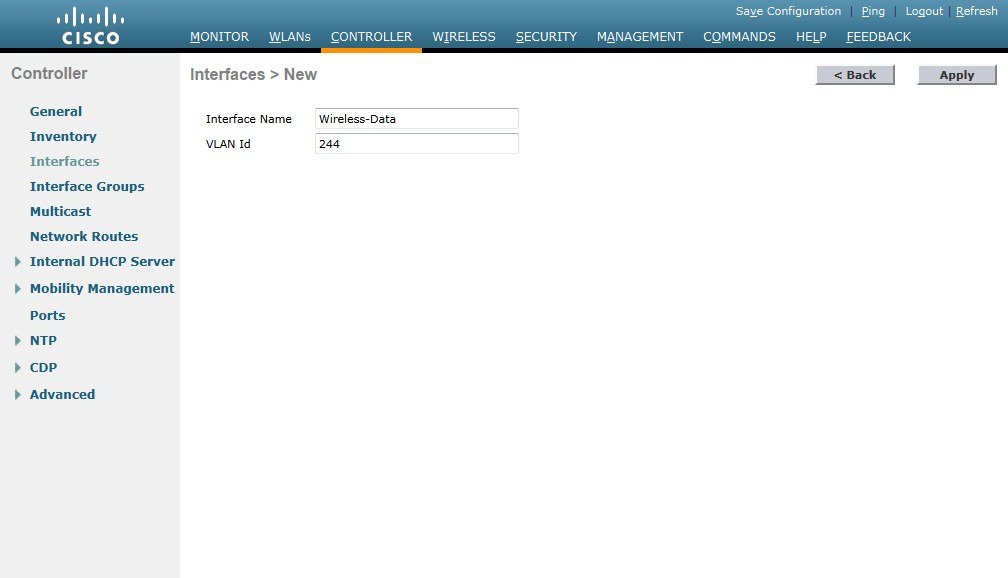
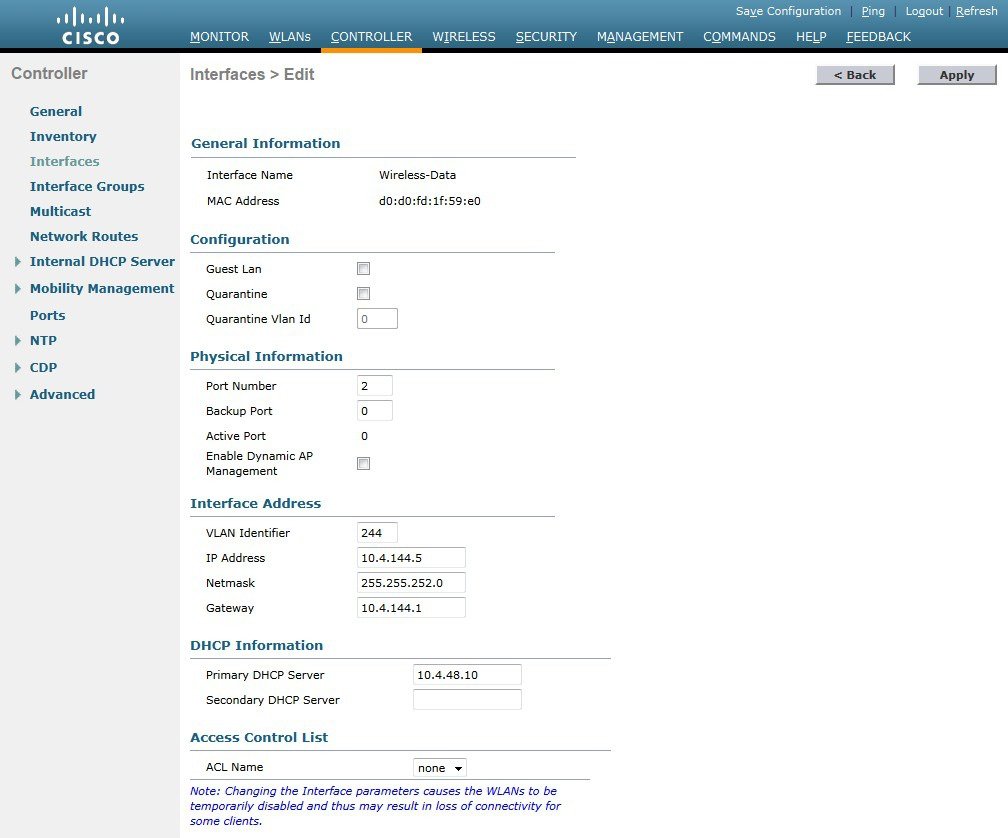
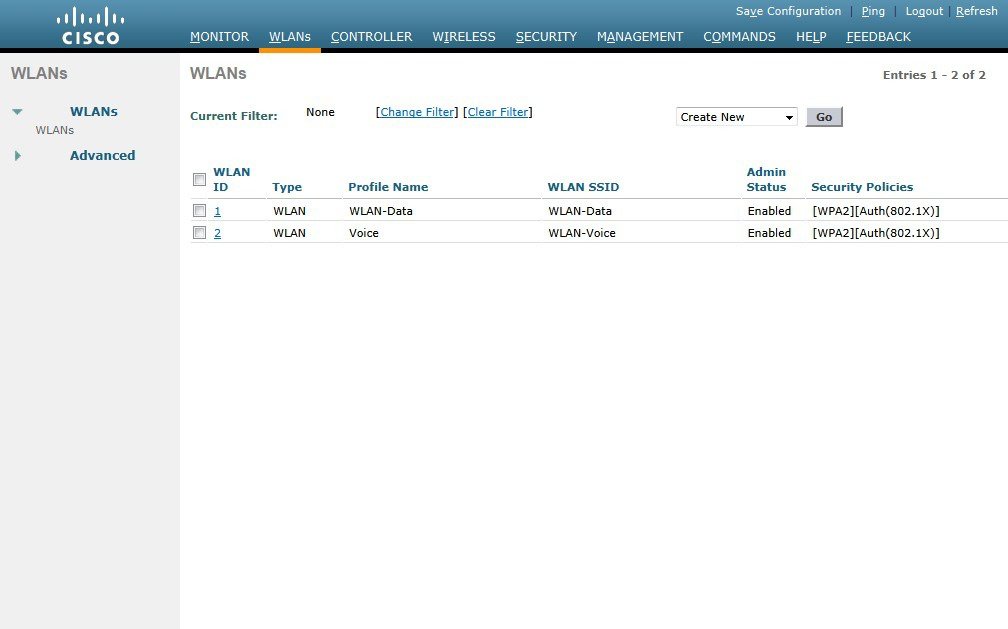
The Cisco Aironet 1815 Teleworker Access Point supports a maximum of 8 wireless LANs and remote LAN. Configure the SSIDs to separate voice and data traffic, which is essential in any good network design in order to ensure proper treatment of the respective IP traffic, regardless of the medium it is traversing. In this procedure, you add an interface that allows devices on the wireless data network to communicate with the rest of your organization.
Creating Wireless LAN Data Interface
To create wireless LAN data interface, perform the following steps:
Creating the Wireless LAN Voice Interface
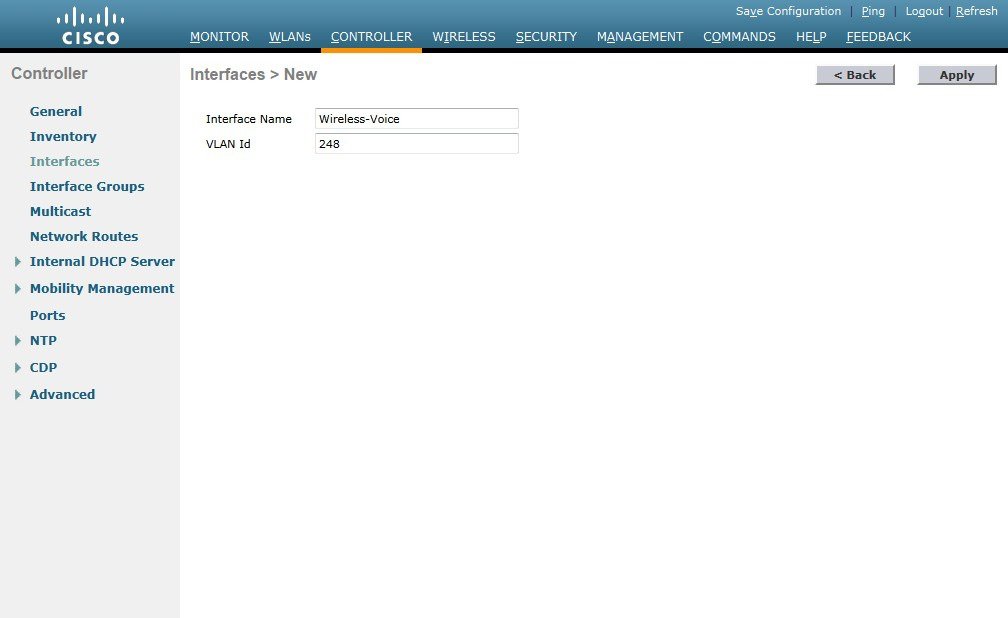
You must add an interface that allows devices on the wireless voice network to communicate with the rest of the organization.
To create wireless LAN voice interface, perform the following steps:

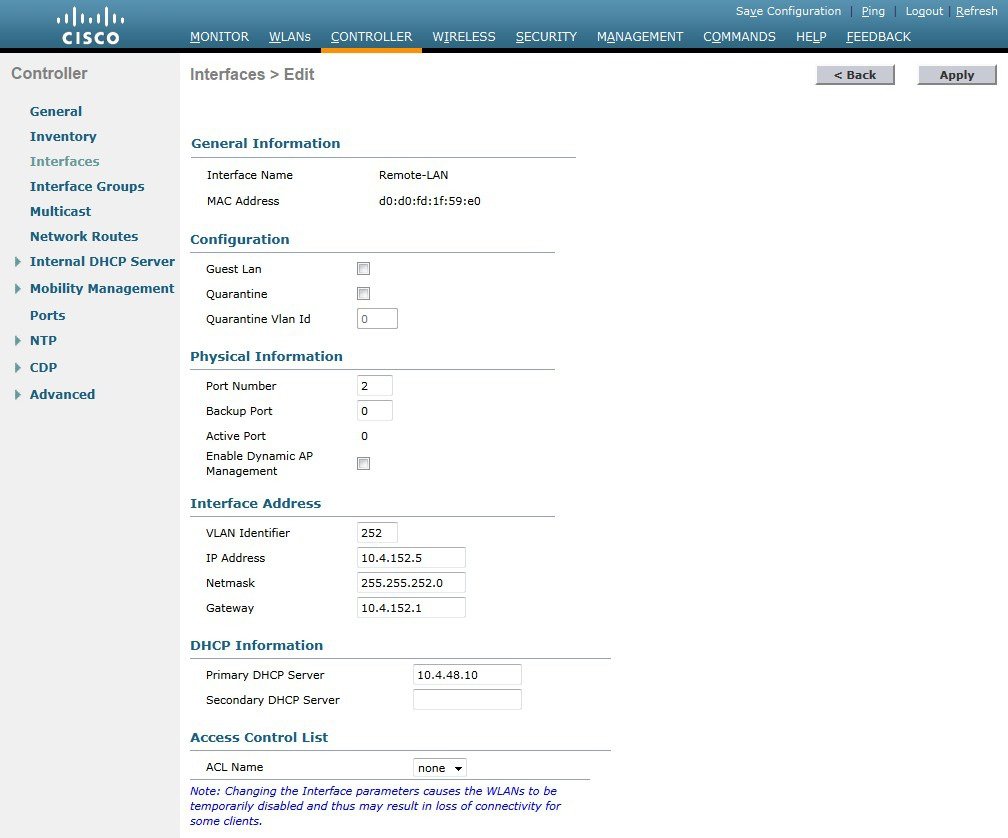
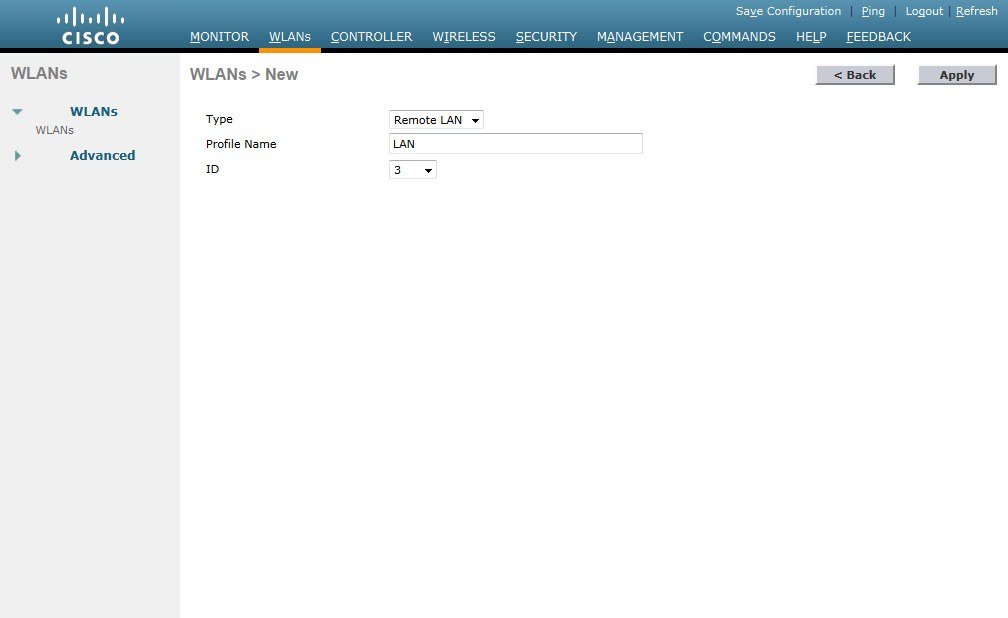
Creating the Remote LAN Interface
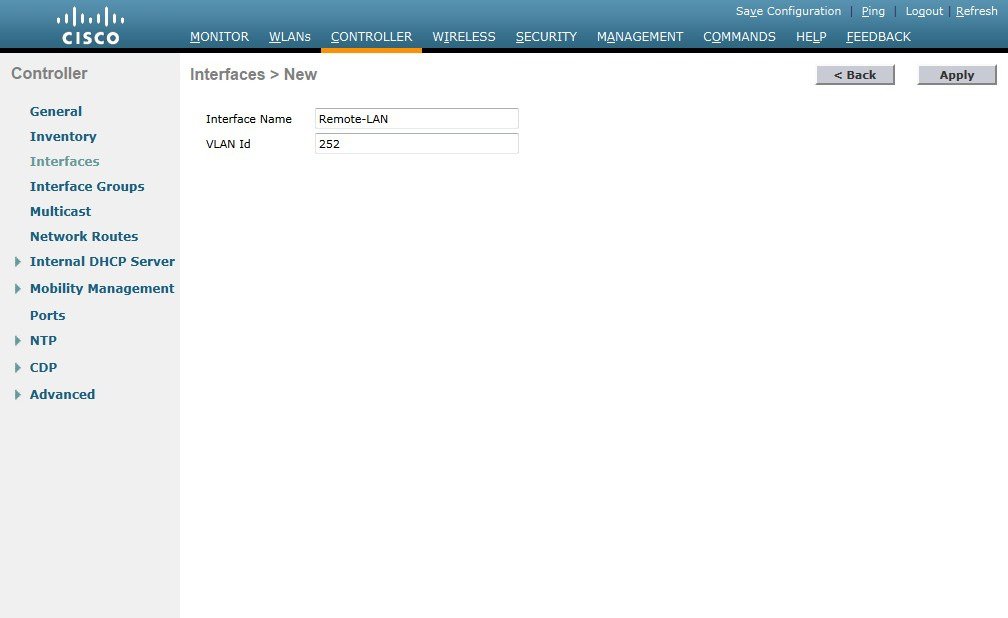
Next, you add an interface that allows devices on the remote LAN network to communicate with the rest of the organization.
To create remote LAN interface, perform the following steps:
Configuring the Data Wireless LAN
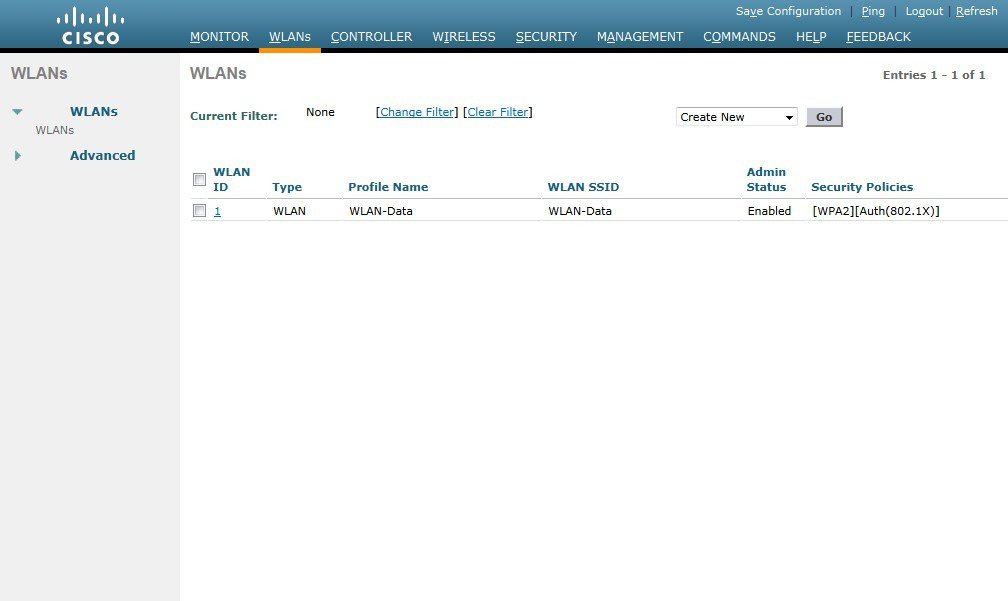
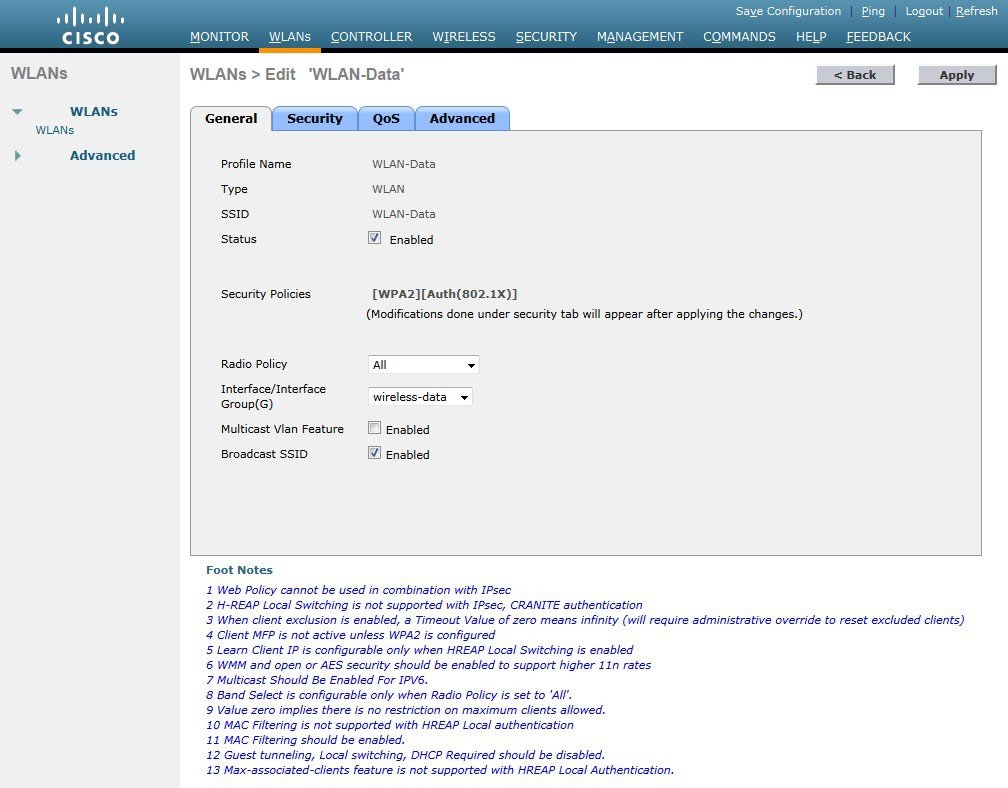
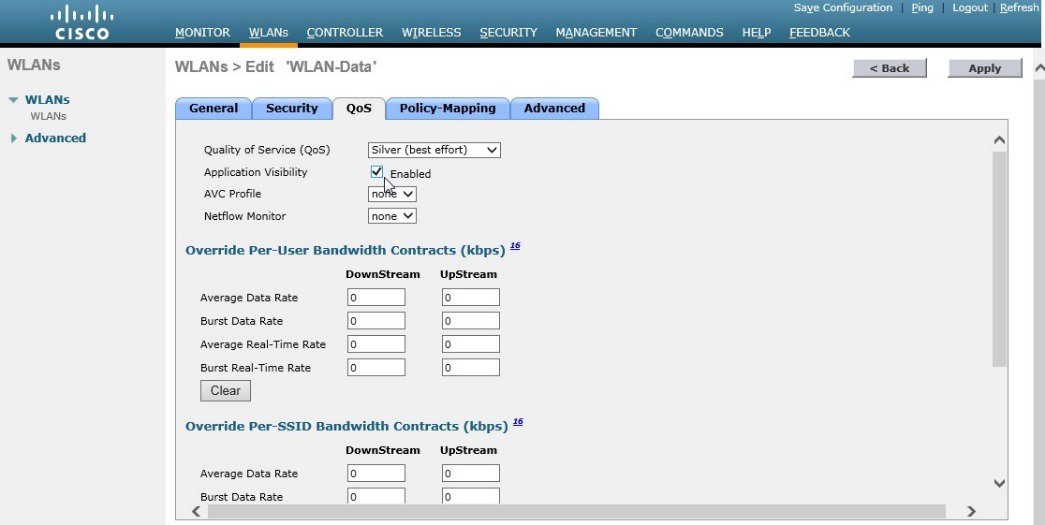
Wireless data traffic is different from voice traffic in that it can more efficiently handle delay and jitter as well as greater packet loss. For the data wireless LAN, keep the default QoS settings and segment the data traffic onto the data wired VLAN.
To configure the data wireless LAN, perform the following steps:
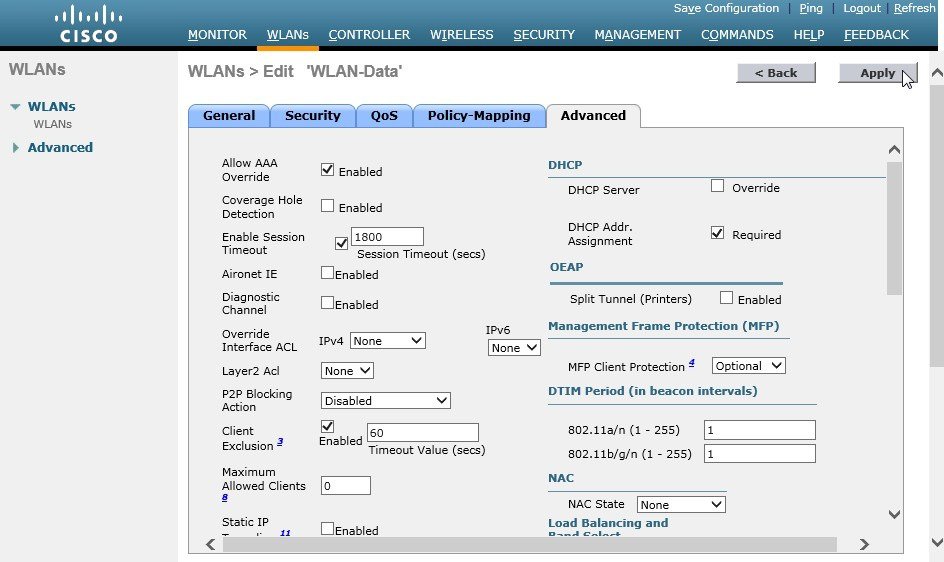
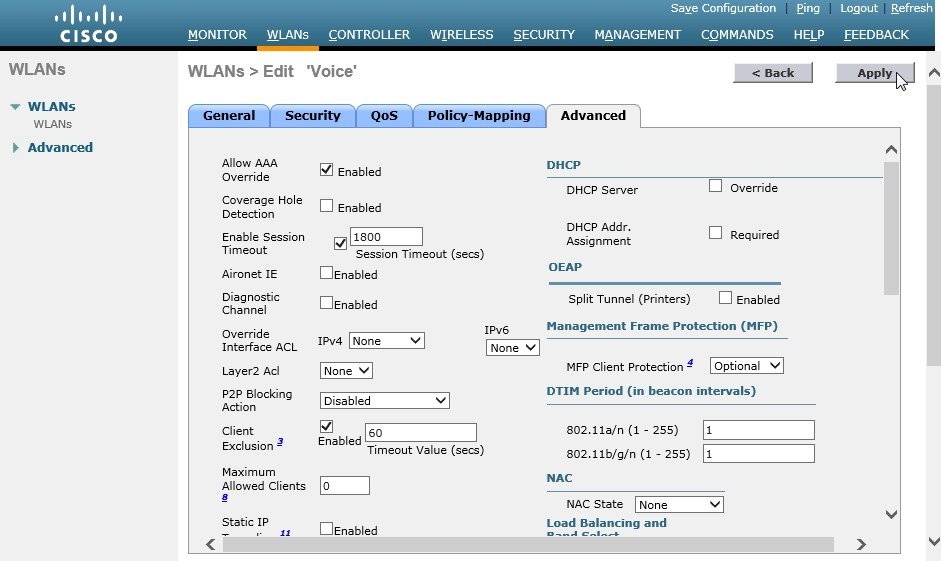
Configure Voice Wireless LAN
Wireless voice traffic is different from data traffic in that it cannot effectively handle delay and jitter as well as packet loss. To configure the voice wireless LAN, change the default QoS settings to Platinum and segment the voice traffic onto the voice wired VLAN.
To configures voice wireless LAN, perform the follwoing steps:

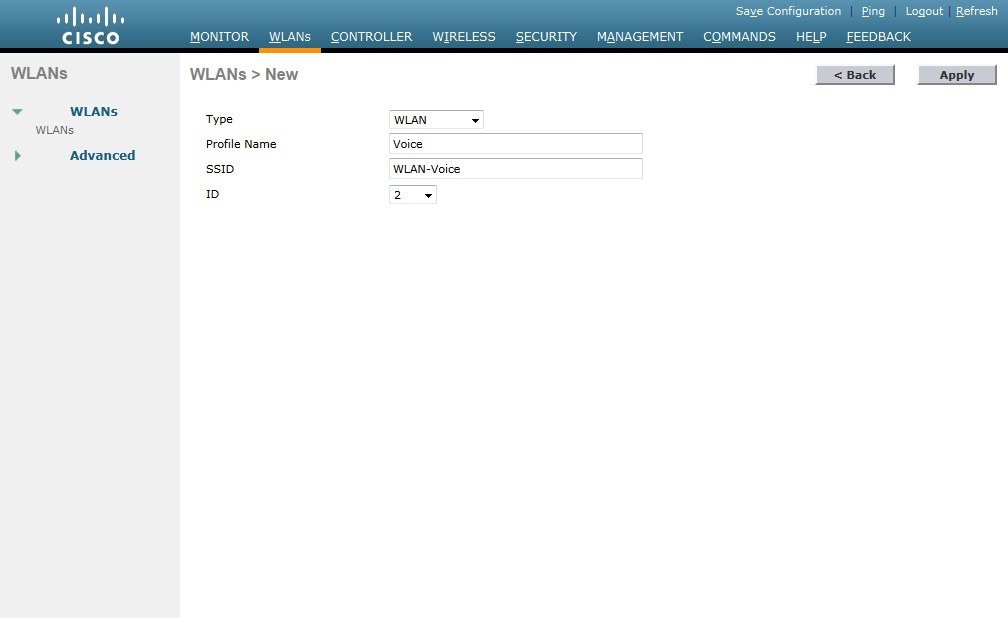
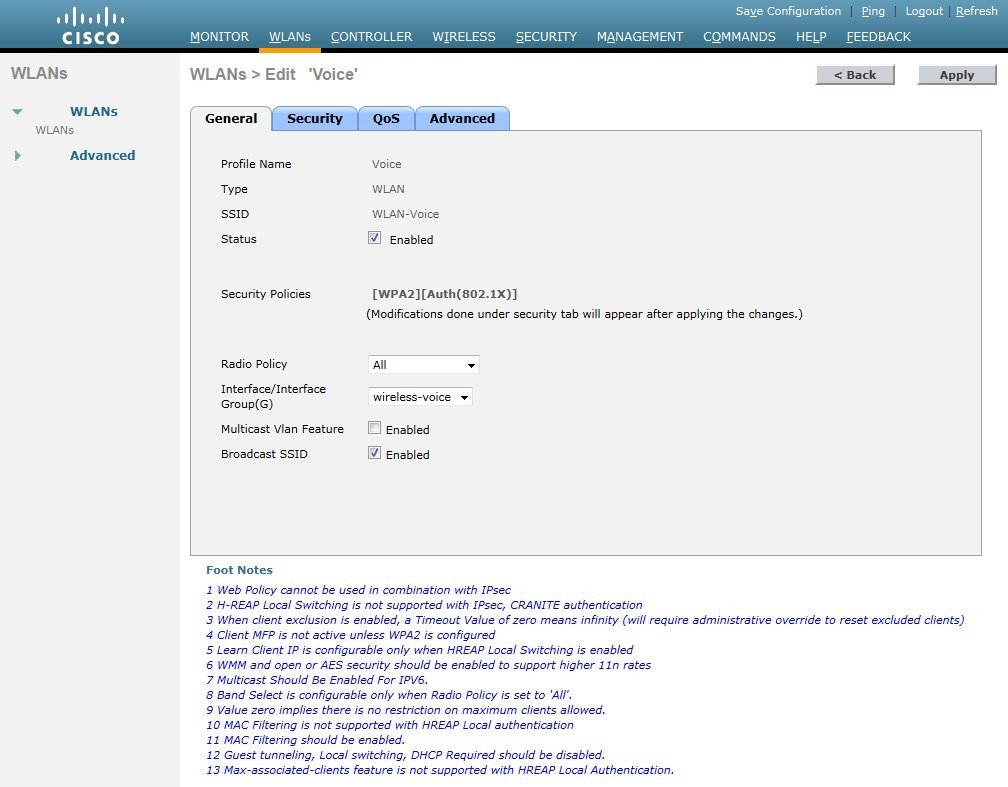
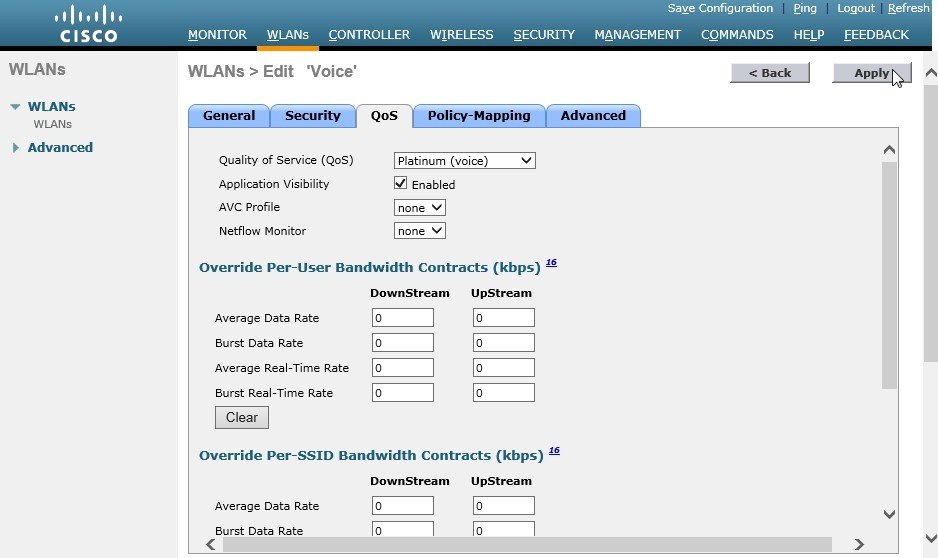
Configure the Remote LAN
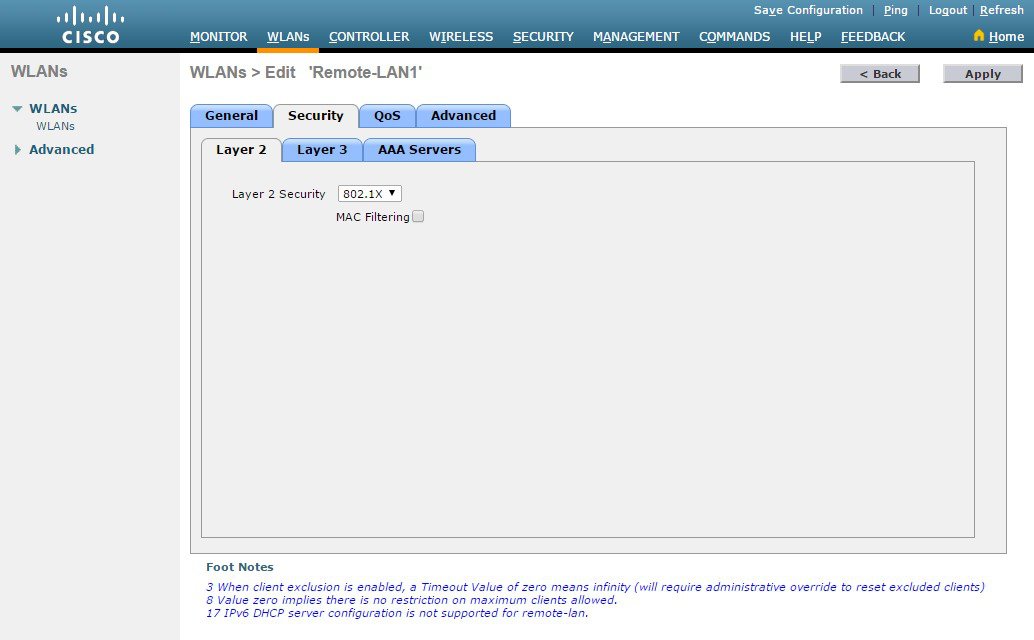
A remote LAN is similar to a WLAN except it is mapped to one of the Ethernet ports on the back of the Cisco Aironet 1815 Teleworker Access Point.
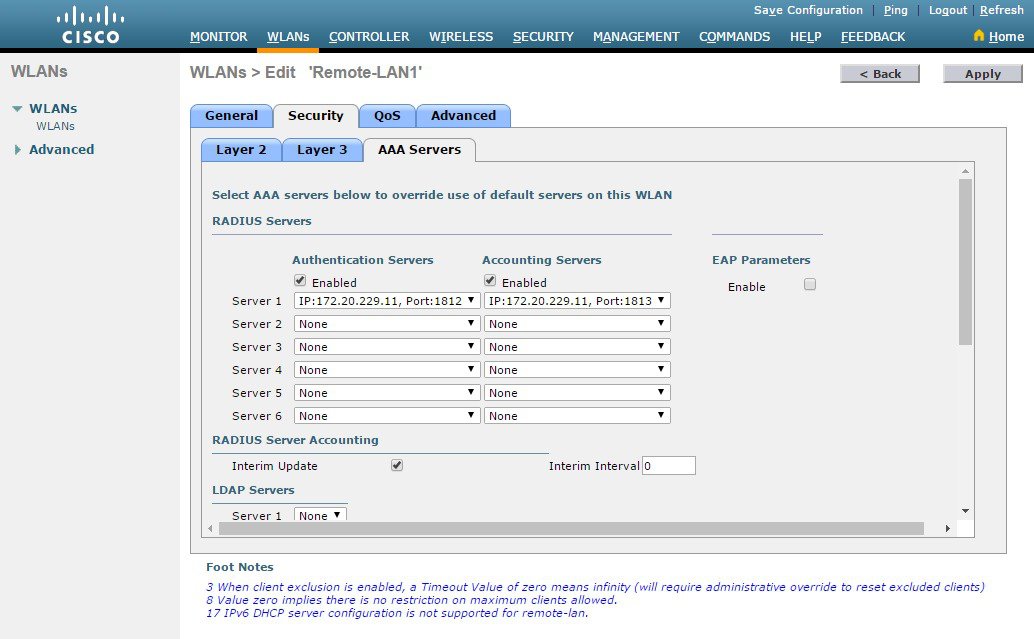
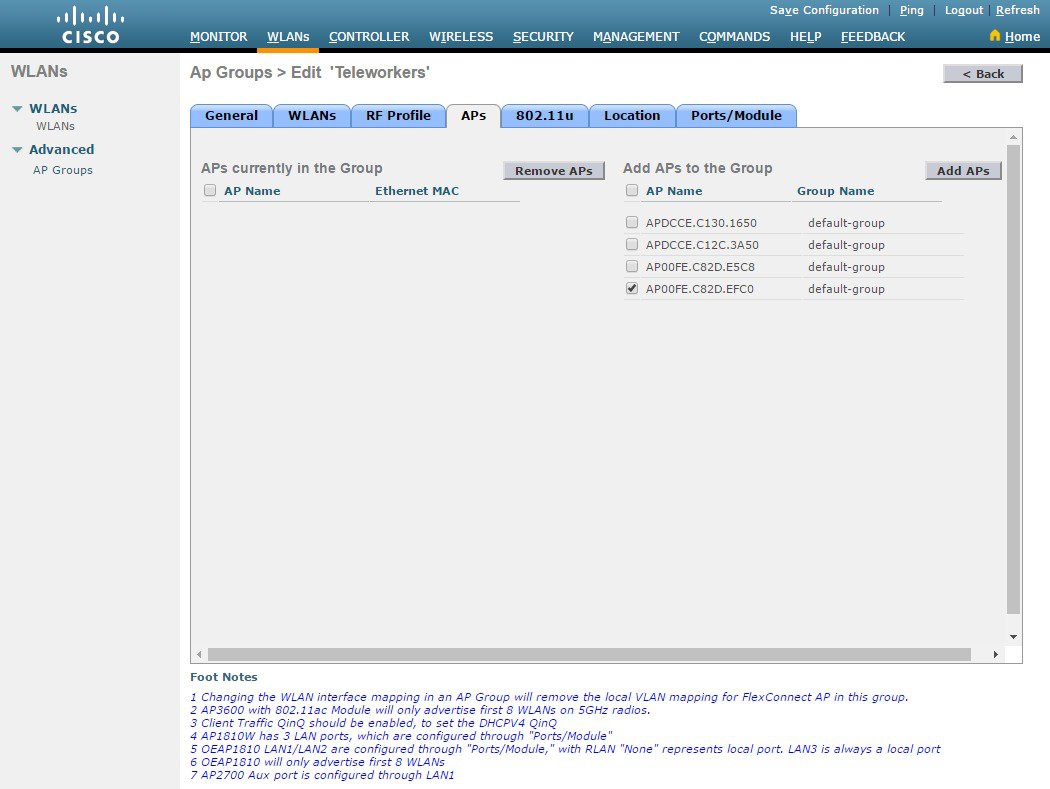
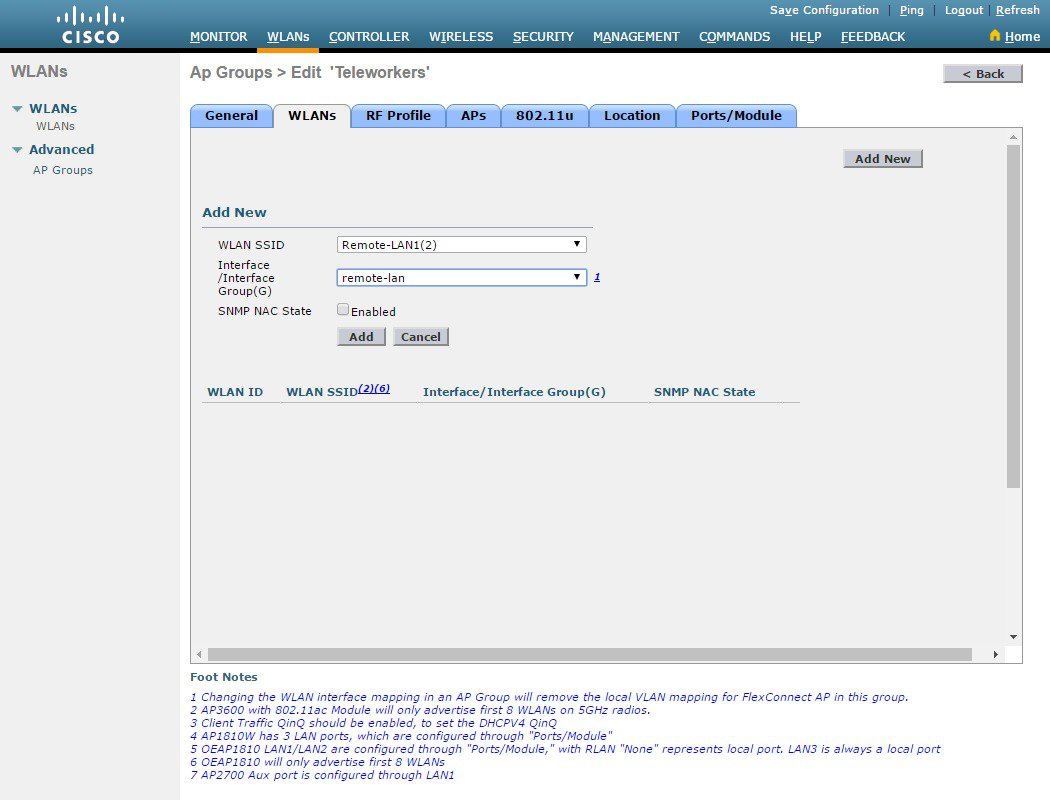
To configure the remote LAN, perform the following steps:



 Feedback