- Preface
- Cisco ASR1000-RP3 Module Overview
- Preparing to Install the Cisco ASR1000-RP3 Module
- Installing the Cisco ASR1000-RP3 Module
- Software Licensing on Cisco ASR1000-RP3 Module
- Configuring the Cisco ASR1000-RP3 Module
- Upgrading the Cisco ASR1000-RP3 Module
- Upgrading the ROMMON
- Removing and Replacing FRUs from the Cisco ASR1000-RP3 Module
Preparing to Install the Cisco ASR1000-RP3 Module
This chapter describes the general equipment, safety guidelines, and site preparation requirements for installing the Cisco ASR1000-RP3 module into the router. This chapter contains the following sections:
Required Tools and Equipment
You need the following tools and parts to remove and install the Cisco ASR1000-RP3 module. If you need additional equipment, contact a Cisco service representative.
Safety Guidelines
This section provides safety guidelines that you should follow when working with any equipment that connects to electrical power or telephone wiring.
Safety Warnings
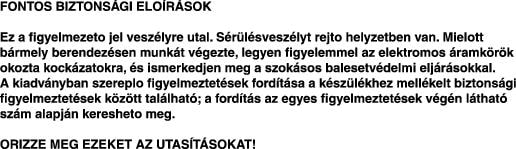
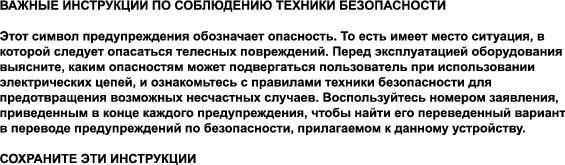
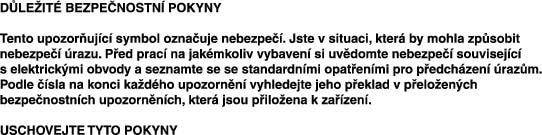
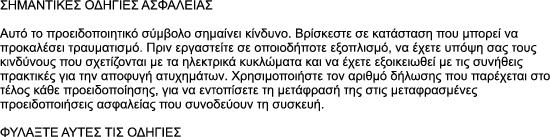
Safety warnings appear throughout this publication in procedures that, if performed incorrectly, might harm you. A warning symbol precedes each warning statement.
Warning Definition





















Electrical Equipment Guidelines
Follow these basic guidelines when working with any electrical equipment:
- Before beginning any procedures requiring access to the chassis interior, locate the emergency power off switch for the room in which you are working.
- Disconnect power and all the external cables before moving a chassis.
- Do not work alone when potentially hazardous conditions exist.
- Never assume that power has been disconnected from a circuit; always check.
- Do not perform any action that creates a potential hazard to people or makes the equipment unsafe; carefully examine your work area for possible hazards such as moist floors, ungrounded power extension cables, and missing safety grounds.
Preventing Electrostatic Discharge Damage
Electrostatic discharge (ESD) damage, which can occur when electronic cards or components are improperly handled, results in complete or intermittent failures. The Cisco ASR1000-RP3 modules comprise printed circuit boards that are fixed to metal carriers. Electromagnetic interference (EMI) shielding and connectors are integral components of these carriers. Although the metal carriers help to protect the boards from ESD, use a preventive antistatic strap when handling the line cards.
The following are the guidelines for preventing ESD damage:
- Always use an ESD wrist strap or ankle strap and ensure that it is touching the skin.
- Connect the equipment end of the strap to an unfinished chassis surface.
- When installing a component, use any available ejector levers or captive installation screws to properly seat the bus connectors in the backplane or midplane. These devices prevent accidental removal, provide proper grounding for the system, and help to ensure that the bus connectors are properly seated.
- When removing a component, use any available ejector levers or captive installation screws to release the bus connectors from the backplane or midplane.
- Handle the carriers using the available handles or edges only; avoid touching the printed circuit boards or connectors.
- Place a removed board component-side-up on an antistatic surface or on a static shielding container. If you plan to return the component to the factory, immediately place it in a static shielding container.
- Avoid contact between the printed circuit boards and clothing. The wrist strap protects only components from ESD voltages on the body; ESD voltages on clothing can still cause damage.
- Never attempt to remove the printed circuit board from the metal carrier.

 For safety, periodically check the resistance value of the antistatic strap. The measurement should be between 1 and 10 megohms (Mohms).
 Feedback