Analog Calls Routed Over the Internet
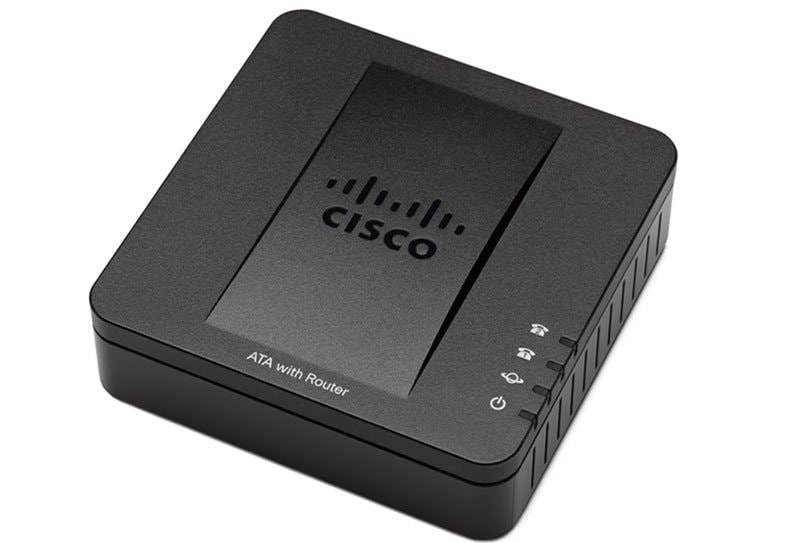
Additional features of the Cisco SPA3102 include:
- One RJ-11 POTS (Plain Old Telephone Service) FXS port to connect an existing analog phone or fax machine
- One PSTN FXO port to connect to a Telco or PBX circuit
- Two 100BaseT RJ-45 Ethernet interfaces to connect to a home or office LAN, and an Ethernet connection to a broadband modem or router
- FXS and FXO lines that can be independently configured
- Secure encryption-based methods for communication, provisioning, and servicing
Additional Documentation
|
Got a small business? We have solutions just for you. Learn More |
Data Sheets and Literature

Data Sheets

(All Cisco Small Business Voice Gateways and ATAs Data Sheets)

Q&A

(All Cisco Small Business Voice Gateways and ATAs Q&A)

(All Cisco Small Business Voice Gateways and ATAs Data Sheets)
Q&A
(All Cisco Small Business Voice Gateways and ATAs Q&A)
Access the Web-Based Setup Page of the VOIP Router

Accessing SPA3102 Interactive Voice Response (IVR) Menu

Accessing the Interactive Voice Response Menu of the SPA3000

Accessing the Setup Page of SPA3102

Cascade (Connect) a Cisco Small Business Router to a VoIP Router

Change the Cisco Small Business VoIP Router Password

Change the LAN IP Address on a Cisco SPA3102 Voice Gateway

Change the Wireless Channel on a Cisco Small Business VoIP Router

Change the Wireless Network Name (SSID) on a Cisco Small Business VoIP Router

Changing the VOIP Router's LAN IP Address

Check Phone Registration Status on the Cisco Small Business VoIP Router

Check the Cisco Small Business VoIP Router IP Address

Check the Wireless Settings on a Cisco Small Business VoIP Router

Connect a Wired Computer to a Cisco Small Business VoIP Router

Connect a Wireless Adapter to a Cisco Small Business VoIP Router

Connect a Wireless Computer to a Cisco Small Business VoIP Router

Connect Devices Together on a Cisco Small Business VoIP Router

Disable SSID Broadcast on a Cisco Small Business VoIP Router

Disabling Call Waiting Features of SPA3102

Enable Remote Management on a Cisco Small Business VoIP Router

Enabling the Auto PSTN Fallback of the SPA3000

Enabling the Remote Management Feature on the SPA3102

Experiencing Unreliable T.38 Fax Connection Using an SPA2100

Explaining Dial Plans for the SPA3000

Forwarding PSTN Calls to a VOIP number on SPA3102

Getting to Know Dial Plan Parameters

Getting to Know the SPA3102

HTTPS Based Remote Provisioning with the SPA2102, SPA3102, and SPA9000

Identifying Devices that Support the T.38 Fax Protocol

Identifying SPA model/s that Support T.38 Fax Protocol

Implement Access Restrictions for Computers Behind a Small Business VOIP Router

Making an Outbound Call on SPA3102

Making NodePhone Changes on the SPA3000

Observing Proper Power Cycle on the VOIP Gateway

Reducing the Echo on the PSTN line of SPA3102

Resetting SPA2100

Running a Syslog on SPA Devices

Set up 128-Bit WEP Wireless Security on a Cisco Small Business VOIP Router

Set up a Cisco Small Business VOIP Router Using DSL Internet Service

Set up a Cisco Small Business VOIP Router with a Static IP Account

Set up a PlayStation 2 with a Cisco Small Business VOIP Router

Set up an Xbox on a Cisco Small Business VOIP Router

Set up Servers Behind a Cisco Small Business VOIP Router

Set Up the SPA3000

Set up the Wireless Settings on a Cisco Small Business VOIP Router

Set up Wireless Security on a Cisco Small Business VOIP Router

Set up WPA Wireless Security on a Cisco Small Business VOIP Router

Setting the SPA3102 to Bridge Mode

Setting-Up an NTP Server on SPA3102

Setting-Up SPA3000 as a PSTN Gateway of SPA9000

Small Business VOIP Router: Choppy Line when Making a Call

Small Business VOIP Router: Identify the Advanced Wireless Settings

Small Business VOIP Router: Intermittent Wired Connections

Small Business VOIP Router: Intermittent Wireless Connection

Small Business VOIP Router: Poor or No Signal

Small Business VOIP Router: Problems Making a Phone Call

Small Business VOIP Router: Problems with Access to Some Websites

Small Business VOIP Router: Problems with Connection to Online Servers

Small Business VOIP Router: Problems with Connection to Secured Websites

Small Business VOIP Router: Problems with Dial Tone

Small Business VOIP Router: Problems with Sending and/or Receiving Emails

Small Business VOIP Router: Reset to Factory Default

Small Business VOIP Router: Reset to Factory Default

SPA3000 Configuration Example

SPA3102 Firmware Upgrade

SPA Troubleshooting 56832 bytes attached

Troubleshooting SPA Device: faq

Understanding SIP Messages

Upgrading the Firmware of SPA3102

Accessing SPA3102 Interactive Voice Response (IVR) Menu
Accessing the Interactive Voice Response Menu of the SPA3000
Accessing the Setup Page of SPA3102
Cascade (Connect) a Cisco Small Business Router to a VoIP Router
Change the Cisco Small Business VoIP Router Password
Change the LAN IP Address on a Cisco SPA3102 Voice Gateway
Change the Wireless Channel on a Cisco Small Business VoIP Router
Change the Wireless Network Name (SSID) on a Cisco Small Business VoIP Router
Changing the VOIP Router's LAN IP Address
Check Phone Registration Status on the Cisco Small Business VoIP Router
Check the Cisco Small Business VoIP Router IP Address
Check the Wireless Settings on a Cisco Small Business VoIP Router
Connect a Wired Computer to a Cisco Small Business VoIP Router
Connect a Wireless Adapter to a Cisco Small Business VoIP Router
Connect a Wireless Computer to a Cisco Small Business VoIP Router
Connect Devices Together on a Cisco Small Business VoIP Router
Disable SSID Broadcast on a Cisco Small Business VoIP Router
Disabling Call Waiting Features of SPA3102
Enable Remote Management on a Cisco Small Business VoIP Router
Enabling the Auto PSTN Fallback of the SPA3000
Enabling the Remote Management Feature on the SPA3102
Experiencing Unreliable T.38 Fax Connection Using an SPA2100
Explaining Dial Plans for the SPA3000
Forwarding PSTN Calls to a VOIP number on SPA3102
Getting to Know Dial Plan Parameters
Getting to Know the SPA3102
HTTPS Based Remote Provisioning with the SPA2102, SPA3102, and SPA9000
Identifying Devices that Support the T.38 Fax Protocol
Identifying SPA model/s that Support T.38 Fax Protocol
Implement Access Restrictions for Computers Behind a Small Business VOIP Router
Making an Outbound Call on SPA3102
Making NodePhone Changes on the SPA3000
Observing Proper Power Cycle on the VOIP Gateway
Reducing the Echo on the PSTN line of SPA3102
Resetting SPA2100
Running a Syslog on SPA Devices
Set up 128-Bit WEP Wireless Security on a Cisco Small Business VOIP Router
Set up a Cisco Small Business VOIP Router Using DSL Internet Service
Set up a Cisco Small Business VOIP Router with a Static IP Account
Set up a PlayStation 2 with a Cisco Small Business VOIP Router
Set up an Xbox on a Cisco Small Business VOIP Router
Set up Servers Behind a Cisco Small Business VOIP Router
Set Up the SPA3000
Set up the Wireless Settings on a Cisco Small Business VOIP Router
Set up Wireless Security on a Cisco Small Business VOIP Router
Set up WPA Wireless Security on a Cisco Small Business VOIP Router
Setting the SPA3102 to Bridge Mode
Setting-Up an NTP Server on SPA3102
Setting-Up SPA3000 as a PSTN Gateway of SPA9000
Small Business VOIP Router: Choppy Line when Making a Call
Small Business VOIP Router: Identify the Advanced Wireless Settings
Small Business VOIP Router: Intermittent Wired Connections
Small Business VOIP Router: Intermittent Wireless Connection
Small Business VOIP Router: Poor or No Signal
Small Business VOIP Router: Problems Making a Phone Call
Small Business VOIP Router: Problems with Access to Some Websites
Small Business VOIP Router: Problems with Connection to Online Servers
Small Business VOIP Router: Problems with Connection to Secured Websites
Small Business VOIP Router: Problems with Dial Tone
Small Business VOIP Router: Problems with Sending and/or Receiving Emails
Small Business VOIP Router: Reset to Factory Default
SPA3000 Configuration Example
SPA3102 Firmware Upgrade
SPA Troubleshooting 56832 bytes attached
Troubleshooting SPA Device: faq
Understanding SIP Messages
Upgrading the Firmware of SPA3102