Cisco Security Cloud Control: 온프레미스 방화벽 Management Center 통합

PDF

Cisco Security Cloud Control: 온프레미스 방화벽 Management Center 통합

Security Cloud Control에서 온프레미스 방화벽 Management Center 제거

Want to summarize with AI?

Log in

자동 온보딩을 비활성화하고 Administration(관리) 설정의 디바이스 제거 단계에 따라 자동 온보딩을 비활성화하여 Security Cloud Control에서 온프레미스 Firewall Management Center 및 해당 매니지드 디바이스를 제거하는 방법을 알아봅니다.


Security Cloud Control에서 온프레미스 Firewall Management Center을(를) 제거하면 해당 온프레미스 Firewall Management Center에서 관리하는 모든 디바이스도 제거됩니다.

Before you begin

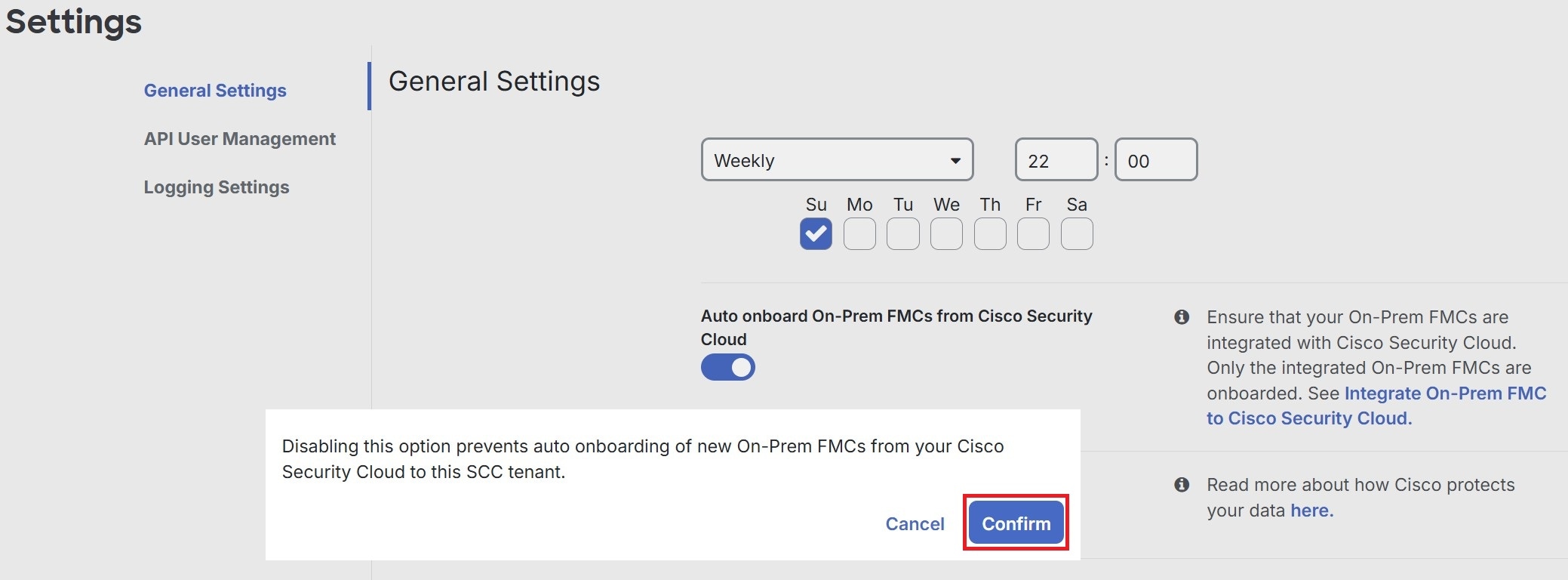
자동 온보딩을 사용하여 온보딩된 하나 이상의 온프레미스 Firewall Management Center를 제거하려면 먼저 자동 온보딩 옵션을 비활성화합니다.
  1. Administration(관리) > General Settings(일반 설정)를 선택합니다.

  2. Tenant Settings(테넌트 설정) 섹션에서 Auto onboard On-Prem FMCs integrated to Cisco Security Cloud(통합된 온프레미스 FMC 자동 온보딩)을 비활성화합니다.
Procedure

  1. Administration(관리) > Integration(통합) > Firewall Management Center를 선택합니다.

  2. FMC 탭을 클릭합니다.

  3. 제거할 을 온프레미스 Firewall Management Center을(를) 선택합니다.

  4. Device Actions(디바이스 작업) 창에서 Remove On-Prem FMC and its managed devices(온프레미스 FMC 및 해당 매니지드 디바이스 제거)를 클릭합니다.
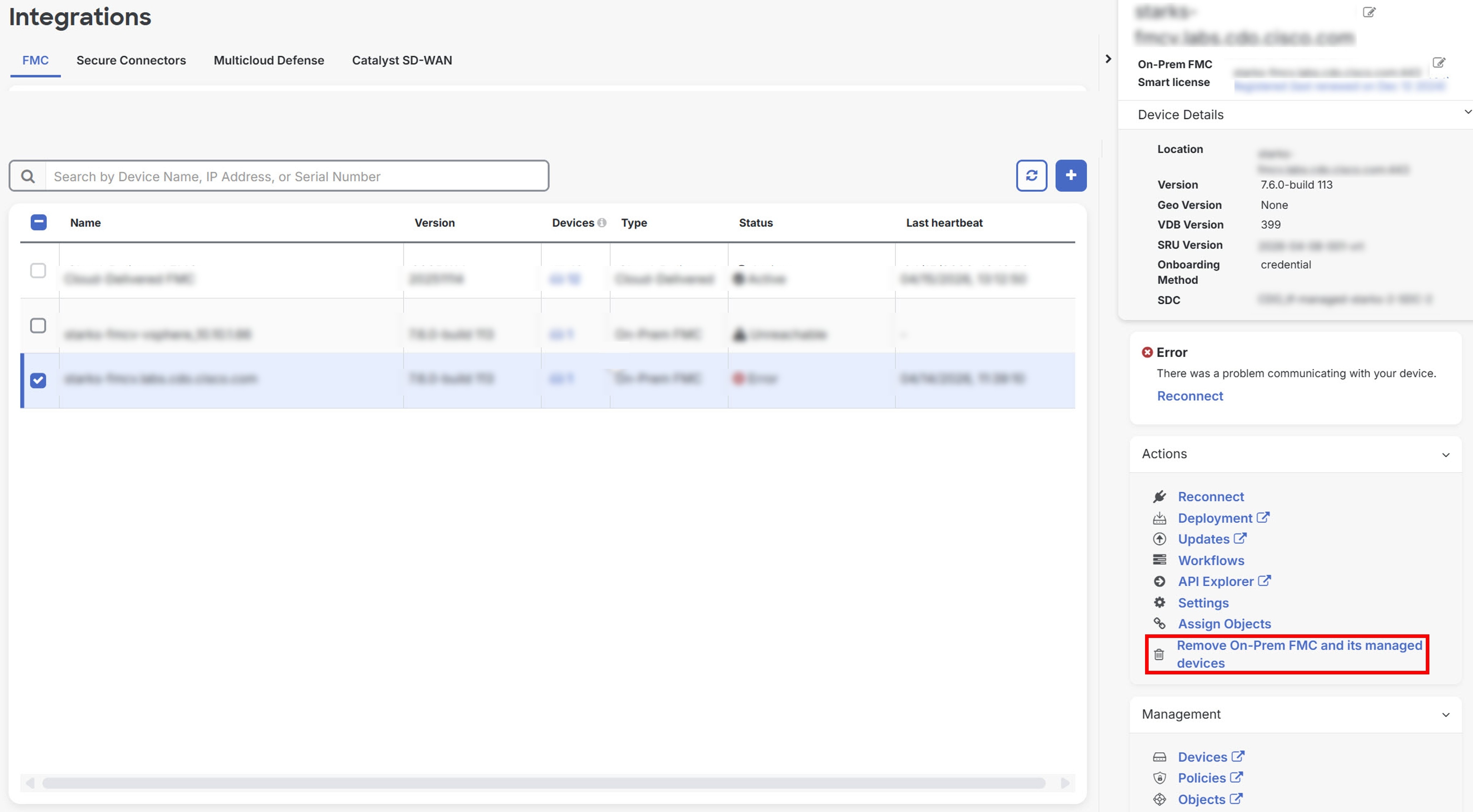
  5. OK(확인)를 클릭하여 온프레미스 Firewall Management Center 및 매니지드 디바이스를 테넌트에서 제거합니다.

  6. 사용 가능한 디바이스의 업데이트된 목록을 확인하려면 브라우저를 새로 고침합니다.