Deploying Multiple Datastores
Procedure
|
Step 1 |
From vSphere or vCenter Inventory list select the relevant Host. |
|
Step 2 |
Select the Configuration tab. |
|
Step 3 |
Select Storage. 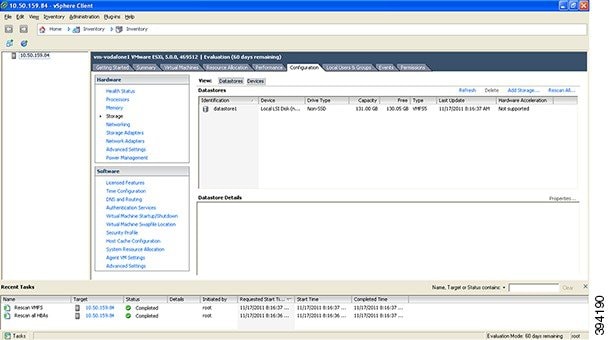
|
|
Step 4 |
Select Add Storage … (on the right hand side window). |
|
Step 5 |
Select Disk/LUN and click Next. 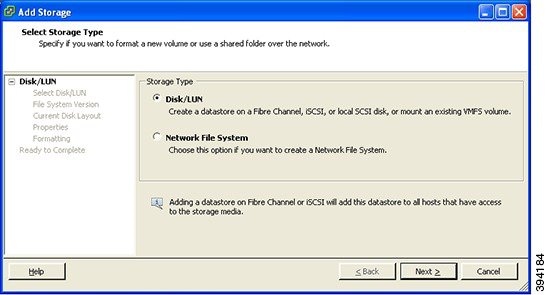
|
|
Step 6 |
Under Disk/LUN select the required Disc/LUN from the list presented and click Next. 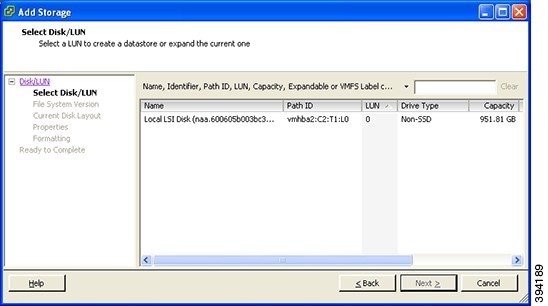
|
|
Step 7 |
On the File System Version page select VMFS-5 and then click Next. 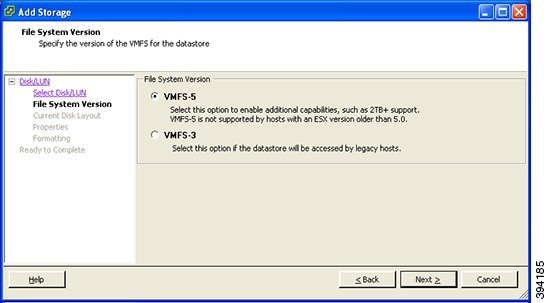
|
|
Step 8 |
On the Current Disk Layout page verify the details and then click Next. 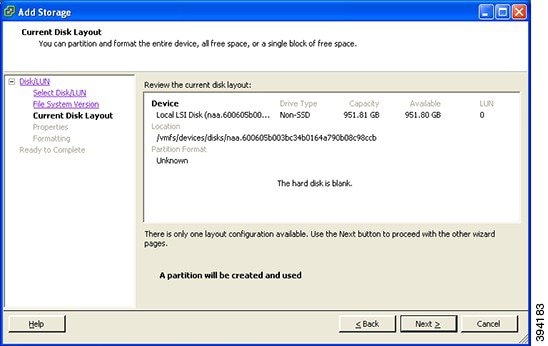
|
|
Step 9 |
On the Properties page enter a name for the new datastore and then click Next. 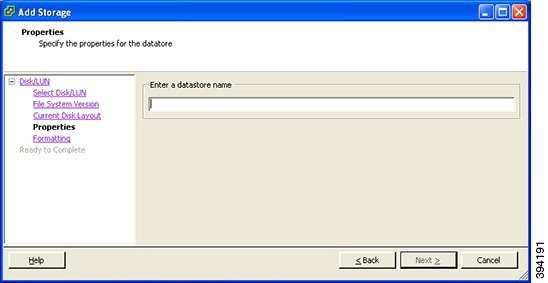
|
|
Step 10 |
On the Formatting page select Maximum available space and then click Next. 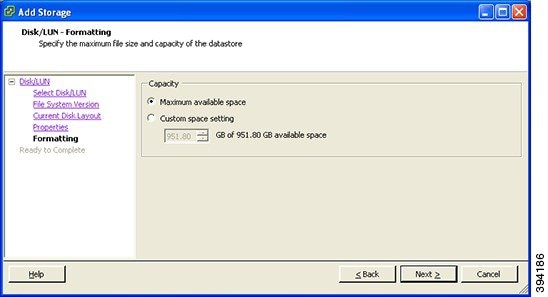
|
|
Step 11 |
On the Ready to Complete page verify the details and then click Finish. 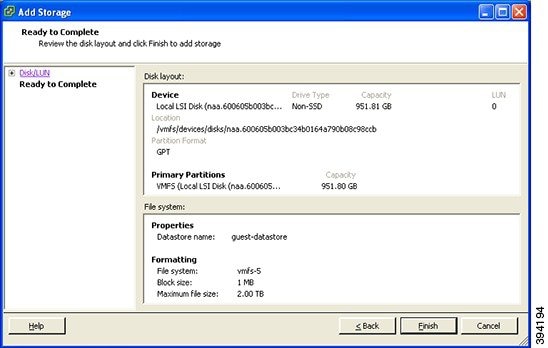
|
|
Step 12 |
Wait for the Create VMFS Datastore task to complete. |
|
Step 13 |
On completion, the new datastore will be listed under the Storage section. 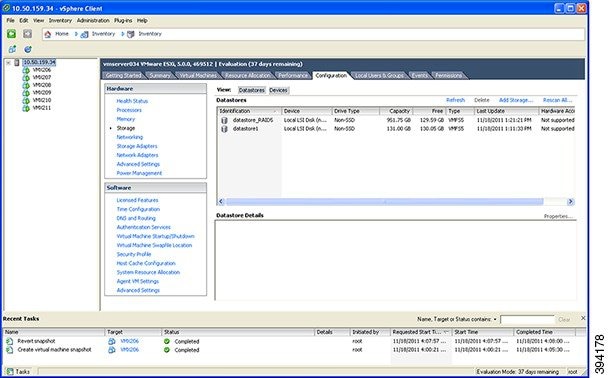
|
 Feedback