CTI Toolkit Supervisor Desktop
The CTI Toolkit desktop has three major components:
-
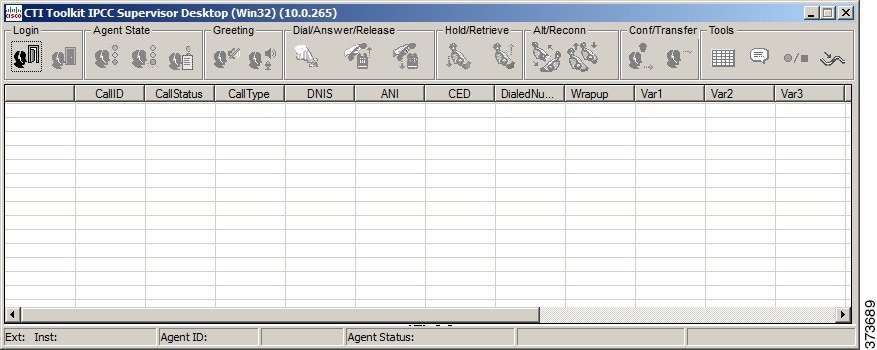
Supervisor Softphone. The Supervisor Softphone functions in much the same way as the agent softphone.
-
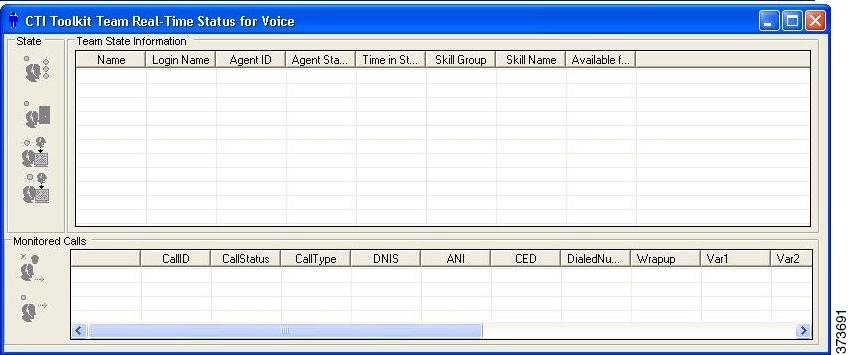
Team Real-Time Status. This window provides supervisors with information about the current state of agents who are part of the supervisor's team. The window also provides access to the following functions:
- Making an agent Ready
- Logging out agents
- Silent monitoring, Barge-in, and intercepting of agent calls
 Note |
With the CTI OS-based silent monitor, supervisors cannot be silent monitored. Only agents can be silent monitored. With the Unified CM-based silent monitor, supervisors can be silent monitored. |
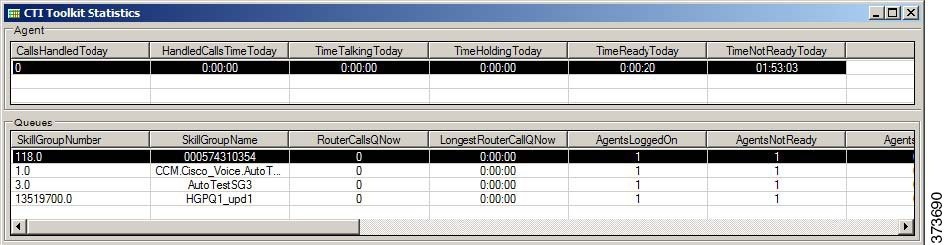
- CTI Statistics. This window
displays two types of statistics:
- Individual statistics for the agent logged in to the phone.
- Statistics for the supervisor who is currently logged in and for the skill groups to which the supervisor and the supervisor's team belong.
When the supervisor logs in, the Supervisor Softphone and the Team Real-Time Status windows appear.
The CTI Statistics window appears when the supervisor clicks Show Statistics on the Softphone window.
The following sections provide an overview of each of the windows.
Note |
The CTI Toolkit Supervisor Desktop is supported for use on Cisco Unified Contact Center Enterprise (Unified CCE) and Cisco Unified Contact Center Hosted (Unified CCH). It is not supported for use on Time Division Multiplexing (TDM) peripherals. |
 Feedback