Monitor Cisco Crosswork Data Gateway Health

This section contains the following topics:

Vitals Monitor

The Vitals Monitor component of Cisco Crosswork Data Gateway enables you to view vitals for the following:

  1. Docker containers

  2. Docker images

  3. Controller reachability

  4. NTP reachability

  5. Route table

  6. ARP table

  7. Network connections

  8. Disk space usage

View Cisco Crosswork Data Gateway Vitals

Follow these steps to view Cisco Crosswork Data Gateway vitals:

Procedure


Step 1

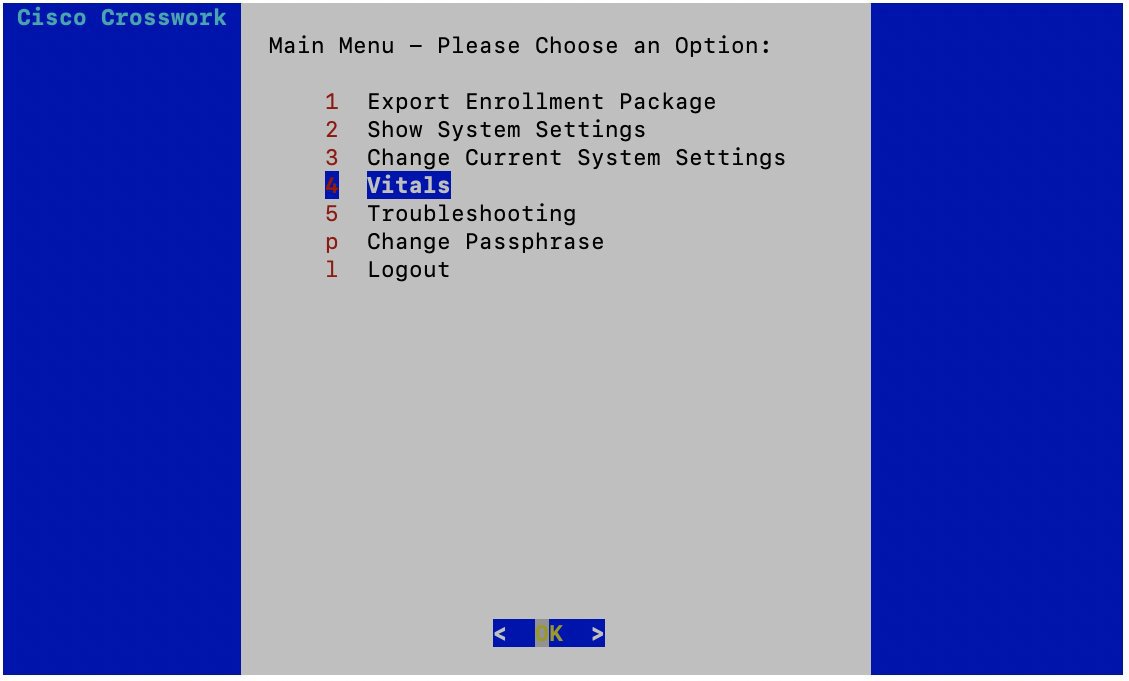
From the Main Menu, select 4 Vitals and click OK.


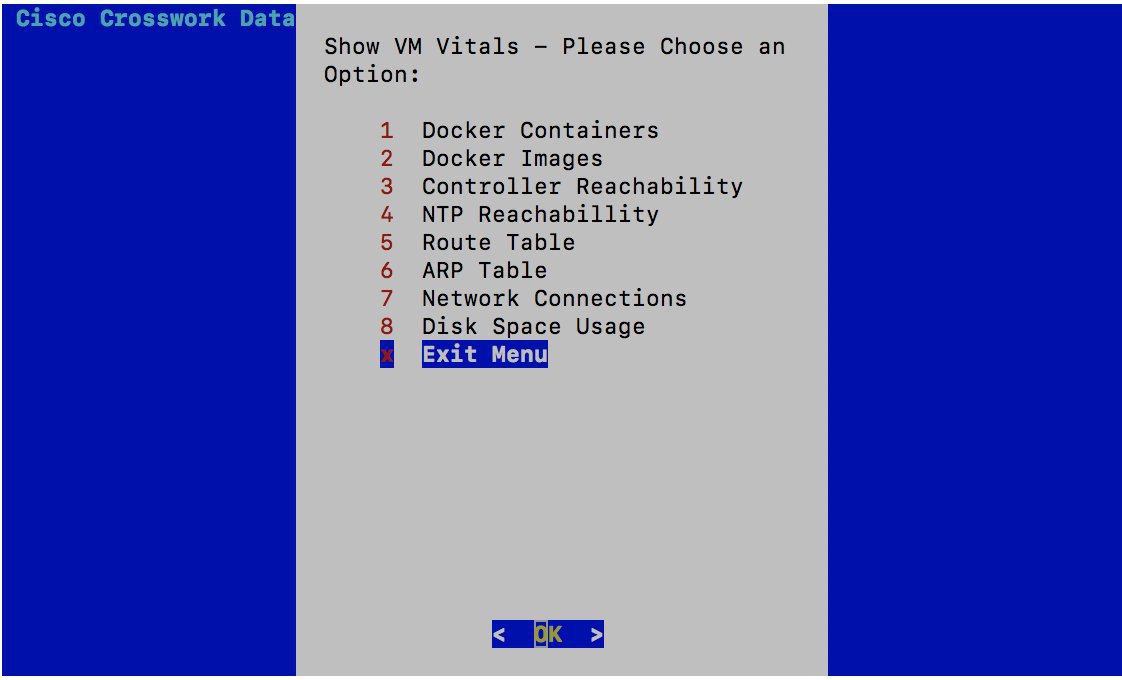
The Show VM Vitals menu opens.

Step 2

Select the vital you want to view and click OK.


Vital

Description

Docker Containers

Displays the following vitals for the docker containers:

• Container ID

• Image

• Name

• Command

• Created Time

• Status

• Port

Docker Images

Displays the following vitals for the docker images:

• Repository

• Image ID

• Created Time

• Size

• Tag

Controller Reachability

Displays the following vitals for controller reachability:

• Default gateway status

• Reachability test details (number of packets transmitted and received, packet loss percentage, and time)

• DNS server

• DNS server status

• Reachability test details (number of packets transmitted and received, packet loss percentage, and time)

• Controller session status

NTP Reachability

Displays the following vitals for NTP reachability:

• NTP server

• Resolved IP Address

• Status

• Reachability test details (number of packets transmitted and received, packet loss percentage, and time)

• Chrony status

• Reference ID

• System time

Route Table

Displays IPv4 and IPv6 route tables.

ARP Table

Displays ARP tables.

Network Connections

Displays the following vitals for network connections:

• Netid

• State

• Recv-Q

• Send-Q

• Local Address and Port

• Peer Address and Port

Disk Space Usage

Displays the following vitals for disk space usage:

• Filesystem

• Size

• Used space

• Available space

• Use percentage

• Mounted on volume

Cisco Crosswork Data Gateway displays the vitals for the selected item.

After you are done viewing the vitals, press any key to return to the ShowVM Vitals menu.

To return to the Main Menu, select x Exit Menu and click OK.


Vitals Service

Vitals service monitors the running status of all container services on Cisco Crosswork Data Gateway. It sends container services start and stop alert events to the controller.

When either of the following components listed below are not responsive, Cisco Crosswork Data Gateway vital service alert functionality is impacted:

  • Docker Engine

  • Vitals Monitor

  • Controller Gateway