Guest

Cisco Jabber for iPhone


Collaborate Anywhere Using Cisco Jabber for iPhone

Place, receive, and manage calls over a Wi-Fi network using your Apple iPhone and the Cisco Jabber for iPhone application. Run Cisco Jabber and Cisco Jabber IM for iPhone in the background to receive calls and instant messages but not interfere with other applications on your smartphone. You can also stay connected on the go.

Cisco Jabber for iPhone Tutorial

Cisco Jabber for iPhone Tutorial

Place, receive, and manage calls over a Wi-Fi network with an iPhone. (4:01 min)

Features and Capabilities

Cisco Jabber for iPhone allows you to:

  • Lower costs by placing and receiving calls over WLAN and Wi-Fi networks
  • Use your business phone number for outgoing and incoming calls, hiding your personal phone number
  • Move calls from a Wi-Fi to a cellular network and back, keeping calls live without disconnecting
  • Move calls to your Cisco Unified IP Phone and back, so you can roam while continuing calls
  • Receive alerts for, view, and listen to your office voice messages with a single tap

Collaborate with the Convenience of an IP Phone

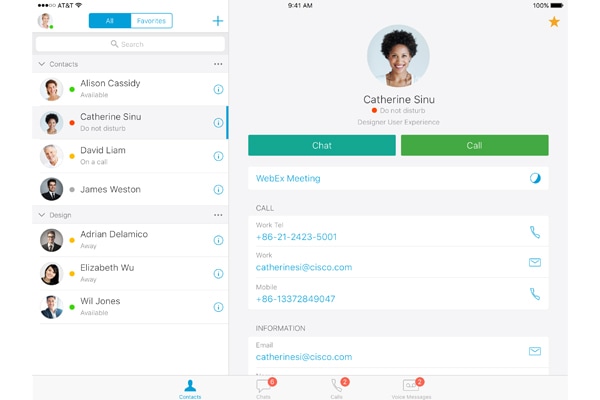
The Cisco Jabber IM for iPhone application delivers cloud- or premises-based instant messaging (IM) to your iPhone. Together, the Cisco Jabber and Cisco Jabber IM applications for iPhone empower you to work efficiently from anywhere by bringing presence, IM, enterprise voice, visual voicemail, and corporate directory lookup to your iPhone.

With Cisco Jabber IM for iPhone, you can:

  • Take immediate action from your contact list with features such as click to IM, click to call, click to email, and click to text
  • Start or join an instant WebEx meeting from an IM chat to share documents and meet with additional participants
  • Search for colleagues in your corporate directory
  • Strengthen the security of your chats using Secure Sockets Layer (SSL) or AES encryption, and by connecting your iPhone directly to the Cisco IM infrastructure - Cisco Unified Presence or Cisco WebEx Connect

Both applications work together so you can:

  • Click to make a voice-over-IP call during a chat on the Cisco Jabber IM for iPhone application
  • Send an IM to a contact in your Jabber for iPhone application

Cisco Jabber - Unifying Communications Across Platforms and Devices

Streamline communications and enhance productivity by integrating presence, instant messaging (IM), telephony, and audio, video, and web conferencing into a single client for your laptop or desktop.

Watch Video

Additional Resources

Cisco Jabber - Unifying Communications Across Platforms and Devices

Viewing this video requires the latest version of Adobe Flash Player with JavaScript enabled.

Get the Flash Player

Let Us Help