Webex Meetings

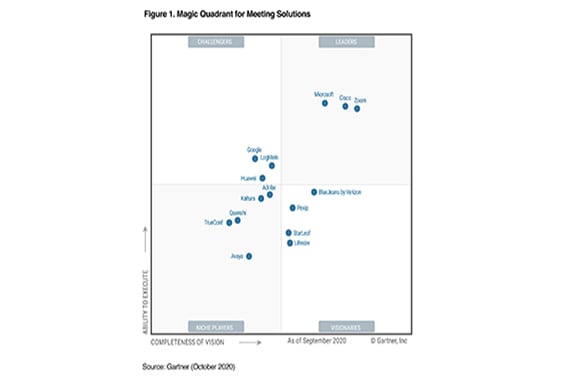
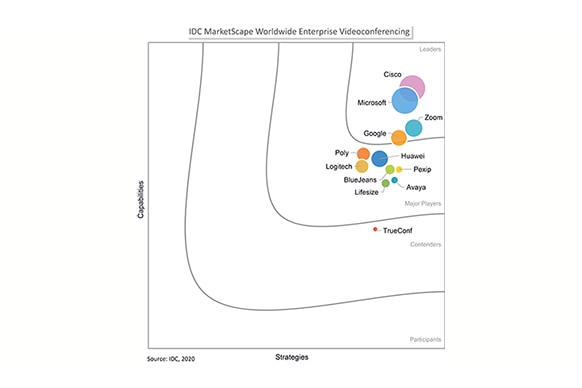
A proven leader
Webex Meetings offers secure, integrated audio, video, and content sharing from any device, anywhere. Intelligent features such as noise removal, Webex Assistant, with real-time translations and People Insights automate meeting tasks to help you work smarter.
Contact Cisco
-
-
Call Sales:
- 1-800-553-6387
- US/CAN | 5am-5pm PT
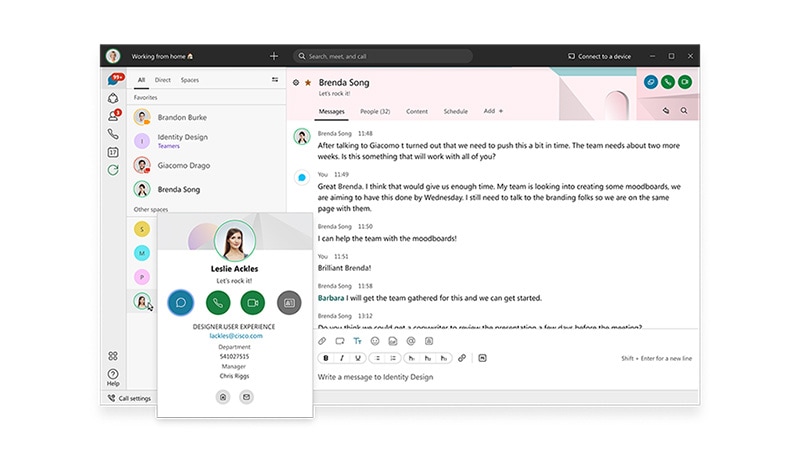
The all new Webex
One easy-to-use app to call, meet, message, and get work done.
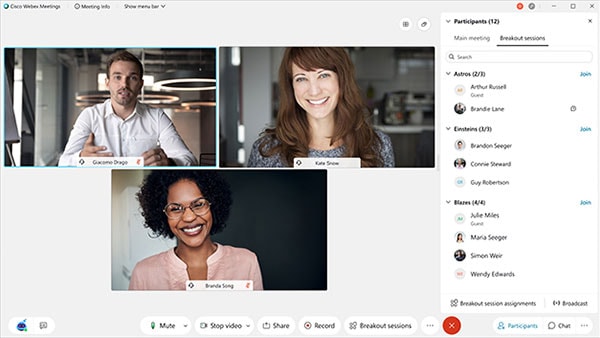
When remote work or learning is necessary, Webex is there
Get your business, organization, group, or school connected with a full-featured Webex trial. Teach and learn on a secure platform with Webex Classrooms.
Effective web meetings are a priority
Strong business starts with strong relationships. Today it’s not about where you work, but about how you work. And meeting, effectively, is a priority. You need a proven, simple, innovative and highly secure solution that helps you achieve effective virtual meetings.
Features and benefits

Simplicity from any device
Schedule and start web meetings from your browser, desktop/mobile app, or video device. Exceptional audio, video, and content sharing, including from digital white boards. No downloads or plug-ins. Just one big green button to push to easily start your meeting.
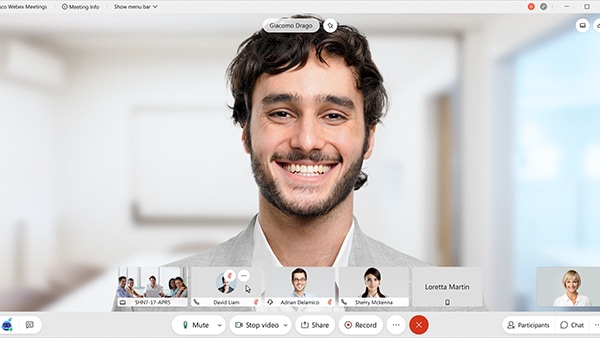
Award-winning, reliable video
Use People Insights to learn about meeting participants and build trust. Change your background based on mood, or break into small group sidebars. Our global data centers provide fast, reliable video wherever you are.
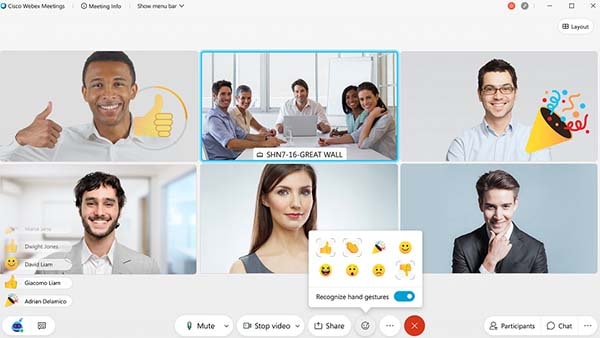
Intelligent meetings
With Webex intelligence, you get great audio with automatic noise removal and gesture recognition, which lets you send feedback with your hands. You can also better focus on the meeting because Webex Assistant takes care of the note-taking and transcripts.

Meet where you work
Integrated with popular productivity tools, Learning Management Systems, workflow apps and more, so you can have great meetings however you want to work.

Industry-leading security
Keep your discussions protected using strong encryption with industry-leading, multilayer security, including a native VDI client for your virtualized environments.
Bringing voice intelligence to Webex
Contact your Collaboration partner or account manager to sign up for free trial.

Digital in-meeting assistant
Using voice commands, AI-powered Webex Assistant interacts with you to help with notes, highlights, follow-ups, and more.

Transcriptions and translations
Real-time meeting transcription and translations into 100+ languages - supports greater inclusivity and the hearing impaired.

Meeting highlights, action items
Ask Webex Assistant to take a note or just highlight the point yourself. Trigger words will also autocapture key points.

Meeting recording transcripts
Record your meeting to get post-meeting transcript and presentation content.

Keep everyone in the loop
Easily edit and share meeting highlights, transcripts, and recordings. Send follow-ups and action items to everyone or to specific attendees.

Cross-meeting search
Find that exact point in your recordings with key-word search; Webex saves you time by searching in one recording or across all your recordings.

People Insights builds relationships
Powerful analytics and intelligent context let you learn more about your meeting participants.

Webex Assist Services
Strategize and set goals with a certified Webex producer for a polished, captivating presentation.

Securing interactions with Webex
“From a security compliance perspective, we pretty much get audited by anything you can imagine. There's so many cloud services I can't use as a law firm because of the restrictions I have for compliance. But we can use Webex for everything.”
Andy Jurczyk, CIO, Seyfarth Shaw
Find the best subscription plan for you
With the Flex Plan, you can choose the right subscription based on your business size and needs. Each option includes technical support.
Cisco Enterprise Agreement
Gain maximum value by enabling services for everyone in your organization. With the Enterprise Agreement, you also have the option of adding one or more Cisco technology portfolios under a single agreement and term.
Active User
Purchase meetings based on usage. Anyone can join meetings, and you only pay for those who use the service.
Named User
Provide meetings, calling, and team collaboration services to individuals, teams, or departments. Buy what you need today and grow at your own pace.
Resources
Solution overview
Promotions

Small business collaboration tools
Keep your teams happier, more productive, and more connected than ever before with powerful collaboration tools designed for the small business.
For partners
Are you a Cisco partner? Log in to see additional resources.
Looking for a solution from a Cisco partner? Connect with our partner ecosystem.