Customer Specific Dial Plan

Prerequisites

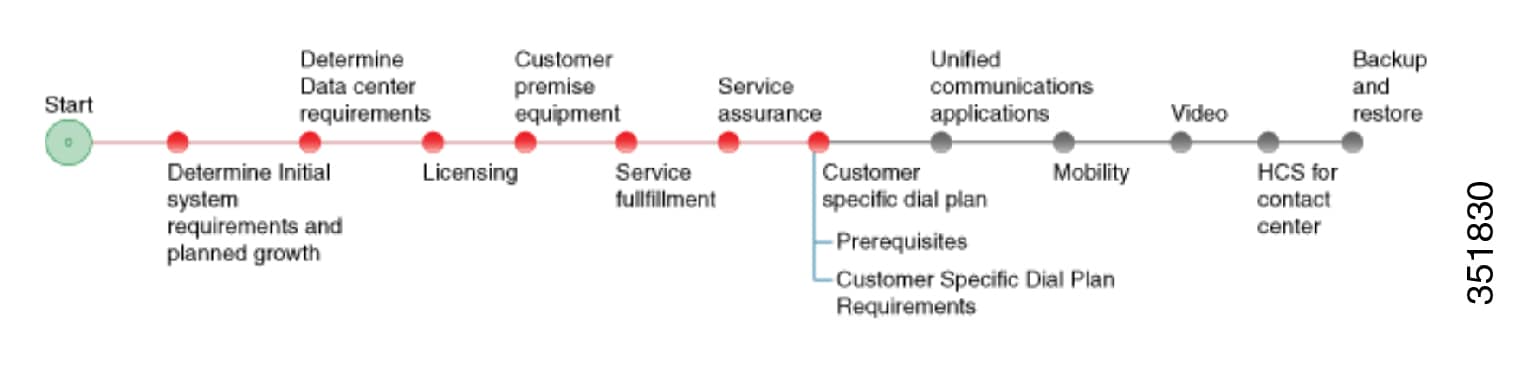
Before you plan the dial plan processes for your Cisco HCS installation, make sure that you:
  • Review and have access to the Cisco Hosted Collaboration Solution Release 14.0 Solution Reference Network Design Guide
  • Complete the actions outlined in previous sections of this guide including:
    • Initial system requirements and planned growth

    • Data center requirements

    • Licensing requirements

    • Customer premise equipment requirements

    • Service assurance requirements

    • Service fulfillment requirements

Dial Plan Workflow

Determine Customer-Specific Dial Plan Requirements for Cisco Unified Communications Domain Manager 10.x/11.5(x)

The Dial Plan Model is redesigned for Cisco Unified Communications Domain Manager 10.x/11.5(x) to leverage templates and workflows using json files to implement the model. The new model is flexible and is designed to simplify dial plan management wherever possible.


Note

Cisco HCM-F will deprecate the support of Cisco Unified Communications Domain Manager in the upcoming releases with limited support for existing integration, Cisco HCS partners and customers are advised to take necessary steps to align their requirements.


The Dial Plan Model in Cisco Unified Communications Domain Manager 10.x/11.5(x) consists of four basic, predefined call types:

  • Directory Number = Site Location Code (SLC) + Extension, no Inter Site Prefix (ISP) in SLC

  • Directory Number = SLC + Extension with ISP as part of SLC

  • Directory Number = SLC + Extension and without ISP, can be with or without Extension Dialing Prefix (EDP)

  • Directory Number = Flat Dial Plan (no SLC)

These four dial model types encompass all the functionality that was available on the previous Dial Plan Model. In order to offer flexibility for service providers, the four types can be extended to develop custom schemas. Customization is managed through discrete, selectable elements in Cisco Unified Communications Domain Manager 10.x/11.5(x).

The Dial Plan Model provides flexible features such as

  • Dynamic Class of Service (COS)

  • Country Dial Plans

  • Blocked / Nonblocked numbers

  • CallManager service groups

  • Flexible routing

  • Per-site PSTN prefix

In Cisco Unified Communications Domain Manager 10.x/11.5(x), the administrator is asked at either the customer or site level to fill in a template which determines the Dial Plan model that is delivered to the Cisco Unified Communications Manager and sites.

Procedure


Step 1

For each customer, do the following:

  1. Determine which type, or types, of dial plans (Type 1 to Type 4) you require.

  2. Multiple Service Provider Support for Cisco Unified Communications Domain Manager 10.x/11.5(x), if necessary.

  3. Determine Country-Specific Dial Plans for Cisco Unified Communications Domain Manager 10.x/11.5(x), if necessary.

  4. Plan a New Country Dial Plan, if necessary.

  5. Determine Customer Dialing Requirements for Cisco Unified Communications Domain Manager 10.x/11.5(x).

  6. Determine Extension Addressing for Cisco Unified Communications Domain Manager 10.x/11.5(x).

  7. Determine Voice Mail Numbering in Cisco Unified Communications Domain Manager 10.x/11.5(x).

Step 2

Define the following:

This step is performed at the customer level in Cisco Unified Communications Domain Manager 10.x/11.5(x).
  1. Determine Time of Day Routing.

  2. Determine Class of Service and Restrictions in Cisco Unified Communications Domain Manager 10.x/11.5(x).


Multiple Service Provider Support for Cisco Unified Communications Domain Manager 10.x/11.5(x)

There is no support for multiple service providers in Cisco Unified Communications Domain Manager 10.x/11.5(x).

Role-Based Access Control (RBAC)

Service providers deploying Cisco HCS require the ability to be able to restrict certain management actions to a specific set of users.

The following roles are predefined for use in Cisco HCS:

Role FF SA Read Permission Update Permission
Service Provider Admin Y Y Y Y
Service Provider Operator Y Y Y N
Service Provider FF Admin Y N Y Y
Service Provider FF Operator Y N Y N
Service Provider SA Admin N Y Y Y
Service Provider SA Operator N Y Y N
Reseller Admin Y Y Y Y
Reseller Operator Y Y Y N
Reseller FF Admin Y N Y Y
Reseller FF Operator Y N Y N
Reseller SA Admin N Y Y Y
Reseller SA Operator N Y Y N
Customer Admin Y Y Y Y
Customer Operator Y Y Y N
Customer FF Admin Y N Y Y
Customer FF Operator Y N Y N
Customer SA Admin N Y Y Y
Customer SA Operator N Y Y N
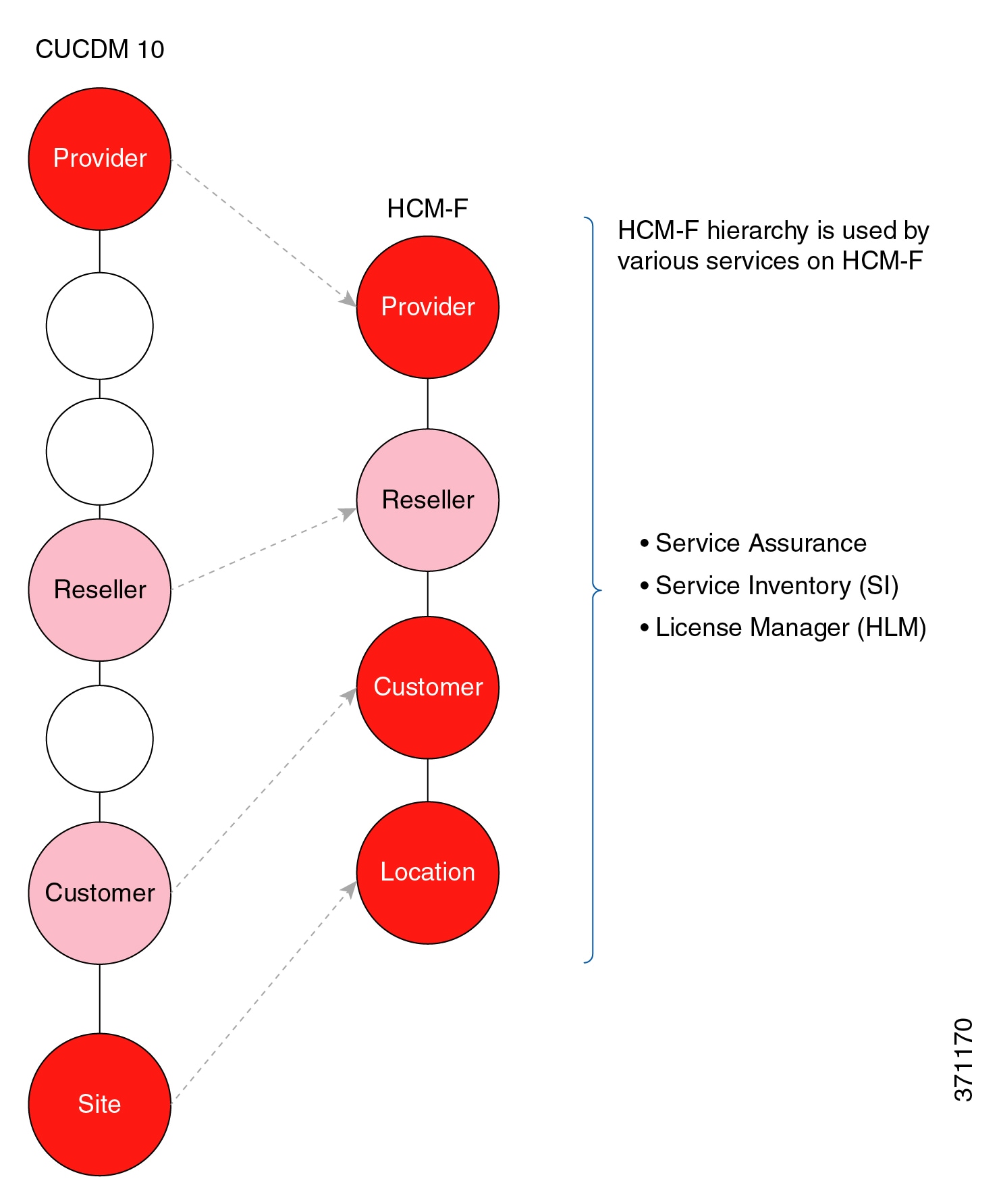
Figure 1. Role-Based Access Control Hierarchy

In the preceding figure, note that administrators of each level have access to the information in all hierarchy levels below them.

See the Cisco Hosted Collaboration Solution Release 14 Customer Onboarding Guide for more information.

Determine Country-Specific Dial Plans for Cisco Unified Communications Domain Manager 10.x/11.5(x)

In Cisco Unified Communications Domain Manager 10.x/11.5(x), a country dial plan consists of translation and route patterns to handle the following:

  • All local, long distance, and international calls

  • Emergency calls

  • Call blocking based on class of service

  • Call routing through local gateway and or central breakout

At the provider level, you need to determine the countries to be supported. By default, the base data and country dial plan model file package contains the dial plan model files for North America and Great Britain. If you are a service provider with a customer in another country, you must also plan to use country-specific dial plan model files.

If you are multi-country provider who requires multiple country dial plans, you need to determine the additional country dial plans required.

If a country-specific dial plan model file does not exist for the country, you can download the dial plan model file for a country that has a similar dial plan, and then customize it, or you can contact your Cisco representative to have a new country dial plan created.

Table 1. Country Dial Plans Available for Cisco Unified Communications Domain Manager 10.x/11.5(x)

Great Britain (GBR)

United States (USA)

If a new country dial plan is required, contact your Cisco representative for assistance. Provide the information that is outlined in Plan a New Country Dial Plan to your Cisco representative.


Note

The available country dial plans adhere to the specific country dial plan rules and Cisco HCS model best practices. However, it is a service provider's responsibility to validate and fully test these country modules in the specific country prior to any commercial launch.

Plan a New Country Dial Plan

You can build your own country dial plan instead of using one of the country dial plan templates.


Note

Do not modify the default models; contact Cisco for assistance.

If you need to create a new customized country dial plan, determine the information about your plan using this procedure. Contact your Cisco representative and provide the following information.

Procedure

Step 1

Gather basic contact information:

  • Company name and ID

  • Primary contact name, telephone number and email address

Step 2

Gather basic country dial plan information:

  • ISO 3166 Alpha-3 country code. This is a 3-digit code. Example: Australia = AUS. Refer to http://countrycodes.org/.

  • ISO 3166-1 Numerical country code, for example Belize = 84. Refer to http://countrycodes.org/.

  • Dialing plan type:

    • OPEN—Uses different dialing arrangement for local and long distance telephone calls.

    • CLOSED—The subscriber's full number is used for all calls, even in the same area.

Step 3

Determine the user locale for the country.

http://software.cisco.com/download/release.html?mdfid=284329957& flowid=33682&softwareid=282074333&release=9.0%281.1000-1%29& relind=AVAILABLE&rellifecycle=&reltype=all
Step 4

Determine the network locale for the country.

These are the tones and cadence for a particular country. Default is English, United States. Network locale is identified in the Cisco Unified Communications Manager.
Step 5

Determine the PSTN access number used in the country.

The PSTN prefix is defined on a country basis. It is specified for each service provider for each country and applies to all customer locations in a country. When the caller dials a PSTN number with a PSTN access prefix (typically a 9 in the United Kingdom and United States), this tells the dial plan that the caller is making an off-net call. When the caller dials the PSTN breakout number, the dial plan routes the call to the correct PSTN breakout location, whether it is a central or a local PSTN gateway.
Step 6

Determine National Dialing prefix (NDD) used in the country.

The NDD prefix is the access code used to place a call within that country from one city to another (when calling another city in the same vicinity, this may not be necessary). Refer to http://www.exportbureau.com/telephone_codes/international_dialcode.html.
Step 7

Determine International Dialing prefix (International Direct Dialing) used in the country.

An international call prefix is the part of a telephone number used to dial out of a country when making an international call. It is synonymous with international access code or exit code. Refer to http://en.wikipedia.org/wiki/List_of_international_call_prefixes.
Step 8

Determine which of the following call types will be used for local breakout (LBO):

  • International Dialing—Dialing to another country

  • National Dialing—Dialing within the country

  • Subscriber Dialing—Local dialing

  • Emergency Dialing—Dialing to emergency services such as police, fire, ambulance

  • Freephone/Toll free Dialing/Special Services—Any customers can dial the same number to reach a business subscribing to a number with no charge to the calling party. For example, 800 or 866 toll-free dialing in Canada and the United States, or Freephone service in most other countries.

  • Mobile Dialing—In many countries, mobile phones are assigned dedicated mobile phone codes within the country's telephone numbering plan. Some countries that do not use area codes allocate specific number ranges to mobile phones that are easily distinguishable from landlines. One exception is the North American Numbering Plan which assigns subscriber numbers to mobile phones within geographic area codes, and are not easily distinguishable from landlines.

  • Personal Communications Service (PCS) networking—Several types of wireless voice and wireless data communications systems, typically incorporating digital technology, providing services similar to advanced cellular mobile or paging services. PCS can also be used to provide other wireless communications services, including services that allow people to place and receive communications while away from their home or office, as well as wireless communications to homes, office buildings and other fixed locations.

  • Premium Rate Dialing (blocked)—Telephone numbers for telephone calls during which certain services are provided that create additional charges to the caller's bill. Blocking services are offered to allow telephone customers to prevent access to these number ranges from their telephones.

  • Service Calls—Number assignments that are typically distributed to public safety professionals in order to resolve, correct or assist in a particular situation. This may be emergency services, or information or assistance services such as Operator assistance.

Step 9

For each of the selected Call Types, determine which of the following prefixes you require (as many as apply):

  • Carrier Access Code (CAC)—Gives telephone users the possibility of opting for a different carrier on a call-by-call basis - sometimes called 10-10 calls.

  • Calling Line Identification Presentation (CLIP)—Transmits a caller's number to the called party's telephone equipment during the ringing signal or when the call is being set up but before the call is answered.

  • Calling Line Identification Restriction (CLIR)— Enables restriction of the per-line calling line identification presentation setting.

  • Combination CAC and CLIR.

  • Combination CAC and CLIP.

Step 10

For each pattern, determine if you want AllDay hours or StandardHours in this partition. The generic Cisco HCS model supports two time periods: AllDay (Monday - Sunday: 00:00 to 24:00) or StandardHours (Monday - Friday: 07:00 to 18:00).

Step 11

For each pattern, determine if you want blocking in this partition.

Step 12

Determine Carrier Access Code (CAC) if applicable. Gives telephone users the possibility of opting for a different carrier on a call-by-call basis. These consist of the digits 101 followed by the four-digit CIC. The CAC is dialed as a prefix immediately before dialing a long-distance phone number.

Step 13

Determine subscriber (local dialing) dial plan patterns.

Step 14

Determine service codes dial plan pattern, if applicable.

Step 15

Determine Freephone /Toll Free dial plan patterns, if applicable.

Step 16

Determine Premium Dialing dial plan patterns, if applicable.

Step 17

Determine Mobile Dialing dial plan patterns, if applicable.

Step 18

Determine Carrier Select dial plan patterns, if applicable.

Step 19

Determine Special Rate dial plan patterns, if applicable.

Step 20

Determine Personal Communications Service (PCS) Number dial plan patterns, if applicable.

Step 21

Determine if you require Calling Line Identification Presentation (CLIP) If applicable. Transmits a caller's number to the called party's telephone equipment during the ringing signal or when the call is being set up but before the call is answered.

Step 22

Determine your Primary Emergency Number.

Different countries around the world have a single emergency number that is used throughout the entire country; for example, 911 in the USA, 999 in the UK, and 000 in Australia. If your country has several emergency numbers, you need to know the most important emergency number.
Step 23

Determine the three highest priority emergency numbers.

Step 24

Determine the rest of the emergency numbers required (as many as apply to a maximum of 12).

Step 25

Determine whether each pattern is needed for Survivable Remote Site Telephony (SRST).

Step 26

Determine if you plan to enforce E.164 rules for a new country dial plan. If yes, determine the following:

  • Minimum area code length

  • Maximum area code length

  • Minimum local number length

  • Maximum local number length

Step 27

Determine if you want outgoing prefix digits converted to E.164.

Step 28

Determine if you want Cisco to manage routing transformation for the called number.

Note 
If you want customized routing, you will need to contact Cisco Advanced Services.
Step 29

Determine if you want Cisco to generate a Plus Dialing National pattern.

Step 30

Determine if you want Cisco to generate a Plus Dialing International pattern.


Determine Customer Dialing Requirements for Cisco Unified Communications Domain Manager 10.x/11.5(x)

  1. If you selected Type 1 to Type 3 Dial Plan model, determine Site Location Code (SLC) for the customer.

  2. For Type 1 Dial Plan, determine if intersite prefix (ISP) is used (Optional) and the ISP number for the customer. For Type 2, determine the ISP number for the customer. This information will be required during customer onboarding.

    The ISP is a single digit number in the range 0 to 9 and must be unique within the customer's network. The ISP is deployment-configurable to any value, but must not overlap with the PSTN dialing prefix or emergency number. The ISP is an optional configurable value within a customer's dial plan.


    Note

    Customer-wide means that the same ISP must be used for all of a customer's sites. If the first site that is provisioned begins with the digit 8, then all other sites should also begin with the digit 8. Under one service provider, you can have the ISP as 7 for one customer and 8 for another customer.

Determine Extension Addressing for Cisco Unified Communications Domain Manager 10.x/11.5(x)

When planning to add a site, determine extension addressing to specify how many digits are used to identify extensions.

Extension number ranges chosen should not overlap with the intersite prefix or with the PSTN access number. To prevent overlap, do not use extension number ranges starting with a PSTN access prefix such as 9, or the chosen intersite prefix, commonly 8. Overlap between extension numbers and the emergency number at any location must be avoided.

Refer to the following table for an example directory number format for the Type 1 to 3 dial plans. Note that a standalone ISP is not supported, but instead, you would implement the ISP as the first digit of the Site Location Code (SLC) (shown as 8 in the table). You can also have various digits as the first digits of the SLC; an ISP does not have to be used.

Table 2. Type 1 to Type 3 Dial Plan example directory number format
Customer SLC Extension Cisco Unified Communications Manager Configured DN range

Customer 1

Site 1

80101

1000-1999

801011000-801011999

Site 2

80102

2000-2999

801022000-801022999

Customer 2

Site 1

80201

1000-1999

802011000-802011999

Site 2

80202

2000-2999

802022000-802022999

Refer to the following table for an example directory number format for the Type 4 dial plan. Note that the number range is not site-specific. Extension numbers can be comingled; some of the numbers from Location 1 can be assigned to Location 2 and vice versa.

Table 3. Type 4 Dial Plan example directory number format
Customer Extension Example of a DN configured on Cisco Unified Communications Manager

Customer 1

Site 1

16023421000-16023429999

16023429236

Site 2

13363421000-13363429999

13363425022

Customer 2

Site 1

12123423000-12123423999

12123423044

Site 2

2000-2999

2050

Determine Voice Mail Numbering in Cisco Unified Communications Domain Manager 10.x/11.5(x)

Determine the voice mail numbering scheme for forwarding calls to voice mail and accessing voice mail messages from the PSTN. For each Cisco Unified IP Phone line that exists on the leaf cluster that requires voicemail, there is also a voice mailbox definition on the Cisco Unity Connection. On Cisco Unity Connection, the voice mailbox definition is associated to the telephony integration/leaf cluster that contains the line definition. The leaf clusters have a voicemail Pilot Number defined that helps to route calls to the Cisco Unity Connection. With this scenario, each leaf cluster can use the same number for the voicemail pilot number.

Determine if you require a short code (internal speed call number) for voice mail access. For Cisco Unified Communications Domain Manager 10.x/11.5(x), short code dialing customization requirements are specified by the administrator at the customer level.

Determine Time of Day Routing

The Dial Plan Model is completely customizable at the customer level. Each custom time schedule appears on the Cisco Unified Communications Manager Admin Time Schedule as a customer ID-name given to the schedule (for example CU7-workdayschedule).

Determine Class of Service and Restrictions in Cisco Unified Communications Domain Manager 10.x/11.5(x)

Cisco Unified Communications Domain Manager uses class of service to assign calling restrictions to an end user. The class of service is mapped by the dial plan model to a calling search space and partitions that are understood by Cisco Unified Communications Manager.

For Cisco Unified Communications Domain Manager 10.x/11.5(x) customers, Classes of Service are defined at the customer level and can be used site-to-site. Call Types and Route Options (Allowed, Blocked) are defined for the Class of Service. When Class of Service is specified for a particular site (must have been previously defined in "Add a Class of Service" and "Define Call Types" at the site level, this sends partitions, translation patterns and calling search spaces to the Cisco Unified Communications Domain Manager.