Upgrade Overview

Upgrading to Unified CCE Release 12.5(2) from Unified CCE Release 12.5(1), is the same as upgrading or applying any other maintenance release.

You can upgrade from Unified CCE Release 12.0(1) to Release 12.5(1) or 12.5(2) by using one of the following two methods:

  • Common Ground Upgrades: The Common Ground method is an in-place upgrade performed on your existing virtual machine which involves upgrading the Packaged CCE and all other associated software hosted on it. If your hardware meets the requirements for this release, you can perform a Common Ground upgrade without acquiring additional hardware.


    Note


    CCE components can be upgraded using common ground or technology refresh upgrade.


    Note


    Common Ground Upgrade is not supported if the platform upgrade from Windows Server 2016 and SQL Server 2017 to Windows Server 2019 and SQL Server 2019 is planned as part of upgrade process.


  • Technology Refresh Upgrades: Use the Technology Refresh upgrade method to set up all virtual machines (VMs) or the required set of VMs on a different hardware. You can also upgrade solution components and the associated software hosted on it.

Upgrade Flow

Upgrade Flowcharts for 2000 Agent Deployments

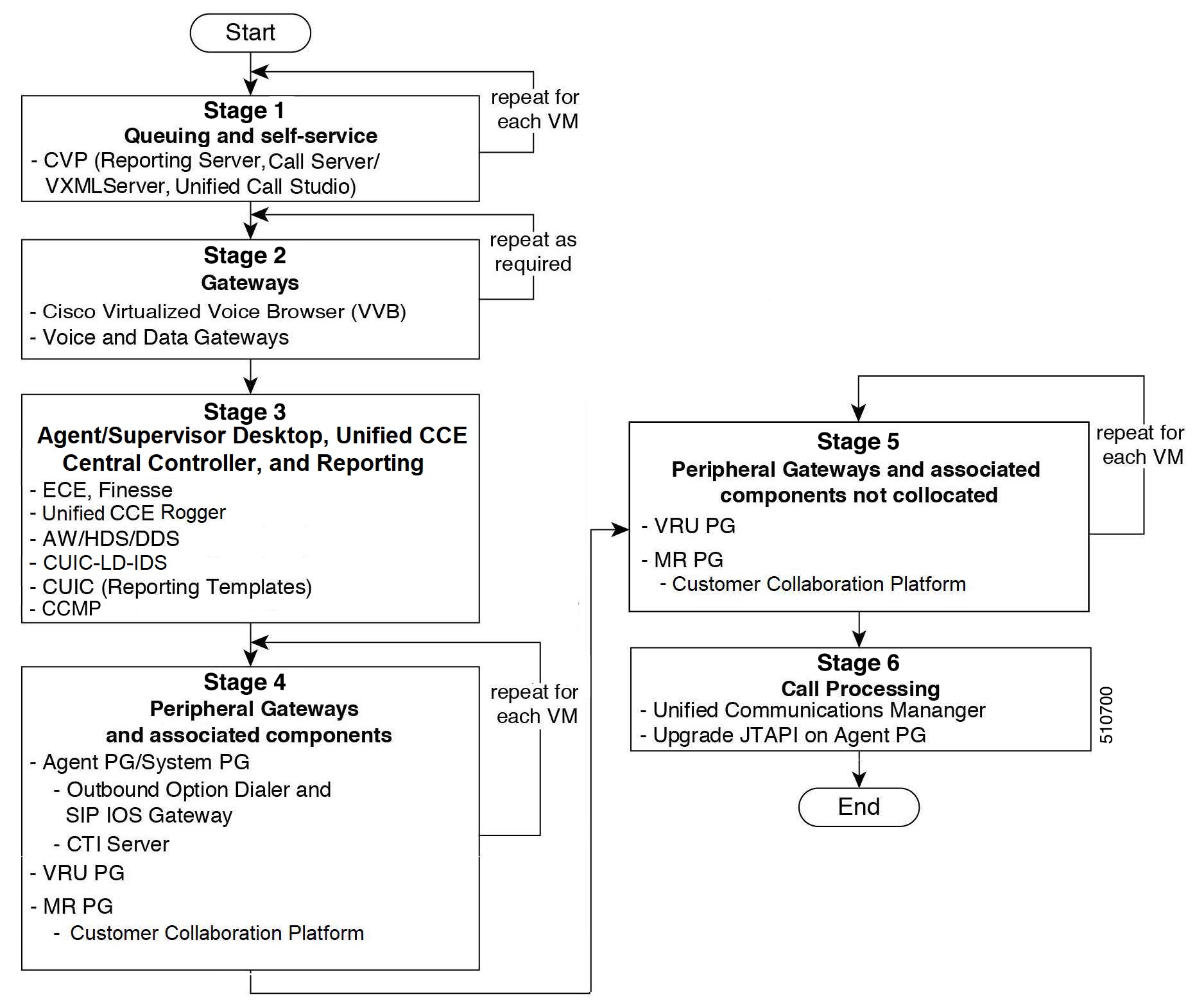
The following diagram illustrates the solution-level upgrade flow for the Packaged CCE 2000 Agent Deployment solution upgrade.


Note


This flowchart is not applicable for redundant upgrade workflow.


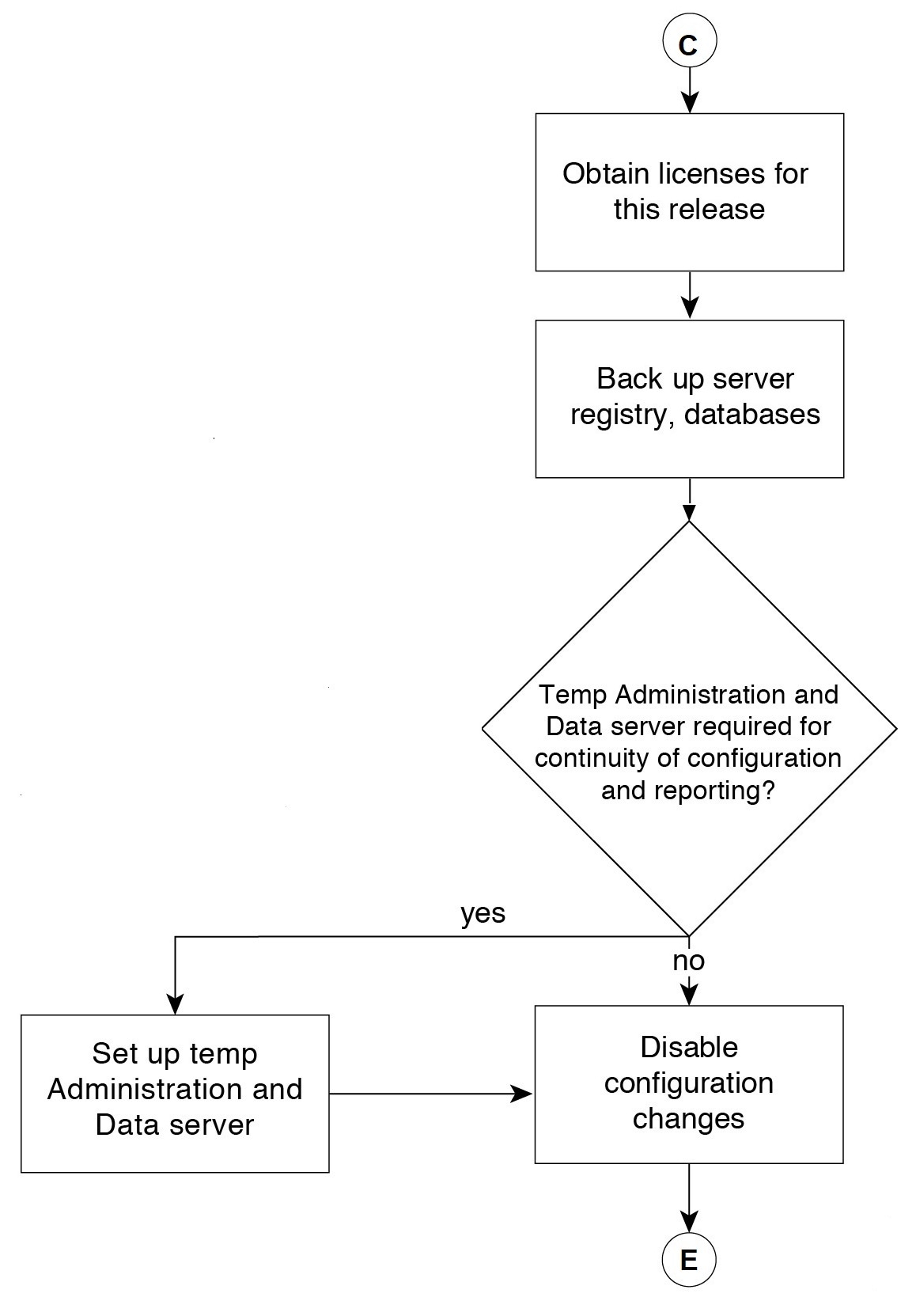
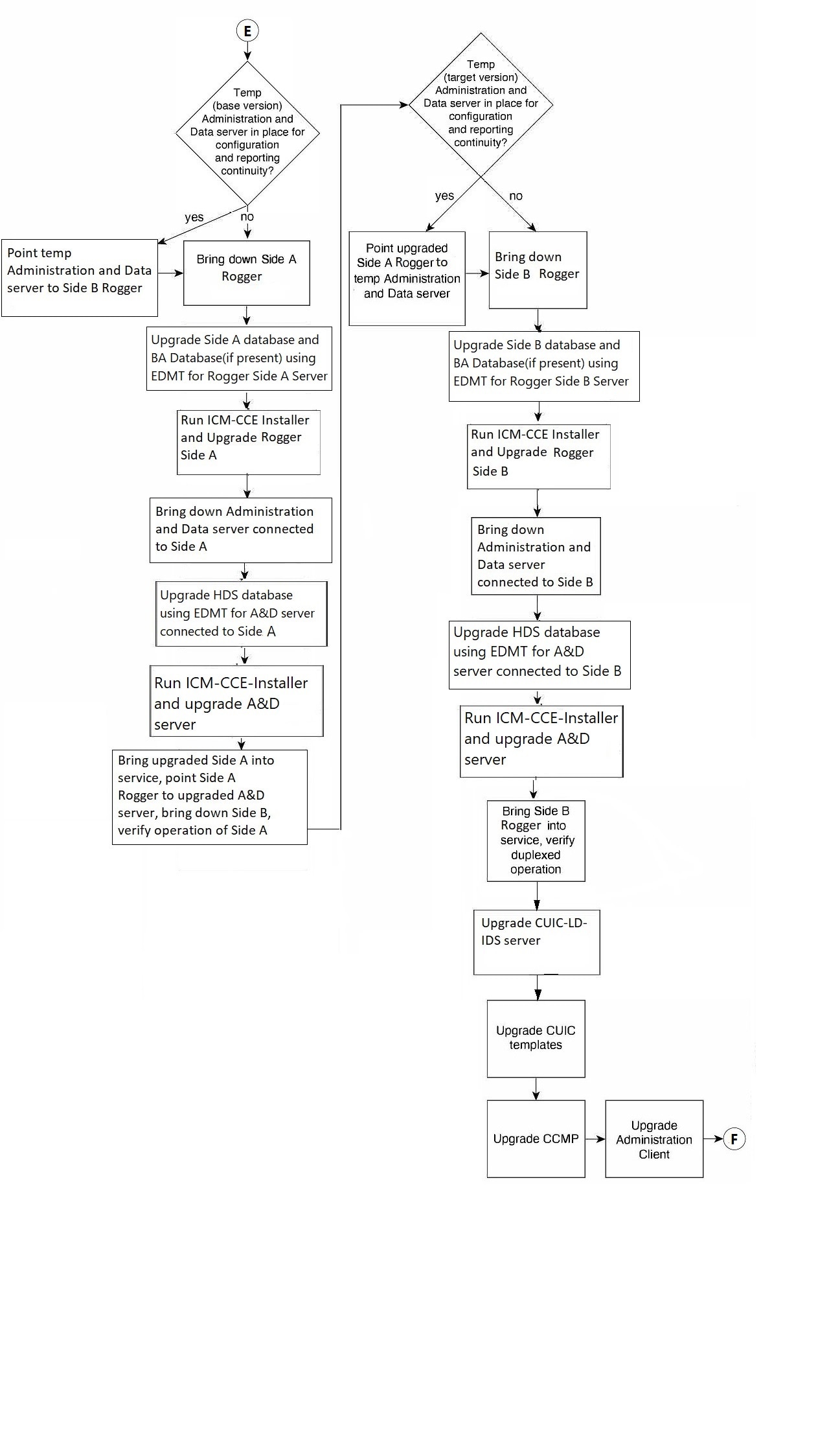
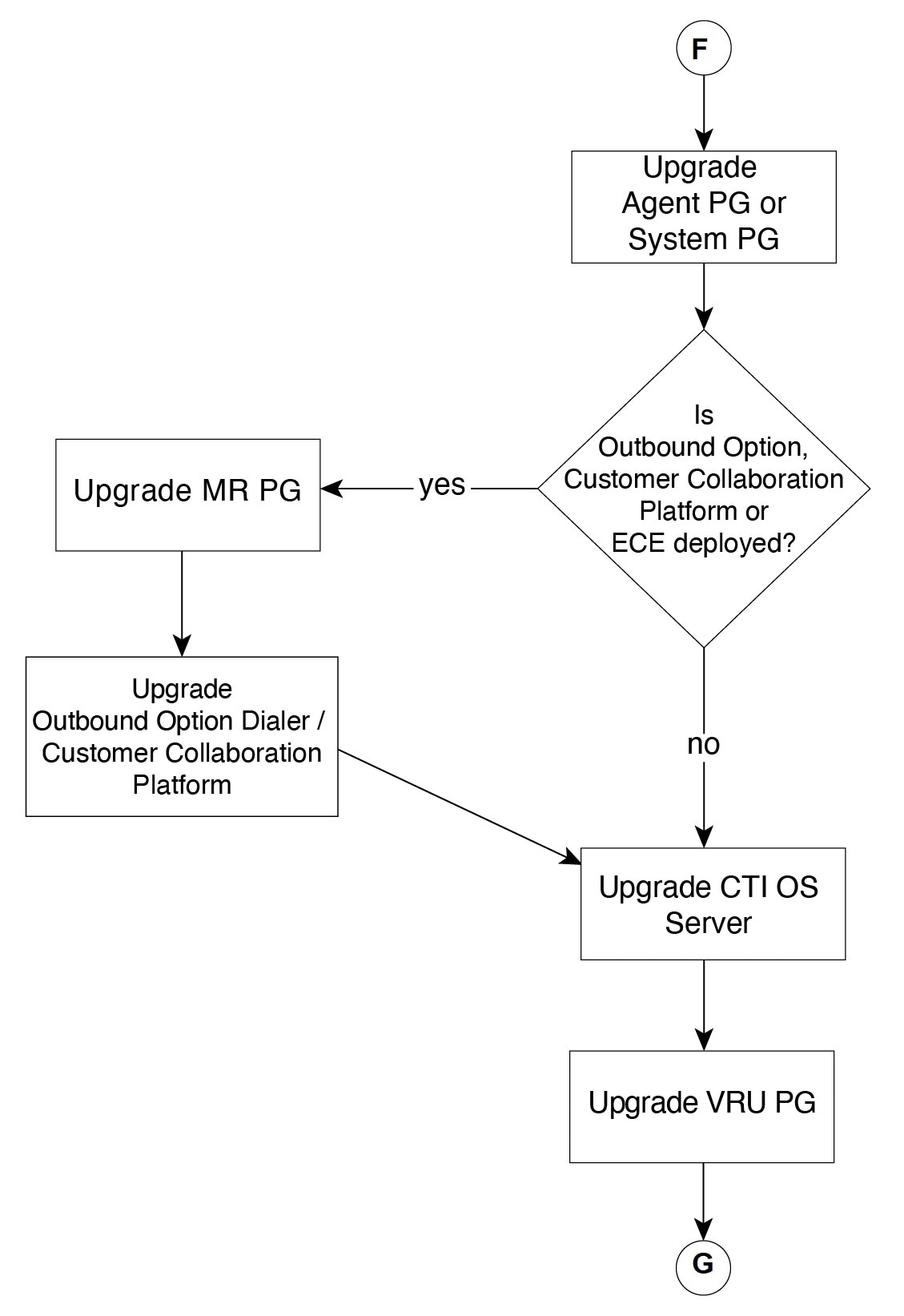
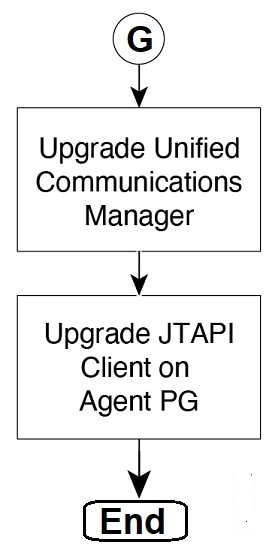
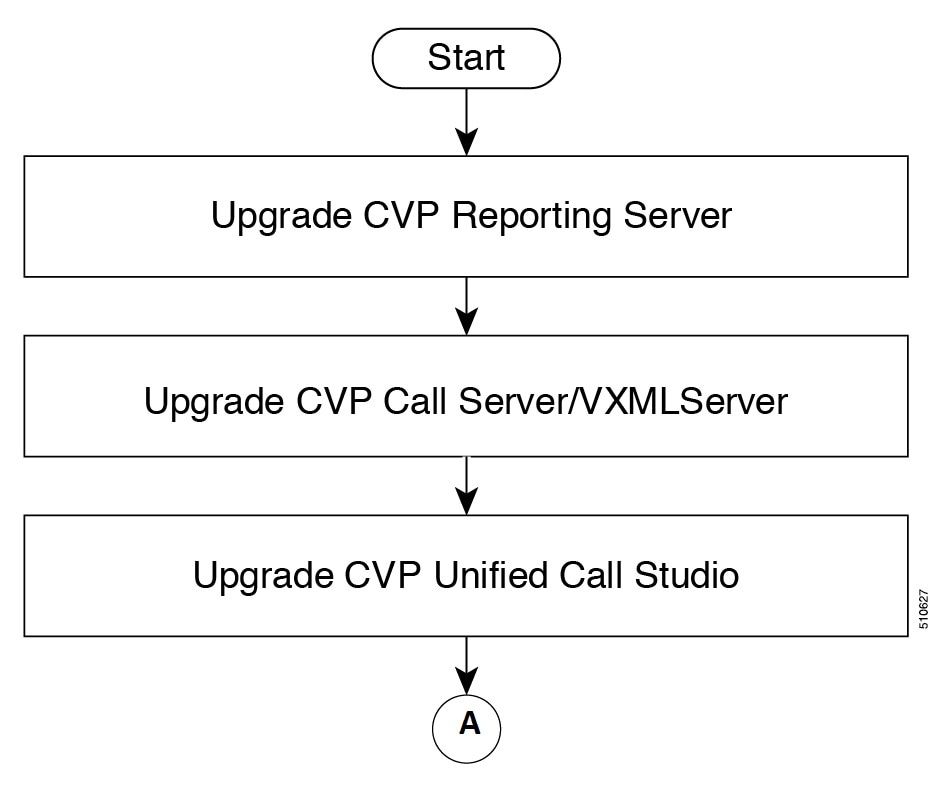
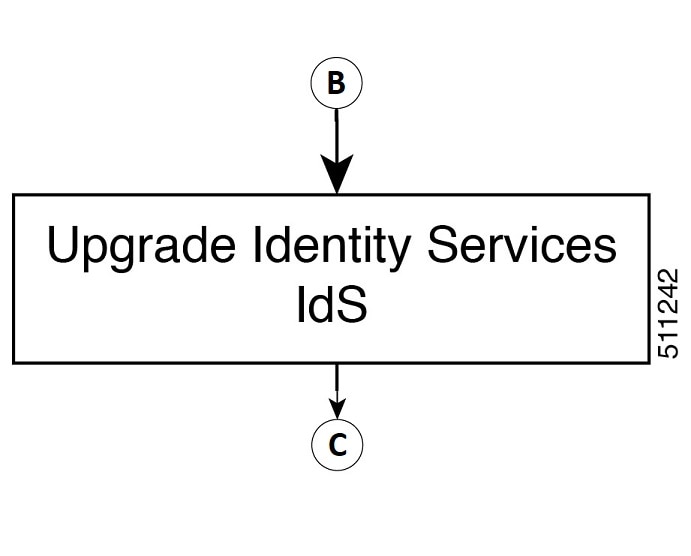
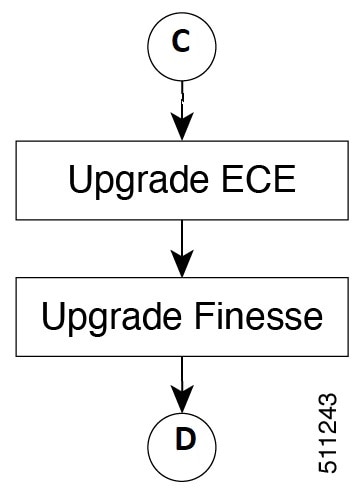
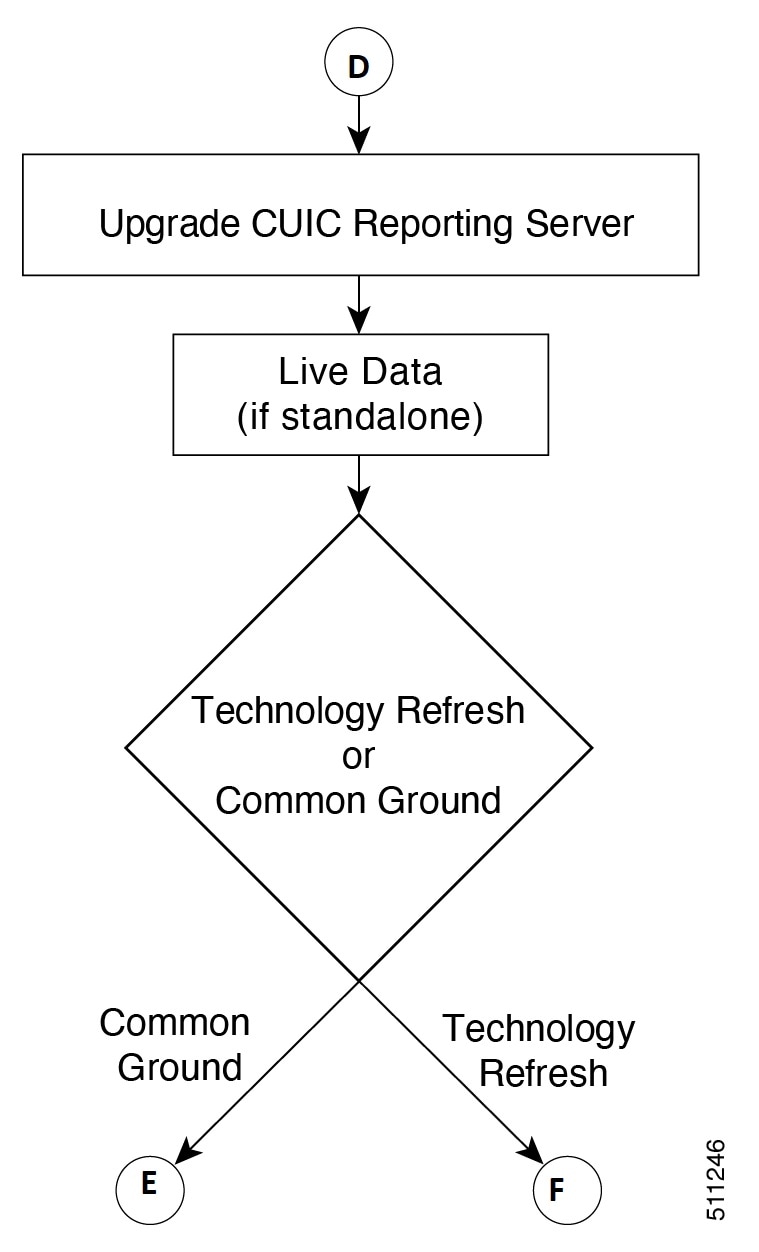
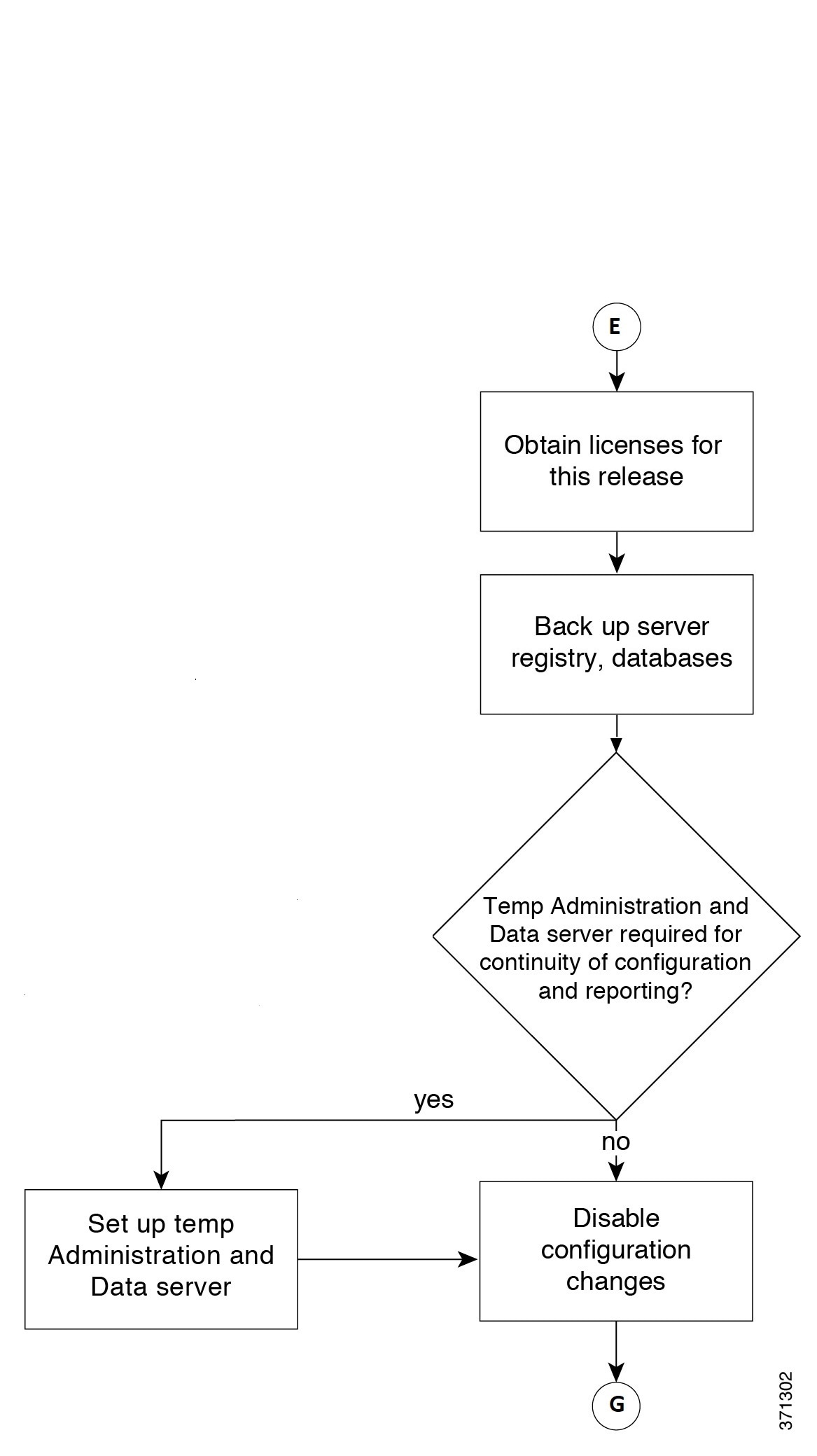
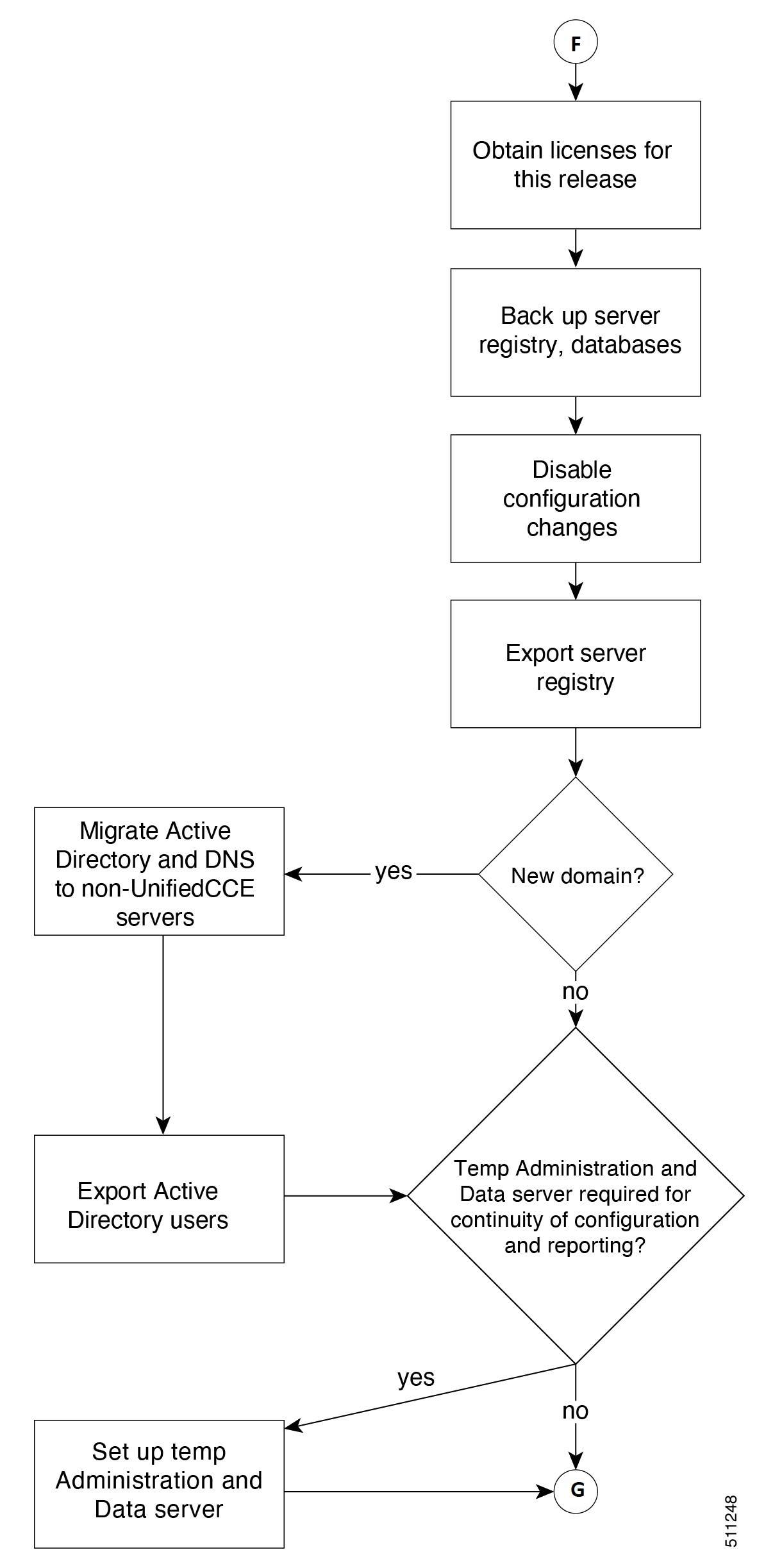
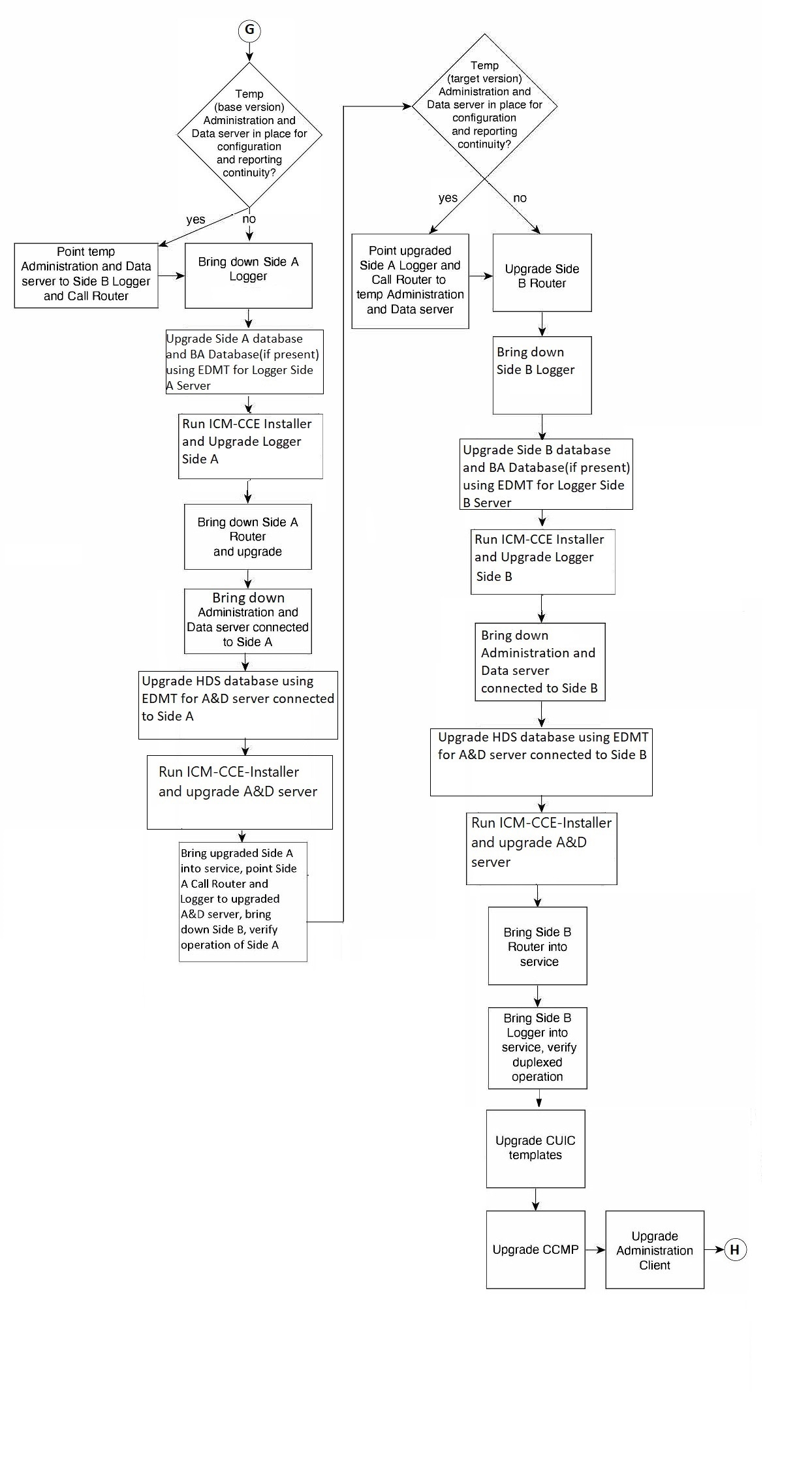
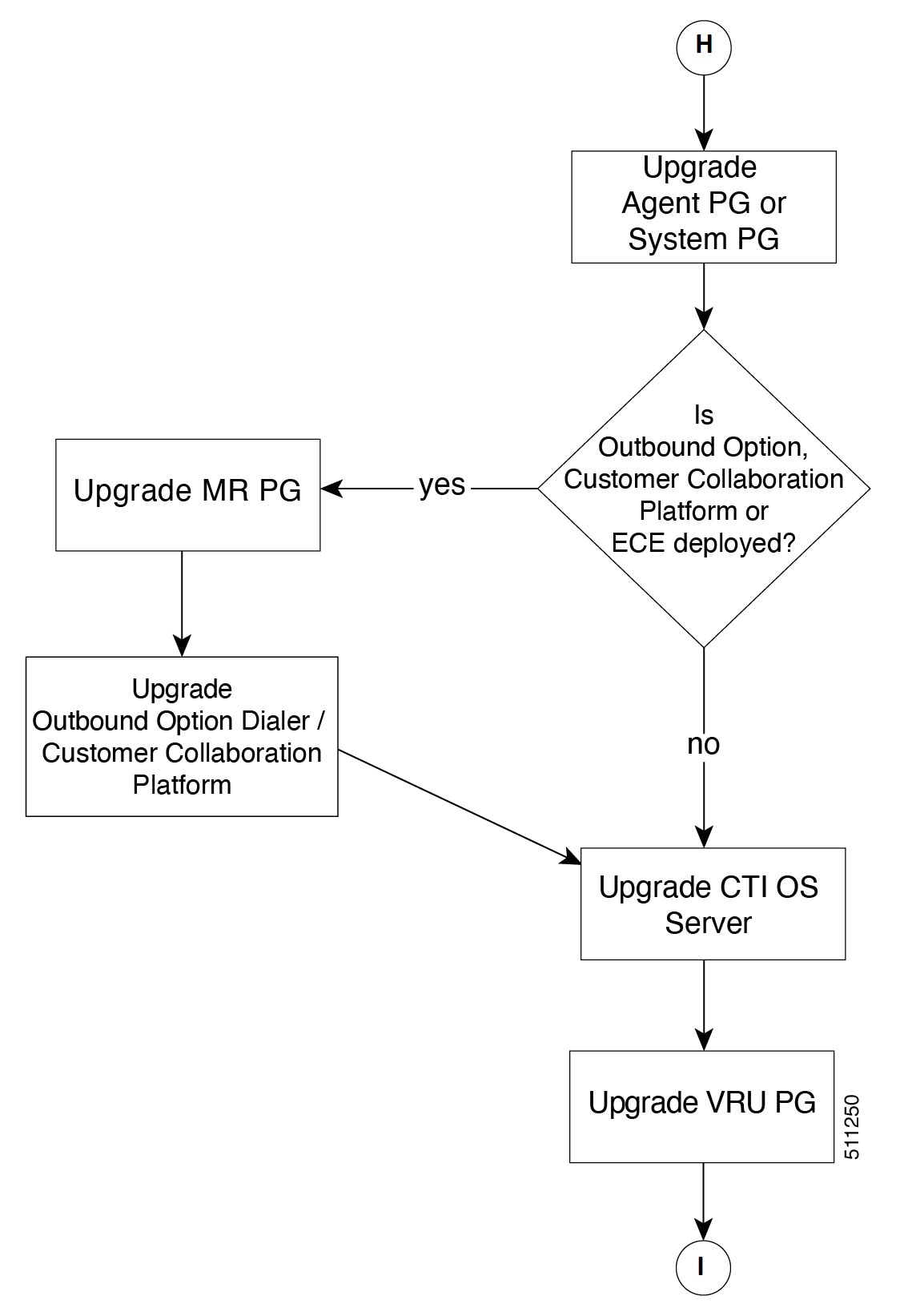
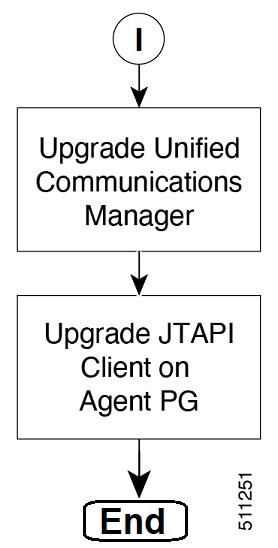
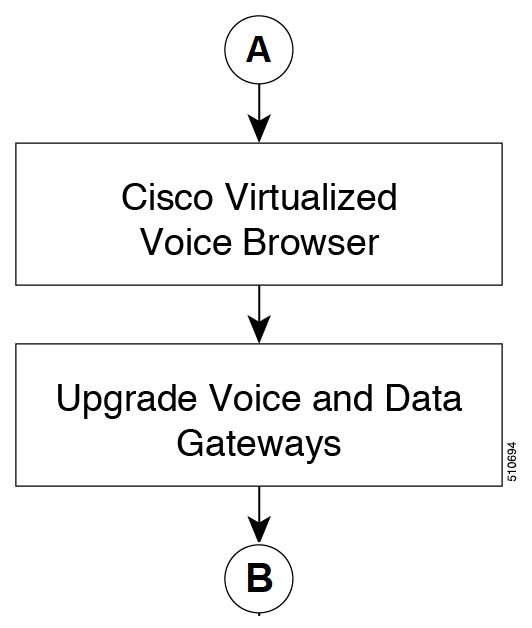
The following diagrams illustrate the stages of the component-level upgrade flows for the Packaged CCE 2000 Agent Deployment solution upgrade. Each diagram covers one of the stages. The letter at the end of each flow indicates the start of the next flow that you are required to perform.

Upgrade Flowcharts for 4000 Agents and above Deployments

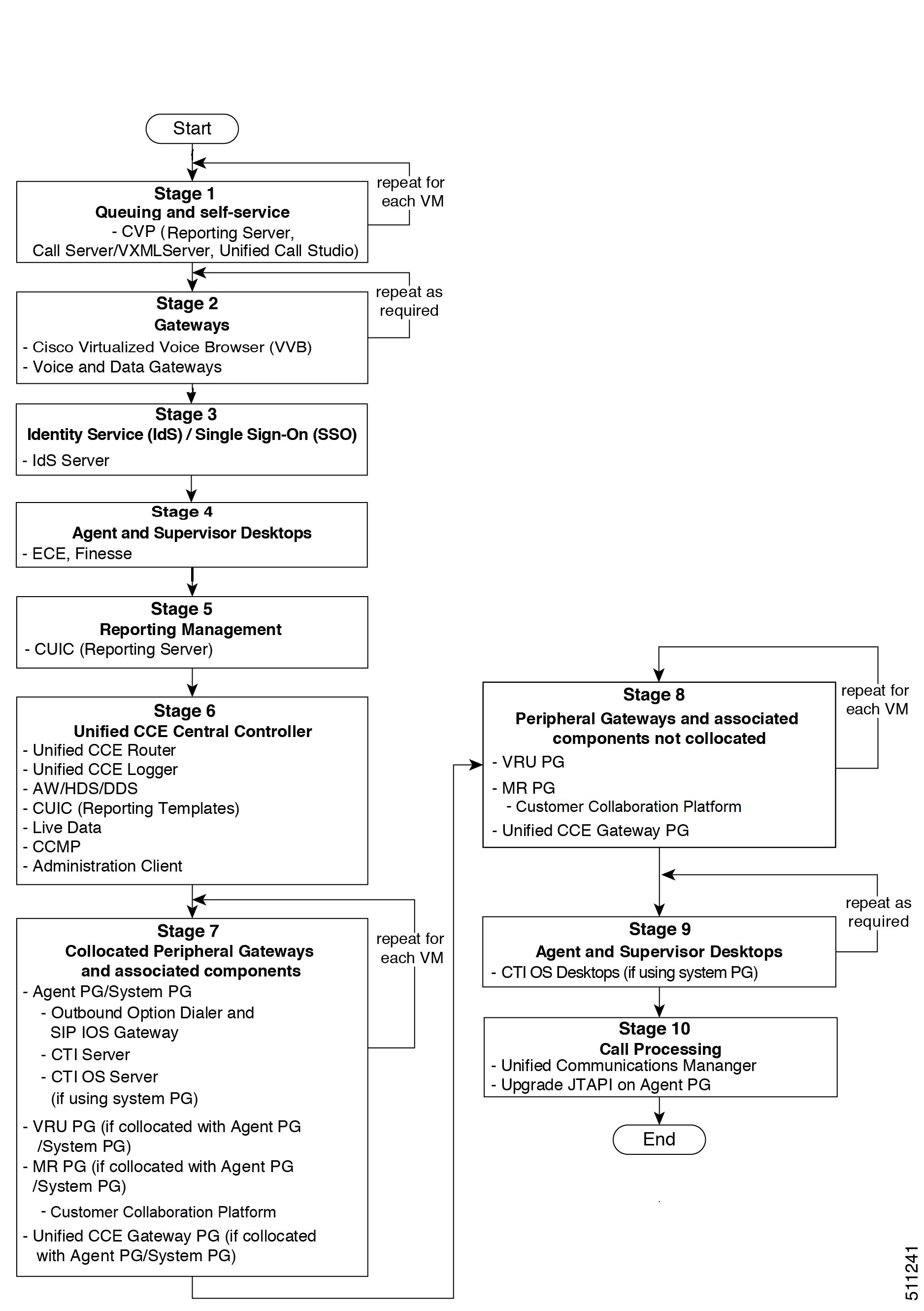
The following diagram illustrates the solution-level upgrade flow for the Packaged CCE 4000 Agents and above Deployment solution upgrade.

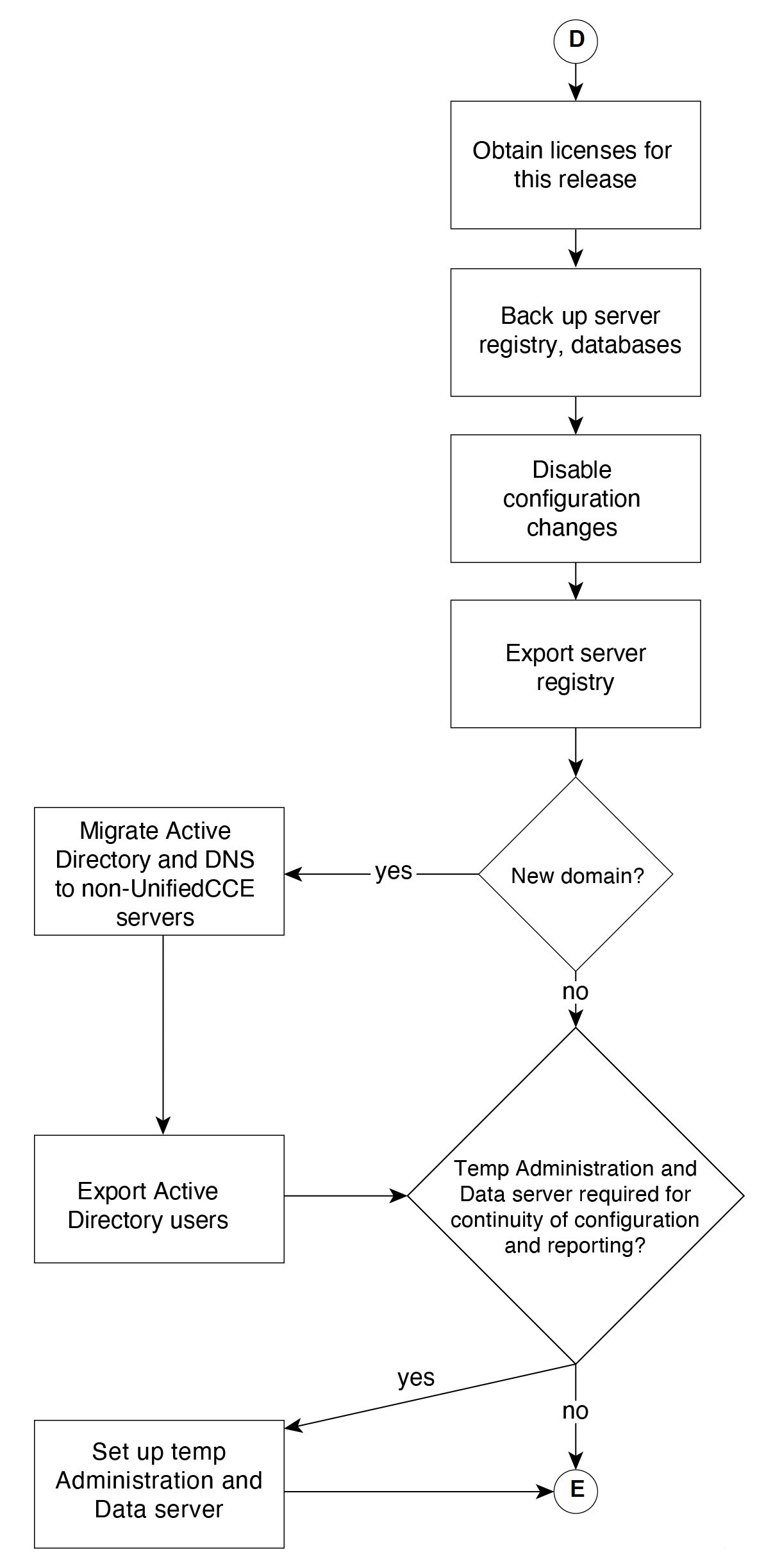
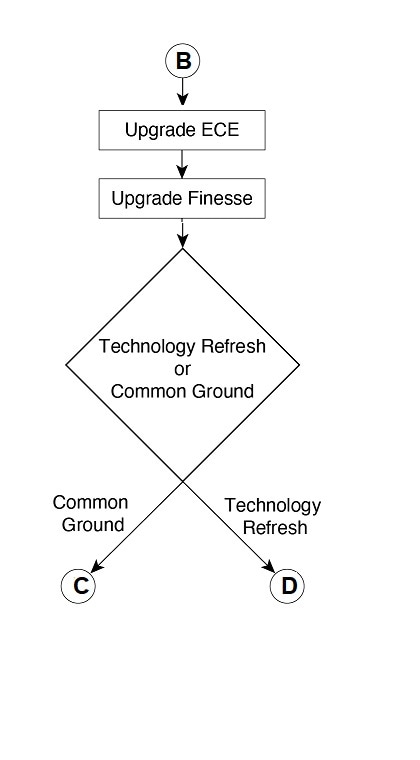
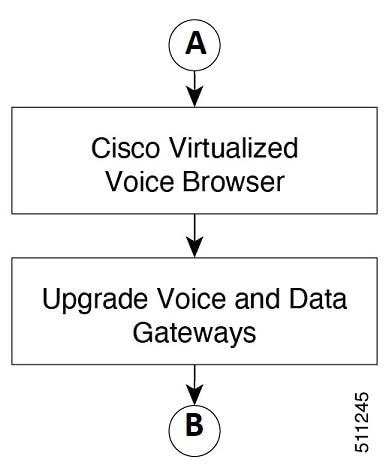
The following diagrams illustrate the stages of the component-level upgrade flows for the Packaged CCE 4000 Agents and above Deployment solution upgrade. Each diagram covers one of the stages. The letter at the end of each flow indicates the start of the next flow that you are required to perform.
Silent Upgrade

There are situations when silent upgrade can be used in running an installation wizard. You can run a silent installation while performing a fresh install or an upgrade.

For more information, see Silent Installation.