Who Should Use This Guide?
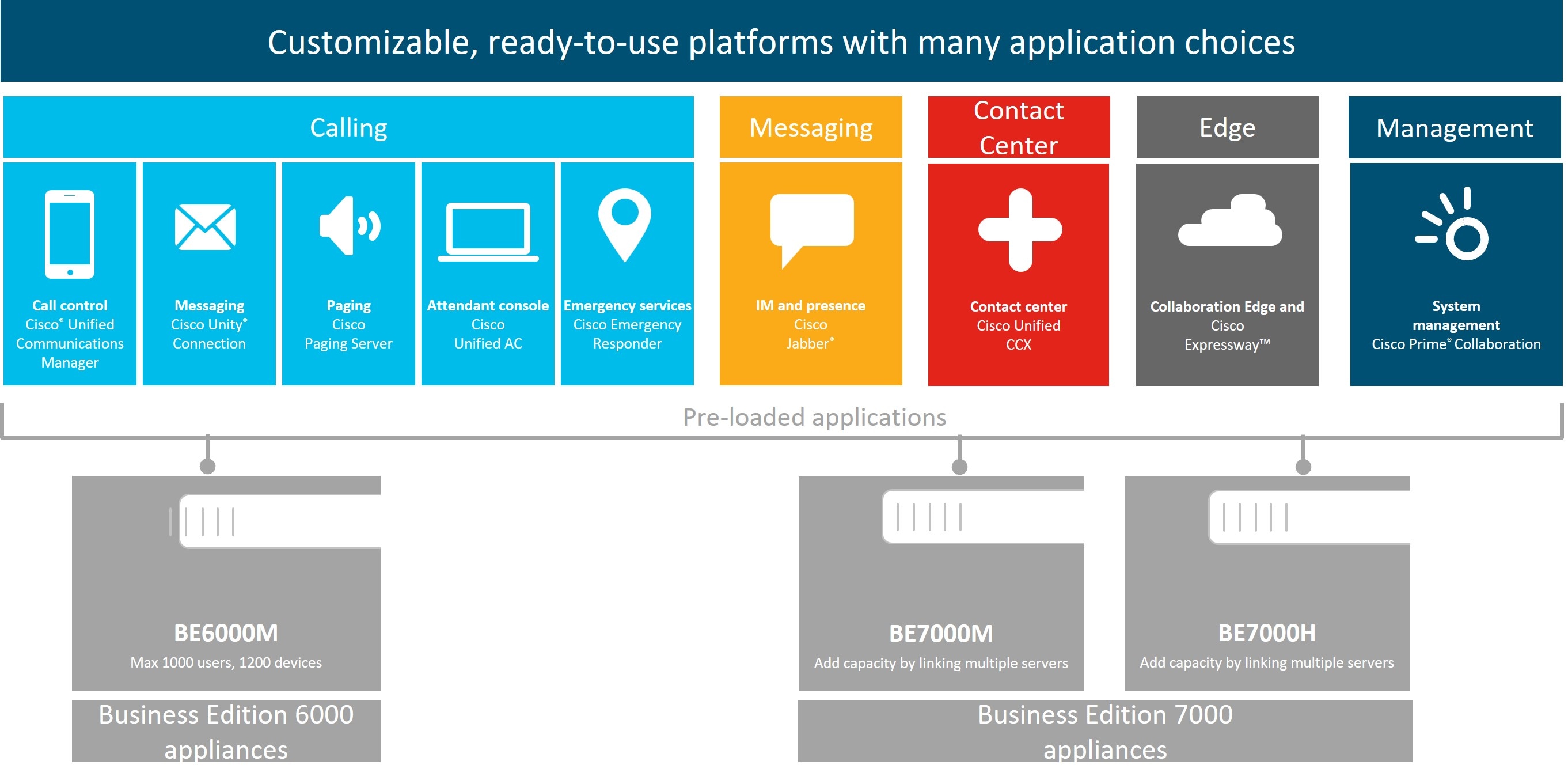
This guide is for deployments using the BE6000M (M6) BE7000M (M6) or BE7000H (M6) appliance models, factory-preloaded with the 12X14X-K9-15 or 12X14X-XU-15 applications suite for Collaboration System Releases 12.7 and higher, and 14.
This guide helps you set up your Business Edition appliance if you can answer yes to the following questions.
-
Are you doing a manual installation of applications on a Cisco Business Edition appliance? This guide covers everything that you have to do to customize it for your business needs.
Are you installing application versions from Collaboration System Release 12.7, 14 or later? If yes, this installation guide applies. If no, then your applications may not support ESXi 7.0 and you cannot leverage the factory-loaded software.
Applications from Collaboration System Releases 12.0, 11.x and older are not factory-installed on M6 appliances.
-
Does your deployment fit within the Supported Solution Capacities described in Appendix A?
 Note |
Cisco partners can find more information on the http://www.cisco.com/go/bepartner. |
 Caution |
Do not reinstall or downgrade the factory-loaded virtualization software. Do not reformat the disks or rebuild the storage hardware array. Either action wipes out the factory preloaded software and causes post installation licensing problems. |
 Feedback