Service Mesh/Istio

This chapter contains the following topics:

Introduction to Service meshes and Istio

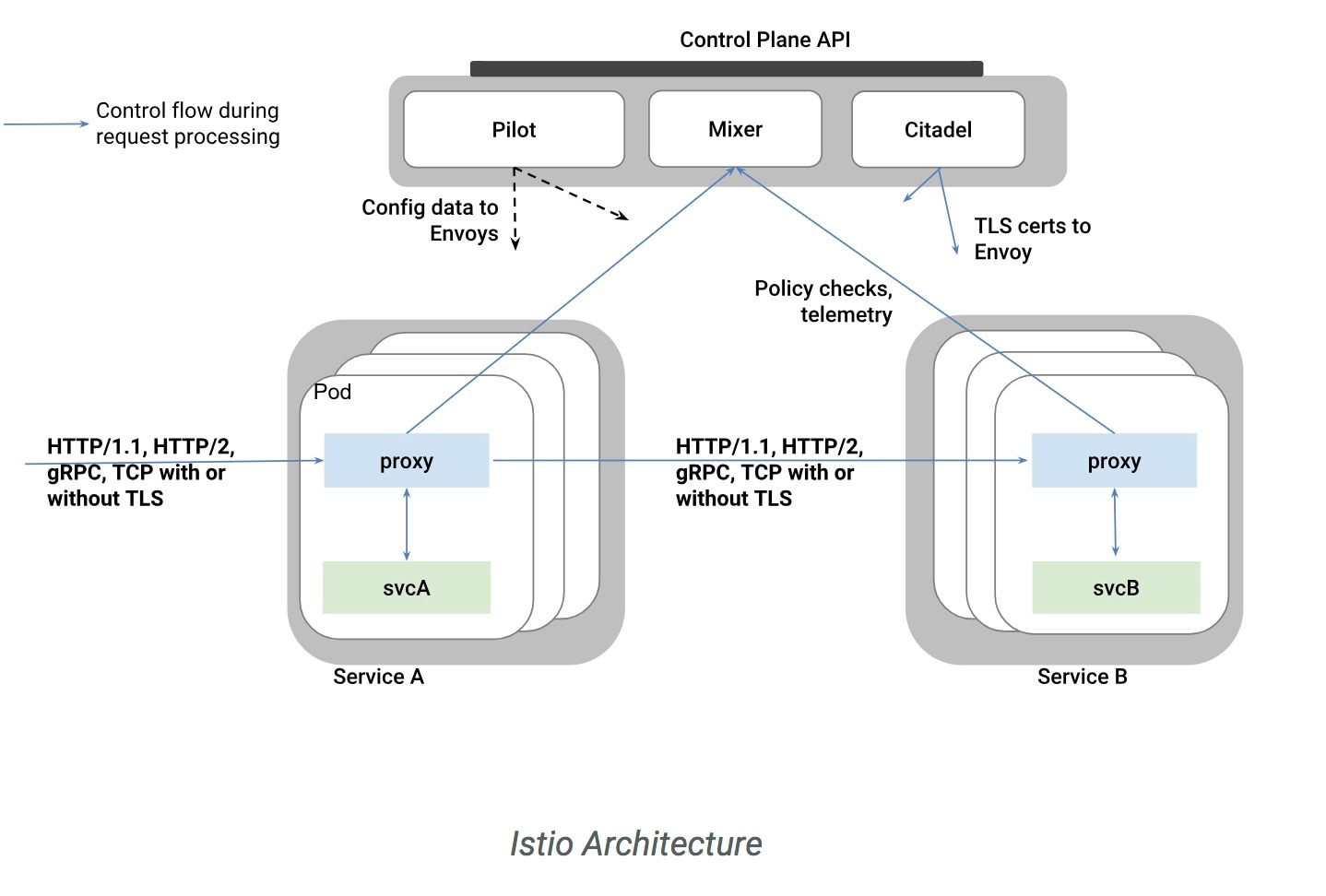
Cisco Container Platform includes support for Istio service meshes. An Istio service mesh is logically split into a data plane and a control plane. The data plane is composed of a set of intelligent proxies (Envoy) and the control plane provides a reliable Istio framework. The term Istio is sometimes also used as a synonym to refer to the entire service mesh stack that includes the Control Plane and the Data Plane components (although strictly istio is the control plane and a proxy like envoy is the data plane).

The Service mesh technology allows you to construct North-South and East-West L4 and L7 application traffic meshes. It provides containerized applications a language-independent framework that removes several common tasks related to L4 and L7 application networking from the actual application code while enhancing operational capabilities including monitoring, security, load balancing and troubleshooting for these applications. These tasks include L4 and L7 service routing and load balancing, support for polyglot environments in a language-independent manner and advanced telemetry. You can deploy a service mesh in a multi-cloud topology allowing these functions to operate with applications that run across multiple separate cloud deployments.

The following figure shows a high-level architecture summary of an Istio based service mesh architecture. In Cisco Container Platform, the components of Istio and Envoy are supported in the upstream Istio community. The Control and Data Plane components of the solution, including Pilot, Mixer, Citadel and the data plane Envoy proxy for both North-South and East-West load balancing, are supported on Cisco Container Platform.

For more information on these technologies, refer to the upstream community documentation pages for istio and envoy.

Note

Currently, this feature is marked as a Technology Preview feature and uses the Istio community version v0.8.0. You need to contact your service representative for support details for the version of Cisco Container Platform that you happen to be running.

Configuring Service meshes/ Istio in Cisco Container Platform

An Istio service mesh is a configurable feature on the Cisco Container Platform. You can configure a separate instance of the service mesh stack on each tenant cluster. Support for Istio needs to be configured at the time of creation of a tenant kubernetes cluster. You can perform this configuration using APIs or the Cisco Container Platform web user interface.

Each instance of the Istio service mesh consumes an IP address from the Virtual IP address pool that is associated with the tenant cluster. Consequently, you need to ensure that there is sufficient number of IP addresses free and available in the VIP pool before enabling Istio. Typically at least three IP addresses are required–1 each for the kubernetes api, kubernetes Ingress, and Istio ingress gateway. This number may change in future when additional features consume some more Virtual IP addresses.

For more information on the required number of Virtual IP addresses for a given software version of Cisco Container Platform, refer to the Virtual IP address section.

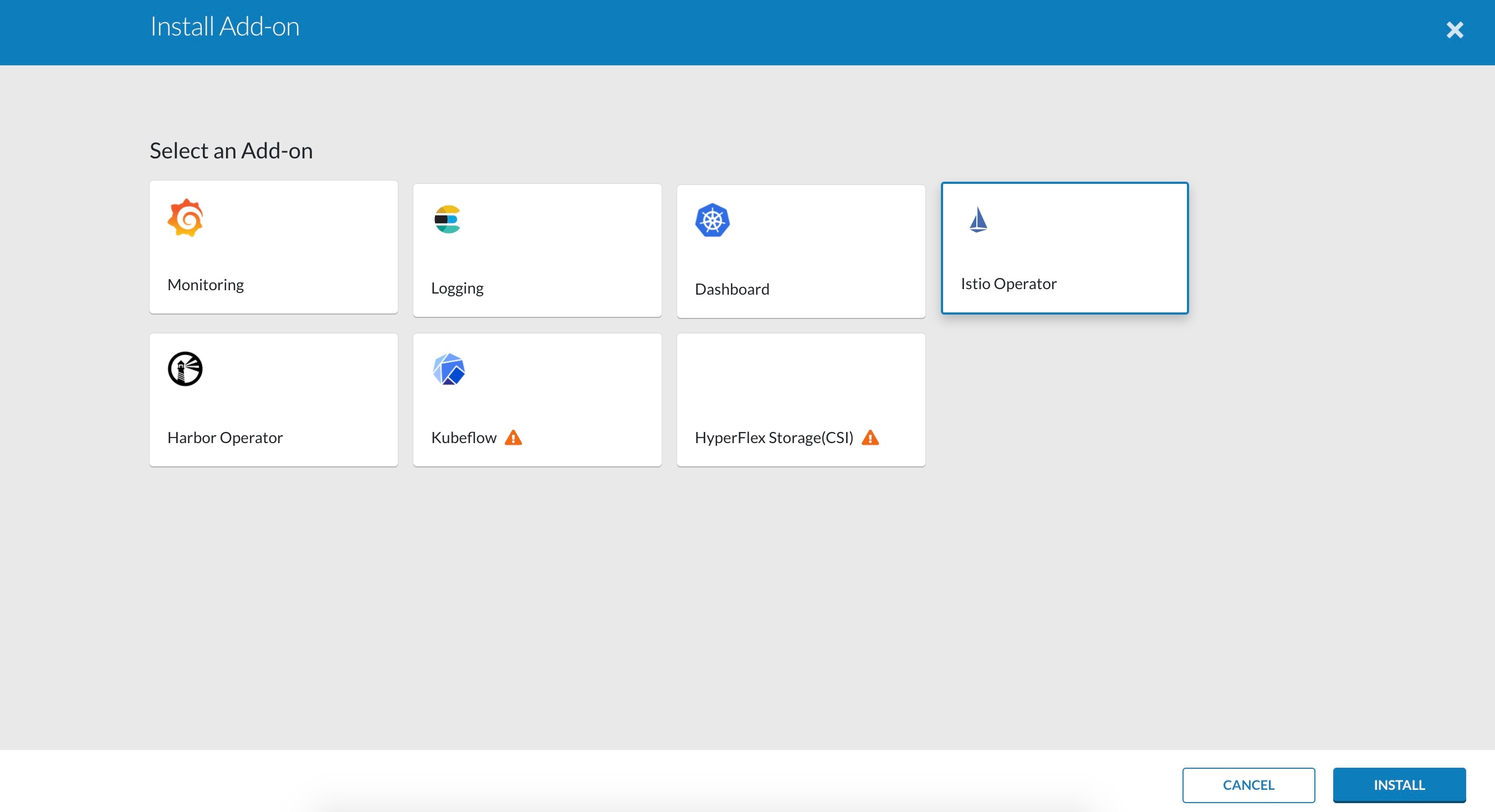
The following figure shows a screen capture from the GUI that shows how this feature can be enabled on a tenant cluster of the Cisco Container Platform.

Note that in this version of software, there is just a single boolean flag to enable an istio based service mesh in a tenant cluster of Cisco Container Platform. If enabled, a pre-determined configuration of an istio based service mesh (with envoy as the data plane) is configured in the tenant kubernetes cluster. An internal instance of a service loadbalancer is automatically configured and a Virtual IP address is automatically allocated for use by the ingress gateway function of istio.

Monitoring Service meshes

On Cisco Container Platform, the Istio control plane is deployed in a special istio-system namespace of a tenant kubernetes cluster. This is similar to how other add-on services such as Prometheus based monitoring or NGINX based Kubernetes ingress are provided to end users. In a production deployment, a tenant cluster admin will typically grant individual application teams read-write access to their own development namespaces but not to namespaces of system add-on services such as istio thereby protecting the control plane of such services from getting over-written accidentally or maliciously by end-user application containers.

The following is a checklist of monitoring and troubleshooting steps when using istio on the Cisco Container Platform:

  1. If tenant cluster fails to deploy with istio enabled, in addition to the usual troubleshooting steps for Cisco Container Platform, also check to ensure there were a sufficient number of Virtual IP addresses available in the pool configured for this tenant cluster. In v1.4 version of Cisco Container Platform, at least 3 IP addresses need to be free and available for a tenant cluster that also has istio enabled.

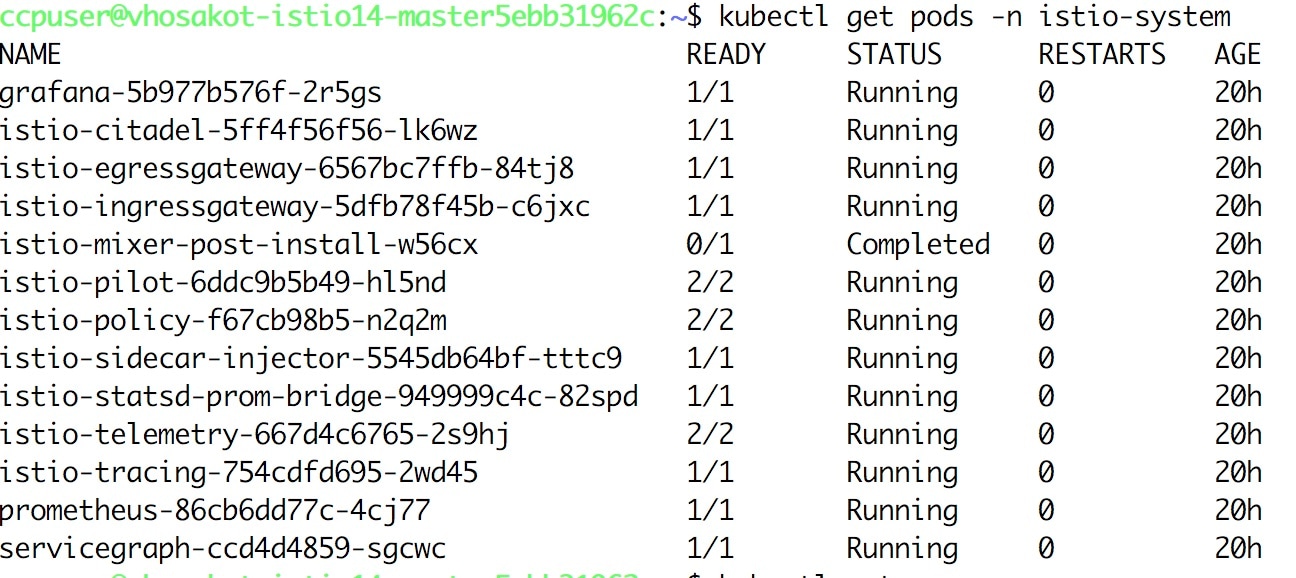
  2. Confirm that all pods are running in the istio-system namespace of the tenant cluster. The following figure shows a sample CLI output indicating all istio control pods are running correctly in a tenant cluster. If one or more pods continuously fails to run, use "kubectl describe pod <name_of_pod>" to try and isolate the issue.

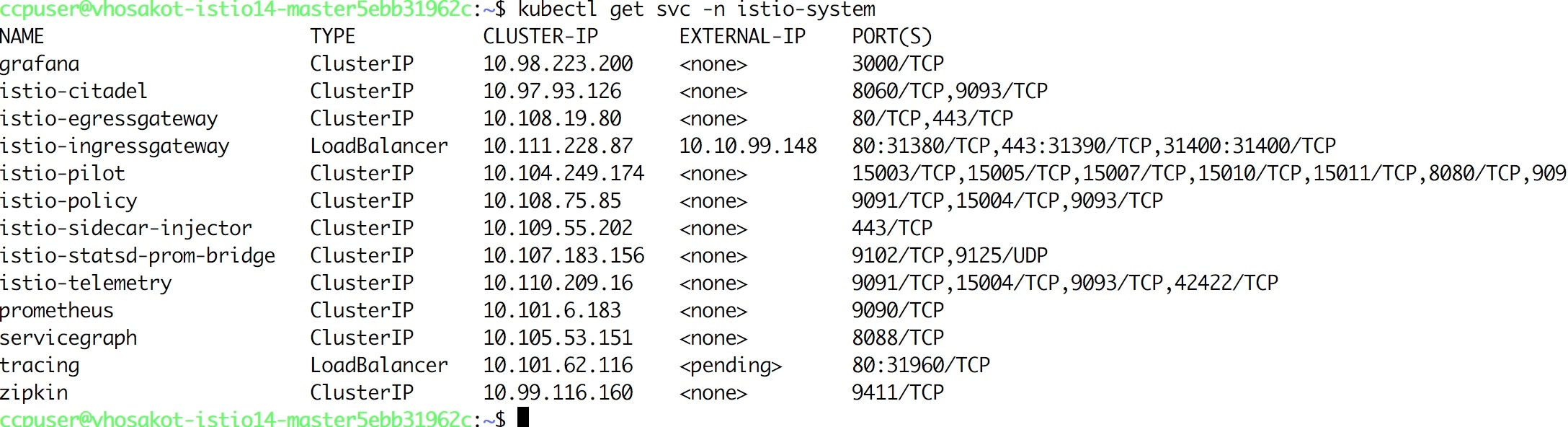
  3. Confirm that all istio services are running in the istio-system namespace of the tenant cluster. The following figure shows a normal working CLI output for checking this.

  4. Confirm that the ingress gateway service has an external IP address allocated and that this IP address is one of the previously available IP addresses in the Virtual IP address pool associated with this tenant cluster. An example of this CLI output can be seen in the prior figure.

  5. If everything looks okay you should be able to deploy sample applications such as the well known bookinfo example application documented in the istio upstream community web site.

  6. The istioctl cli utility is not deployed in the current version of the Cisco Container Platform. Most of the istio functionality is now available via regular kubectl based cli but if you should need to use istioctl, then the following steps can be used to deploy it on a tenant kubernetes cluster of the Cisco Container Platform.

    export ISTIO_VERSION=0.8.0
    curl -L https://git.io/getLatestIstio | sh -
    chmod +x istio-${ISTIO_VERSION}/bin/istioctl
    sudo mv istio-${ISTIO_VERSION}/bin/istioctl /usr/local/bin/
    istioctl version

Since istio is an early and evolving project, you are encouraged to make use of upstream documentation for full details and operational guidelines.