Accelerate your business with a wireless network that scales for AI, defends against modern threats, and reduces operational complexity.
Modernize for AI—with AI
Explore all the possibilities of Wi-Fi 7
From offices to hospitals to factories to stadiums, support today's workplace transformation with intelligent, secure, and assured wireless networking solutions—with Cisco.
Scalable wireless solutions built for AI
Support AI workloads and experiences with advanced access points, secure wireless controllers, campus gateways, and Ultra-Reliable Wireless Backhaul engineered for scale, high throughput, and low latency.
Simpler wireless operations powered by AgenticOps
Reduce tickets and enable your network to adapt in real time. Go beyond AIOps with faster troubleshooting, continuous optimization, and trusted validation with machine-speed execution.
Security fused into the network
Deliver end-to-end security, segmentation, and scalable policy at every layer to protect your people, devices, data, and connected apps and agents.
A proven leader in enterprise networking
Cisco named a Leader in the 2026 Gartner® Magic Quadrant for Enterprise Wired and Wireless LAN Infrastructure
See why Gartner recognized Cisco innovation and execution in AgenticOps, enabling faster, more proactive insights and continuous troubleshooting across the network.
Cisco named a Leader in the IDC MarketScape: Enterprise WLAN 2025 report
Explore the 2025 IDC MarketScape report on the evolving WLAN market and strategic considerations that make Cisco a Leader in providing secure, scalable, and intelligent wireless networking.
Make a seamless transition to Wi-Fi 7
Realize strategic opportunity
Explore the future of wireless: faster, smarter connections that deliver secure and flawless experiences—every time.
Design your wireless network
Use this technical design guide to deploy a future-proof wireless Wi-Fi 7 network. Includes validated tips for hardware, security, RF design, and AI-powered digital assurance.
Smarter Wi-Fi, smarter spaces
Maximize wireless investments using sensor data to deliver cloud-based services like real-time location tracking, asset management, and environmental monitoring—with Cisco Spaces.

Wireless controllers
Give your management capabilities a boost with intelligent wireless controllers.
Campus gateways
Get seamless roaming and scale for your cloud campus network.

FAQs
Cisco AgenticOps for wireless
Cisco AgenticOps for wireless is Cisco’s approach to using AI agents, automation, and network intelligence to help IT teams sense, diagnose, and remediate wireless network performance and connectivity issues. It helps teams move from reactive troubleshooting to more proactive and faster wireless resolutions.
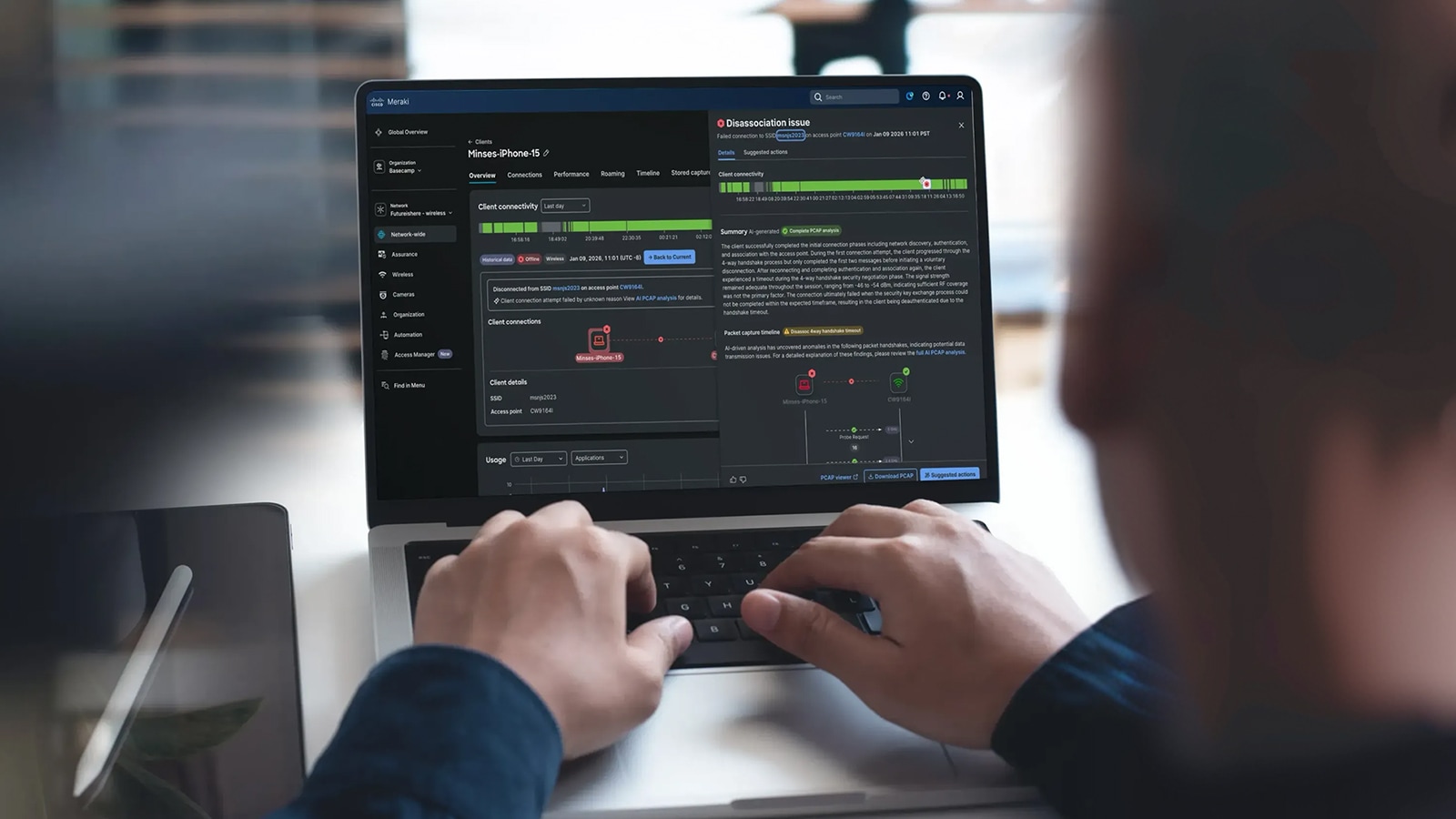
AgenticOps helps wireless teams identify and resolve issues faster with AI-driven insights, recommended actions, and several agent-driven automations. Experience Metrics shows where user experience is degrading, while AI PCAP and AI Configuration Recommendations help translate complex troubleshooting data into plain language and suggest next steps. The Cisco AI Assistant and Agentic Workflows solutions transform previously arduous, manual tasks into automated resolutions in minutes.
Cisco AgenticOps can help identify common wireless issues such as client connection failures, authentication problems, DHCP or DNS issues, roaming challenges, RF health concerns, configuration gaps, and degraded user experiences.
Traditional AIOps often focus on alerts, dashboards, and recommendations. AgenticOps goes further by helping turn network insights and data into guided or automated actions, with validation that the action improved the network or user experience.
All Cisco wireless access points support AgenticOps, with available features varying by model.
AgenticOps helps IT teams focus on the actual experience users are having on the network. For example, if an access point goes down but clients seamlessly roam to a nearby access point, is the user experience degraded? Instead of only looking at infrastructure health, teams can better understand when users are impacted, where the experience is degrading, and which actions can be taken to improve performance.