- Preface
- Product Overview
- Supported Features
- CT5760 Centralized Configuration Example
- Mobility Architecture
- Bring Your Own Device Security Configuration
- Secure WLAN Configuration
- 802.11ac Support on WLC5760 and Catalyst 3850
- Radio Resource Management Configuration
- CleanAir
- Configuring ClientLink (Beamforming)
- High Availability
- Interface Group
- Multicast Configuration
- Installing and Upgrading Software Image on a CT5760
- Adding WLC to Prime
- Application Visibility and Flexible Netflow
- Service Discovery Gateway (mDNS Gateway)
- QoS Configuration
Adding WLC to Prime
Complete these steps to add controllers:

2. Navigate to PI > Operate > Device Work Center.

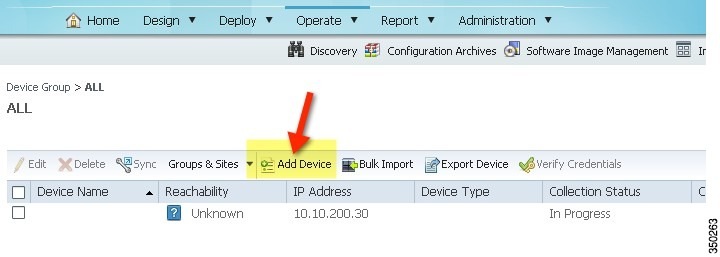
b. Read-Write SNMP string (private)
5. Confirm Cisco Prime Infrastructure discovery of the CT5760 - if reachable and successful, status shows complete with the correct device type.
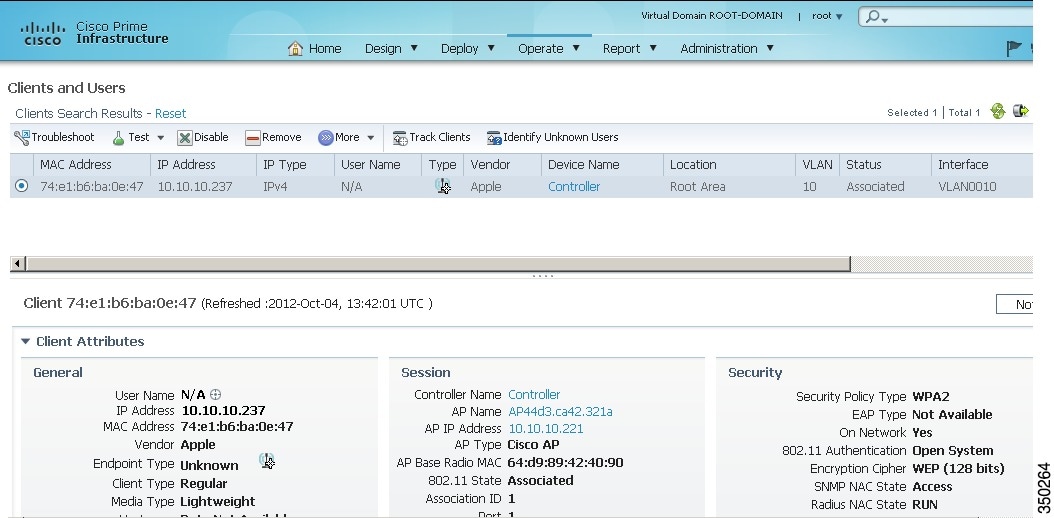
6. Explore Cisco Prime Infrastructure GUI in management of CT5760, for example, client statistics, details, reports, and so on.
 Feedback