Meraki Go devices
Access points
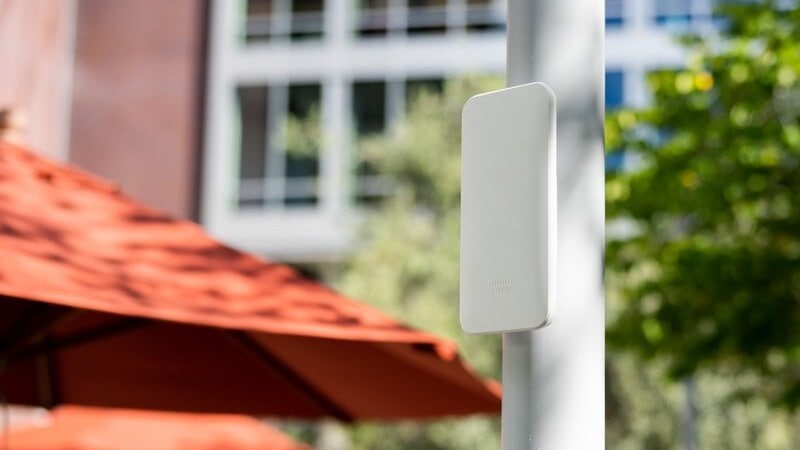
The Wi-Fi access point will allow all your digital devices to connect to the network. Add an outdoor access point to make sure you have outdoor coverage, and more indoor access points so they can talk to each other and give you wider coverage.
Router firewalls
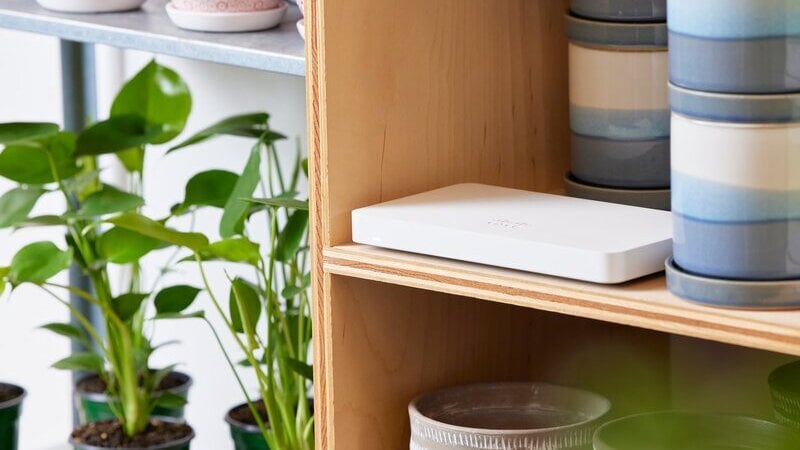
Router firewalls plug into your existing modem to access the internet service you already pay for. The router gives you firewall protection and automatic security for your whole setup without the need for a licensing fee.
Network switches
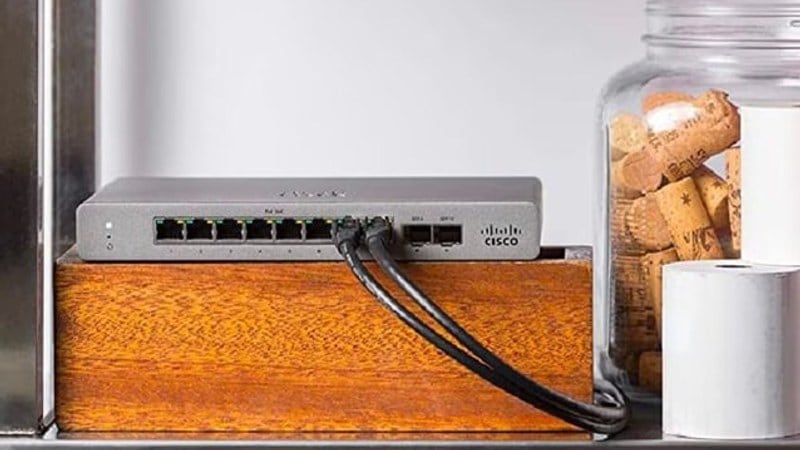
The network switch connects to your gateway (you’ll probably put them together in the same spot as your modem). The switch is what gives you control over your bandwidth and ensures your critical devices always have priority. Connect all your wired devices to the network switch, including your Wi-Fi access point.

Contact customer support
The Meraki Go customer support team is available Monday to Friday from 7am-4pm CST to help with any questions or issues you may have.
To get in touch with the support team, you can submit a ticket directly in the Meraki Go web portal. From the web portal, select Contact Support from the user icon dropdown in the top right or visit the web portal link.
FAQ
Networking basics
Wi-Fi 6 is the next generation of Wi-Fi. Like Wi-Fi 5, it connects you to the internet, but it’s significantly faster and makes your network more efficient. Wi-Fi 6 introduces:
- New capabilities to handle increased traffic demands
- Increased capacity and coverage
- Network intelligence
If you’ve got more people and devices connecting to your networks, Wi-Fi 6 provides better performance with greater speed, capacity, coverage, and flexibility for small businesses. The key benefits of Meraki Go’s Wi-Fi 6 indoor and outdoor access points are:
- 3x faster speeds with 1 Gbps Ethernet ports
- 2x capacity which allows up to 100 clients for each access point
- 4x the bandwidth with 1024 QAM
- Mesh-capable
A network combines your devices together - computers, mobile phones, printers, point-of-sale systems, security cameras - for the purposes of sharing information or communicating with each other or other networks.
The complete Meraki Go system includes a switch, access point, and Router Firewall. It provides all you need to deploy a simple, secure, and reliable cloud-based network that you can manage from the mobile app or online.
Yes, you can add any of our Meraki Go devices, including the Router Firewall and switches, to create a complete network with your existing router.
That said, for the best results, we recommend replacing your existing router with the full suite of Meraki Go hardware. This allows you to create a more secure and scalable network that you can manage through the mobile app or online.
An access point is a networking device that creates wireless connectivity (Wi-Fi) through a wireless local area network (WLAN).
The Meraki Go access point is a do-it-yourself cloud-based Wi-Fi device that replaces a traditional router. It enables you to increase productivity and enhance customer experiences through reliable online connectivity, business-grade cybersecurity, and actionable insights about devices in your network.
Each Meraki Go account allows you to have up to 50 Meraki Go access points, which includes any combination of indoor and outdoor access points.
Meraki Go access points utilize something known as AutoRF, which allows them to automatically determine the best channels to use based on a variety of factors. Since channel changes can interrupt clients, Meraki Go access points will wait until there are no clients on the network to change to a better channel if necessary.
A switch is commonly the foundation of a business network. The Meraki Go switch seamlessly connects all your Wi-Fi-enabled devices with wired devices in a network through its physical ports. Devices could include desktop computers, mobile devices, printers, and VoIP phones.
Switches are helpful if you have multiple Wi-Fi-enabled devices within a home or office and want to join them on a single network. This can include computers, printers, security cameras, or smart TVs. The switch allows them to communicate with one another and not compete for Wi-Fi, which optimizes the Wi-Fi experience.
There is currently no limit on switches allowed in Meraki Go accounts.
The Meraki Go Router Firewall allows your devices to connect to the internet while protecting your business from online threats by filtering out malicious traffic. It acts as a barrier to protect your internal network against external cybersecurity risks.
Only one Meraki Go Router Firewall is allowed in an account. This is due to the fact that one account should be one location and the Router Firewall should be its entrance to the internet.
At this time, there isn’t a way to export your network configurations. While exporting capabilities are a feature being evaluated, we recommend the workaround below.
You can copy/paste your network configurations from the web portal or mobile app.
From the web portal:
- Log into your account from the web portal
- Select and copy/paste any network information you need.
- If you’re trying to copy device or hardware information e.g. from Hardware > Product information, you can click on any field (e.g. model, serial MAC address, hostname, etc.), and it will be automatically copied to the clipboard.
From the mobile app:
- Open up the Meraki Go mobile app
- If you’re trying to copy device or hardware information, e.g. from Hardware > Product information, you can tap and hold on any field (e.g. model, serial MAC address, hostname, etc.), and it will be automatically copied to the clipboard.
From there, simply paste the hardware info where it’s needed.
Meraki Go versus Cisco Networking
Cisco Networking is an enterprise-grade cloud management system. Clients include colleges and universities, retail and restaurant chains, hospital systems, and sporting venues like SoFi Stadium.
Meraki Go provides a simple, secure, and smart networking solution for small businesses. The cloud-based system empowers business owners with a reliable system they can easily install and manage themselves. Meraki Go is sold directly to customers through partners like Amazon.
Meraki Go and Cisco Networking devices currently cannot be combined. They cannot be managed through the same dashboard or mobile app, and Meraki Go access points and Cisco access points also do not mesh or connect to each other.
We recommend creating your Meraki Go networks using only Meraki Go devices.