“Run Adaptive Response Actions”未列出Splunk中的所有警报操作。
适用范围
Splunk应用加载项描述
描述:
1.在Splunk ES搜索头上安装TA-theve & TA-PagerDuty。
2.编辑关联搜索时,他们在自适应响应操作(Adaptive Response Actions)下获取这些应用的警报选项。但在事件审核面板中,当他们在尝试添加“运行自适应响应操作”(run adaptive response action)时,他们仅获取默认警报操作,而不获取配置单元和PagerDuty。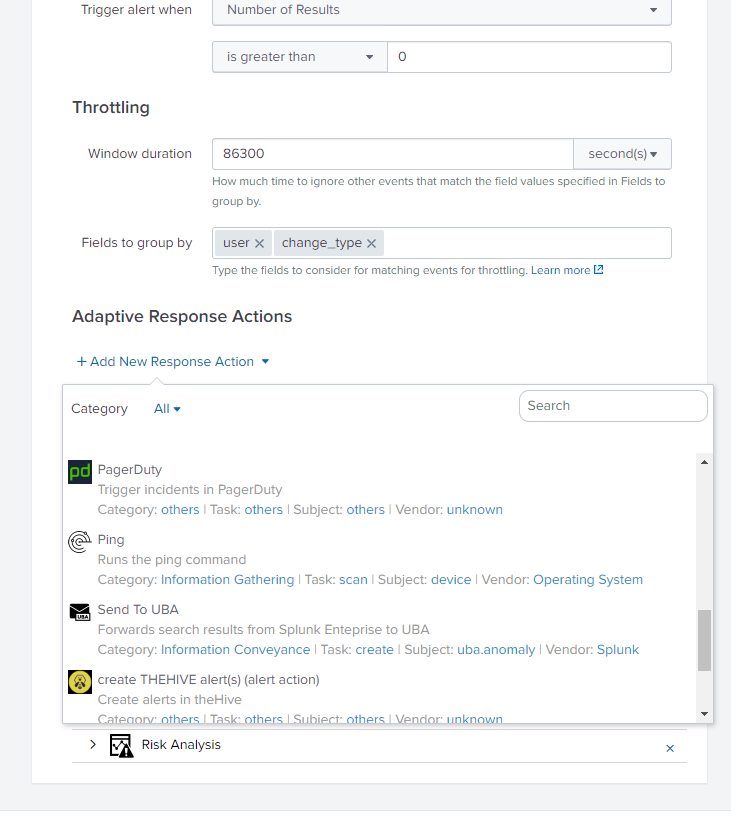
调查
架构:ES v 5.3.1 | Splunk v 7.3.1
观察:在我的Splunk环境中,我安装了相同的插件来检查Splunk行为,结果发现相同。
复制步骤:
1.在ES搜索头上安装TA-themive(https://splunkbase.splunk.com/app/4380/)和PagerDuty Addon(https://splunkbase.splunk.com/app/3742/)。
2.编辑关联搜索并检查自适应响应操作,您将看到“配置单元与寻呼任务”作为警报操作。
3.转至事件审查面板。在任何值得注意的选项前面点击“Action”,然后选择*“run adaptive response action”。-hive和pagerduty选项不可用。 *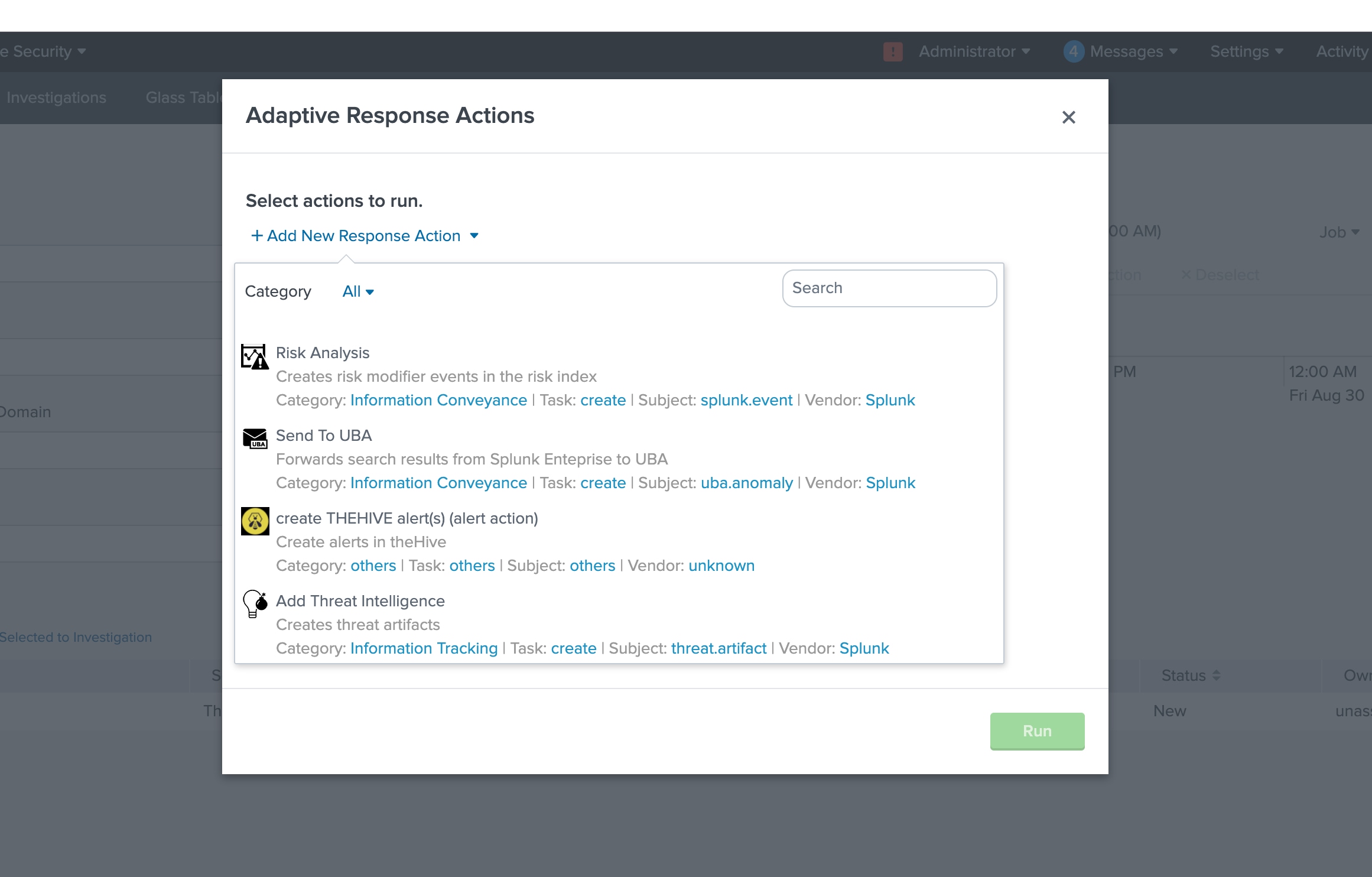
分辨率
如果您没有为警报操作定义param._cam,则为“Designed”。此外,“事件检查”要求将“supports_adhoc”设置为true。
要解决:
$Splunk_Home/etc/apps/TA-thehive/default[thehive_alert_create_alert]
is_custom = 1
label = create THEHIVE alert(s) (alert action)
description = Create alerts in theHive
icon_path = thehive_logo_small.png
payload_format = json
disabled = 0
NOTE:操作名为“thehive_alert_create_alert”,且没有param._cam定义。我验证这不会显示在“事件审核”中。
接下来,我只添加了一个简单的param._cam定义:
[thehive_alert_create_alert]
is_custom = 1
label = create THEHIVE alert(s) (alert action)
description = Create alerts in theHive
icon_path = thehive_logo_small.png
payload_format = json
disabled = 0
param._cam = {"supports_adhoc": true}NOTE:在$Splunk_Home/etc/apps/app_name/local中进行更改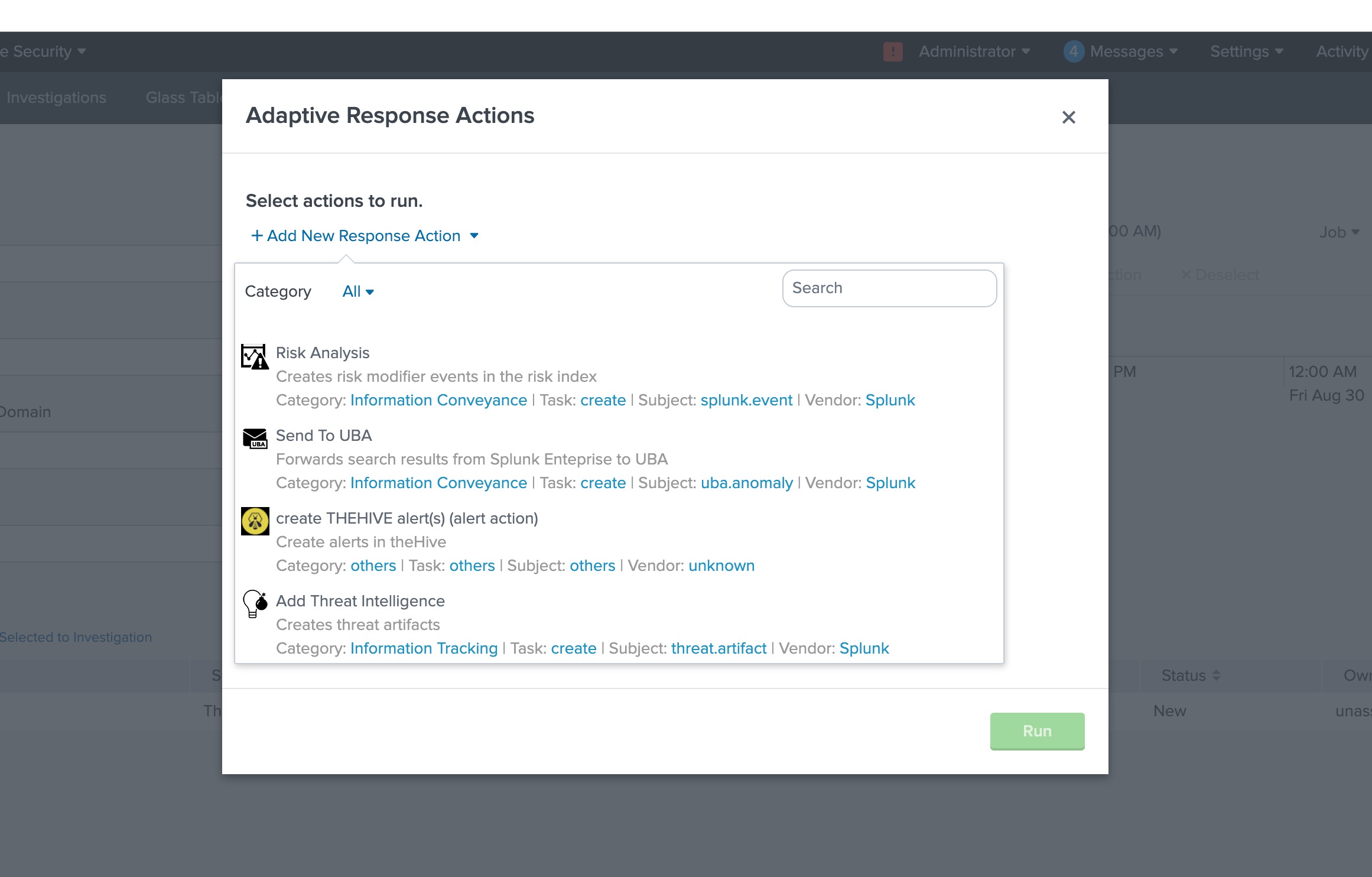
修订历史记录
| 版本 | 发布日期 | 备注 |
|---|---|---|
1.0 |
28-Sep-2026
|
初始版本 |
 反馈
反馈
本文档适用于以下产品
Related Articles
- Forescout Adaptive Response Add-on for Splunk is not displaying Alert Actions in Splunk Web.
- ES - Why Adaptive Response Actions in rules are unassigned by default
- Adaptive Response Action is not available in the Correlation Search configuration in Splunk Enterprise Security.
- Adaptive Response action returns "[HTTP 403] Client is not authorized to perform requested action"