Cyberthreats are out there
Take steps to protect your entire family. With some know-how and a few tips and tricks, you can take action to stay secure online.
Read about online safety basics

Key things to know
Brush up on the basics
A few simple actions can go a long way in protecting yourself and your family online.
Create complex passwords of at least 16 characters, mixing letters, numbers and symbols.
Don’t use easy to guess passwords like “password” or publicly available information like birthdays or addresses.
To manage complex passwords with ease, understand the essential role of password managers and explore your options here.
Don’t save passwords to your browser. Browsers are common targets for cyberattacks and they do not ensure security.
Never use the same password across several accounts. If one account is breached, it puts your other accounts at greater risk.

Use multifactor authentication (MFA), commonly known as two-factor authentication, whenever possible.
It reduces the risk of an incident by 99%, according to the National Cybersecurity Alliance.
Online authenticators are tools that verify your identity to provide secure access to accounts, often by using more than just a password.
Use authenticators or the MFA capability on your password manager if available. This method is more secure than receiving codes by text.
Ready to add this critical layer of protection? Learn more.

Turn on auto-update for software if it’s not already on. You can do this in your device settings. Regularly update your operating system, applications and security software. Keep security software like antivirus programs up to date.
For instructions on how to update your software, read more here.

Don’t click on suspicious links. Learn more about phishing and how to avoid it.
Don’t download attachments from unknown senders. Treat unusual messages from senders cautiously.
Take a pause and think. Bad actors often use urgency to trick people into making poor choices.
Always verify the sender’s identity, especially when they’re asking for something—even if the message seems legitimate.
In today’s world, bad actors can impersonate anyone, so it’s important to maintain a healthy skepticism and verify before trusting. Always take a moment to "practice the pause" before responding to communications or clicking on links.
Always verify the sender’s identity, especially when they’re asking for something—even if the message seems legitimate.
Generative AI makes realistic impersonation possible. Verify if images and videos you receive are real.
Read more on how to protect yourself against deepfakes.
Always connect to secure networks to protect your data. Secured networks provide stronger encryption and reduce the risk of unauthorized access.
Don’t click on suspicious links— find out how to spot and avoid scams and fraud.

Make sure your home network has a passkey set. Don’t use the default. Consider hiding your home network.
Use a virtual private network (VPN) especially if you need to use public Wi-Fi (e.g., hotel or coffee shop Wi-Fi).
Don’t plug in unknown USB drives or use complimentary unverified cables in public places like airports, even for charging. Use your own charging bank and cable. Log out of accounts when finished using public computers or devices.
Stay safe and connected on every journey. Get cybersecurity travel tips to protect your devices and data on the go.

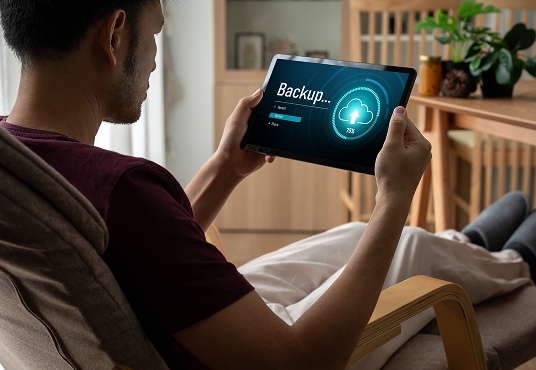
To protect your data from a cyberattack, back up important files to an external drive or cloud storage regularly. Store MFA and backup security codes securely in case of an emergency.
Share personal information online with caution—especially on social media.
Be careful with personally identifiable information (PII) like social security numbers, birthdates or addresses. This includes anything that can be tied back to you, including sharing personal plans like vacations.

Regularly check financial and other important accounts for suspicious activity.
Check your activity on important online tools like email.
Audit the privacy of your online services and the information that is collected and shared.
Be cautious about granting access to third-party apps and software to your accounts, including gaming and messaging. Be sure they’re from a trusted source.
Consider using a credit freeze with major credit bureaus.
Review and manage your browser cookies.