Accessing the Citrix Workspace Appliance Page in HyperFlex Connect
The following procedure details the steps that are required to access the Citrix Workspace Appliance page in the HyperFlex Connect GUI:
Procedure
| Step 1 |
Navigate to |
| Step 2 |
Log into HyperFlex Connect using an SSO account and password with administrative privileges (for example, hxadmin@domain.local). |
| Step 3 |
In the upper right corner of HyperFlex Connect, click the Settings menu icon (represented by a Gear icon). 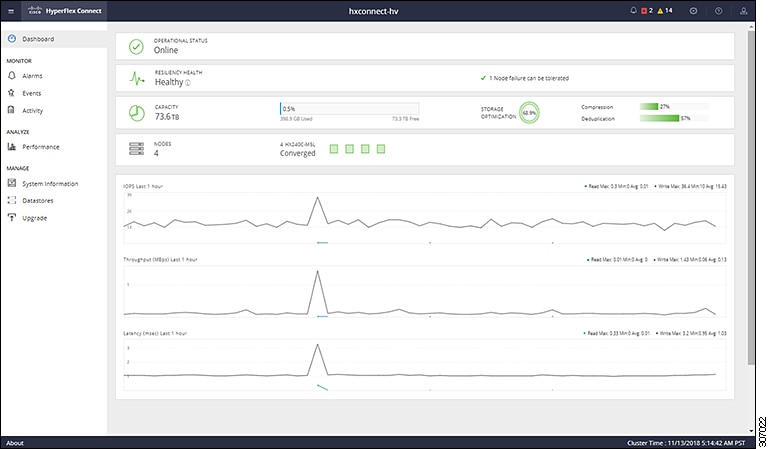
|
| Step 4 |
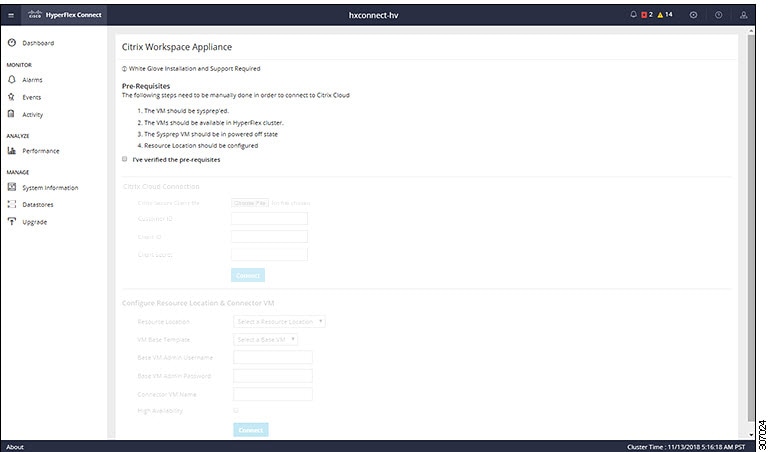
Under Integrations, click Citrix. The Citrix Workspace Appliance page appears. 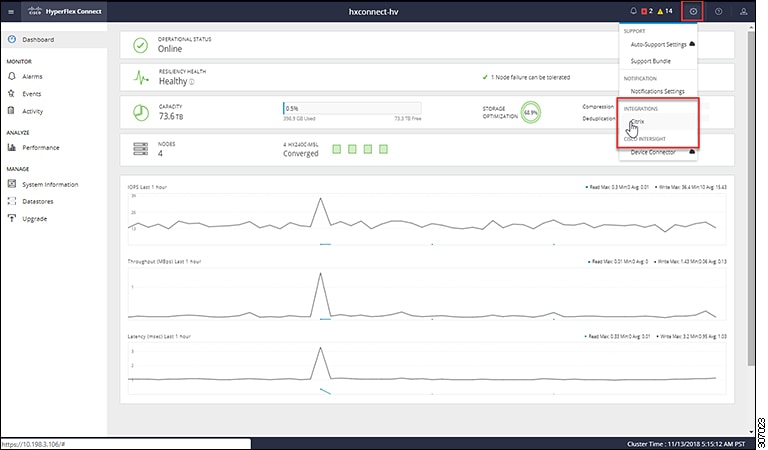
|
| Step 5 |
Review the prerequisites that are outlined on the Citrix Workspace Appliance page and then click the check box. See Prerequisites for more details. |
 Feedback