Field Notice: FN - 64102 - IE5000 - Potential Damage to the Source Wiring Can Cause a Short to the Metal Enclosure - Replace on Failure
Available Languages
Notice
THIS FIELD NOTICE IS PROVIDED ON AN "AS IS" BASIS AND DOES NOT IMPLY ANY KIND OF GUARANTEE OR WARRANTY, INCLUDING THE WARRANTY OF MERCHANTABILITY. YOUR USE OF THE INFORMATION ON THE FIELD NOTICE OR MATERIALS LINKED FROM THE FIELD NOTICE IS AT YOUR OWN RISK. CISCO RESERVES THE RIGHT TO CHANGE OR UPDATE THIS FIELD NOTICE AT ANY TIME.
Revision History
| Revision | Publish Date | Comments |
|---|---|---|
1.0 |
04-Feb-16 |
Initial Release |
10.0 |
12-Oct-17 |
Migration to new field notice system |
10.1 |
18-Jan-19 |
Fixed Broken Image Links |
10.2 |
31-Aug-20 |
Updated the Problem Description and Workaround/Solution Sections and Removed the Upgrade Program Section |
Products Affected
| Affected Product ID | Comments |
|---|---|
IE-5000-12S12P-10G |
|
IE-5000-16S12P |
Defect Information
| Defect ID | Headline |
|---|---|
| CSCvf34445 | There were no defects filed with this field notice at the time of publication. |
Problem Description
Potential damage to the source wiring can cause a short to the metal enclosure/barrier. This could lead to a potential electrical and/or fire safety hazard for the end user. This issue has not been observed at a customer site. It was observed in a single device that had not yet been shipped.
Background
A single switch was discovered to possess a short in the power harness cable during a manufacturing test. The power harness cable appeared to be damaged by a metallic baffle.
Problem Symptom
The switch fails to power up.
Workaround/Solution
Replace the affected hardware through the standard Return Material Authorization (RMA) process.
Refer to "How to Identify Affected Products" for instructions on how to validate impacted units.
How To Identify Affected Products
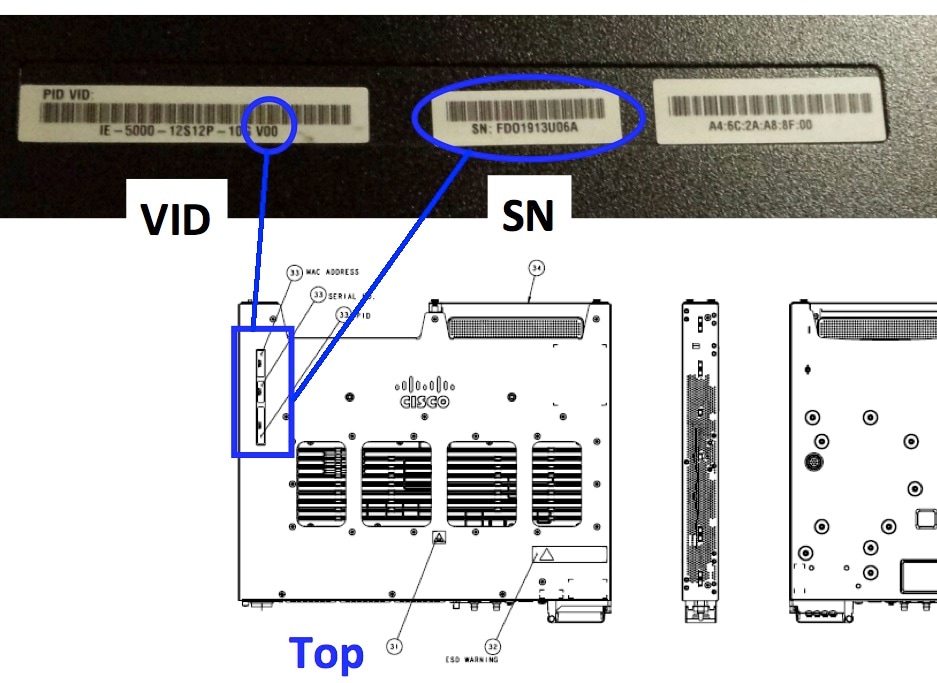
Use the Serial Number Validation Link in order to verify affected units.
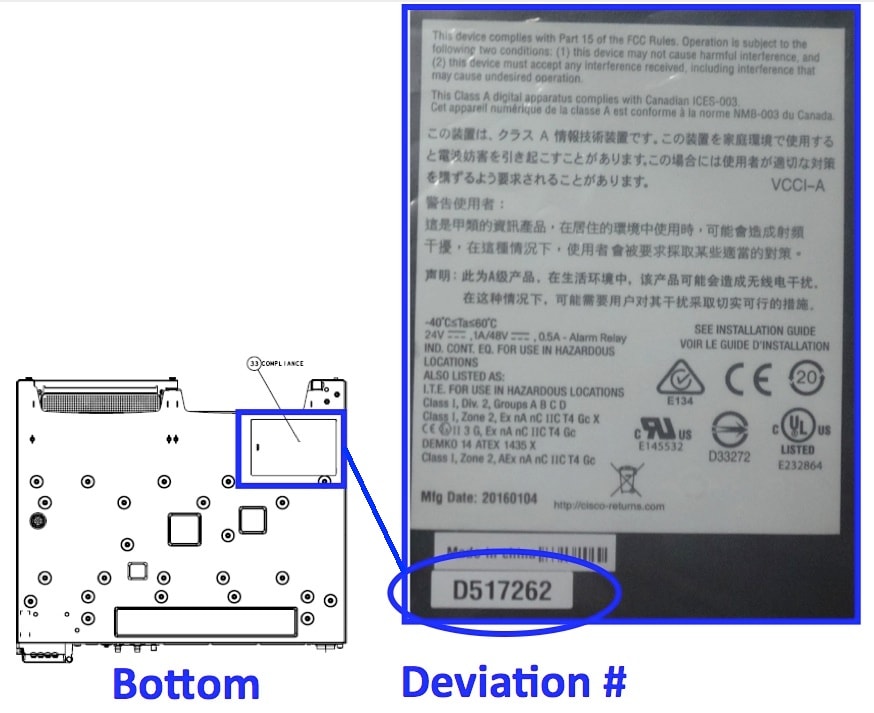
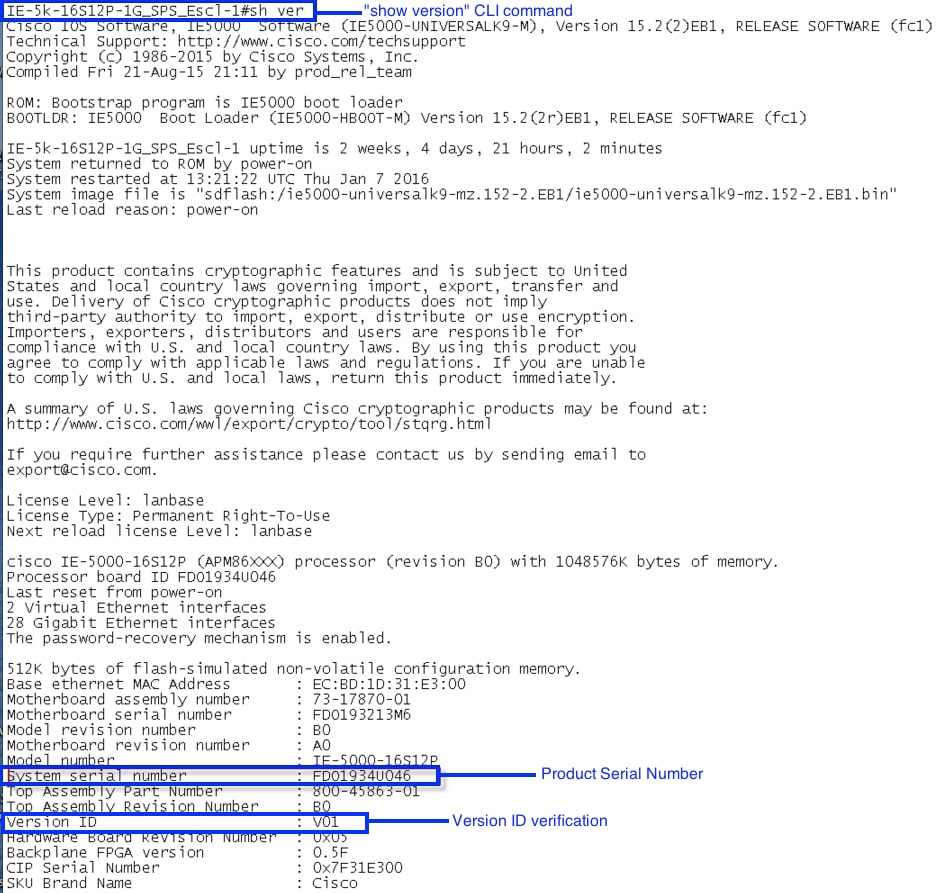
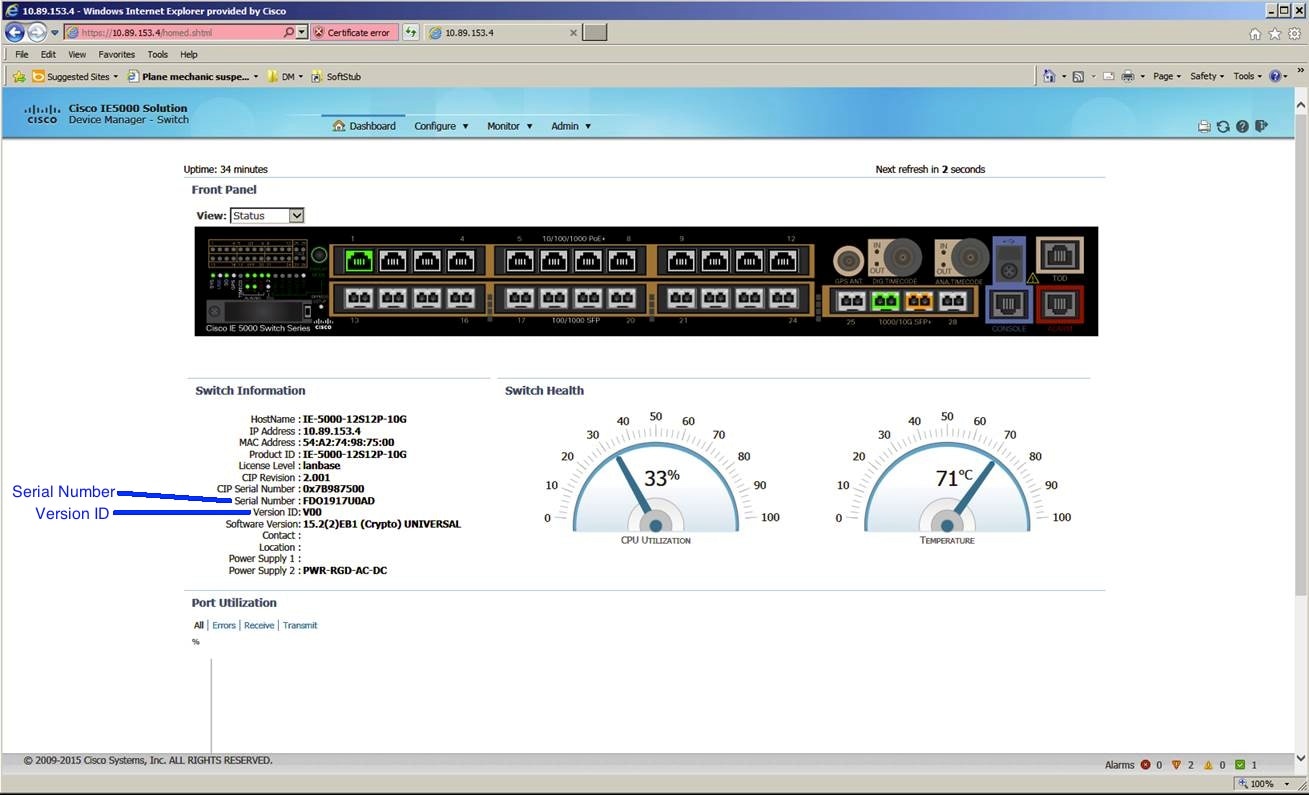
Note: If the Version ID is V02 (see the CLI screenshot) or there is a Deviation label (#D517262), those units are NOT affected by this problem. You can also identify the Version ID and Serial Number in the Device Manager screenshot.
For any questions on this issue, send an email to ie5000_upgrade@cisco.com.
Serial Number & Version ID Physical Location
Deviation Label Physical Location
CLI Output Screenshot
Device Manager Screenshot
For More Information
If you require further assistance, or if you have any further questions regarding this field notice, please contact the Cisco Systems Technical Assistance Center (TAC) by one of the following methods:
Receive Email Notification For New Field Notices
Cisco Notification Service—Set up a profile to receive email updates about reliability, safety, network security, and end-of-sale issues for the Cisco products you specify.
 Feedback
Unleash the Power of TAC's Virtual Assistance