Introduction
This document describes how to resolve trust issues that occur when you try to use the IAM account for multi-cloud automation.
Background
When you use the Cisco multi-cloud feature with AWS TGW and your company AWS account, there are trust issues. That is because the unique company Account ID is different from the vManage EC2 instance in AWS.
Problem
When you use the IAM account for multi-cloud automation, it causes a trust issue.
Solution
To resolve this problem:
- Navigate to
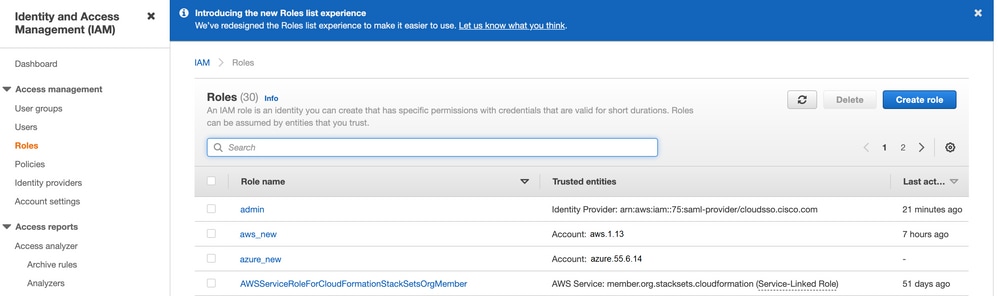
AWS > Identity and Access Management (IAM) and create a new ROLE or another listed ROLE.
- On the
AWS portal, enter IAM in the search bar. The IAM opens.
- From the side panel, navigate to
Roles and then select Create New.
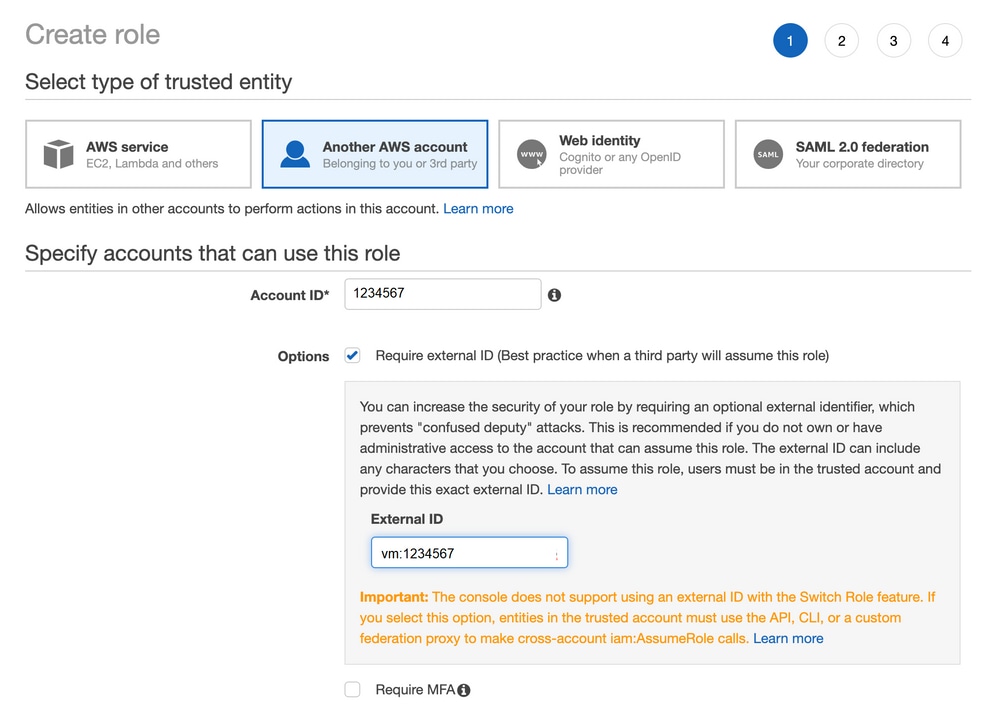
4. Select the Another AWS Account as an option.
5. The Account ID is the AWS Account and has the vManage EC2 instance built. For Cisco Hosted accounts, the account ID is "2002388880647". (This is NOT your own AWS Account ID.) See Reference at the end of this article.
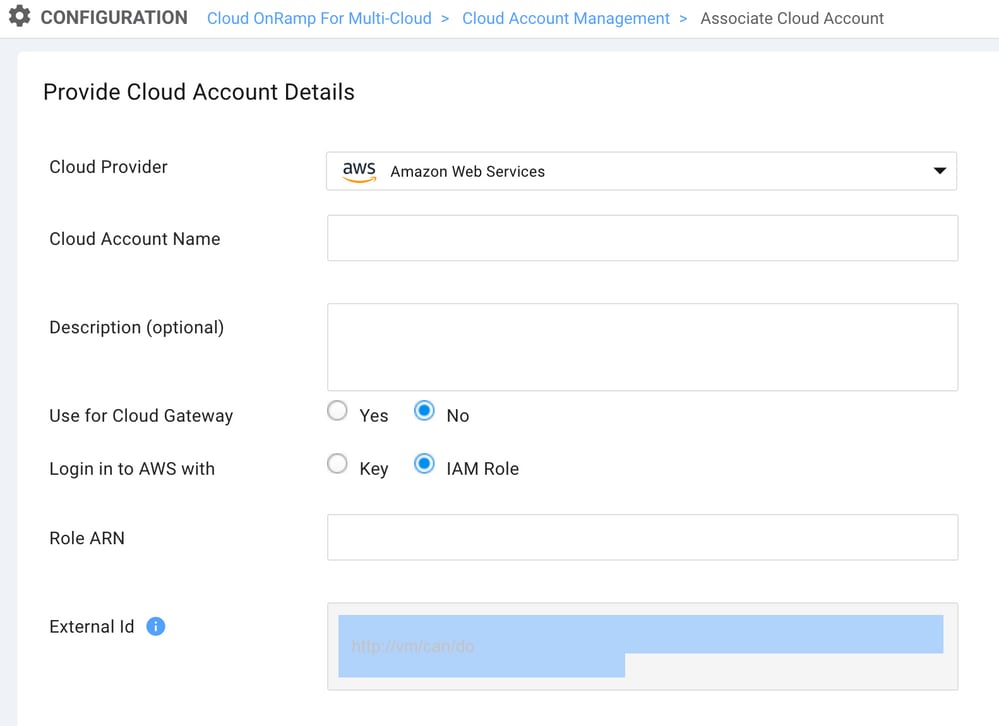
6. Check the box for "External ID" and enter a value under vManage > Cloud onRamp for multi-cloud > Account Management > Add AWS Account.
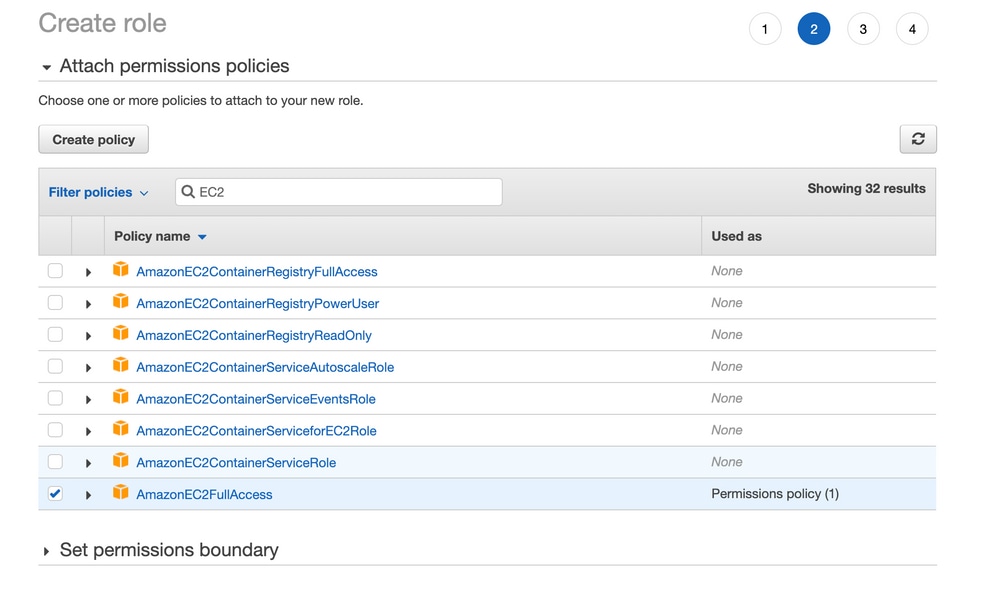
7. Set permissions.
- Skip the tags.
- Review the last page and name the role. Post the creation of
ROLE and copy the ARN from the AWS portal.
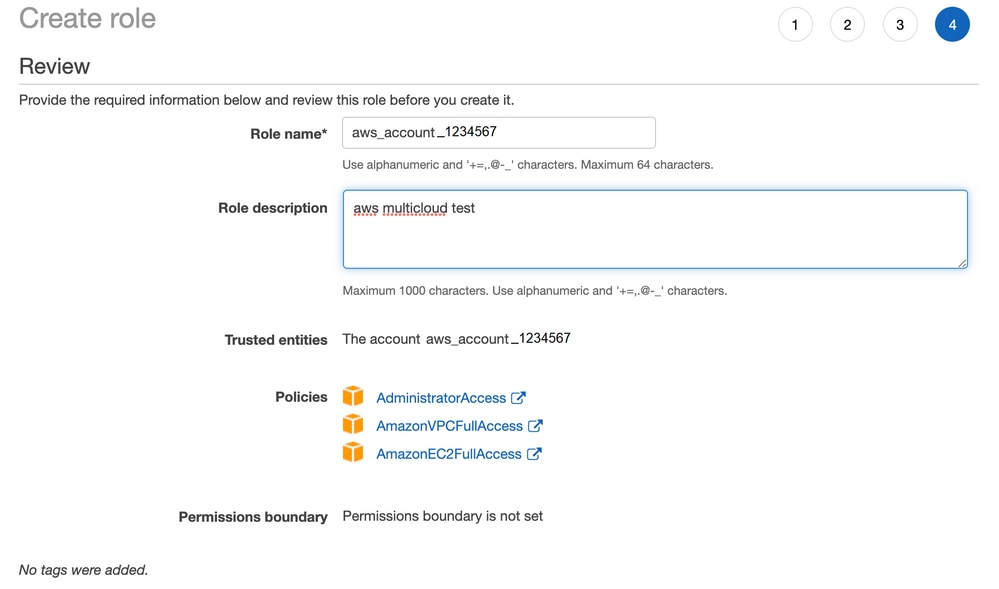
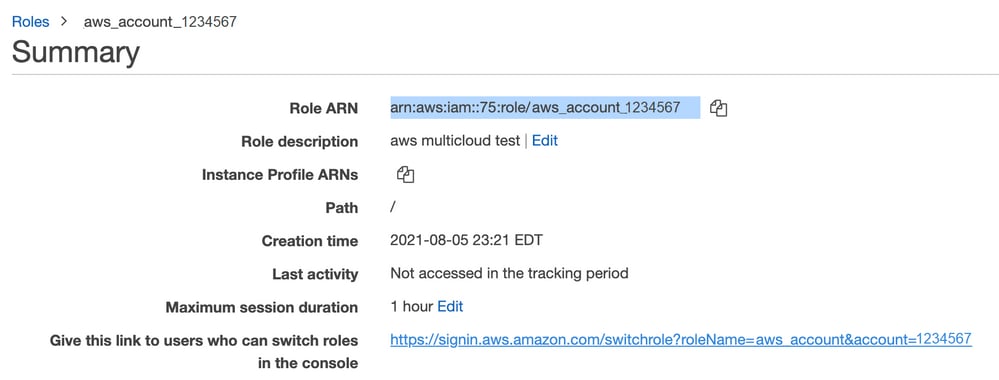
- Ensure that the syntax under the
"Trust Relationship > Edit Relationship"matches this JSON example (with the values you set):
{
  "Version": "2022-05-04",
  "Statement": [
    {
      "Effect": "Allow",
      "Principal": {
        "AWS": "arn:aws:iam::account_number:root"
      },
      "Action": "sts:AssumeRole",
      "Condition": {
        "StringEquals": {
          "sts:ExternalId": "vm:site_address"
        }
      }
    }
  ]
}
- Copy the
ARN from AWS and fill in the details on the vManage multi-cloud page.
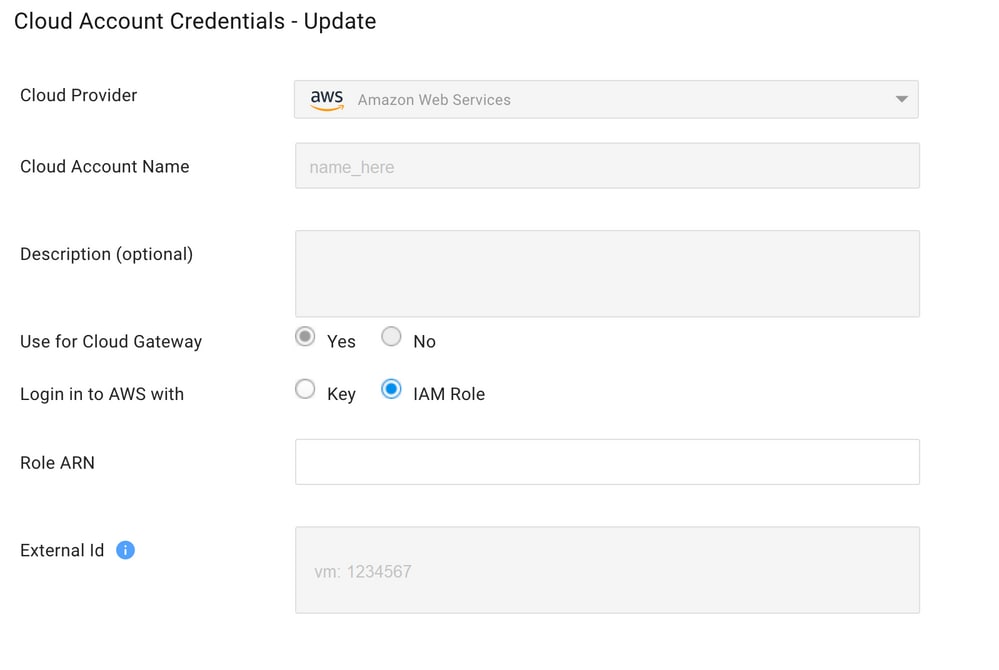
The "/var/log/nms/containers/cloudagent-v2/cloudagent-v2.log" file has valuable messages (with the values you set):
[2021-08-06T02:47:07UTC+0000:140360670770944:INFO:ca-v2:grpc_service.py:432] Returning ValidateAccountInfo Response: {
  "mcCtxt": {
    "tenantId": "VTAC5 - 19335",
    "ctxId": "ebd23ec1-95fa-4e27-8f6a-e3b10c086f95"
  },
  "accountInfo": {
    "cloudType": "AWS",
    "accountName": "aws_accountname",
    "orgName": "VTAC5 - 19335",
    "description": "",
    "billingId": "",
    "awsAccountInfo": {
      "accountSpecificInfo": {
        "authType": "IAM",
        "iamBasedAuth": {
          "arn": "HUIZ82ywKt+EfSdKS8kaMpWCFE7W3vLjqaJCPgmSP1D61Rsd1yrIldmQsf9bW7OFNhUKH5LQg+2Gkdey0IyTUg==",
Reference
Cisco_Cloud_onRamp_for_IaaS_AWS_Version2.html

 Feedback