

Product Bulletin, No. 909
Catalyst 4000 and 5000 Family Supervisor Engine Software Release 5.1
Overview
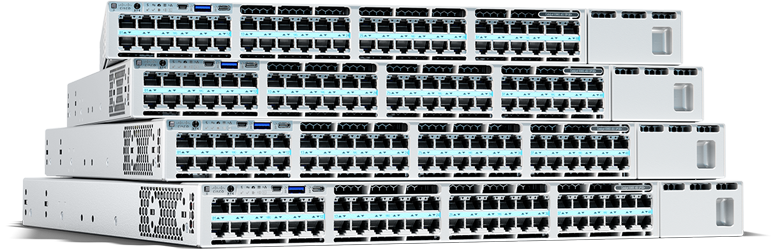
Release 5.1 Supervisor Engine software adds support for high-performance ASIC-assisted Layer 3 IP multicast and IPX® switching, several powerful quality of service (QoS) features, two new Supervisor modules that support the new Cisco IOS® software-based Route Switch Feature Card (RSFC), several new line cards, and many additional value-added software features. Release 5.1 software runs on any Catalyst® 4003, Catalyst 4912G, Catalyst 2948G, and Catalyst 5000 Family Supervisor Engine II and later with at least 32 MB of DRAM.
Features at a Glance
New Catalyst 5000 Family Hardware Support
- Supervisor Engine II G, onboard NFFC II, modular uplinks, RSFC optional (WS-X5540)
- Supervisor Engine III G, onboard NFFC II, GBIC uplinks, RSFC optional (WS-X5550)
- RSFC for Supervisor Engine II G and III G (WS-F5541)
- 24-port 10BaseFL module, MTRJ connectors (WS-X5015-MT)
New Catalyst 4000 Family Hardware Support
- 32-port 10/100 + 4 port 100Base-FX module, (WS-X4232-RJ-XX, WS-U4504-FX-MT)
- 24-port 1000BaseSX Gigabit Ethernet module, MTRJ connectors (WS-X4424-SX-MT)
New Software Features
- IP Multicast Layer 3 Switching1 with NFFC-II (Catalyst 5000 Family)
- IPX Layer 3 Switching1 with NFFC-II (Catalyst 5000 Family)
- QoS: Classification with NFFC-II (Catalyst 5000 Family)
- QoS: Weighted Random Early Detection (WRED) drop threshold management
- Faster Redundant Supervisor Switchover (now only 2-8 seconds!)
- RADIUS Authentication
- Switch Port Analyzer (SPAN) Enhancements
- Uni-Directional Link Detection (UDLD)
- VMPS client support on the Catalyst 4000 Family
- IP address supernetting
- Cisco Discovery Protocol (CDP) Version 2
- Mapping of 802.1Q to ISL
- High Capacity (HC) RMON
- RMON2 User History
- Many new SNMP Agent MIBs
- SNMP Traps for all SYSLOG Messages
- IEEE GVRP
- IEEE GMRP
- Trusted Key for NTP Updates
- Redundant Supervisor Ports Enhancement
Table 1: Release 5.1 Software Feature-Function-Benefits
| Feature | Function | Benefit |
|---|---|---|
| Enhanced Feature Set | ||
|
IP Multicast Layer 3 Switching |
|
|
| IPX Feature Set | ||
|
IPX Layer 3 Switching |
|
|
| Standard Feature Set | ||
|
QoS: Classification |
|
|
|
QoS: Drop Threshold Management |
|
|
|
Faster Redundant Supervisor Switchover |
|
|
|
RADIUS Authentication |
|
|
|
SPAN Enhancements |
|
|
|
UDLD |
|
|
|
VMPS Client Support on the Catalyst 4000 Family |
|
|
|
IP Address Supernetting |
|
|
|
CDP Version 2 |
|
|
|
Mapping of 802.1Q to ISL |
|
|
|
HC (High Capacity) RMON |
|
|
|
RMON2 User History Group |
|
|
|
SNMP MIB Additions and Enhancements: |
|
|
|
SNMP Traps for all SYSLOG Messages |
|
|
|
IEEE GVRP |
|
|
|
IEEE GMRP |
|
|
|
Trusted Key for NTP (Network Time Protocol) Updates |
|
|
|
Redundant Supervisor Ports Enhancement |
|
|
Release 5.1 Feature Descriptions
MultiLayer Switching (MLS) Overview
With Release 5.1 software and the NetFlow Feature Card II (NFFC-II) the Catalyst 5000 Family switches provide full Layer 3 switching services for IP unicasts and multicast as well as IPX unicasts at performance levels previously only available for Layer 2 switching. The actual Layer 3 switching function now resides in silicon on the NFFC. The NFFC which is based on advanced Cisco switching ASICs identifies flows by using both network layer and transport layer information, learns frame rewrite information from a Route Processor and then switches packets between subnets. The RSFC or Route Switch Module (RSM) performs the route processing on the Catalyst switch with a NFFC-II while providing central configuration and control of all Layer 3 services. Routing Processing services can also be provided by an externally attached Catalyst 6000 with an MSM (currently supports unicast MLS only), Catalyst 8500, Cisco 7500, 7200, 4700, 4500, 3640 or 3620.
A NFFC populates its Layer-3/Layer-4 switching cache dynamically by observing/learning the flow of a traditionally routed unicast packet. For IP Multicasts the NFFC cache entries are programmed directly into the cache by an IOS router with Multicast MLS support. The NFFC performs flow classification by parsing each packet (in hardware) as far as the transport layer header. In order to perform Layer 3 switching, the NFFC must see the original packet destined for the router (a candidate) and the "routed packet" (enabler) returned from the router. When a Catalyst switch with an NFFC is switching IP packets it is performing complete rewrites of the VLAN index, Layer 2 source and destination addresses, TTL and ToS in the IP packet header and recalculating and rewriting the IP header checksum and Layer 2 frame checksum just as a traditional router would. If the packet to be switched is an IP multicast then the NFFC will replicate the multicast on each VLAN/subnet required for extremely fast and efficient multicast routing.
Cisco IOS running on the RSM has the ability to instruct the NFFC hardware, via a lightweight control protocol called the MultiLayer Switching Protocol (MLSP), to flush cache entries in the event of topology change or modification of access control lists. This enables the NFFC to enforce access control lists based on IP addresses as well as transport-layer information. In addition, MLS includes capabilities that allow you to debug and trace flows in your network. MLS explorer packets help identify which switch is handling a particular flow. The explorer packets aid in path detection and troubleshooting.
Table 2: Components of Cisco MultiLayer Switching (MLS)
| MLS-Switching Engine (MLS-SE) |
A Layer 3 switching/forwarding entity (i.e. the NFFC and NFFC-II) |
| MLS-Route Processor (MLS-RP) |
A Layer 3 route processing entity (i.e. an RSFC or RSM) |
| MLS Protocol (MLSP) |
The protocol that runs between the MLS-RP and MLS-SE |
MLSP provides a mechanism for the route processor to:
- Configure various parameters such as the flow mask in the switching engine/NFFC
- Manually install cache entries (may be either "always switch" or "never switch" type entries)
- Invalidate/purge cache entries in the switching engine/NFFC when access lists or routes change
- Discover which switching engine/NFFC(s) is/are forwarding traffic for a particular IP or IPX flow
Prerequisites:
- Catalyst 5000 Family switch with a Supervisor Engine II G or III G or a Supervisor Engine III, III FSX, or III FLX module with an NFFC II
- Supervisor Engine softwaresoftware Release 5.1(1) or later
- Release 5.1 Enhanced Feature Set license (for IP Layer 3 Switching)
- Release 5.1 Enhanced Feature Set license and IPX Feature License (for IP and IPX Layer 3 Switching)
- Cisco IOS router softwareCisco IOS release 12.0(3)W5(8) or later
- RSFC, RSM, Catalyst 8500, Catalyst 6000 with an MSM, or Cisco 7500, 7200, 4700, 4500, 3640, 3620 router
IP Multicast Layer 3 Switching, requires NFFC-II (Catalyst 5000 Family)
With Release 5.1 Layer 3 switching is now enabled for IP Multicasts with the NFFC-II. IP Multicast switching uses the switch's Layer 2 multicast forwarding table to determine on which ports Layer 2 multicast traffic should be forwarded (if any). The multicast forwarding table entries are populated by the multicast service that is enabled on the switch. Supported multicast services include: IGMP (recommended), CGMP or GMRP. These entries map the destination multicast MAC address to outgoing switch ports for a given VLAN. Protocol Independent Multicast (PIM) is used for route determination.
The NFFC II maintains the Layer 3 multicast MLS cache to identify individual IP multicast flows. Each cache entry is of the form (source IP, destination group IP, source VLAN). The NFFC populates the multicast MLS cache using information learned from the routers participating in IP multicast MLS. For each cache entry, the NFFC maintains a list of outgoing interfaces for the destination IP multicast group. The NFFC uses this list to determine on which VLANs traffic to a given multicast destination address should be replicated. The router and switch exchange information using the multicast Multilayer Switching Protocol (multicast MLSP).
IPX Layer 3 Switching, requires NFFC-II (Catalyst 5000 Family)
Layer 3 IPX switching is now available on the Catalyst 5000 Family. Network environments with Novell Netware using the IPX protocol can now enjoy significant performance increase in routing of IPX with the NetFlow Feature Card II in a Catalyst 5000 chassis. Standard routing protocols, such as IPX Routing Information Protocol (RIP), Enhanced Interior Gateway Protocol (EIGRP), and NetWare Link Services Protocol (NLSP), are used for route determination.
Figure 1: MultiLayer Switching

QoS: Classification with NFFC-II (Catalyst 5000 Family)
Network managers are increasingly presented with a variety of bandwidth-hungry applications that compete for bandwidth on the enterprise network. These applications have a variety of characteristics. They may be mission-critical legacy applications with a Web interface, online business-critical applications, or newer multimedia-based applications such as desktop videoconferencing, Web-based training, and voice (telephone) over IP. Some of these applications are vital to core business processes, while many are not. It is the network manager's job to ensure that mission-critical application traffic is protected from other bandwidth-hungry applications, while still enabling less-critical applications such as desktop videoconferencing.
Enterprises that want to deploy new bandwidth-hungry applications are realizing that they must ensure the continued success of mission-critical applications over both the LAN and WAN. This can be achieved by defining network policies, which align network resources with business objectives and are enforced by means of QoS mechanisms. Without these QoS controls, nonvital applications can quickly exhaust network resources at the expense of the mission-critical applications, thus compromising business processes and productivity.
The Catalyst 5000 Family now supports QoS flow classification by any of the following characteristics:
- Ingress Port (Rewrites CoS)
- MAC -DA Address (Rewrites CoS)
- IP SA/DA, maskable (Rewrites CoS & ToS)
- Source/Destination Layer 4 Port, maskable (Rewrites CoS & ToS)
- Flows that do not match any of the above criteria will pass through with CoS and ToS values unchanged
ISL or 802.1Q encapsulated frames do not require classification at the ingress port. The ingress CoS value is honored as VLAN trunking ports are considered "trusted ports" from an administrative perspective.
Table 3: Definitions
| CoS |
Class of Service (3-bit field in both ISL and IEEE 802.1Q/.1p frame tags) |
| ToS |
Type of Service (3-bit IP Precedence field in IPv4 packet header) |
| Maskable |
Means there is full flexibility in choosing the source-only, destination-only, source and destination, variable mask length for subnet only, and so on |
Figure 2: QoS Class of Service and Type of Service Fields

QoS: Drop Threshold Management (Catalyst 5000 Family)
The Catalyst 5000 QoS implements scheduling on supported egress ports with four levels of transmit queue drop thresholds that use the IEEE 802.1p or ISL CoS values to transmit higher-priority traffic, while dropping lower-priority traffic when congestion occurs. This QoS mechanism and the Classification services described above provide the device-based controls leveraged by the CiscoAssure Policy Networking framework and evolving QoS Management solutions.
QoS Classification and WRED are supported on new Catalyst 5000 Family line cards which will be available in the summer of 1999, supporting 10/100 and 100BaseFX technologies.
Figure 3: QoS WRED Drop Thresholds

SPAN Enhancements
In response to demand from many customers Cisco has enhanced the Catalyst 5000 Family's SPAN capabilities in several areas. The first is the ability to support multiple concurrent SPAN sessions, each to a different destination port. The Catalyst 5000 Family supports one Ingress (RX) or Both (RX+TX) SPAN session and now supports up to four Egress (TX)-only SPAN sessions. For example, the following SPAN sessions can all be active at the same time:
Table 4: SPAN Example
| SPAN Source(s) | SPAN Destination | SPAN Direction | Notes | |
|---|---|---|---|---|
| SPAN session 1: |
2/10, 2/11, 2/12 |
9/1 |
Both |
Network Analysis Module in slot 9 |
| SPAN session 2: |
3/1, 3/2 |
7/12 |
TX |
SwitchProbe on port 7/12 |
| SPAN session 3: |
2/1-3/24 |
8/11 |
TX |
NetRanger on port 8/11 |
| SPAN session 4: |
VLAN_4, VLAN_7 |
8/12 |
TX |
Sniffer on port 8/12 |
| SPAN session 5: |
VLAN_9 |
8/10 |
TX |
W&G DA-30 on port 8/10 |
There can be overlap in the SPAN sourcesnotice that ports 3/1 and 3/2 are in both the second and third SPAN sessions above.
With the ability to SPAN multiple source ports independent of VLAN membership it is now possible to select ports in different VLANs.
The SPAN source may now be configured to monitor traffic from multiple VLANs (previously it was only possible to SPAN a single VLAN). For example, the SPAN source can be set to mirror traffic from VLAN 2 and VLAN 3 and send this traffic to the SPAN destination.
Uni-Directional Link Detection (UDLD) for Fiber Links
UDLD is a new link-layer protocol developed by Cisco to detect unidirectional connectivity on network links. The UDLD protocol allows devices connected through fiber-optic Ethernet, Fast Ethernet and Gigabit Ethernet to monitor the physical configuration of the cables and detect when a unidirectional link or a self loop exists. When a link error is detected, UDLD shuts down the affected port and alerts the user.
A unidirectional link occurs when traffic transmitted by one device over a link is received by the neighbor, but traffic from the neighbor is not received. Unidirectional links may cause a variety of difficult to troubleshoot problems, including spanning-tree topology loops.
UDLD hello packets are sent periodically to neighbor devices connected through fiber-optic links to keep each device informed about its neighbors. When a hello message is received, it is cached and kept in memory for a defined time interval called holdtime, after which the cache entry is considered stale and is aged out. If a new hello message is received when a correspondent old cache entry has not been aged out yet, then the old entry is dropped and replaced by the new one with a reset time-to-live timer.
If a switch running the UDLD protocol receives UDLD hello packets from a neighbor switch, but these packets fail to contain the proper UDLD neighbor information the link is flagged as unidirectional, and the port is shut down. All devices connected through fiber-optic ports must support UDLD in order for the protocol to successfully identify and disable unidirectional links. Note that for UDLD to work properly, both switches need to be configured for UDLD. If both switches on either side of the fiber optic link are not configured for UDLD, the protocol will not shut down the port. UDLD is configured on either a global or per-port basis. It is supported on all Catalyst 6000 family switches, and will be supported on the Catalyst 5000 Family switches in an upcoming software release. It is enabled by default on all Ethernet line cards that use fiber media (such as 100BaseFX, 1000BaseSX, and so on).
Figures 4, 5, and 6 show examples of link error conditions UDLD will discover.
Figure 4: In Figure 4, Switch A successfully receives traffic from Switch B on the fiber-optic port. However, due to either a faulty fiber optic cable transmitter in Switch A, or receive port failure in Switch B, Switch B does not receive traffic from Switch A on the same port. The UDLD protocol running on Switch A will signal an error condition and disable the port.

Figure 5: In Figure 5, Switch B successfully receives traffic from Switch A on the fiber-optic port. However, due to faulty wiring, Switch A receives traffic from Switch C on this port. The UDLD protocol running on Switch A will signal an error condition and disable the port.

Figure 6: In Figure 6, Switch A is incorrectly wired for a self loop back to its own port. The UDLD protocol will signal an error condition and disable the port.

Useful References
- Catalyst 5000 Family Documentation
- Catalyst 5000 Family Release Notes
- Catalyst 5000 MIB Support List
System Requirements for 5.1
Release 5.1 software will run on any Catalyst 4003, Catalyst 4912G, Catalyst 2948G, and Catalyst 5000 Family Supervisor Engine II and later with at least 32 MB of DRAM.
Table 5: Image Information
| Image Name | Supervisor(s) Supported |
|---|---|
| cat5000-sup.5-1-1.bin |
Supervisor Engine II* |
| cat5000-supg.5-1-1.bin |
Supervisor Engine II G and III G |
| cat5000-sup3.5-1-1.bin |
Supervisor Engine III, III FSX and III FLX |
Ordering Information
The standard and enhanced feature sets are combined in a single image for Release 5.1. Use of Layer 3 IP switching on the NetFlow Feature Card and NetFlow Data Export require purchase of the Enhanced Feature Set license which also includes a license for mini-RMON. Use of Layer 3 IPX switching requires purchase of the IPX Feature License. If only mini-RMON is to be used then the mini-RMON license must be purchased. Only one software license for each feature or feature set is required per chassis (i.e. a chassis with redundant Supervisor Engine does NOT require two licenses). Licensing is based on the honor system.
The Enhanced Feature Set License covers use of the following features:
- IP Unicast and Multicast Layer 3 Switching
- NetFlow Data Export
- Mini-RMON Agent
Table 6: Part Numbers
| Product Number | Product Description |
|---|---|
| Release 5.1 Enhanced Feature Set1 | |
|
FL-C5K-EFS-5X |
Catalyst 5K Rel. 5.x SW License, Enhanced Feature Set |
|
FL-C5K-EFS-5X= |
Catalyst 5K Rel. 5.x SW License, Enhanced Feature Set (spare) |
|
FL-C5K-EFS-5X-UG |
Catalyst 5K Rel. 5.x SW License, Enhanced Feature Set, upgrade2 |
| IPX Layer 3 Switching | |
|
FL-C5K-IPX |
Catalyst 5K, IPX Feature License |
|
FL-C5K-IPX= |
Catalyst 5K, IPX Feature License (spare) |
| Mini-RMON Agent | |
|
WS-C2948G-EMS-LIC |
Catalyst 2948G RMON Agent License |
|
WS-C4003-EMS-LIC |
Catalyst 4003 RMON Agent License |
|
WS-C4912G-EMS-LIC |
Catalyst 4912G RMON Agent License |
|
WS-C5002-EMS-LIC |
Catalyst 5002 RMON Agent License |
|
WS-C5K-EMS-LIC |
Catalyst 5000 RMON Agent License |
|
WS-C5505-EMS-LIC |
Catalyst 5505 RMON Agent License |
|
WS-C5509-EMS-LIC |
Catalyst 5509 RMON Agent License |
|
WS-C5500-EMS-LIC |
Catalyst 5500 RMON Agent License |
Customers can download Release 5.1 supervisor software from Cisco Connection Online (CCO) in the Software Center. Customers who are unable to download the files electronically can order a software kit with 3.5-inch IBM formatted floppy disks by contacting Cisco at (408) 526-4000 or (800) 553-NETS (6387) in North America.
Please forward any questions, comments or feedback regarding this product bulletin to: ask-c5000-pm@cisco.com
1Use of this feature requires the purchase of a software feature license (see ordering information section)