Create and setup a baseline
Procedure
|
Step 1 |
Click Explore from the left panel. |
|
Step 2 |
Click Basics, click the All data preset. |
|
Step 3 |
Click the Create a new baseline from preset button. 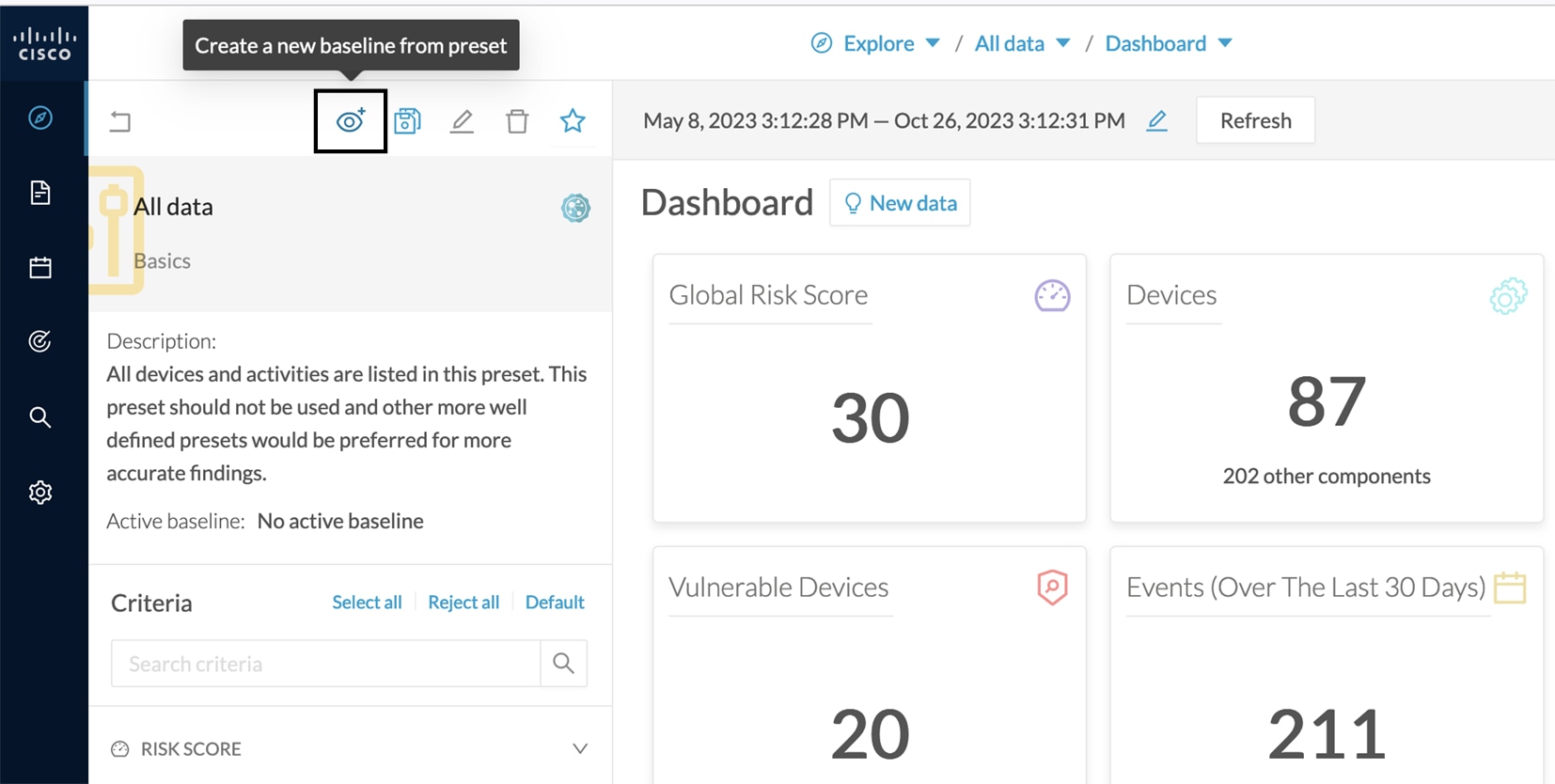 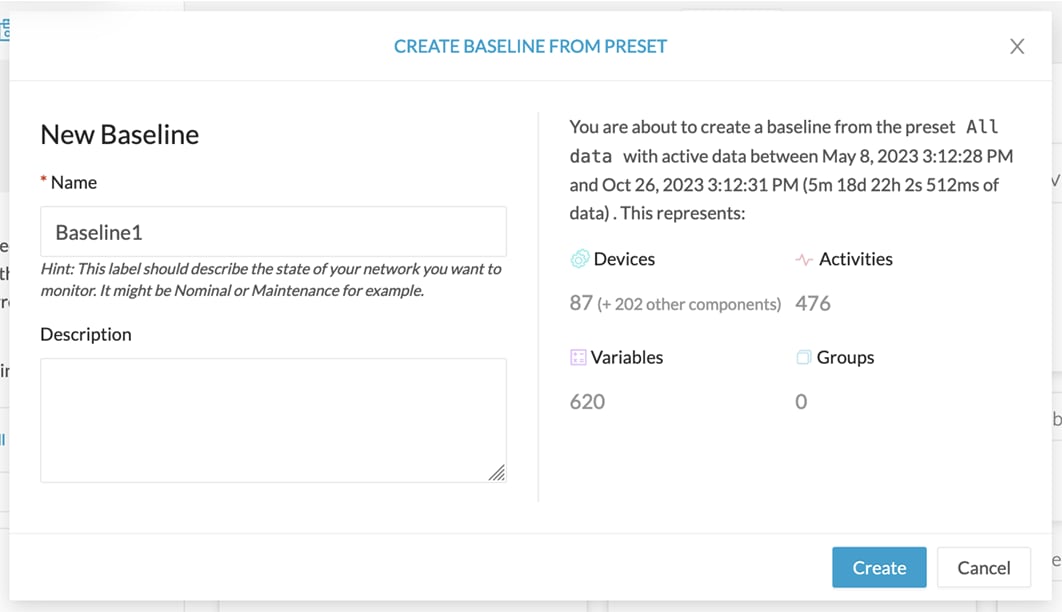 |
|
Step 4 |
Type in Name. |
|
Step 5 |
Click Create. The Baseline creation window appears. 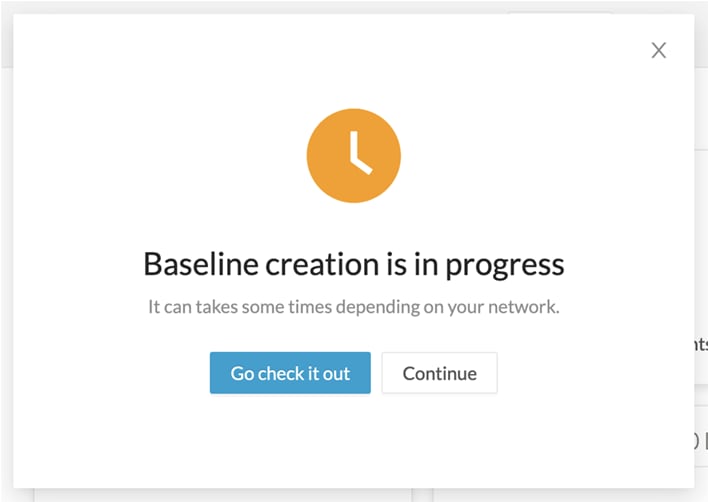 |
|
Step 6 |
Click Continue. |
|
Step 7 |
Access the Monitor page. On the All data preset, the new baseline appears. 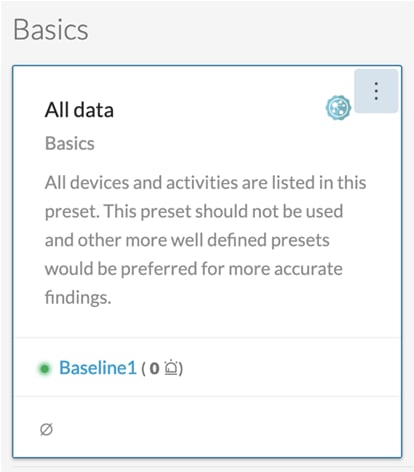 |
|
Step 8 |
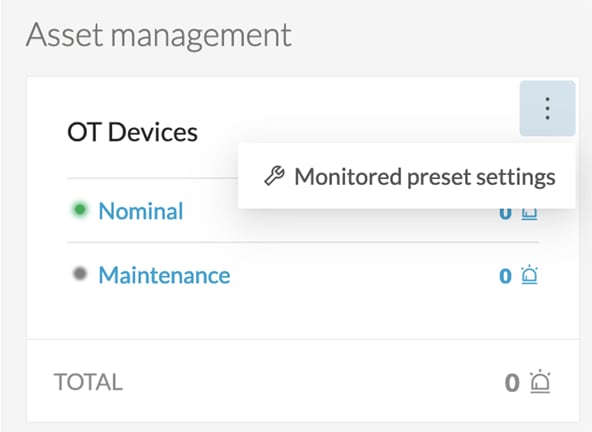
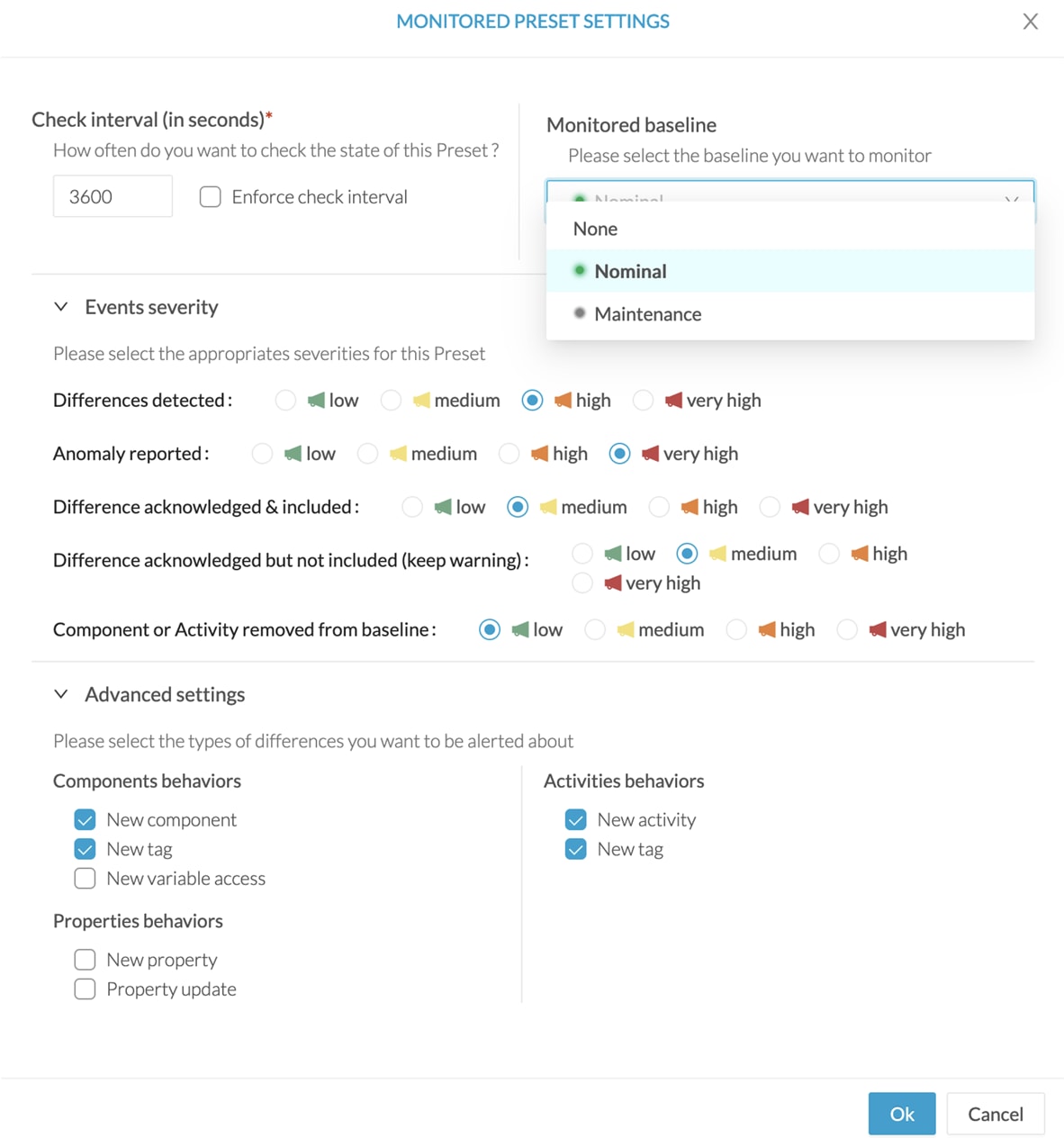
Click three dots icon > Monitor preset settings. 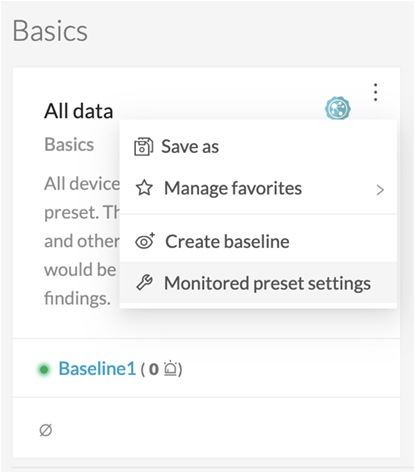 Change the Check Interval frequency and the Events severity preset state, if necessary. 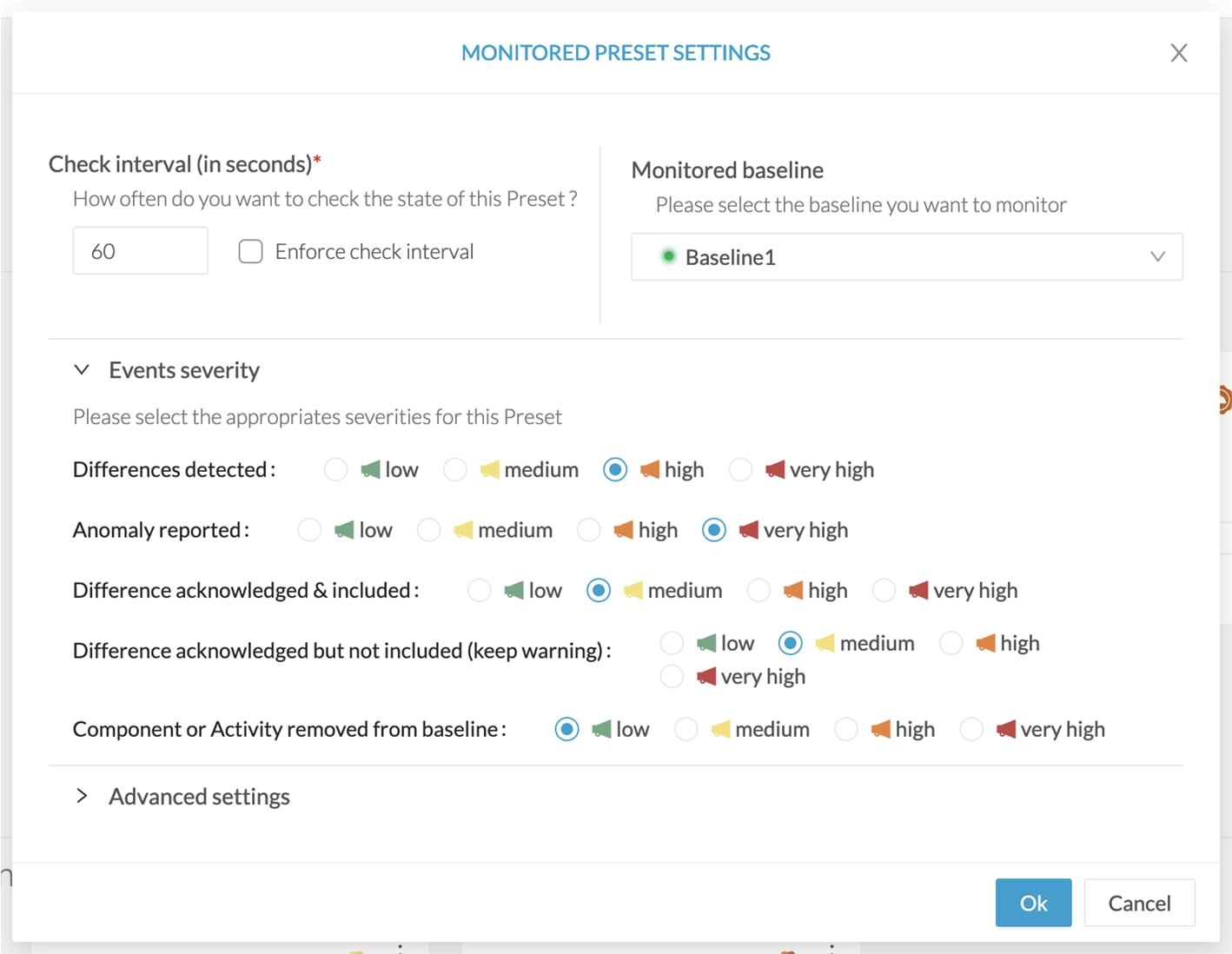 In Advanced settings, select the type of differences about which you want to be alerted. This is useful to:
 |
|
Step 9 |
Click Ok. |
 Feedback