- Embedded Event Manager Overview
- Writing Embedded Event Manager Policies Using the Cisco IOS CLI
- Writing Embedded Event Manager Policies Using Tcl
- EEM Action Tcl Command Extension
- EEM CLI Library Command Extensions
- EEM CLI Library XML-PI Support
- EEM Context Library Command Extensions
- EEM Event Registration Tcl Command Extensions
- EEM Event Tcl Command Extensions
- EEM Library Debug Command Extensions
- EEM Multiple Event Support Tcl Command Extensions
- EEM SMTP Library Command Extensions
- EEM System Information Tcl Command Extensions
- EEM Utility Tcl Command Extensions
- Finding Feature Information
- Prerequisites for Writing EEM Policies Using the Cisco IOS CLI
- Information About Writing EEM Policies Using the Cisco IOS CLI
- How to Write EEM Policies Using the Cisco IOS CLI
- Registering and Defining an Embedded Event Manager Applet
- Registering and Defining an Embedded Event Manager Policy to Run Manually
- Unregistering Embedded Event Manager Policies
- Suspending All Embedded Event Manager Policy Execution
- Displaying Embedded Event Manager History Data
- Displaying Embedded Event Manager Registered Policies
- Configuring Event SNMP Notification
- Configuring Multiple Event Support
- Configuring EEM Class-Based Scheduling
- Holding a Scheduled EEM Policy Event or Event Queue
- Resuming Execution of EEM Policy Events or Event Queues
- Clearing Pending EEM Policy Events or Event Queues
- Modifying the Scheduling Parameters of EEM Policy Events or Event Queues
- Verifying Class-Based Scheduled Activities of EEM Policies
- Verifying Class-Based Active EEM Policies
- Verifying Pending EEM Policies
- Configuring EEM Applet (Interactive CLI) Support
- Configuring SNMP Library Extensions
- Configuring Variable Logic for EEM Applets
- Configuring Event SNMP Object
- Disabling AAA Authorization
- Configuring Description of an Embedded Event Manager Applet
- Embedded Event Manager Applet Configuration Examples
- Configuration Examples for Embedded Event Manager Applet
- Embedded Event Manager Manual Policy Execution Examples
- Embedded Event Manager Watchdog System Monitor (Cisco IOS) Event Detector Configuration Example
- Configuration SNMP Library Extensions Examples
- Configuring Variable Logic for EEM Applets Examples
- Configuring Event SNMP-Object Examples
- Configuring Description of an EEM Applet Examples
Writing Embedded Event Manager Policies Using the Cisco IOS CLI
This module describes how to write Embedded Event Manager (EEM) policies using Cisco IOS command-line interface (CLI) applets to handle Cisco software faults and events. EEM is a distributed and customized approach to event detection and recovery offered directly in a Cisco IOS device. EEM offers the ability to monitor events and take informational, corrective, or any desired action when the monitored events occur or when a threshold is reached. The EEM policy engine receives notifications when faults and other events occur. EEM policies implement recovery on the basis of the current state of the system and the actions specified in the policy for a given event. Recovery actions are triggered when the policy is run.
- Finding Feature Information
- Prerequisites for Writing EEM Policies Using the Cisco IOS CLI
- Information About Writing EEM Policies Using the Cisco IOS CLI
- How to Write EEM Policies Using the Cisco IOS CLI
- Configuration Examples for Writing EEM Policies Using the Cisco IOS CLI
- Additional References
- Feature Information for Writing EEM 3.2 Policies Using the Cisco IOS CLI
Finding Feature Information
Your software release may not support all the features documented in this module. For the latest caveats and feature information, see Bug Search Tool and the release notes for your platform and software release. To find information about the features documented in this module, and to see a list of the releases in which each feature is supported, see the feature information table.
Use Cisco Feature Navigator to find information about platform support and Cisco software image support. To access Cisco Feature Navigator, go to www.cisco.com/go/cfn. An account on Cisco.com is not required.
Prerequisites for Writing EEM Policies Using the Cisco IOS CLI
Before writing EEM policies, you should be familiar with the concepts explained in the “Embedded Event Manager Overview” module.
If the action cns-event command is used, access to a Cisco Networking Services (CNS) Event gateway must be configured.
If the action force-switchover command is used, a secondary processor must be configured on the device.
If the action snmp-trap command is used, the snmp-server enable traps event-manager command must be enabled to permit SNMP traps to be sent from the Cisco IOS device to the SNMP server. Other relevant snmp-server commands must also be configured; for details see the action snmp-trap command page.
Information About Writing EEM Policies Using the Cisco IOS CLI
- Embedded Event Manager Policies
- Embedded Event Manager Built-In Environment Variables Used in EEM Applets
Embedded Event Manager Policies
EEM offers the ability to monitor events and take informational or corrective action when the monitored events occur or a threshold is reached. An EEM policy is an entity that defines an event and the actions to be taken when that event occurs. There are two types of EEM policies: an applet or a script. An applet is a simple form of policy that is defined within the CLI configuration. A script is a form of policy that is written in Tool Command Language (Tcl).
EEM Applet
An EEM applet is a concise method for defining event screening criteria and the actions to be taken when that event occurs. In applet configuration mode, three types of configuration statements are supported. The event commands are used to specify the event criteria to trigger the applet to run, the action commands are used to specify an action to perform when the EEM applet is triggered, and the set command is used to set the value of an EEM applet variable. Currently only the _exit_status variable is supported for the set command.
Only one event configuration command is allowed within an applet configuration. When applet configuration mode is exited and no event command is present, a warning is displayed stating that no event is associated with this applet. If no event is specified, this applet is not considered registered. When no action is associated with this applet, events are still triggered but no actions are performed. Multiple action configuration commands are allowed within an applet configuration. Use the show event manager policy registered command to display a list of registered applets.
Before modifying an EEM applet, be aware that the existing applet is not replaced until you exit applet configuration mode. While you are in applet configuration mode modifying the applet, the existing applet may be executing. It is safe to modify the applet without unregistering it. When you exit applet configuration mode, the old applet is unregistered and the new version is registered.
The action configuration commands are uniquely identified using the label argument, which can be any string value. Actions are sorted in ascending alphanumeric key sequence using the label argument as the sort key, and they are run using this sequence.
The Embedded Event Manager schedules and runs policies on the basis of an event specification that is contained within the policy itself. When applet configuration mode is exited, EEM examines the event and action commands that are entered and registers the applet to be run when a specified event occurs.
EEM Script
Scripts are defined off the networking device using an ASCII editor. The script is then copied to the networking device and registered with EEM. Tcl scripts are supported by EEM.
EEM allows you to write and implement your own policies using Tcl. Writing an EEM policy involves:
Selecting the event for which the policy is run.
Defining the event detector options associated with logging and responding to the event.
Choosing the actions to be followed when the event occurs.
Cisco provides enhancements to Tcl in the form of keyword extensions that facilitate the development of EEM policies. The main categories of keywords identify the detected event, the subsequent action, utility information, counter values, and system information. For more details about writing EEM policies using Tcl, see the “Writing Embedded Event Manager Policies Using Tcl” module.
Embedded Event Manager Built-In Environment Variables Used in EEM Applets
EEM built-in environment variables are a subset of the Cisco-defined environment variables and the built-in variables are available to EEM applets only. The built-in variables can be read-only or can be read and write and these variables may apply to one specific event detector or to all event detectors. The table below lists the Cisco built-in environment variables that are read-only alphabetically by event detector and subevent.
How to Write EEM Policies Using the Cisco IOS CLI
- Registering and Defining an Embedded Event Manager Applet
- Registering and Defining an Embedded Event Manager Policy to Run Manually
- Unregistering Embedded Event Manager Policies
- Suspending All Embedded Event Manager Policy Execution
- Displaying Embedded Event Manager History Data
- Displaying Embedded Event Manager Registered Policies
- Configuring Event SNMP Notification
- Configuring Multiple Event Support
- Configuring EEM Class-Based Scheduling
- Configuring EEM Applet (Interactive CLI) Support
- Configuring SNMP Library Extensions
- Configuring Variable Logic for EEM Applets
- Configuring Event SNMP Object
- Disabling AAA Authorization
- Configuring Description of an Embedded Event Manager Applet
Registering and Defining an Embedded Event Manager Applet
Perform this task to register an applet with Embedded Event Manager and to define the EEM applet using the Cisco IOS CLI event and action commands. Only one event command is allowed in an EEM applet. Multiple action commands are permitted. If no event and no action commands are specified, the applet is removed when you exit configuration mode.
The SNMP event detector and the syslog action commands used in this task are just representing any event detector and action commands. For examples using other event detectors and action commands, see the Embedded Event Manager Applet Configuration Examples.
EEM Environment Variables
EEM environment variables for EEM policies are defined using the EEM event manager environment configuration command. By convention, all Cisco EEM environment variables begin with “ _ ”. In order to avoid future conflict, customers are urged not to define new variables that start with “ _ ”.
You can display the EEM environment variables set on your system by using the show event manager environment privileged EXEC command.
For example, you can create EEM policies that can send e-mails when an event occurs. The table below describes the e-mail-specific environment variables that can be used in EEM policies.
|
Environment Variable |
Description |
Example |
|---|---|---|
|
_email_server |
A Simple Mail Transfer Protocol (SMTP) mail server used to send e-mail. |
The e-mail server name--Mailservername-- can be in any one of the following template formats: |
|
_email_to |
The address to which e-mail is sent. |
engineering@example.com |
|
_email_from |
The address from which e-mail is sent. |
devtest@example.com |
|
_email_cc |
The address to which the e-mail is copied. |
manager@example.com |
Alphabetical Order of EEM Action Labels
An EEM action label is a unique identifier that can be any string value. Actions are sorted and run in ascending alphanumeric (lexicographical) key sequence using the label as the sort key. If you are using numbers as labels be aware that alphanumerical sorting will sort 10.0 after 1.0, but before 2.0, and in this situation we recommend that you use numbers such as 01.0, 02.0, and so on, or use an initial letter followed by numbers.
1.
enable
2.
show
event
manager
environment
[all|
variable-name]
3.
configure
terminal
4.
event
manager
environment
variable-name
string
5. Repeat Step 4 for all the required environment variables.
6.
event
manager
applet
applet-name
8.
action
label
cli
command
cli-string
[pattern
pattern-string]
9.
action
label
syslog
[priority
priority-level]
msg
msg-text
facility
string
10.
action
label
mail
server
server-address
to
to-address
from
from-address
[cc
cc-address]
subject
subject
body
body-text
11. Add more action commands as required.
12.
end
DETAILED STEPS
| Command or Action | Purpose | |
|---|---|---|
| Step 1 |
enable
Example: Device> enable |
Enables privileged EXEC mode. |
| Step 2 |
show
event
manager
environment
[all|
variable-name]
Example: Device# show event manager environment all |
(Optional) Displays the name and value of EEM environment variables. |
| Step 3 |
configure
terminal
Example: Device# configure terminal |
Enters global configuration mode. |
| Step 4 |
event
manager
environment
variable-name
string
Example: Device(config)# event manager environment _email_to engineering@example.com |
Configures the value of the specified EEM environment variable. |
| Step 5 | Repeat Step 4 for all the required environment variables. |
Repeat Step 4 to configure all the environment variables required by the policy to be registered in Step 6 . |
| Step 6 |
event
manager
applet
applet-name
Example: Device(config)# event manager applet memory-fail |
Registers the applet with the Embedded Event Manager (EEM) and enters applet configuration mode. |
| Step 7 | Do one of the
following:
Example: Device(config-applet)# event snmp oid 1.3.6.1.4.1.9.9.48.1.1.1.6.1 get-type exact entry-op lt entry-val 5120000 poll-interval 90 |
Specifies the event criteria that cause the EEM applet to run. |
| Step 8 |
action
label
cli
command
cli-string
[pattern
pattern-string]
Example: Device(config-applet)# action 1.0 cli command "enable" Example: Device(config-applet)# action 2.0 cli command "clear counters Ethernet0/1" pattern "confirm" Example: Device(config-applet)# action 3.0 cli command "y" |
Specifies the action of executing a Cisco IOS CLI command when an EEM applet is triggered. The pattern keyword is optional and is used only when the command string solicits input. The action clicommand ends when the solicited prompt as specified in the optional pattern keyword is received. You are required to specify a regular expression pattern that will match the next solicited prompt. Specification of an incorrect pattern will cause the action cli command to wait forever until the applet execution times out due to the maxrun timer expiration. |
| Step 9 |
action
label
syslog
[priority
priority-level]
msg
msg-text
facility
string
Example: Device(config-applet)# action 1.0 syslog priority critical msg "Memory exhausted; current available memory is $_snmp_oid_val bytes" Example: Device(config-applet)# action 1.0 syslog priority errors facility EEM-FAC message “TEST MSG” |
Specifies the action to be taken when an EEM applet is triggered. In this example, the action taken is to write a message to syslog.
|
| Step 10 |
action
label
mail
server
server-address
to
to-address
from
from-address
[cc
cc-address]
subject
subject
body
body-text
Example: Device(config-applet)# action 2.0 mail server 192.168.1.10 to engineering@example.com from devtest@example.com subject "Memory failure" body "Memory exhausted; current available memory is $_snmp_oid_val bytes" |
Specifies the action of sending a short e-mail when an EEM applet is triggered.
|
| Step 11 | Add more action commands as required. |
-- |
| Step 12 |
end
Example: Device(config-applet)# end |
Exits applet configuration mode and returns to privileged EXEC mode. |
Troubleshooting Tips
Use the debug event manager command in privileged EXEC mode to troubleshoot EEM command operations. Use any debugging command with caution as the volume of generated output can slow or stop the device operations. We recommend that this command be used only under the supervision of a Cisco engineer.
Registering and Defining an Embedded Event Manager Policy to Run Manually
There are two ways to manually run an EEM policy. EEM usually schedules and runs policies on the basis of an event specification that is contained within the policy itself. The event none command allows EEM to identify an EEM policy that can be manually triggered. To run the policy, use either the action policy command in applet configuration mode or the event manager run command in privileged EXEC mode.
Perform this task to register an EEM policy to be run manually using the event manager run command. For an example of how to manually run a policy using the action policy command, see the Embedded Event Manager Manual Policy Execution Examples.
1.
enable
2.
configure
terminal
3.
event
manager
applet
applet-name
4.
event
none
5.
action
label
syslog
[priority
priority-level]
msg
msg-text
facility
string
6.
end
7.
event
manager
run
applet-name
DETAILED STEPS
| Command or Action | Purpose | |
|---|---|---|
| Step 1 |
enable
Example: Device> enable |
Enables privileged EXEC mode. |
| Step 2 |
configure
terminal
Example: Device# configure terminal |
Enters global configuration mode. |
| Step 3 |
event
manager
applet
applet-name
Example: Device(config)# event manager applet manual-policy |
Registers the applet with the Embedded Event Manager and enters applet configuration mode. |
| Step 4 |
event
none
Example: Device(config-applet)# event none |
Specifies that an EEM policy is to be registered with the EEM and can be run manually. |
| Step 5 |
action
label
syslog
[priority
priority-level]
msg
msg-text
facility
string
Example: Device(config-applet)# action 1.0 syslog msg "Manual-policy triggered" |
Specifies the action to be taken when an EEM applet is triggered. In this example, the action to be taken is to write a message to syslog.
|
| Step 6 |
end
Example: Device(config-applet)# end |
Exits applet configuration mode and returns to privileged EXEC mode. |
| Step 7 |
event
manager
run
applet-name
Example: Device# event manager run manual-policy |
Manually runs a registered EEM policy. |
Unregistering Embedded Event Manager Policies
Perform this task to remove an EEM policy from the running configuration file. Execution of the policy is canceled.
1.
enable
2.
show
event
manager
policy
registered
[description [policy-name] |
detailed
policy-filename [system |
user] | [event-type
event-name] [system |
user] [time-ordered |
name-ordered]]
3.
configure
terminal
4.
no
event
manager
policy
policy-filename
5.
exit
6. Repeat Step 2 to ensure that the policy has been removed.
DETAILED STEPS
| Command or Action | Purpose | |
|---|---|---|
| Step 1 |
enable
Example: Device> enable |
Enables privileged EXEC mode. |
| Step 2 |
show
event
manager
policy
registered
[description [policy-name] |
detailed
policy-filename [system |
user] | [event-type
event-name] [system |
user] [time-ordered |
name-ordered]]
Example: Device# show event manager policy registered |
(Optional) Displays the EEM policies that are currently registered. |
| Step 3 |
configure
terminal
Example: Device# configure terminal |
Enters global configuration mode. |
| Step 4 |
no
event
manager
policy
policy-filename
Example: Device(config)# no event manager policy IPSLAping1 |
Removes the EEM policy from the configuration, causing the policy to be unregistered. |
| Step 5 |
exit
Example: Device(config)# exit |
Exits global configuration mode and returns to privileged EXEC mode. |
| Step 6 | Repeat Step 2 to ensure that the policy has been removed.
Example: Device# show event manager policy registered |
-- |
Examples
In the following example, the show event manager policy registered privileged EXEC command is used to display the two EEM applets that are currently registered:
Device# show event manager policy registered
No.  Class   Type    Event Type          Trap  Time Registered           Name
1    applet  system  snmp                Off   Fri Aug 12 17:42:52 2005  IPSLAping1
 oid {1.3.6.1.4.1.9.9.42.1.2.9.1.6.4} get-type exact entry-op eq entry-val {1}
 exit-op eq exit-val {2} poll-interval 90.000
 action 1.0 syslog priority critical msg "Server IPecho Failed: OID=$_snmp_oid_val"
 action 1.1 snmp-trap strdata "EEM detected server reachability failure to 10.1.88.9"
 action 1.2 publish-event sub-system 88000101 type 1 arg1 "10.1.88.9" arg2 "IPSLAEcho"
arg3 "fail"
 action 1.3 counter name _IPSLA1F op inc value 1
2    applet  system  snmp                Off   Thu Sep 15 05:57:16 2005  memory-fail
 oid {1.3.6.1.4.1.9.9.48.1.1.1.6.1} get-type exact entry-op lt entry-val {5120000}
poll-interval 90
 action 1.0 syslog priority critical msg Memory exhausted; current available memory is
$_snmp_oid_val bytes
 action 2.0 force-switchover
In the following example, the show event manager policy registered privileged EXEC command is used to show that applet IPSLAping1 has been removed after entering the no event manager policy command:
Device# show event manager policy registered
No.  Class   Type    Event Type          Trap  Time Registered           Name
1    applet  system  snmp                Off   Thu Sep 15 05:57:16 2005  memory-fail
 oid {1.3.6.1.4.1.9.9.48.1.1.1.6.1} get-type exact entry-op lt entry-val {5120000}
poll-interval 90
 action 1.0 syslog priority critical msg Memory exhausted; current available memory is
$_snmp_oid_val bytes
 action 2.0 force-switchover
Suspending All Embedded Event Manager Policy Execution
Perform this task to immediately suspend the execution of all EEM policies. Suspending policies, instead of unregistering them might be necessary for reasons of temporary performance or security.
1.
enable
2.
show
event
manager
policy
registered
[description [policy-name] |
detailed
policy-filename [system |
user] | [event-type
event-name] [system |
user] [time-ordered |
name-ordered]]
3.
configure
terminal
4.
event
manager
scheduler
suspend
5.
exit
DETAILED STEPS
| Command or Action | Purpose | |
|---|---|---|
| Step 1 |
enable
Example: Device> enable |
Enables privileged EXEC mode. |
| Step 2 |
show
event
manager
policy
registered
[description [policy-name] |
detailed
policy-filename [system |
user] | [event-type
event-name] [system |
user] [time-ordered |
name-ordered]]
Example: Device# show event manager policy registered |
(Optional) Displays the EEM policies that are currently registered. |
| Step 3 |
configure
terminal
Example: Device# configure terminal |
Enters global configuration mode. |
| Step 4 |
event
manager
scheduler
suspend
Example: Device(config)# event manager scheduler suspend |
Immediately suspends the execution of all EEM policies. |
| Step 5 |
exit
Example: Device(config)# exit |
Exits global configuration mode and returns to privileged EXEC mode. |
Displaying Embedded Event Manager History Data
Perform this optional task to change the size of the history tables and to display EEM history data.
1.
enable
2.
configure
terminal
3.
event
manager
history
size
{events
|
traps} [size]
4.
exit
5.
show
event
manager
history
events
[detailed] [maximum
number]
6.
show
event
manager
history
traps
{server
|
policy}
DETAILED STEPS
| Step 1 |
enable
Enables privileged EXEC mode. Enter your password if prompted. Example: Device> enable |
| Step 2 |
configure
terminal
Enters global configuration mode. Example: Device# configure terminal |
| Step 3 |
event
manager
history
size
{events
|
traps} [size]
Use this command to change the size of the EEM event history table or the size of the EEM SNMP trap history table. In the following example, the size of the EEM event history table is changed to 30 entries: Example: Device(config)# event manager history size events 30 |
| Step 4 |
exit
Exits global configuration mode and returns to privileged EXEC mode. Example: Device(config)# exit |
| Step 5 |
show
event
manager
history
events
[detailed] [maximum
number]
Use this command to display detailed information about each EEM event, for example: Example: Device# show event manager history events No. Time of Event Event Type Name 1 Fri Aug13 21:42:57 2004 snmp applet: SAAping1 2 Fri Aug13 22:20:29 2004 snmp applet: SAAping1 3 Wed Aug18 21:54:48 2004 snmp applet: SAAping1 4 Wed Aug18 22:06:38 2004 snmp applet: SAAping1 5 Wed Aug18 22:30:58 2004 snmp applet: SAAping1 6 Wed Aug18 22:34:58 2004 snmp applet: SAAping1 7 Wed Aug18 22:51:18 2004 snmp applet: SAAping1 8 Wed Aug18 22:51:18 2004 application applet: CustApp1 |
| Step 6 |
show
event
manager
history
traps
{server
|
policy}
Use this command to display the EEM SNMP traps that have been sent either from the EEM server or from an EEM policy. In the following example, the EEM SNMP traps that were triggered from within an EEM policy are displayed. Example: Device# show event manager history traps policy No. Time Trap Type Name 1 Wed Aug18 22:30:58 2004 policy EEM Policy Director 2 Wed Aug18 22:34:58 2004 policy EEM Policy Director 3 Wed Aug18 22:51:18 2004 policy EEM Policy Director |
Displaying Embedded Event Manager Registered Policies
Perform this optional task to display registered EEM policies.
1.
enable
2.
show
event
manager
policy
registered
[event-type
event-name] [time-ordered|
name-ordered]
DETAILED STEPS
| Step 1 |
enable
Enables privileged EXEC mode. Enter your password if prompted. Example: Device> enable |
| Step 2 |
show
event
manager
policy
registered
[event-type
event-name] [time-ordered|
name-ordered]
Use this command with the time-ordered keyword to display information about currently registered policies sorted by time, for example: Example:
Device# show event manager policy registered time-ordered
No.  Type    Event Type          Time                    Registered Name
1    applet  snmp                Thu May30 05:57:16 2004 memory-fail
 oid {1.3.6.1.4.1.9.9.48.1.1.1.6.1} get-type exact entry-op lt entry-val
{5120000} poll-interval 90
action 1.0 syslog priority critical msg "Memory exhausted; current available memory
is $_snmp_oid_val bytes"
 action 2.0 force-switchover
2    applet  syslog              Wed Jul16 00:05:17 2004 intf-down
 pattern {.*UPDOWN.*Ethernet1/0.*}
 action 1.0 cns-event msg "Interface state change: $_syslog_msg"
Use this command with the name-ordered keyword to display information about currently registered policies sorted by name, for example: Example:
Device# show event manager policy registered name-ordered
No.  Type    Event Type          Time Registered          Name
1    applet  syslog              Wed Jul16  00:05:17 2004 intf-down
 pattern {.*UPDOWN.*Ethernet1/0.*}
 action 1.0 cns-event msg "Interface state change: $_syslog_msg"
2    applet  snmp                Thu May30 05:57:16 2004   memory-fail
 oid {1.3.6.1.4.1.9.9.48.1.1.1.6.1} get-type exact entry-op lt entry-val
{5120000} poll-interval 90
 action 1.0 syslog priority critical msg "Memory exhausted; current available memory
is $_snmp_oid_val bytes"
 action 2.0 force-switchover
Use this command with the event-typekeyword to display information about currently registered policies for the event type specified in the event-name argument, for example: Example:
Device# show event manager policy registered event-type syslog
No.  Type    Event Type          Time Registered           Name
1    applet  syslog              Wed Jul16  00:05:17 2004 intf-down
 pattern {.*UPDOWN.*Ethernet1/0.*}
 action 1.0 cns-event msg "Interface state change: $_syslog_msg"
|
Configuring Event SNMP Notification
Perform this task to configure SNMP notifications.
1.
enable
2.
configure
terminal
3.
event
manager
applet
applet-name
4.
event
[tag
event-tag]
snmp-notification
oid
oid-string
oid-val
comparison-value
op
operator [maxrun
maxruntime-number] [src-ip-address
ip-address] [dest-ip-address
ip-address] [default
seconds] [direction {incoming |
outgoing}] [msg-op {drop |
send}]
5.
end
DETAILED STEPS
| Command or Action | Purpose | |
|---|---|---|
| Step 1 |
enable
Example: Device> enable |
Enables privileged EXEC mode. |
| Step 2 |
configure
terminal
Example: Device# configure terminal |
Enters global configuration mode. |
| Step 3 |
event
manager
applet
applet-name
Example: Device(config)# event manager applet snmp |
Registers the applet with the event manager server and enters applet configuration mode. |
| Step 4 |
event
[tag
event-tag]
snmp-notification
oid
oid-string
oid-val
comparison-value
op
operator [maxrun
maxruntime-number] [src-ip-address
ip-address] [dest-ip-address
ip-address] [default
seconds] [direction {incoming |
outgoing}] [msg-op {drop |
send}]
Example: Device(config-applet)# event snmp-notification dest-ip-address 192.168.1.1 oid 1 op eq oid-val 10 |
Specifies the event criteria for an Embedded Event Manager (EEM) applet that is run by sampling Simple Network Management Protocol (SNMP) notification. |
| Step 5 |
end
Example: Device(config-applet)# end |
Exits applet configuration mode and returns to privileged EXEC mode. |
Configuring Multiple Event Support
The multiple event support feature adds the ability to register multiple events in the EEM server. The multiple event support involves one or more event occurrences, one or more tracked object states, and a time period for the event to occur. The event parameters are specified in the CLI commands. The data structure to handle multiple events contains multiple event identifiers and correlation logic. This data is used to register multiple events in the EEM Server.
Setting the Event Configuration Parameters
The trigger command enters the trigger applet configuration mode and specifies the multiple event configuration statements for EEM applets. The trigger statement is used to relate multiple event statement using the tag argument specified in each event statement. The events are raised based on the specified parameters.
1.
enable
2.
configure
terminal
3.
event
manager
applet
applet-name
4.
event
[tag
event-tag]
cli
pattern
regular-expression
sync {yes |
no
skip {yes |
no}} [occurs
num-occurrences] [period
period-value]
[maxrun
maxruntime-number]
5.
trigger
[occurs
occurs-value]
[period
period-value]
[period-start
period-start-value] [delay
delay-value]
6.
correlate
{event
event-tag |
track
object-number} [boolean-operator
event
event-tag]
7.
attribute
tag
event-tag
[occurs
occurs-value]
8.
action
label
cli
command
cli-string
DETAILED STEPS
| Command or Action | Purpose | |||
|---|---|---|---|---|
| Step 1 |
enable
Example: Device> enable |
Enables privileged EXEC mode. | ||
| Step 2 |
configure
terminal
Example: Device# configure terminal |
Enters global configuration mode. | ||
| Step 3 |
event
manager
applet
applet-name
Example: Device(config)# event manager applet EventInterface |
Registers an applet with EEM and enters applet configuration mode. | ||
| Step 4 |
event
[tag
event-tag]
cli
pattern
regular-expression
sync {yes |
no
skip {yes |
no}} [occurs
num-occurrences] [period
period-value]
[maxrun
maxruntime-number]
Example: Device(config-applet)# event tag 1.0 cli pattern “show bgp all” sync yes occurs 32 period 60 maxrun 60 |
Specifies the event criteria for an EEM applet that is run by matching a Cisco IOS command-line interface (CLI) command. | ||
| Step 5 |
trigger
[occurs
occurs-value]
[period
period-value]
[period-start
period-start-value] [delay
delay-value]
Example: Device(config-applet)# trigger occurs 1 period-start “0 8 * * 1-5” period 60 |
Specifies the complex event configuration parameters for an EEM applet. | ||
| Step 6 |
correlate
{event
event-tag |
track
object-number} [boolean-operator
event
event-tag]
Example: Device(config-applet)# correlate event 1.0 or event 2.0 |
Specifies a complex event correlation in the trigger mode for an EEM applet.
| ||
| Step 7 |
attribute
tag
event-tag
[occurs
occurs-value]
Example: Device(config-applet)# attribute tag 1.0 occurs 1 |
Specifies up to eight attribute statements to build a complex event for an EEM applet. | ||
| Step 8 |
action
label
cli
command
cli-string
Example: Device(config-applet)# action 1.0 cli command “show pattern” |
Specifies the action of executing a CLI command when an EEM applet is triggered. |
Examples
In the following example, applet is run if the show bgp all CLI command and any syslog message that contains the string "COUNT” occurred within a period 60 seconds.
event manager applet delay_50
 event tag 1.0 cli pattern "show bgp all" sync yes occurs 32 period 60 maxrun 60
 event tag 2.0 syslog pattern "COUNT"
 trigger occurs 1 delay 50
  correlate event 1.0 or event 2.0
  attribute tag 1.0 occurs 1
  attribute tag 2.0 occurs 1
 action 1.0 cli command "show pattern"
 action 2.0 cli command "enable"
 action 3.0 cli command "config terminal"
 action 4.0 cli command " ip route 192.0.2.0 255.255.255.224 192.0.2.12"
 action 91.0 cli command "exit"
 action 99.0 cli command "show ip route | incl 192.0.2.5"
Configuring EEM Class-Based Scheduling
To schedule Embedded Event Manager (EEM) policies and set policy scheduling options, perform this task. In this task, two EEM execution threads are created to run applets assigned to the default class.
The EEM policies will be assigned a class using the class keyword when they are registered. EEM policies registered without a class will be assigned to the default class. Threads that have default class, will service the default class when the thread is available for work. Threads that are assigned specific class letters will service any policy with a matching class letter when the thread is available for work.
If there is no EEM execution thread available to run the policy in the specified class and a scheduler rule for the class is configured, the policy will wait until a thread of that class is available for execution. Synchronous policies that are triggered from the same input event should be scheduled in the same execution thread.
1.
enable
2.
configure
terminal
3.
event
manager
scheduler
{applet |
axp |
call-home}
thread
class
class-options
number
thread-number
4.
exit
DETAILED STEPS
| Command or Action | Purpose | |
|---|---|---|
| Step 1 |
enable
Example: Device> enable |
Enables privileged EXEC mode. |
| Step 2 |
configure
terminal
Example: Device# configure terminal |
Enters global configuration mode. |
| Step 3 |
event
manager
scheduler
{applet |
axp |
call-home}
thread
class
class-options
number
thread-number
Example: Device(config)# event manager scheduler applet thread class default number 2 |
Schedules EEM policies and sets policy scheduling options. |
| Step 4 |
exit
Example: Device(config)# exit |
Exits global configuration mode and returns to privileged EXEC mode. |
Holding a Scheduled EEM Policy Event or Event Queue
To hold a scheduled EEM policy event or event queue in the EEM scheduler, perform this task. In this task, all pending EEM policies are displayed. A policy identified using a job ID of 2 is held in the EEM scheduler, and the final step shows that the policy with a job ID of 2 has changed status from pending to held.
1.
enable
2.
show
event
manager
policy
pending
[queue-type{applet |
call-home |
axp |
script}
class
class-options |
detailed]
3.
event
manager
scheduler
hold
{all|
policy
job-id |
queue-type {applet |
call-home |
axp |
script}
class
class-options} [processor {rp_primary|
rp_standby}]
4.
show
event
manager
policy
pending
[queue-type{applet |
call-home |
axp |
script}
class
class-options |
detailed
DETAILED STEPS
| Command or Action | Purpose | |
|---|---|---|
| Step 1 |
enable
Example: Device> enable |
Enables privileged EXEC mode. |
| Step 2 |
show
event
manager
policy
pending
[queue-type{applet |
call-home |
axp |
script}
class
class-options |
detailed]
Example: Device# show event manager policy pending |
Displays the pending EEM policies. |
| Step 3 |
event
manager
scheduler
hold
{all|
policy
job-id |
queue-type {applet |
call-home |
axp |
script}
class
class-options} [processor {rp_primary|
rp_standby}]
Example: Device# event manager scheduler hold policy 2 |
Holds a scheduled EEM policy event or event queue in the EEM scheduler. |
| Step 4 |
show
event
manager
policy
pending
[queue-type{applet |
call-home |
axp |
script}
class
class-options |
detailed
Example: Device# show event manager policy pending |
Displays the status of EEM policy put on hold in Step 3 as held, along with other pending policies. |
Examples
The following example shows how to view all pending EEM policies and to hold the EEM policy with a job ID of 2.
Device# show event manager policy pending
no. job id status time of event             event type     name
1   1      pend   Thu Sep 7  02:54:04 2006  syslog         applet: one
2   2      pend   Thu Sep 7  02:54:04 2006  syslog         applet: two
3   3      pend   Thu Sep 7  02:54:04 2006  syslog         applet: three
Device# event manager scheduler hold policy 2
Device# show event manager policy pending

no. job id status time of event             event type     name
1   1      pend   Thu Sep 7  02:54:04 2006  syslog         applet: one
2 	2      held   Thu Sep 7  02:54:04 2006  syslog         applet: two
3   3      pend   Thu Sep 7  02:54:04 2006  syslog         applet: three
Resuming Execution of EEM Policy Events or Event Queues
To resume the execution of specified EEM policies, perform this task. In this task, the policy that was put on hold in the Holding a Scheduled EEM Policy Event or Event Queue task is now allowed to resume execution.
1.
enable
2.
show
event
manager
policy
pending
3.
event
manager
scheduler
release
{all |
policy
policy-id |
queue-type {applet |
call-home |
axp |
script}}
class
class-options [processor {rp_primary |
rp_standby}]
4.
show
event
manager
policy
pending
DETAILED STEPS
| Command or Action | Purpose | |||
|---|---|---|---|---|
| Step 1 |
enable
Example: Device> enable |
Enables privileged EXEC mode. | ||
| Step 2 |
show
event
manager
policy
pending
Example: Device# show event manager policy pending |
Displays the pending and held EEM policies.
| ||
| Step 3 |
event
manager
scheduler
release
{all |
policy
policy-id |
queue-type {applet |
call-home |
axp |
script}}
class
class-options [processor {rp_primary |
rp_standby}]
Example: Device# event manager scheduler release policy 2 |
Resumes execution of specified EEM policies. | ||
| Step 4 |
show
event
manager
policy
pending
Example: Device# show event manager policy pending |
Displays the status of the EEM policy resumed in Step 3 as pending, along with other pending policies.
|
Examples
The following example shows how to view all pending EEM policies, to specify the policy that will resume execution, and to see that the policy is now back in a pending status.
Device# show event manager policy pending

no. job id status time of event             event type     name
1   1      pend   Thu Sep 7  02:54:04 2006  syslog         applet: one
2 	2      held   Thu Sep 7  02:54:04 2006  syslog         applet: two
3   3      pend   Thu Sep 7  02:54:04 2006  syslog         applet: three
Rotuer# event manager scheduler release policy 2
Rotuer# show event manager policy pending
no. job id status time of event             event type     name
1   1      pend   Thu Sep 7  02:54:04 2006  syslog         applet: one
2   2      pend   Thu Sep 7  02:54:04 2006  syslog         applet: two
3   3      pend   Thu Sep 7  02:54:04 2006  syslog         applet: three
Clearing Pending EEM Policy Events or Event Queues
Perform this task to clear EEM policies that are executing or pending execution. In this task, the EEM policy with a job ID of 2 is cleared from the pending queue. The show event manager policy pending command is used to display the policies that are pending before and after the policy is cleared.
1.
enable
2.
show
event
manager
policy
pending
3.
event
manager
scheduler
clear
{all |
policy
job-id |
queue-type {applet |
call-home |
axp |
script}
class
class-options} [processor {rp_primary |
rp_standby}]
4.
show
event
manager
policy
pending
DETAILED STEPS
| Command or Action | Purpose | |||
|---|---|---|---|---|
| Step 1 |
enable
Example: Device> enable |
Enables privileged EXEC mode. | ||
| Step 2 |
show
event
manager
policy
pending
Example: Device# show event manager policy pending |
Displays the pending EEM policies.
| ||
| Step 3 |
event
manager
scheduler
clear
{all |
policy
job-id |
queue-type {applet |
call-home |
axp |
script}
class
class-options} [processor {rp_primary |
rp_standby}]
Example: Device# event manager scheduler clear policy 2 |
Clears EEM policies that are executing or pending execution. | ||
| Step 4 |
show
event
manager
policy
pending
Example: Device# show event manager policy pending |
Displays all the pending EEM policies except the policy cleared in Step 3.
|
Examples
The following example shows how to clear the EEM policy with a job ID of 2 that was pending execution. The show commands are used to display the policies that are pending before and after the policy is cleared.
Device# show event manager policy pending
no. job id status time of event             event type     name
1   1      pend   Thu Sep 7  02:54:04 2006  syslog         applet: one
2   2      pend   Thu Sep 7  02:54:04 2006  syslog         applet: two
3   3      pend   Thu Sep 7  02:54:04 2006  syslog         applet: three

Device# event manager scheduler clear policy 2
Device# show event manager policy pending

no. job id status time of event             event type     name
1   1      pend   Thu Sep 7  02:54:04 2006  syslog         applet: one
3   3      pend   Thu Sep 7  02:54:04 2006  syslog         applet: three
Modifying the Scheduling Parameters of EEM Policy Events or Event Queues
To modify the scheduling parameters of the EEM policies, perform this task. The show event manager policy pending command displays policies that are assigned to the B or default class. All the currently pending policies are then changed to class A. After the configuration modification, the show event manager policy pending command shows all policies assigned as class A.
1.
enable
2.
show
event
manager
policy
pending
3.
event
manager
scheduler
modify
{all |
policy
job-id |
queue-type {applet |
call-home |
axp |
script} |
class
class-options} [queue-priority {high |
last |
low |
normal}][processor {rp_primary |
rp_standby}]
4.
show
event
manager
policy
pending
DETAILED STEPS
| Command or Action | Purpose | |||
|---|---|---|---|---|
| Step 1 |
enable
Example: Device> enable |
Enables privileged EXEC mode. | ||
| Step 2 |
show
event
manager
policy
pending
Example: Device# show event manager policy pending |
Displays the pending EEM policies.
| ||
| Step 3 |
event
manager
scheduler
modify
{all |
policy
job-id |
queue-type {applet |
call-home |
axp |
script} |
class
class-options} [queue-priority {high |
last |
low |
normal}][processor {rp_primary |
rp_standby}]
Example:
Device# event manager scheduler modify all class A
|
Modifies the scheduling parameters of the EEM policies. | ||
| Step 4 |
show
event
manager
policy
pending
Example: Device# show event manager policy pending |
Displays the EEM policies modified in Step 3 along with other pending policies.
|
Examples
The following example shows how to modify the scheduling parameters of the EEM policies. In this example, the show event manager policy pending command displays policies that are assigned to the B or default class. All the currently pending policies are then changed to class A. After the configuration modification, the show event manager policy pending command verifies that all policies are now assigned as class A.
Device# show event manager policy pending
no. class   status time of event             event type     name
1   default pend   Thu Sep 7  02:54:04 2006  syslog         applet: one
2   default pend   Thu Sep 7  02:54:04 2006  syslog         applet: two
3   B       pend   Thu Sep 7  02:54:04 2006  syslog         applet: three

Device# event manager scheduler modify all class A
Device# show event manager policy pending

no. class status time of event             event type     name
1   A     pend   Thu Sep 7  02:54:04 2006  syslog         applet: one
2   A     pend   Thu Sep 7  02:54:04 2006  syslog         applet: two
3   A     pend   Thu Sep 7  02:54:04 2006  syslog         applet: three
Verifying Class-Based Scheduled Activities of EEM Policies
To verify the scheduled activities of the EEM policies, use the show event manager schedulercommand.
1.
show
event
manager
scheduler
thread
[queue-type {applet|
call-home |
axp |
script}
class
class-options |
detailed]
DETAILED STEPS
This command displays all the EEM execution threads from the scheduler perspective and the details of the running policies. This command includes detailed and queue-type optional keywords. The following is sample output from this command: Example: Device# show event manager scheduler thread 1 Script threads service class default total: 1 running: 1 idle: 0 2 Script threads service class range A-D total: 3 running: 0 idle: 3 3 Applet threads service class default total: 32 running: 0 idle: 32 4 Applet threads service class W X total: 5 running: 0 idle: 5 To display the details of the running policies using the scheduler threads use the detailed keyword. The following is sample output for this keyword: Example: Device# show event manager scheduler thread detailed 1 Script threads service class default total: 5 running: 5 idle: 0 1 job id: 12341, pid: 101, name: loop.tcl 2 job id: 12352, pid: 52, name: loop.tcl 3 job id: 12363, pid: 55, name: loop.tcl 4 job id: 12395, pid: 53, name: loop.tcl 5 job id: 12588, pid: 102, name: loop.tcl 2 Applet threads service class default total: 32 running: 5 idle: 27 1 job id: 15585, pid: 104, name: WDOG_SYSLG_CNTR_TRACK_INTF_APPL 2 job id: 15586, pid: 105, name: WDOG_SYSLG_CNTR_TRACK_INTF_APPL 3 job id: 15587, pid: 106, name: WDOG_SYSLG_CNTR_TRACK_INTF_APPL 4 job id: 15589, pid: 107, name: WDOG_SYSLG_CNTR_TRACK_INTF_APPL 5 job id: 15590, pid: 80, name: WDOG_SYSLG_CNTR_TRACK_INTF_APPL To display the scheduler threads of a queue-type use the queue-type keyword. The following are the sample output for this keyword: Example: Device# show event manager sched thread queue-type applet 1 Applet threads service class default total: 32 running: 7 idle: 25 Device# show event manager sched thread queue-type applet detailed 1 Applet threads service class default total: 32 running: 5 idle: 27 1 job id: 15700, pid: 103, name: WDOG_SYSLG_CNTR_TRACK_INTF_APPL 2 job id: 15701, pid: 104, name: WDOG_SYSLG_CNTR_TRACK_INTF_APPL 3 job id: 15703, pid: 106, name: WDOG_SYSLG_CNTR_TRACK_INTF_APPL 4 job id: 15704, pid: 107, name: WDOG_SYSLG_CNTR_TRACK_INTF_APPL 5 job id: 15706, pid: 55, name: WDOG_SYSLG_CNTR_TRACK_INTF_APPL |
Verifying Class-Based Active EEM Policies
To verify the active or the running EEM policies, use the show event manager policy active command.
1.
show
event
manager
policy
active
[queue-type {applet|
call-home |
axp |
script}
class
class-options |
detailed]
DETAILED STEPS
This command displays only the running EEM policies. This command includes class, detailed and queue-type optional keywords. The following is sample output from this command: Example: Device# show event manager policy active no. job id p s status time of event event type name 1 12598 N A running Mon Oct29 20:49:37 2007 timer watchdog loop.tcl 2 12609 N A running Mon Oct29 20:49:42 2007 timer watchdog loop.tcl 3 12620 N A running Mon Oct29 20:49:46 2007 timer watchdog loop.tcl 4 12650 N A running Mon Oct29 20:49:59 2007 timer watchdog loop.tcl 5 12842 N A running Mon Oct29 20:51:13 2007 timer watchdog loop.tcl default class - 6 applet events no. job id p s status time of event event type name 1 15852 N A running Mon Oct29 21:11:09 2007 counter WDOG_SYSLG_CNTR_TRACK_INTF_APPL 2 15853 N A running Mon Oct29 21:11:09 2007 counter WDOG_SYSLG_CNTR_TRACK_INTF_APPL 3 15854 N A running Mon Oct29 21:11:10 2007 counter WDOG_SYSLG_CNTR_TRACK_INTF_APPL 4 15855 N A running Mon Oct29 21:11:10 2007 timer watchdog WDOG_SYSLG_CNTR_TRACK_INTF_APPL 5 15856 N A running Mon Oct29 21:11:11 2007 counter WDOG_SYSLG_CNTR_TRACK_INTF_APPL 6 15858 N A running Mon Oct29 21:11:11 2007 counter WDOG_SYSLG_CNTR_TRACK_INTF_APPL |
Verifying Pending EEM Policies
To verify the EEM policies that are pending for execution, use the show event manager policy pending command. Use the optional keywords to specify EEM class-based scheduling options.
1.
show
event
manager
policy
pending
[queue-type {applet|
call-home |
axp |
script}
class
class-options |
detailed]
DETAILED STEPS
This command displays only the pending policies. This command includes class, detailed and queue-type optional keywords. The following is sample output from this command: Example: Device# show event manager policy pending no. job id p s status time of event event type name 1 12851 N A pend Mon Oct29 20:51:18 2007 timer watchdog loop.tcl 2 12868 N A pend Mon Oct29 20:51:24 2007 timer watchdog loop.tcl 3 12873 N A pend Mon Oct29 20:51:27 2007 timer watchdog loop.tcl 4 12907 N A pend Mon Oct29 20:51:41 2007 timer watchdog loop.tcl 5 13100 N A pend Mon Oct29 20:52:55 2007 timer watchdog loop.tcl |
Configuring EEM Applet (Interactive CLI) Support
The synchronous applets are enhanced to support interaction with the local console (tty) using two commands, action gets and action puts, and these commands allow users to enter and display input directly on the console. The output for synchronous applets will bypass the system logger. The local console will be opened by the applets and serviced by the corresponding synchronous Event Detector pty. Synchronous output will be directed to the opened console.
Reading and Writing Input from the Active Console for Synchronous EEM Applets
Use the following tasks to implement EEM applet interactive CLI support:
Reading Input from the Active Console
When a synchronous policy is triggered, the related console is stored in the publish information specification. The policy director will query this information in an event_reqinfo call, and store the given console information for use by the action gets command.
The action gets command reads a line of the input from the active console and stores the input in the variable. The trailing new line will not be returned.
1.
enable
2.
configure
terminal
3.
event
manager
applet
applet-name
4.
event
none
5.
action
label
gets
variable
6.
action
label
syslog
[priority
priority-level
msg
msg-text
7.
exit
DETAILED STEPS
| Command or Action | Purpose | |
|---|---|---|
| Step 1 |
enable
Example: Device> enable |
Enables privileged EXEC mode. |
| Step 2 |
configure
terminal
Example: Device# configure terminal |
Enters global configuration mode. |
| Step 3 |
event
manager
applet
applet-name
Example: Device(config)# event manager applet action |
Registers the applet with the EEM and enters applet configuration mode. |
| Step 4 |
event
none
Example: Device(config-applet)# event none |
Specifies that an EEM policy is to be registered with the EEM and can be run manually. |
| Step 5 |
action
label
gets
variable
Example: Device(config-applet)# action label2 gets input |
Gets input from the local console in a synchronous applet and stores the value in the given variable when an EEM applet is triggered. |
| Step 6 |
action
label
syslog
[priority
priority-level
msg
msg-text
Example: Device(config-applet)# action label3 syslog msg “Input entered was \”$input\“” |
Specifies the action to be taken when an EEM applet is triggered. |
| Step 7 |
exit
Example: Device(config-applet)# exit |
Exits applet configuration mode and returns to privileged EXEC mode. |
Example
The following example shows how to get the input from the local tty in a synchronous applet and store the value
Device(config)# event manager applet action
Device(config-applet)# event none
Device(config-applet)# action label2 gets input
Device(config-applet)# action label3 syslog msg “Input entered was \”$input\“”
Writing Input to the Active Console
When a synchronous policy is triggered, the related console is stored in the publish information specification. The policy director will query this information in an event_reqinfo call, and store the given console information for use by the action puts command.
The action puts command will write the string to the active console. A new line will be displayed unless the nonewline keyword is specified. The output from the action puts command for a synchronous applet is displayed directly to the console, bypassing the system logger. The output of the action puts command for an asynchronous applet is directed to the system logger.
1.
enable
2.
configure
terminal
3.
event
manager
applet
applet-name
4.
event
none
5.
action
label
regexp
string-pattern
string-input
[string-match [string-submatch1] [string-submatch2] [string-submatch3]]
6.
action
label
puts
[nonewline]
string
7.
exit
8.
event
manager
run
applet-name
DETAILED STEPS
| Command or Action | Purpose | |
|---|---|---|
| Step 1 |
enable
Example: Device> enable |
Enables privileged EXEC mode. |
| Step 2 |
configure
terminal
Example: Device# configure terminal |
Enters global configuration mode. |
| Step 3 |
event
manager
applet
applet-name
Example: Device(config)# event manager applet action |
Registers the applet with the EEM and enters applet configuration mode. |
| Step 4 |
event
none
Example: Device(config-applet)# event none |
Specifies that an EEM policy is to be registered with the EEM and can be run manually. |
| Step 5 |
action
label
regexp
string-pattern
string-input
[string-match [string-submatch1] [string-submatch2] [string-submatch3]]
Example: Device(config-applet)# action 1 regexp "(.*) (.*) (.*)" "one two three" _match _sub1 |
Specifies the action to match the regular expression pattern on an input string when an EEM applet is triggered. |
| Step 6 |
action
label
puts
[nonewline]
string
Example: Device(config-applet)# action 2 puts "match is $_match" |
Specifies the action of printing data directly to the local console when an EEM applet is triggered. |
| Step 7 |
exit
Example: Device(config-applet)# exit |
Exits applet configuration mode and returns to privileged EXEC mode. |
| Step 8 |
event
manager
run
applet-name
Example: Device# event manager run action |
Manually runs a registered EEM policy. |
Example
The following example shows how the action puts command prints data directly to the local console:
Device(config-applet)# event manager applet puts
Device(config-applet)# event none
Device(config-applet)# action 1 regexp "(.*) (.*) (.*)" "one two three" _match _sub1
Device(config-applet)# action 2 puts "match is $_match"
Device(config-applet)# action 3 puts "submatch 1 is $_sub1"
Device# event manager run puts
match is one two three
submatch 1 is one
Configuring SNMP Library Extensions
Depending on your release, the SNMP Library Extensions feature allows you to perform the following configurations.
- Prerequisites
- SNMP Get and Set Operations
- SNMP Traps and Inform Requests
- Configuring EEM Applet for SNMP Get and Set Operations
- Configuring EEM Applet for SNMP OID Notifications
Prerequisites
To use this feature, you must be running Cisco IOS Release 12.4(22)T or a later release.
SNMP Get and Set Operations
The SNMP Library Extensions feature extends the EEM applet action info and Tcl sys_reqinfo_snmpcommands to include functionality for SNMP get-one, get-next, getid and set-any operations.
SNMP Get Operation
The SNMP event manager performs the SNMP get operation to retrieve one or more variables for the managed objects. Using the action info type snmp oid get-typeand action info type snmp getidcommands, you can configure the SNMP event manager to send an SNMP get request by specifying the variables to retrieve, and the IP address of the agent.
For example, if you want to retrieve the variable with the OID value of 1.3.6.1.2.1.1.1, you should specify the variable value, that is 1.3.6.1.2.1.1.1. If the specified values do not match, a trap will be generated and an error message will be written to the syslog history.
The action info type snmp oid get-type command specifies the type of the get operation to be performed. To retrieve the exact variable, the get operation type should be specified as exact. To retrieve a lexicographical successor of the specified OID value, the get operation type should be set to next.
The table below shows the built-in variables, in which the values retrieved from SNMP get operation are stored.
|
Built-in Variable |
Description |
|---|---|
|
_info_snmp_oid |
The SNMP object ID. |
|
_info_snmp_value |
The value string of the associated SNMP data element. |
GetID Operation
The action info type snmp getid command retrieves the following variables from the SNMP entity:
The table below shows the built-in variables, in which the values retrieved from the SNMP getID operation are stored.
|
Built-in Variable |
Description |
|---|---|
|
_info_snmp_syslocation_oid |
The OID value of the sysLocation variable. |
|
_info_snmp_syslocation_value |
The value string for the sysLocation variable. |
|
_info_snmp_sysdescr_oid |
The OID value of the sysDescr variable. |
|
_info_snmp_sysdescr_value |
The value string for the sysDescr variable. |
|
_info_snmp_sysobjectid_oid |
The OID value of the sysObjectID variable. |
|
_info_snmp_sysobjectid_value |
The value string for the sysObjectID variable. |
|
_info_snmp_sysuptime_oid |
The OID value of the sysUptime variable. |
|
_info_snmp_sysuptime_value |
The value string for the sysUptime variable. |
|
_info_snmp_syscontact_oid |
The OID value of the sysContact variable. |
|
_info_snmp_syscontact_value |
The value string for the sysContact variable. |
The get operation requests can be sent to both local and remote hosts.
SNMP Set Operation
All SNMP variables are assigned a default value in the MIB view. The SNMP event manager can modify the value of these MIB variables through set operation. The set operation can be performed only on the system that allows read-write access.
To perform a set operation, you must specify the type of the variable and the value associated with it.
The table below shows the valid OID types and values for each OID type.
|
OID Type |
Description |
|---|---|
|
counter32 |
A 32-bit number with a minimum value of 0. When the maximum value is reached, the counter resets to 0. Integer value in the range from 0 to 4294967295 is valid. |
|
gauge |
A 32-bit number with a minimum value of 0. For example, the interface speed on a device is measured using a gauge object type. Integer value in the range from 0 to 4294967295 is valid. |
|
integer |
A 32-bit number used to specify a numbered type within the context of a managed object. For example, to set the operational status of a device interface, 1 represents up and 2 represents down. Integer value in the range from 0 to 4294967295 is valid. |
|
ipv4 |
IP version 4 address. IPv4 address in dotted decimal notation is valid. |
|
octet string |
An octet string in hexadecimal notation used to represent physical addresses. Text strings are valid. |
|
string |
An octet string in text notation used to represent text strings. Text strings are valid. |
|
unsigned32 |
A 32-bit number used to represent decimal value.Unsigned integer value in the range from 0 to 4294967295 is valid. |
The set operation can carried out on both local and remote hosts.
SNMP Traps and Inform Requests
Traps are SNMP notifications that alert the SNMP manager or the NMS to a network condition.
SNMP inform requests refer to the SNMP notifications that alert the SNMP manager to a network condition and request for confirmation of receipt from the SNMP manager.
An SNMP event occurs when SNMP MIB object ID values are sampled, or when the SNMP counter crosses a defined threshold. If the notifications are enabled and configured for such events, the SNMP traps or inform messages generated. An SNMP notification event is triggered when an SNMP trap or inform message is received by the event manager server.
To send an SNMP trap or inform message when an Embedded Event Manager (EEM) applet is triggered, the action info type snmp trap and action info type snmp informcommands are used. The CISCO-EMBEDDED-EVENT-MGR-MIB.my is used to define the trap and inform messages.
Configuring EEM Applet for SNMP Get and Set Operations
While registering a policy with the event manager server, the actions associated with an SNMP event can be configured.
Perform this task to configure EEM applet for SNMP set and get operations.
1.
enable
2.
configure
terminal
3.
event
manager
applet
applet-name
5.
action
label
info
type
snmp
oid
oid-value
get-type
{exact|
next} [community
community-string] [ipaddr
ip-address]
6.
action
label
info
type
snmp
oid
oid-value
set-type
oid-type
oid-type-value
community
community-string
[ipaddr
ip-address]
7.
action
label
info
type
snmp
getid
oid-value
[community
community-string] [ipaddr
ip-address]
8.
exit
DETAILED STEPS
| Command or Action | Purpose | |||
|---|---|---|---|---|
| Step 1 |
enable
Example: Device> enable |
Enables privileged EXEC mode. | ||
| Step 2 |
configure
terminal
Example: Device# configure terminal |
Enters global configuration mode. | ||
| Step 3 |
event
manager
applet
applet-name
Example: Device(config)# event manager applet snmp |
Registers the applet with the event manager server and enters applet configuration mode. | ||
| Step 4 | Do one of the following:
Example: Device(config-applet)# event snmp oid Example: 1.3.6.1.4.1.9.9.48.1.1.1.6.1 get-type exact Example: entry-op lt entry-val 5120000 poll-interval 90 |
Specifies the event criteria that cause the EEM applet to run. | ||
| Step 5 |
action
label
info
type
snmp
oid
oid-value
get-type
{exact|
next} [community
community-string] [ipaddr
ip-address]
Example: Device(config-applet)# action 1.3 info type Example: snmp oid 1.3.6.1.4.1.9.9.48.1.1.1.6.1 get-type Example: exact community public ipaddr 172.17.16.69 |
Specifies the type of get operation to perform. | ||
| Step 6 |
action
label
info
type
snmp
oid
oid-value
set-type
oid-type
oid-type-value
community
community-string
[ipaddr
ip-address]
Example: Device(config-applet)# action 1.4 info type Example: snmp oid 1.3.6.1.4.1.9.9.48.1.1.1.6.1 set-type Example: integer 42220 sysName.0 community rw ipaddr Example: 172.17.16.69 |
(Optional) Specifies the variable to be set.
| ||
| Step 7 |
action
label
info
type
snmp
getid
oid-value
[community
community-string] [ipaddr
ip-address]
Example: Device(config-applet)# action 1.3 info type Example: snmp getid community public ipaddr 172.17.16.69 |
(Optional) Specifies if the individual variables should be retrieved by the getid operation. | ||
| Step 8 |
exit
Example: Device(config)# exit |
Exits global configuration mode and returns to privileged EXEC mode. |
Configuring EEM Applet for SNMP OID Notifications
Perform this task to configure SNMP notifications.
SNMP event manager must be configured using the snmp-server managercommand and SNMP agents must be configured to send and receive SNMP traps generated for an EEM policy.
SNMP traps and informs must be enabled by using the snmp-server enable traps event-manager and snmp-server enable traps commands, to allow traps and inform requests to be sent from the device to the event manager server.
1.
enable
2.
configure
terminal
3.
event
manager
applet
applet-name
5.
action
label
info
type
snmp
var
variable-name
oid
oid-value
oid-type
oid-type-value
6.
action
label
info
type
snmp
trap
enterprise-oid
enterprise-oid-value
generic-trapnum
generic-trap-number
specific-trapnum
specific-trap-number
trap-oid
trap-oid-value
trap-var
trap-variable
7.
action
label
info
type
snmp
inform
trap-oid
trap-oid-value
trap-var
trap-variable
community
community-string
ipaddr
ip-address
8.
exit
DETAILED STEPS
| Command or Action | Purpose | |||
|---|---|---|---|---|
| Step 1 |
enable
Example: Device> enable |
Enables privileged EXEC mode. | ||
| Step 2 |
configure
terminal
Example: Device# configure terminal |
Enters global configuration mode. | ||
| Step 3 |
event
manager
applet
applet-name
Example: Device(config)# event manager applet snmp |
Registers the applet with the event manager server and enters applet configuration mode. | ||
| Step 4 | Do one of the following:
Example: Device(config-applet)# event snmp oid Example: 1.3.6.1.4.1.9.9.48.1.1.1.6.1 get-type exact Example: entry-op lt entry-val 5120000 poll-interval 90 |
Specifies the event criteria that cause the EEM applet to run. | ||
| Step 5 |
action
label
info
type
snmp
var
variable-name
oid
oid-value
oid-type
oid-type-value
Example: Device(config-applet)# action 1.3 info type Example: snmp var sysDescr.0 oid Example: 1.3.6.1.4.1.9.9.48.1.1.1.6.1 integer 4220 |
Specifies the instance of a managed object and its value. | ||
| Step 6 |
action
label
info
type
snmp
trap
enterprise-oid
enterprise-oid-value
generic-trapnum
generic-trap-number
specific-trapnum
specific-trap-number
trap-oid
trap-oid-value
trap-var
trap-variable
Example: Device(config-applet)# action 1.4 info type Example: snmp trap enterprise-oid 1.3.6.1.4.1.1 Example: generic-trapnum 4 specific-trapnum 7 trap-oid Example: 1.3.6.1.4.1.1.226.0.2.1 trap-var sysUpTime.0 |
Generates an SNMP trap when the EEM applet is triggered.
| ||
| Step 7 |
action
label
info
type
snmp
inform
trap-oid
trap-oid-value
trap-var
trap-variable
community
community-string
ipaddr
ip-address
Example: Device(config-applet)# action 1.4 info type Example: snmp inform trap-oid 1.3.6.1.4.1.1.226.0.2.1 Example: trap-var sysUpTime.0 community public ipaddr Example: 172.69.16.2 |
Generates an SNMP inform request when the EEM applet is triggered. | ||
| Step 8 |
exit
Example: Device(config)# exit |
Exits global configuration mode and returns to privileged mode. |
Configuring Variable Logic for EEM Applets
The Variable Logic for EEM Applets feature adds the ability to apply conditional logic within EEM applets. Before variable logic is introduced, applets have a linear structure where each action is executed in the order in which they are configured when the event is triggered. Conditional logic introduces a control structure that can change the flow of actions within applets depending on conditional expressions. Each control structure can contain a list of applet actions including looping and if/else actions which determine if the structure is executed or not.
The information in applet configuration mode is presented as background to set the context for the action commands.
To provide a consistent user interface between the Tool Command Language (Tcl) and the applet (CLI) based EEM policies, the following criteria are followed:
Event specification criteria are written in Tcl in the Tcl based implementation.
Event specification data is written using the CLI applet submode configuration statements in the applet-based implementation.
Applet configuration mode is entered using the event manager applet command. In applet configuration mode the config prompt changes to (config-applet)#. In applet configuration mode two types of config statements are supported:
event - used to specify the event criteria to cause this applet to run.
action - used to specify a built-in action to perform.
Multiple action applet config commands are allowed within an applet configuration. If no action applet config command is present, a warning is displayed, upon exit, stating no statements are associated with this applet. When no statements are associated with this applet, events get triggered but no action is taken. If no commands are specified in applet configuration mode, the applet will be removed upon exit. The exit applet config command is used to exit from applet configuration mode.
Depending on your release, the Variable Logic for EEM Applets feature allows you to perform the following configurations.
- Prerequisites
- Configuring Variable Logic for EEM Applets
- Specifying a Loop of Conditional Blocks
- Specifying if else Conditional Blocks
- Specifying foreach Iterating Statements
- Using Regular Expressions
- Incrementing the Values of Variables
Prerequisites
To use this feature, you must be running Cisco IOS Release 12.4(22)T or a later release.
Configuring Variable Logic for EEM Applets
EEM 3.0 adds new applet action commands to permit simple variable logic within applets.
To configure the variable logic using action commands perform the following tasks.
Specifying a Loop of Conditional Blocks
To specify a loop of a conditional block when an EEM applet is triggered, perform this task. In this task, a conditional loop is set to check if the value of the variable is less than 10. If the value of the variable is less than 10, then the message ‘i is $_i’ is written to the syslog.
 Note | Depending on your release, the set (EEM) command is replaced by the action set command. See the action label set command for more information. If the set (EEM) command is entered in certain releases, the IOS parser translates the set command to the action label set command. |
1.
enable
2.
configure
terminal
3.
event
manager
applet
applet-name
4.
action
label
set
5.
action
label
while
string_op1
operator
string_op2
6. Add any action as required.
7.
action
label
end
DETAILED STEPS
| Command or Action | Purpose | |
|---|---|---|
| Step 1 |
enable
Example: Device> enable |
Enables privileged EXEC mode. |
| Step 2 |
configure
terminal
Example: Device# configure terminal |
Enters global configuration mode. |
| Step 3 |
event
manager
applet
applet-name
Example: Device(config)# event manager applet condition |
Registers the applet with the Embedded Event Manager (EEM) and enters applet configuration mode. |
| Step 4 |
action
label
set
Example:
Device(config-applet)#action 1.0 set i 2
|
Sets an action for the event. |
| Step 5 |
action
label
while
string_op1
operator
string_op2
Example: Device(config-applet)# action 2 while $i lt 10 |
Specifies a loop of a conditional block. |
| Step 6 | Add any
action as required.
Example:
Device(config-applet)# action 3 syslog msg "i is $i"
|
Performs the action as indicated by the action command. |
| Step 7 |
action
label
end
Example:
Device(config-applet)# action 3 end
|
Exits from the running action. |
Specifying if else Conditional Blocks
To specify the beginning of an if conditional statement followed by an else conditional statement, perform this task. The if or else conditional statements can be used in conjunction with each other or separately. In this task, the value of a variable is set to 5. An if conditional block is then specified to check if the value of the variable is less than 10. Provided the if conditional block is satisfied, an action command to output the message ‘x is less than 10’ is specified.
Following the if conditional block, an else conditional block is specified. Provided the if conditional block is not satisfied, an action command to output the message ‘x is greater than 10’ is specified.
1.
enable
2.
configure
terminal
3.
event
manager
applet
applet-name
4.
action
label
set
variable-name
variable-value
5.
action
label
if
[stringop1] {eq |
gt |
ge |
lt |
le |
ne} [stringop2]
6. Add any action as required.
7.
action
label
else
8. Add any action as required.
9.
end
DETAILED STEPS
| Command or Action | Purpose | |
|---|---|---|
| Step 1 |
enable
Example: Device> enable |
Enables privileged EXEC mode. |
| Step 2 |
configure
terminal
Example: Device# configure terminal |
Enters global configuration mode. |
| Step 3 |
event
manager
applet
applet-name
Example: Device(config)# event manager applet ifcondition |
Registers the applet with the Embedded Event Manager (EEM) and enters applet configuration mode. |
| Step 4 |
action
label
set
variable-name
variable-value
Example: Device(config-applet)# action 1.0 set x 5 |
Sets an action for the event. |
| Step 5 |
action
label
if
[stringop1] {eq |
gt |
ge |
lt |
le |
ne} [stringop2]
Example: Device(config-applet)# action 2.0 if $x lt 10 |
Specifies an if conditional statement. |
| Step 6 | Add any action as required.
Example: Device(config-applet)# action 3.0 puts “$x is less than 10” |
Performs the action as indicated by the action command. |
| Step 7 |
action
label
else
Example: Device(config-applet)# action 4.0 else |
Specifies an else conditional statement |
| Step 8 | Add any action as required.
Example: Device(config-applet)# action 5.0 |
Performs the action as indicated by the action command. |
| Step 9 |
end
Example: Device(config-applet)# end |
Exits from the running action. |
Specifying foreach Iterating Statements
To specify a conditional statement that iterates over an input string using the delimiter as a tokenizing pattern, perform this task. The foreach iteration statement is used to iterate through a collection to get the desired information. The delimiter is a regular expression pattern string. The token found in each iteration is assigned to the given iterator variable. All arithmetic calculations are performed as long integers with out any checks for overflow. In this task, the value of the variable x is set to 5. An iteration statement is set to run through the input string red, blue, green, orange. For every element in the input string, a corresponding message is displayed on the screen.
1.
enable
2.
configure
terminal
3.
event
manager
applet
applet-name
4.
action
label
foreach
[string-iterator] [string-input] [string-delimiter]
5. Specify any action command
6.
action
label
end
DETAILED STEPS
| Command or Action | Purpose | |
|---|---|---|
| Step 1 |
enable
Example: Device> enable |
Enables privileged EXEC mode. |
| Step 2 |
configure
terminal
Example: Device# configure terminal |
Enters global configuration mode. |
| Step 3 |
event
manager
applet
applet-name
Example: Device(config)# event manager applet iteration |
Registers the applet with the Embedded Event Manager (EEM) and enters applet configuration mode. |
| Step 4 |
action
label
foreach
[string-iterator] [string-input] [string-delimiter]
Example: Device(config-applet)# action 2.0 foreach iterator "red blue green orange" |
Iterates over an input string using the delimter as a tokenizing pattern. |
| Step 5 | Specify any action command
Example: Device(config-applet)# action 3.0 puts "Iterator is $iterator" |
Performs the action as indicated by the action command. Iterator is red Iterator is blue Iterator is green Iterator is orange |
| Step 6 |
action
label
end
Example: Device(config-applet)# action 4.0 end |
Exits from the running action. |
Using Regular Expressions
To match a regular expression pattern with an input string, perform this task. Using regular expressions, you can specify the rules for a set of possible strings to be matched.
1.
enable
2.
configure
terminal
3.
event
manager
applet
applet-name
4.
action
label
regexp
string-pattern
string-input
[string-match
[string-submatch1] [string-submatch2] [string-submatch3]]
DETAILED STEPS
| Command or Action | Purpose | |
|---|---|---|
| Step 1 |
enable
Example: Device> enable |
Enables privileged EXEC mode. |
| Step 2 |
configure
terminal
Example:
Device# configure terminal
|
Enters global configuration mode. |
| Step 3 |
event
manager
applet
applet-name
Example:
Device(config)# event manager applet
regexp
|
Registers the applet with the Embedded Event Manager (EEM) and enters applet configuration mode. |
| Step 4 |
action
label
regexp
string-pattern
string-input
[string-match
[string-submatch1] [string-submatch2] [string-submatch3]]
Example:
Device(config-applet)# action 2.0 regexp "(.*)
(.*) (.*)" "red blue green" _match _sub1
|
Specifies an expression pattern to match with an input string. |
Incrementing the Values of Variables
To increment the value of variables, perform this task. In this task, the value of a variable is set to 20 and then the value is incremented by 12.
1.
enable
2.
configure
terminal
3.
event
manager
applet
applet-name
4.
action
label
set
5.
action
label
increment
variable-name
long-integer
DETAILED STEPS
| Command or Action | Purpose | |
|---|---|---|
| Step 1 |
enable
Example: Device> enable |
Enables privileged EXEC mode. |
| Step 2 |
configure
terminal
Example: Device# configure terminal |
Enters global configuration mode. |
| Step 3 |
event
manager
applet
applet-name
Example: Device(config)# event manager applet increment |
Registers the applet with the Embedded Event Manager (EEM) and enters applet configuration mode. |
| Step 4 |
action
label
set
Example:
Device(config-applet)#action 1.0 set varname 20
|
Sets an action for the event. |
| Step 5 |
action
label
increment
variable-name
long-integer
Example:
Device(config-applet)#action 2.0 increment varname 12
|
Increments the value of variable by the specified long integer. |
Configuring Event SNMP Object
Perform this task to register the Simple Network Management Protocol (SNMP) object event for an Embedded Event Manager (EEM) applet that is run by sampling SNMP object.
1.
enable
2.
configure
terminal
3.
event
manager
applet
applet-name
4.
event
snmp-object
oid
oid-value
type
value
sync
{yes |
no}
skip {yes |
no}
istable {yes |
no} [default
seconds] [maxrun
maxruntime-number]
5.
exit
DETAILED STEPS
| Command or Action | Purpose | |
|---|---|---|
| Step 1 |
enable
Example: Device> enable |
Enables privileged EXEC mode. |
| Step 2 |
configure
terminal
Example: Device# configure terminal |
Enters global configuration mode. |
| Step 3 |
event
manager
applet
applet-name
Example: Device(config)# event manager applet manual-policy |
Registers the applet with the Embedded Event Manager and enters applet configuration mode. |
| Step 4 |
event
snmp-object
oid
oid-value
type
value
sync
{yes |
no}
skip {yes |
no}
istable {yes |
no} [default
seconds] [maxrun
maxruntime-number]
Example: Device(config-applet)# event snmp-object oid 1.9.9.9.9 type gauge sync yes Example: action 1 syslog msg "oid = $_snmp_oid" Example: action 2 syslog msg "request = $_snmp_request" Example: action 3 syslog msg "request_type = $_snmp_request_type" |
Registers the Simple Network Management Protocol (SNMP) object event for an Embedded Event Manager (EEM) applet to intercept SNMP GET and SET requests for an object. The default for this command is that it is not configured. If this command is configured the defaults are the same as in the description of the syntax options,
|
| Step 5 |
exit
Example: Device(config)# exit |
Exits global configuration mode and returns to privileged EXEC mode. |
Disabling AAA Authorization
Perform this task to allow EEM policies to bypass AAA authorization when triggered.
1.
enable
2.
configure
terminal
3.
event
manager
applet
applet-name
[authorization
bypass] [class
class-options]
[trap]
4.
exit
DETAILED STEPS
| Command or Action | Purpose | |
|---|---|---|
| Step 1 |
enable
Example: Device> enable |
Enables privileged EXEC mode. |
| Step 2 |
configure
terminal
Example: Device# configure terminal |
Enters global configuration mode. |
| Step 3 |
event
manager
applet
applet-name
[authorization
bypass] [class
class-options]
[trap]
Example: Device(config)# event manager applet one class A authorization bypass |
Registers the applet with the Embedded Event Manager (EEM) and enters applet configuration mode. |
| Step 4 |
exit
Example: Device(config-aaplet)# exit |
Exits device configuration applet mode and returns to privileged EXEC mode. |
Configuring Description of an Embedded Event Manager Applet
Perform this task to describe an EEM applet. The description of an applet can be added in any order, before or after any other applet configuration. Configuring a new description for an applet that already has a description overwrites the current description. An applet description is optional.
Perform this task to configure a new description for an applet.
1.
enable
2.
configure
terminal
3.
event
manager
applet
applet-name
4.
description
line
5.
event
syslog
pattern
regular-expression
6.
action
label
syslog
msg
msg-text
7.
end
DETAILED STEPS
| Command or Action | Purpose | |
|---|---|---|
| Step 1 |
enable
Example: Device> enable |
Enables privileged EXEC mode. |
| Step 2 |
configure
terminal
Example: Device# configure terminal |
Enters global configuration mode. |
| Step 3 |
event
manager
applet
applet-name
Example: Device(config)# event manager applet increment |
Registers the applet with the EEM and enters applet configuration mode. |
| Step 4 |
description
line
Example: Device(config-applet)# description "This applet looks for the word count in syslog messages" |
Adds or modifies the description of an EEM applet that is run by sampling Simple Network Management Protocol (SNMP). |
| Step 5 |
event
syslog
pattern
regular-expression
Example: Device(config-applet)# event syslog pattern "count" |
Specifies the event criteria for an Embedded Event Manager (EEM) applet that is run by matching syslog messages. |
| Step 6 |
action
label
syslog
msg
msg-text
Example: Device(config-applet)# action 1 syslog msg hi |
Specifies the action to be taken when an EEM applet is triggered. |
| Step 7 |
end
Example: Device(config-applet)# end |
Exits applet configuration mode and returns to privileged EXEC mode. |
Configuration Examples for Writing EEM Policies Using the Cisco IOS CLI
- Embedded Event Manager Applet Configuration Examples
- Configuration Examples for Embedded Event Manager Applet
- Embedded Event Manager Manual Policy Execution Examples
- Embedded Event Manager Watchdog System Monitor (Cisco IOS) Event Detector Configuration Example
- Configuration SNMP Library Extensions Examples
- Configuring Variable Logic for EEM Applets Examples
- Configuring Event SNMP-Object Examples
- Configuring Description of an EEM Applet Examples
Embedded Event Manager Applet Configuration Examples
The following examples show how to create an EEM applet for some of the EEM event detectors. These examples follow steps outlined in the Registering and Defining an Embedded Event Manager Applet.
Application-Specific Event Detector
The following example shows how a policy named EventPublish_A runs every 20 seconds and publishes an event type numbered 1 to an EEM subsystem numbered 798. The subsystem value of 798 specifies that a publish event has occurred from an EEM policy. A second policy named EventPublish_B is registered to run when the EEM event type 1 occurs with subsystem 798. When the EventPublish_B policy runs, it sends a message to syslog containing data passed as an argument from the EventPublish_A policy.
event manager applet EventPublish_A
 event timer watchdog time 20.0
 action 1.0 syslog msg "Applet EventPublish_A"
 action 2.0 publish-event sub-system 798 type 1 arg1 twenty
 exit
event manager applet EventPublish_B
 event application sub-system 798 type 1
 action 1.0 syslog msg "Applet EventPublish_B arg1 $_application_data1"
CLI Event Detector
The following example shows how to specify an EEM applet to run when the Cisco IOS write memory CLI command is run. The applet provides a notification that this event has occurred via a syslog message. In the example, the sync keyword is configured with the yes argument, and this means that the event detector is notified when this policy completes running. The exit status of the policy determines whether the CLI command will be executed. In this example, the policy exit status is set to one and the CLI command runs.
event manager applet cli-match
 event cli pattern "write mem.*" sync yes
 action 1.0 syslog msg "$_cli_msg Command Executed"
 set 2.0 _exit_status 1
The following example shows an applet which matches the cli pattern with the test argument. When show access-list test is entered, the CLI event detector matches the test argument, and the applet is triggered. The debug event manager detector cli output is added to show num_matches is set to one.
!
event manager applet EEM-PIPE-TEST
 event cli pattern "test" sync yes
 action 1.0 syslog msg "Pattern matched!"
!
*Aug 23 23:19:59.827: check_eem_cli_policy_handler: command_string=show access-lists test
*Aug 23 23:19:59.827: check_eem_cli_policy_handler: num_matches = 1, response_code = 4
*Aug 23 23:19:59.843: %HA_EM-6-LOG: EEM-PIPE-TEST: Pattern matched!
Note | The functionality provided in the CLI event detector only allows a regular expression pattern match on a valid IOS CLI command itself. This does not include text after a pipe (|) character when redirection is used. |
The following example shows that when show version | include test is entered, the applet fails to trigger because the CLI event detector does not match on characters entered after the pipe (|) character and the debug event manager detector cli output shows num_matches is set to zero.
*Aug 23 23:20:16.827: check_eem_cli_policy_handler: command_string=show version
*Aug 23 23:20:16.827: check_eem_cli_policy_handler: num_matches = 0, response_code = 1
Counter Event Detector and Timer Event Detector
The following example shows that the EventCounter_A policy is configured to run once a minute and to increment a well-known counter called critical_errors. A second policy--EventCounter_B--is registered to be triggered when the well-known counter called critical_errors exceeds a threshold of 3. When the EventCounter_B policy runs, it resets the counter to 0.
event manager applet EventCounter_A
 event timer watchdog time 60.0
 action 1.0 syslog msg “EventCounter_A”
 action 2.0 counter name critical_errors op inc value 1
 exit
event manager applet EventCounter_B
 event counter name critical_errors entry-op gt entry-val 3 exit-op lt exit-val 3
 action 1.0 syslog msg “EventCounter_B”
 action 2.0 counter name critical_errors op set value 0
Interface Counter Event Detector
The following example shows how a policy named EventInterface is triggered every time the receive_throttle counter for Fast Ethernet interface 0/0 is incremented by 5. The polling interval to check the counter is specified to run once every 90 seconds.
event manager applet EventInterface
 event interface name FastEthernet0/0 parameter receive_throttle entry-op ge entry-val 5
 entry-val-is-increment true poll-interval 90
 action 1.0 syslog msg "Applet EventInterface"
RF Event Detector
The RF event detector is only available on networking devices that contain dual Route Processors (RPs). The following example shows how to specify event criteria based on an RF state change notification:
event manager applet start-rf
 event rf event rf_prog_initialization
 action 1.0 syslog msg "rf state rf_prog_initialization reached"
RPC Event Detector
The RPC event detector allows an outside entity to make a Simple Object Access Protocol (SOAP) request to the device and invokes a defined EEM policy or script. The following example shows how an EEM applet called Event_RPC is being registered to run an EEM script:
event manager applet Event_RPC
 event rpc
 action print puts "hello there"
The following example shows the format of the SOAP request and reply message:
<?xml version="1.0" encoding="UTF-8"?>
<SOAP:Envelope xmlns:SOAP="http://www.cisco.com/eem.xsd">
  <SOAP:Body>
    <run_eemscript>
      <script_name>Event_RPC</script_name>
    </run_eemscript>
  </SOAP:Body>
</SOAP:Envelope>
]]>]]>
<?xml version="1.0" encoding="UTF-8"?><SOAP:Envelope xmlns:SOAP="http://www.cisco.com/eem.xsd"><SOAP:Body>
<run_eemscript_response><return_code>0</return_code><output></output></run_eemscript_response></SOAP:Body></SOAP:Envelope>]]>]]>
SNMP Event Detector
The following example shows how to specify an EEM applet to run when the CPU usage is greater than 75 percent. When the EEM applet runs, the CLI commands enable and show cpu processes are run, and an e-mail containing the result of the show cpu processes command is sent to an engineer.
event manager applet snmpcpuge75
 event snmp oid 1.3.6.1.4.1.9.9.109.1.1.1.1.3.1 get-type exact entry-op ge entry-val 75
poll-interval 10
 action 1.0 cli command "enable"
 action 2.0 cli command "show process cpu"
 action 3.0 mail server "192.168.1.146" to "engineer@cisco.com" from "devtest@cisco.com"
subject "B25 PBX Alert" body "$_cli_result"
The next example is more complex and shows how to configure an EEM applet that causes a switch to the secondary (redundant) Route Processor (RP) when the primary RP runs low on memory.
This example illustrates a method for taking preventative action against a software fault that causes a memory leak. The action taken here is designed to reduce downtime by switching over to a redundant RP when a possible memory leak is detected.
The figure below shows a dual RP device that is running an EEM image. An EEM applet has been registered through the CLI using the event manager applet command. The applet will run when the available memory on the primary RP falls below the specified threshold of 5,120,000 bytes. The applet actions are to write a message to syslog that indicates the number of bytes of memory available and to switch to the secondary RP.
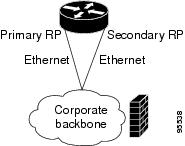
The commands used to register the policy are shown below.
event manager applet memory-demo
 event snmp oid 1.3.6.1.4.1.9.9.48.1.1.1.6.1 get-type exact entry-op lt entry-val 5120000
poll-interval 90
 action 1.0 syslog priority critical msg "Memory exhausted; current available memory is
$_snmp_oid_val bytes"
 action 2.0 force-switchover
The registered applet is displayed using the show event manager policy registered command:
Device# show event manager policy registered
No.  Type    Event Type          Time Registered           Name
1    applet  snmp                Thu Jan30  05:57:16 2003  memory-demo
 oid {1.3.6.1.4.1.9.9.48.1.1.1.6.1} get-type exact entry-op lt entry-val {5120000}
poll-interval 90
 action 1.0 syslog priority critical msg "Memory exhausted; current available memory is
$_snmp_oid_val bytes"
 action 2.0 force-switchover
For the purpose of this example, a memory depletion is forced on the device, and a series of show memory commands are executed to watch the memory deplete:
Device# show memory
                Head    Total(b)     Used(b)     Free(b)   Lowest(b)  Largest(b)
Processor   53585260   212348444   119523060    92825384    92825384    92365916
Fast        53565260      131080       70360       60720       60720       60668
Device# show memory
                Head    Total(b)     Used(b)     Free(b)   Lowest(b)  Largest(b)
Processor   53585260   212364664   164509492    47855172    47855172    47169340
Fast        53565260      131080       70360       60720       60720       60668
Device# show memory
                Head    Total(b)     Used(b)     Free(b)   Lowest(b)  Largest(b)
Processor   53585260   212369492   179488300    32881192    32881192    32127556
Fast        53565260      131080       70360       60720       60720       60668
When the threshold is reached, an EEM event is triggered. The applet named memory-demo runs, causing a syslog message to be written to the console and a switch to be made to the secondary RP. The following messages are logged:
00:08:31: %HA_EM-2-LOG: memory-demo: Memory exhausted; current available memory is
4484196 bytes
00:08:31: %HA_EM-6-FMS_SWITCH_HARDWARE: fh_io_msg: Policy has requested a hardware
switchover
The following is partial output from the show running-config command on both the primary RP and the secondary (redundant) RP:
redundancy
 mode sso
.
.
!
event manager applet memory-demo
 event snmp oid 1.3.6.1.4.1.9.9.48.1.1.1.6.1 get-type exact entry-op lt entry-val
5120000 poll-interval 90
 action 1.0 syslog priority critical msg "Memory exhausted; current available memory
is $_snmp_oid_val bytes"
 action 2.0 force-switchover
SNMP Notification Event Detector
The following example shows how to configure the snmp-server community public RW and snmp-server manager commands before event snmp-notification is configured.
snmp-server community public RW
 snmp-server manager
The following example shows how an EEM applet called SNMP_Notification is being registered to run an EEM script when the device receives an SNMP notification on destination IP address 192.168.1.1 for object ID 1 whose value equals 10.
event manager applet SNMP_Notification
 event snmp-notification dest_ip_address 192.168.1.1 oid 1 op eq oid-value 10
 action 1 policy eem_script
Syslog Event Detector
The following example shows how to specify an EEM applet to run when syslog identifies that Ethernet interface 1/0 is down. The applet sends a message about the interface to syslog.
event manager applet interface-down
 event syslog pattern “.*UPDOWN.*Ethernet1/0.*” occurs 4
 action 1.0 syslog msg "Ethernet interface 1/0 changed state 4 times"
Configuration Examples for Embedded Event Manager Applet
Example Identity Event Detector
The following example shows how a policy named “EventIdentity” is triggered every time the authentication on the Fast Ethernet interface 0 is success.
event manager applet EventIdentity
 event identity interface FastEthernet0 authc success
action 1.0 syslog msg "Applet EventIdentity"
Example MAT Event Detector
The following example shows how a policy named “EventMat” is triggered every time a mac-address is learned in the mac-address-table.
event manager applet EventMat
 event mat interface FastEthernet0
action 1.0 syslog msg "Applet EventMat"
Example Neighbor-Discovery Event Detector
The following example shows how a policy named “EventNeighbor” is triggered when a Cisco Discovery Protocol (CDP) cache entry changes.
event manager applet EventNeighbor
 event neighbor-discovery interface FastEthernet0 cdp all
action 1.0 syslog msg "Applet EventNeighbor"
Embedded Event Manager Manual Policy Execution Examples
The following examples show how to use the none event detector to configure an EEM policy (applet or script) to be run manually.
Using the event manager run Command
This example shows how to run a policy manually using the event manager run command. The policy is registered using the event none command under applet configuration mode and then run from global configuration mode using the event manager run command.
event manager applet manual-policy
 event none
 action 1.0 syslog msg "Manual-policy triggered"
 end
!
event manager run manual-policy
Using the action policy Command
This example shows how to run a policy manually using the action policy command. The policy is registered using the event none command under applet configuration mode, and then the policy is executed using the action policy command in applet configuration mode.
event manager applet manual-policy
 event none
 action 1.0 syslog msg "Manual-policy triggered"
 exit
!
event manager applet manual-policy-two
 event none
 action 1.0 policy manual-policy
 end
!
event manager run manual-policy-two
Embedded Event Manager Watchdog System Monitor (Cisco IOS) Event Detector Configuration Example
The following example shows how to configure three EEM applets to demonstrate how the Cisco IOS watchdog system monitor (IOSWDSysMon) event detector works.
Watchdog System Monitor Sample1 Policy
The first policy triggers an applet when the average CPU usage for the process named IP Input is greater than or equal to 1 percent for 10 seconds:
event manager applet IOSWD_Sample1
 event ioswdsysmon sub1 cpu-proc taskname "IP Input" op ge val 1 period 10
 action 1.0 syslog msg "IOSWD_Sample1 Policy Triggered"
Watchdog System Monitor Sample2 Policy
The second policy triggers an applet when the total amount of memory used by the process named Net Input is greater than 100 kb:
event manager applet IOSWD_Sample2
 event ioswdsysmon sub1 mem-proc taskname "Net Input" op gt val 100 is-percent false
 action 1.0 syslog msg "IOSWD_Sample2 Policy Triggered"
Watchdog System Monitor Sample3 Policy
The third policy triggers an applet when the total amount of memory used by the process named IP RIB Update has increased by more than 50 percent over the sample period of 60 seconds:
event manager applet IOSWD_Sample3
 event ioswdsysmon sub1 mem-proc taskname "IP RIB Update" op gt val 50 is-percent true period 60
 action 1.0 syslog msg "IOSWD_Sample3 Policy Triggered"
The three policies are configured, and then repetitive large pings are made to the networking device from several workstations, causing the networking device to register some usage. This will trigger policies 1 and 2, and the console will display the following messages:
00:42:23: %HA_EM-6-LOG: IOSWD_Sample1: IOSWD_Sample1 Policy Triggered
00:42:47: %HA_EM-6-LOG: IOSWD_Sample2: IOSWD_Sample2 Policy Triggered
To view the policies that are registered, use the show event manager policy registered command:
Device# show event manager policy registered
No.  Class   Type    Event Type          Trap  Time Registered           Name
1    applet  system  ioswdsysmon         Off   Fri Jul 23 02:27:28 2004  IOSWD_Sample1
 sub1 cpu_util {taskname {IP Input} op ge val 1 period 10.000 }
 action 1.0 syslog msg "IOSWD_Sample1 Policy Triggered"
2    applet  system  ioswdsysmon         Off   Fri Jul 23 02:23:52 2004  IOSWD_Sample2
 sub1 mem_used {taskname {Net Input} op gt val 100 is_percent FALSE}
 action 1.0 syslog msg "IOSWD_Sample2 Policy Triggered"
3    applet  system  ioswdsysmon         Off   Fri Jul 23 03:07:38 2004  IOSWD_Sample3
 sub1 mem_used {taskname {IP RIB Update} op gt val 50 is_percent TRUE period 60.000 }
 action 1.0 syslog msg "IOSWD_Sample3 Policy Triggered"
Configuration SNMP Library Extensions Examples
- SNMP Get Operations Examples
- SNMP GetID Operations Examples
- Set Operations Examples
- Generating SNMP Notifications Examples
SNMP Get Operations Examples
The following example shows how to send a get request to the local host.
Device(config)# event manager applet snmp
Device(config-applet)# event snmp oid
 1.3.6.1.2.1.1.1.0 get-type exact entry-op
 lt entry-val
 5120000 poll-interval
90
Device(config-applet)# action 1.3 info type snmp oid
 1.3.6.1.2.1.1.1.0 get-type exact
community
 public
Device(config-applet)# action 1.3 info type snmp oid
 1.3.6.1.2.1.1.4.0 get-type next community
public
The following log message will be written to the SNMP event manager log:
1d03h:%HA_EM-6-LOG: lg: 1.3.6.1.2.1.1.1.0
1d04h:%HA_EM-6-LOG: lgn: 1.3.6.1.2.1.1.5.0
The following example shows how to send a get request to a remote host.
Device(config)# event manager applet snmp
Device(config-applet)# event snmp oid
 1.3.6.1.2.1.1.1.0 get-type exact entry-op
 lt entry-val
 5120000 poll-interval
 90
Device(config-applet)# action 1.3 info type snmp oid
1.3.6.1.2.1.1.4.0 get-type next community
 public ipaddr
 172.17.16.69
Device(config-applet)# action 1.3 info type snmp getid
 1.3.6.1.2.1.1.1.0 community
 public ipaddr
 172.17.16.69
The following log message is written to the SNMP event manager log:
1d03h:%HA_EM-6-LOG: lg: 1.3.6.1.2.1.1.1.0
1d04h:%HA_EM-6-LOG: lgn: 1.3.6.1.2.1.1.5.0
SNMP GetID Operations Examples
The following example shows how to send a getid request to the local host.
Device(config)# event manager applet snmp
Device(config-applet)# event snmp oid
1.3.6.1.2.1.1.1.0 get-type exact entry-op
 lt entry-val
5120000 poll-interval
 90
Device(config-applet)# action 1.3 info type snmp getid
 community
 public
The following log message is written to the SNMP event manager log:
1d04h:%HA_EM-6-LOG: lgid: _info_snmp_sysname_oid=1.3.6.1.2.1.1.5.0
1d04h:%HA_EM-6-LOG: lgid: _info_snmp_sysname_value=jubjub.cisco.com
1d04h:%HA_EM-6-LOG: lgid: _info_snmp_syslocation_oid=1.3.6.1.2.1.1.6.0
1d04h:%HA_EM-6-LOG: lgid: _info_snmp_syslocation_value=
1d04h:%HA_EM-6-LOG: lgid: _info_snmp_sysdescr_oid=1.3.6.1.2.1.1.1.0
1d04h:%HA_EM-6-LOG: lgid: _info_snmp_sysobjectid_oid=1.3.6.1.2.1.1.2.0
1d04h:%HA_EM-6-LOG: lgid: _info_snmp_sysobjectid_value=products.222
1d04h:%HA_EM-6-LOG: lgid: _info_snmp_sysuptime_oid=1.3.6.1.2.1.1.3.0
1d04h:%HA_EM-6-LOG: lgid: _info_snmp_sysuptime_oid=10131676
1d04h:%HA_EM-6-LOG: lgid: _info_snmp_syscontact_oid=1.3.6.1.2.1.1.4.0
1d04h:%HA_EM-6-LOG: lgid: _info_snmp_syscontact_value=YYY
The following example shows how to send a getid request to a remote host.
Device(config)# event manager applet snmp
Device(config-applet)# event snmp oid
 1.3.6.1.2.1.1.1.0 get-type exact entry-op
 lt entry-val
 5120000 poll-interval
 90
Device(config-applet)# action 1.3 info type snmp getid
 1.3.6.1.2.1.1.1.0 community
 public ipaddr
 172.17.16.69
The following log message is written to the SNMP event manager log:
1d04h:%HA_EM-6-LOG: lgid: _info_snmp_sysname_oid=1.3.6.1.2.1.1.5.0
1d04h:%HA_EM-6-LOG: lgid: _info_snmp_sysname_value=jubjub.cisco.com
1d04h:%HA_EM-6-LOG: lgid: _info_snmp_syslocation_oid=1.3.6.1.2.1.1.6.0
1d04h:%HA_EM-6-LOG: lgid: _info_snmp_syslocation_value=
1d04h:%HA_EM-6-LOG: lgid: _info_snmp_sysdescr_oid=1.3.6.1.2.1.1.1.0
1d04h:%HA_EM-6-LOG: lgid: _info_snmp_sysobjectid_oid=1.3.6.1.2.1.1.2.0
1d04h:%HA_EM-6-LOG: lgid: _info_snmp_sysobjectid_value=products.222
1d04h:%HA_EM-6-LOG: lgid: _info_snmp_sysuptime_oid=1.3.6.1.2.1.1.3.0
1d04h:%HA_EM-6-LOG: lgid: _info_snmp_sysuptime_oid=10131676
1d04h:%HA_EM-6-LOG: lgid: _info_snmp_syscontact_oid=1.3.6.1.2.1.1.4.0
1d04h:%HA_EM-6-LOG: lgid: _info_snmp_syscontact_value=YYY
Set Operations Examples
The following example shows how to perform a set operation on the local host.
Device(config)# event manager applet snmp
Device(config-applet)# event snmp oid
 1.3.6.1.2.1.1.1.0 get-type exact entry-op
 lt entry-val
 5120000 poll-interval
 90
Device(config-applet)# action 1.3 info type snmp oid
1.3.6.1.2.1.1.4.0 set-type
 integer
 5 sysName.0 community
 public
The following log message is written to the SNMP event manager log:
1d04h:%HA_EM-6-LOG: lset: 1.3.6.1.2.1.1.4.0
1d04h:%HA_EM-6-LOG: lset: XXX
The following example shows how to perform a set operation on a remote host.
Device(config)# event manager applet snmp
Device(config-applet)# event snmp oid
1.3.6.1.2.1.1.1.0 get-type exact entry-op
 lt entry-val
 5120000 poll-interval
90
Device(config-applet)# action 1.3 info type snmp oid
1.3.6.1.2.1.1.4.0 set-type integer
 5 sysName.0 community
 public ipaddr
172.17.16.69
The following log message is written to the SNMP event manager log:
1d04h:%HA_EM-6-LOG: lset: 1.3.6.1.2.1.1.4.0
1d04h:%HA_EM-6-LOG: lset: XXX
Generating SNMP Notifications Examples
The following example shows how to configure SNMP traps for the sysUpTime.0 variable:
Device(config)# event manager applet snmp
Device(config-applet)# event snmp oid
 1.3.6.1.4.1.9.9.48.1.1.1.6.1 get-type exact entry-op
lt entry-val
 5120000 poll-interval
90
Device(config-applet)# action 1.3 info type snmp var
 sysUpTime.0 oid
1.3.6.1.4.1.9.9.43.1.1.6.1.3.41 integer
 2
Device(config-applet)# action 1.4 info type snmp trap
 enterprise-oid
 ciscoSyslogMIB.2 generic-trapnum
6 specific-trapnum
1 trap-oid
 1.3.6.1.4.1.9.9.41.2.0.1 trap-var
sysUpTime.0
The following output is generated if the debug snmp packets command is enabled:
Device# debug snmp packets
1d04h: SNMP: Queuing packet to 172.69.16.2
1d04h: SNMP: V1 Trap, ent ciscoSyslogMIB.2, addr 172.19.rap 1
clogHistoryEntry.3 = 4
clogHistoryEntry.6 = 9999
1d04h: SNMP: Queuing packet to 172.19.208.130
1d04h: SNMP: V1 Trap, ent ciscoSyslogMIB.2, addr 172.19.rap 1
clogHistoryEntry.3 = 4
clogHistoryEntry.6 = 9999
1d04h: SNMP: Packet sent via UDP to 172.69.16.2
1d04h: SNMP: Packet sent via UDP to 172.69.16.2
infra-view10:
Packet Dump:
30 53 02 01 00 04 04 63 6f 6d 6d a4 48 06 09 2b
06 01 04 01 09 09 29 02 40 04 ac 13 d1 17 02 01
06 02 01 01 43 04 00 9b 82 5d 30 29 30 12 06 0d
2b 06 01 04 01 09 09 29 01 02 03 01 03 02 01 04
30 13 06 0d 2b 06 01 04 01 09 09 29 01 02 03 01
06 02 02 27 0f
Received SNMPv1 Trap:
Community: comm
Enterprise: ciscoSyslogMIBNotificationPrefix
Agent-addr: 172.19.209.23
Enterprise Specific trap.
Enterprise Specific trap: 1
Time Ticks: 10191453
clogHistSeverity = error(4)
clogHistTimestamp = 9999
The following example shows how to configure SNMP inform requests for the sysUpTime.0 variable:
Device(config)# event manager applet snmp
Device(config-applet)# event snmp oid
1.3.6.1.4.1.9.9.48.1.1.1.6.1 get-type exact entry-op
 lt entry-val
 5120000 poll-interval
 90
Device(config-applet)# action 1.3 info type snmp var
 sysUpTime.0 oid
1.3.6.1.4.1.9.9.43.1.1.6.1.3.41 integer
 2
Device(config-applet)# action 1.4 info type snmp inform
trap-oid
 1.3.6.1.4.1.9.9.43.2.0.1 trap-var
 sysUpTime.0 community
 public ipaddr
 172.19.209.24
The following output is generated if the debug snmp packets command is enabled:
Device# debug snmp packets
1d04h: SNMP: Inform request, reqid 24, errstat 0, erridx 0
sysUpTime.0 = 10244391
snmpTrapOID.0 = ciscoConfigManMIB.2.0.1
ccmHistoryEventEntry.3.40 = 1
1d04h: SNMP: Packet sent via UDP to 172.19.209.24.162
1d04h: SNMP: Packet received via UDP from 172.19.209.24 on FastEthernet0/0
1d04h: SNMP: Response, reqid 24, errstat 0, erridx 0
1d04h: SNMP: Response, reqid 24, errstat 0, erridx 0
1d04h: SNMP: Inform request, reqid 25, errstat 0, erridx 0
sysUpTime.0 = 10244396
snmpTrapOID.0 = ciscoConfigManMIB.2.0.1
ccmHistoryEventEntry.3.41 = 2
1d04h: SNMP: Packet sent via UDP to 172.19.209.24.162
1d04h: SNMP: Packet received via UDP from 172.19.209.24 on FastEthernet0/0
1d04h: SNMP: Response, reqid 25, errstat 0, erridx 0
1d04h: SNMP: Response, reqid 25, errstat 0, erridx 0
Device# debug snmp packets
5d04h: SNMP: Packet received via UDP from 172.19.209.23 on FastEthernet0/0
5d04h: SNMP: Inform request, reqid 24, errstat 0, erridx 0
sysUpTime.0 = 10244391
snmpTrapOID.0 = ciscoConfigManMIB.2.0.1
ccmHistoryEventEntry.3.40 = 1
5d04h: dest if_index = 1
5d04h: dest ip addr= 172.19.209.24
5d04h: SNMP: Response, reqid 24, errstat 0, erridx 0
5d04h: SNMP: Packet sent via UDP to 172.19.209.23.57748
5d04h: SNMP: Packet received via UDP from 172.19.209.23 on FastEthernet0/0
5d04h: SNMP: Inform request, reqid 25, errstat 0, erridx 0
Configuring Variable Logic for EEM Applets Examples
The following sections provide examples on some selected action commands. For information on all the action commands supporting variable logic within applets, see the table below.
In this example, conditional loops while, if and foreach are used to print data. Other action commands such as action divide, action increment and action puts are used to define the actions to be performed when the conditions are met.
event manager applet printdata
event none
action 100 set colors "red green blue"
action 101 set shapes "square triangle rectange"
action 102 set i "1"
action 103 while $i lt 6
action 104  divide $i 2
action 105  if $_remainder eq 1
action 106   foreach _iterator "$colors"
action 107    puts nonewline "$_iterator "
action 108   end
action 109   puts ""
action 110  else
action 111   foreach _iterator "$shapes"
action 112    puts nonewline "$_iterator "
action 113   end
action 114   puts ""
action 115  end
action 116  increment i
action 117 end
When the event manager applet ex is run, the following output is obtained:
event manager run printdata
red green blue
square triangle rectange
red green blue
square triangle rectange
red green blue
In this example, two environment variables poll_interface and max_rx_rate are set to F0/0 and 3 respectively. Every 30 seconds there is a poll on an interface for rx rate. If the rx rate is greater than the threshold, a syslog message is displayed.
This applet makes use of the foreach conditional statement to poll the interface, the if conditional block to compare the value under RXPS with max_rx_rate that was set in the EEM environment variable.
event manager environment poll_interfaces F0/0
event manager environment max_rx_rate 3
ev man app check_rx_rate
ev timer watchdog name rx_timer time 30
action 100 foreach int $poll_interfaces
action 101  cli command "en"
action 102  cli command "show int $int summ | beg ------"
action 103  foreach line $_cli_result "\n"
action 105  regexp ".*[0-9]+\s+[0-9]+\s+[0-9]+\s+[0-9]+\s+[0-9]+\s+([0-9]+)\s+.*" $line junk rxps
action 106   if $_regexp_result eq 1
action 107    if $rxps gt $max_rx_rate
action 108     syslog msg "Warning rx rate for $int is > than threshold. Current value is $rxps
 (threshold is $max_rx_rate)"
action 109    end
action 110   end
action 111  end
action 112 end
Example syslog message:
Oct 16 09:29:26.153: %HA_EM-6-LOG: c: Warning rx rate for F0/0 is > than threshold.
 Current value is 4 (threshold is 3)
The output of show int F0/0 summ is of the format:

#show int f0/0 summ

 *: interface is up
 IHQ: pkts in input hold queue     IQD: pkts dropped from input queue
 OHQ: pkts in output hold queue    OQD: pkts dropped from output queue
 RXBS: rx rate (bits/sec)          RXPS: rx rate (pkts/sec)
 TXBS: tx rate (bits/sec)          TXPS: tx rate (pkts/sec)
 TRTL: throttle count

  Interface               IHQ   IQD  OHQ   OQD  RXBS RXPS  TXBS TXPS TRTL
-------------------------------------------------------------------------
* FastEthernet0/0          0 87283    0     0     0    0     0    0    0
Note | To use other action commands supporting variable logic within applets, use the commands listed in the table below. |
|
Action Commands |
Purpose |
|---|---|
|
action add |
Adds the value of two variables when an EEM applet is triggered. |
|
action append |
Appends the given value to the current value of a variable when an EEM applet is triggered. |
|
action break |
Causes an immediate exit from a loop of actions when an EEM applet is triggered |
|
action comment |
Adds comments to an applet when an EEM applet is triggered |
|
action context retrieve |
Retrieves variables identified by a given set of context name keys when an EEM applet is triggered. |
|
action context save |
Saves information across multiple policy triggers when an EEM applet is triggered. |
|
action continue |
Continues with a loop of actions when an EEM applet is triggered. |
|
action decrement |
Decrements the value of a variable when an EEM applet is triggered. |
|
action divide |
Divides the dividend value by the given divisor value when an EEM applet is triggered. |
|
action else |
Specifies the beginning of else conditional action block in if / else conditional action block when an EEM applet is triggered. |
|
action elseif |
Identifies the beginning of the else conditional action block in the else / if conditional action block when an EEM applet is triggered. |
|
action end |
Specifies the identification of the end of an conditional action block in the if / else and while conditional action block when an EEM applet is triggered. |
|
action exit |
Specifies an immediate exit from the running applet configuration when an EEM applet is triggered. |
|
action foreach |
Specifies the iteration of an input string using the delimiter as a tokenizing pattern, when an EEM applet is triggered. |
|
action gets |
Gets an input from the local TTY in a synchronous applet and store the value in the given variable when an EEM applet is triggered. |
|
action if |
Specifies the identification of the beginning of an if conditional block when an EEM applet is triggered. |
|
action if goto |
Instructs the applet to jump to a given label if the specified condition is true when an EEM applet is triggered. |
|
action increment |
Increments the value of a variable when an EEM applet is triggered. |
|
action info type interface-names |
Specifies the action of obtaining interface names when an EEM applet is triggered. |
|
action info type snmp getid |
Retrieves the individual variables from a Simple Network Management Protocol (SNMP) entity during the SNMP get operation. |
|
action info type snmp inform |
Sends an SNMP inform requests when an EEM applet is triggered. |
|
action info type snmp oid |
Specifies the type of SNMP get operation and the object to retrieve during the SNMP set operation, when an EEM applet is triggered. |
|
action info type snmp trap |
Sends SNMP trap requests when an EEM applet is triggered. |
|
action info type snmp var |
Creates a variable for an SNMP object identifier (OID) and its value from an EEM applet |
|
action multiply |
Specifies the action of multiplying the variable value with a specified given integer value when an EEM applet is triggered. |
|
action puts |
Enables the action of printing data directly to the local tty when an EEM applet is triggered. |
|
action regexp |
Specifies the action of matching a regular expression pattern on an input string when an EEM applet is triggered. |
|
action set (EEM) |
Specifies the action of setting the value of a variable when an EEM applet is triggered. |
|
action string compare |
Specifies the action of comparing two unequal strings when an EEM applet is triggered. |
|
action string equal |
Specifies the action of verifying whether or not two strings are equal when an EEM applet is triggered |
|
action string first |
Specifies the action of returning the index on the first occurrence of string1 within string2 when an EEM applet is triggered. |
|
action string index |
Specifies the action of returning the characters specified at a given index value when an EEM applet is triggered. |
|
action string last |
Specifies the action of returning the index on the last occurrence of string1 within string 2 when an EEM applet is triggered. |
|
action string length |
Specifies the action of returning the number of characters in a string when the EEM applet is triggered. |
|
action string match |
Specifies the action of returning 1 to the $_string_result, if the string matches the pattern when an EEM applet is triggered. |
|
action string range |
Specifies the action of storing a range of characters in a string when an EEM applet is triggered. |
|
action string replace |
Specifies the action of storing a new string by replacing range of characters in the specified string when an EEM applet is triggered. |
|
action string tolower |
Specifies the action of storing specific range of characters of a string in lowercase when an EEM applet is triggered. |
|
action string toupper |
Specifies the action of storing specific range of characters of a string in uppercase when an EEM applet is triggered. |
|
action string trim |
Specifies the action to trim a string when an EEM applet is triggered. |
|
action string trimleft |
Specifies the action to trim the characters of one string from the left end of another string when an EEM applet is triggered. |
|
action string trimright |
Specifies the action to trim the characters one string from the right end of another string when an EEM applet is triggered. |
|
action subtract |
Subtracts the value of a variable from another value when an EEM applet is triggered. |
|
action while |
Specifies the action of identifying the beginning of a loop of conditional block when an EEM applet is triggered. |
Configuring Event SNMP-Object Examples
The following example shows the SET operation and the value to set is in $_snmp_value and it is managed by the script. The example below saves the oid and its value as contexts to be retrieved later.
event manager applet snmp-object1
 description "APPLET SNMP-OBJ-1"
 event snmp-object oid 1.3.6.1.2.1.31.1.1.1.18 type string sync no skip no istable yes default 0
 action 1 syslog msg "SNMP-OBJ1:TRIGGERED" facility "SNMP_OBJ"
 action 2 context save key myoid variable "_snmp_oid"
 action 3 context save key myvalue variable "_snmp_value"
Configuring Description of an EEM Applet Examples
The following example shows how to add or modify the description for an Embedded Event Manager (EEM) applet that is run by sampling Simple Network Management Protocol (SNMP):
event manager applet test
 description "This applet looks for the word count in syslog messages"
 event syslog pattern "count"
 action 1 syslog msg hi
Additional References
The following sections provide references related to writing EEM policies Using the Cisco IOS CLI.
Related Documents
|
Related Topic |
Document Title |
|---|---|
|
Cisco IOS commands |
|
|
EEM commands: complete command syntax, defaults, command mode, command history, usage guidelines, and examples |
|
|
Embedded Event Manager overview |
Embedded Event Manager Overview module |
|
Embedded Event Manager policy writing using Tcl |
Writing Embedded Event Manager Policies Using Tcl module |
|
Configuring enhanced object tracking |
Configuring Enhanced Object Tracking module |
Standards
|
Standard |
Title |
|---|---|
|
No new or modified standards are supported, and support for existing standards has not been modified. |
-- |
MIBs
|
MIB |
MIBs Link |
|---|---|
|
CISCO-EMBEDDED-EVENT-MGR-MIB |
To locate and download MIBs for selected platforms, Cisco IOS releases, and feature sets, use Cisco MIB Locator found at the following URL: |
RFCs
|
RFC |
Title |
|---|---|
|
No new or modified RFCs are supported, and support for existing RFCs has not been modified. |
-- |
Technical Assistance
|
Description |
Link |
|---|---|
|
The Cisco Support website provides extensive online resources, including documentation and tools for troubleshooting and resolving technical issues with Cisco products and technologies. To receive security and technical information about your products, you can subscribe to various services, such as the Product Alert Tool (accessed from Field Notices), the Cisco Technical Services Newsletter, and Really Simple Syndication (RSS) Feeds. Access to most tools on the Cisco Support website requires a Cisco.com user ID and password. |
Feature Information for Writing EEM 3.2 Policies Using the Cisco IOS CLI
The following table provides release information about the feature or features described in this module. This table lists only the software release that introduced support for a given feature in a given software release train. Unless noted otherwise, subsequent releases of that software release train also support that feature.
Use Cisco Feature Navigator to find information about platform support and Cisco software image support. To access Cisco Feature Navigator, go to www.cisco.com/go/cfn. An account on Cisco.com is not required.|
Feature Name |
Releases |
Feature Information |
|---|---|---|
|
Embedded Event Manager 3.2 |
Cisco IOS XE Release 3.3SE |
The following sections provide information about this feature: In Cisco IOS XE Release 3.3SE, this feature is supported on Cisco Catalyst 3850 Series Switches and Cisco 5700 Wireless LAN Controllers. The following commands were introduced or modified: debug event manager, event identity, event mat, event neighbor-discovery, show event manager detector. |
 Feedback