简介
本文档介绍如何使用LDAP和Duo身份验证代理在IMM设备控制台上配置多重身份验证。
先决条件
要求
Intersight管理模式(IMM)下的UCS交换矩阵互联。
注册用户的双用户订阅。
配置
网络图
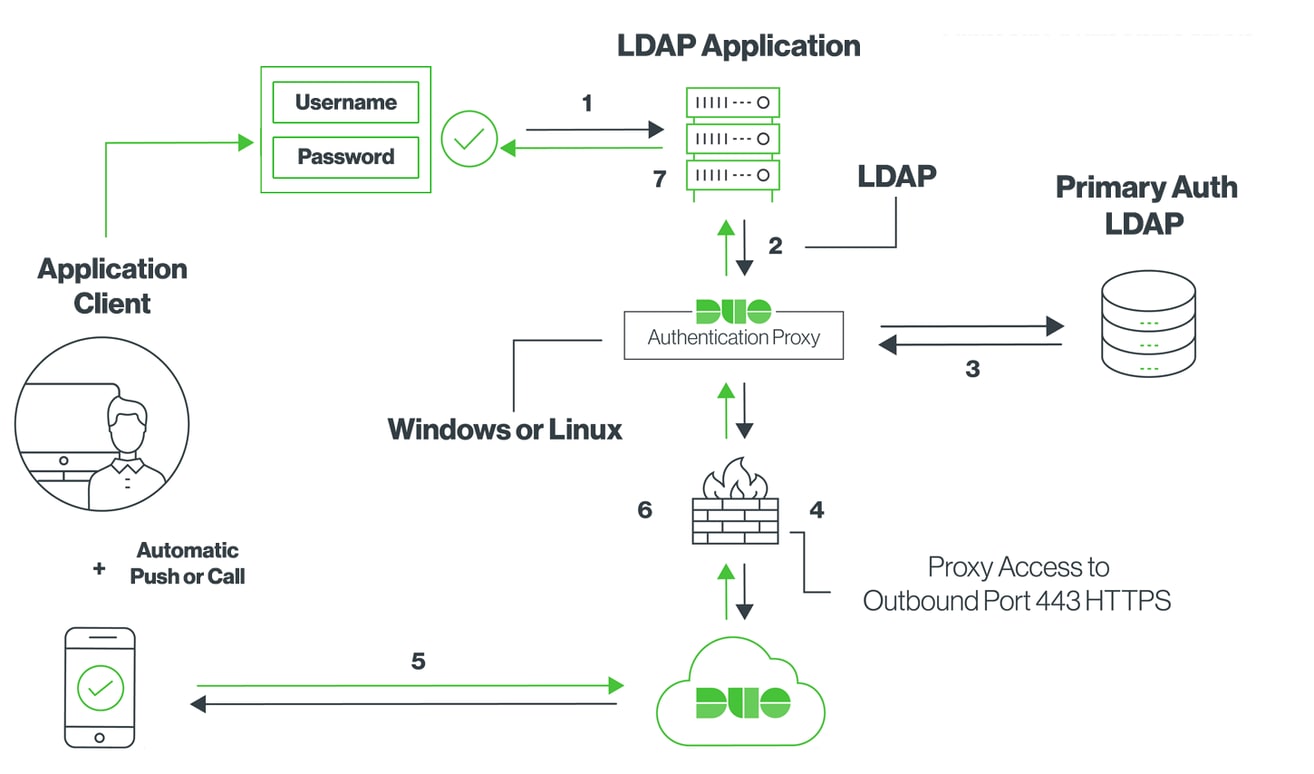
步骤1:
在Active Directory和IMM设备控制台均可访问的Windows服务器上安装双身份验证代理。
此处可以找到Duo身份验证代理。
Step 2.
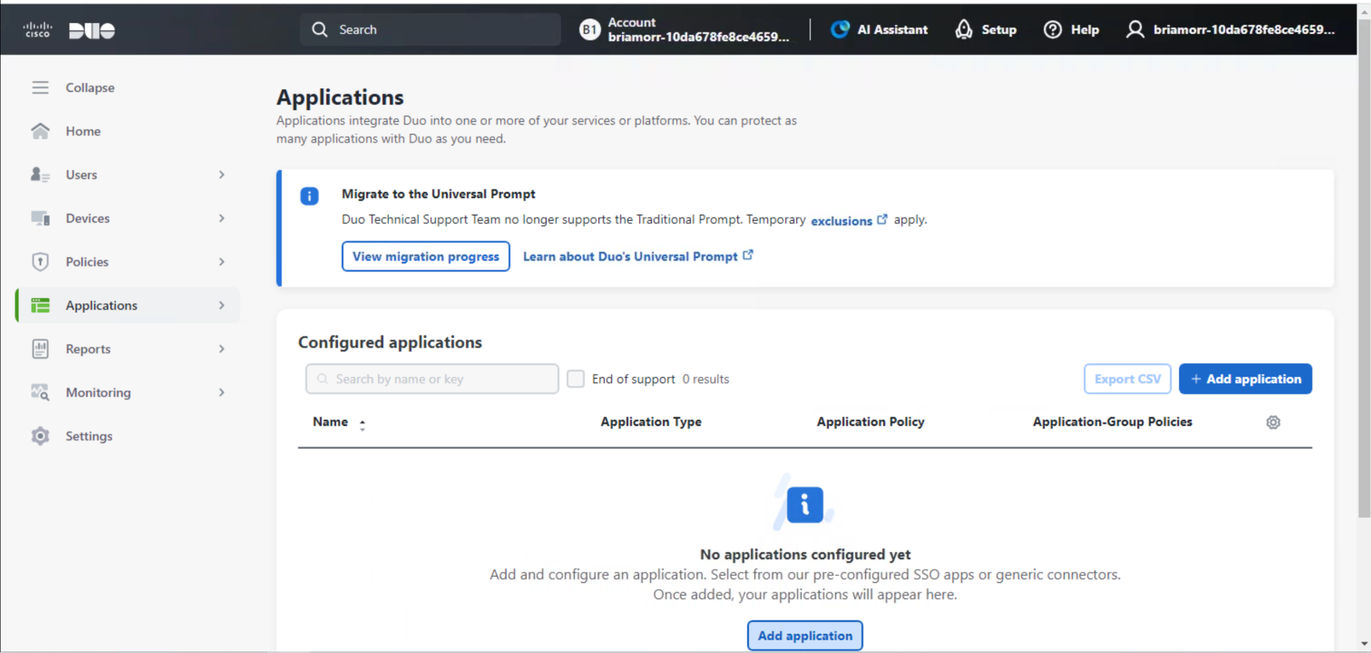
在我们的Duo实例中,您可以添加新应用程序。
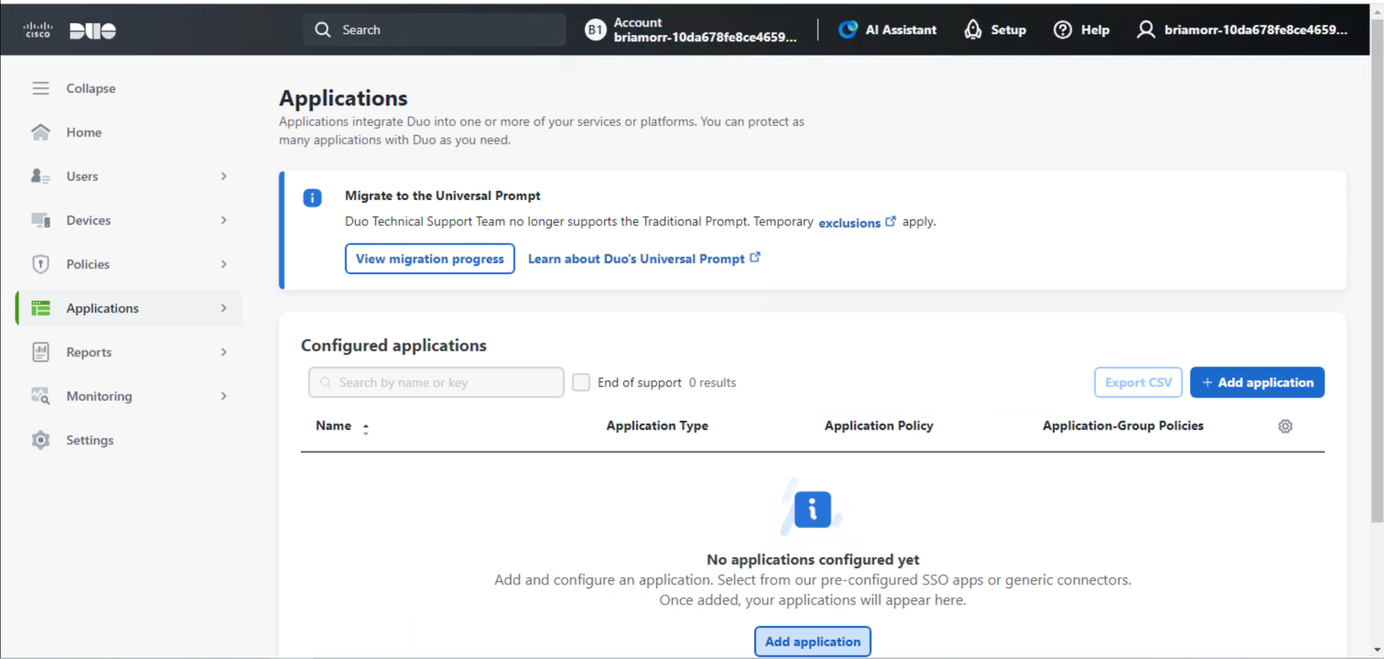
搜索ldap并添加LDAP代理以继续。
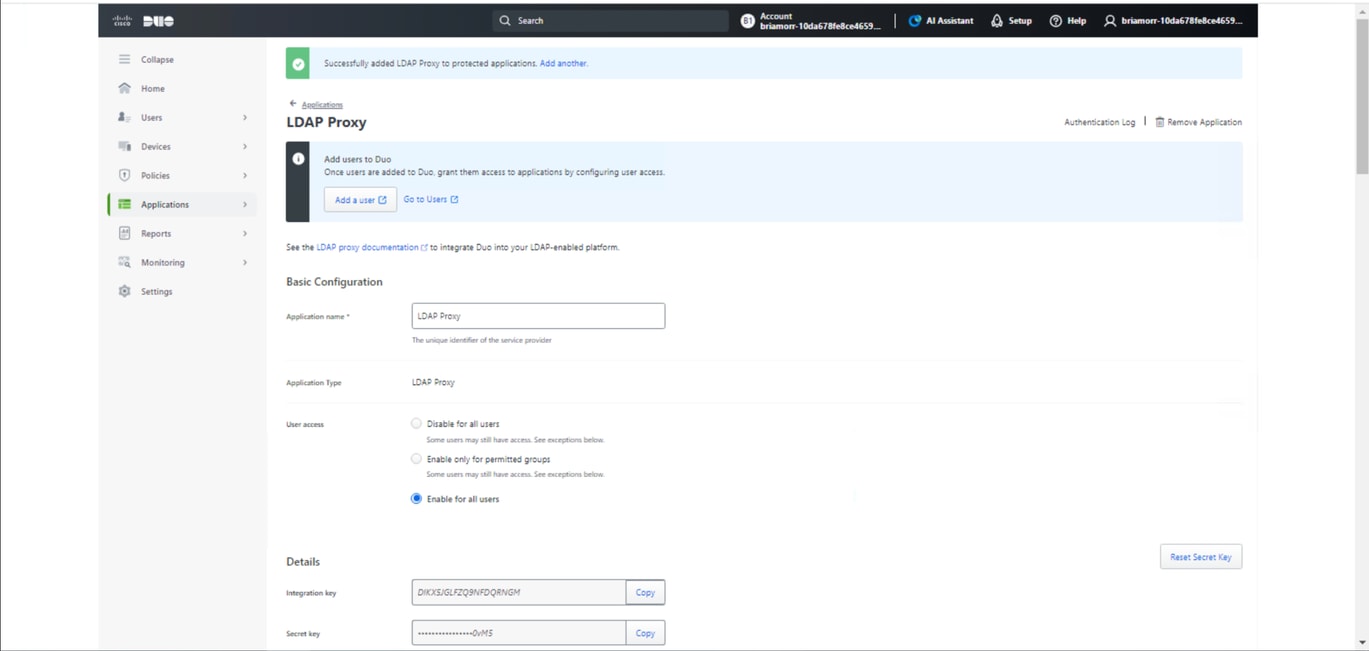
在LDAP代理应用下,您可以配置应用名称,为所有用户启用,并复制集成密钥、密钥和API主机名供以后使用。
第 3 步:
在安装了Duo Authentication Proxy的服务器上,您可以配置Duo Authentication Proxy Manager。
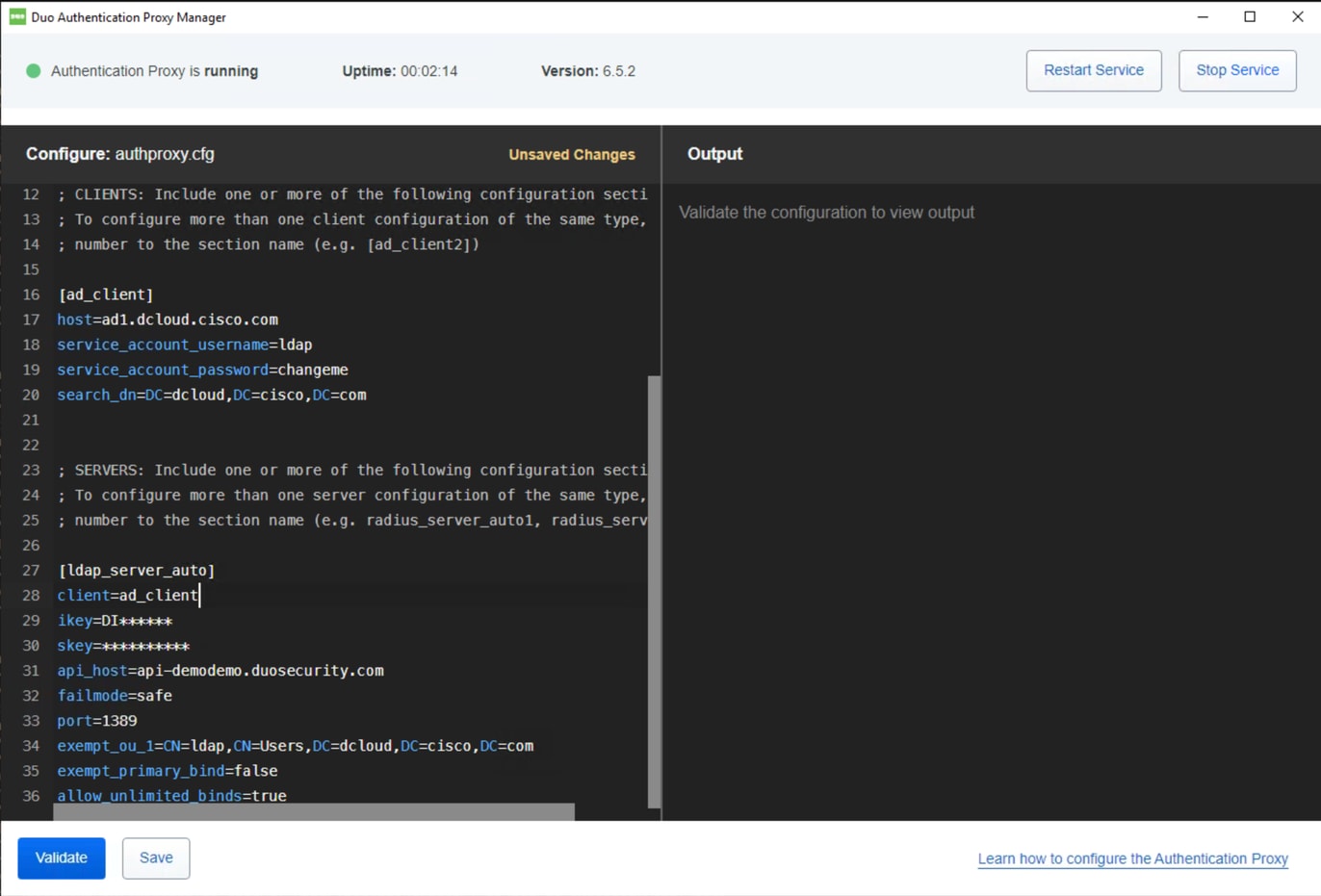
Duo身份验证代理示例配置:
[ad_client]
host=ad1.dcloud.cisco.com   # Our Domain Controller
service_account_username=ldap # Our BIND Service Account in AD
service_account_password=changeme  # Service Accounts BIND password
search_dn=DC=dcloud,DC=cisco,DC=com  # LDAP Search DN


[ldap_server_auto]
client=ad_client
ikey=DI******	  # Copy from Duo LDAP Proxy App Page
skey=**********  # Copy from Duo LDAP Proxy App Page
api_host=api-demodemo.duosecurity.com  # Copy from Duo LDAP Proxy App Page
failmode=safe  # If proxy cant communicate with Duo cloud, allow auth with credentials only
port=1389 # Port the LDAP Proxy listen on
exempt_ou_1=CN=ldap,CN=Users,DC=dcloud,DC=cisco,DC=com # Exempt the Service Account from MFA
exempt_primary_bind=false  #  Exempt the Service Account from MFA on initial bind
allow_unlimited_binds=true  # Allow multiple binds, needed to prevent “Attempt to bindRequest multiple times in the same LDAP connection.  Disconnecting.” In Duo logs
第 4 步:
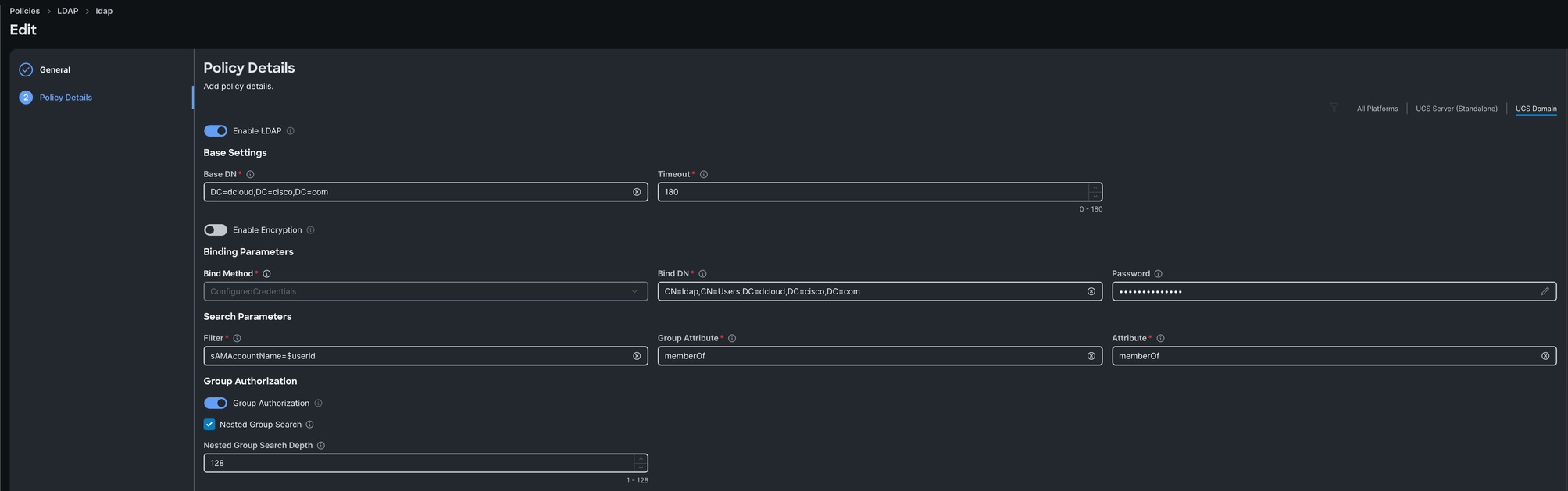
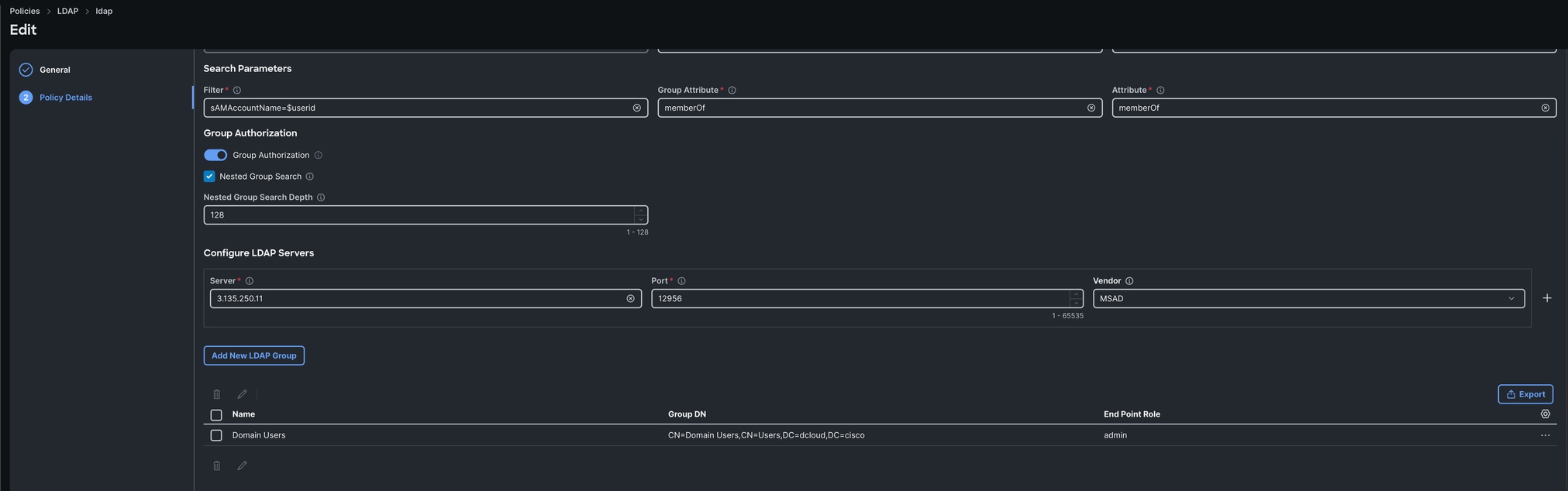
在Intersight中,您可以创建指向具有必要Active Directory设置(如基本dn、绑定dn、LDAP服务器ip、密码等)的Duo LDAP代理的LDAP策略。 建议首先直接指向Active Directory并确保在将LDAP服务器更改为Duo LDAP代理之前正常工作,以便简化故障排除。
验证
在设备控制台上,以之前在Duo中注册的LDAP用户身份登录。
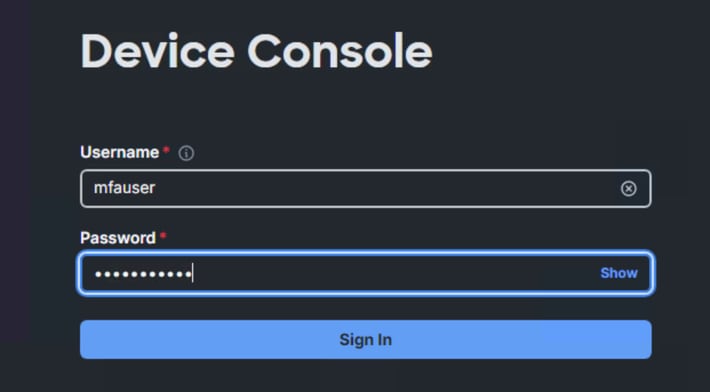
注册用户随后可以在其设备上获得登录提示:
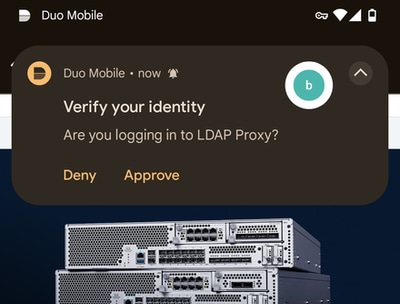
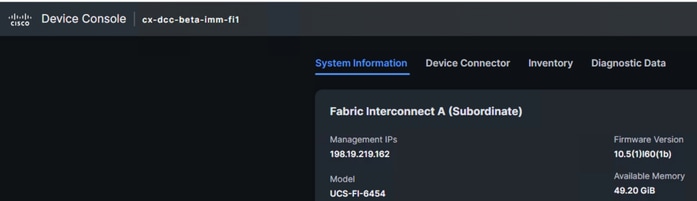
验证请求后,您可以使用双因素身份验证和LDAP成功登录设备控制台。
故障排除
Duo LDAP代理日志位于:
C:\Program Files\Duo Security Authentication Proxy\log\authproxy.log
在Intersight管理模式交换矩阵互联上:
connect nxos

debug ldap
相关信息


 反馈
反馈