このドキュメントでは、1行および複数行のコマンドを使用してユーザ定義のCLIテンプレートを作成する方法について説明します。
前提条件
要件
次の項目に関する知識があることが推奨されます。
- Prime Infrastructure(PI)
- テンプレート機能
- CLI コマンド
使用するコンポーネント
このドキュメントの情報は、次のソフトウェアとハードウェアのバージョンに基づくものです。
このドキュメントの情報は、特定のラボ環境にあるデバイスに基づいて作成されました。このドキュメントで使用するすべてのデバイスは、初期(デフォルト)設定の状態から起動しています。対象のネットワークが実稼働中である場合には、どのようなコマンドについても、その潜在的な影響について確実に理解しておく必要があります。
設定
単一コマンドの例
デバイスからのユーザの削除
- デバイスにユーザ名を作成するには、次の手順を実行します。
注:この例では、ユーザ名innitiは削除されます。

- Configuration > Features & Technologies > My Templates > CLI Templatesの順に選択します
マルチコマンドを使用してテンプレートを作成します。
Example from User Guide

Adding Multi-line Commands

To enter multi-line commands in the CLI Content area, use the this syntax:

<MLTCMD>First Line of Multiline Command

Second Line of Multiline Command

......

......

Last Line of Multiline Command</MLTCMD>


Image 2

<MLTCMD>

no username inniti

y

</MLTCMD>
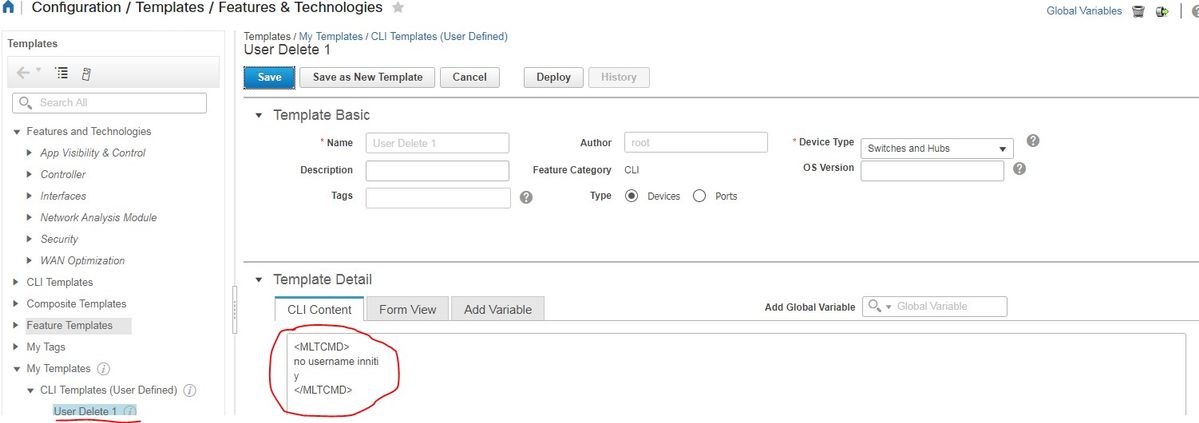
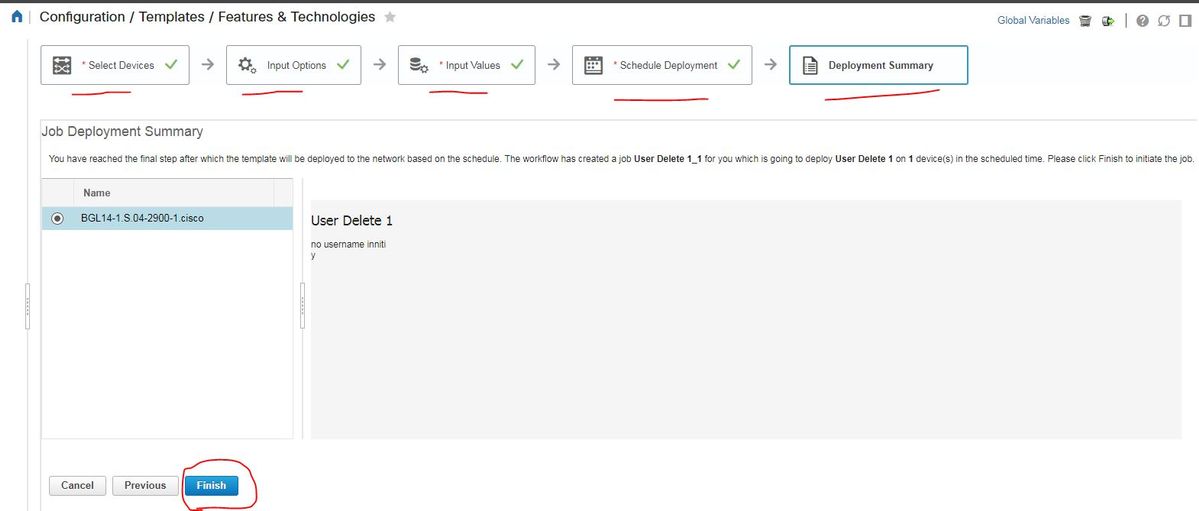
注:デバイスを選択し、それに応じてテンプレートを再確認してください。
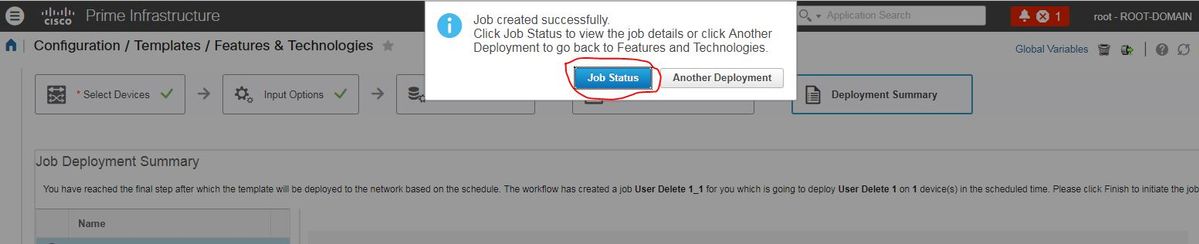
- 展開すると、対応するジョブがバックグラウンドで実行され、次に示すように[ジョブの状態]をクリックすると、その状態を確認できます。
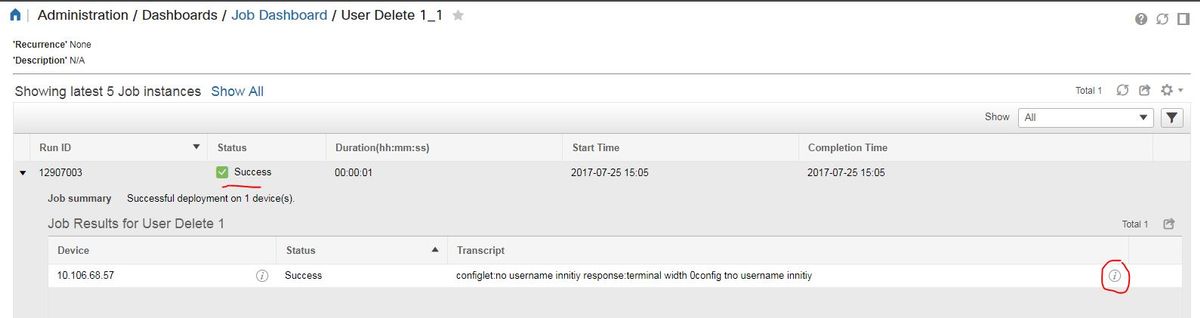
確認
PI上:
デバイス:
ユーザ名innitiが削除されます。

Configuration > Features & Technologies > My Templates > CLI Templatesの順に選択します
- インタラクティブコマンドを使用したテンプレートの作成
Example from user guide

Adding Interactive Commands

An interactive command contains the input that must be entered following the execution of a command.

To enter an interactive command in the CLI Content area, use the following syntax:

CLI Command<IQ>interactive question 1<R>command response 1 <IQ>interactive question 2<R>command response 2


where <IQ> and <R> tag are case-sensitive and must be entered as uppercase
次の例を参照してください。
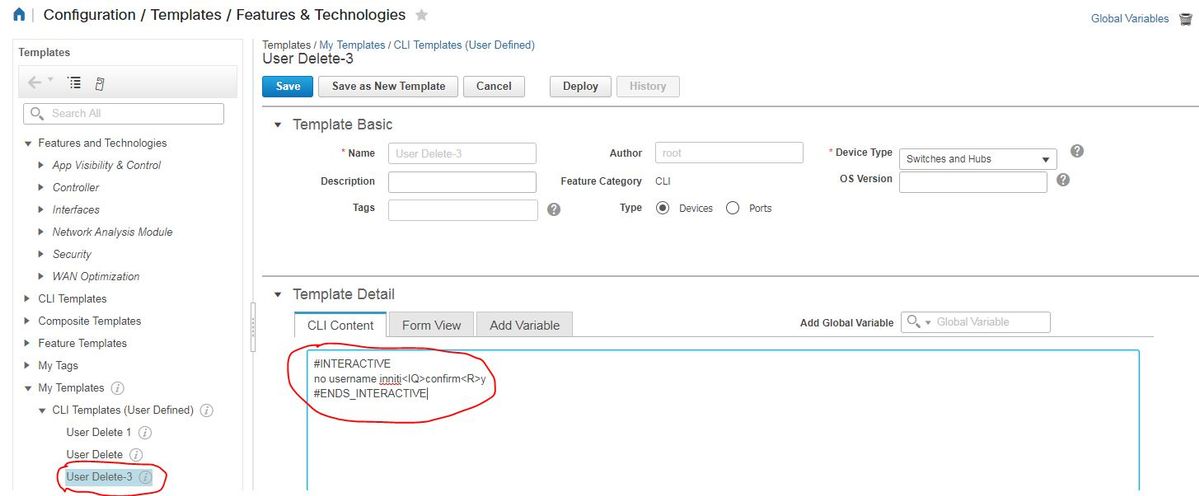
#INTERACTIVE

no username inniti<IQ>confirm<R>y

#ENDS_INTERACTIVE
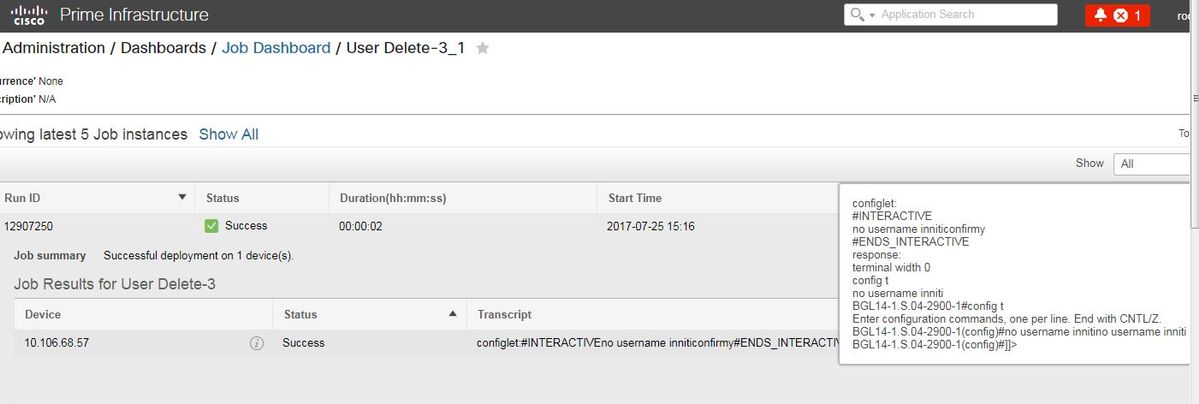
確認
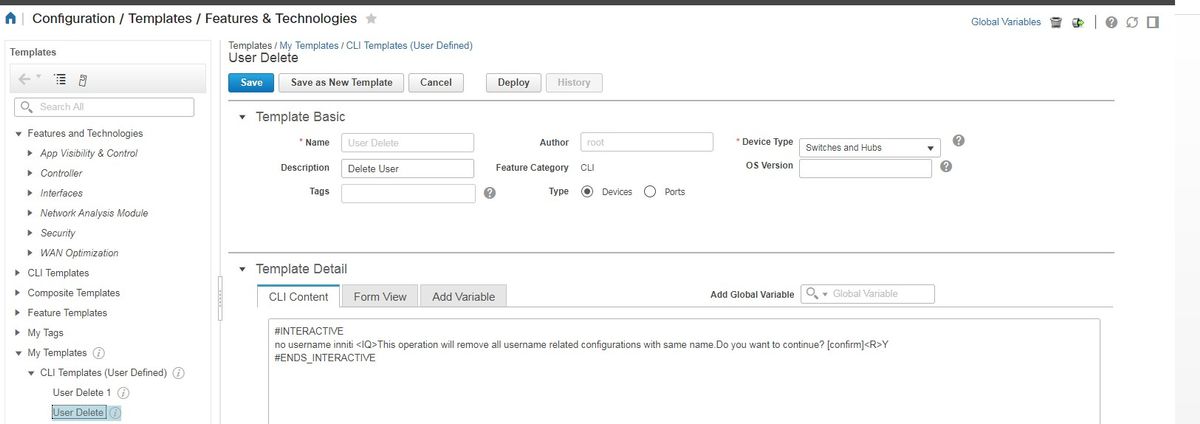
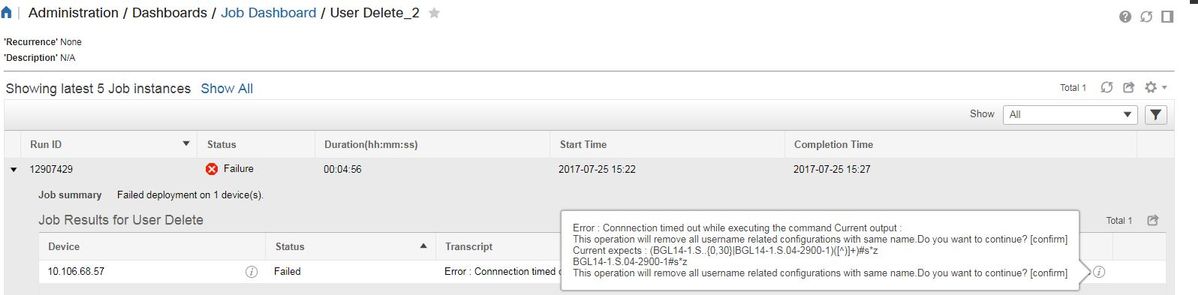
注:対話型コマンドの場合、完全にコピーした場合の対話型の質問が正しく動作しないことがいくつかの例で観察されます。そのような場合は、最後の単語を入力するだけです。例えば、文を完全に書き留めると失敗します。#INTERACTIVE no username inniti <IQ>:この操作では、同じ名前を持つユーザ名関連の設定がすべて削除されます。Do you want to continue?[確認]<R>Y#ENDS_INTERACTIVE。
複数のコマンドの例
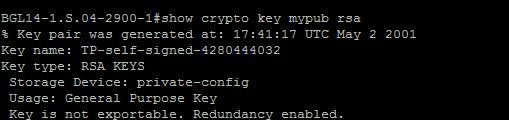
スイッチでの暗号キー生成
- コマンドを実行するとデバイスがどのように表示されるか:
BGL14-1.S.04-2900-1(config)#crypto key generate rsa

% You already have RSA keys defined named BGL14-1.S.04-2900-1.cisco.

% Do you really want to replace them? [yes/no]: yes

Choose the size of the key modulus in the range of 360 to 4096 for your

  General Purpose Keys. Choosing a key modulus greater than 512 may take

  a few minutes.


How many bits in the modulus [512]: 512

% Generating 512 bit RSA keys, keys will be non-exportable...

[OK] (elapsed time was 1 seconds)

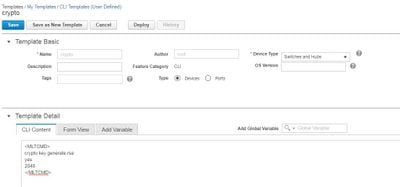
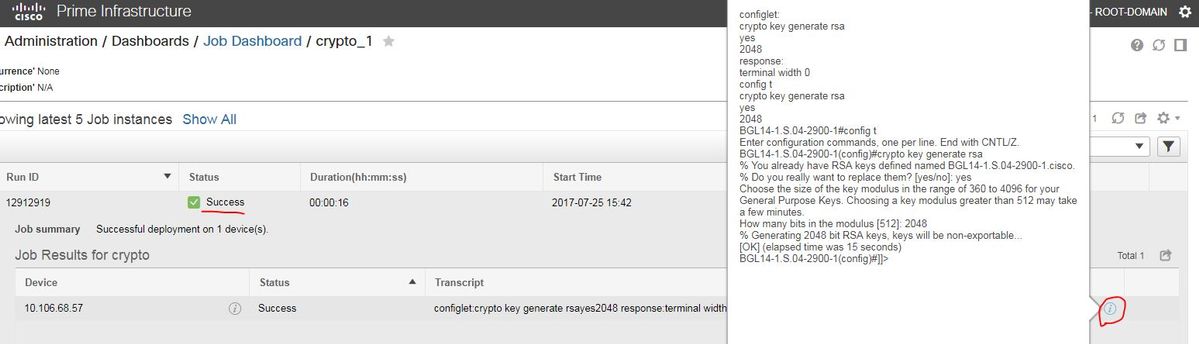
<MLTCMD>
 crypto key generate rsa
 yes
 2048
 </MLTCMD>
確認
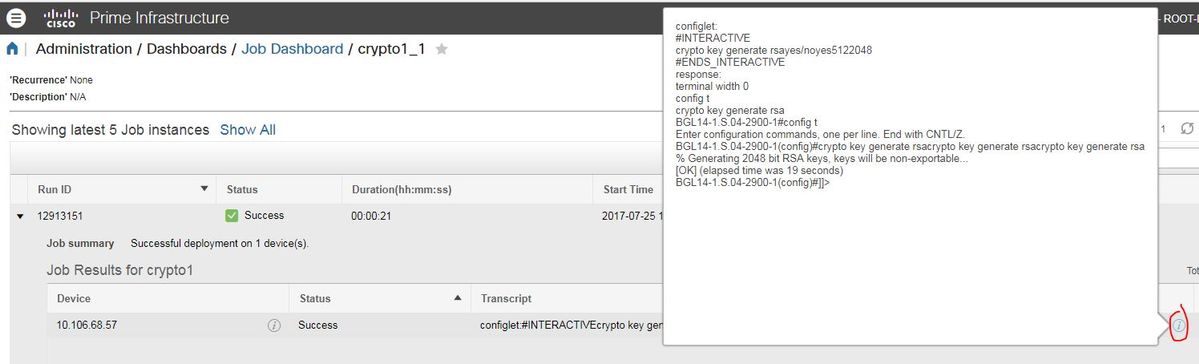
#INTERACTIVE

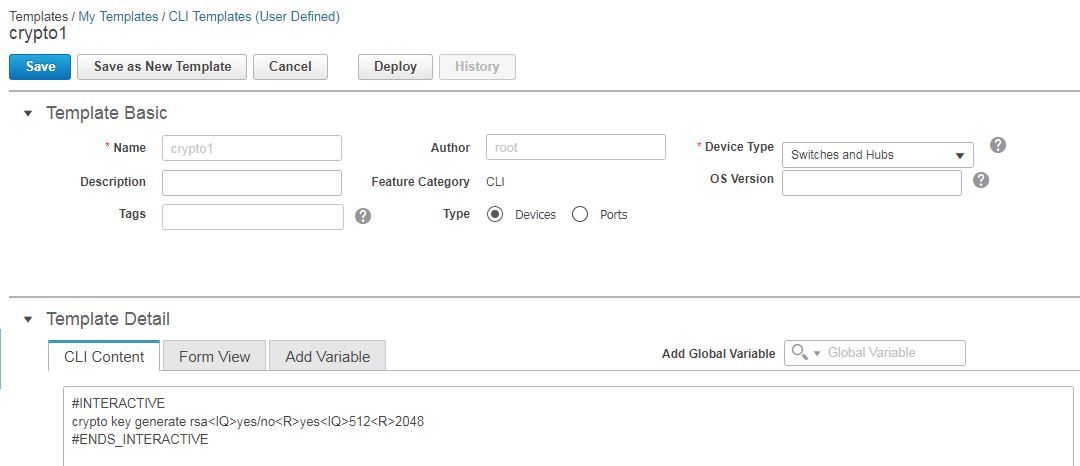
crypto key generate rsa<IQ>yes/no<R>yes<IQ>512<R>2048

#ENDS_INTERACTIVE
確認
トラブルシューティング
現在のところ、この設定に関する特定のトラブルシューティング情報はありません。

 フィードバック