Reset or Change CUCM OS Admin and Security Password
Available Languages
Introduction
This document describes how to reset or change OS admin password and security password.
Prerequisites
Requirements
Cisco recommends that you have knowledge of these topics:
- Cisco Unified Communications Manager (CUCM) version 10.5
Components Used
The information in this document is based on Cisco Call Manager version 10.5
The information in this document was created from the devices in a specific lab environment. All of the devices used in this document started with a cleared (default) configuration. If your network is live, ensure that you understand the potential impact of any command.
Configure
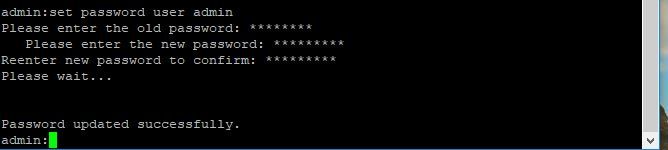
To Change OS Admin Password
admin> set password user admin
It asks you to enter the old password and new password. Once the system verifies the password, it is changed.
To Change Security Password
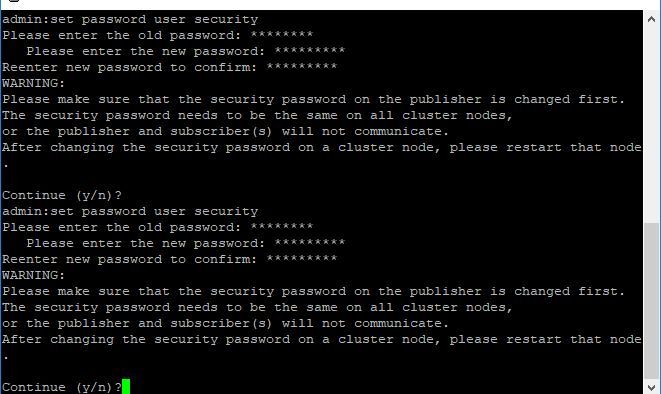
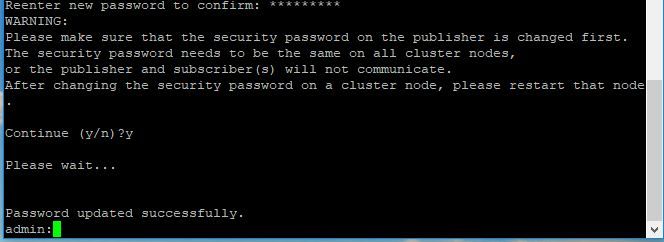
admin> set password user security
It asks you to enter the old password and new password. Once the system verifies the password, it is changed.
Please ensure that the security password on the publisher is changed first. The security password needs to be the same on all cluster nodes, or the publisher and subscriber(s) do not communicate. After the security password is changed on a cluster node, restart that node.
To Reset OS Admin or Security Password
Step 1. From Vsphere client, log in to CUCM console through this username and password: pwrecovery/pwreset. You get this screen, as shown in the image:

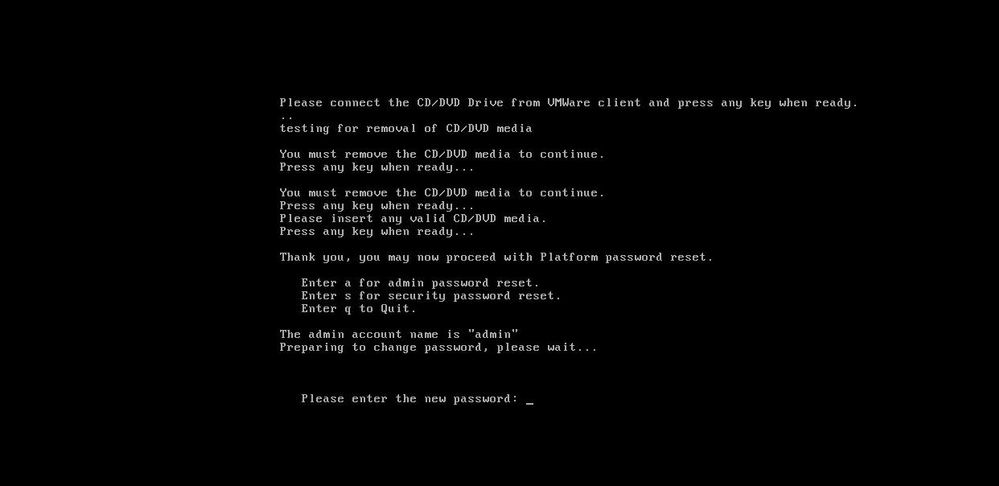
Step 2. In order to connect to cd/dvd drive, you can select any iso image from datastore. This does not re-image your CUCM, but this is just to check CUCM connectivity with vm client.

Step 3. After the iso image is selected, it asks you to press any key. Once it is tested, then you get a prompt to remove the iso. 
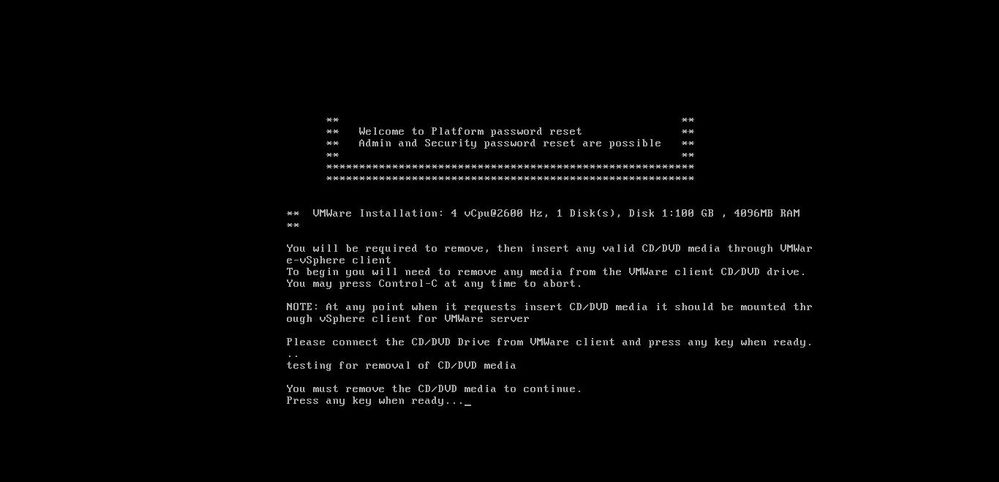
Step 4. Press any key to continue. You get the option to reset OS Admin password (enter a) or Security password (enter s). 
Step 5. You can change the password accordingly for OS Admin or Security. 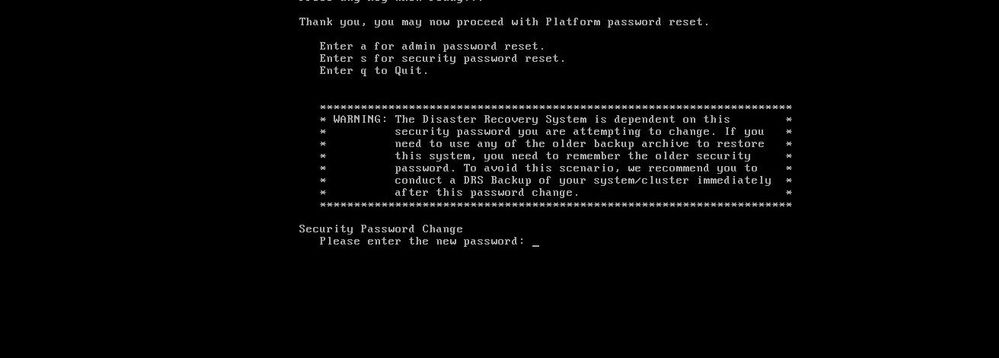
Verify
- For OS Admin, you can log in on CLI or OS Admin page to verify if the password has changed or not.
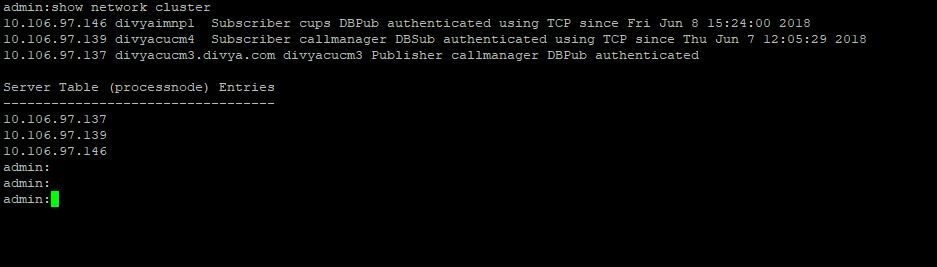
- For Security password, ensure that all the nodes in the cluster are authenticated after password change through the command: show network cluster.
Troubleshoot
There is currently no specific information available to troubleshoot this configuration.
Revision History
| Revision | Publish Date | Comments |
|---|---|---|
4.0 |
27-Aug-2026
|
Recertification - Updated Alt Formatting. |
3.0 |
12-Sep-2024
|
Updated Alt Text and Formatting. |
2.0 |
11-Jul-2022
|
Content of this recert article is ok.
Updated title and formatting, style requirements, gerunds, etc. to meet Cisco guidelines. |
1.0 |
30-Jul-2018
|
Initial Release |

 Feedback
Contact Cisco
- Open a Support Case

- (Requires a Cisco Service Contract)