Overview of Adapter-FEX
This chapter provides an overview of the Cisco NX-OS Adapter-FEX feature and includes the following sections:
- Overview
- Multiple Virtual Links
- Supported Platforms
- Limitations for Adapter-FEX
- Cisco Nexus Adapter-FEX Topology Examples
Overview
The Cisco NX-OS Adapter-FEX feature combines the advantages of the FEX link architecture with server I/O virtualization to create multiple virtual interfaces over a single Ethernet interface. This allows you to deploy a dual port NIC on the server and to configure more than two virtual interfaces that the server sees as a regular Ethernet interface. The advantage of this approach is that it allows you to reduce power and cooling needs and to reduce the number of network ports.
Multiple Virtual Links
Adapter-FEX can be thought of as a way to divide a single physical link into multiple virtual links or channels. Each channel is identified by a unique channel number and its scope is limited to the physical link.
The physical link connects a port on a server network adapter with an Ethernet port on the switch. This allows the channel to connect a vNIC on the server with a Vethernet interface on the switch.
Packets on each channel are tagged with a VNTag that has a specific source virtual interface identifier (VIF). The VIF allows the receiver to identify the channel that the source used to transmit the packet.
Supported Platforms
Adapter-FEX requires a server network adapter that is connected to a parent switch that supports Adapter-FEX functionality.
Limitations for Adapter-FEX
Adapter-FEX has the following limitations:
-
In Cisco NX-OS Release 5.0(3)N2(1)), the Cisco Nexus 5000 Platform switch does not support Adpater-FEX feature.
-
You can perform a non-disruptive ISSU only when you reload the switch after disabling Adpater-FEX feature.
-
To verify that the current STP topology is consistent with ISSU requirements, use the show spanning-tree issu-impact command to display the STP configuration and whether or not there are potential STP issues.
This example shows how to display information about the STP impact when performing an ISSU:
switch# show spanning-tree issu-impact
For ISSU to Proceed, Check the Following Criteria :
1. No Topology change must be active in any STP instance
2. Bridge assurance(BA) should not be active on any port (except MCT)
3. There should not be any Non Edge Designated Forwarding port (except MCT)
4. ISSU criteria must be met on the VPC Peer Switch as well
Following are the statistics on this switch
No Active Topology change Found!
Criteria 1 PASSED !!
No Ports with BA Enabled Found!
Criteria 2 PASSED!!
No Non-Edge Designated Forwarding Ports Found!
Criteria 3 PASSED !!
ISSU Can Proceed! Check Peer Switch.
Cisco Nexus Adapter-FEX Topology Examples
The following figures show examples of Cisco Nexus Adapter-FEX topologies with server network adapters.
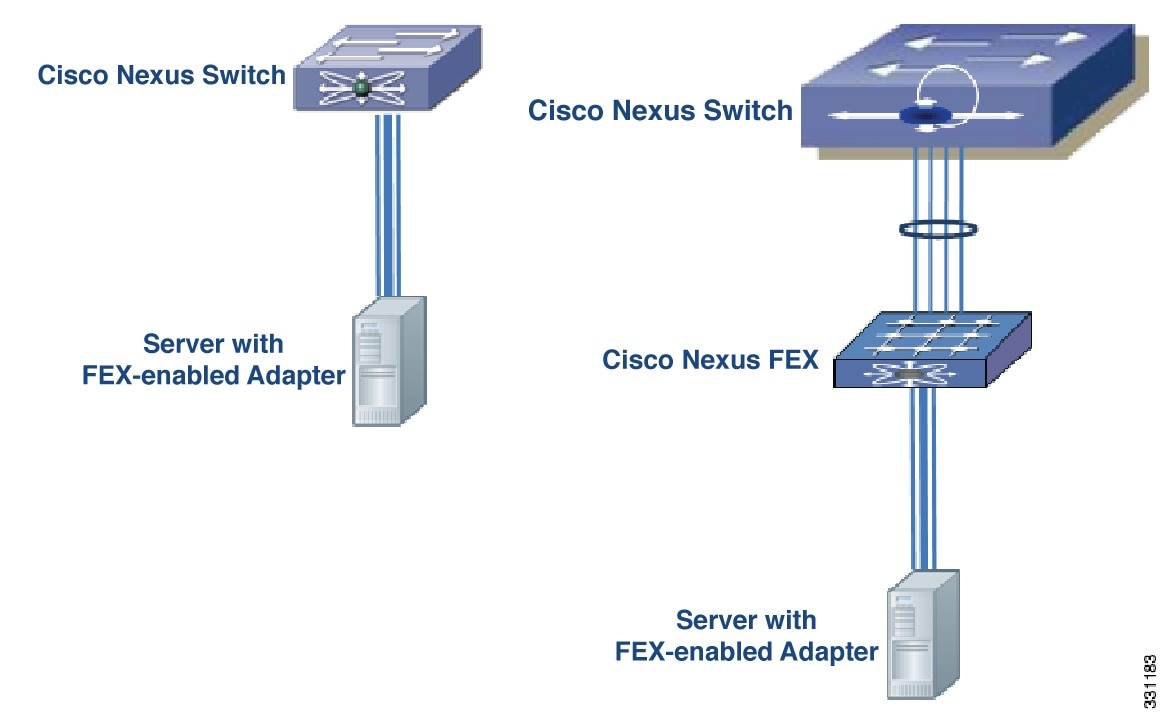
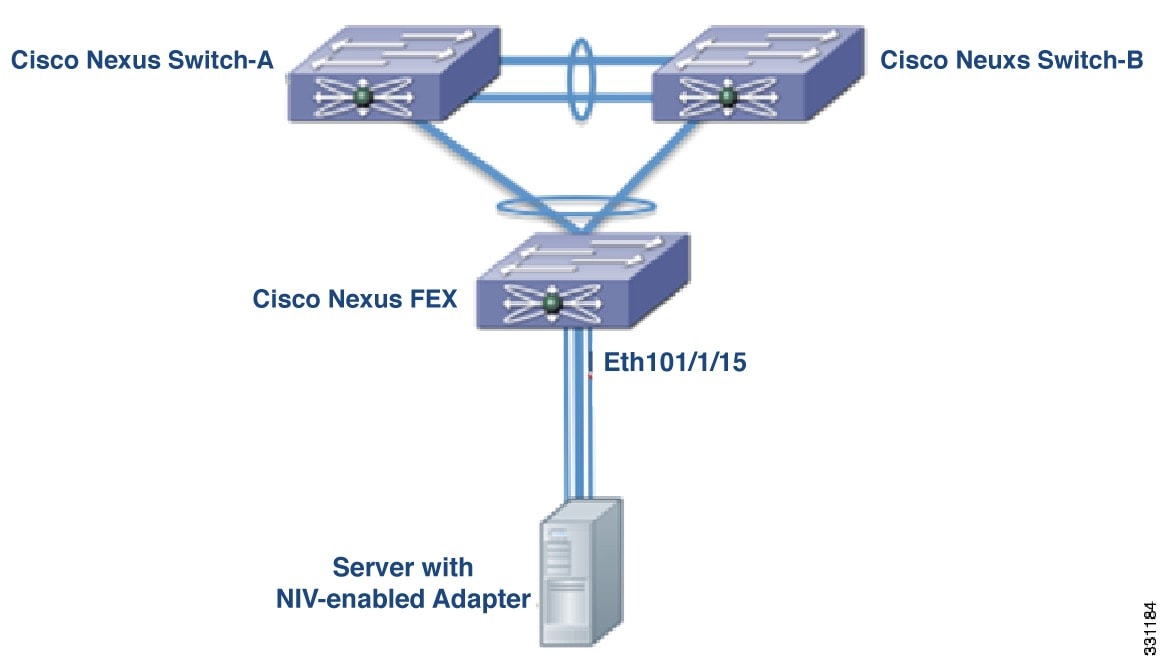
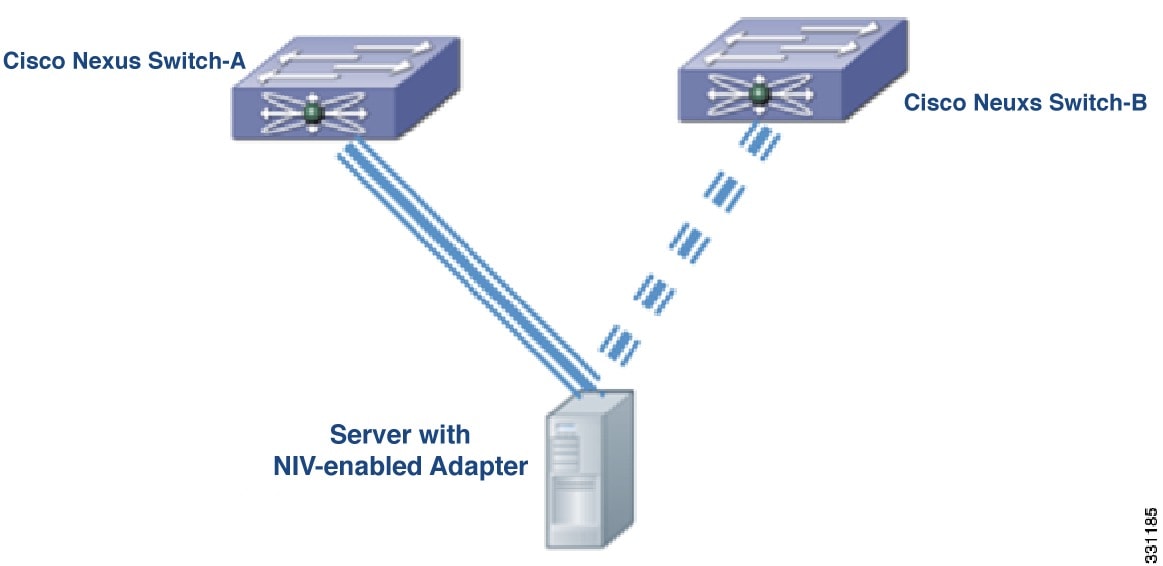
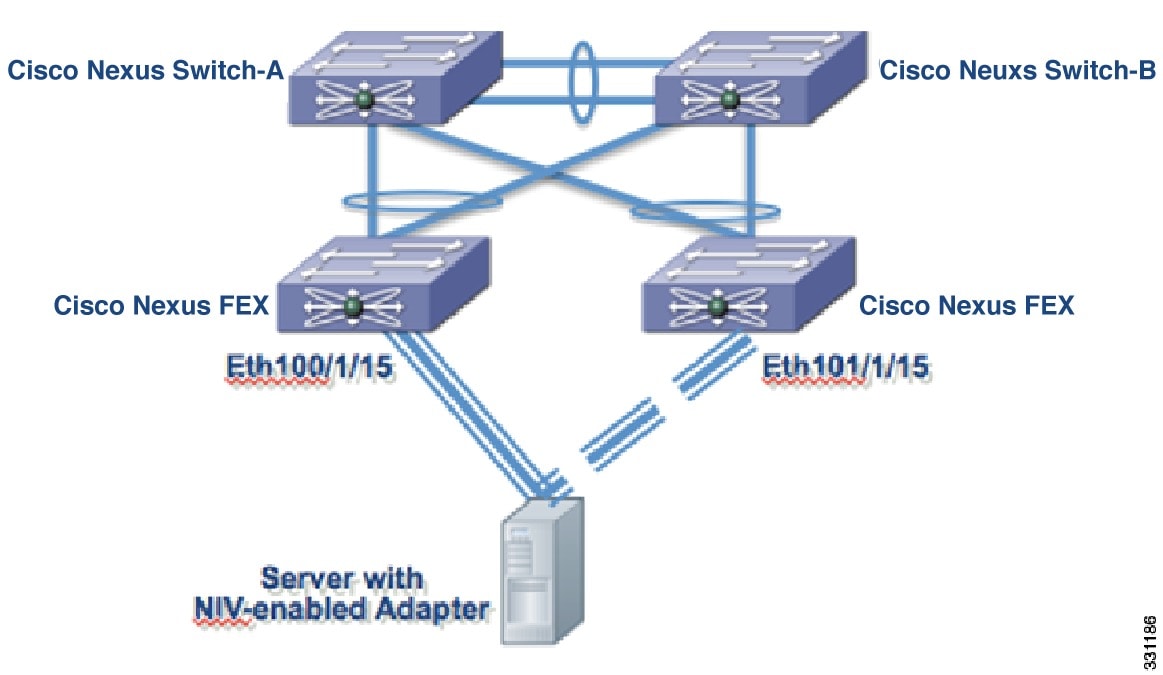
The following figures show topologies that are supported for server network adapters that support active-standby teaming of uplinks.
The active-standby topologies shown here have one uplink as active and the other uplink as standby. With some server network adapters, you can select the active and standby uplinks per vNIC. In this case, each uplink is an active uplink for a specific vNIC and becomes a standby for the remaining uplinks.
Selecting the active and standby uplinks per vNIC is a best practice.
 Feedback