Installing the HCA Expansion Card
This chapter explains hardware installation, driver installation, firmware upgrades, host drive installation, and port configuration. This chapter contains these sections:
• Installing Host Channel Adapter Expansion Card Hardware
•Installing a Host Channel Adapter in a Blade
Installing Host Channel Adapter Expansion Card Hardware
To install the Cisco BladeCenter Host Channel Adapter hardware into a BladeCenter unit, follow these steps:
Step 1 Ground yourself appropriately.
Step 2 Identify the blade server in the chassis into which you want to insert the host channel adapter.
Step 3 See the appropriate blade server documentation for instructions on installing an expansion card. See also "Installing a Host Channel Adapter in a Blade" on page 1 for supplemental information.
Installing a Host Channel Adapter in a Blade
The following instructions are supplemental to the blade server documentation. To install an HCA Expansion Card in a blade, follow these steps:
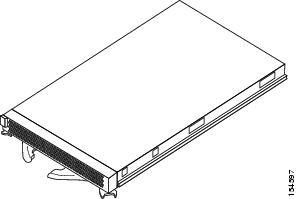
Step 1 Remove your blade from your BladeCenter unit. See Figure 2-1.
Figure 2-1 Blade
Step 2 Open the lid of the server blade. See Figure 2-2.
Figure 2-2 Blade Server Lid

Step 3 Insert the HCA Expansion Card into the blade. See Figure 2-3.
Figure 2-3 Inserting the Expansion Card into the Blade

Step 4 Press the HCA Expansion Card firmly into place. See Figure 2-4.
Figure 2-4 Pressing the Expansion Card into Place

Downloading Software
To use the HCA adapter, you need IB drivers and documentation that provides instructions on how to install and use the drivers. You can download the drivers from either cisco.com or ibm.com.
Downloading Software from Cisco.com
The Cisco Systems website has the latest Linux and Windows Host Drivers, Boot over IB firmware, and technical documentation. After receiving the Cisco IB Host Channel Adapter, download the latest required software and related documentation from the Cisco Systems website.
To download software and obtain documentation, follow these steps:
Step 1 Register at the Cisco.com registration site at this URL:
http://tools.cisco.com/RPF/register/register.do
By registering, you obtain a username and Cisco.com password.
Step 2 Download the software, based on your specific requirement, as follows:
•For Linux Host Driver software packages, go to this URL: http://www.cisco.com/cgi-bin/tablebuild.pl/sfs-linux
•For Windows Host Driver software packages, go to this URL: http://www.cisco.com/cgi-bin/tablebuild.pl/sfs-win2K
Use your username and Cisco.com password to access the above URLs.
Step 3 Obtain related documentation at this URL: http://www.cisco.com/en/US/customer/products/ps6428/products_user_guide_list.html
The following documents are available:
•Host Channel Adapter Hardware Guide
•Host-Side Drivers User Guide for Linux
•Cisco OpenFabrics Enterprise Distribution InfiniBand Host Drivers User Guide for Linux
•Host-Side Drivers User Guide for Windows
•Boot over InfiniBand Configuration Guide for Linux
•Boot over InfiniBand User Guide for Windows
Downloading Software from IBM.com
To download software from IBM, follow these steps:
Step 1 Go to http://www.ibm.com/pc/support/
Step 2 Under the Browse heading, select Servers from the drop-down menu.
The window refreshes.
Step 3 Under the Family heading, select BladeCenter, and click Continue.
The window refreshes.
Step 4 Click Downloads and drivers.
The Downloads and drivers window opens.
Step 5 Under Refine Results, select Networking from the drop-down menu and then click Continue to list available downloads.
Step 6 Download the latest software from the Web
Installing the Host Drivers
For information on installing the host drivers for your operating system, refer to one of the following documents:
•Cisco InfiniBand Host Channel Adapter (HCA) User Guide for Windows
•Cisco InfiniBand Host Channel Adapter (HCA) User Guide for Linux
 Feedback