Product Overview
The Cisco 806 router and Cisco SOHO 71 router can connect a corporate telecommuter or small office to an Internet service provider (ISP) over a broadband or Ethernet connection to the following sites:
• Corporate LANs
•The Internet
The router is capable of bridging and multiprotocol routing between LAN and WAN ports.
Features
Table 1-1 summarizes the features of these routers.
Table 1-2 describes the ports on the Cisco 806 router and the SOHO 71 router.
Router Overview
This section shows the front and back panels of the routers.
Front Panel
Figure 1-1 shows the front panel of the Cisco 806 router.
Figure 1-1 Cisco 806 Front Panel
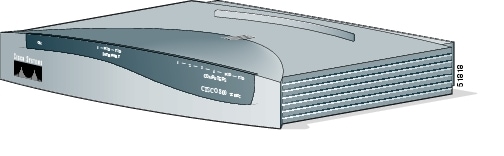
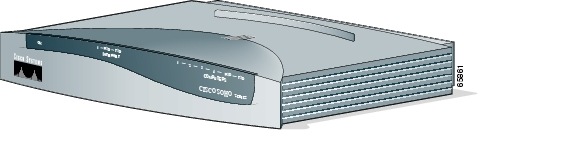
Figure 1-2 shows the front panel of the SOHO 71 router.
Figure 1-2 SOHO 71 Front Panel
Back Panel
Figure 1-3 shows the back panel of the Cisco 806 router.
Figure 1-3 Cisco 806 Back Panel
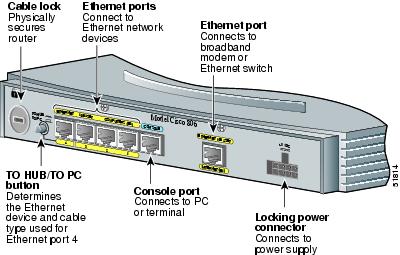
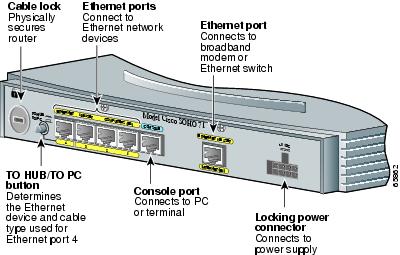
Figure 1-4 shows the back panel of the SOHO 71 router.
Figure 1-4 SOHO 71 Back Panel
LEDs
Table 1-3 summarizes the functions of the LEDs on the routers.
|
|
|
|
|---|---|---|
OK LED |
Green |
On when power is supplied to the router and when the router completes the self-test procedure and begins operating. |
COMPUTERS 1-4 |
Green |
On when an Ethernet device is connected. Blinks when the connection has a problem. See the "Troubleshooting" chapter for more information. |
ETHERNET RXD |
Green |
Blinks when an ETHERNET port receives a packet. |
ETHERNET TXD |
Green |
Blinks when an ETHERNET port sends a packet. |
INTERNET 1 |
Green |
On when the INTERNET ETHERNET port is connected to a broadband modem or to an Ethernet switch. |
INTERNET RXD |
Green |
Blinks when the INTERNET ETHERNET port receives a packet. |
INTERNET TXD |
Green |
Blinks when the INTERNET ETHERNET port sends a packet. |
 Feedback