Instalar e atualizar o Cisco IoT Field Network Diretor com PostgreSQL

Opções de download
Linguagem imparcial
O conjunto de documentação deste produto faz o possível para usar uma linguagem imparcial. Para os fins deste conjunto de documentação, a imparcialidade é definida como uma linguagem que não implica em discriminação baseada em idade, deficiência, gênero, identidade racial, identidade étnica, orientação sexual, status socioeconômico e interseccionalidade. Pode haver exceções na documentação devido à linguagem codificada nas interfaces de usuário do software do produto, linguagem usada com base na documentação de RFP ou linguagem usada por um produto de terceiros referenciado. Saiba mais sobre como a Cisco está usando a linguagem inclusiva.
Sobre esta tradução
A Cisco traduziu este documento com a ajuda de tecnologias de tradução automática e humana para oferecer conteúdo de suporte aos seus usuários no seu próprio idioma, independentemente da localização. Observe que mesmo a melhor tradução automática não será tão precisa quanto as realizadas por um tradutor profissional. A Cisco Systems, Inc. não se responsabiliza pela precisão destas traduções e recomenda que o documento original em inglês (link fornecido) seja sempre consultado.
Contents
Introdução
Este documento descreve como instalar o Cisco IoT FND PostgreSQL OVA e atualizar o FND Versão 5.0.0 para versões posteriores no VMware ESXi.
Pré-requisitos
VMware ESXi 7.x ou posterior
Cisco IoT Field Network Diretor (FND) PostgreSQL Open Virtual Appliance (OVA) versão 5.0.0 ou posterior
Requisitos de VM:
Memória: 24 GB
vCPUs: 4
Disco: 450 GB no mínimo
Componentes Utilizados
As informações neste documento foram criadas a partir de dispositivos em um ambiente de laboratório específico. Todos os dispositivos utilizados neste documento foram iniciados com uma configuração (padrão) inicial. Se a rede estiver ativa, certifique-se de que você entenda o impacto potencial de qualquer comando.
Implantação do Cisco IoT FND PostgreSQL OVA
Aqui estão as diretrizes para instalar o Cisco IoT FND versão 5.x.x ou versões posteriores com um software Open Virtual Appliance (OVA) executando as versões 7.x ou 8.0 do VMware ESXi.
Etapa 1: Faça download do OVA em Downloads de software da Cisco
Faça o download do arquivo OVA na página do software da Cisco - Clique aqui
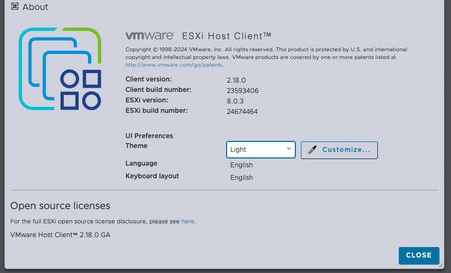
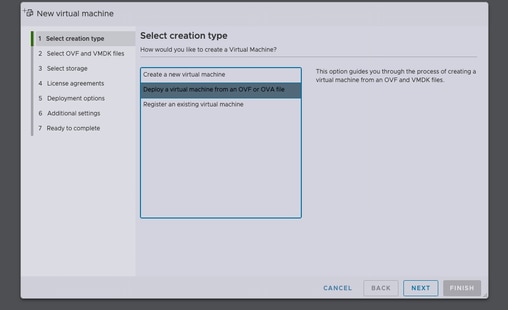
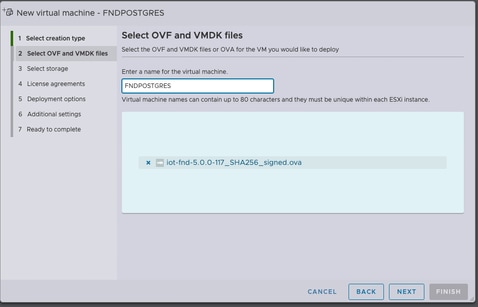
Passo 2: Faça login no VMware vSphere Client para implantar o OVA em um servidor ESXi.
Depois de selecionar o armazenamento de dados, selecione o tipo de provisionamento e ative a opção Ligar automaticamente. Isso garante a ativação da máquina virtual após a conclusão do processo de implantação. Clique em Next.
Notas
Provisionamento espesso
-
Reserva espaço em disco inicial.
-
Requer 600 GB de espaço em disco disponível no servidor ESXi para o Cisco IoT FND OVA.
Provisionamento reduzido
-
O espaço em disco cresce sob demanda.
-
O uso inicial do disco é de aproximadamente 50 GB, aumentando com base na escala de implantação.
Revise as seleções antes de clicar em Concluir.
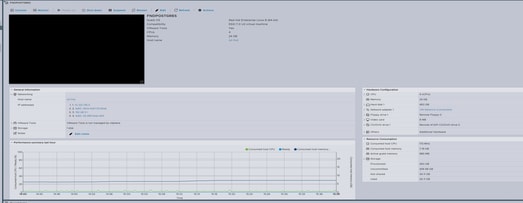
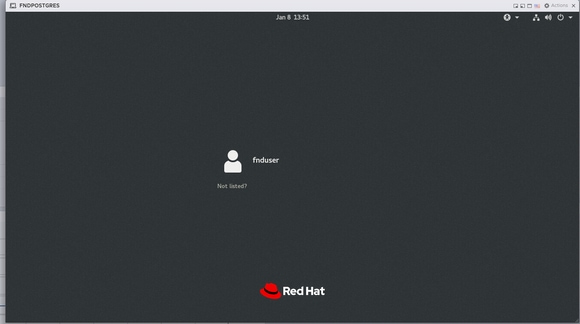
Passo 3: Fazer login usando Credenciais
Quando a implantação do OVA for concluída e a tela de inicialização do Linux for exibida, use estas credenciais default:
Acesso SSH
-
Nome de usuário:
fnduser -
Senha:
C!sco123
Acesso à GUI
-
Nome de usuário:
root -
Senha:
root123
Passo 4: Configuração de rede
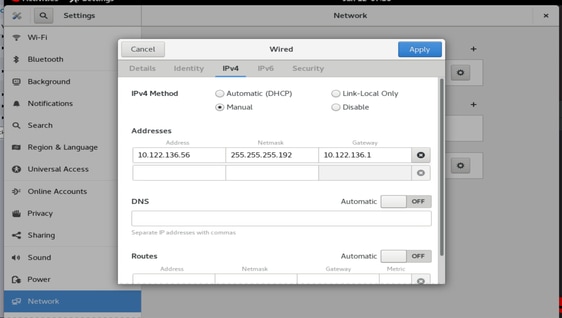
Conclua as etapas de configuração de rede:
-
Atribua um endereço IP estático ou assegure-se de que um servidor DHCP esteja disponível para atribuir um endereço IP.
-
Configure um servidor DNS válido e acessível na VM do host.
-
Reinicie os serviços de rede após a conclusão da configuração IP.
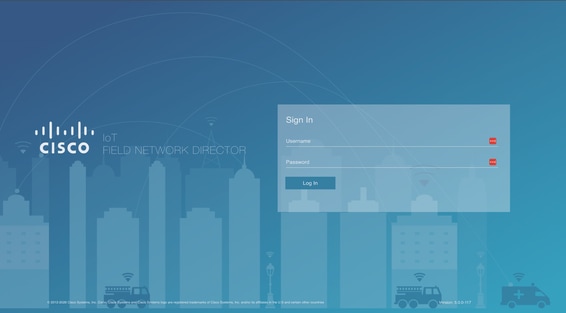
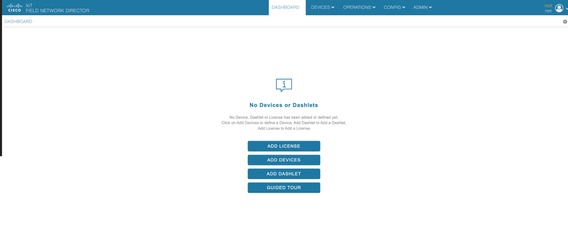
Atualizando o Cisco IoT FND da versão 5.0 para 5.1
Passo 1: Baixar o Pacote de Atualização
Faça o download do pacote de atualização na página Download de software da Cisco - Clique aqui
Nome do arquivo: CISCO-IOTFND-VPI-K9-UPGRADE-SCRIPTS-5.1.0-155.zip
Etapa 2: Executar Verificações de Pré-Upgrade
Antes de prosseguir com a atualização, verifique a integridade e o status operacional dos serviços do Cisco IoT FND.
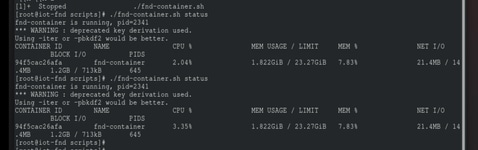
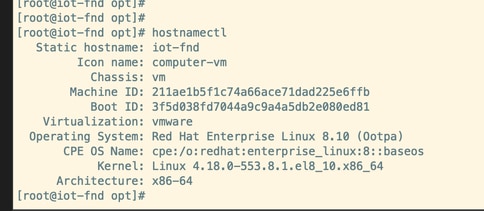
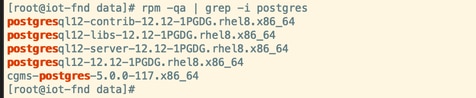
Passo 3: Copie o RPM de atualização para o diretório /opt.

Passo 4: Executar o Comando Upgrade
Exemplo:
rpm -Uvh upgrade-ova—<release>-<build number>.rpm
[root@iot-fnd opt]# rpm -Uvh upgrade-ova-5.1.0-155.rpm

warning: upgrade-ova-5.1.0-155.rpm: Header V4 RSA/SHA256 Signature, key ID a5a10227: NOKEY

Verifying...                          ################################# [100%]

Preparing...                          ################################# [100%]

Updating / installing...

   1:upgrade-ova-5.1.0-155            ################################# [100%]

Deleting /var/lib/docker/volumes/fogd_data/_data/dist/appmgr/extensions/fnd/dependencies...

Deletion complete.


Started installer in background. Please check ~/rpm.log in few minutes for details.

[root@iot-fnd opt]#

Mon Jan 12 13:38:02 EST 2026 Background installer started

Mon Jan 12 13:38:02 EST 2026 Please wait until the 'RPM installation completed' message is logged


Mon Jan 12 13:38:02 EST 2026 Upgrading cgms-postgres-5.1.0-155.x86_64.rpm

Verifying...                          ########################################

Preparing...                          ########################################

Updating / installing...

cgms-postgres-5.1.0-155               ########################################

Cleaning up / removing...

cgms-postgres-5.0.0-117               ########################################


Mon Jan 12 13:38:22 EST 2026 Upgrading cgms-influx-5.1.0-155.x86_64.rpm

Verifying...                          ########################################

Preparing...                          ########################################

Updating / installing...

cgms-influx-5.1.0-155                 ########################################

Cleaning up / removing...

cgms-influx-5.0.0-117                 ########################################


Mon Jan 12 13:38:28 EST 2026 monit-5.33.0-1.el7 already installed on non-RHEL 9 system

Mon Jan 12 13:38:36 EST 2026 Stopping PostgreSQL services

Mon Jan 12 13:39:37 EST 2026 Upgrading Postgresql 16.7

Mon Jan 12 13:39:38 EST 2026 Using RHEL 8.x Installing PostgreSQL 16.7 libraries

warning: postgresql16-libs-16.7-1PGDG.rhel8.x86_64.rpm: Header V4 RSA/SHA256 Signature, key ID 08b40d20: NOKEY

Verifying...                          ########################################

Preparing...                          ########################################

Updating / installing...

postgresql16-libs-16.7-1PGDG.rhel8    ########################################

postgresql16-16.7-1PGDG.rhel8         ########################################

postgresql16-server-16.7-1PGDG.rhel8  ########################################

postgresql16-contrib-16.7-1PGDG.rhel8 ########################################


Mon Jan 12 13:39:42 EST 2026 Migrating DB data to Postgresql 16.7

Initializing database ... OK


Created symlink /etc/systemd/system/multi-user.target.wants/postgresql-16.service → /usr/lib/systemd/system/postgresql-16.service.

Performing Consistency Checks

-----------------------------

Checking cluster versions                                     ok

Checking database user is the install user                    ok

Checking database connection settings                         ok

Checking for prepared transactions                            ok

Checking for system-defined composite types in user tables    ok

Checking for reg* data types in user tables                   ok

Checking for contrib/isn with bigint-passing mismatch         ok

Checking for incompatible "aclitem" data type in user tables  ok

Checking for user-defined encoding conversions                ok

Checking for user-defined postfix operators                   ok

Checking for incompatible polymorphic functions               ok

Creating dump of global objects                               ok

Creating dump of database schemas                             ok

Checking for presence of required libraries                   ok

Checking database user is the install user                    ok

Checking for prepared transactions                            ok

Checking for new cluster tablespace directories               ok


If pg_upgrade fails after this point, you must re-initdb the

new cluster before continuing.


Performing Upgrade

------------------

Setting locale and encoding for new cluster                   ok

Analyzing all rows in the new cluster                         ok

Freezing all rows in the new cluster                          ok

Deleting files from new pg_xact                               ok

Copying old pg_xact to new server                             ok

Setting oldest XID for new cluster                            ok

Setting next transaction ID and epoch for new cluster         ok

Deleting files from new pg_multixact/offsets                  ok

Copying old pg_multixact/offsets to new server                ok

Deleting files from new pg_multixact/members                  ok

Copying old pg_multixact/members to new server                ok

Setting next multixact ID and offset for new cluster          ok

Resetting WAL archives                                        ok

Setting frozenxid and minmxid counters in new cluster         ok

Restoring global objects in the new cluster                   ok

Restoring database schemas in the new cluster                 ok

Copying user relation files                                   ok

Setting next OID for new cluster                              ok

Sync data directory to disk                                   ok

Creating script to delete old cluster                         ok

Checking for extension updates                                ok


Upgrade Complete

----------------

Optimizer statistics are not transferred by pg_upgrade.

Once you start the new server, consider running:

    /usr/pgsql-16/bin/vacuumdb --all --analyze-in-stages

Running this script will delete the old cluster's data files:

    ./delete_old_cluster.sh

Starting new PostgreSQL server...

waiting for server to start.... done

server started

Setting password encryption method to 'scram-sha-256'...

ALTER ROLE

ALTER ROLE

Stopping new PostgreSQL server...

waiting for server to shut down.... done

server stopped

Upgrade and password config completed.

Mon Jan 12 13:40:05 EST 2026 Data migration completed

Removed /etc/systemd/system/multi-user.target.wants/postgresql-12.service.

Reinitializing monit daemon

Mon Jan 12 13:40:53 EST 2026 Deleting postgres 12

Updating Subscription Management repositories.

Unable to read consumer identity


This system is not registered with an entitlement server. You can use subscription-manager to register.


Dependencies resolved.

================================================================================

 Package                 Arch      Version               Repository        Size

================================================================================

Removing:

 postgresql12            x86_64    12.12-1PGDG.rhel8     @@commandline    8.6 M

 postgresql12-contrib    x86_64    12.12-1PGDG.rhel8     @@commandline    2.3 M

 postgresql12-libs       x86_64    12.12-1PGDG.rhel8     @@commandline    1.5 M

 postgresql12-server     x86_64    12.12-1PGDG.rhel8     @@commandline     21 M


Transaction Summary

================================================================================

Remove  4 Packages


Freed space: 33 M

Running transaction check

Transaction check succeeded.

Running transaction test

Transaction test succeeded.

Running transaction

  Preparing        :                                                        1/1

  Running scriptlet: postgresql12-contrib-12.12-1PGDG.rhel8.x86_64          1/1

  Erasing          : postgresql12-contrib-12.12-1PGDG.rhel8.x86_64          1/4

  Running scriptlet: postgresql12-server-12.12-1PGDG.rhel8.x86_64           2/4

  Erasing          : postgresql12-server-12.12-1PGDG.rhel8.x86_64           2/4

  Running scriptlet: postgresql12-server-12.12-1PGDG.rhel8.x86_64           2/4

  Erasing          : postgresql12-12.12-1PGDG.rhel8.x86_64                  3/4

  Running scriptlet: postgresql12-12.12-1PGDG.rhel8.x86_64                  3/4

  Erasing          : postgresql12-libs-12.12-1PGDG.rhel8.x86_64             4/4

  Running scriptlet: postgresql12-libs-12.12-1PGDG.rhel8.x86_64             4/4

  Verifying        : postgresql12-12.12-1PGDG.rhel8.x86_64                  1/4

  Verifying        : postgresql12-contrib-12.12-1PGDG.rhel8.x86_64          2/4

  Verifying        : postgresql12-libs-12.12-1PGDG.rhel8.x86_64             3/4

  Verifying        : postgresql12-server-12.12-1PGDG.rhel8.x86_64           4/4

Installed products updated.

Removed:

  postgresql12-12.12-1PGDG.rhel8.x86_64

  postgresql12-contrib-12.12-1PGDG.rhel8.x86_64

  postgresql12-libs-12.12-1PGDG.rhel8.x86_64

  postgresql12-server-12.12-1PGDG.rhel8.x86_64

Complete!

Mon Jan 12 13:41:00 EST 2026 Using PostgreSQL version 16 for configuration path.
setting idle_in_transaction_session_timeout to 3h
set idle_in_transaction_session_timeout to 3h
Mon Jan 12 13:41:01 EST 2026 Already running influxdb 1.8.3
Mon Jan 12 13:41:04 EST 2026 Already running docker-ce 19.03.15
Mon Jan 12 13:41:04 EST 2026 Restarting services
Mon Jan 12 13:41:34 EST 2026 RPM installation completed

Cisco IoT FND on OVA upgrade is complete.
Histórico de revisões
| Revisão | Data de publicação | Comentários |
|---|---|---|
1.0 |
04-Mar-2026
|
Versão inicial |
Colaborado por engenheiros da Cisco
- Kiran Jabbala VenkatesuluEngenheiro de consultoria técnica
 Feedback
Contate a Cisco
- Abrir um caso de suporte

- (É necessário um Contrato de Serviço da Cisco)