Installare e aggiornare Cisco IoT Field Network Director con PostgreSQL

Opzioni per il download
Linguaggio senza pregiudizi
La documentazione per questo prodotto è stata redatta cercando di utilizzare un linguaggio senza pregiudizi. Ai fini di questa documentazione, per linguaggio senza di pregiudizi si intende un linguaggio che non implica discriminazioni basate su età, disabilità, genere, identità razziale, identità etnica, orientamento sessuale, status socioeconomico e intersezionalità. Le eventuali eccezioni possono dipendere dal linguaggio codificato nelle interfacce utente del software del prodotto, dal linguaggio utilizzato nella documentazione RFP o dal linguaggio utilizzato in prodotti di terze parti a cui si fa riferimento. Scopri di più sul modo in cui Cisco utilizza il linguaggio inclusivo.
Informazioni su questa traduzione
Cisco ha tradotto questo documento utilizzando una combinazione di tecnologie automatiche e umane per offrire ai nostri utenti in tutto il mondo contenuti di supporto nella propria lingua. Si noti che anche la migliore traduzione automatica non sarà mai accurata come quella fornita da un traduttore professionista. Cisco Systems, Inc. non si assume alcuna responsabilità per l’accuratezza di queste traduzioni e consiglia di consultare sempre il documento originale in inglese (disponibile al link fornito).
Sommario
Introduzione
In questo documento viene descritto come installare Cisco IoT FND PostgreSQL OVA e aggiornare FND release 5.0.0 alle versioni più recenti su VMware ESXi.
Prerequisiti
VMware ESXi 7.x o versione successiva
Cisco IoT Field Network Director (FND) PostgreSQL Open Virtual Appliance (OVA) release 5.0.0 o successive
Requisiti VM:
Memoria: 24 GB
vCPU: 4
Disco: minimo 450 GB
Componenti usati
Le informazioni discusse in questo documento fanno riferimento a dispositivi usati in uno specifico ambiente di emulazione. Su tutti i dispositivi menzionati nel documento la configurazione è stata ripristinata ai valori predefiniti. Se la rete è operativa, valutare attentamente eventuali conseguenze derivanti dall'uso dei comandi.
Implementazione di Cisco IoT FND PostgreSQL OVA
Di seguito sono riportate le linee guida per installare Cisco IoT FND release 5.x.x o successive con un software OAV (Open Virtual Appliance) che esegue le versioni 7.x o 8.0 di VMware ESXi.
Fase 1: scaricare l'OAV da Cisco Software Downloads
Scaricare il file OVA dalla pagina del software cisco - Fare clic qui
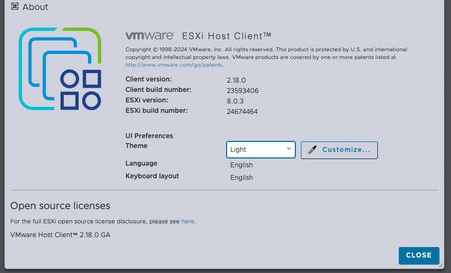
Passaggio 2: Eseguire il login al client VMware vSphere per installare OAV su un server ESXi.
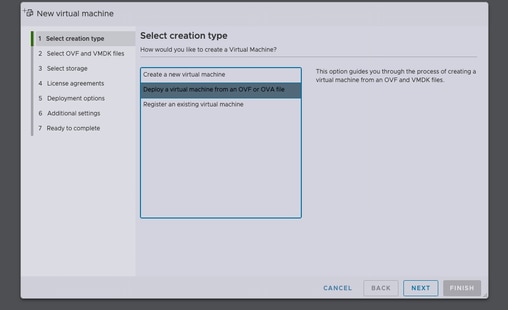
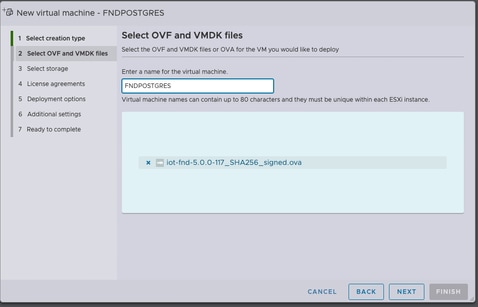
Dopo aver selezionato l'archivio dati, selezionare il tipo di provisioning e abilitare l'opzione Accensione automatica. Ciò garantisce l'accensione della macchina virtuale al termine del processo di distribuzione. Fare clic su Next (Avanti).
Note
Provisioning spesso
-
Riserva spazio su disco in anticipo.
-
Richiede 600 GB di spazio disponibile su disco sul server ESXi per Cisco IoT FND OVA.
Thin provisioning
-
Lo spazio su disco aumenta in base alla richiesta.
-
L'utilizzo iniziale del disco è di circa 50 GB, in aumento in base alla scala di distribuzione.
Controllare le selezioni prima di fare clic su Fine.
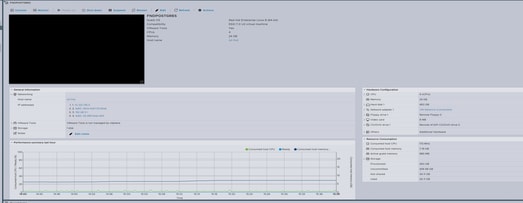
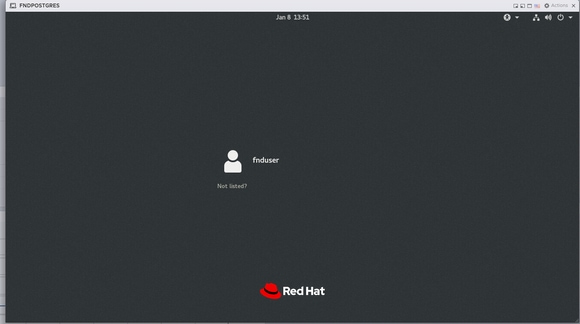
Passaggio 3: Accesso con credenziali
Dopo il completamento della distribuzione di OAV e la visualizzazione della schermata di avvio di Linux, utilizzare le credenziali predefinite seguenti:
Accesso SSH
-
Username:
finduser -
Password:
C!sco123
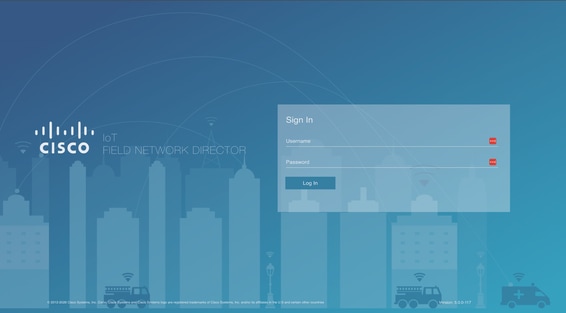
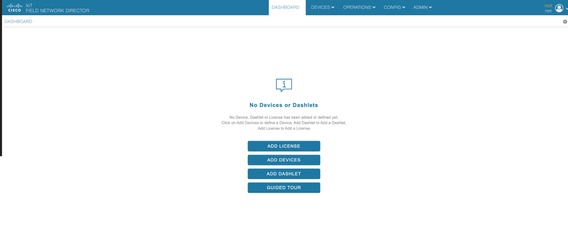
Accesso GUI
-
Username:
radice -
Password:
radice123
Passaggio 4: Configurazione della rete
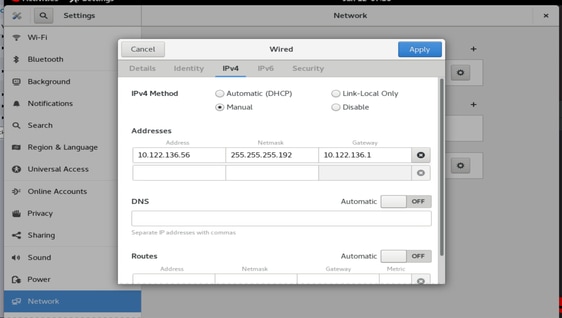
Completare la procedura di configurazione della rete:
-
Assegnare un indirizzo IP statico o accertarsi che un server DHCP sia disponibile per l'assegnazione di un indirizzo IP.
-
Configurare un server DNS valido e raggiungibile nella macchina virtuale host.
-
Riavviare i servizi di rete al termine della configurazione IP.
Aggiornamento di Cisco IoT FND dalla release 5.0 alla release 5.1
Passaggio 1: Scarica il pacchetto di aggiornamento
Scaricare il pacchetto di aggiornamento dalla pagina di download del software Cisco - Fare clic qui
Nome file: CISCO-IOTFND-VPI-K9-UPGRADE-SCRIPTS-5.1.0-155.zip
Fase 2: Esecuzione dei controlli pre-aggiornamento
Prima di procedere con l'aggiornamento, verificare lo stato e le operazioni dei servizi Cisco IoT FND.
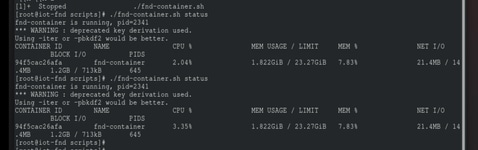
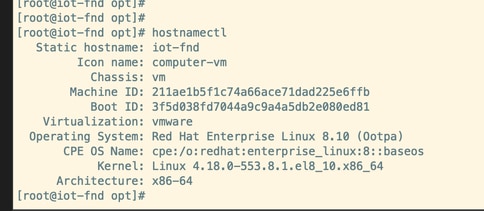
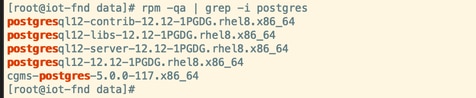
Passaggio 3: Copiare l'RPM di aggiornamento nella directory /opt.

Passaggio 4: Esegui il comando di aggiornamento
Esempio:
rpm -Uvh upgrade-ova—<versione>-<numero build>.rpm
[root@iot-fnd opt]# rpm -Uvh upgrade-ova-5.1.0-155.rpm

warning: upgrade-ova-5.1.0-155.rpm: Header V4 RSA/SHA256 Signature, key ID a5a10227: NOKEY

Verifying...                          ################################# [100%]

Preparing...                          ################################# [100%]

Updating / installing...

   1:upgrade-ova-5.1.0-155            ################################# [100%]

Deleting /var/lib/docker/volumes/fogd_data/_data/dist/appmgr/extensions/fnd/dependencies...

Deletion complete.


Started installer in background. Please check ~/rpm.log in few minutes for details.

[root@iot-fnd opt]#

Mon Jan 12 13:38:02 EST 2026 Background installer started

Mon Jan 12 13:38:02 EST 2026 Please wait until the 'RPM installation completed' message is logged


Mon Jan 12 13:38:02 EST 2026 Upgrading cgms-postgres-5.1.0-155.x86_64.rpm

Verifying...                          ########################################

Preparing...                          ########################################

Updating / installing...

cgms-postgres-5.1.0-155               ########################################

Cleaning up / removing...

cgms-postgres-5.0.0-117               ########################################


Mon Jan 12 13:38:22 EST 2026 Upgrading cgms-influx-5.1.0-155.x86_64.rpm

Verifying...                          ########################################

Preparing...                          ########################################

Updating / installing...

cgms-influx-5.1.0-155                 ########################################

Cleaning up / removing...

cgms-influx-5.0.0-117                 ########################################


Mon Jan 12 13:38:28 EST 2026 monit-5.33.0-1.el7 already installed on non-RHEL 9 system

Mon Jan 12 13:38:36 EST 2026 Stopping PostgreSQL services

Mon Jan 12 13:39:37 EST 2026 Upgrading Postgresql 16.7

Mon Jan 12 13:39:38 EST 2026 Using RHEL 8.x Installing PostgreSQL 16.7 libraries

warning: postgresql16-libs-16.7-1PGDG.rhel8.x86_64.rpm: Header V4 RSA/SHA256 Signature, key ID 08b40d20: NOKEY

Verifying...                          ########################################

Preparing...                          ########################################

Updating / installing...

postgresql16-libs-16.7-1PGDG.rhel8    ########################################

postgresql16-16.7-1PGDG.rhel8         ########################################

postgresql16-server-16.7-1PGDG.rhel8  ########################################

postgresql16-contrib-16.7-1PGDG.rhel8 ########################################


Mon Jan 12 13:39:42 EST 2026 Migrating DB data to Postgresql 16.7

Initializing database ... OK


Created symlink /etc/systemd/system/multi-user.target.wants/postgresql-16.service → /usr/lib/systemd/system/postgresql-16.service.

Performing Consistency Checks

-----------------------------

Checking cluster versions                                     ok

Checking database user is the install user                    ok

Checking database connection settings                         ok

Checking for prepared transactions                            ok

Checking for system-defined composite types in user tables    ok

Checking for reg* data types in user tables                   ok

Checking for contrib/isn with bigint-passing mismatch         ok

Checking for incompatible "aclitem" data type in user tables  ok

Checking for user-defined encoding conversions                ok

Checking for user-defined postfix operators                   ok

Checking for incompatible polymorphic functions               ok

Creating dump of global objects                               ok

Creating dump of database schemas                             ok

Checking for presence of required libraries                   ok

Checking database user is the install user                    ok

Checking for prepared transactions                            ok

Checking for new cluster tablespace directories               ok


If pg_upgrade fails after this point, you must re-initdb the

new cluster before continuing.


Performing Upgrade

------------------

Setting locale and encoding for new cluster                   ok

Analyzing all rows in the new cluster                         ok

Freezing all rows in the new cluster                          ok

Deleting files from new pg_xact                               ok

Copying old pg_xact to new server                             ok

Setting oldest XID for new cluster                            ok

Setting next transaction ID and epoch for new cluster         ok

Deleting files from new pg_multixact/offsets                  ok

Copying old pg_multixact/offsets to new server                ok

Deleting files from new pg_multixact/members                  ok

Copying old pg_multixact/members to new server                ok

Setting next multixact ID and offset for new cluster          ok

Resetting WAL archives                                        ok

Setting frozenxid and minmxid counters in new cluster         ok

Restoring global objects in the new cluster                   ok

Restoring database schemas in the new cluster                 ok

Copying user relation files                                   ok

Setting next OID for new cluster                              ok

Sync data directory to disk                                   ok

Creating script to delete old cluster                         ok

Checking for extension updates                                ok


Upgrade Complete

----------------

Optimizer statistics are not transferred by pg_upgrade.

Once you start the new server, consider running:

    /usr/pgsql-16/bin/vacuumdb --all --analyze-in-stages

Running this script will delete the old cluster's data files:

    ./delete_old_cluster.sh

Starting new PostgreSQL server...

waiting for server to start.... done

server started

Setting password encryption method to 'scram-sha-256'...

ALTER ROLE

ALTER ROLE

Stopping new PostgreSQL server...

waiting for server to shut down.... done

server stopped

Upgrade and password config completed.

Mon Jan 12 13:40:05 EST 2026 Data migration completed

Removed /etc/systemd/system/multi-user.target.wants/postgresql-12.service.

Reinitializing monit daemon

Mon Jan 12 13:40:53 EST 2026 Deleting postgres 12

Updating Subscription Management repositories.

Unable to read consumer identity


This system is not registered with an entitlement server. You can use subscription-manager to register.


Dependencies resolved.

================================================================================

 Package                 Arch      Version               Repository        Size

================================================================================

Removing:

 postgresql12            x86_64    12.12-1PGDG.rhel8     @@commandline    8.6 M

 postgresql12-contrib    x86_64    12.12-1PGDG.rhel8     @@commandline    2.3 M

 postgresql12-libs       x86_64    12.12-1PGDG.rhel8     @@commandline    1.5 M

 postgresql12-server     x86_64    12.12-1PGDG.rhel8     @@commandline     21 M


Transaction Summary

================================================================================

Remove  4 Packages


Freed space: 33 M

Running transaction check

Transaction check succeeded.

Running transaction test

Transaction test succeeded.

Running transaction

  Preparing        :                                                        1/1

  Running scriptlet: postgresql12-contrib-12.12-1PGDG.rhel8.x86_64          1/1

  Erasing          : postgresql12-contrib-12.12-1PGDG.rhel8.x86_64          1/4

  Running scriptlet: postgresql12-server-12.12-1PGDG.rhel8.x86_64           2/4

  Erasing          : postgresql12-server-12.12-1PGDG.rhel8.x86_64           2/4

  Running scriptlet: postgresql12-server-12.12-1PGDG.rhel8.x86_64           2/4

  Erasing          : postgresql12-12.12-1PGDG.rhel8.x86_64                  3/4

  Running scriptlet: postgresql12-12.12-1PGDG.rhel8.x86_64                  3/4

  Erasing          : postgresql12-libs-12.12-1PGDG.rhel8.x86_64             4/4

  Running scriptlet: postgresql12-libs-12.12-1PGDG.rhel8.x86_64             4/4

  Verifying        : postgresql12-12.12-1PGDG.rhel8.x86_64                  1/4

  Verifying        : postgresql12-contrib-12.12-1PGDG.rhel8.x86_64          2/4

  Verifying        : postgresql12-libs-12.12-1PGDG.rhel8.x86_64             3/4

  Verifying        : postgresql12-server-12.12-1PGDG.rhel8.x86_64           4/4

Installed products updated.

Removed:

  postgresql12-12.12-1PGDG.rhel8.x86_64

  postgresql12-contrib-12.12-1PGDG.rhel8.x86_64

  postgresql12-libs-12.12-1PGDG.rhel8.x86_64

  postgresql12-server-12.12-1PGDG.rhel8.x86_64

Complete!

Mon Jan 12 13:41:00 EST 2026 Using PostgreSQL version 16 for configuration path.
setting idle_in_transaction_session_timeout to 3h
set idle_in_transaction_session_timeout to 3h
Mon Jan 12 13:41:01 EST 2026 Already running influxdb 1.8.3
Mon Jan 12 13:41:04 EST 2026 Already running docker-ce 19.03.15
Mon Jan 12 13:41:04 EST 2026 Restarting services
Mon Jan 12 13:41:34 EST 2026 RPM installation completed

Cisco IoT FND on OVA upgrade is complete.
Cronologia delle revisioni
| Revisione | Data di pubblicazione | Commenti |
|---|---|---|
1.0 |
04-Mar-2026
|
Versione iniziale |
Contributo dei tecnici Cisco
- Kiran Jabbala VenkatesuluTecnico di consulenza
 Feedback