Cisco Nexus 7000 Series AC Power Supply Modules Data Sheet
Available Languages
Product Overview
The Cisco Nexus® 7000 Series AC power supply modules (Figures 1, 2, and 3) deliver fault tolerance, high efficiency, load sharing, and hot-swappable features to the Cisco Nexus 7000 Switches. Each Cisco Nexus 7000 chassis can accommodate multiple power supplies, providing both chassis-level and facility-level power fault tolerance.
The variable output power supplies scale from 1400 to 7500 watts (W) and support multiple system-level redundancy options for greater availability. Designed to address high-availability requirements, the power supplies incorporate internal component-level monitoring, temperature sensors, and intelligent remote-management capabilities.
The power supply modules are fully hot swappable, helping ensure no system interruption during installation or upgrades, and they are fitted at the back of the Cisco Nexus 7000 chassis, allowing installation and removal without disturbing the network cabling on the front.
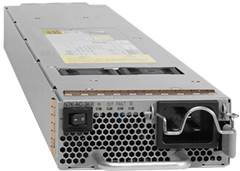
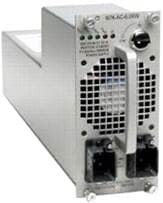
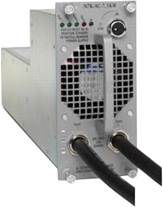
Cisco Nexus 7000 Series power supplies are more than 90 percent efficient, so less power is wasted as heat, and more power is available for the system to use than with typical power supplies.
Cisco Nexus 7000 3.0-kW AC Power Supply
The 3.0-kilowatt (kW) AC power supply module for the Cisco Nexus 7000 Switches is a single 20-ampere (A) AC input power supply. Connecting to high line nominal voltage (220 VAC) will produce a power output of 3000W. Connecting to low line nominal voltage (110 VAC) will produce a power output of 1400W. Table 1 shows the available power output for the input options.
Table 1. Available Output Based on Input Power
| Number of Inputs |
Input Power |
Output |
| Single input |
220V |
3000W |
| 110V |
1400W |
Cisco Nexus 7000 6.0-kW AC Power Supply
The 6.0-kW AC power supply module for the Cisco Nexus 7000 Switches is a dual 20A AC input power supply. When both inputs are at high line nominal voltage (220 VAC), the power output is 6000W. Connecting to low line nominal voltage (110 VAC) or using just one input will produce lower output power levels. Table 2 shows the available power output for the input options.
Table 2. Available Output Based on Input Power
| Number of Inputs |
Input Power |
Output |
| Single input |
220V |
3000W |
| 110V |
1200W |
|
| Dual input |
220V |
6000W |
| 110V |
2400W |
|
| Dual input |
110 and 220V |
4200W |
Cisco Nexus 7000 7.5-kW AC Power Supply
The 7.5-kW AC power supply module for the Cisco Nexus 7000 Switches is a dual 30A AC input unit. The AC power cords for the 7500W power supply are hard wired directly to the power supply. When both inputs are connected, the output power is 7500W. If less power is required when just one input is connected, the power output is 3750W. Table 3 shows the power output provided by one 7.5-kW AC power supply module. Two versions of the 7.5-kW AC power supply are available: United States and Japan, and International.
Table 3. Available Output Based on Input Power
| Number of Inputs |
Input Power* |
Output Power |
| Single input |
220V |
3750W |
| Dual input |
220V |
7500W |
Cisco Nexus 7000 Series Power Supply Redundancy
The Cisco Nexus 7000 chassis supports multiple load-sharing, fault-tolerant, and hot-swappable power supplies. As few as just one power supply can be used to operate a switch chassis. Use of multiple power supplies provides additional power capacity and resilience after failure of the power supply, the generating supply itself, or a facility component such as an uninterruptible power supply (UPS) or a circuit breaker.
Cisco Nexus 7000 systems can operate in four user-configurable power-redundancy modes, summarized in Table 4, to meet the redundancy needs of the environment.
Table 4. Power Redundancy Modes
| Redundancy Mode |
Description |
| Combined |
This mode does not provide redundancy. The power available to the system is the sum of power outputs of all power supplies in the chassis. |
| Power supply redundancy (N+1) |
This mode guards against failure of one of the power supplies. The redundant power available to the system is the sum of all power outputs less one of the maximum rated power supplies. |
| Input source redundancy (grid redundancy) |
This mode guards against failure of one power supply or input circuit (grid). The power available to the system is the minimum power from both grids. If one of the power supplies fails, the operational power redundancy mode changes to the combined mode (Only supported with 220V). |
| Power supply and input source redundancy (full redundancy) |
This mode guards against the failure of one power supply or one grid. The power available is the minimum power from the input source and power supply redundancy. If one of the power supplies fails, the operational power redundancy mode changes to the power supply redundancy (N+1) mode. |
The total amount of power available to the Cisco Nexus 7000 system depends on the types of power supplies installed, the number of connected inputs, and the configured power supply redundancy mode. Table 5 shows the maximum available power for each redundancy mode for the 3.0-, 6.0-, and 7.5-kW power supplies.
Table 5. Maximum Total Output Power by Redundancy Mode
| Power Supply Type |
Number of Power Supplies |
Power Supply Redundancy Mode |
|||
| Combined |
N+1 |
Grid |
Full |
||
| 3.0 kW |
1 |
3000W |
- |
- |
- |
| 2 |
6000W |
3000W |
3000W |
3000W |
|
| 3 |
9000W |
6000W |
- |
- |
|
| 4 |
12,000W |
9000W |
6000W |
6000W |
|
| 6.0 kW |
1 |
6000W |
- |
3000W |
- |
| 2 |
12000W |
6000W |
6000W |
6000W |
|
| 3 |
18,000W |
12,000W |
9000W |
9000W |
|
| 4 |
24,000W |
18,000W |
12,000W |
12,000W |
|
| 7.5 kW |
1 |
7500W |
- |
3750W |
- |
| 2 |
15,000W |
7500W |
7500W |
7500W |
|
| 3 |
22,500W |
15,000W |
11,250W |
11,250W |
|
| 4 |
30,000W |
22,500W |
15,000W |
15,000W |
|
Note: A maximum of four power supplies are supported on the Cisco Nexus 7000 4-Slot Switch, two power supplies are supported on the Cisco Nexus 7000 9-Slot Switch, three power supplies are supported on the Cisco Nexus 7000 10-Slot Switch and four power supplies are supported on the Cisco Nexus 7000 18-Slot Switch. The 3.0-kW power supply can only be used on the Cisco Nexus 7000 4-Slot Switch.
For the Cisco Nexus 7000 9-Slot, 10-Slot, and 18-Slot Switches, 6.0- or 7.5-kW power supplies can be used. Mixed combinations of the 6.0- and 7.5-kW power supplies are supported. The power redundancy modes are designed to determine the optimum power for the combination of power supplies installed, helping ensure system availability.
The 6.0-kW power supply supports operation with 110 and 220V on either or both of the two inputs, which results in different levels of output power for the different redundancy modes.
Table 6 shows the maximum system output power that can be drawn from two 6.0-kW power supplies in a chassis with different combinations of input voltage and redundancy modes.
Table 6. Maximum Total Output Power for Two 6.0-kW Power Supply Units
| Power Supply Input |
Redundancy Mode |
||||
| Combined |
Power Supply |
Input Source |
Full |
||
| Single input |
220V |
6000W |
3000W |
- |
- |
| 110V |
2400W |
1200W |
- |
- |
|
| Dual input |
220V |
12,000W |
6000W |
6000W |
6000W |
| 110V |
4800W |
2400W |
2400W |
2400W |
|
| Dual input |
110 and 220V |
8400W |
4200W |
2400W |
2400W |
Table 7 shows the maximum system output power that can be drawn from three 6.0-kW power supplies in a chassis with different combinations of input voltage and redundancy modes.
Table 7. Maximum Total Output Power for Three 6.0-kW Power Supply Units
| Power Supply Input |
Redundancy Mode |
||||
| Combined |
Power Supply |
Input Source |
Full |
||
| Single input |
220V |
9000W |
6000W |
- |
- |
| 110V |
3600W |
2400W |
- |
- |
|
| Dual input |
220V |
18,000W |
12,000W |
9000W |
9000W |
| 110V |
7200W |
4800W |
3600W |
3600W |
|
| Dual input |
110 and 220V |
12,600W |
8400W |
3600W |
3600W |
Table 8 shows the maximum system output power that can be drawn from four 6.0-kW power supplies in a chassis with different combinations of input voltage and redundancy modes.
Table 8. Maximum System Output Power for Four 6.0-kW Power Supply Units
| Power Supply Input |
Redundancy Mode |
||||
| Combined |
Power Supply |
Input Source |
Full |
||
| Single input |
220V |
12,000W |
9000W |
- |
- |
| 110V |
4800W |
3600W |
- |
- |
|
| Dual input |
220V |
24,000W |
18,000W |
12,000W |
12,000W |
| 110V |
9600W |
7200W |
4800W |
4800W |
|
| Dual input |
110 and 220V |
16,800W |
12,600W |
4800W |
4800W |
Features and Benefits
Table 9 summarizes the features and benefits of the Cisco Nexus 7000 Switches power supply modules.
Table 9. Features and Benefits
| Feature |
Benefit |
| Multiple inputs |
Provides redundancy within the power supply unit; if one input fails, power is still drawn from the other input |
| Universal input (110 to 240 VAC and 50 to 60 hertz [Hz]) (6000W only) |
● Flexibility to provision circuits with either high-input voltage (200 to 240V) or low-input voltage (100 to 120V), depending on availability and power output needs
● Capability to connect one input with a 220V line and the other with a 110V line
|
| Energy efficient |
More than 90% efficient to reduce power waste even at low loads; achieved 80 Plus® Silver Certification. For more information, go to http://www.80plus.org. |
| Compatible with current Cisco Nexus 7000 Series Switch chassis |
Provides investment protection and ease of sparing across different members of the product family |
| Hot swappable |
Enables continuous system operations; no downtime when replacing power supply (assuming that the remaining power supplies can provide enough power to support the system) |
| Temperature sensors and instrumentation |
Measures internal temperature and shuts down the power supply if temperature exceeds thresholds; prevents damage due to overheating of the power supply unit |
| Internal fault monitoring |
Detects short circuits and component failures within the power supply unit; if a failure is found, the unit is shut down |
| Intelligent remote management |
Users can remotely power cycle one or all power supplies using the supervisor command-line interface (CLI), enabling remote management and improving operating efficiency (not available at initial software release) |
| Real-time power draw |
Shows real-time actual power consumption (not available at initial software release) |
| Variable fan speed |
Allows reduction in fan speed for lower power use in well-controlled environments while helping ensure sufficient system cooling capacity |
Product Specifications
Table 10 lists production specifications for the Cisco Nexus 7000 Switches AC power supply modules, and Tables 11 and 12 list the cable specifications.
Table 10. Product Specifications
| Item |
Specification |
|||
| Power supply |
3.0-kW AC power supply |
6.0-kW AC power supply |
7.5-kW AC power supply |
|
| Chassis compatibility |
● Cisco Nexus 7000 4-Slot Switch (up to 4)
|
● Cisco Nexus 7000 9-Slot Switch (up to 2)
● Cisco Nexus 7000 10-Slot Switch (up to 3)
● Cisco Nexus 7000 18-Slot Switch (up to 4)
|
||
| Software compatibility |
Cisco NX-OS Software Release 6.1(2) and later |
Cisco NX-OS Software Release 4.0 and later |
Cisco NX-OS Software Release 4.1(2) and later |
|
| Physical specifications |
● (H x W x D): 1.6 x 3.95 x 22 in. (4.1 x 10 x 55.9 cm)
● Weight: 5 lb (2.27 kg)
|
● (H x W x D): 8.51* x 4 x 17.5 in. (21.6* x 10.1 x 44.5 cm)
● Weight: 18 lb (8.2 kg)
* The height of the power supply unit is not uniform along the entire depth. The height at the front and rear are 8.51 and 4.2 in. (21.6 and 10.7 cm) respectively. |
● (H x W x D): 8.51* x 4 x 17.5 in. (21.6*x 10.1 x 44.5 cm)
● Weight: 23 lb (10.5 kg)
* The height of the power supply unit is not uniform along the entire depth. The height at the front and rear are 8.51 and 4.2 in. (21.6 and 10.7 cm) respectively. |
|
| Input voltage range |
90 to 264 VAC |
90 to 264 VAC |
170 to 264V AC |
|
| Input frequency range |
47 to 63 Hz |
47 to 63 Hz |
47 to 63 Hz |
|
| Input current (each input) |
16A maximum at nominal line voltage (110 or 220 VAC) |
16A maximum at nominal line voltage (110 or 220 VAC) |
24A maximum at nominal line voltage (220 VAC) |
|
| Power supply input receptacles |
International Electrotechnical Commission (IEC) 320-C20 |
IEC 320-C20 |
● IEC 60309 for INT
● NEMA L6-30 for US
|
|
| Power cord rating |
16A |
16A |
24A |
|
| British thermal units (BTUs) |
● 11,400 BTUs per hour at 3000W
● 5560 BTUs per hour at 1400W
|
● 23,000 BTUs per hour at 6000W
● 16,500 BTUs per hour at 4200W
● 11,500 BTUs per hour at 3000W
● 9900 BTUs per hour at 2400W
● 4950 BTUs per hour at 1200W
|
● 28,500 BTUs per hour at 7500W
● 14,200 BTUs per hour at 3750W
|
|
| Output holdup time |
20 milliseconds (ms) minimum |
|||
| Cooling fan |
Integrated |
Integrated |
||
| Environmental conditions |
● Operating temperature: 32 to 104°F (0 to 40°C)
● Storage temperature: -40 to 185°F (-40C to 85°C)
● Relative humidity operating, noncondensing: 10 to 90%
● Relative humidity nonoperating, noncondensing: 10 to 95%
|
|||
| Certifications |
80+ Platinum Certification |
80+ Silver Certification |
||
| Regulatory compliance |
● EMC compliance
● FCC Part 15 (CFR 47) (USA) Class A
● ICES-003 (Canada) Class A
● EN55022 (Europe) Class A
● CISPR22 (International) Class A
● AS/NZS CISPR22 (Australia and New Zealand) Class A
● VCCI (Japan) Class A
● KN22 (Korea) Class A
● CNS13438 (Taiwan) Class A
● CISPR24
● EN55024
● EN50082-1
● EN61000-3-2
● EN61000-3-3
● EN61000-6-1
● EN300 386
|
|||
| Environmental standards |
● NEBS criteria levels
● SR-3580 NEBS Level 3 (GR-63-CORE, issue 3, and GR-1089-CORE, issue 4)
● Verizon NEBS compliance
● Telecommunications Carrier Group (TCG) Checklist
● Qwest NEBS requirements
● Telecommunications Carrier Group (TCG) Checklist
● ATT NEBS requirements
● ATT TP76200 level 3 and TCG Checklist
● ETSI
● ETS 300 019-1-1, Class 1.2 Storage
● ETS 300 019-1-2, Class 2.3 Transportation
● ETS 300 019-1-3, Class 3.2 Stationary Use
● Reduction of Hazardous Substances (ROHS) 5
|
|||
| Safety compliance |
● Ul/CSA/IEC/EN 60950-1
● AS/NZS 60950
|
|||
| LED indicators |
● Green “Input 1 OK” LED: On when AC voltage in input 1 is within the valid range
● Green “Output OK” LED: On when the DC outputs are within the valid range and stable
● Red “Fault” LED: On and blinking when the power supply’s internal self-diagnostics have failed or any other power supply failure has occurred
● Blue “ID” LED: On and blinking when the operator has flagged this card for identification
|
● Green “Input 1 OK” LED: On when AC voltage in input 1 is within the valid range
● Green “Input 2 OK” LED: On when AC voltage in input 2 is within the valid range
● Green “Output OK” LED: On when the DC outputs are within the valid range and stable
● Red “Fault” LED: On and blinking when the power supply’s internal self-diagnostics have failed or any other power supply failure has occurred
● Blue “ID” LED: On and blinking when the operator has flagged this card for identification
|
||
| Reliability and availability |
Capable of online insertion and removal (OIR) |
|||
| MIBs |
Supports Simple Network Management Protocol Versions 3, 2, and 1 (see Cisco® NX-OS Software release notes for details about specific MIB support) |
|||
| Warranty |
Cisco Nexus 7000 Series Switches come with the standard Cisco 1-year limited hardware warranty |
|||
Table 11. 3.0-kW and 6.0-kW AC Power Supply Cable Specifications
| Locale |
Part Number |
Cord Length |
Wall Appliance Plug Type |
Wall Plug Rating |
| Argentina |
CAB-IR2073-C19-AR |
14 ft (4.3m) |
IRAM 2073 |
250 VAC, 16A |
| Australia and New Zealand |
CAB-AC-16A-AUS |
14 ft (4.3m) |
AU20S3 |
250 VAC, 16A |
| People’s Republic of China |
CAB-AC16A-CH |
14 ft (4.3m) |
GB16C |
250 VAC, 16A |
| Continental Europe |
CAB-AC-2500W-EU |
14 ft (4.3m) |
CEE 7/7 |
250 VAC, 16A |
| International |
CAB-AC-2500W-INT |
14 ft (4.3m) |
IEC 309 |
250 VAC, 16A |
| Israel |
CAB-AC-2500W-ISRL |
14 ft (4.3m) |
SI16S3 |
250 VAC, 16A |
| Japan and North America (nonlocking) 200 to 240 VAC operation |
CAB-AC-2500W-US1 |
14 ft (4.3m) |
NEMA 6-20 |
250 VAC, 16A |
| Japan and North America (locking) 200 to 240 VAC operation |
CAB-AC-C6K-TWLK |
14 ft (4.3m) |
NEMA L6-20 |
250 VAC, 16A |
| Japan and North America 100 to 120 VAC operation* |
CAB-7513AC |
14 ft (4.3m) |
NEMA 5-20 |
125 VAC, 20A |
| Power distribution unit (PDU)** |
CAB-C19-CBN |
14 ft (4.3m) |
IEC 60320 C19 IEC 60320 C20 |
250 VAC, 16A |
| Switzerland |
CAB-ACS-16 |
14 ft (4.3m) |
SEV 5934-2 |
250 VAC, 16A |
Table 12. 7.5-kW Power Supply AC Power Cords
| Locale |
Part Number |
AC Source Plug Type |
Cord Set Rating |
| International |
N7K-AC-7.5-kW-INT |
IEC 60309 |
32A, 250VAC |
| North America, Japan |
N7K-AC-7.5-kW-US[1] |
NEMA L6-30 |
30A 250VAC |
Ordering Information
To place an order, visit the Cisco Ordering homepage. To download software, visit the Cisco Software Center. Table 13 provides ordering information.
Table 13. Ordering Information
| Product Name |
Part Number |
| Cisco Nexus 7000 3.0kW AC Power Supply Module |
N7K-AC-3KW |
| Cisco Nexus 7000 6.0kW AC Power Supply Module |
N7K-AC-6.0KW |
| Cisco Nexus 7000 7.5kW AC Power Supply Module International (Cable Included) |
N7K-AC-7.5KW-INT |
| Cisco Nexus 7000 7.5kW AC Power Supply Module US (Cable Included) |
N7K-AC-7.5KW-US |
| Power Cord, 250 VAC, 16A, Australia C19 |
CAB-AC-16A-AUS |
| 16A AC Power Cord for China |
CAB-AC16A-CH |
| Power Cord, 250 VAC, 16A, Europe |
CAB-AC-2500W-EU |
| Power Cord, 250 VAC, 16A, International |
CAB-AC-2500W-INT |
| Power Cord, 250 VAC, 16A, Israel |
CAB-AC-2500W-ISRL |
| Power Cord, 250 VAC, 16A, twist lock NEMA L6-20 plug, United States |
CAB-AC-C6K-TWLK |
| Power Cord, 250 VAC, 16A, straight blade NEMA 6-20 plug, United States |
CAB-AC-2500W-US1 |
| AC Power Cord, North America (110V) |
CAB-7513AC |
| Cabinet Jumper Power Cord, 250 VAC 16A, C20-C19 Connectors |
CAB-C19-CBN |
| AC Power Cord (Swiss) 16A |
CAB-ACS-16 |
| Power Cord, 250 VAC, 16A, Australia C19 |
CAB-AC-16A-AUS |
| Power Cord, 250 VAC, 16A, Argentina |
CAB-IR2073-C19-AR |
Service and Support
Cisco offers a wide range of services to help accelerate your success in deploying and optimizing Cisco Nexus 7000 Series Switches in your data center. Cisco’s innovative services are delivered through a unique combination of people, processes, tools, and partners and are focused on helping you increase operating efficiency and improve your data center network. Cisco Advanced Services use an architecture-led approach to help you align your data center infrastructure with your business goals and achieve long-term value. Cisco SMARTnet® Service helps you resolve mission-critical problems with direct access at any time to Cisco network experts and award-winning resources. With this service, you can take advantage of the Cisco Smart Call Home service capability, which offers proactive diagnostics and real-time alerts on your Cisco Nexus 7000 Series Switches. Spanning the entire network lifecycle, Cisco services help increase investment protection, optimize network operations, provide migration support, and strengthen your IT expertise. For more information about Cisco Data Center Services, visit http://www.cisco.com/go/dcservices.
Cisco Capital
Financing to Help You Achieve Your Objectives
Cisco Capital can help you acquire the technology you need to achieve your objectives and stay competitive. We can help you reduce CapEx. Accelerate your growth. Optimize your investment dollars and ROI. Cisco Capital financing gives you flexibility in acquiring hardware, software, services, and complementary third-party equipment. And there’s just one predictable payment. Cisco Capital is available in more than 100 countries. Learn more.
For More Information
For more information about the Cisco Nexus 7000 Series, visit the product homepage at http://www.cisco.com/go/nexus or contact your local account representative.
 Feedback