Release Notes for Cisco Digital Media Suite 5.4.x
Available Languages
Contents
- Release Notes for Cisco Digital Media Suite 5.4.x
- Patch to Fix CSCur03217 (Shellshock Vulnerability)
- Patch to Fix CSCur38536 (DMM SSL V3 POODLE Issue)
- Patch to Fix CSCus69527 (GHOST Vulnerability)
- Patch to Fix CSCut15831 (NTPd.org Vulnerability)
- Patch to Fix CSCus87253 (Add Support for Agency and Calibri for DMD)
- Patch to Fix CSCut45957 (March 2015 OpenSSL Vulnerabilities)
- Patch to Fix CSCuu96437 (Leap Second Vulnerability)
- Patch to Fix CSCtl89028 and CSCue73197 (dmm54x_opensso_ldap.iso)
- Patch to Fix CSCuu82425 (June 2015 OpenSSL Vulnerability)
- Patch to Fix CSCur99074 (DMM Backup USB Issue)
- Patch to Fix CSCuz92699 (June 2016 NTP Vulnerability)
- New MIB Introduced in Release 5.4.1RB2P2
- New and Changed Features
- Cisco Digital Media Players
- Web Browser
- Web Browser User Agent Switching
- Web Browser Rotation
- Cross-origin Protection
- Secure Content Access
- HTTPS for Go-To-URL Applications
- Developer Support
- SSL Certificate Management
- Persistence of Network Configuration After Soft Reset
- Pseudo-random IP Addressing
- Support for Non-broadcast SSIDs
- Support for Larger Video Files
- Support for the .MP4 Video Container
- Support for Some .WMV Video Assets
- Support for ELO IntelliTouch Touchscreen Drivers
- HTTP Timeout Behaviors Are Changed in This Release
- Support for IGMPv3 Source Specific Multicast (5.4.1)
- Cisco Digital Media Manager
- Feature Navigation
- Look and Feel
- Digital Signage Scheduling Functions
- Delete Scheduled Content
- DMM Support for Web Content on DMP 4310G
- Appliance Administration Interface (AAI)
- Support for Wildcard SSL Certificates (5.4.1)
- Serviceability Enhancements (5.4.1)
- Critical Information About Cisco Show and Share
- Feature Support and Device Compatibility
- Client System Requirements
- Installation and Upgrade Notes
- Software Release Availability and Entitlements
- Software Release Availability and Entitlements for Digital Media Manager Servers
- Available Software for DMP 4400G Endpoints
- Available Software for DMP 4310G Endpoints
- Available Software for DMP 4305G Endpoints
- Installation Notes
- Upgrade Notes
- Important Notes
- DMP 4310G Notice Regarding Power over Ethernet (PoE)
- Low Memory Causes DMPs to Restart Automatically
- Limitations and Restrictions
- Known Problems (Caveats)
- Caveats Resolved in 5.4.1 RB3
- Caveats Resolved in 5.4.1 RB2_P7
- Caveats Resolved in 5.4.1 RB2_P6
- Caveats Resolved in 5.4.1 RB2_P4
- Caveats Resolved in 5.4.1 RB2_P3
- Caveats Resolved in 5.4.1 RB2_P2
- Caveats Resolved in 5.4.1 RB2_P1
- Caveats Resolved in 5.4.1 RB2P
- Caveats Resolved in 5.4.1 RB2
- Caveats Resolved in 5.4.1 RB1
- Caveats Resolved in 5.4.1
- Caveats Resolved in 5.4
- Open Caveats
- Learn More About...
Release Notes for Cisco Digital Media Suite 5.4.x
This document describes new and changed features, requirements, and known problems for Cisco Digital Media Suite (Cisco DMS) 5.4.x products.
Note
Cisco DMS 5.4.x is not sold preinstalled on any server hardware. It is an upgrade-only release for existing DMM server appliances and a fresh-installation only via the DMM Virtual Machine on a qualified ESXi host system.
Patch to Fix CSCur03217 (Shellshock Vulnerability)
This is a generic patch for all DMM release 5.4.x versions to fix the Shellshock vulnerability. If you are applying the patch from release 5.4.1 RB1 or before, the patch will no longer be present on the system if DMM is upgraded after the patch installation.
You are recommended to upgrade your DMM to release 5.4.1 RB2 and then apply the Shellshock patch.
For more information on upgrading a standalone DMM, see the following URL:
For more information on upgrading a DMM with failover configuration, see the following URL:
Patch to Fix CSCur38536 (DMM SSL V3 POODLE Issue)
This is a generic patch for all DMM release 5.4.x versions to fix the SSL Poodle vulnerability. If you are applying the patch from release 5.4.1 RB1 or before, the patch will no longer be present on the system if DMM is upgraded after the patch installation.
You are recommended to upgrade your DMM to release 5.4.1 RB2 and then apply the SSL Poodle patch.
For more information on upgrading a standalone DMM, see the following URL:
For more information on upgrading a DMM with failover configuration, see the following URL:
Patch to Fix CSCus69527 (GHOST Vulnerability)
This is a generic patch for all DMM release 5.4.x versions to fix the GHOST Glibc vulnerability. If you are applying the patch from release 5.4.1 RB1 or before, the patch will no longer be present on the system if DMM is upgraded after the patch installation.
You are recommended to upgrade your DMM to release 5.4.1 RB2 and then apply the GHOST Glibc patch.
For more information on upgrading a standalone DMM, see the following URL:
For more information on upgrading a DMM with failover configuration, see the following URL:
Patch to Fix CSCut15831 (NTPd.org Vulnerability)
This is a generic patch for all DMM release 5.4.x versions to fix the NTPd.org vulnerability. If you are applying the patch from release 5.4.1 RB1 or before, the patch will no longer be present on the system if DMM is upgraded after the patch installation.
You are recommended to upgrade your DMM to release 5.4.1 RB2 and then apply the NTPd.org patch.
For more information on upgrading a standalone DMM, see the following URL:
For more information on upgrading a DMM with failover configuration, see the following URL:
Patch to Fix CSCus87253 (Add Support for Agency and Calibri for DMD)
This is a generic patch for DMM release 5.4.1, 5.4.1 RB1, and 5.4.1 RB2 versions to add two new fonts, Agency and Calibri, in DMD. If you are applying the patch from release 5.4.1 RB1 or before, the patch will no longer be present on the system if DMM is upgraded after the patch installation.
You are recommended to upgrade your DMM to release 5.4.1 RB2 and then apply the two new fonts, Agency and Calibri,
For more information on upgrading a standalone DMM, see the following URL:
For more information on upgrading a DMM with failover configuration, see the following URL:
Patch to Fix CSCut45957 (March 2015 OpenSSL Vulnerabilities)
This is a generic patch for DMM release 5.4.x versions to fix the March 2015 OpenSSL vulnerability. If you are applying the patch from release 5.4.1 RB1 or before, the patch will no longer be present on the system if DMM is upgraded after the patch installation.
You are recommended to upgrade your DMM to release 5.4.1 RB2 and then apply the March 2015 OpenSSL patch.
For more information on upgrading a standalone DMM, see the following URL:
For more information on upgrading a DMM with failover configuration, see the following URL:
Patch to Fix CSCuu96437 (Leap Second Vulnerability)
This is a generic patch for DMM release 5.4.x versions to fix the Leap Second vulnerability. If you are applying the patch from release 5.4.1 RB1 or before, the patch will no longer be present on the system if DMM is upgraded after the patch installation.
You are recommended to upgrade your DMM to release 5.4.1 RB2 and then apply this Leap Second fix patch.
For more information on upgrading a standalone DMM, see the following URL:
For more information on upgrading a DMM with failover configuration, see the following URL:
Patch to Fix CSCtl89028 and CSCue73197 (dmm54x_opensso_ldap.iso)
This is a generic patch for DMM release 5.4.x versions to fix the following defects:
- CSCtl89028—DMM sends multiple LDAP search requests when multiple bookmarks are used.
- CSCue73197—LDAP users cannot log in if the filter search base is base DN.
If you are applying the patch from release 5.4.1 RB1 or before, the patch will no longer be present on the system if DMM is upgraded after the patch installation.
You are recommended to upgrade your DMM to release 5.4.1 RB2 and then apply this patch.
For more information on upgrading a standalone DMM, see the following URL:
For more information on upgrading a DMM with failover configuration, see the following URL:
Patch to Fix CSCuu82425 (June 2015 OpenSSL Vulnerability)
This is a generic patch for all DMM release 5.4.x versions to fix the June 2015 OpenSSL vulnerability. If you are applying the patch from release 5.4.1 RB1 or before, the patch will no longer be present on the system if DMM is upgraded after the patch installation.
You are recommended to upgrade your DMM to release 5.4.1 RB2 and then apply this patch.
For more information on upgrading a standalone DMM, see the following URL:
For more information on upgrading a DMM with failover configuration, see the following URL:
Patch to Fix CSCur99074 (DMM Backup USB Issue)
This is a generic patch for all DMM release 5.4.1_RBx versions to fix the DMM backup USB issue.
You are recommended to upgrade your DMM to release 5.4.1 RB2 and then apply this patch.
For more information on upgrading a standalone DMM, see the following URL:
For more information on upgrading a DMM with failover configuration, see the following URL:
Patch to Fix CSCuz92699 (June 2016 NTP Vulnerability)
This is a generic patch for all DMM release 5.4.x versions to fix the June 2016 NTP vulnerability. If you are applying the patch from release 5.4.1 RB2 or before, the patch will no longer be present on the system if DMM is upgraded after the patch installation.
You are recommended to upgrade your DMM to release 5.4.1 RB3 and then apply the June 2016 NTP fix.
For more information on upgrading a standalone DMM, see the following URL:
For more information on upgrading a DMM with failover configuration, see the following URL:
New MIB Introduced in Release 5.4.1RB2P2
The image of release 5.4.1RB2P2 contains a new MIB—init.msi_dhcp_enable.
To allow the DHCP protocol under MSI to run, set it to yes. To stop DHCP and constant DHCP packets under MSI, set it to no.
New and Changed Features
Cisco Digital Media Players
Cisco DMS 5.4.x introduces new and changed features for Digital Media Players (DMPs). To see and use these features, you must install the 5.4.x firmware on your DMPs.
Web Browser
DMP 4310G endpoints now include a web browser. This browser is built with code from the open source QtWebKit project. It supports HTML 5 — including the <CANVAS>, <VIDEO>, and <AUDIO> tags, when you use them with codecs, wrappers, and other standards that a DMP 4310G supports.
Note
The browser on a DMP 4310G differs substantially from the browser on a DMP 4400G or DMP 4305G.Various adjustments will be necessary if you developed or optimized content for a different DMP model, which you now want to render on a DMP 4310G. For example, in this release, the <EMBED> tag and <OBJECT> tag will not work for Flash content on a DMP 4310G. You can learn about content creation for DMPs at http://developer.cisco.com/web/dms/betaforums/ . Test and optimize all content before you deploy it in your production network.
It is derived from QtWebKit 4.7, rather than Mozilla 2.0.
It supports HTML 5, rather than HTML 4.
It supports JavaScript 1.85, rather than JavaScript 1.7.
Its browser runs as a content layer (“plane”) inside Flash, rather than Flash running as a plugin inside the browser.
Web Browser User Agent Switching
DMPDM 5.4 on a DMP 4310G provides a User Agent field, which you can populate as you see fit. Adjustments here can sometimes improve DMP rendering of .ASP pages.
Cross-origin Protection
DMPs in this release prevent HTTPS:// content from loading FILE:// content, and vice-versa. However, you can allow such behavior by disabling the Web Security option in DMPDM 5.4.
Secure Content Access
DMP 4310G endpoints now support NTLM access to protected content.
Note
DMP 4310 release 5.4 supports NTLM v2 authentication only for browser and flash content.
DMP 4310G endpoints now support SSL/HTTPS (“basic”) access to protected content.
Note
You cannot mix these DMP authentication methods together in one event. Nor can you mix multiple credentials together in one event. To configure the secure content access credentials for an event, use the new DMM advanced task, “Authentication Support (DMP).”HTTPS for Go-To-URL Applications
DMP 4310G endpoints now support Go-to-URL applications that use HTTPS. However, because the HTTPS protocol employs SSL — which, in turn, requires the use of digital certificates — any DMP 4310G where you use this feature must be synchronized to an NTP server. Otherwise, it cannot check for certificate expiration. You can use DMM to configure NTP settings on multiple DMPs simultaneously or use DMPDM to configure just one DMP.
Developer Support
DMP 4310G endpoints now include built-in API reference documentation and related features for developers. See https://<DMP_IP_address>/resources/ .
Note
In this release, a completely new API replaces the legacy JavaScript API (“tivella.js”) on a DMP 4310G. To learn about the new API, see https://<DMP_IP_address>/resources/.Persistence of Network Configuration After Soft Reset
DMPDM 5.4 on a DMP 4310G now includes an option for configured network settings to persist after a soft reset.
Pseudo-random IP Addressing
DMPs are no longer completely dependent upon access to a DHCP server during their initial setup. When you allow it to do so, a factory-new DMP (or DMP that you reset to factory-default values) with 5.4 firmware can generate its own pseudo-random IP address in the 169.254.0.0/16 subnet. It does this only when all of the following statements are true:
You choose Disabled from the Verify Link list on DMPDM’s Network page. Then, you save this change and restart your DMP.
You unplug the Ethernet cable from your DMP.
After your DMP restarts, you wait approximately 150 seconds (2.5 minutes) — an interval that triggers DHCP timeout.
Support for Non-broadcast SSIDs
DMP 4400G endpoints no longer require that Wi-Fi networks broadcast their SSIDs. Instead, as needed, you can enter an SSID in DMPDM’s Network SSID field.
Support for Larger Video Files
DMP 4310G endpoints can now support video file sizes as large as 4GB. In previous releases, the limit was 2GB.
Support for the .MP4 Video Container
DMP 4310G endpoints can now play H.264 video inside an .MP4 container.
Support for Some .WMV Video Assets
DMP 4310G endpoints can now play .WMV files whose presentation time stamp (PTS) value is more than 100 milliseconds.
Support for ELO IntelliTouch Touchscreen Drivers
DMP 4310G endpoints now support IntelliTouch+ touchscreens.
HTTP Timeout Behaviors Are Changed in This Release
Previously, the content failover algorithm on DMPs waited exactly 1 second for webservers to respond that requested content was correctly available at the expected URL. Absent this timely response, DMPs would not issue the HTTP GET request that triggers an actual download. Instead, they would substitute their own failover content for the webserver content. You could enable or disable use of this hard-coded 1-second interval but you could not change it to any other value.
Starting in Cisco DMS 5.4, this interval is now controlled instead by your entry in DMPDM’s “Failover Timeout (ms)” field. The factory-default value is 10000 milliseconds, which equals 10 seconds.
Note
Due to this change, the “Failover Timeout (ms)” value now has a powerful effect on your digital signs even when content failover is disabled. It is the maximum duration that can elapse before your DMP sends an HTTP GET request.Support for IGMPv3 Source Specific Multicast (5.4.1)
DMP 4310G endpoints running version 5.4.1 now support IGMP version 3 Source Specific Multicast (SSM) in a digital signage deployment that has the proper network configurations and settings.
Note
The default setting (IGMP version 2) must be overwritten by a MIB command that will also simultaneously enable IGMP version 3.There are additional fields added to the DMP Device Manager web interface that allows for the configuration of the multicast group IP address and other fields. For more information, see the User Guide for IGMPv3 Configuration at the following URL: http://www.cisco.com/en/US/docs/video/digital_media_systems/dmp/user/guide/5_x/5_4_x/igmpv3ug541.html.
Cisco Digital Media Manager
Feature Navigation
Given the removal of old features in this release and its introduction of new features, UI navigation logic has changed in multiple ways.
Note
The combination of your user role and your installed feature licenses determines which features you can see and use.Cisco DMS 5.4 introduces new feature navigation elements at levels 1 through 3.
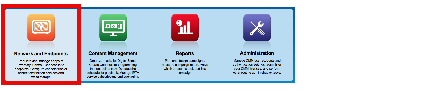
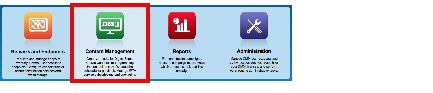
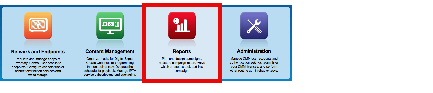
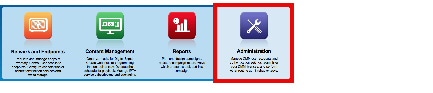
Table 1 5.4.x Navigation Logic Feature Navigation in Cisco DMM 5.4.x
Network and Endpoints
Digital Media Players
DMP Manager
Deployment Manager
Deployment Status
Deployment Preferences
Advanced Tasks
Emergencies
Start Emergency
Stop Emergency
Settings
User Accounts
Server Settings
Media Delivery
External
Content Management
Media Library
Assets
Playlists
Presentations
Digital Media Designer
Channels
Cast
TV Channels
EPG Providers
Video on Demand
Skin Customization
Remote Control
Reports
Dashboard
Reports
Configuration
Campaign
Administration
Dashboard
Failover
Failover Configuration
Failover Status
Settings
External Servers
Hinter
Security
Authentication
Session
Users
Alerts
Alert Reports
Notification Rules
Services
Licenses
Request Licenses
Install/Upgrade Licenses
View Licenses
Look and Feel
The user interface in previous Cisco DMM releases was task-based and straddled multiple applications, including some elements of desktop-social video. The user interface in Cisco DMM 5.4.x is workflow-based for the key users who run a digital signage network. These workflows compliment our new, user role-centered architecture, making Cisco DMM 5.4.x easier to learn, use, scale, and support.
Digital Signage Scheduling Functions
Previous Cisco DMS releases followed a scheduling paradigm that is now replaced. In the new paradigm:
You configure any number of “channels,” which each serve a distinct audience in a specific place. For example, one channel might be appropriate for pedestrians who walk past a department store window, while the content on another channel could target customers near the cash registers.
You maintain a separate programming schedule for each channel.
Then, you subscribe DMP groups to channels that are relevant to their physical locations.
Channels support multiple time zones, include advanced options for event repetition, and can integrate automatically with Cisco Enterprise Content Delivery System 2.5.3 (Cisco ECDS).
Delete Scheduled Content
New features warn and guide you in this release when you start to delete content that a channel is scheduled to play. You can view a list of all the scheduled instances, understand exactly which of your digital signs will be affected, and then either delete individual instances or batch-delete them all. These features help you to prevent your digital signs from showing black screens.
DMM Support for Web Content on DMP 4310G
DMM 5.4.x supports your use of web content in the playlists, presentations, and Go-to-URL applications that you deploy to DMP 4310G endpoints. In addition, DMM supports HTTPS authentication for Go-to-URL applications on DMP 4310G endpoints.
Appliance Administration Interface (AAI)
AAI now describes your installed DMM version, your upgrade history, server memory, and disk. Furthermore, it introduces the ability to collect Java virtual machine (JVM) diagnostic data.
Support for Wildcard SSL Certificates (5.4.1)
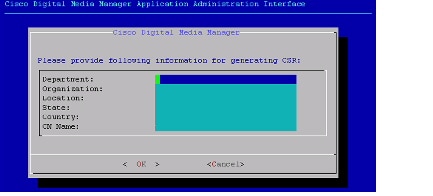
DMS releases before 5.4.1 did not support wild card SSL certificates. While there are no changes to the overall certificate import process, Digital Media Managers that are upgraded to the 5.4.1 release will be capable of generating a CSR that supports a certificate with a wild card CN name.
DANGERThe system still does NOT support the import of any certificates that have not been obtained from a CSR generated on the Digital Media Manager server. Consistent with previous DMS releases, externally generated wildcard certificates still cannot be imported into the system.
Note
By default, the CN Name field will auto-fill with the FQDN that has been assigned to the DMM server.Serviceability Enhancements (5.4.1)
Note
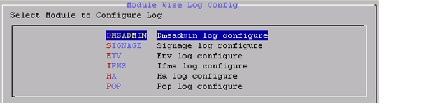
The ALL_MODULES option is identical to previous DMS releases with respect to the logging options - you will be presented with logging control options of: GET_SYSLOG, CHANGE_LOG_LEVEL, and CLEAN_LOGS.When the MODULE_WISE option is selected, the user will be given the option to select the desired module for which the log level needs to be changed.
Once the desired module has been selected, the user will be presented with various log levels that can be changed for that particular module.
Critical Information About Cisco Show and Share
DANGERDo not run the DMS 5.4 upgrade on your DMM server if you have Cisco Show and Share.
Cisco DMS 5.4.x is for digital signage users exclusively . It cannot pair with or manage a Cisco Show and Share appliance.
Show and Share users must wait to upgrade their DMM appliances until a future release of Cisco Show and Share is available that will not depend on Digital Media Manager 5.3.
Information about that upcoming Show and Share release will be posted at http://www.cisco.com/en/US/products/ps6682/index.html .
Feature Support and Device Compatibility
See Specifications, Supported Features, and Compatibility Information for Cisco Digital Media Suite on Cisco.com to learn about the changes to feature support and compatibility of Cisco DMS components across releases.
http://www.cisco.com/c/en/us/td/docs/video/digital_media_systems/dmscompat3.html
Client System Requirements
Operating System
Supported Browser1
Required Version of VLC Media Player2
MSIE
Chrome
Firefox
Safari
Microsoft Windows XP
8.x
Not supported
12.x
Not applicable
2.0.0
Microsoft Windows 7
(64-bit)
8.x
9 .x (32-bit)
Not supported
12.x
Not applicable
2.0.0
Apple Mac OS X 10.6.8
(64-bit)
Not applicable
Not supported
12.x
4.0
5.1.1
Not supported
1 Alongside any supported browser, you must have Java Runtime Environment (JRE) 1.6.0 or later installed.2 VLC Media Player modifies your browser so you can use presentation preview features in Digital Media Designer. We do not support such previews on Mac OS X.Installation and Upgrade Notes
This section includes the following topics.
Software Release Availability and Entitlements
The method to obtain software can vary by device or by release. Topics in this section specify which 5.4.x software releases are relevant to a given device and state how you might obtain such software for that device (CSCtx12287).
FOR YOUR REFERENCE
To buy factory-new Cisco DMS equipment, on which major or minor release software is preinstalled, see http://cisco.com/go/ordering .
Note
Cisco DMS 5.4.x is not sold preinstalled on any server hardware. It is an upgrade-only release for existing DMM server appliances and a fresh-installation only via the DMM Virtual Machine on a qualified ESXi host system.
To learn about Cisco service contracts, see http://cisco.com/go/cscc .
To use a service contract entitlement, see http://tools.cisco.com/gct/Upgrade/jsp/productUpgrade.jsp .
To use the Cisco Software Center, see one of the following.
Digital Media Manager
http://cisco.com/cisco/software/type.html?mdfid=280171249&flowid=4306
Note
There are no 5.4.x firmware releases for DMP 4305G endpoints. Cisco DMM 5.4 can manage these DMPs with their 5.3.x firmware, which you installed previously.Software Release Availability and Entitlements for Digital Media Manager Servers
The following table compares the general availability of, and supported entitlements to obtain, software for Cisco DMM servers.
Because Cisco DMS 5.4 is an upgrade-only release for DMM server appliances, you cannot purchase a server on which DMM 5.4 is factory-installed. Instead, you must upgrade to DMM 5.4 on a server where Cisco DMS 5.3.x is already installed and running correctly. You may also alternatively purchase DMM 5.4 as a virtual machine and perform a fresh installation using an OVA file on a qualified ESXi host system.
Table 2 DMM Server Software Release No.
General Availability for DMM Servers
Method to Obtain
Purchased Upgrade
Contract Entitlement
Warranty Entitlement
5.4
Y
Y
Y3
N
5.4.1
Y
N
Y4
Y5
3 Free with a valid service contract. Terms and conditions may vary.4 Free with a valid service contract. Terms and conditions may vary.5 Free Cisco Software Center download under the warranty conditions of a prior, qualifying purchase. Terms and conditions may vary.Available Software for DMP 4400G Endpoints
The following table compares the general availability of, and supported entitlements to obtain, software for Cisco DMP 4400G endpoints.
Table 3 Cisco DMP 4400G Endpoint Software Release No.
General Availability for Cisco DMP 4400G endpoints
Method to Obtain
Factory-Installed
Contract Entitlement
Warranty Entitlement
5.4
Y
Y6
Y7
N
5.4.1
Y
N
Y8
Y9
6 Preinstalled software on factory-new equipment7 Free with a valid service contract. Terms and conditions may vary.8 Free with a valid service contract. Terms and conditions may vary.9 Free Cisco Software Center download under the warranty conditions of a prior, qualifying purchase. Terms and conditions may vary.Available Software for DMP 4310G Endpoints
The following table compares the general availability of, and supported entitlements to obtain, software for Cisco DMP 4310G endpoints.
Table 4 Cisco DMP 4310G Endpoint Software Release No.
General Availability for Cisco DMP 4310G endpoints
Method to Obtain
Factory-Installed
Contract Entitlement
Warranty Entitlement
5.4
Y
Y10
Y11
N
5.4.1
Y
N
Y12
Y13
10 Preinstalled software on factory-new equipment11 Free with a valid service contract. Terms and conditions may vary.12 Free with a valid service contract. Terms and conditions may vary.13 Free Cisco Software Center download under the warranty conditions of a prior, qualifying purchase. Terms and conditions may vary.Available Software for DMP 4305G Endpoints
The following table compares the general availability of, and supported entitlements to obtain, software for Cisco DMP 4305G endpoints.
Table 5 Cisco DMP 4305G Endpoint Software Release No.
General Availability for Cisco DMP 4305G endpoints
Note There are no 5.4.x firmware releases for DMP 4305G endpoints. Cisco DMM 5.4 can manage these DMPs with their 5.3.x firmware, which you installed previously. Method to Obtain
Factory-Installed
Contract Entitlement
Warranty Entitlement
5.4
N
N
N
N
5.4.1
N
N
N
N
Installation Notes
Cisco DMS appliances require a DNS server to work correctly. Enter fully-qualified domain names (FQDNs) and not IP addresses during setup in AAI. Otherwise, Cisco DMS cannot operate as designed and most of its functions will fail.
Do not append a trailing dot to any FQDN during setup.
To maintain network security, your DMM appliances and DMPs use digital certificates to communicate. These certificates use the DNS-resolvable hostname to identify each appliance and endpoint uniquely. You must enter the DNS-resolvable hostname for each appliance during setup when prompted to enter the fully-qualified domain name (FQDN) in AAI.
You must also configure your DMM appliance in AAI to point correctly to the DNS server for your network. Furthermore, you must configure that DNS server to associate the IP address of your DMM appliances use with the FQDN that its digital certificate uses.
Upgrade Notes
For instructions on how to upgrade your Cisco Digital Media Suite, see Upgrade Guide for Cisco Digital Media Suite Release 5.4 on Cisco.com.
When you have a valid service contract for an earlier Cisco DMS release, which entitles you to upgrade at no additional cost, use the Product Upgrade Tool at http://cisco.com/upgrade . Enter your SAS contract number and place an order for the upgrade.
When you do not have a valid service contract for an earlier Cisco DMS release, you must order this upgrade. For information about ordering, see the data sheet at: http://cisco.com/en/US/products/ps6682/products_data_sheets_list.html .
When you upgrade a failover configuration, you must revert the configuration to standalone, upgrade both servers, and then re-configure failover. See the failover guide on Cisco.com for information about converting your configuration to standalone mode and configuring failover after the upgrade. http://cisco.com/en/US/docs/video/digital_media_systems/5_x/5_4/dms/failover_guide/dmsfailover.html .
Important Notes
This section includes the following topics:
DMP 4310G Notice Regarding Power over Ethernet (PoE)
Starting in 2009, a handful of Cisco StadiumVision customers who participated in a special program to receive DMP 4310G endpoints received pre-release hardware. During this program, we manufactured such units under the Cisco product ID “DMP-4310G-SE-K9.” Partway through the limited release, we changed one physical component in the hardware design to improve the Power over Ethernet (PoE) performance of a DMP 4310G.
Is even one of these statements true for you?
Your DMP 4310G was manufactured in or after September 2010.
Your DMP 4310G serial number is USI1434xxxx or greater.
We manufactured your DMP 4310G under the Cisco product ID “DMP-4310G-52-K9.”
When even one of these statements is true, your DMP 4310G uses the improved PoE component. Nothing further about this topic applies to you or your DMP.
Otherwise, when even one statement is false, your DMP 4310G uses the original PoE component. We have identified a corner case in which these DMPs might not receive full PoE power.
Suppose that a very long Ethernet cable connects a DMP 4310G to a network switch from the Cisco 3560 Series. And suppose also that the Ethernet cable length is so great that the level of PoE power becomes noticeably diminished after traveling its full distance to the DMP.
In this scenario, your DMP cannot compensate for the degraded power because switches in the Cisco 3560 Series do not permit adjustments to the PoE power output.
We recommend that you do not obtain power for such DMPs from network switches in the Cisco 3560 Series. When you must do so, take care to use the shortest possible Ethernet cord. Alternatively, you might use network switches from the Cisco 3750 Series, which offer configurable PoE power output.
Low Memory Causes DMPs to Restart Automatically
Rather than crashing when they run low on memory, DMPs are designed to restart automatically, which clears their memory and causes downtime of less than 1 minute, as opposed to the lengthy downtime that a hard crash would cause. In the rare cases when DMPs do run out of memory and restart automatically, SWF files are almost always responsible. The known scenarios when this can occur are as follows.
The file size is greater than 500KB for your SWF file. Larger SWF files do work correctly in most cases, but we recommend as a best practice that you should always strive to use the smallest possible SWF files. Smaller files are far less likely to be burdensome to your DMPs.
Your SWF file uses bitmapped image files outside itself that have a very large file size, either individually or collectively. Any bitmapped image files that you use in the production of a SWF file should be small files. If a bitmapped file has a large file size, it is important for you to understand that merely reducing the height and width of its placeholder on your canvas in Adobe Flash (or any similar authoring tool that you might use to develop a SWF file) will not reduce the actual file size.
The web page that you are showing uses too many embedded SWF files.
Additional Recommendations
We recommend that you use the following guidelines when you create SWF files.
The resolution of the SWF can be up to 1920x1080 when animations that are contained within the SWF are small and are restricted to a 640x480 region.
Avoid redraw of the whole screen in your Flash animation.
Multiple movements distributed across a screen will burden a DMP more than movements that are concentrated in one relatively small area.
The FLV recommended resolution should be 320x240.
Limitations and Restrictions
Review Table 1 before you begin working with Cisco DMS components. These are known limitations that have not been fixed. Read the Important Notes section for additional information.
Table 6 Limitations and Restrictions in Cisco DMS Identifier
Description
Digital Media Player
DMP 4305G: Restarts after 15 seconds when playing the emergency_animated template.
Workaround: None. This template is designed for the DMP 4400G. We recommend that you do not play content on the DMP 4305G that is specific to the DMP 4400G.PoP: need a system task to bulk configure syslog server IP on DMP.
Workaround: Apply a system task to all DMPs that will be used for PoP with a request type of SET and the request init.syslog=on&init.syslog_collector=IP_ADDRESS_OF_THE_POP_SERVER&mib.save=1&mng.reboot=1.DMP 4305G: SWF performance is slow in a DMD playlist
The SWF file added as a playlist item in the DMD plays slowly on the DMP 4305G. The playback speed is noticeably slower than it was in DMD 5.1.
This issue occurs under the following conditions:
Workaround: When possible, add the SWF item as a media object, and not as an item in the media playlist. With this, the SWF file should play at a higher speed. However, you do lose the features of a playlist.
Swfs in a media playlist
Deployed on a DMP 4305G
This issue is much more noticeable on SWF files with continuous animation. It is advisable on a DMP 4305G to use SWF files composed more of static images. When possible, try to decrease the amount of animation in SWF files that a DMP 4305G will render.
Creating a system task to turn on/off syslog service on DMP.
Workaround: To turn the syslog service on, create a new system task with the request type of SET and the request init.syslog=on&mib.save=1&mng.reboot=1. To turn the syslog service off, create a new system task with the request type of SET and the request init.syslog=off&mib.save=1&mng.reboot=1.DMP 4400G: Wi-Fi loses connectivity if WLAN config DHCP required enabled
Workaround: Clear the DHCP request option on the access point. This prevents the access point from requiring a DHCP ACK from the DMP client.DMP 4305 cannot display MSN webpage properly. The image is stretched and it is cut off on the top and left.
Workaround: None.Cisco Digital Signs
When its resources are limited, a DMP 4305G endpoint resets without a splash screen and without illuminating the red LED that should be visible through the chassis front grille.
Workaround: Upgrade to a DMP 4400G, which is more powerful and does not exhibit this behavior.Using the local file option to add a media asset that is larger than 2GB causes the upload menu to remain open indefinitely.
Workaround: None. This is a browser limitation. We recommend that you upload a file that is smaller than 2GB and that you use an external server for large files.After Cisco DMS Content Distribution (DMS-CD) adds or deletes files on an external USB drive that is attached to a DMP, the DMP might mount this drive as Read-Only or might not mount it at all. Content distribution to or from usb_2 sometimes corrupts the file system on drives from certain manufacturers. In our testing, we have seen this on Western Digital Passport drives 0.5 percent of the time and on Maxtor drives 70 percent of the time. We have removed Maxtor from our list of supported manufacturers.
Workaround: Disconnect the USB drive from your DMP and reformat the USB drive to use FAT32 as its file system.When you make selections in Cisco Cast to show an on-screen PIN that mobile phone users can use to authenticate their phones for emulation of the DMP remote control, the PIN might take as long as 2 minutes to appear on-screen.
Workaround: Wait 2 minutes.DMP 4400G: Image slideshow transitions affect performance
Slow and choppy transition, affecting performance. This issue occurs under the following conditions:
Workaround: Use the “No effect” option for the slideshow effect.
Using transition effects in a slideshow
Deployed on the 4400G
Renaming your DMM server can cause ECDS to fail on deployed channels
Workaround: Delete the service delivery/origin server. Then, create a new origin server.Some APIs for channels use HTTP instead of HTTPS
These API calls use HTTP over port 8080:
Workaround: None.
/dsm-scheduler/services/channels/ - (post)
/dsm-scheduler/services/channels/{id} - (put)
/dsm-scheduler/services/channels/{id} - (delete)
/dsm-scheduler/services/channels/{id} - (get)
/dsm-scheduler/services/channels/allchannels - (get)
/dsm-scheduler/services/channels/duplicate/{id} - (post)
DMM time zone “Americas/Caracas” blocks creation of ECDS manifest files
The tzdata2011l package from IANA does not provide any GMT identifier for this Venezuela time zone.
Workaround: If you use ECDS, do not choose this time zone for DMM.DMP 4310G ignores Go-to-URL toggle (On/Off) for proof of play
The proof of play check box does not have any effect when you create a Go-to-URL on a DMP 4310G. If you use this check box to turn On report generation that was disabled, it remains disabled. If you use this check box to turn Off report generation that was enabled, ir remains enabled.
Workaround: None.Proof of play reports sometimes misrepresent emergency status as False
Your method for transferring emergency assets to DMP local storage is what determines whether proof of play reports recognize and describe related emergencies correctly. When you use the “File transfer to DMP or server” method (ftp), the generated report is wrong. When you use the “deployment package” method (DMS-CD), the generated report is correct.
Workaround: Use DMS-CD to deploy emergency assets to DMP local storage.Duplicate playlist title is exactly “null” if original playlist title has % character
Workaround: Do not use the % character in a playlist title.Certificate with PKCS#7SIGNED DATA header and footer value is not supported on DMM.
ECDS manifest is not updated after changing DMM time zone
Workaround: Unsubscribe the DMP group. Then, resubscribe it after you change the time zone.Webserver login by a DMP is complicated in AD use cases
Your DMP must use Active Directory (AD) login credentials to play content from any webserver that participates in an AD domain. The DMP cannot merely use local user credentials from the webserver.
Workaround: The DMP should log in as DOMAIN\user, where both are defined entries in Active Directory.“File transfer to DMP or server” resets DMP internal storage to read-only
Workaround: Instead, use the “deployment package” method (DMS-CD).Known Problems (Caveats)
This section contains the following topics:
Caveats Resolved in 5.4.1 RB3
The following table describes the caveats that were resolved in Cisco DMS 5.4.1 RB3.
Note
Before you upgrade to release 5.4.1 RB3, you need to upgrade to release 5.4.1 RB2 first if you are with a lower version, and then install the DMM backup USB issue patch (see the Patch to Fix CSCur99074 (DMM Backup USB Issue)) prior to your upgrade to release 5.4.1 RB3. If the DMM backup USB issue patch is already installed, ignore this note and proceed with the upgrade.
Table 7 Resolved Caveats for Cisco DMS 5.4.1 RB3 Identifier
Description
libxslt heap-based buffer overflow code execution vulnerability
Privilege escalation using bzip2 integer overflow vulnerability
Perl hashing routines remote Denial of Service vulnerability.
DMM_GHOST_Patch.iso (Evaluation of glibc GHOST vulnerability - CVE-2015-0235)
Multiple vulnerability on Libxml2 component
DMM_RB1_NTP_Patch.iso (December 2014 - NTPd.org vulnerabilities)
LeapSecond (LEAP SECOND: Leap second update susceptibility)
openssl_june (Evaluation of dmm for OpenSSL June 2015)
Cisco Digital Media manager- ShellShock Vulnerability
ISC BIND subsequent RDATA Query Processing Remote Denial of Service vulnerability
ISC BIND DNSSEC Trust Anchors Remote Denial of Service vulnerability
Evaluation of DMS for Java_December_2015
Evaluation of DMS for OpenSSL January 2016
DMM SHA2 CSR creation support
Evaluation of DMS for NTP_April_2016
Evaluation of DMS for OpenSSL May 2016
Caveats Resolved in 5.4.1 RB2_P7
Caveats Resolved in 5.4.1 RB2_P6
Caveats Resolved in 5.4.1 RB2_P4
Caveats Resolved in 5.4.1 RB2_P3
Caveats Resolved in 5.4.1 RB2_P2
Caveats Resolved in 5.4.1 RB2_P1
Caveats Resolved in 5.4.1 RB2P
Caveats Resolved in 5.4.1 RB2
The following table describes the caveats that were resolved in Cisco DMS 5.4.1 RB2.
Table 15 Resolved Caveats for Cisco DMS 5.4.1 RB2 Identifier
Description
DMM
DMM file system full or down due to OpenSSO debug logs.
DMD presentation cannot display Arabic text appropriately on DMP.
DMM eCDS integration failed due to Lisp Error when password contains @.
Multiple vulnerabilities in OpenSSL - June 2014.
Apache Tomcat security vulnerabilities 5.3.0.
Observed crafted URL error message for valid URL.
DMP4310
Cast VOD does not restart for 1:50 minutes if server is interrupted.
DMP needs to fetch NTP settings on boot up.
Multiple vulnerabilities in OpenSSL - June 2014.
DMP4400
DMP4400 cannot get an IP when on Wireless WPA2/PSK/AES.
DMP needs to fetch NTP settings on boot up.
Incorrect error message posted for corrupted upgrade file.
Multiple vulnerabilities in OpenSSL - June 2014.
Caveats Resolved in 5.4.1 RB1
The following table describes the caveats that were resolved in Cisco DMS 5.4.1 RB1.
Table 16 Resolved Caveats for Cisco DMS 5.4.1 RB1 Identifier
Description
DMM allows redirection to a custom website through URL crafting.
Multiple DMPs lock up (reboot needed) after packet loss.
DMD playlist should validate the URL entered.
Black screen occurs on DMP after a channel scheduled event is edited.
DMP proxy exception list does not work as expected for mixed content.
DMP is not pulling content from local USB in Cast mode.
DMP MIB setting on causes seamless video looping not smooth.
Caveats Resolved in 5.4.1
The following table describes the caveats that were resolved in Cisco DMS 5.4.1.
Table 17 Resolved Caveats for Cisco DMS 5.4.1 Identifier
Description
DMM/SNS should support wildcard SSL certificates.
DMD does not support non-latin fonts in RSS feeds.
Presentations with > 240 assets don’t play after 5.1 > 5.2.2 upgrade.
DMP 4305 and 4310 do not have static IP address Domain Name field.
DMP 4310G white screen displayed with randomization enabled.
DSM file transfer to DMP changes internal storage setting to Read-Only.
Error Saving a Presentation in Cisco DMM.
DMM server needs to be rebooted after enabling SNMP settings.
DMM Authentication Failed, When LDAP Filter base DN contains "----".
Hide/Show mouse cursor on touch screens.
Impossible to clear the external POP server FQDN once setup by mistake.
Multiple images can cause flashfile to cause moving blocks.
DMP4400G randomly reboots while playing a video playlist.
CAST fails to sync XMLTV file missing stop attribute in programme tag.
DMP requires support for SSM IGMPv3.
Syn Flooding can Cause DMP to lock up.
Syslog and debug logs fill up /var/log partition
TestRoot not Working, DMM reports "/" file system is full.
DMP 4310G - one row deleted every time 'http' refresh occurs on HTML page.
DMP does not fail over to secondary NTP server.
Caveats Resolved in 5.4
The following table describes the caveats that were resolved in Cisco DMS 5.4.
Table 18 Resolved Caveats for Cisco DMS 5.4 Identifier
Description
Black border for full-screen channel with Cisco Cast on DMP 4310G.
4400G: Allow playlist background to display through transparent SWF.
Note This problem can still affect DMP 4305G endpoints. DMP 4400G lockup when playing slideshow.
DMM limitation of 200 characters for the User DN field of users being imported from Active Directory via LDAP.
Open Caveats
The following table describes possible unexpected behavior by Cisco DMS components.
Table 19 Open Caveats for Cisco DMS 5.4 Identifier
Description
Cisco Digital Media Players
DMPs reject MakeCert wildcard certificates from an untrusted CA
DMPs cannot establish HTTPS connections with hosts that use these certificates. Their attached presentation systems show only a white screen. This is due to incompatibility between QtWebKit and Microsoft MakeCert.
Workaround: Use OpenSSL when wildcard certificates are required.DMPs reject certificates that contain alternative names (subjectAltName)
DMPs cannot establish HTTPS connections with hosts that use these certificates. Their attached presentation systems show only a white screen. This is a limitation in our QtWebKit-derived browser.
Workaround: Obtain unique certificates for each alias as the common name (CN).DMPs cannot use a CIFS mount where local security is NTLMv2
Workaround: Use NTLM.DMPs reject MakeCert’s self-signed wildcard certificates
DMPs cannot establish HTTPS connections with hosts that use these certificates. Their attached presentation systems show only a white screen. This is due to incompatibility between QtWebKit and Microsoft MakeCert
Workaround: Use OpenSSL when wildcard certificates are required.Corner case prevents DMP 4310G playback of MPEG-2 clips
Video playback can fail in this convoluted scenario: You create and save a public playlist that features an HTML 5 page, which uses the <VIDEO> tag to load an MPEG-2 video clip. Then, you use the Run Task feature in DMM to deploy the corresponding Go-to-URL application to a DMP 4310G. Your DMP 4310G cannot play the associated MPEG-2 video clip in this scenario, even though it can play the same clip correctly in other scenarios.
Workaround: Deploy the Stop All Applications advanced task to a DMP 4310G immediately before you deploy this kind of public playlist.DMP 4310G: NTP synchronization sometimes fails
Two known scenarios can sometimes prevent NTP synchronization on DMP 4310G endpoints.
Workaround: Avoid these scenarios when you use NTP on a DMP 4310G.
Your DMP is connected to its display via a component video cable while HDMI autodetection is turned Off. Then, you configure NTP and reboot your DMP. OR
Your NTP-using DMP is connected to its display via an HDMI cable while HDMI autodetection is turned On. Then, you unplug the HDMI cable and reboot your DMP.
Cisco Cast
4310: Cast incorrectly highlights EPG listings
A DMP 4310G does not always render yellow highlighting correctly in the electronic program guide (EPG) listings for Cisco Cast.
As you navigate through EPG program listings, yellow highlights on screen should always indicate which listing is the current focus of your navigation. However, this highlighting can become offset from your true focus. Before the EPG reaches this state, all of the following must be true simultaneously.
Workaround: To recover from this state, press any valid button. Alternatively, double-press the same arrow button or other control that you previously invoked in error. The yellow highlight is then restored to your true focus.
A DMP 4310G controls the digital sign that shows your EPG.
Your EPG navigation focus reaches to the outermost edge of your navigable EPG -- whether top, bottom, left, or right.
You use an arrow button or other control that is not valid for your current focus.
The reason this control is not valid in this context is that it would move focus beyond the outermost edge.
Cisco Digital Signs
Running a slide show on 4305G reboots after 6 hours
A slideshow running on the 4305G reboots after 6-8 hours. The issues occur in the following conditions:
Workaround: The reboot issue can be resolved by disabling the video failover option. This option has also been turned off by default on the DMP. Users can also use an image playlist with a preload time instead of an image slideshow. In typical use cases, video failover should not be required in presentations with image slideshows.
DMP 4305G
Images in slideshow
Video failover enabled
4400/4305: Starting and stopping DMP presentations takes longer than 5.1.
Workaround: Use a public playlist instead of a DMD presentation, because it is implemented completely in JavaScript as opposed to using the Flash player.4310: Slide show transition will slow down the SWF in an all-media playlist and RSS.
A slide show transitioning to the next image may cause any concurrently playing SWF and/or cause an RSS feed to slow down.
Conditions:
Workaround: Use the “No-effect” transition option for the slide show object.
Slide show is present with animated transitions
RSS feed and/or all-media playlist containing a SWF item playing simultaneously
Deployed on the 4310
Unable to stop Emergencies, causing future events to fail. Emergencies are started but cannot be stopped.
Workaround: Do the following.
Select the DMP group showing “red” under Digital Media Players > Emergencies
Start an emergency on that group
Stop the emergency from that group
Channel features fail upon address format mismatch for Servlet Server
Your DMM and AAI entries must all be perfectly consistent in fields that specify the address of your DMM server. Do not mix numeric IP addresses in some fields with alphanumeric FQDNs in other fields. You must use only one of these addressing methods, and never use the other. The method that you prefer should be whichever one you use to point your browser at your DMM server. Otherwise, certificate mismatch interferes with normal operation of multiple features.
Workaround: None.Random characters on Default Content page when title uses UTF-8
Multiple fields might show random characters on the Default Content page for a channel. This occurs after you (A.) save a playlist with any UTF-8 characters in its Title field, and then (B.) choose this playlist as default content. We do not support your use of UTF-8 characters in any Title field or Name field.
Workaround: Fix the title and resave the playlist. Then, check for and correct similar errors elsewhere.Estimated duration of an all-media playlist can be slightly wrong on a DMP 4310G
Scenario: Your DMP 4310G presentation includes two separate browser instances, which overlap. Each browser instance is rendering an all-media playlist for which you have defined a preload interval, and both include HTML/browser content. At least one of these browser instances is rendering a computationally “heavy” webpage, such as one that includes many high-resolution images. In this scenario, each playlist item might play for slightly longer than you intended.
Workaround: Avoid this scenario.Learn More About...
To Learn About
Go To
Cisco Digital Media Suite
Cisco DMS products and technologies
Cisco DMS technical documentation
Cisco DMS APIs and SDK
Cisco DMS SNMP MIB
http://cisco.com/go/dms/mib http://cisco.com/go/dms/mib
Cisco Connected Sports
Cisco StadiumVision
Cisco
Service contracts
Standard warranties
Technical support
Technical documentation
Product security
Sales
Obtain Documentation or Submit a Service Request
For information on obtaining documentation, submitting a service request, and gathering additional information, see the monthly What’s New in Cisco Product Documentation , which also lists all new and revised Cisco technical documentation, at: http://www.cisco.com/en/US/docs/general/whatsnew/whatsnew.html
Subscribe to What’s New in Cisco Product Documentation as a Really Simple Syndication (RSS) feed and set content to be delivered directly to your desktop using a reader application. The RSS feeds are a free service and Cisco currently supports RSS Version 2.0.
14 Then, for the devices that this guide describes, click warranties:for this product Cisco 90-Day Limited Hardware Warranty TermsCopyright © 2016, Cisco Systems, Inc. All rights reserved.


 Feedback
Contact Cisco
- Open a Support Case

- (Requires a Cisco Service Contract)