이 문서에서는 단일 행 및 다중 행 명령으로 사용자 정의 CLI 템플릿을 만드는 방법에 대해 설명합니다.
사전 요구 사항
요구 사항
다음 주제에 대한 지식을 보유하고 있으면 유용합니다.
- Prime Infrastructure(PI)
- 템플릿 기능
- CLI 명령
사용되는 구성 요소
이 문서의 정보는 다음 소프트웨어 및 하드웨어 버전을 기반으로 합니다.
이 문서의 정보는 특정 랩 환경의 디바이스를 토대로 작성되었습니다. 이 문서에 사용된 모든 디바이스는 초기화된(기본) 컨피그레이션으로 시작되었습니다. 현재 네트워크가 작동 중인 경우, 모든 명령어의 잠재적인 영향을 미리 숙지하시기 바랍니다.
구성
단일 명령 예
디바이스에서 사용자 삭제
참고: 이 예에서는 username inniti가 삭제됩니다.

- Configuration(컨피그레이션) > Features & Technologies(기능 및 기술) > My Templates(내 템플릿) > CLI Templates(CLI 템플릿)로 이동합니다.
다중 명령으로 템플릿을 생성합니다.
Example from User Guide

Adding Multi-line Commands

To enter multi-line commands in the CLI Content area, use the this syntax:

<MLTCMD>First Line of Multiline Command

Second Line of Multiline Command

......

......

Last Line of Multiline Command</MLTCMD>


Image 2

<MLTCMD>

no username inniti

y

</MLTCMD>
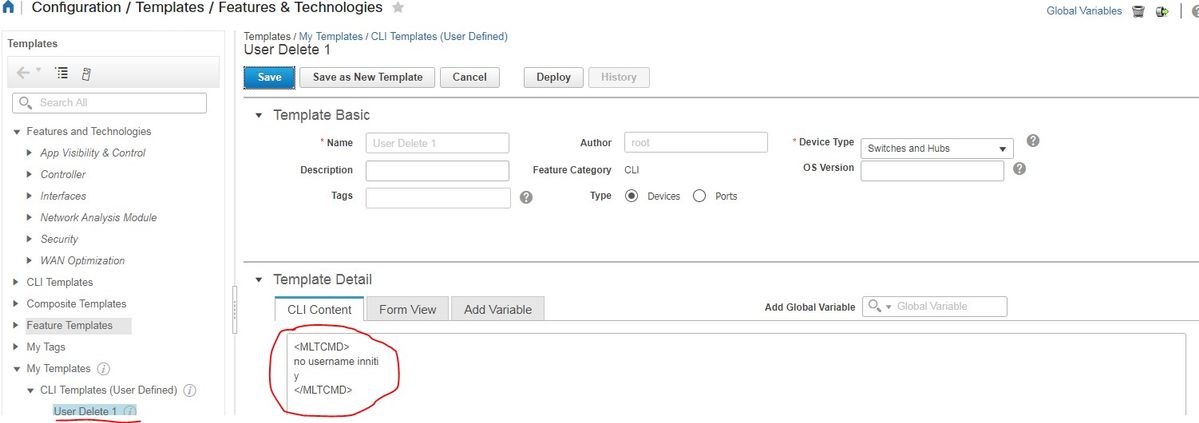
참고: 디바이스를 선택하고 템플릿을 적절히 다시 확인합니다.
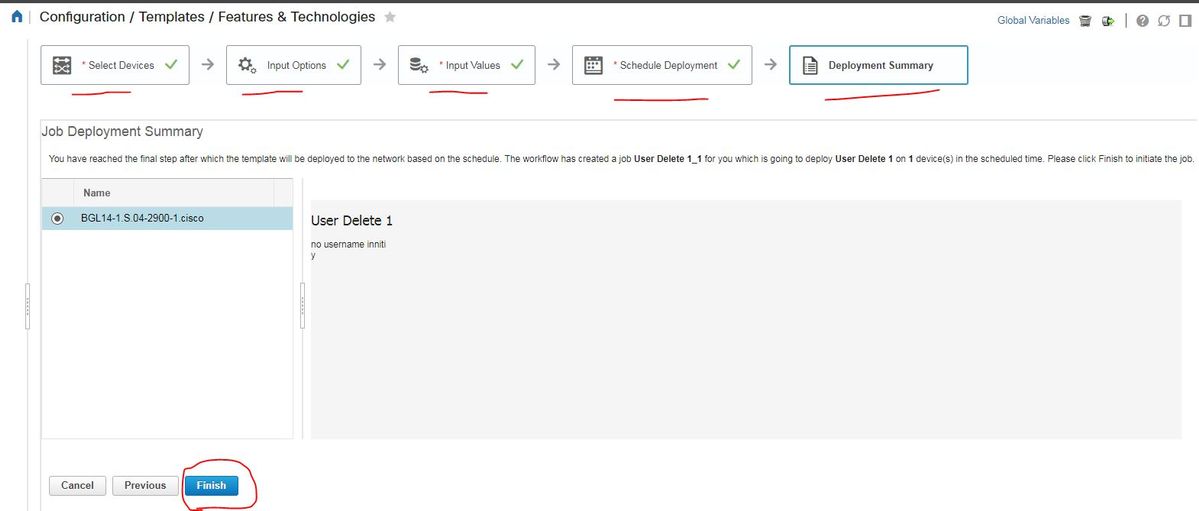
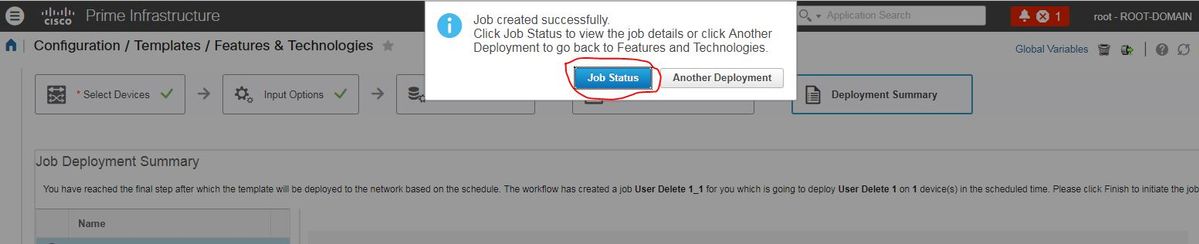
- 배포한 후에는 해당하는 작업이 백그라운드에서 실행되며, 다음과 같이 작업 상태를 클릭하면 해당 상태를 확인할 수 있습니다.
다음을 확인합니다.
PI의 경우:
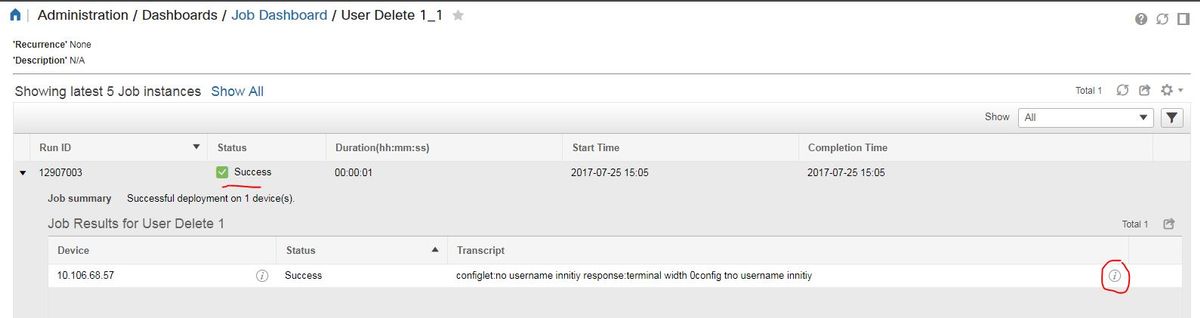
장치에서:
사용자 이름 inniti가 삭제됩니다.

Configuration(컨피그레이션) > Features & Technologies(기능 및 기술) > My Templates(내 템플릿) > CLI Templates(CLI 템플릿)로 이동합니다.
Example from user guide

Adding Interactive Commands

An interactive command contains the input that must be entered following the execution of a command.

To enter an interactive command in the CLI Content area, use the following syntax:

CLI Command<IQ>interactive question 1<R>command response 1 <IQ>interactive question 2<R>command response 2


where <IQ> and <R> tag are case-sensitive and must be entered as uppercase
이 예에서는 다음을 수행합니다.
#INTERACTIVE

no username inniti<IQ>confirm<R>y

#ENDS_INTERACTIVE
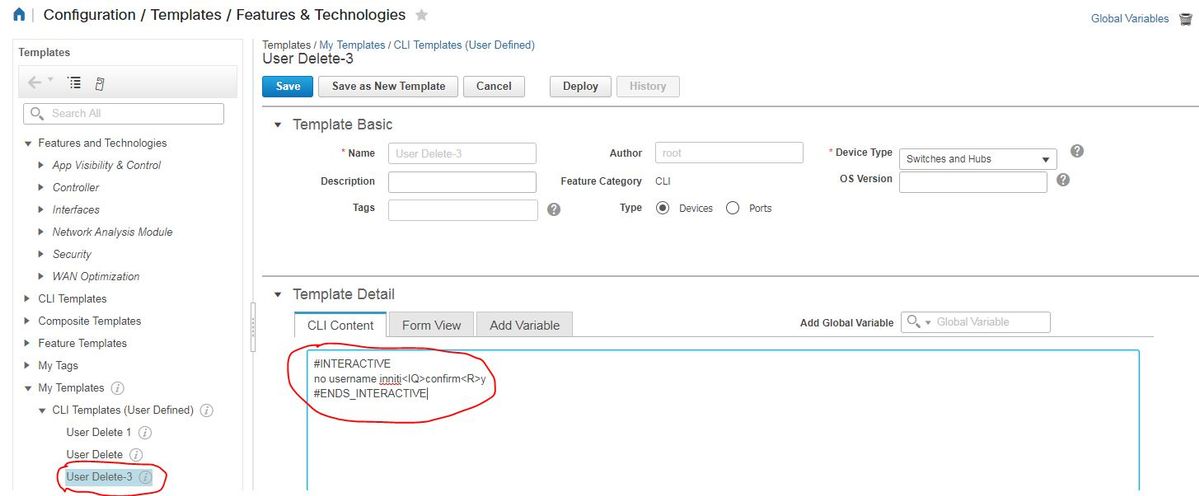
다음을 확인합니다.
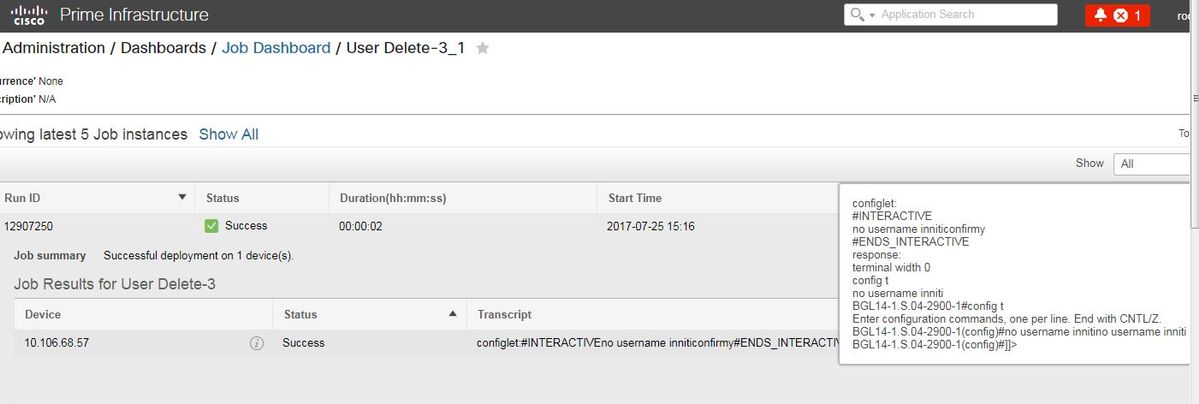
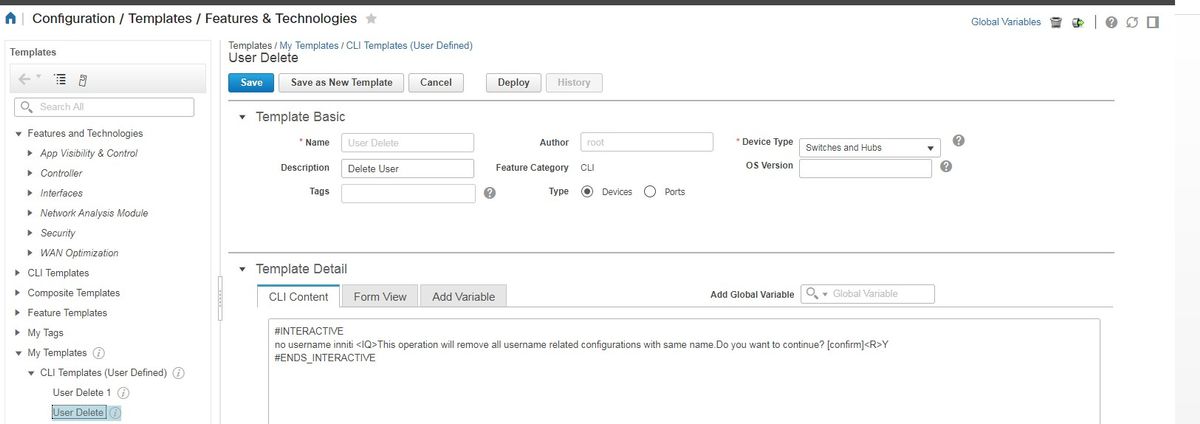
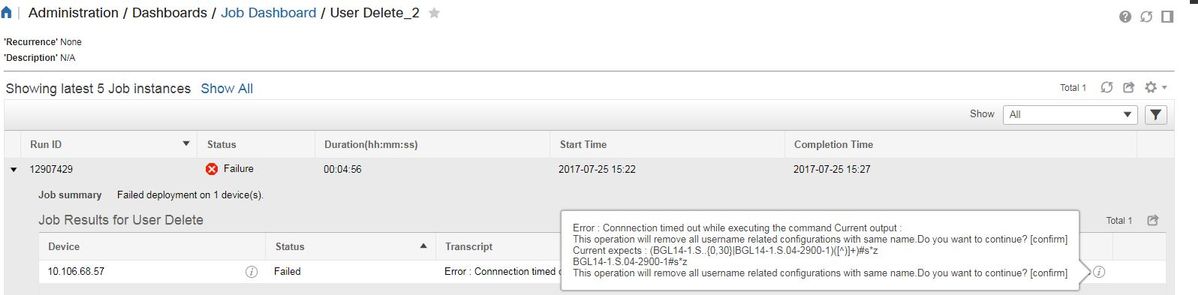
참고: Interactive 명령의 경우, 몇 가지 예에서 'Interactive Question'은 완전히 복사되었을 때 제대로 실행되지 않습니다. 그런 경우에는 마지막 단어를 입력하면 됩니다. 예를 들어 완전한 문장을 유지하면 실패하게 됩니다. #INTERACTIVE이 없습니다. inniti <IQ>이 작업은 동일한 이름의 모든 사용자 이름 관련 구성을 제거합니다. 계속하시겠습니까? [confirm]<R>Y #ENDS_INTERACTIVE.
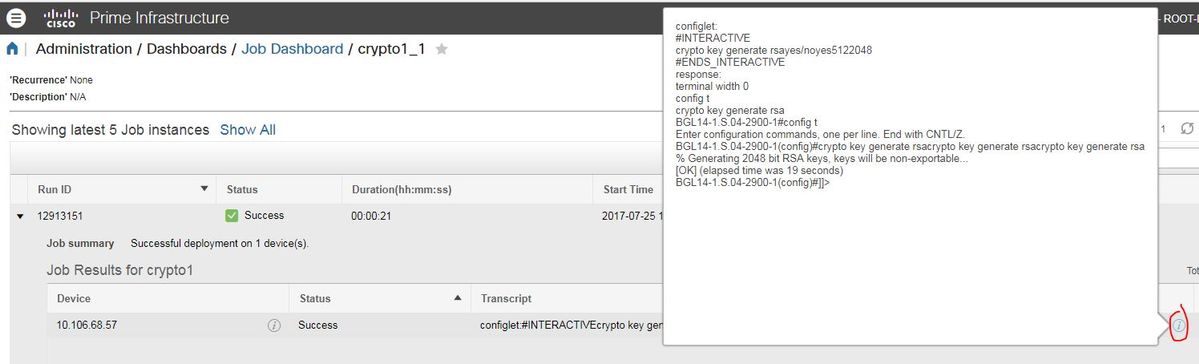
다중 명령 예
스위치의 암호화 키 생성
- 실행 시 디바이스에서 명령이 어떻게 표시되는지:
BGL14-1.S.04-2900-1(config)#crypto key generate rsa

% You already have RSA keys defined named BGL14-1.S.04-2900-1.cisco.

% Do you really want to replace them? [yes/no]: yes

Choose the size of the key modulus in the range of 360 to 4096 for your

  General Purpose Keys. Choosing a key modulus greater than 512 may take

  a few minutes.


How many bits in the modulus [512]: 512

% Generating 512 bit RSA keys, keys will be non-exportable...

[OK] (elapsed time was 1 seconds)

<MLTCMD>
 crypto key generate rsa
 yes
 2048
 </MLTCMD>
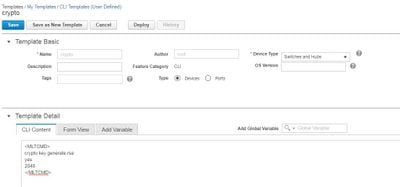
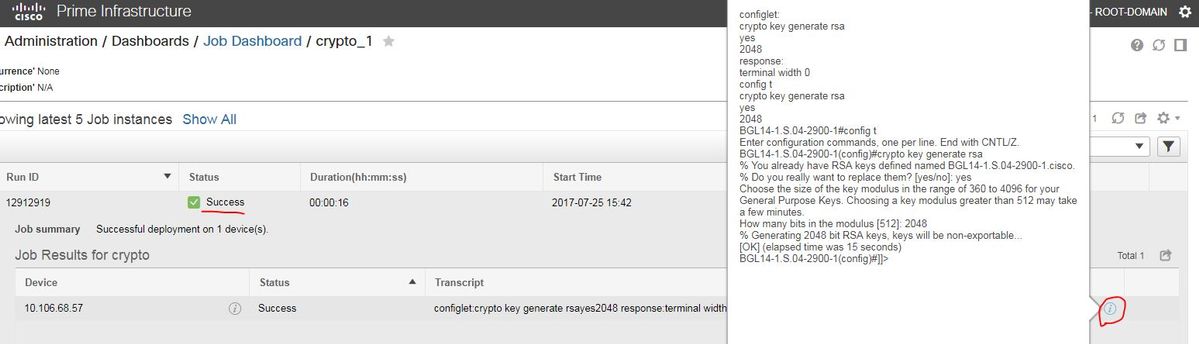
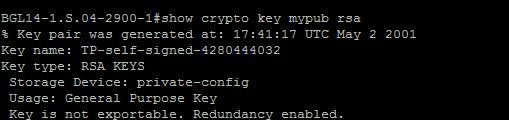
다음을 확인합니다.
#INTERACTIVE

crypto key generate rsa<IQ>yes/no<R>yes<IQ>512<R>2048

#ENDS_INTERACTIVE
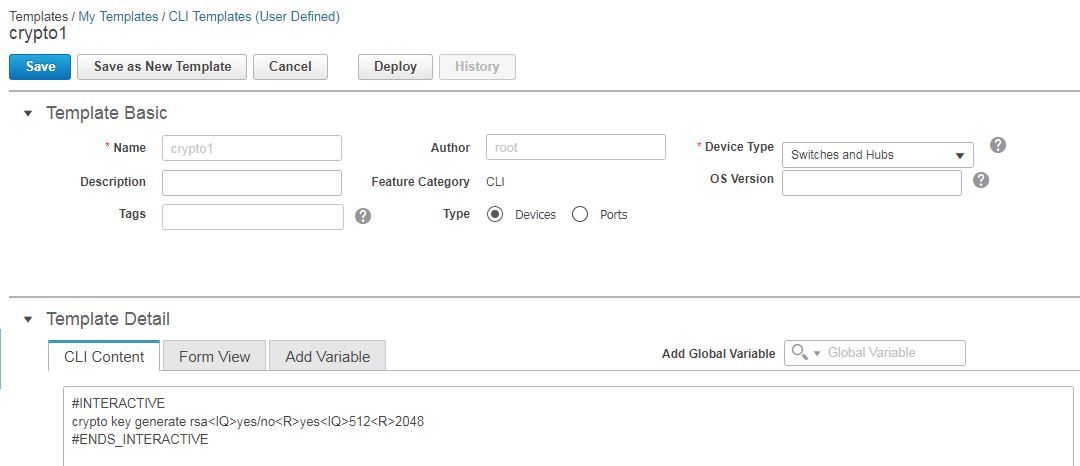
다음을 확인합니다.
문제 해결
현재 이 설정에 사용할 수 있는 특정 문제 해결 정보가 없습니다.

 피드백
피드백